


 本文介绍了如何在ROS2环境下为turtlebot3和即将发布的turtlebot4选择合适的版本,并推荐使用Linorobot2作为起点,涉及机器人的导航包、模型搭建和Gazebo配置。
ROS2之G/F版本支持较多的机器人为turtlebot3和即将发布的turtlebot4:
turtlebot4+树莓派4+ros2专属机器人 2022
ros@ros:~$ sudo apt install ros-noetic-
Display all 2587 possibilities? (y or n)
ros@ros:~$ sudo apt install ros-galactic-
Display all 1323 possibilities? (y or n)
ros@ros:~$ sudo apt install ros-foxy-
Display all 1517 possibilities? (y or n)
如果学习导航包,并且想自己从零起步搞定一款机器人,可以参考:
linorobot2,如下引用
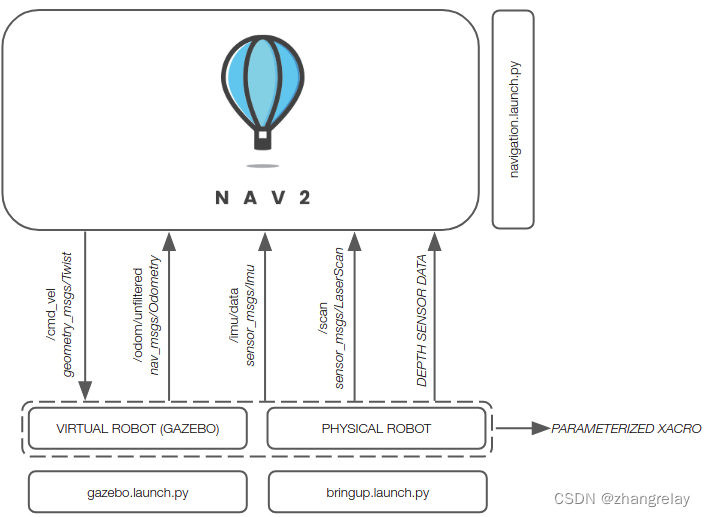
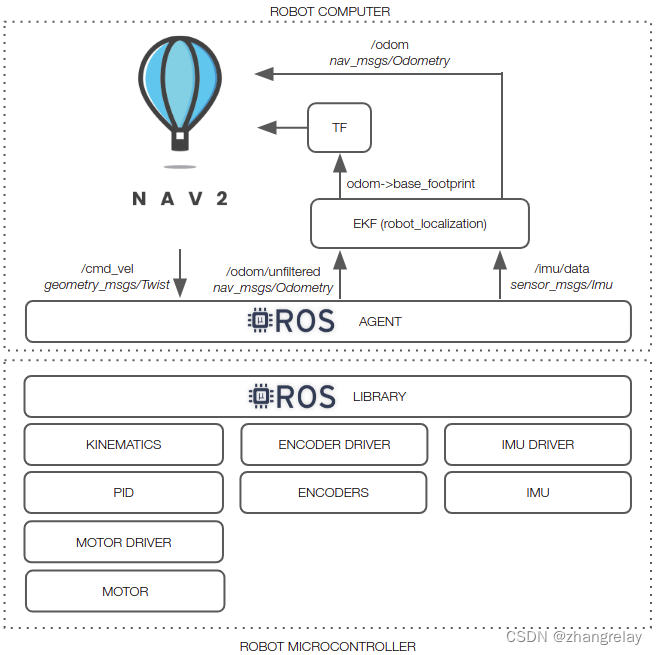
编译完成即可学习机器人模型/SLAM/导航等。
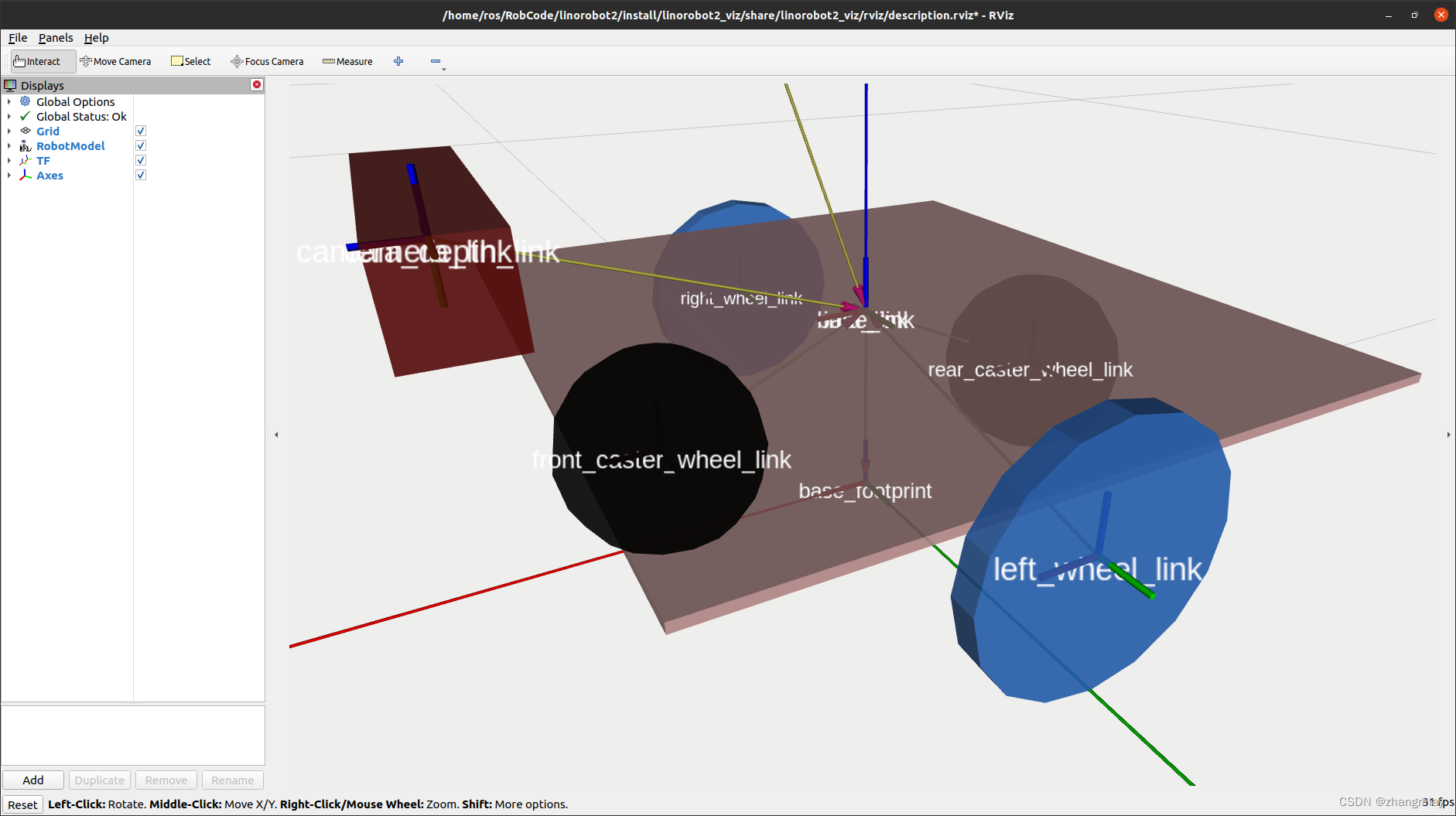
export LINOROBOT2_BASE=2wd
ros2 launch linorobot2_description description.launch.py
ros2 launch linorobot2_viz robot_model.launch.py
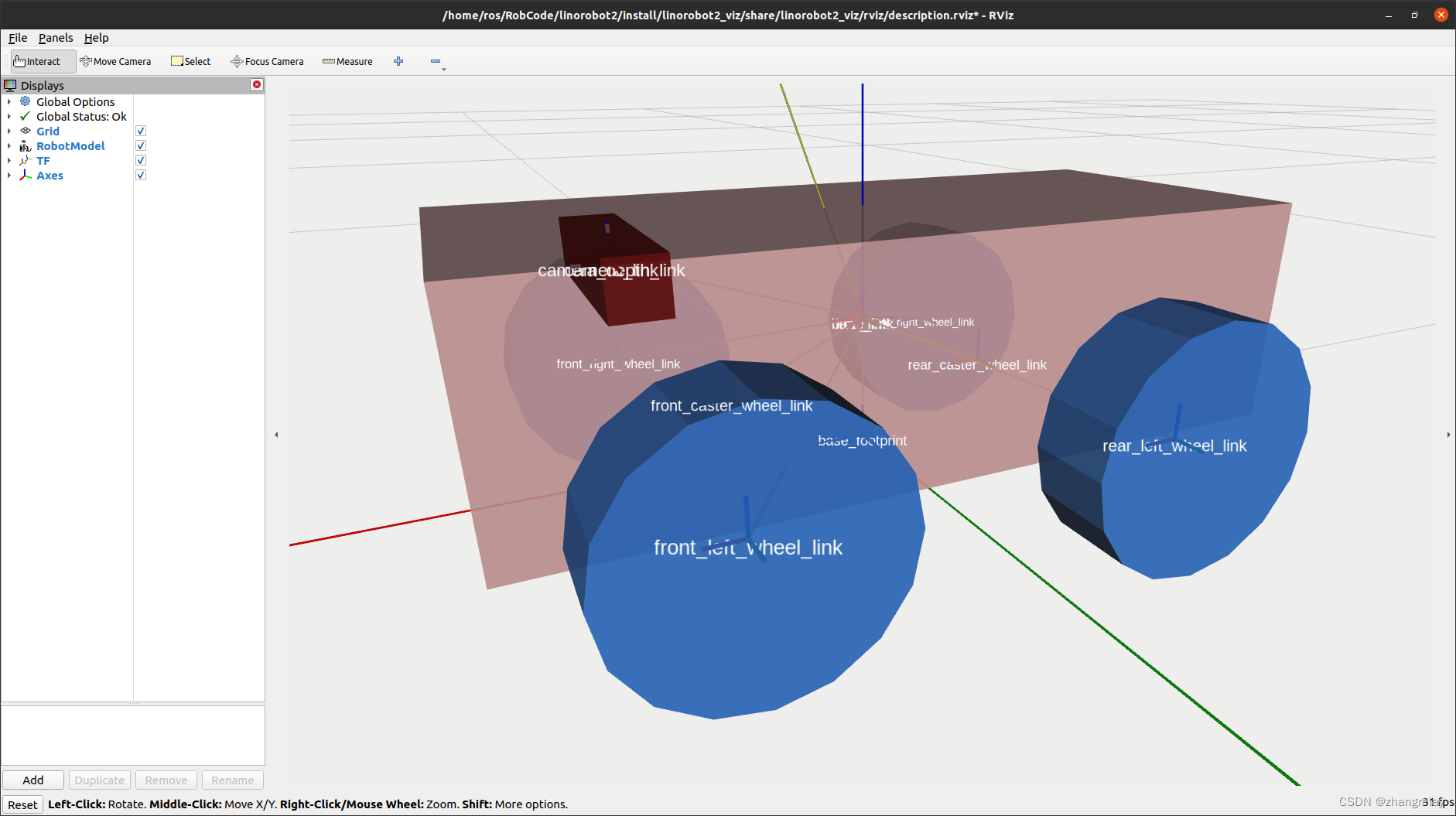
export LINOROBOT2_BASE=mecanum
ros2 launch linorobot2_description description.launch.py
ros2 launch linorobot2_viz robot_model.launch.py
Gazebo:
ros2 launch linorobot2_gazebo gazebo.launch.py
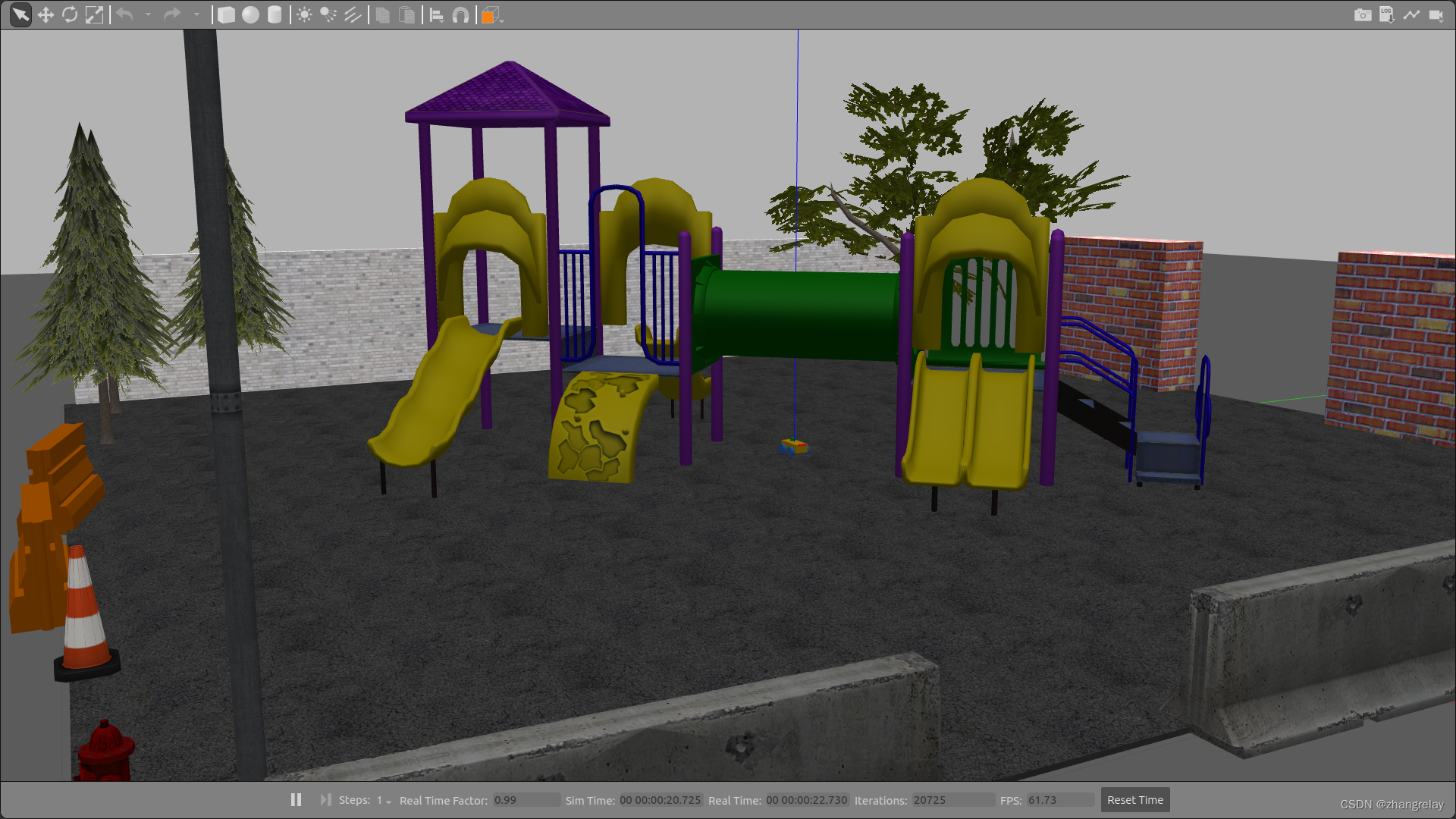
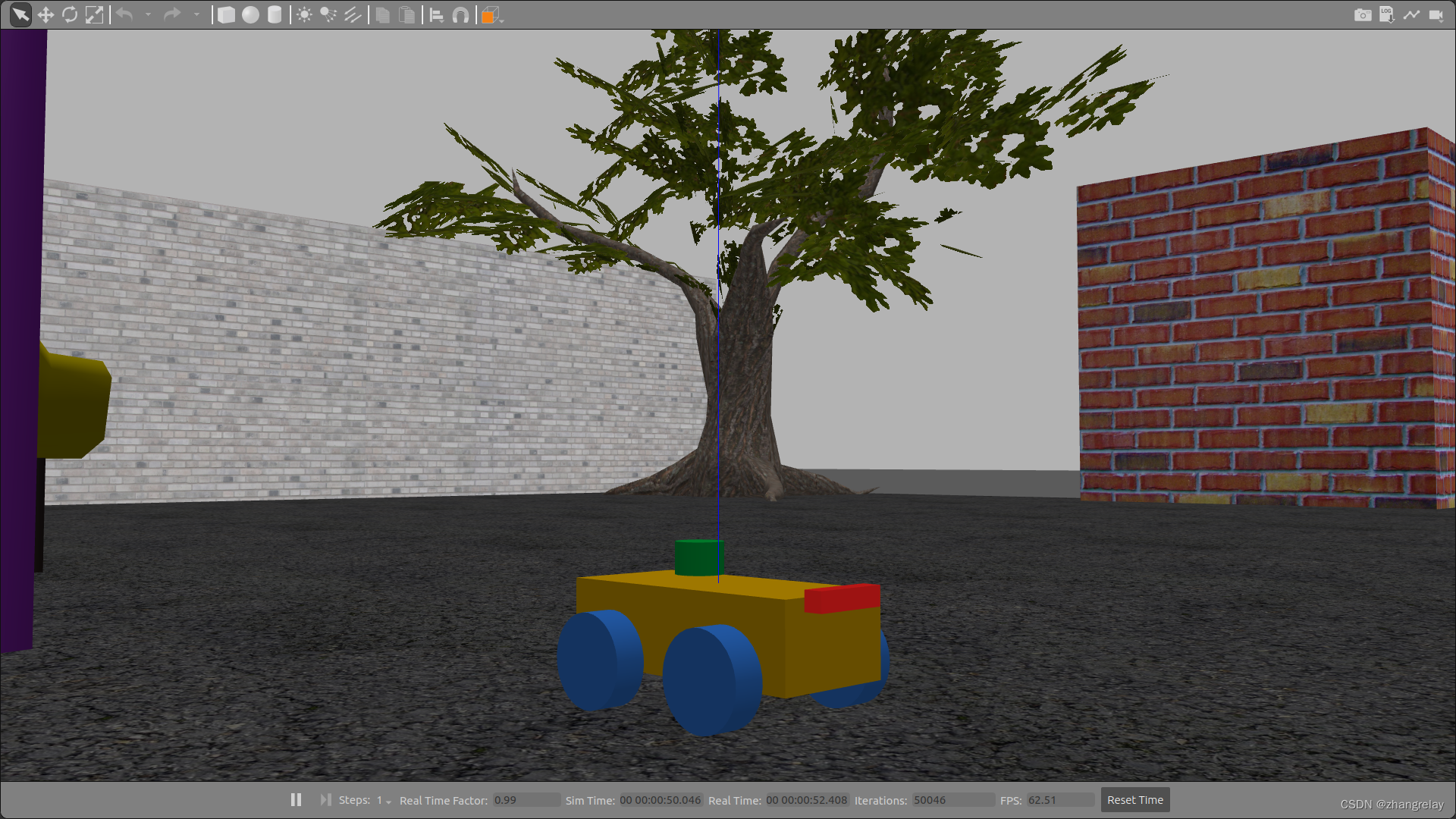
这部分没什么代码就是一个启动配置。引用自源码:
# Copyright (c) 2021 Juan Miguel Jimeno
#
# Licensed under the Apache License, Version 2.0 (the "License");
# you may not use this file except in compliance with the License.
# You may obtain a copy of the License at
#
#     http:#www.apache.org/licenses/LICENSE-2.0
#
# Unless required by applicable law or agreed to in writing, software
# distributed under the License is distributed on an "AS IS" BASIS,
# WITHOUT WARRANTIES OR CONDITIONS OF ANY KIND, either express or implied.
# See the License for the specific language governing permissions and
# limitations under the License.

import os
from launch import LaunchDescription
from launch.actions import DeclareLaunchArgument, ExecuteProcess, IncludeLaunchDescription
from launch.substitutions import LaunchConfiguration, Command, PathJoinSubstitution
from launch.launch_description_sources import PythonLaunchDescriptionSource
from launch_ros.actions import Node
from launch_ros.substitutions import FindPackageShare


def generate_launch_description():
    use_sim_time = True

    joy_launch_path = PathJoinSubstitution(
        [FindPackageShare('linorobot2_bringup'), 'launch', 'joy_teleop.launch.py']
    )

    ekf_config_path = PathJoinSubstitution(
        [FindPackageShare("linorobot2_base"), "config", "ekf.yaml"]
    )

    world_path = PathJoinSubstitution(
        [FindPackageShare("linorobot2_gazebo"), "worlds", "playground.world"]
    )

    description_launch_path = PathJoinSubstitution(
        [FindPackageShare('linorobot2_description'), 'launch', 'description.launch.py']
    )

    return LaunchDescription([
        ExecuteProcess(
            cmd=['gazebo', '--verbose', '-s', 'libgazebo_ros_factory.so',  '-s', 'libgazebo_ros_init.so', world_path],
            output='screen'
        ),

        Node(
            package='gazebo_ros',
            executable='spawn_entity.py',
            name='urdf_spawner',
            output='screen',
            arguments=["-topic", "robot_description", "-entity", "linorobot2"]
        ),

        Node(
            package='linorobot2_gazebo',
            executable='command_timeout.py',
            name='command_timeout'
        ),

        Node(
            package='robot_localization',
            executable='ekf_node',
            name='ekf_filter_node',
            output='screen',
            parameters=[
                {'use_sim_time': use_sim_time},
                ekf_config_path
            ],
            remappings=[("odometry/filtered", "odom")]
        ),

        IncludeLaunchDescription(
            PythonLaunchDescriptionSource(description_launch_path),
            launch_arguments={
                'use_sim_time': str(use_sim_time),
                'publish_joints': 'false',
            }.items()
        ),

        IncludeLaunchDescription(
            PythonLaunchDescriptionSource(joy_launch_path),
        )
    ])

#sources:
#https://navigation.ros.org/setup_guides/index.html#
#https://answers.ros.org/question/374976/ros2-launch-gazebolaunchpy-from-my-own-launch-file/
#https://github.com/ros2/rclcpp/issues/940





 扫一扫
扫一扫


 1336
1336

 被折叠的 条评论
为什么被折叠?
被折叠的 条评论
为什么被折叠?
 到【灌水乐园】发言





