


 本文介绍了MatCap的概念、用途,以及如何在Unity中利用ShaderLab快速创建不同效果的MatCap shader。从基础的反射到结合Normal和BaseCol,适合雕刻与游戏开发中的快速材质预览。特别提到使用法线贴图时的处理方法和纹理预览技巧。
文章目录
声明
下面部分资源是通过抓帧得到的资源,仅用于学习,也不公开
如果有 qin quan,可以提醒一下,马上删除
环境
Unity : 5.X 以上
Pipeline : BRP
(修改到 URP 也就非常简单)
什么是 MatCap?
Matcap stands for “material capture” and is an image that is used as an image texture to fake a whole material including lighting and reflections in 3D applications. The most common use is while sculpting objects but it can be used in games for objects that should always be lit or to achieve special effects such as x-ray, ghost or radar.
The image consist of a simple sphere that is mapped to the object’s normals in relation to the camera. As the camera moves around the object, the reflections and highlights move around your object much like the object where moving and not the camera. In other words, if your object were a sphere, no matter how you looked at it, it would look like the matcap sphere (shading, colors , reflections etc. would always be displayed in the same place). But when a matcap is applied to non-spherical shapes the material responds as if it were made of a complex material.
Matcaps is nice while sculpting. It do work with rendering, to an extent, as the material do not interact with the scenes lightning and reflection of other objects in the scene is best used for proof of concepts. It can be, and is, used to achieve special effects in games. It’s a good time saver when you do not have the time to set up complex lighting or materials.
Matcap 代表“材料捕捉”,是一种图像,用作图像纹理来伪造整个材料,包括 3D 应用程序中的照明和反射。最常见的用途是在雕刻物体时,但它可用于游戏中应始终点亮的物体或实现特殊效果,例如 X 射线、鬼影或雷达。
该图像由一个简单的球体组成,该球体映射到相对于相机的对象法线。当相机围绕对象移动时,反射和高光围绕您的对象移动,就像移动的对象而不是相机一样。换句话说,如果你的对象是一个球体,无论你怎么看它,它看起来都像 matcap 球体(阴影、颜色、反射等总是显示在同一个地方)。但是,当将 matcap 应用于非球形形状时,材料的反应就好像它是由复杂材料制成的。
Matcaps 在雕刻时很好用。在一定程度上,它确实适用于渲染,因为材质不会与场景中的灯光交互,并且场景中其他对象的反射最适合用于概念、效果验证。它可以并且用于在游戏中实现特殊效果。当您没有时间设置复杂的照明或材质时,这是一个很好的节省时间的方法。
总结一句话,就是:MatCap 是早期为了方便查看在 Sculpt(雕刻模型时的) 一些光影(灯光、反射)效果而制作的简单的 shader
因为效果好,见效快,提升建模效果预览,然后一直流传开来,在各个建模阶段的模型材质预览
直到后面,甚至部分游戏中的实时渲染的情况,也制作用上了,如:角色选择界面,为了给 角色补一些反射效果时,可以使用到
看个效果
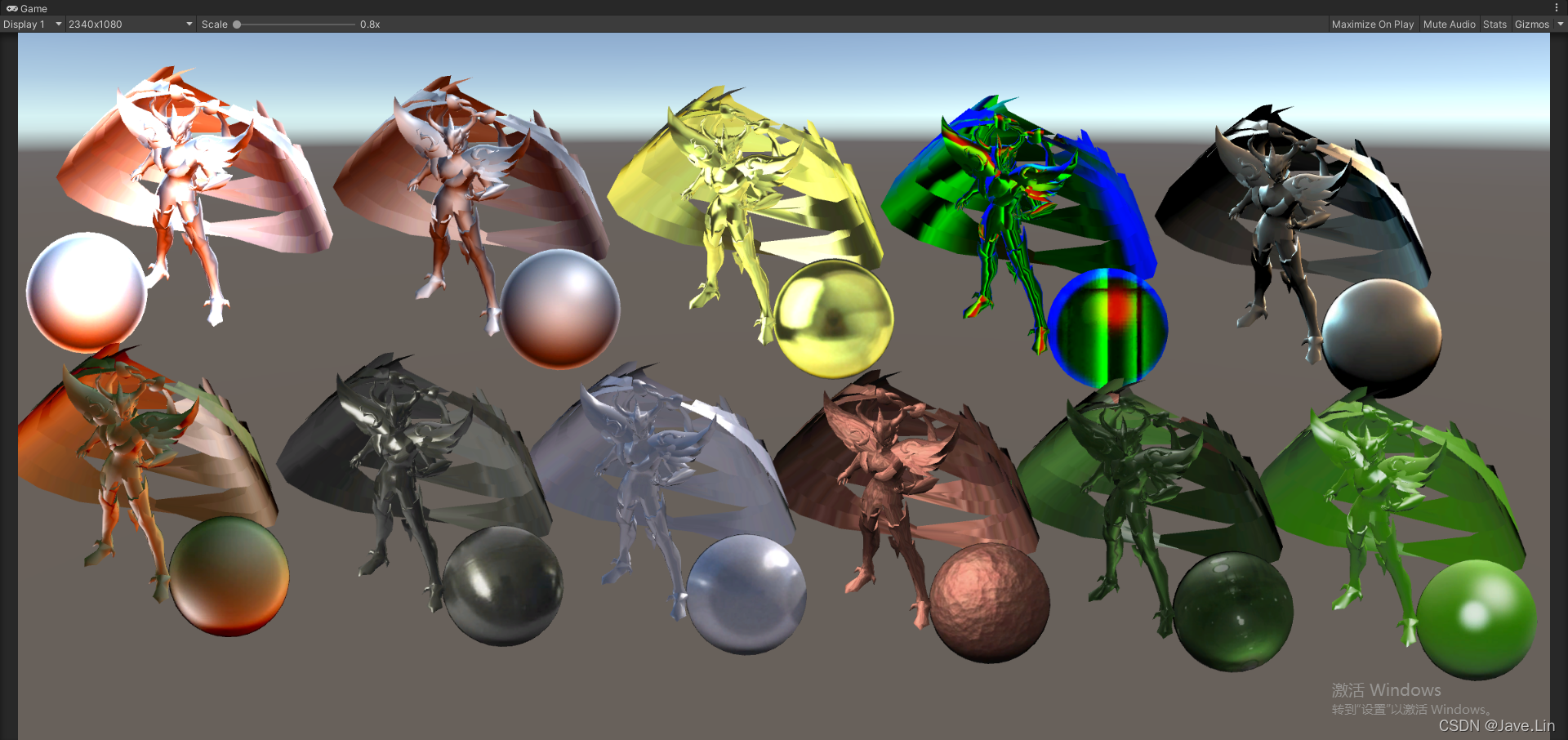
别看这个效果以为是 PBR,其实 shader 超级简单
在 鹅C,早期(2017发布的SDSXS)项目 中也看到有使用到 MatCap
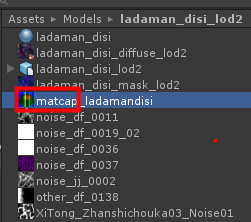
Unity ShaderLab 实现 MatCap
下面代码是在 这篇: MatCap — Render & Art pipeline optimization for mobile devices 上实现的
// jave.lin : 参考:https://medium.com/playkids-tech-blog/matcap-render-art-pipeline-optimization-for-mobile-devices-4e1a520b9f1a
// 简单到不能再简单了
// 原理是:将 法线转换到 ViewSpace,然后将 ViewSpace 下的法线 [-1~1] 转为 [0~1]
Shader "MatCap1"
{
Properties
{
_MainTex ("Diffuse (RGB)", 2D) = "white" {
}
_MatCap ("MatCap (RGB)", 2D) = "gray" {
}
}
Subshader
{
Tags {
"Queue"="Geometry" "RenderType"="Opaque" }
Pass
{
CGPROGRAM
#pragma vertex vert
#pragma fragment frag
#include "UnityCG.cginc"
uniform sampler2D _MainTex;
uniform sampler2D _MatCap;
uniform float4 _MainTex_ST;
uniform float4 _MatCap_ST;
struct appdata
{
float4 vertex : POSITION;
float4 texcoord0 : TEXCOORD0;
float3 normal : NORMAL;
};
struct v2f
{
float4 pos : SV_POSITION;
float2 uv : TEXCOORD0;
float2 uvCap : TEXCOORD1;
};
v2f vert (appdata v)
{
v2f o;
o.pos = UnityObjectToClipPos(v.vertex);
o.uv = TRANSFORM_TEX(v.texcoord0, _MainTex);
float3 worldNormal = normalize( unity_WorldToObject[0].xyz * v.normal.x +
unity_WorldToObject[1].xyz * v.normal.y +
unity_WorldToObject[2].xyz * v.normal.z);
worldNormal = mul((float3x3)UNITY_MATRIX_V, worldNormal);
o.uvCap.xy = worldNormal.xy * 0.5 + 0.5;
return o;
}
float4 frag (v2f i) : COLOR
{
float4 albedo = tex2D(_MainTex, i.uv);
float4 MatCap = tex2D(_MatCap, i.uvCap);
return (albedo + ( 最低0.47元/天 解锁文章






 扫一扫
扫一扫


 7666
7666

 被折叠的 条评论
为什么被折叠?
被折叠的 条评论
为什么被折叠?
 到【灌水乐园】发言





