



 本文详细描述了如何在ROS1环境中使用IntelRealSenseD455深度相机,包括启动节点、发布消息到不同topic以及查看关键参数,如相机信息、图像数据和点云数据,以及tf静态信息。
IntelRealSense深度相机D455在ROS1运行中的消息内容
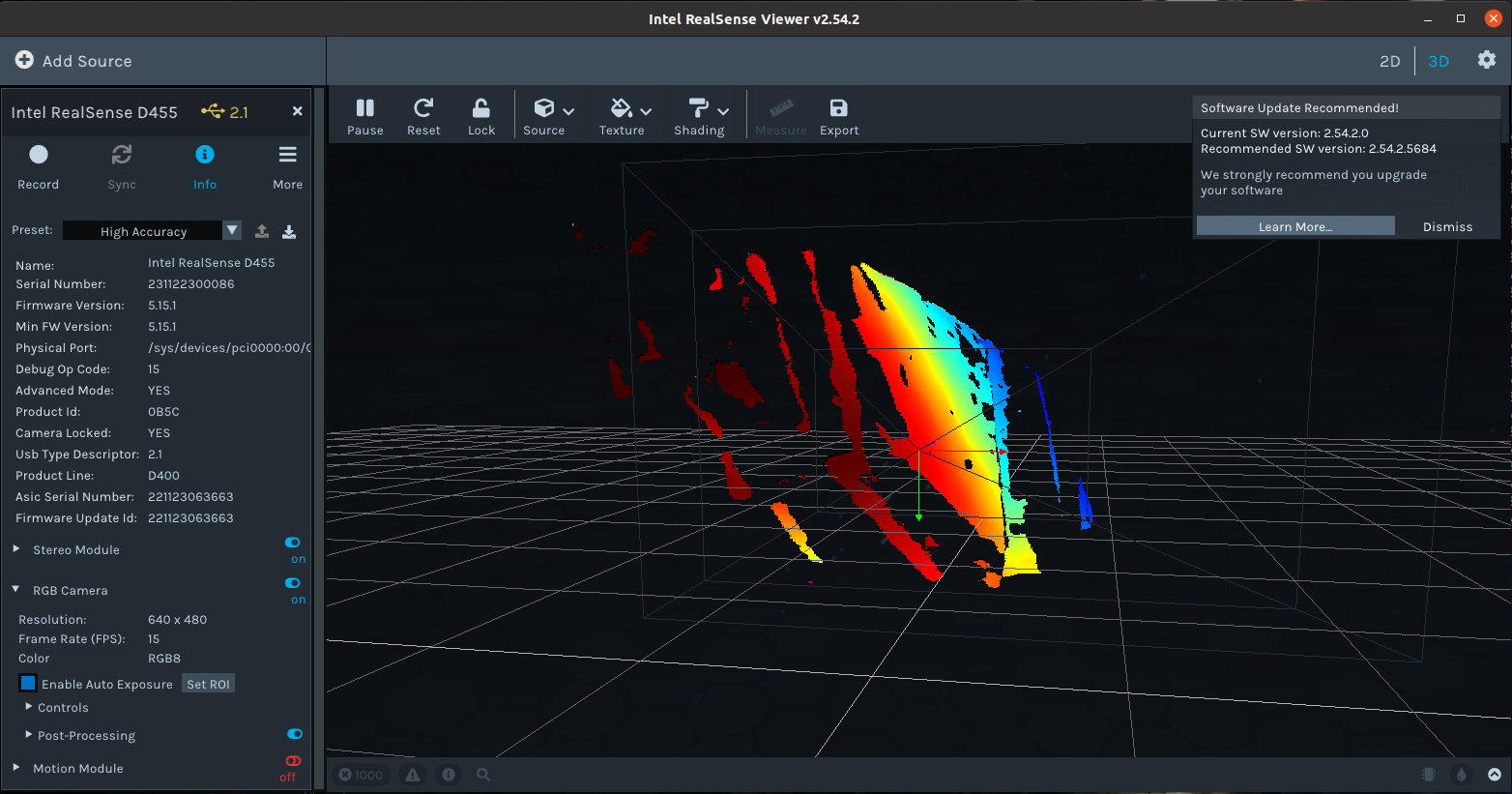
Physical Port:: /sys/devices/pci0000:00/0000:00:11.0/0000:02:03.0/usb1/1-1/1-1:1.0/video4linux
Start the camera node
To start the camera node in ROS:
通过下面命令所有相关信息通过ros topic的方式发布出去
roslaunch realsense2_camera rs_camera.launch
rosnode查看
/camera/realsense2_camera
/camera/realsense2_camera_manager
/rosout
rqt_graph查看
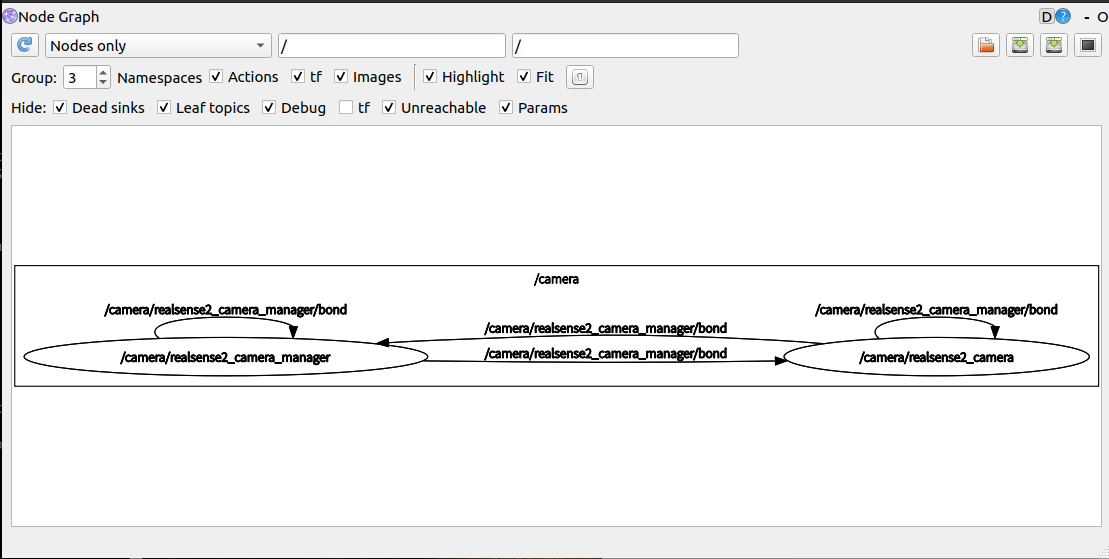
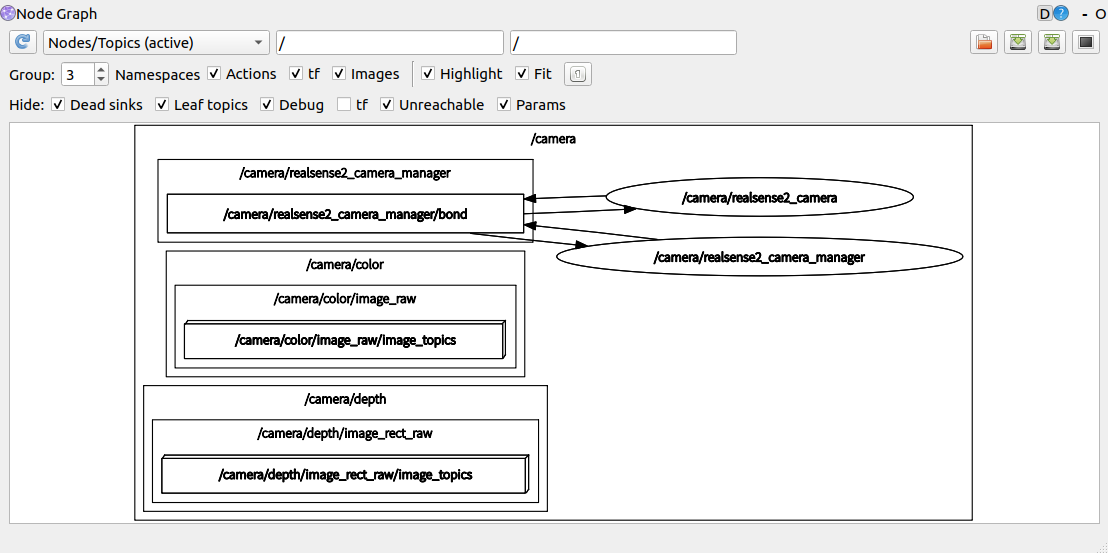
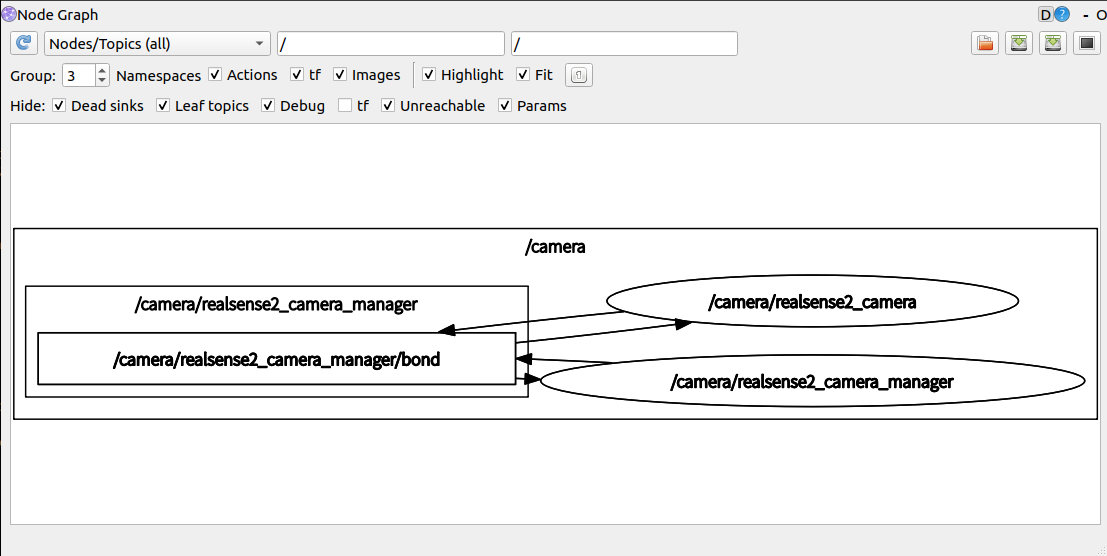
rostopic查看
/camera/color/camera_info
/camera/color/image_raw
/camera/color/image_raw/compressed
/camera/color/image_raw/compressed/parameter_descriptions
/camera/color/image_raw/compressed/parameter_updates
/camera/color/image_raw/compressedDepth
/camera/color/image_raw/compressedDepth/parameter_descriptions
/camera/color/image_raw/compressedDepth/parameter_updates
/camera/color/image_raw/theora
/camera/color/image_raw/theora/parameter_descriptions
/camera/color/image_raw/theora/parameter_updates
/camera/color/metadata
/camera/depth/camera_info
/camera/depth/image_rect_raw
/camera/depth/image_rect_raw/compressed
/camera/depth/image_rect_raw/compressed/parameter_descriptions
/camera/depth/image_rect_raw/compressed/parameter_updates
/camera/depth/image_rect_raw/compressedDepth
/camera/depth/image_rect_raw/compressedDepth/parameter_descriptions
/camera/depth/image_rect_raw/compressedDepth/parameter_updates
/camera/depth/image_rect_raw/theora
/camera/depth/image_rect_raw/theora/parameter_descriptions
/camera/depth/image_rect_raw/theora/parameter_updates
/camera/depth/metadata
/camera/extrinsics/depth_to_color
/camera/motion_module/parameter_descriptions
/camera/motion_module/parameter_updates
/camera/realsense2_camera_manager/bond
/camera/rgb_camera/auto_exposure_roi/parameter_descriptions
/camera/rgb_camera/auto_exposure_roi/parameter_updates
/camera/rgb_camera/parameter_descriptions
/camera/rgb_camera/parameter_updates
/camera/stereo_module/auto_exposure_roi/parameter_descriptions
/camera/stereo_module/auto_exposure_roi/parameter_updates
/camera/stereo_module/parameter_descriptions
/camera/stereo_module/parameter_updates
/diagnostics
/rosout
/rosout_agg
/tf
/tf_static
/camera/color/camera_info的话题消息内容
---
header:
  seq: 121
  stamp:
    secs: 1701757644
    nsecs: 890126705
  frame_id: "camera_color_optical_frame"
height: 480
width: 640
distortion_model: "plumb_bob"
D: [-0.05529118701815605, 0.06646831333637238, 0.00021844496950507164, 8.94237746251747e-05, -0.021805301308631897]
K: [386.3393859863281, 0.0, 324.54986572265625, 0.0, 385.8198547363281, 241.42041015625, 0.0, 0.0, 1.0]
R: [1.0, 0.0, 0.0, 0.0, 1.0, 0.0, 0.0, 0.0, 1.0]
P: [386.3393859863281, 0.0, 324.54986572265625, 0.0, 0.0, 385.8198547363281, 241.42041015625, 0.0, 0.0, 0.0, 1.0, 0.0]
binning_x: 0
binning_y: 0
roi:
  x_offset: 0
  y_offset: 0
  height: 0
  width: 0
  do_rectify: False
---
/camera/depth/camera_info的话题消息内容
---
header:
  seq: 41
  stamp:
    secs: 1701757805
    nsecs: 683720589
  frame_id: "camera_depth_optical_frame"
height: 480
width: 640
distortion_model: "plumb_bob"
D: [0.0, 0.0, 0.0, 0.0, 0.0]
K: [386.1236267089844, 0.0, 323.4205322265625, 0.0, 386.1236267089844, 240.564453125, 0.0, 0.0, 1.0]
R: [1.0, 0.0, 0.0, 0.0, 1.0, 0.0, 0.0, 0.0, 1.0]
P: [386.1236267089844, 0.0, 323.4205322265625, 0.0, 0.0, 386.1236267089844, 240.564453125, 0.0, 0.0, 0.0, 1.0, 0.0]
binning_x: 0
binning_y: 0
roi:
  x_offset: 0
  y_offset: 0
  height: 0
  width: 0
  do_rectify: False
---
/camera/motion_module/parameter_descriptions /摄像机运动模块参数说明的消息内容
groups:
  -
    name: "Default"
    type: ''
    parameters:
      -
        name: "frames_queue_size"
        type: "int"
        level: 0
        description: "Max number of frames you can hold at a given time. Increasing this number will reduce\
  \ frame drops but increase latency, and vice versa"
        edit_method: ''
      -
        name: "enable_motion_correction"
        type: "bool"
        level: 0
        description: "Enable/Disable Automatic Motion Data Correction"
        edit_method: ''
      -
        name: "global_time_enabled"
        type: "bool"
        level: 0
        description: "Enable/Disable global timestamp"
        edit_method: ''
    parent: 0
    id: 0
max:
  bools:
    -
      name: "enable_motion_correction"
      value: True
    -
      name: "global_time_enabled"
      value: True
  ints:
    -
      name: "frames_queue_size"
      value: 32
  strs: []
  doubles: []
  groups:
    -
      name: "Default"
      state: True
      id: 0
      parent: 0
min:
  bools:
    -
      name: "enable_motion_correction"
      value: False
    -
      name: "global_time_enabled"
      value: False
  ints:
    -
      name: "frames_queue_size"
      value: 0
  strs: []
  doubles: []
  groups:
    -
      name: "Default"
      state: True
      id: 0
      parent: 0
dflt:
  bools:
    -
      name: "enable_motion_correction"
      value: True
    -
      name: "global_time_enabled"
      value: True
  ints:
    -
      name: "frames_queue_size"
      value: 16
  strs: []
  doubles: []
  groups:
    -
      name: "Default"
      state: True
      id: 0
      parent: 0
---
/camera/stereo_module/auto_exposure_roi/parameter_descriptions 相机立体模块自动曝光roi参数说明的消息内容
groups:
  -
    name: "Default"
    type: ''
    parameters:
      -
        name: "left"
        type: "int"
        level: 0
        description: "auto-exposure left coordinate"
        edit_method: ''
      -
        name: "right"
        type: "int"
        level: 0
        description: "auto-exposure right coordinate"
        edit_method: ''
      -
        name: "top"
        type: "int"
        level: 0
        description: "auto-exposure top coordinate"
        edit_method: ''
      -
        name: "bottom"
        type: "int"
        level: 0
        description: "auto-exposure bottom coordinate"
        edit_method: ''
    parent: 0
    id: 0
max:
  bools: []
  ints:
    -
      name: "left"
      value: 639
    -
      name: "right"
      value: 639
    -
      name: "top"
      value: 479
    -
      name: "bottom"
      value: 479
  strs: []
  doubles: []
  groups:
    -
      name: "Default"
      state: True
      id: 0
      parent: 0
min:
  bools: []
  ints:
    -
      name: "left"
      value: 0
    -
      name: "right"
      value: 0
    -
      name: "top"
      value: 0
    -
      name: "bottom"
      value: 0
  strs: []
  doubles: []
  groups:
    -
      name: "Default"
      state: True
      id: 0
      parent: 0
dflt:
  bools: []
  ints:
    -
      name: "left"
      value: 0
    -
      name: "right"
      value: 639
    -
      name: "top"
      value: 0
    -
      name: "bottom"
      value: 479
  strs: []
  doubles: []
  groups:
    -
      name: "Default"
      state: True
      id: 0
      parent: 0
---
/tf_static的话题消息内容
 -
    header:
      seq: 0
      stamp:
        secs: 1701759021
        nsecs: 810140552
      frame_id: "camera_color_frame"
    child_frame_id: "camera_color_optical_frame"
    transform:
      translation:
        x: 0.0
        y: -0.0
        z: -0.0
      rotation:
        x: -0.5
        y: 0.4999999999999999
        z: -0.5
        w: 0.5000000000000001
---
通过下面命令直接查看RVIZ中点云信息
roslaunch realsense2_camera demo_pointcloud.launch
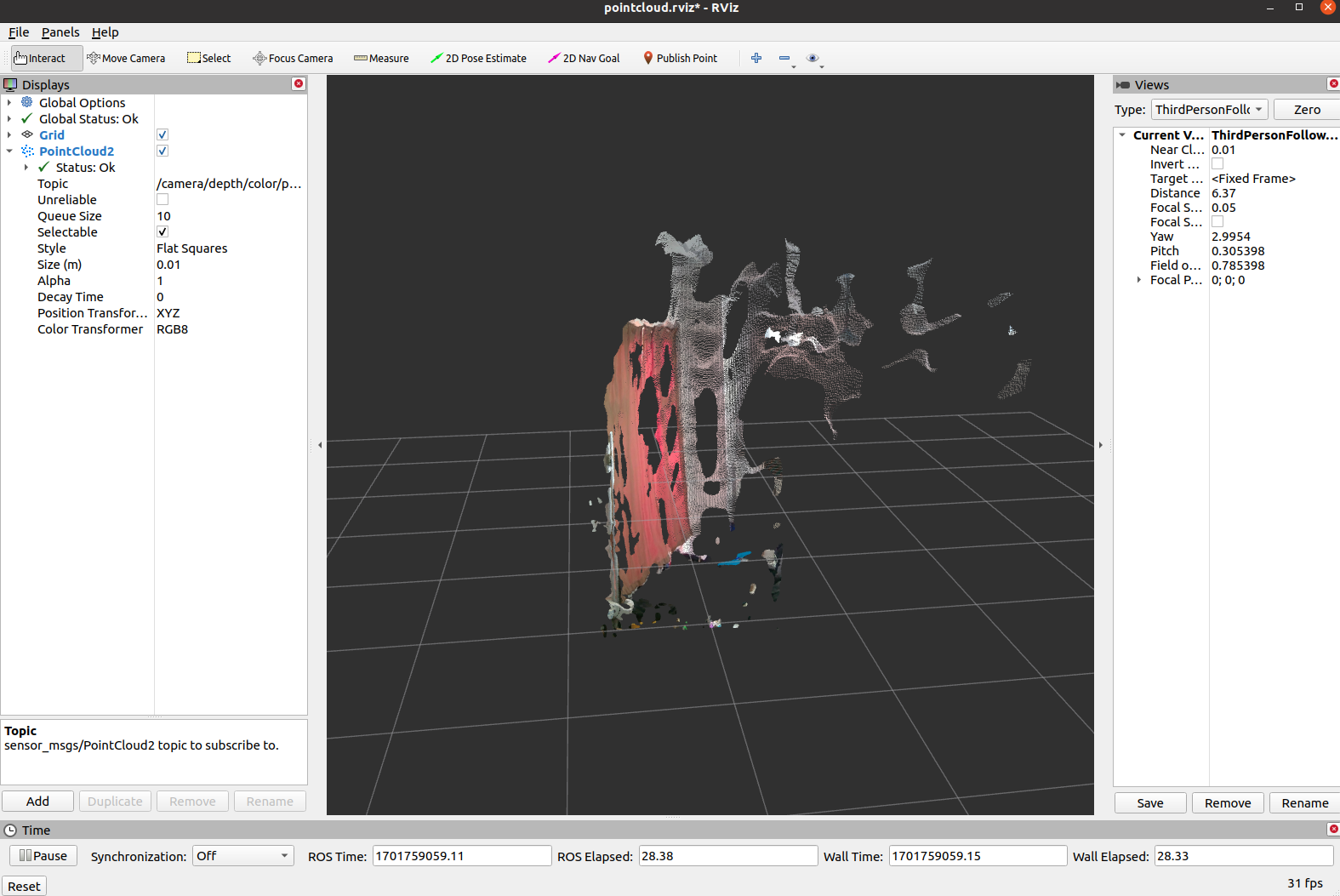
rosnode查看
/camera/realsense2_camera
/camera/realsense2_camera_manager
/camera/rviz
/rosout
rqt_graph查看
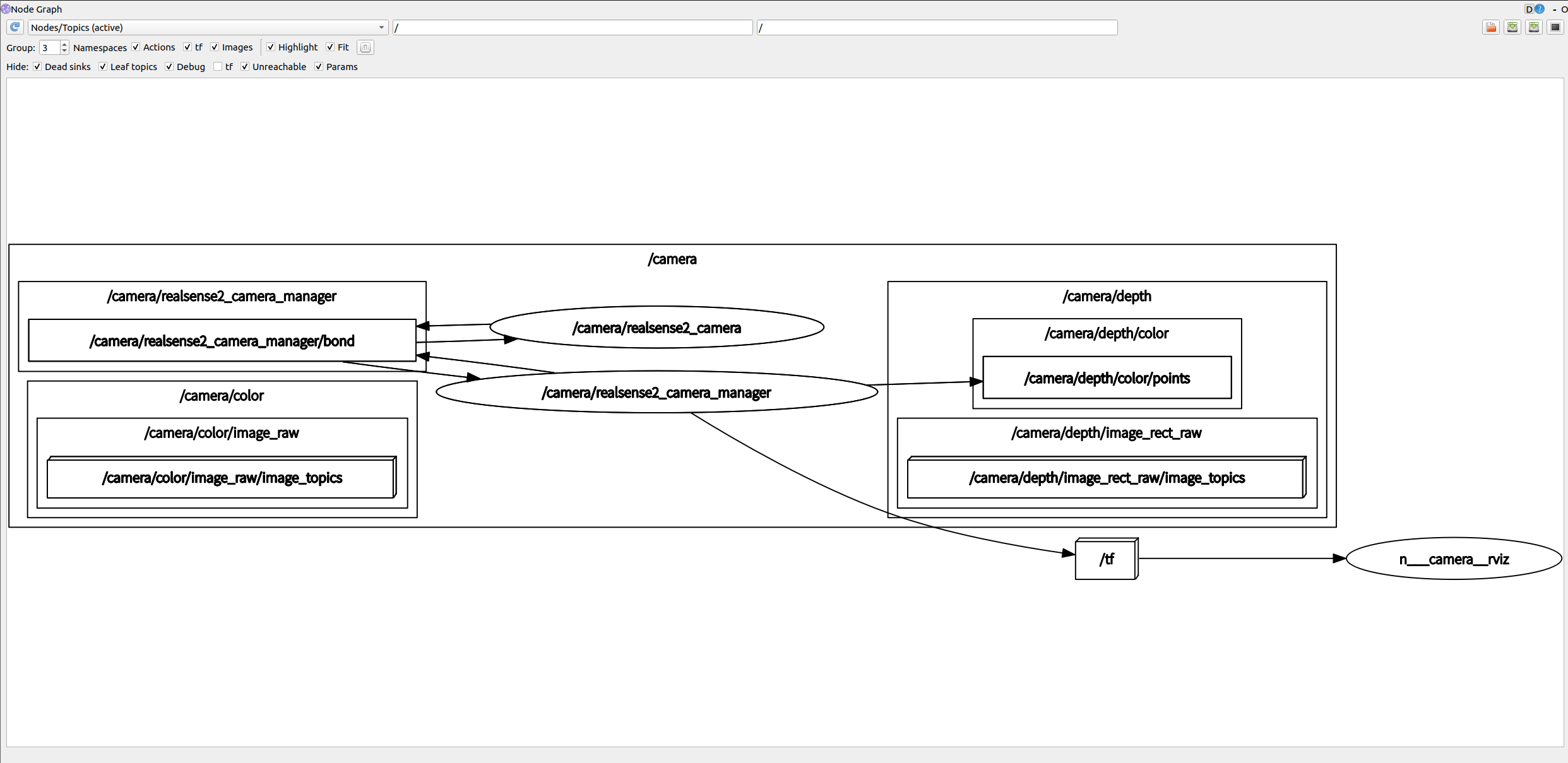
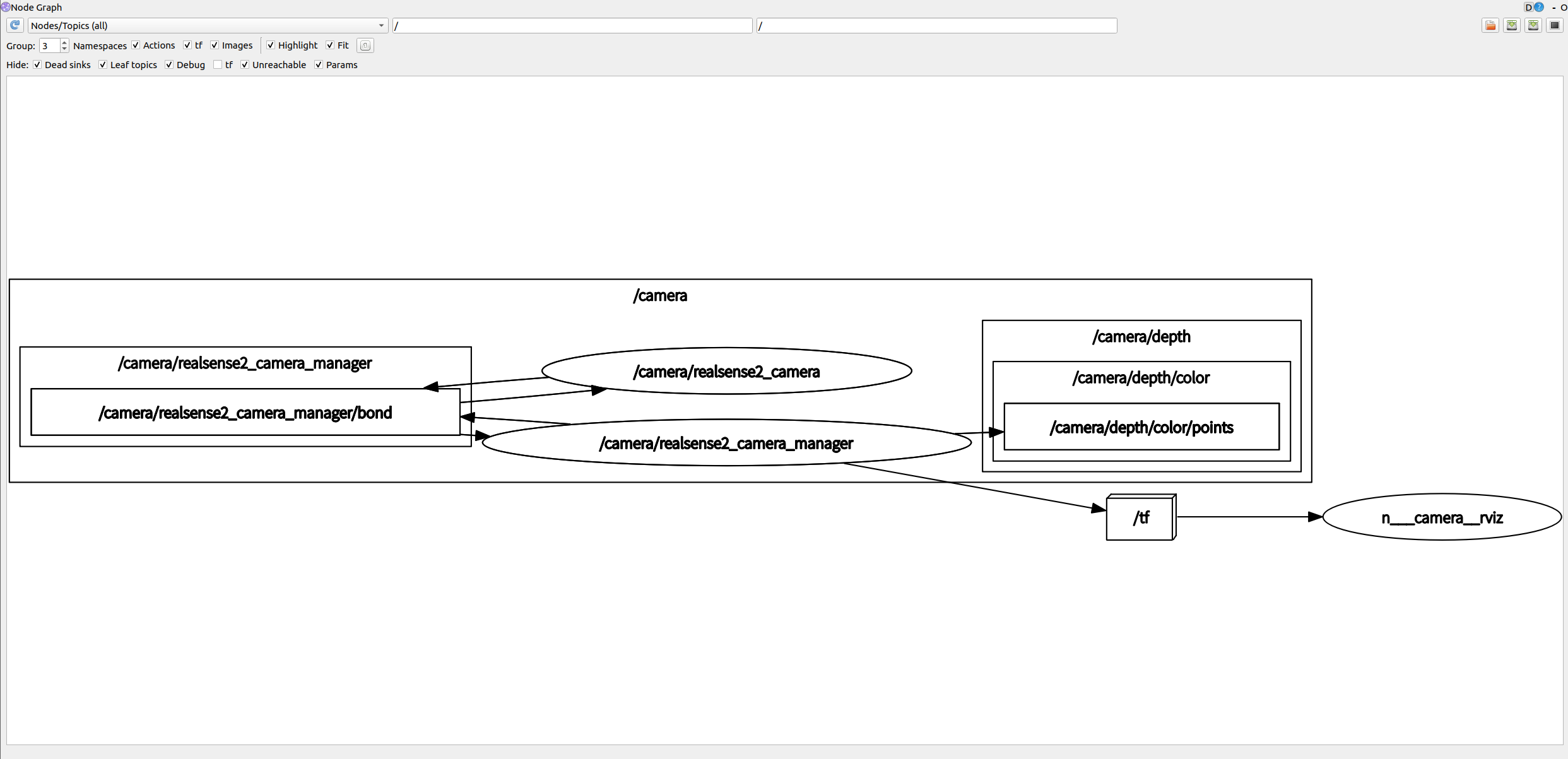
rostopic查看
/camera/color/camera_info
/camera/color/image_raw
/camera/color/image_raw/compressed
/camera/color/image_raw/compressed/parameter_descriptions
/camera/color/image_raw/compressed/parameter_updates
/camera/color/image_raw/compressedDepth
/camera/color/image_raw/compressedDepth/parameter_descriptions
/camera/color/image_raw/compressedDepth/parameter_updates
/camera/color/image_raw/theora
/camera/color/image_raw/theora/parameter_descriptions
/camera/color/image_raw/theora/parameter_updates
/camera/color/metadata
/camera/depth/camera_info
/camera/depth/color/points
/camera/depth/image_rect_raw
/camera/depth/image_rect_raw/compressed
/camera/depth/image_rect_raw/compressed/parameter_descriptions
/camera/depth/image_rect_raw/compressed/parameter_updates
/camera/depth/image_rect_raw/compressedDepth
/camera/depth/image_rect_raw/compressedDepth/parameter_descriptions
/camera/depth/image_rect_raw/compressedDepth/parameter_updates
/camera/depth/image_rect_raw/theora
/camera/depth/image_rect_raw/theora/parameter_descriptions
/camera/depth/image_rect_raw/theora/parameter_updates
/camera/depth/metadata
/camera/extrinsics/depth_to_color
/camera/motion_module/parameter_descriptions
/camera/motion_module/parameter_updates
/camera/pointcloud/parameter_descriptions
/camera/pointcloud/parameter_updates
/camera/realsense2_camera_manager/bond
/camera/rgb_camera/auto_exposure_roi/parameter_descriptions
/camera/rgb_camera/auto_exposure_roi/parameter_updates
/camera/rgb_camera/parameter_descriptions
/camera/rgb_camera/parameter_updates
/camera/stereo_module/auto_exposure_roi/parameter_descriptions
/camera/stereo_module/auto_exposure_roi/parameter_updates
/camera/stereo_module/parameter_descriptions
/camera/stereo_module/parameter_updates
/clicked_point
/diagnostics
/initialpose
/move_base_simple/goal
/rosout
/rosout_agg
/tf
/tf_static
比之前运行多了一些话题
/camera/pointcloud/parameter_descriptions
/camera/pointcloud/parameter_updates
/clicked_point
/initialpose
/move_base_simple/goal






 扫一扫
扫一扫


 8268
8268

 被折叠的 条评论
为什么被折叠?
被折叠的 条评论
为什么被折叠?
 到【灌水乐园】发言





