


在 Unity 2023 的开发过程中,理解变量的赋值顺序对于确保程序按预期运行至关重要。变量可以在类的开始处、Start方法、Update方法中赋值,还能通过 Inspector 面板赋值。下面我们来详细了解这些赋值方式的先后顺序。
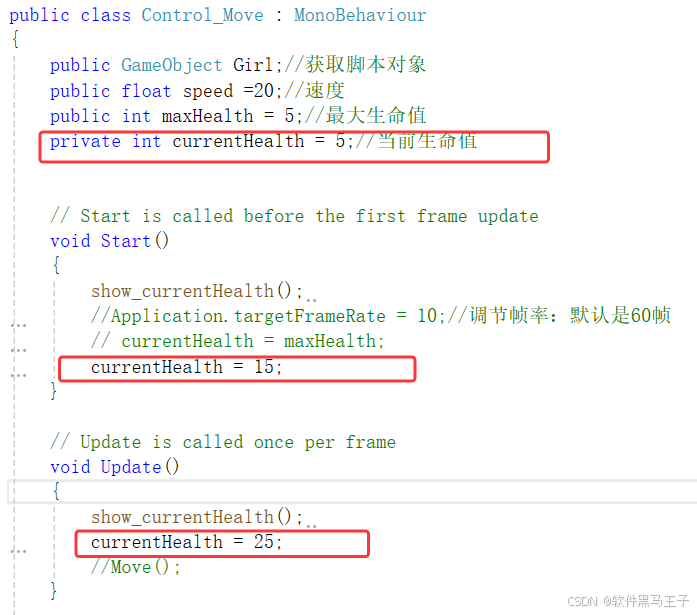
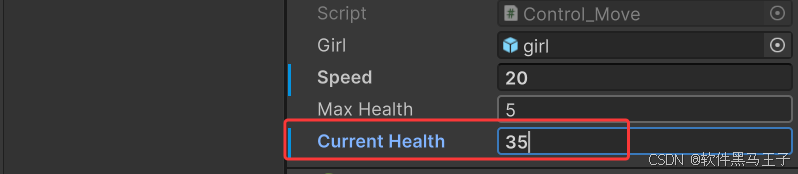
一、类开始处赋值
在编写脚本时,我们常常会在定义变量的同时赋予其初始值,这是一种常见的初始化方式。例如:
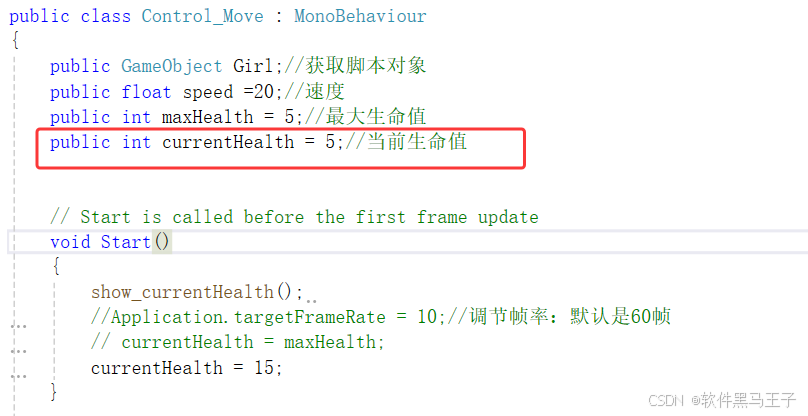
二、Inspector 面板赋值
当脚本挂载到游戏对象上后,对于public类型的变量,或者使用了[SerializeField]特性修饰的private变量,我们可以在 Inspector 面板中直观地对其进行赋值。例如:
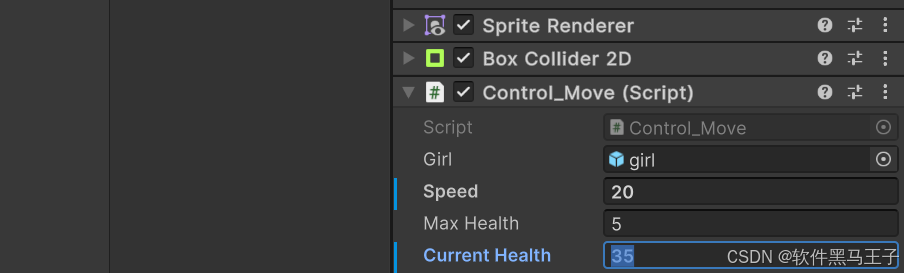
三、Start 方法中的赋值
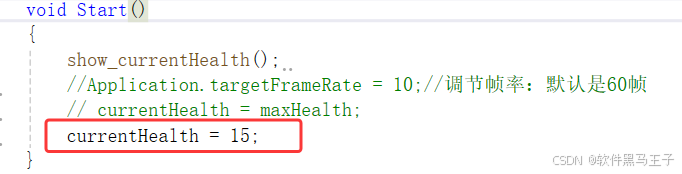
Start方法是 Unity 生命周期中的一个重要方法,它在脚本实例化之后,且在第一帧更新(即Update方法执行)之前调用。在Start方法中对变量进行赋值,会覆盖之前通过类开始处和 Inspector 面板赋予的值。示例代码如下:
四、Update 方法中的赋值
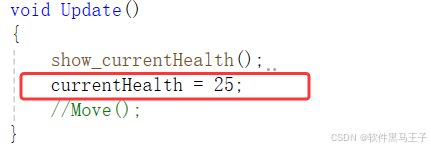
Update方法是 Unity 中最常用的方法之一,它在每帧都会被调用。如果在Update方法中对变量赋值,会在Start方法执行完后,且每帧运行到Update方法时对变量值进行修改。比如:
五、实验结果
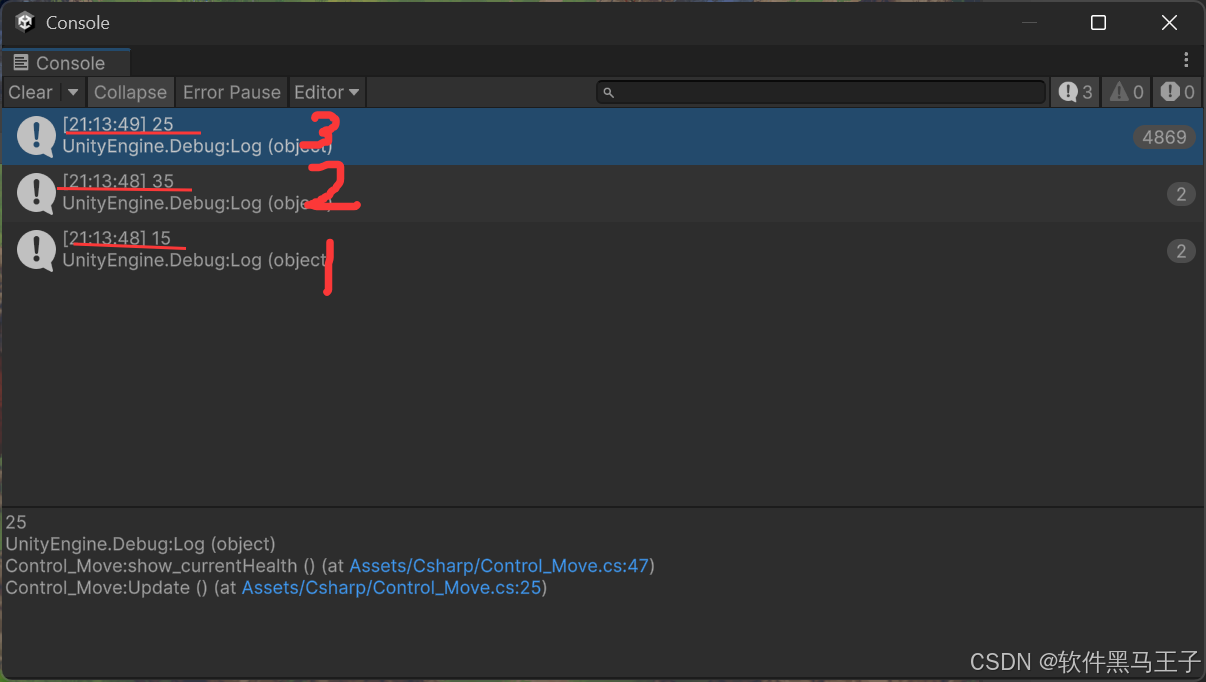
赋值顺序:
类开始处赋值 →Start 赋值 → Inspector 赋值 → Update 赋值
六、总结
综上所述,在 Unity 2023 中变量的赋值顺序依次为类开始处赋值、Inspector 面板赋值、Start方法中赋值、Update方法中赋值。清晰地了解这个顺序,有助于我们在开发过程中准确地控制变量的值,避免出现因赋值顺序混乱而导致的逻辑错误,从而编写出更加健壮和稳定的 Unity 游戏。

七.代码附录
using System.Collections;
using System.Collections.Generic;
using UnityEngine;

public class Control_Move : MonoBehaviour
{
    public GameObject Girl;//获取脚本对象
    public float speed =20;//速度
    public int maxHealth = 5;//最大生命值
    public int currentHealth = 5;//当前生命值


    // Start is called before the first frame update
    void Start()
    {
        show_currentHealth();
        //Application.targetFrameRate = 10;//调节帧率:默认是60帧
        // currentHealth = maxHealth;
        currentHealth = 15;
    }

    // Update is called once per frame
    void Update()
    {
        show_currentHealth();
        currentHealth = 25;
        //Move();
    }

    void Move()
    {
        float valueX = Input.GetAxisRaw("Horizontal");
        float valueY = Input.GetAxisRaw("Vertical");
        float X= Girl.transform.position.x;
        float Y = Girl.transform.position.y;
        Girl.GetComponent<Rigidbody2D>().MovePosition(new Vector2(valueX, valueY) * Time.deltaTime * speed+new Vector2(X,Y));
    }

    private void changeHeath(int amount)
    {
        currentHealth = Mathf.Clamp(currentHealth+amount,0,maxHealth);//限制血量再0到5这个范围
        Debug.Log(currentHealth+"/"+maxHealth);
    }

    public void show_currentHealth()
    {
        Debug.Log(currentHealth);
    }
}





 扫一扫
扫一扫


 2942
2942


 到【灌水乐园】发言




