 Unity游戏开发:使用鼠标点击创建DistanceJoint与LineRenderer交互






 文章介绍了一个Unity场景,其中Player是一个CircleSprite,包含Distancejoint和LineRenderer。当用户在屏幕上点击鼠标时,系统将屏幕坐标转换为世界位置,设置LineRenderer的起点为Player,终点为鼠标位置,同时激活DistanceJoint,模拟绳索效果。松开鼠标时,Joint和LineRenderer停止工作。场景还包含带有BoxCollider的Square对象和一个通用材质UPRUnLitSprite。
场景中需要使用的:一个Circle Sprite 作为Player(包含Distance joint、LineRenderer)、MainCamera,一些简易场景搭建的Square(含有Box boxcollider即可),一个UPR UnLit spite通用材质(赋给LIneRender)。
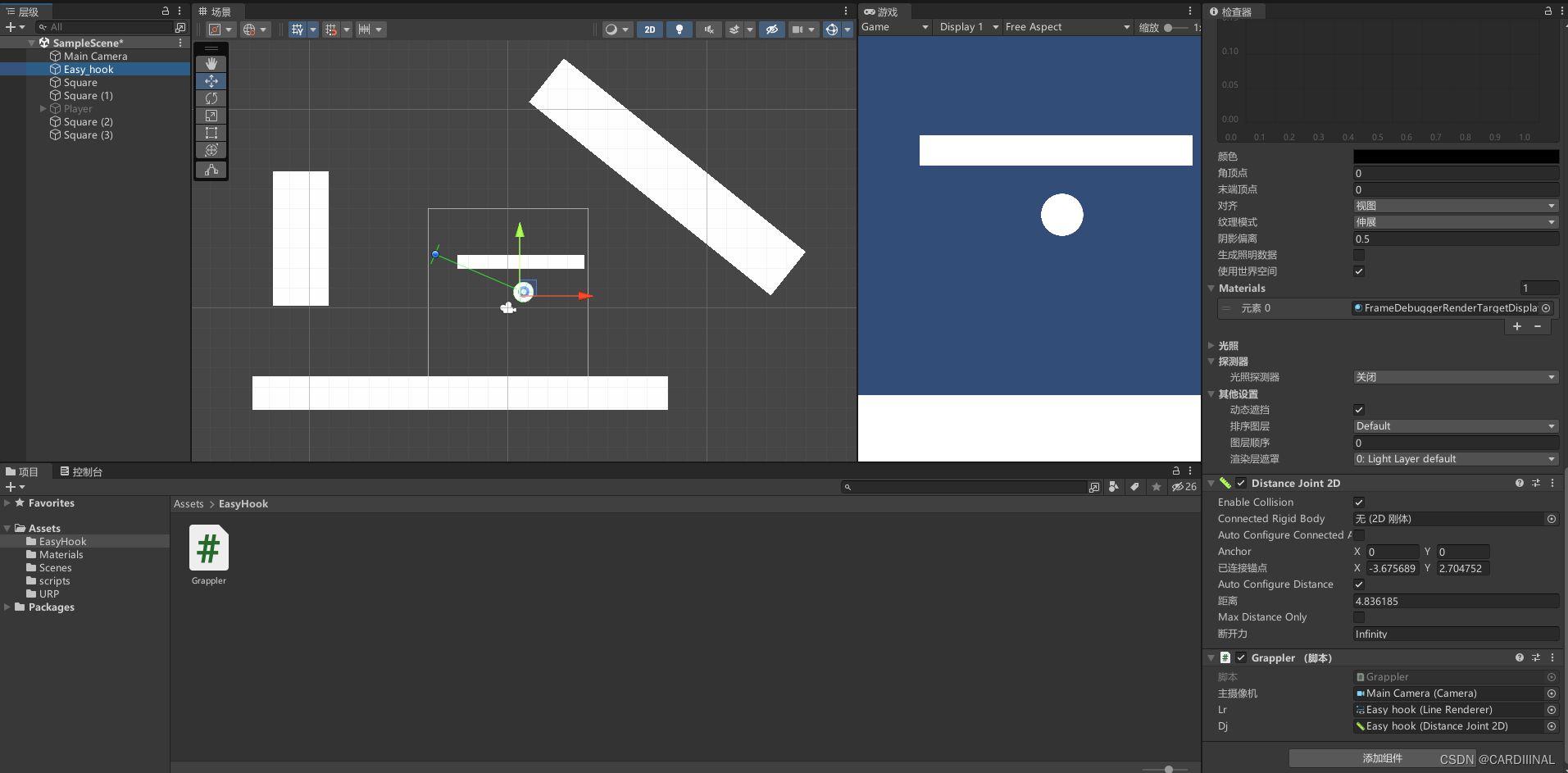
实现的核心思路 :获得屏幕中鼠标点击的位置,获取该位置信息(将屏幕坐标信息转化为Unity的世界位置信息)注:(此时项目为3D,实际位置应转换为Vector2变量类型),线渲染器两点位置:起始点为Player。终点为MousePosition
唯一脚本的Grapple代码如下:
public Camera mainCamera;
public LineRenderer lr;
public DistanceJoint2D dj;
private void Start()
{
dj.enabled = false;
}
private void Update()
{
if (Input.GetKeyDown(KeyCode.Mouse0))
{
Vector2 mousePos = (Vector2)mainCamera.ScreenToWorldPoint(Input.mousePosition);
lr.SetPosition(0, mousePos);
lr.SetPosition(1, transform.position);
dj.connectedAnchor = (Vector2)mainCamera.ScreenToWorldPoint(Input.mousePosition);
dj.enabled = true;
lr.enabled = true;
}
else if (Input.GetKeyUp(KeyCode.Mouse0))
{
dj.enabled = false;
lr.enabled = false;
}
if (lr.enabled)
{
lr.SetPosition(1, transform.position);
}
}
可以指定DistanceJoint作用的层,达到限定的效果。
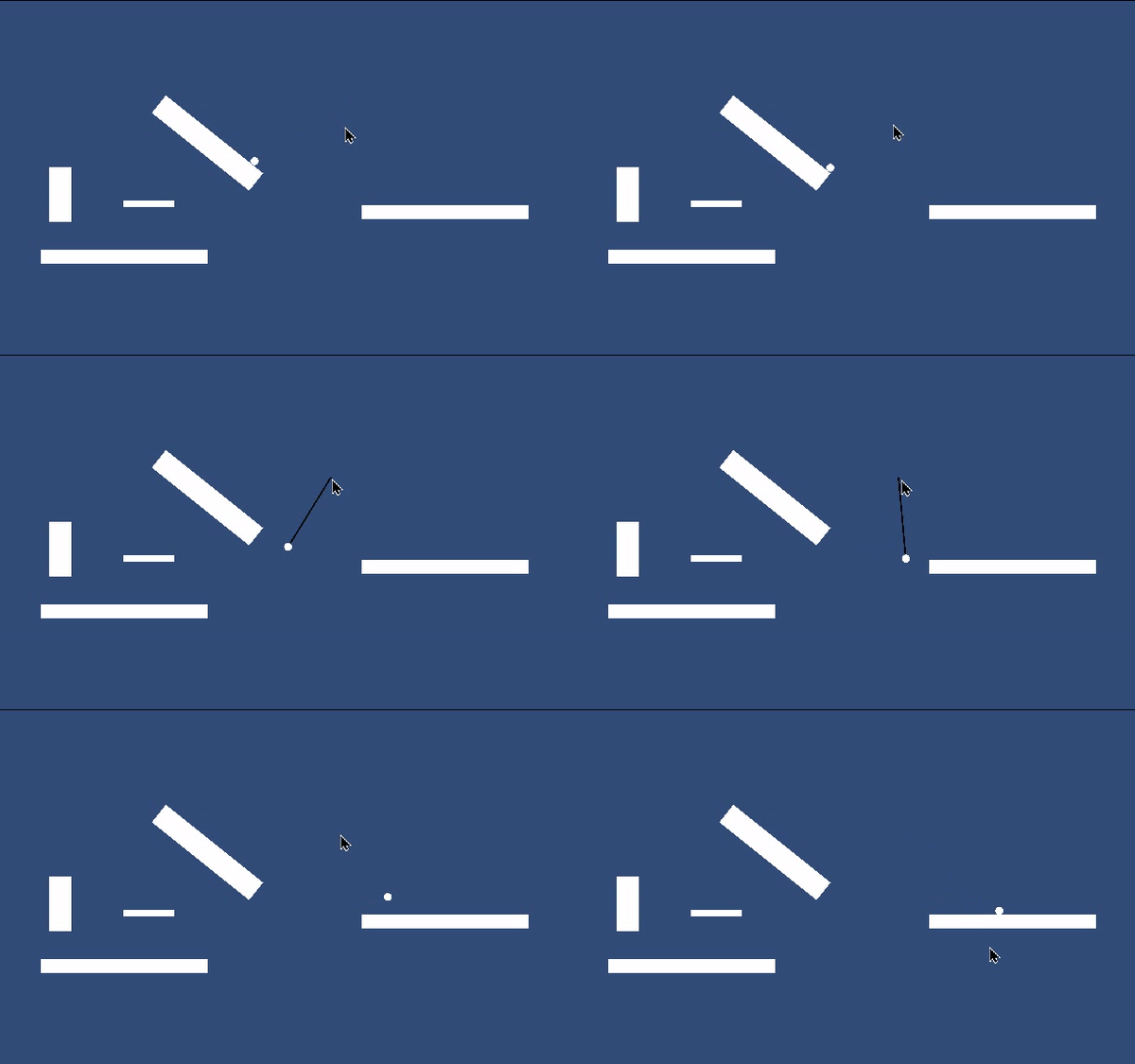
按住鼠标左键即可从Player位置发射一条绳索牵引
最终实现效果如下:





 扫一扫
扫一扫


 3万+
3万+

 被折叠的 条评论
为什么被折叠?
被折叠的 条评论
为什么被折叠?
 到【灌水乐园】发言





