


 本文档详细介绍了如何更新蓝桥ROS机器人系统的步骤,并提供了配置功能包的命令示例。包括了如何选择使用国内源来加快安装速度的方法,以及如何在ROS1和ROS2间进行切换的具体操作。
首先,确保完成配置:
为了确保安装速度,请使用国内源:
sudo sh -c '. /etc/lsb-release && echo "deb http://mirrors.tuna.tsinghua.edu.cn/ros/ubuntu/ `lsb_release -cs` main" > /etc/apt/sources.list.d/ros-latest.list'如果功能包不全:
sudo sh -c 'echo "deb http://packages.ros.org/ros/ubuntu $(lsb_release -sc) main" > /etc/apt/sources.list.d/ros-latest.list'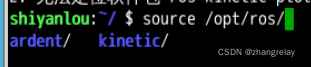
ROS1:
source /opt/ros/kinetic/setup.bash
source /opt/ros/kinetic/setup.zsh
ROS2:
source /opt/ros/ardent/setup.bash
source /opt/ros/ardent/setup.zsh
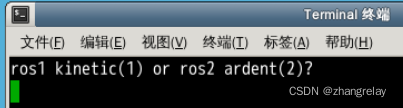
如果弄成开启终端可切换的模式使用:
echo "ros1 kinetic(1) or ros2 ardent(2)?"
read edition
if [ "$edition" -eq "1" ];then
  source /opt/ros/kinetic/setup.bash
else
  source /opt/ros/ardent/setup.bash
fi
zsh
echo "ros1 kinetic(1) or ros2 ardent(2)?"
read edition
if [ "$edition" -eq "1" ];then
  source /opt/ros/kinetic/setup.zsh
else
  source /opt/ros/ardent/setup.zsh
fi
1
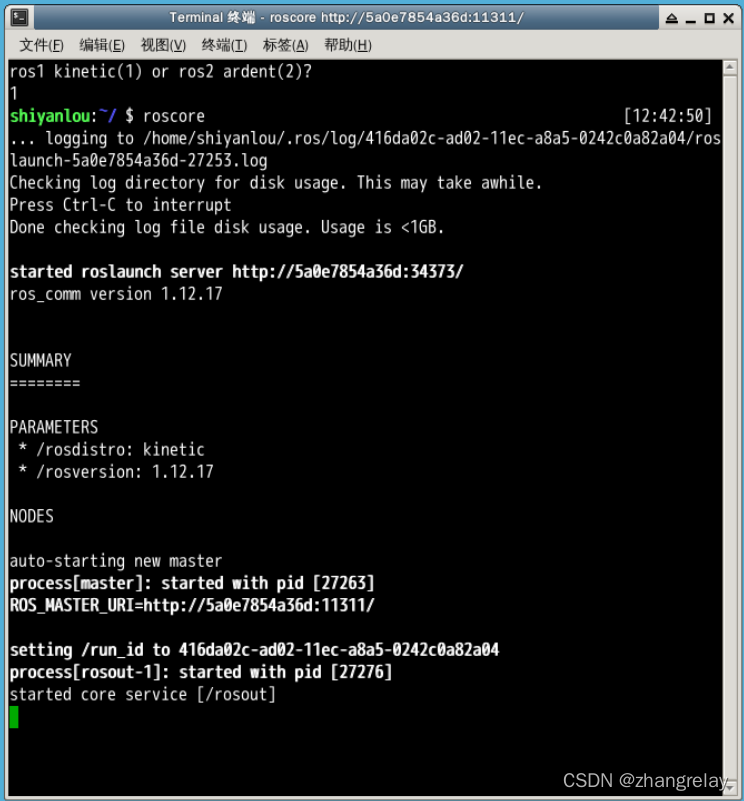
ros1 kinetic(1) or ros2 ardent(2)?
1
shiyanlou:~/ $ roscore                                               [12:42:50]
... logging to /home/shiyanlou/.ros/log/416da02c-ad02-11ec-a8a5-0242c0a82a04/roslaunch-5a0e7854a36d-27253.log
Checking log directory for disk usage. This may take awhile.
Press Ctrl-C to interrupt
Done checking log file disk usage. Usage is <1GB.

started roslaunch server http://5a0e7854a36d:34373/
ros_comm version 1.12.17


SUMMARY
========

PARAMETERS
 * /rosdistro: kinetic
 * /rosversion: 1.12.17

NODES

auto-starting new master
process[master]: started with pid [27263]
ROS_MASTER_URI=http://5a0e7854a36d:11311/

setting /run_id to 416da02c-ad02-11ec-a8a5-0242c0a82a04
process[rosout-1]: started with pid [27276]
started core service [/rosout]
2
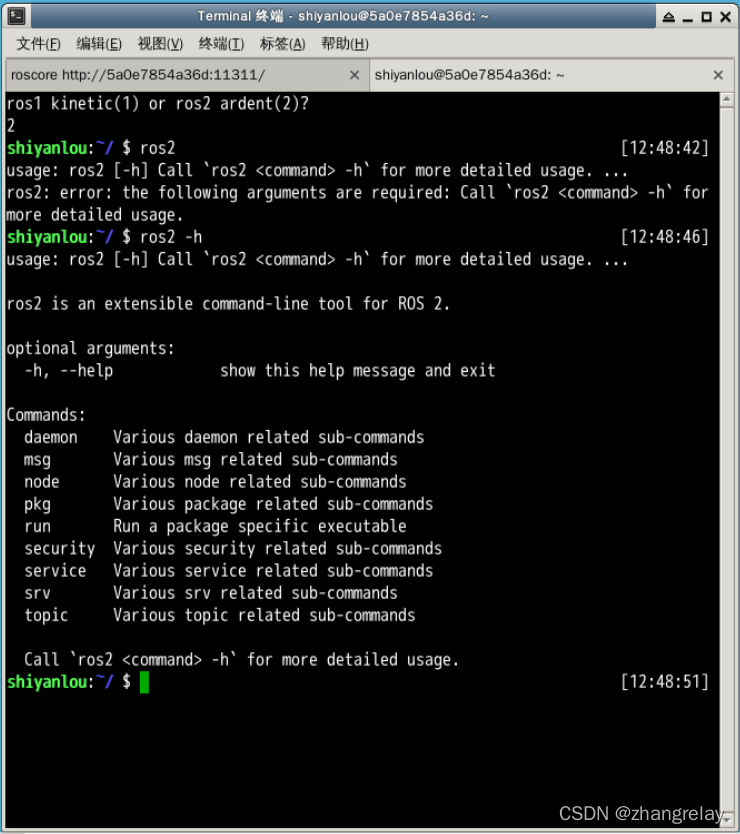
ros1 kinetic(1) or ros2 ardent(2)?
2
shiyanlou:~/ $ ros2                                                  [12:48:42]
usage: ros2 [-h] Call `ros2 <command> -h` for more detailed usage. ...
ros2: error: the following arguments are required: Call `ros2 <command> -h` for more detailed usage.
shiyanlou:~/ $ ros2 -h                                               [12:48:46]
usage: ros2 [-h] Call `ros2 <command> -h` for more detailed usage. ...

ros2 is an extensible command-line tool for ROS 2.

optional arguments:
  -h, --help            show this help message and exit

Commands:
  daemon    Various daemon related sub-commands
  msg       Various msg related sub-commands
  node      Various node related sub-commands
  pkg       Various package related sub-commands
  run       Run a package specific executable
  security  Various security related sub-commands
  service   Various service related sub-commands
  srv       Various srv related sub-commands
  topic     Various topic related sub-commands

  Call `ros2 <command> -h` for more detailed usage.
shiyanlou:~/ $                                                       [12:48:51]
printenv | grep ROSROS1:
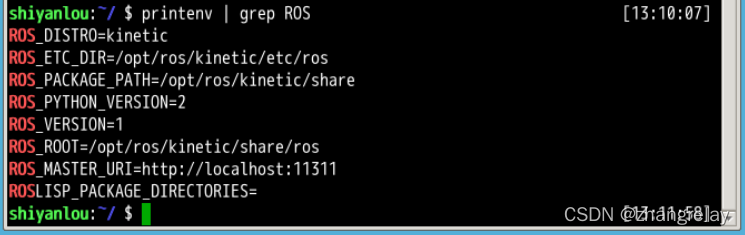
ROS2:

指令记录如下:
   26  gedit .bashrc
   27  gedit .zshrc
   28  roscore
   29  ros2
   30  ros2 -h
   31  printenv | grep ROS





 扫一扫
扫一扫


 562
562

 被折叠的 条评论
为什么被折叠?
被折叠的 条评论
为什么被折叠?
 到【灌水乐园】发言





