


 该博客介绍了如何在ROS2和Ignition Gazebo环境中使用MoveIt2进行机器人运动规划。通过C++和Python示例展示了如何设置目标、规划轨迹并执行关节运动,包括设置关节目标、姿位置目标和命名目标。此外,还提供了一个扔球的Python示例,展示了抓取和投掷物体的完整流程。
参考:github.com/AndrejOrsula/ign_moveit2
ros2 launch ign_moveit2 example_throw.launch.py
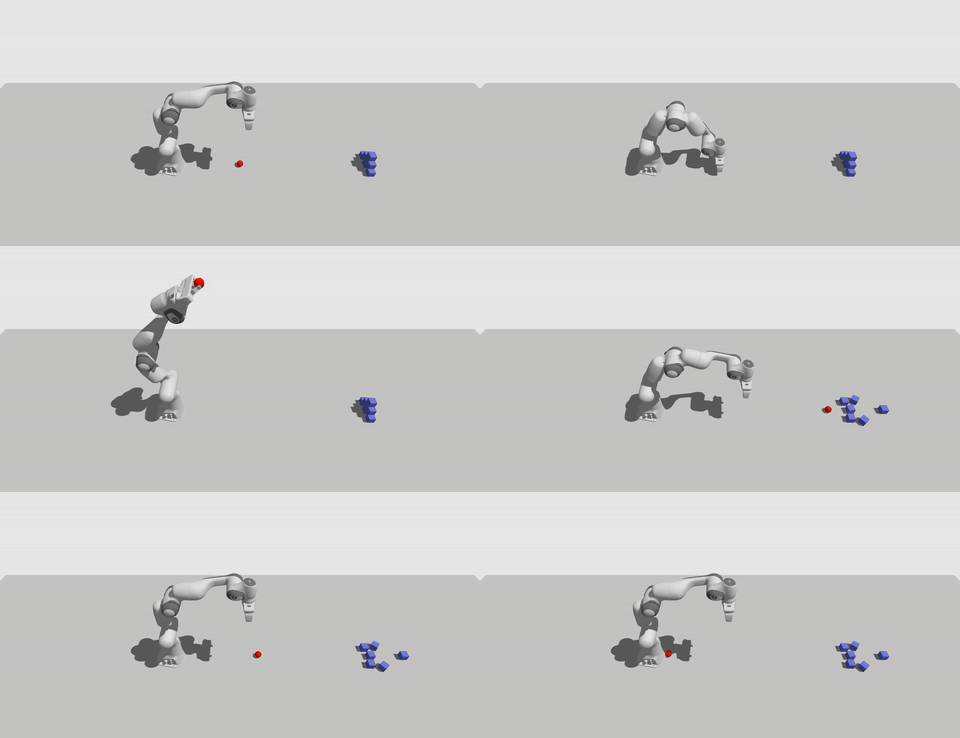
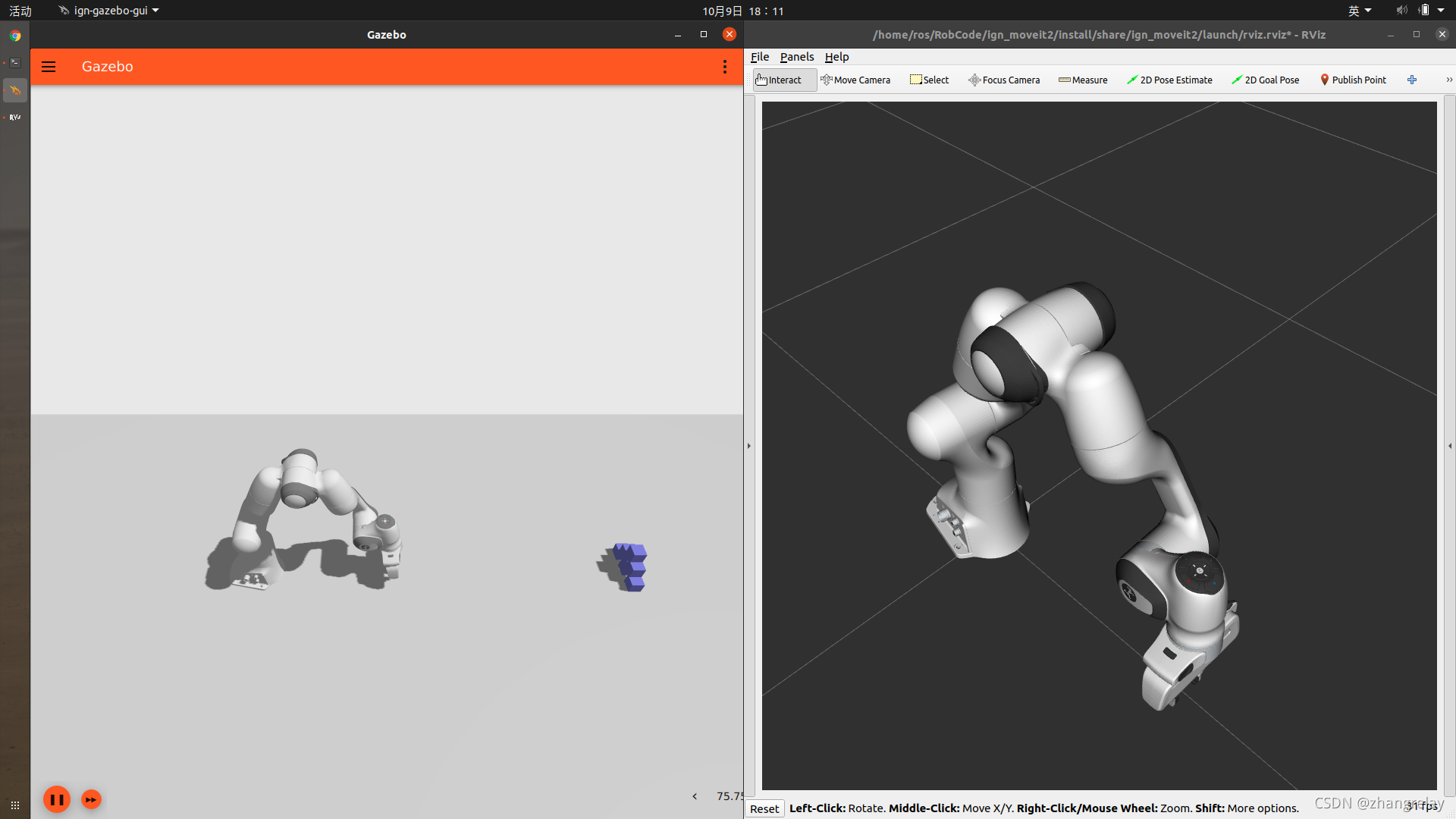
github ign moveit2 案例越来越全。gazebo webots 等都支持。
cpp示例:example_ign_moveit2.cpp
/// C++ MoveIt2 interface for Ignition Gazebo that utilises move_group API to generate JointTrajectory, which is then
/// subsequently published in order to be executed by JointTrajectoryController Ignition plugin.
/// This set of node currently serves as an example and is configured for Franka Emika Panda robot.

////////////////////
/// DEPENDENCIES ///
////////////////////

// ROS 2
#include <rclcpp/rclcpp.hpp>

// ROS 2 Interface
#include <trajectory_msgs/msg/joint_trajectory.hpp>

// MoveIt2
#include <moveit/moveit_cpp/moveit_cpp.h>
#include <moveit/moveit_cpp/planning_component.h>
#include <moveit/robot_state/conversions.h>
#include <moveit/move_group_interface/move_group_interface.h>
#include <moveit/planning_scene_interface/planning_scene_interface.h>

//////////////////
/// NAMESPACES ///
//////////////////

using namespace std::chrono_literals;

/////////////////
/// CONSTANTS ///
/////////////////

/// The name of the primary node
const std::string NODE_NAME = "ign_moveit2";
/// The name of node responsible for MoveIt2, separated to keep at individual thread
const std::string NODE_NAME_MOVEIT2_HANDLER = "ign_moveit2_handler";
/// Identifier of the planning group
const std::string PLANNING_GROUP = "panda_arm";
/// Topic that planned trajectory will be published to
const std::string JOINT_TRAJECTORY_TOPIC = "joint_trajectory";

/////////////////////////////
/// Node - MoveIt2Handler ///
/////////////////////////////

class MoveIt2Handler : public rclcpp::Node
{
public:
  /// Constructor
  MoveIt2Handler();

  /// Publisher of the trajectories
  rclcpp::Publisher<trajectory_msgs::msg::JointTrajectory>::SharedPtr trajectory_publisher_;
  /// Planning scene interface
  moveit::planning_interface::PlanningSceneInterface planning_scene_interface_;
  /// Move group interface for the robot
  moveit::planning_interface::MoveGroupInterface move_group_;

  /// Set goal to target joint values
  bool set_joint_goal(const std::vector<double, std::allocator<double>> &_target_joint_state);
  /// Set goal to target pose
  bool set_pose_goal(const geometry_msgs::msg::PoseStamped &_target_pose);
  /// Set goal to named target
  bool set_named_target_goal(const std::string &_named_target);
  /// Plan trajectory with previously set target
  bool plan_trajectory();
};

MoveIt2Handler::MoveIt2Handler() : Node(NODE_NAME_MOVEIT2_HANDLER, rclcpp::NodeOptions().automatically_declare_parameters_from_overrides(true)),
                                   trajectory_publisher_(this->create_publisher<trajectory_msgs::msg::JointTrajectory>(JOINT_TRAJECTORY_TOPIC, 1)),
                                   planning_scene_interface_(this->get_name()),
                                   move_group_(std::shared_ptr<rclcpp::Node>(std::move(this)), PLANNING_GROUP)
{
  // Various trajectory parameters can be set here
  this->move_group_.setMaxAccelerationScalingFactor(0.5);
  this->move_group_.setMaxVelocityScalingFactor(0.5);
  RCLCPP_INFO(this->get_logger(), "Node initialised successfuly");
}

bool MoveIt2Handler::set_joint_goal(const std::vector<double, std::allocator<double>> &_target_joint_state)
{
  RCLCPP_INFO(this->get_logger(), "Setting goal to a custom joint values");
  return this->move_group_.setJointValueTarget(_target_joint_state);
}

bool MoveIt2Handler::set_pose_goal(const geometry_msgs::msg::PoseStamped &_target_pose)
{
  RCLCPP_INFO(this->get_logger(), "Setting goal to a custom pose");
  return this->move_group_.setPoseTarget(_target_pose);
}

bool MoveIt2Handler::set_named_target_goal(const std::string &_named_target)
{
  RCLCPP_INFO(this->get_logger(), ("Setting goal to named target \"" + _named_target + "\"").c_str());
  return this->move_group_.setNamedTarget(_named_target);
}

bool MoveIt2Handler::plan_trajectory()
{
  moveit::planning_interface::MoveGroupInterface::Plan plan;

  if (this->move_group_.plan(plan) == moveit::planning_interface::MoveItErrorCode::SUCCESS)
  {
    RCLCPP_INFO(this->get_logger(), "Planning successful");
    trajectory_publisher_->publish(plan.trajectory_.joint_trajectory);
    return true;
  }
  else
  {
    RCLCPP_WARN(this->get_logger(), "Planning failed");
    return false;
  }
}

//////////////////////////////
/// Node - IgnitionMoveIt2 ///
//////////////////////////////

class IgnitionMoveIt2 : public rclcpp::Node
{
public:
  /// Constructor
  IgnitionMoveIt2(std::shared_ptr<MoveIt2Handler> &moveit2_handler_);

private:
  /// Pointer to a node handling the interfacing with MoveIt2
  std::shared_ptr<MoveIt2Handler> moveit2_handler_;

  void run_example();
};

IgnitionMoveIt2::IgnitionMoveIt2(std::shared_ptr<MoveIt2Handler> &_moveit2_handler) : Node(NODE_NAME),
                                                                                      moveit2_handler_(_moveit2_handler)
{
  RCLCPP_INFO(this->get_logger(), "Node initialised successfuly");

  // Example
  this->run_example();
}

void IgnitionMoveIt2::run_example()
{
  auto target_joints = this->moveit2_handler_->move_group_.getCurrentJointValues();
  target_joints[0] = 1.5707963;
  target_joints[1] = -0.78539816;
  target_joints[2] = 1.5707963;
  target_joints[3] = 0.78539816;
  target_joints[4] = -1.5707963;
  target_joints[5] = 1.5707963;
  target_joints[6] = 0.78539816;
  this->moveit2_handler_->set_joint_goal(target_joints);
  RCLCPP_INFO(this->get_logger(), "Moving to joint goal");
  this->moveit2_handler_->plan_trajectory();

  // Wait until finished
  rclcpp::sleep_for(5s);

  auto target_pose = this->moveit2_handler_->move_group_.getCurrentPose();
  target_pose.pose.position.x = 0.5;
  target_pose.pose.position.y = 0.25;
  target_pose.pose.position.z = 0.75;
  target_pose.pose.orientation.x = 0.0;
  target_pose.pose.orientation.y = 0.0;
  target_pose.pose.orientation.z = 0.0;
  target_pose.pose.orientation.w = 1.0;
  this->moveit2_handler_->set_pose_goal(target_pose);
  RCLCPP_INFO(this->get_logger(), "Moving to pose goal");
  this->moveit2_handler_->plan_trajectory();
}

////////////
/// MAIN ///
////////////

/// Main function that initiates nodes of this process
/// Multi-threaded executor is utilised such that MoveIt2 thread is separated
int main(int argc, char *argv[])
{
  rclcpp::init(argc, argv);

  auto moveit2_handler = std::make_shared<MoveIt2Handler>();
  auto ign_moveit2 = std::make_shared<IgnitionMoveIt2>(moveit2_handler);

  rclcpp::executors::MultiThreadedExecutor executor;
  executor.add_node(moveit2_handler);
  executor.add_node(ign_moveit2);
  executor.spin();

  rclcpp::shutdown();
  return EXIT_SUCCESS;
}
扔个球的python示例:example_throw.py
#!/usr/bin/env python3

from geometry_msgs.msg import Pose
from moveit2 import MoveIt2Interface
from rclpy.node import Node
import rclpy
import time


class Thrower(Node):

    def __init__(self):
        super().__init__("thrower")
        # Create a subscriber for object pose
        self._object_pose_sub = self.create_subscription(Pose, '/model/throwing_object/pose',
                                                         self.object_pose_callback, 1)

        # Create MoveIt2 interface node
        self._moveit2 = MoveIt2Interface()

        # Create multi-threaded executor
        self._executor = rclpy.executors.MultiThreadedExecutor(2)
        self._executor.add_node(self)
        self._executor.add_node(self._moveit2)

        # Wait a couple of seconds until Ignition is ready and spin up the executor
        time.sleep(2)
        self._executor.spin()

    def object_pose_callback(self, pose_msg):
        self.throw(pose_msg.position)
        self.destroy_subscription(self._object_pose_sub)
        rclpy.shutdown()
        exit(0)

    def throw(self, object_position):
        # Open gripper
        self._moveit2.gripper_open()
        self._moveit2.wait_until_executed()

        # Move above object
        position = [object_position.x,
                    object_position.y, object_position.z + 0.1]
        quaternion = [1.0, 0.0, 0.0, 0.0]
        self._moveit2.set_pose_goal(position, quaternion)
        self._moveit2.plan_kinematic_path()
        self._moveit2.execute()
        self._moveit2.wait_until_executed()

        self._moveit2.set_max_velocity(0.5)
        self._moveit2.set_max_acceleration(0.5)

        # Move to grasp position
        position = [object_position.x,
                    object_position.y, object_position.z]
        quaternion = [1.0, 0.0, 0.0, 0.0]
        self._moveit2.set_pose_goal(position, quaternion)
        self._moveit2.plan_kinematic_path()
        self._moveit2.execute()
        self._moveit2.wait_until_executed()

        # Close gripper
        self._moveit2.gripper_close(width=0.05, speed=0.2, force=20.0)
        self._moveit2.wait_until_executed()

        # Move above object again
        position = [object_position.x,
                    object_position.y, object_position.z + 0.1]
        quaternion = [1.0, 0.0, 0.0, 0.0]
        self._moveit2.set_pose_goal(position, quaternion)
        self._moveit2.plan_kinematic_path()
        self._moveit2.execute()
        self._moveit2.wait_until_executed()

        # Move to pre-throw configuration
        joint_positions = [0.0,
                           -1.75,
                           0.0,
                           -0.1,
                           0.0,
                           3.6,
                           0.8]
        self._moveit2.set_joint_goal(joint_positions)
        self._moveit2.plan_kinematic_path()
        self._moveit2.execute()
        self._moveit2.wait_until_executed()

        # Throw
        self._moveit2.set_max_velocity(1.0)
        self._moveit2.set_max_acceleration(1.0)

        # Arm trajectory
        joint_positions = [0.0,
                           1.0,
                           0.0,
                           -1.1,
                           0.0,
                           1.9,
                           0.8]
        self._moveit2.set_joint_goal(joint_positions)
        trajectory = self._moveit2.plan_kinematic_path(
        ).motion_plan_response.trajectory.joint_trajectory

        # Hand opening trajectory
        hand_trajectory = self._moveit2.gripper_plan_path(0.08, 0.2)

        # Merge hand opening into arm trajectory, such that it is timed for release (at 50%)
        release_index = round(0.5*len(trajectory.points))
        for finger_joint in hand_trajectory.joint_names:
            trajectory.joint_names.append(finger_joint)
        while len(trajectory.points[release_index].effort) < 9:
            trajectory.points[release_index].effort.append(0.0)
        for finger_index in range(2):
            trajectory.points[release_index].positions.append(
                hand_trajectory.points[-1].positions[finger_index])
            trajectory.points[release_index].velocities.append(
                hand_trajectory.points[-1].velocities[finger_index])
            trajectory.points[release_index].accelerations.append(
                hand_trajectory.points[-1].accelerations[finger_index])

        self._moveit2.execute(trajectory)
        self._moveit2.wait_until_executed()

        # Move to default position
        joint_positions = [0.0,
                           0.0,
                           0.0,
                           -1.57,
                           0.0,
                           1.57,
                           0.79]
        self._moveit2.set_joint_goal(joint_positions)
        self._moveit2.plan_kinematic_path()
        self._moveit2.execute()
        self._moveit2.wait_until_executed()


def main(args=None):
    rclpy.init(args=args)

    _thrower = Thrower()

    rclpy.shutdown()


if __name__ == "__main__":
    main()
launch文件示例:
"""Launch example (Python) of throwing an object"""

import os
from ament_index_python.packages import get_package_share_directory
from launch import LaunchDescription
from launch.actions import DeclareLaunchArgument
from launch_ros.actions import Node
from launch.substitutions import LaunchConfiguration
from launch.actions import IncludeLaunchDescription
from launch.launch_description_sources import PythonLaunchDescriptionSource


def generate_launch_description():
    # Launch Arguments
    use_sim_time = LaunchConfiguration('use_sim_time', default=True)
    config_rviz2 = LaunchConfiguration('config_rviz2', default=os.path.join(get_package_share_directory('ign_moveit2'),
                                                                            'launch', 'rviz.rviz'))

    return LaunchDescription([
        # Launch Arguments
        DeclareLaunchArgument(
            'use_sim_time',
            default_value=use_sim_time,
            description="If true, use simulated clock"),
        DeclareLaunchArgument(
            'config_rviz2',
            default_value=config_rviz2,
            description="Path to config for RViz2"),

        # MoveIt2 move_group action server with necessary ROS2 <-> Ignition bridges
        IncludeLaunchDescription(
            PythonLaunchDescriptionSource(
                [os.path.join(get_package_share_directory('ign_moveit2'),
                              'launch', 'ign_moveit2.launch.py')]),
            launch_arguments=[('use_sim_time', use_sim_time),
                              ('config_rviz2', config_rviz2)]),

        # Launch world
        IncludeLaunchDescription(
            PythonLaunchDescriptionSource(
                [os.path.join(get_package_share_directory('ign_moveit2'),
                              'launch', 'examples', 'worlds', 'world_panda_throw.launch.py')]),
            launch_arguments=[('use_sim_time', use_sim_time)]),

        # Python example script (object throwing)
        Node(name='ign_moveit2_example_throw',
             package='ign_moveit2',
             executable='example_throw.py',
             output='screen',
             parameters=[{'use_sim_time': use_sim_time}])
    ])







 扫一扫
扫一扫


 624
624

 被折叠的 条评论
为什么被折叠?
被折叠的 条评论
为什么被折叠?
 到【灌水乐园】发言





