


一、什么是换装系统
换装是将头、身子、腿等多个零部件模型整合成一个人物模型的过程,而模型是由网格组成的,所以换装系统的本质就是找到合适的网格进行合并,而合并的这个过程会将不同的零部件模型上的顶点组合再一次,并一次性的绘制出整个模型,这个过程叫做合批
二、换装系统具体操作
2.1 实现模型合批
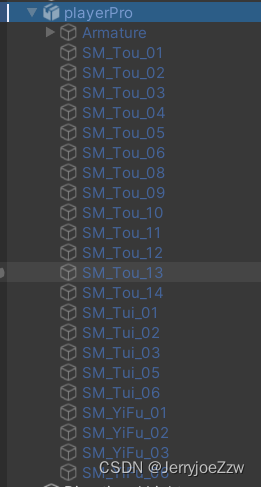
首先我们要实现最基本的合批,第一步就是在场景中拖入对应需要生成的子模型,也就是零部件模型,如下图所示,我这个是已经将所有零部件集合的总预制体,拖入想要生成子模型也可以。
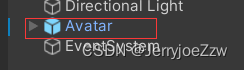
之后创建一个带有mesh渲染的模型,比如Cube或者sphere,这里我们运用到骨骼做动画处理,所以直接使用一个骨骼的预制体
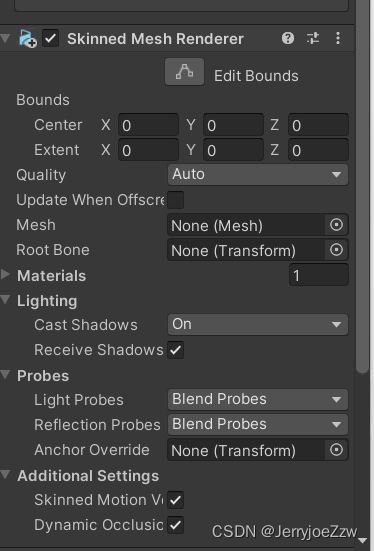
下一步就得要在骨骼上加入SkinnedMeshRender
添加我们合批的代码:
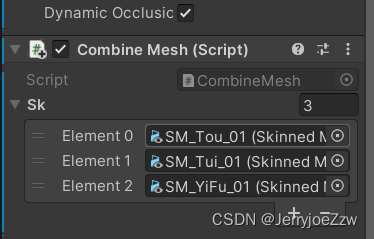
准备开始写代码:
using System.Collections;
using System.Collections.Generic;
using UnityEngine;
using UnityEngine.UIElements;

public class CombineMesh : MonoBehaviour
{
    public SkinnedMeshRenderer[] sk;
    // Start is called before the first frame update
    void Start()
    {
        //新建一个mesh
        Mesh mesh = new Mesh();
        //合批的资源集合
        List<CombineInstance> combines= new List<CombineInstance>();
        //2D贴图集合
        List<Texture2D> textures = new List<Texture2D>();
        for (int i = 0; i < sk.Length; i++)
        {
            //CombineInstance是一个用来合批的方法
            CombineInstance instance =new CombineInstance();
            //将SkinnedMeshRenderer上的mesh赋给instance
            instance.mesh = sk[i].sharedMesh;
            instance.transform = sk[i].transform.localToWorldMatrix;
            combines.Add(instance);
            //取得材质
            textures.Add(sk[i].sharedMaterial.GetTexture("_BackTex") as Texture2D);
        }
        mesh.CombineMeshes(combines.ToArray(),true,false);
        //合并纹理
        Texture2D texture=new Texture2D(0,0);
        Rect[]rects=texture.PackTextures(textures.ToArray(), 0);
        //通过矩形数据rects重新计算uv坐标
        List<Vector2> uv=new List<Vector2>();
        for (int i = 0; i < sk.Length; i++)
        {
            Vector2[] olduv = sk[i].sharedMesh.uv;
            for (int j = 0; j < olduv.Length; j++)
            {
                float uvx = rects[i].x + rects[i].width * olduv[j].x;
                float uvy = rects[i].y + rects[i].height * olduv[j].y;
                uv.Add(new Vector2(uvx, uvy));
            }
        }
        mesh.uv=uv.ToArray();
        GetComponent<SkinnedMeshRenderer>().sharedMesh = mesh;
        //此处是用来设置贴图的
        Texture2D face = sk[0].sharedMaterial.GetTexture("_MainTex") as Texture2D;
        Material material = new Material(Shader.Find("Custom/Face"));
        material.SetTexture("_BackTex", texture);
        material.SetTexture("_MainTex",face);
        material.SetFloat("_PosX", texture.width / face.width);
        material.SetFloat("_PosY", texture.height / face.height);
        GetComponent<SkinnedMeshRenderer>().material = material;

        //把骨骼放到SkinnedMeshRenderer
        List<Transform> bones= new List<Transform>();
        //获取该模型下的所有节点
        Transform[] myBones=gameObject.GetComponentsInChildren<Transform>();
        //将所有骨骼存入字典方便查找
        Dictionary<string,Transform> dic_bones=new Dictionary<string,Transform>();
        foreach (var item in myBones)
        {
            dic_bones.Add(item.name, item);
        }
        for (int i = 0; i < sk.Length; i++)
        {
            for (int j = 0; j < sk[i].bones.Length; j++)
            {
                //如果挂载脚本的骨骼中存在这一部份骨骼,那么使用自己的骨骼
                if (dic_bones.ContainsKey(sk[i].bones[j].name))
                {
                    bones.Add(dic_bones[sk[i].bones[j].name]);
                }
            }
        }
        GetComponent<SkinnedMeshRenderer>().bones=bones.ToArray();
    }
    // Update is called once per frame
    void Update()
    {

    }
}
贴图 需要注意的点:
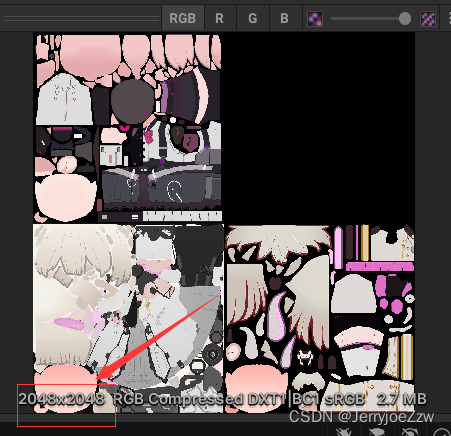
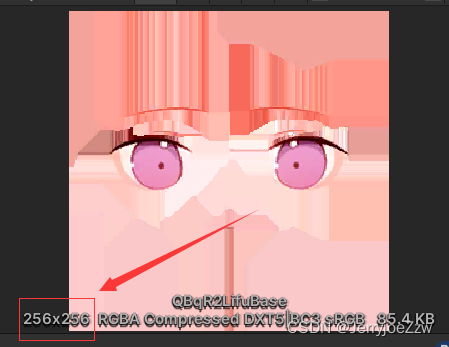
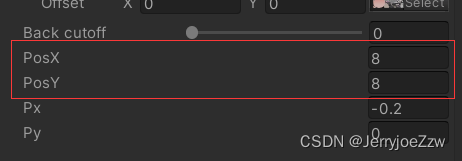
合批之后的贴图是2048*2048, 但是脸部贴图是256*256,所有我们需要修改posx,posy确保二者的一致性
material.SetFloat("_PosX", texture.width / face.width);
material.SetFloat("_PosY", texture.height / face.height);
这两句代码就是在计算所需要改变的值
2.2 制作换装系统
接下来需要实现的就是如何制作换装系统,首先我们需要制作2D轮转图
创建对应的组件
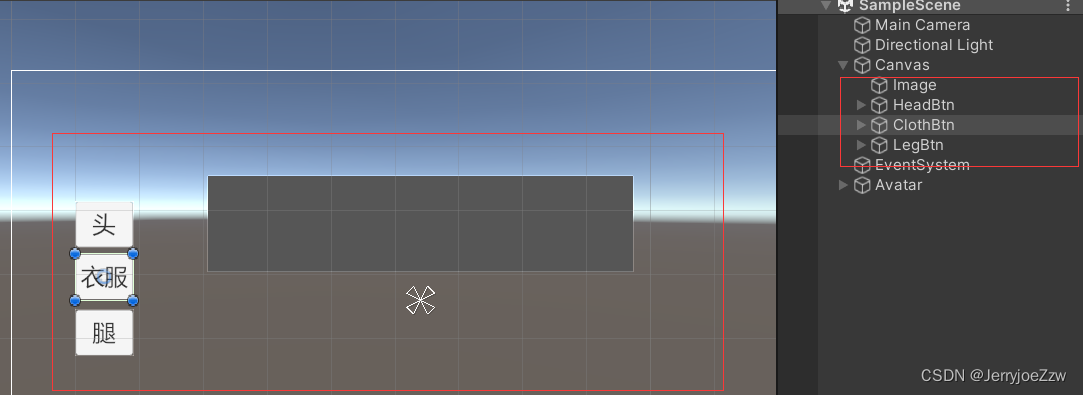
制作图片预制体和具体的零部件头像
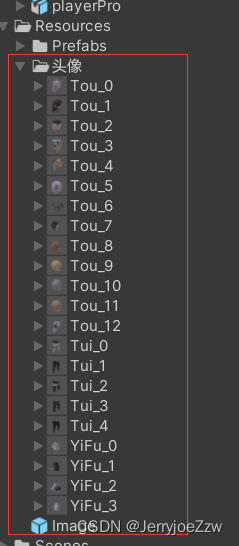
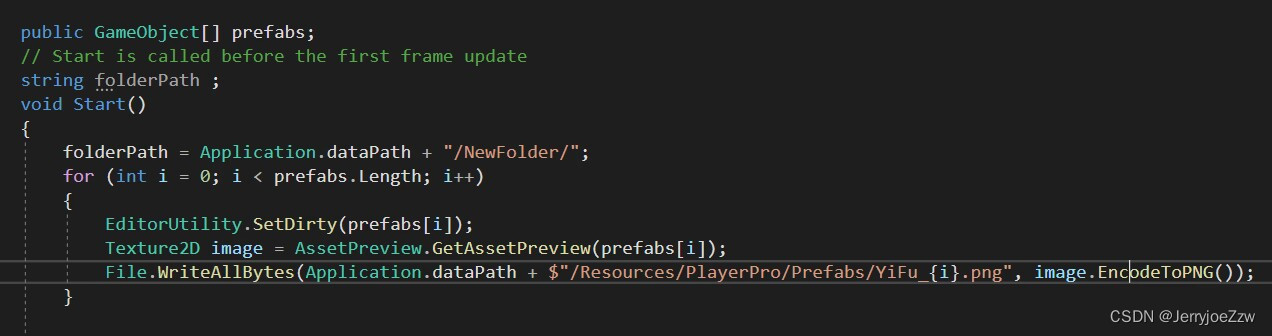
图片可以截图,也可以使用下方代码从模型中生成图片
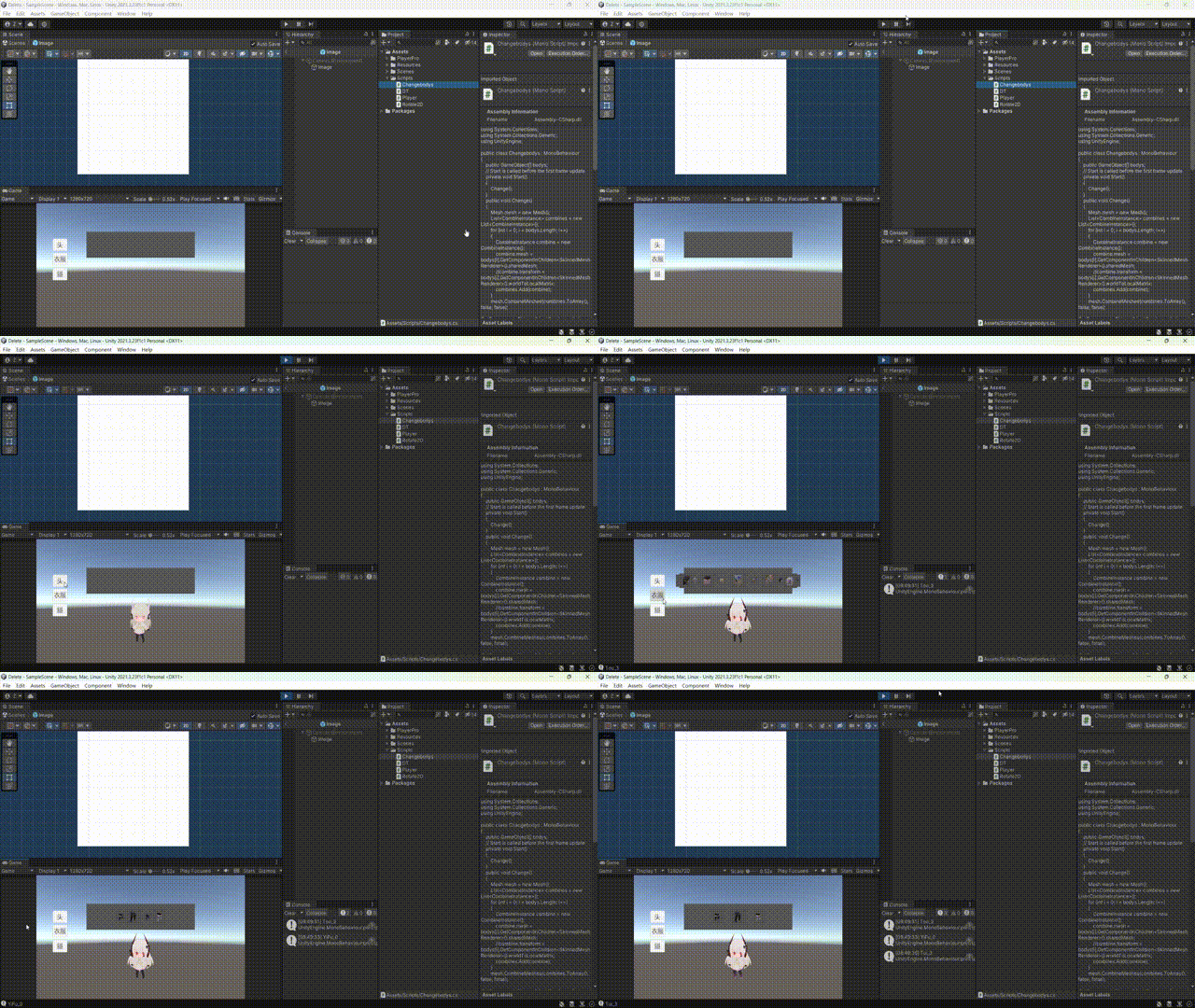
制作2d轮转图
using System;
using System.Collections;
using System.Collections.Generic;
using UnityEngine;
using UnityEngine.EventSystems;
using UnityEngine.UI;

public class Rotate2D : MonoBehaviour,IDragHandler,IEndDragHandler
{
    //图片预制体
    public Image prefab;
    //更改零部件的组件
    public Changebodys player;
    //通过Index确认点击的是头、身子、还是腿
    int index = 0;
    //轮转图中子物体间的间隔
    public float space=100;
    //l是轮转图的周长,r是半径,ang是角度,moveang是移动的角度,max,min是图片scale的最大最小值,cut是减速度
    float l, r, ang, moveAng, max = 1, min = 0.5f, cut = 100;
    //图片的集合
    List<Image> list = new List<Image>();
    //用来对比图片scale大小的集合
    List<Transform> sortlist = new List<Transform>();
    public Button head, body, leg;
    List<string> info = new List<string>();
    // Start is called before the first frame update
    void Start()
    {
        head.onClick.AddListener(() =>
        {
            index = 0;
            info.Clear();
            for (int i = 0; i < list.Count; i++)
            {
                Destroy(list[i].gameObject);
            }
            list.Clear();
            sortlist.Clear();
            for (int i = 0; i < 11; i++)
            {
                info.Add("Tou_" + i);
            }
            Move();
        });
        body.onClick.AddListener(() =>
        {
            index = 1;
            info.Clear();
            for (int i = 0; i < list.Count; i++)
            {
                Destroy(list[i].gameObject);
            }
            list.Clear();
            sortlist.Clear();
            for (int i = 0; i < 4; i++)
            {
                info.Add("YiFu_" + i);
            }
            Move();
        });
        leg.onClick.AddListener(() =>
        {
            index = 2;
            info.Clear();
            for (int i = 0; i < list.Count; i++)
            {
                Destroy(list[i].gameObject);
            }
            list.Clear();
            sortlist.Clear();
            for (int i = 0; i < 4; i++)
            {
                info.Add("Tui_" + i);
            }
            Move();
        });


    }

    private void Move()
    {
        l = (prefab.rectTransform.rect.width + space) * info.Count;
        r = l / (2 * Mathf.PI);
        ang = 2 * Mathf.PI / info.Count;
        for (int i = 0; i < info.Count; i++)
        {
            if (list.Count<=i)
            {
                list.Add(Instantiate(prefab, transform));
                list[i].sprite = Resources.Load<Sprite>("头像/"+info[i]);
                sortlist.Add(list[i].transform);
            }
            float x = Mathf.Sin(i * ang + moveAng) * r;
            float z = Mathf.Cos(i * ang + moveAng) * r;
            float p = (z + r) / (2 * r);
            float scale = (max - min) * p + min;
            list[i].rectTransform.anchoredPosition = new Vector2(x, 0);
            list[i].transform.localScale = Vector3.one * scale;
        }
        sortlist.Sort((a, b) =>
        {
            if (a.lossyScale.x<b.lossyScale.x)
            {
                return -1;
            }
            else if (a.lossyScale.x > b.lossyScale.x)
            {
                return 1;
            }
            else
            {
                return 0;
            }
        });
        for (int i = 0; i < sortlist.Count; i++)
        {
            sortlist[i].SetSiblingIndex(i);
        }
    }
    public void OnDrag(PointerEventData eventData)
    {
        float x = eventData.delta.x;
        float drag = x / r;
        moveAng += drag;
        Move();
    }
    public void OnEndDrag(PointerEventData eventData)
    {
        float speed= eventData.delta.x;
        float time = Mathf.Abs(speed) / cut;
        DT.To((a) =>
        {
            float dis = a / r;
            moveAng += dis;
            Move();
        }, speed, 0, time).OnComplete(() =>
        {
            Align();
        });
    }

    private void Align()
    {
        float alignang = Mathf.Asin(sortlist[info.Count - 1].GetComponent<RectTransform>().anchoredPosition.x / r);
        float aligndis = alignang * r;
        float time = Mathf.Abs(aligndis) / cut;
        DT.To((a) =>
        {
            moveAng = a;
            Move();
        }, moveAng, moveAng - alignang, time).OnComplete(() =>
        {
            player.bodys[index] = Resources.Load<GameObject>("Prefabs/"+sortlist[info.Count - 1].GetComponent<Image>().sprite.name);
            print(sortlist[info.Count - 1].GetComponent<Image>().sprite.name);
            player.Change();
        });
    }
}
手写Dotween:
using System;
using System.Collections;
using System.Collections.Generic;
using UnityEngine;

public class DT : MonoBehaviour
{
    public Action<float> action;
    public float begin;
    public float end;
    public float time;
    public GameObject dt;
    float nowtime;

    public Action complete;
    public static DT To(Action<float> action, float begin, float end, float time)
    {
        //创建一个名为DT的空物体,将创过来的值接住
        GameObject dt = new GameObject("DT");
        DT dowteen = dt.AddComponent<DT>();
        dowteen.action = action;
        dowteen.begin = begin;
        dowteen.end = end;
        dowteen.time = time;
        dowteen.nowtime = Time.time;
        dowteen.dt = dt;
        return dowteen;
    }
    // Update is called once per frame
    void Update()
    {
        //在Update每帧调用,用起点和终点的差值确认item的位置
        if (Time.time - nowtime < time)
        {
            //Time.time时从游戏开发到现在的时间,nowTime是游戏开发到调用To方法的时间
            //t是调用到To方法到最新的时间
            float t = Time.time - nowtime;
            //p是t和传过来时间的比,也就是每帧所需花费的时间
            float p = t / time;
            //a是起点和终点的差值
            //start-------*---end
            //如果整条虚线是1,平分成10分,那起点就是(1-p)=0.7,终点就是p=0.3,---
            float a = begin * (1 - p) + end * p;
            action(a);
        }
        else
        {
            action(end);
            //如果有后续的Complete函数,则继续执行
            if (complete != null)
            {
                complete();
            }
            Destroy(gameObject);//删除空物体
        }
    }
    public  DT OnComplete(Action complete)
    {
        this.complete = complete;
        return this.GetComponent<DT>();
    }
}
改变服装的代码:
using System.Collections;
using System.Collections.Generic;
using UnityEngine;

public class Changebodys : MonoBehaviour
{
    public GameObject[] bodys;
    // Start is called before the first frame update
    private void Start()
    {
        Change();
    }
    public void Change()
    {
        Mesh mesh = new Mesh();
        List<CombineInstance> combines = new List<CombineInstance>();
        for (int i = 0; i < bodys.Length; i++)
        {
            CombineInstance combine = new CombineInstance();
            combine.mesh = bodys[i].GetComponentInChildren<SkinnedMeshRenderer>().sharedMesh;
            //combine.transform = bodys[i].GetComponentInChildren<SkinnedMeshRenderer>().worldToLocalMatrix;
            combines.Add(combine);
        }
        mesh.CombineMeshes(combines.ToArray(), false, false);
        GetComponent<SkinnedMeshRenderer>().sharedMesh = mesh;

        List<Material> materials = new List<Material>();
        for (int i = 0; i < bodys.Length; i++)
        {
            materials.Add(bodys[i].GetComponentInChildren<SkinnedMeshRenderer>().sharedMaterial);
        }
        GetComponent<SkinnedMeshRenderer>().materials = materials.ToArray();

        Transform[] allbones = GetComponentsInChildren<Transform>();
        Dictionary<string, Transform> dic = new Dictionary<string, Transform>();
        foreach (var item in allbones)
        {
            dic.Add(item.name, item);
        }
        List<Transform> mybones = new List<Transform>();
        for (int i = 0; i < bodys.Length; i++)
        {
            Transform[] bones = bodys[i].GetComponentInChildren<SkinnedMeshRenderer>().bones;
            for (int j = 0; j < bones.Length; j++)
            {
                if (dic.ContainsKey(bones[j].name))
                {
                    mybones.Add(dic[bones[j].name]);
                }
            }
        }
        GetComponent<SkinnedMeshRenderer>().bones = mybones.ToArray();
    }
        // Update is called once per frame
        void Update()
    {

    }
}





 扫一扫
扫一扫


 1838
1838


 到【灌水乐园】发言



