



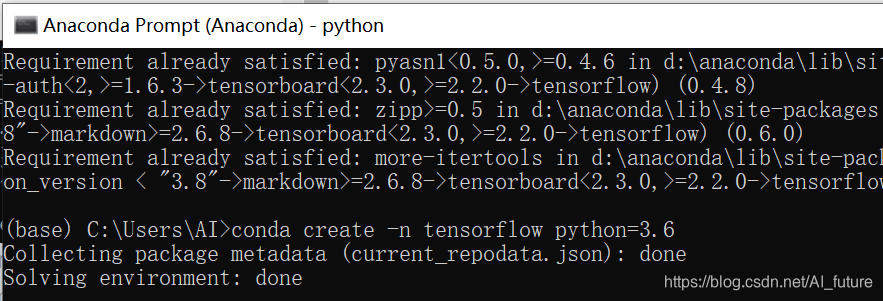
1.Anaconda prompt中创建 python3.6 版本的TensorFlow环境:
conda create -n tensorflow python=3.6
2.activate tensorflow
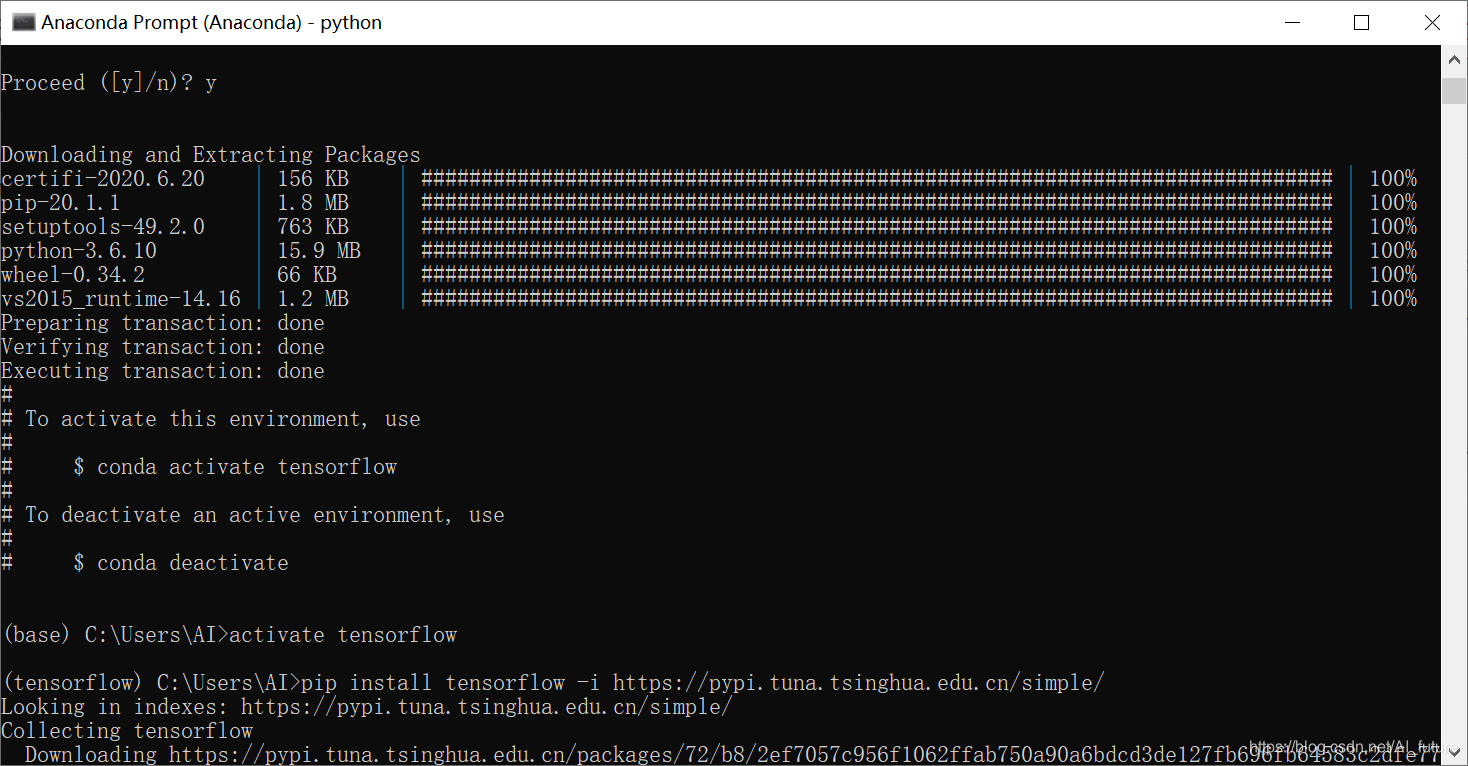
3.pip install -i https://pypi.tuna.tsinghua.edu.cn/simple tensorflow==2.0.0-rc

4.测试:import tensorflow as tf

1.Anaconda prompt中创建 python3.6 版本的TensorFlow环境:
conda create -n tensorflow python=3.6
2.activate tensorflow
3.pip install -i https://pypi.tuna.tsinghua.edu.cn/simple tensorflow==2.0.0-rc
4.测试:import tensorflow as tf
您可能感兴趣的与本文相关的镜像

Python3.8
Python 是一种高级、解释型、通用的编程语言,以其简洁易读的语法而闻名,适用于广泛的应用,包括Web开发、数据分析、人工智能和自动化脚本
 1283
1283





 扫一扫
扫一扫


 到【灌水乐园】发言



