


 本文介绍如何在C#及Unity环境中利用BouncyCastle库实现国密算法SM2和SM4的加解密操作。文章详细展示了通过BouncyCastle在Unity中生成SM2公私钥、加密解密数据,以及使用SM4RepairVersion库进行SM4的ECB模式加密解密的过程。
最近在捣腾国密2、3、4,很显然,C#,尤其是Unity需要用到BouncyCastle这个dll。这里总结一下C# 使用国密即SM2-SM4的事情,同时跟大家描绘一下C#的SM2-SM4跟C++的OpenSSL是咋相互加密解密的。可能会分很多部分。
首先是下载一个BouncyCastle,导入Unity或者Winform之类的(本质有啥区别?没有,都是.net的东西)。
bccrypto-csharp-1.8.5 dll
c# bccrypto-csharp-1.8.5源码
下载后导入Unity/VisualStudio之类的里面。我这里用Unity作为例子,并且我下载的是源码,因为方便调试查问题。 导入好后就可以开始干活了。因为这玩意是国际Csharp版本的必要内容。 接下来我们来徜徉一下SM的内容,这个其实网上也有版本,但是你下载后会发现,除了跟自己加解密畅通之外,跟其他的那简直不行。我这里截个图:
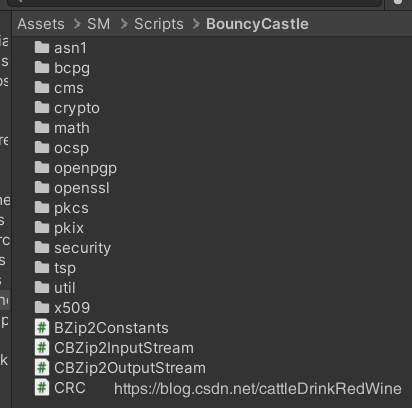
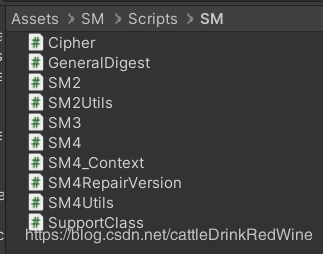
注意,这个地方有个SM4RepairVersion,说明单单SM4我改得有点多。细节部分暂时不去说了。 因为说不完。哇咔咔。 啥都没有说,总要说点啥,那就举个例子吧。反正左手痛,也不知道昨晚上干啥了。作为一个有伴侣的人,左手痛,只能是压的。
先放张图: 反正就是这几张图实现了国密SM2获取public key和private key并且对123456进行加密和对加密结果自己解密。(注意,此处还只是淡出的Csharp版本,并没有openssl的事情)
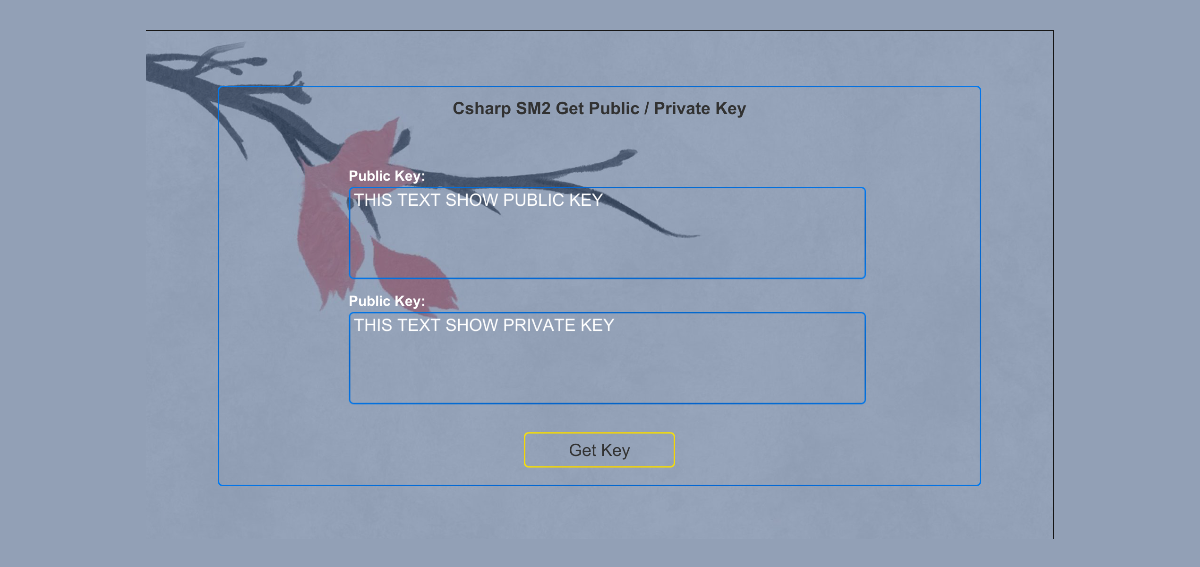
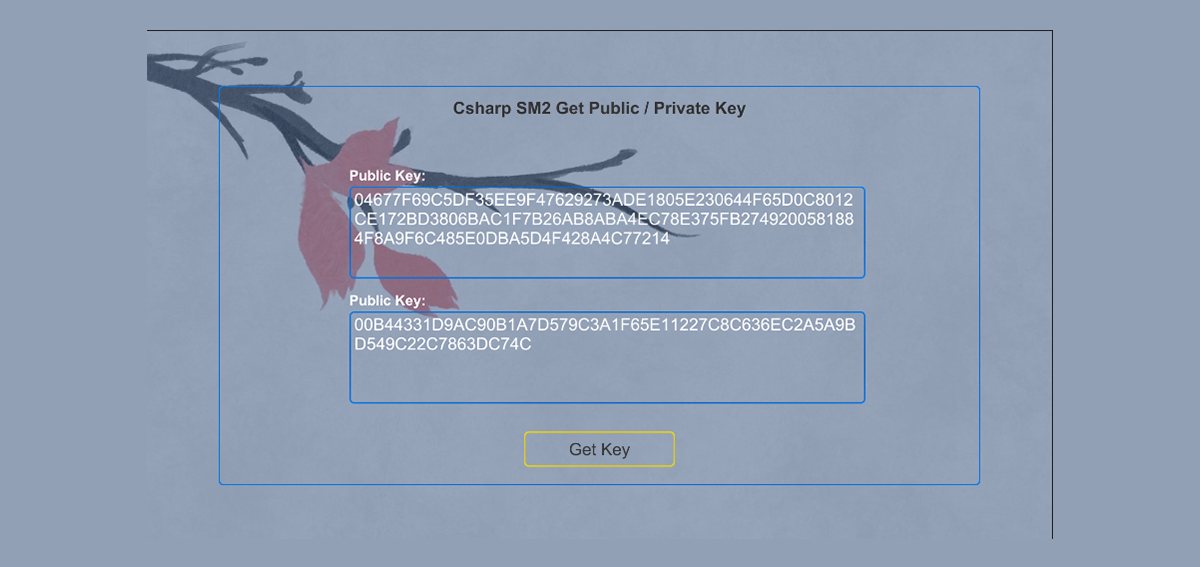
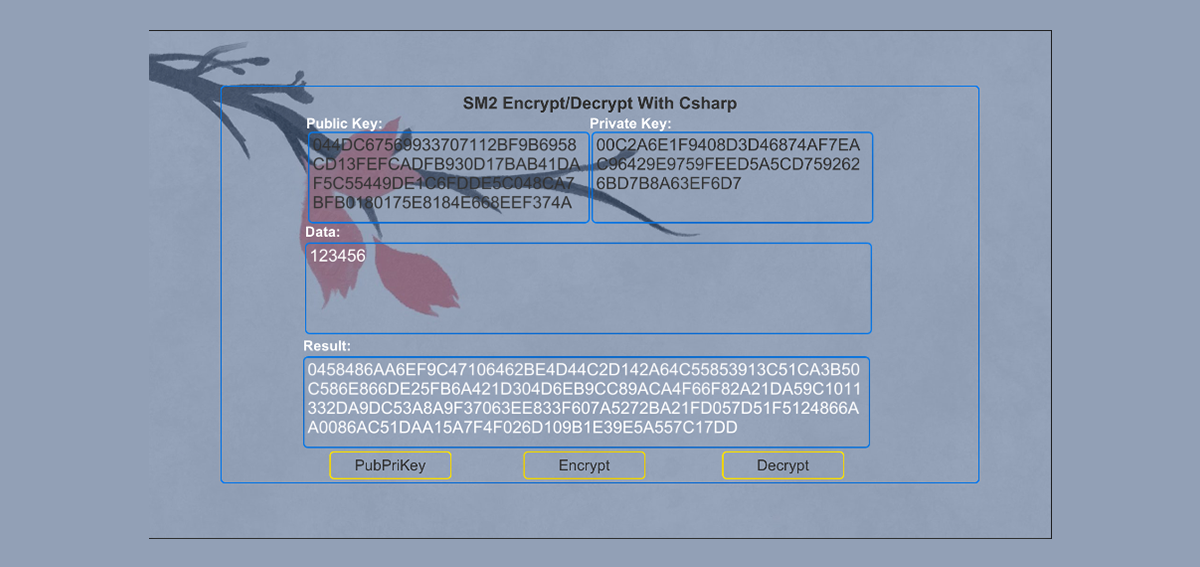
这里直接整代码: `using System; using System.Collections; using System.Collections.Generic; using UnityEngine; using UnityEngine.UI; using CDRW.SM.SAMPLE; using CDRW.SM; using CDRW.EXT; using CDRW.SM.Data;
namespace CDRW.SM.SAMPLE { public class EncryptDecrypt_SM23 : MonoBehaviour { private InputField mPubInputField;
     private

     InputField
      mPriInputField
     ;


     private

     InputField
      mEnDecryptInputField
     ;


     private

     InputField
      mResultInputField
     ;


     private

     Button
      mPubPriKeyButton
     ;


     private

     Button
      mEncryptButton
     ;


     private

     Button
      mDecryptButton
     ;


     void

     Start
     (
     )


     {

        mPubInputField
     =
      gameObject
     .
     GetChildUIScript
     <
     InputField
     >
     (
     "PubLabel/Key"
     )
     ;


        mPriInputField
     =
      gameObject
     .
     GetChildUIScript
     <
     InputField
     >
     (
     "PriLabel/Key"
     )
     ;


        mEnDecryptInputField
     =
      gameObject
     .
     GetChildUIScript
     <
     InputField
     >
     (
     "EnDecryptLabel/Key"
     )
     ;


        mResultInputField
     =
      gameObject
     .
     GetChildUIScript
     <
     InputField
     >
     (
     "ResultLabel/Key"
     )
     ;


        mPubPriKeyButton
     =
      gameObject
     .
     GetChildUIScript
     <
     Button
     >
     (
     "PubPriButton"
     )
     ;


        mPubPriKeyButton
     .
     onClick
     .
     AddListener
     (
     PubPriKey
     )
     ;


        mEncryptButton
     =
      gameObject
     .
     GetChildUIScript
     <
     Button
     >
     (
     "EncryptButton"
     )
     ;


        mEncryptButton
     .
     onClick
     .
     AddListener
     (
     DoEncrypt
     )
     ;


        mDecryptButton
     =
      gameObject
     .
     GetChildUIScript
     <
     Button
     >
     (
     "DecryptButton"
     )
     ;


        mDecryptButton
     .
     onClick
     .
     AddListener
     (
     DoDecrypt
     )
     ;


        mEnDecryptInputField
     .
     text
     =

     string
     .
     Empty
     ;


        mResultInputField
     .
     text
     =

     "show result"
     ;


        mPubInputField
     .
     text
     =

     ""
     ;


        mPriInputField
     .
     text
     =

     ""
     ;


        mEnDecryptInputField
     .
     text
     =

     "123456"
     ;


     }


     private

     void

     PubPriKey
     (
     )


     {


     //获取公钥、私钥的方法

        SM2Utils
     .
     GenerateKeyPair
     (
     out

     string
      publicKey
     ,

     out

     string
      privateKey
     )
     ;


        mPubInputField
     .
     text
     =
      publicKey
     ;


        mPriInputField
     .
     text
     =
      privateKey
     ;


     }


     private

     void

     DoEncrypt
     (
     )


     {


     string
      content
     =
      mEnDecryptInputField
     .
     text
     ;


     if

     (
     string
     .
     IsNullOrWhiteSpace
     (
     mPubInputField
     .
     text
     )
     )


     {


     PubPriKey
     (
     )
     ;


     }


     if

     (
     string
     .
     IsNullOrWhiteSpace
     (
     content
     )
     )


     {

            mResultInputField
     .
     text
     =

     "Error no Input Content"
     ;


     return
     ;


     }


     try


     {


     string
      en
     =
      SM2Utils
     .
     Encrypt
     (
     mPubInputField
     .
     text
     ,
      content
     )
     ;


            mResultInputField
     .
     text
     =
      en
     ;


     }


     catch

     (
     Exception
      e
     )


     {

            mResultInputField
     .
     text
     =
      e
     .
     ToString
     (
     )
     ;


     }


     }


     private

     void

     DoDecrypt
     (
     )


     {


     string
      content
     =
      mEnDecryptInputField
     .
     text
     ;


     if

     (
     string
     .
     IsNullOrWhiteSpace
     (
     mPriInputField
     .
     text
     )
     )


     {


     PubPriKey
     (
     )
     ;


     }


     if

     (
     string
     .
     IsNullOrWhiteSpace
     (
     content
     )
     )


     {

            mResultInputField
     .
     text
     =

     "Error no Input Content"
     ;


     return
     ;


     }


     try


     {


     string
      en
     =
     DataUtil
     .
     ChangeCode
     (
     SM2Utils
     .
     Decrypt
     (
     mPriInputField
     .
     text
     ,
      content
     ,

     false
     )
     )
     ;


            mResultInputField
     .
     text
     =
      en
     ;


     }


     catch

     (
     Exception
      e
     )


     {

            mResultInputField
     .
     text
     =
      e
     .
     ToString
     (
     )
     ;


     }


     }


     private

     void

     OnDestroy
     (
     )


     {

        mEncryptButton
     ?.
     onClick
     .
     RemoveListener
     (
     DoEncrypt
     )
     ;


        mEncryptButton
     ?.
     onClick
     .
     RemoveListener
     (
     DoDecrypt
     )
     ;


     }


     }
} ` 当然,我承认错误,我没有写注释。
SM3其实已经包含在内了,而且SM3没啥好说的,就算了。
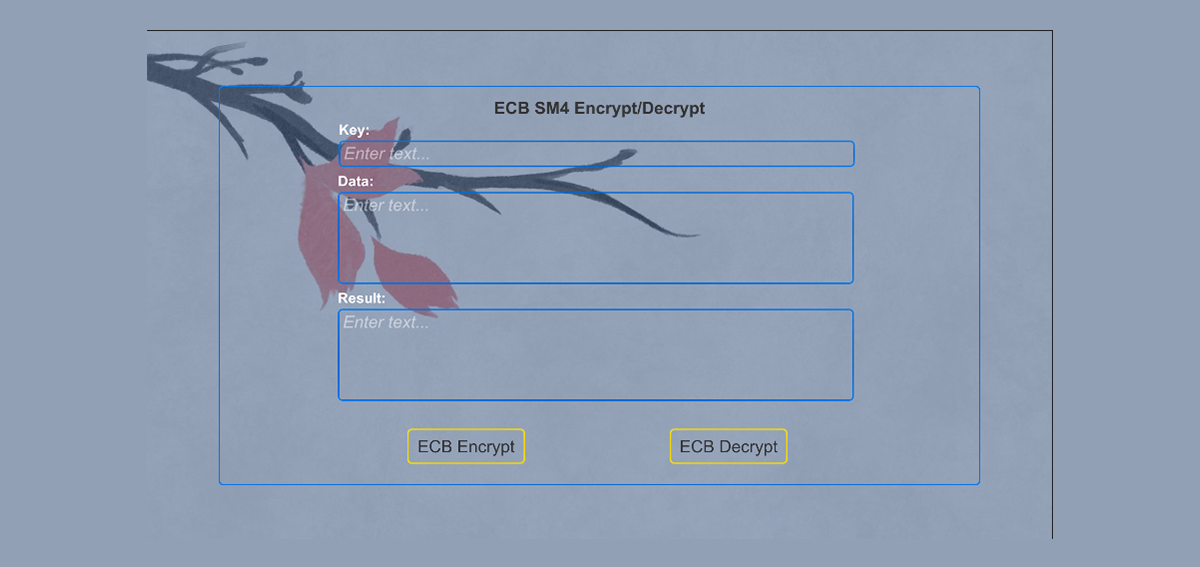
那么SM4咧,这玩意内容多。得好好整。图片已经在上面了,下面贴代码: `using System; using System.Collections; using System.Collections.Generic; using UnityEngine; using UnityEngine.UI; using CDRW.SM; using System.Text; using Org.BouncyCastle.Utilities.Encoders; using CDRW.EXT;
namespace CDRW.SM.SAMPLE { public class EncryptDecrypt_SM4 : MonoBehaviour { private InputField mKeyInputField;
     private

     InputField
      mDataInputField
     ;


     private

     InputField
      mResultInputField
     ;


     private

     Button
      mECBEncryptButton
     ;


     private

     Button
      mECBDecryptButton
     ;


     private

     SM4RepairVersion
     .
     SM4Utils
      sm4
     ;


     void

     Start
     (
     )


     {

        mKeyInputField
     =
      gameObject
     .
     GetChildUIScript
     <
     InputField
     >
     (
     "KeyLabel/Key"
     )
     ;


        mDataInputField
     =
      gameObject
     .
     GetChildUIScript
     <
     InputField
     >
     (
     "DataKeyLabel/Key"
     )
     ;


        mResultInputField
     =
      gameObject
     .
     GetChildUIScript
     <
     InputField
     >
     (
     "ResultKeyLabel/Key"
     )
     ;


        mECBEncryptButton
     =
      gameObject
     .
     GetChildUIScript
     <
     Button
     >
     (
     "EncryptButton"
     )
     ;


        mECBDecryptButton
     =
      gameObject
     .
     GetChildUIScript
     <
     Button
     >
     (
     "DecryptButton"
     )
     ;


        mKeyInputField
     .
     text
     =

     "0123456789ABCDEFFEDCBA9876543210"
     ;


        mDataInputField
     .
     text
     =

     "FEDCBA98765432100123456789ABCDEF"
     ;


        mResultInputField
     .
     text
     =

     ""
     ;


        mECBEncryptButton
     .
     onClick
     .
     AddListener
     (
     OnECBEncryptClick
     )
     ;


        mECBDecryptButton
     .
     onClick
     .
     AddListener
     (
     OnECBDecryptClick
     )
     ;


        sm4
     =

     new

     SM4RepairVersion
     .
     SM4Utils
     (
     )
     ;


        sm4
     .
     hexString
     =

     true
     ;


     }


     private

     void

     OnECBEncryptClick
     (
     )


     {


     string
      key
     =
      mKeyInputField
     .
     text
     ;


     if

     (
     string
     .
     IsNullOrWhiteSpace
     (
     key
     )
     )


     {

            mResultInputField
     .
     text
     =

     "the key is null"
     ;


     return
     ;


     }


     string
      content
     =
      mDataInputField
     .
     text
     ;


     if

     (
     string
     .
     IsNullOrWhiteSpace
     (
     content
     )
     )


     {

            mResultInputField
     .
     text
     =

     "the data is null"
     ;


     return
     ;


     }


        sm4
     .
     secretKey
     =
      key
     ;


     var
      info
     =
     sm4
     .
     Encrypt_ECB
     (
     content
     )
     ;


        mResultInputField
     .
     text
     =
      info
     ;


     }


     private

     void

     OnECBDecryptClick
     (
     )


     {


     string
      key
     =
      mKeyInputField
     .
     text
     ;


     if

     (
     string
     .
     IsNullOrWhiteSpace
     (
     key
     )
     )


     {

            mResultInputField
     .
     text
     =

     "the key is null"
     ;


     return
     ;


     }


     string
      content
     =
      mDataInputField
     .
     text
     ;


     if

     (
     string
     .
     IsNullOrWhiteSpace
     (
     content
     )
     )


     {

            mResultInputField
     .
     text
     =

     "the data is null"
     ;


     return
     ;


     }


        sm4
     .
     secretKey
     =
      key
     ;


     string
      enECBR
     =
      sm4
     .
     Decrypt_ECB
     (
     content
     )
     ;


        mResultInputField
     .
     text
     =
     enECBR
     ;


     }


     private

     void

     OnDestroy
     (
     )


     {

        mECBEncryptButton
     ?.
     onClick
     .
     RemoveListener
     (
     OnECBEncryptClick
     )
     ;


        mECBDecryptButton
     ?.
     onClick
     .
     RemoveListener
     (
     OnECBDecryptClick
     )
     ;


     }


     }
}
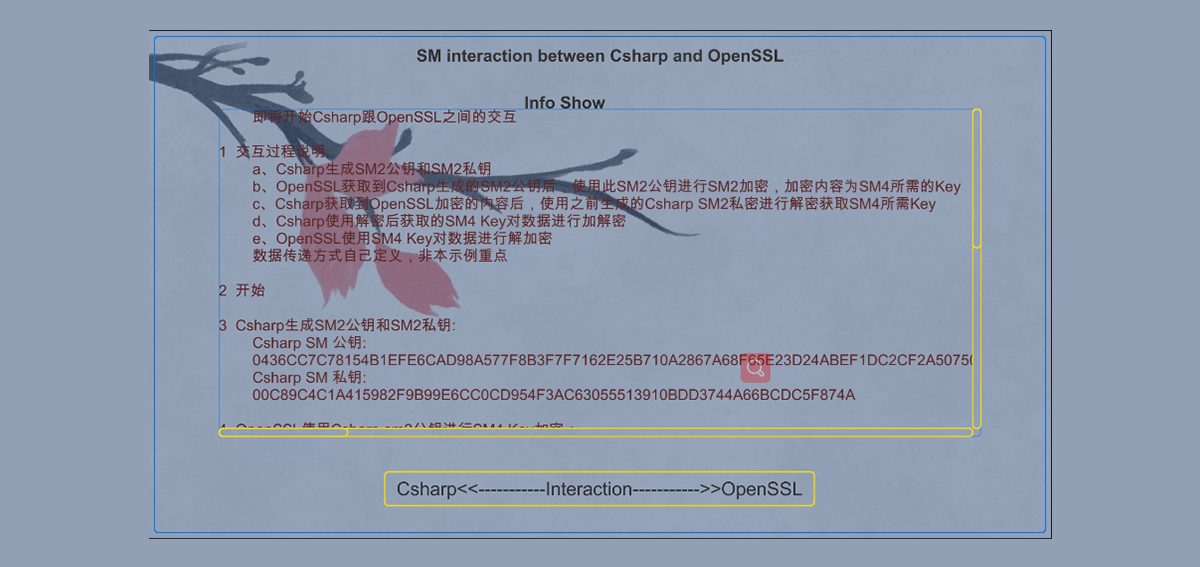
` 至于Csharp和OpenSSL交互的具体过程,待续。。。





 扫一扫
扫一扫


 60万+
60万+

 被折叠的 条评论
为什么被折叠?
被折叠的 条评论
为什么被折叠?
 到【灌水乐园】发言





