


 本文详细介绍了在Processing和Unity中实现随机游走的方法,包括使用向量和不使用向量的两种方式,并展示了如何通过实例化大量对象来创建复杂的粒子系统效果。
上一篇我们弄清楚了实例化多个对象以及让多个对象各自运动的方法
这次弄一个简单的随机游走
processing中的随机游走效果如下
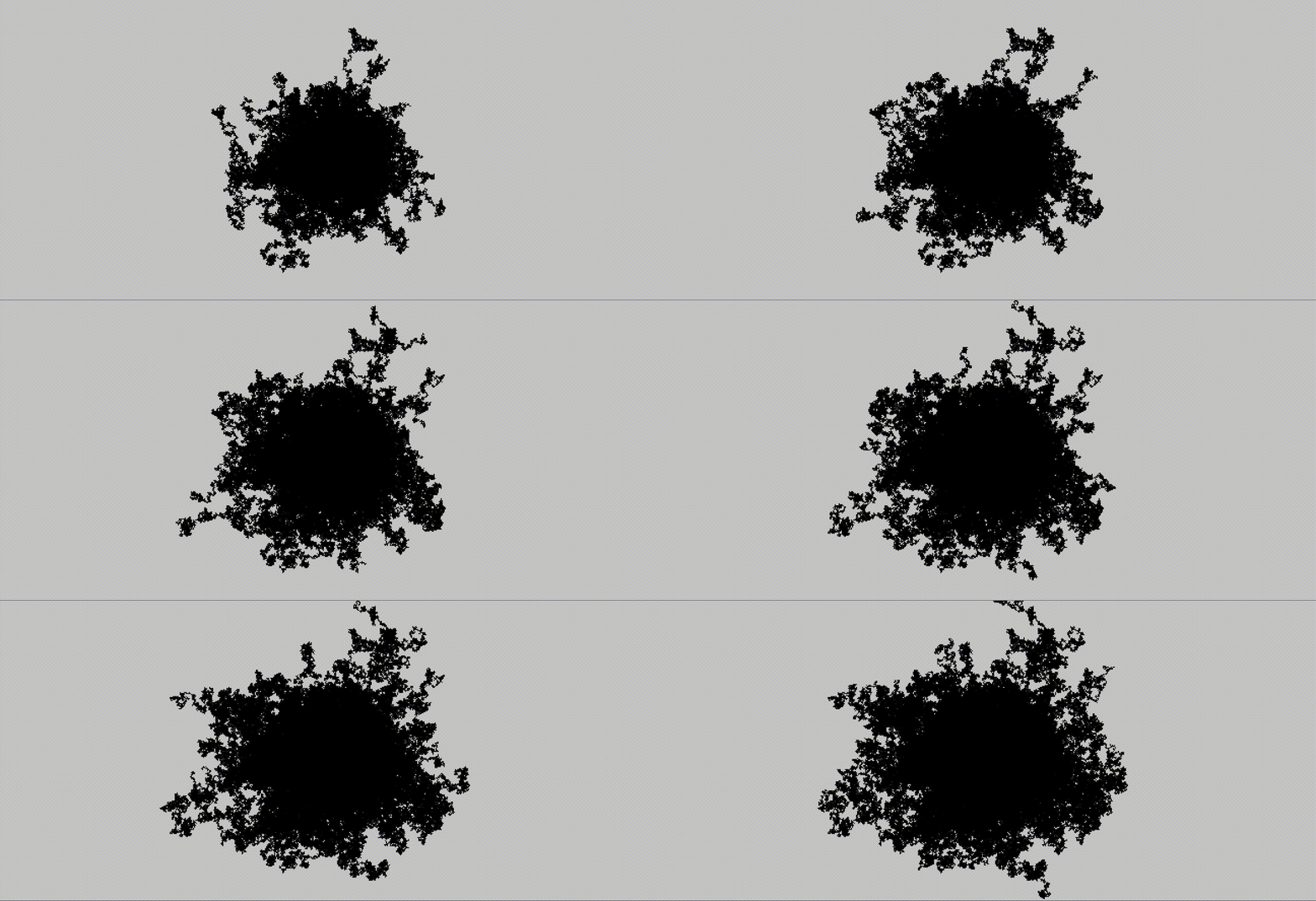
c1[ ] c1c = new c1[ 99 ];

void setup() {
  size(666, 333);

  for (int i=0; i<c1c.length; i+=1) {
    c1c[i]= new c1( );
  }
}

void draw() {
  for (int i=0; i<c1c.length; i+=1) {
    c1c[i].c1v1( );
  }
}

class c1 {
  PVector pv1 = new PVector(0, 0);
  c1( ) {
  }
  void c1v1( ) {
    for (int i=0; i<90; i++) {
      PVector pv2 = new PVector(random(-1, 1 ), random(-1, 1 ));
      pv1.add(pv2);
      point(width/2 +pv1.x, height/2 +pv1.y);
    }
  }
}
代码挺长的,看上去挺吓人,仔细一看就是标准的class框架,复制粘贴即可
c1[ ] c1c = new c1[ 1 ];
void setup(){
  size(666, 666);
  for (int i=0; i<c1c.length; i+=1) {
      c1c[i]= new c1( );
  }
}
void draw(){
  for (int i=0; i<c1c.length; i+=1) {
      c1c[i].c1v1( );
  }
}
class c1{
  c1( ){
  }
  void c1v1( ){
  }
}
有用的代码也就一小段
  PVector pv1 = new PVector(0, 0);

    for (int i=0; i<90; i++) {
      PVector pv2 = new PVector(random(-1, 1 ), random(-1, 1 ));
      pv1.add(pv2);
      point(width/2 +pv1.x, height/2 +pv1.y);
    }
上面的代码使用向量,下面是不用向量
  float x,y;

    for (int i=0; i<90; i++) {
      point(width/2 +x, height/2 +y);
      x +=random(-1,1);
      y +=random(-1,1);
    }
接下看看unity中的随机游走(实例化了1万个矩形,电脑配置限制)
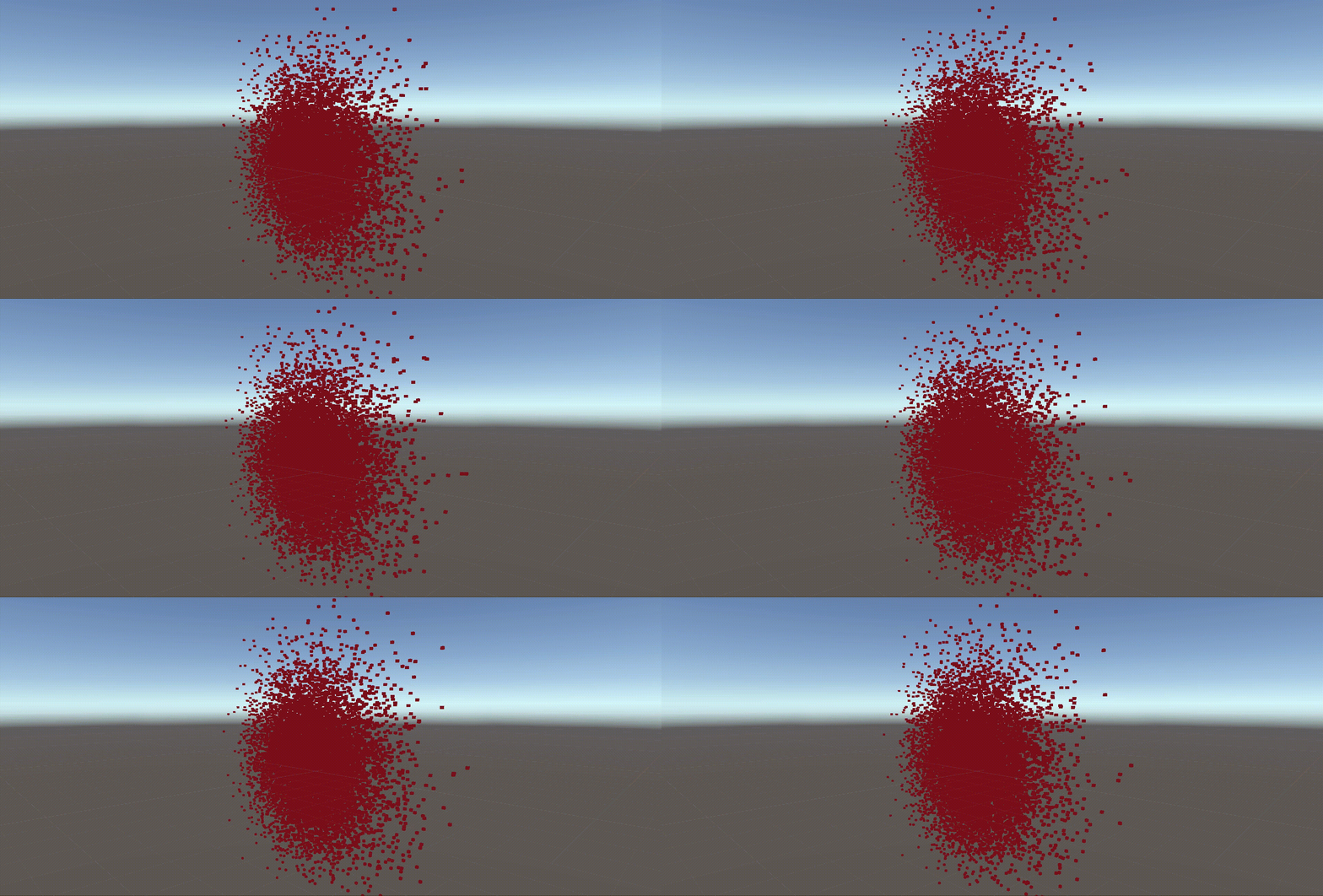
看一下代码
using System.Collections;
using System.Collections.Generic;
using UnityEngine;

public class NewBehaviourScript3 : MonoBehaviour
{
    public GameObject obj;
    GameObject[] objs = new GameObject[9999];

    void Start()
    {
        for (int i = 0; i < objs.Length; i++)
        {
            objs[i] = Instantiate(obj);
        }
    }

    void Update()
    {
        for (int i = 0; i < objs.Length; i++)
        {
            Vector3 ve3 = new Vector3(Random.Range(-1f, 1f), Random.Range(-1f, 1f), 0);
            objs[i].transform.position += ve3;

            objs[i].transform.SetParent(transform, false);
        }
    }
}
实例化对象的标准框架如下,没什么可改动的地方
public class NewBehaviourScript3 : MonoBehaviour
{
    public GameObject obj;
    GameObject[] objs = new GameObject[9999];

    void Start()
    {
        for (int i = 0; i < objs.Length; i++)
        {
            objs[i] = Instantiate(obj);
        }
    }

    void Update()
    {
        for (int i = 0; i < objs.Length; i++)
        {
            //代码写在这里

            objs[i].transform.SetParent(transform, false);
        }
    }
}
核心的代码就2行
            Vector3 ve3 = new Vector3(Random.Range(-1f, 1f), Random.Range(-1f, 1f), 0);
            objs[i].transform.position += ve3;
第一行:新建三维向量,并给x和y添加随机参数 第二行:向数组中的每个对象进行递增运算 +=
粒子系统比这个复杂一点,纯手工擀出来的粒子系统以后有机会写一篇
有一本书《代码本色》介绍了如何用代码模拟现实物理世界 不买书在网上搜集资料学习也无碍,就是费时间点卡。
学海无涯,回头无岸,继续划船😅





 扫一扫
扫一扫


 628
628

 被折叠的 条评论
为什么被折叠?
被折叠的 条评论
为什么被折叠?
 到【灌水乐园】发言





