



基础设置
创建场景
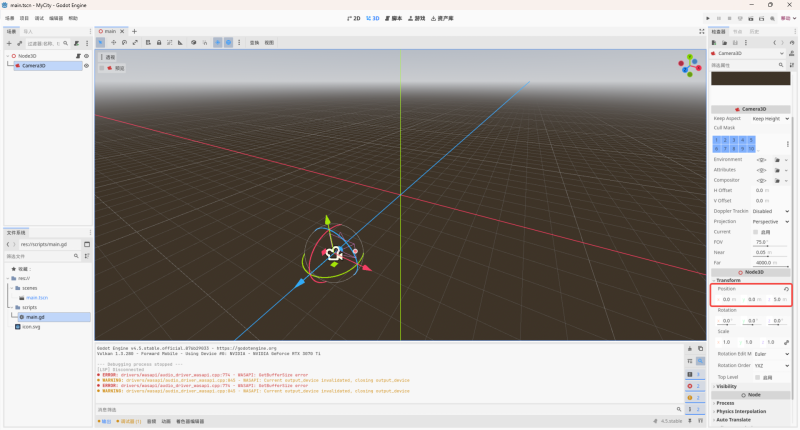
创建main场景,场景中添加Camera3D 节点,并把相机的位置设置为(0,0,5),可以看到现在相机默认看向原点方向。
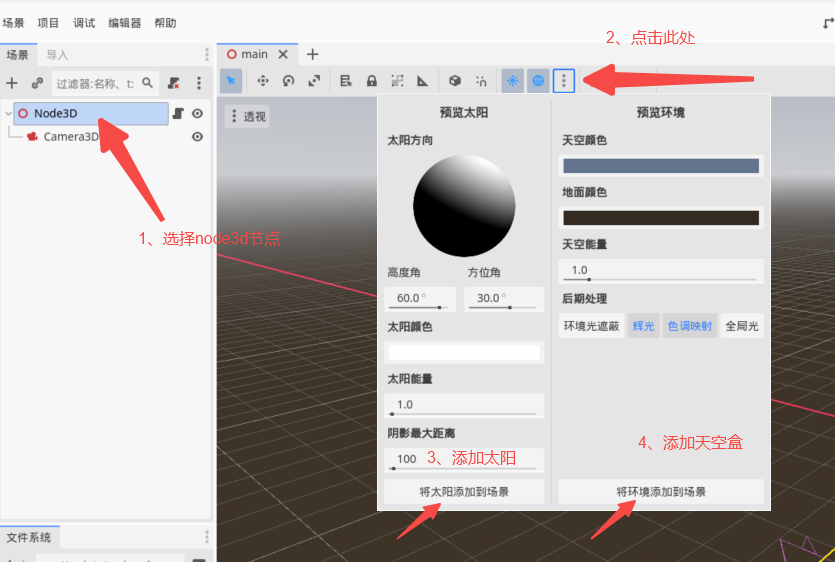
添加灯光和天空盒
动态创建胶囊节点
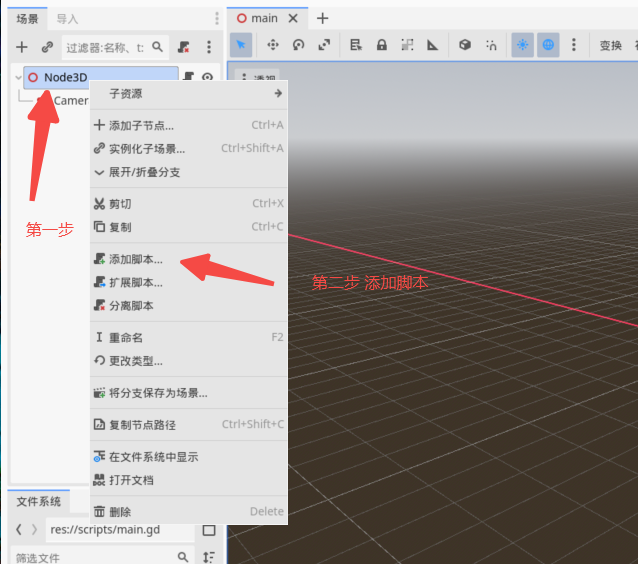
创建main脚本,并挂载到主场景
main.gd 保存在scripts 文件夹
extends Node3D


# Called when the node enters the scene tree for the first time.
func _ready() -> void:
	 # 创建 MeshInstance3D 节点
	var capsule_mesh_instance = MeshInstance3D.new()

	# 创建胶囊体网格资源
	var capsule_mesh = CapsuleMesh.new()

	# 设置胶囊体参数(可选)
	capsule_mesh.radius = 0.5       # 底部半径
	capsule_mesh.radial_segments = 16  # 径向分段数
	capsule_mesh.rings = 8           # 轴向分段数

	# 将网格赋给 MeshInstance3D
	capsule_mesh_instance.mesh = capsule_mesh

	# 创建材质(可选)
	var material = StandardMaterial3D.new()
	material.albedo_color = Color(1, 0, 0)  # 红色材质
	capsule_mesh_instance.material_override = material

	# 添加到场景
	add_child(capsule_mesh_instance)

	# 调整位置(可选)
	capsule_mesh_instance.position = Vector3(0, 1, 0)


# Called every frame. 'delta' is the elapsed time since the previous frame.
func _process(delta: float) -> void:
	pass
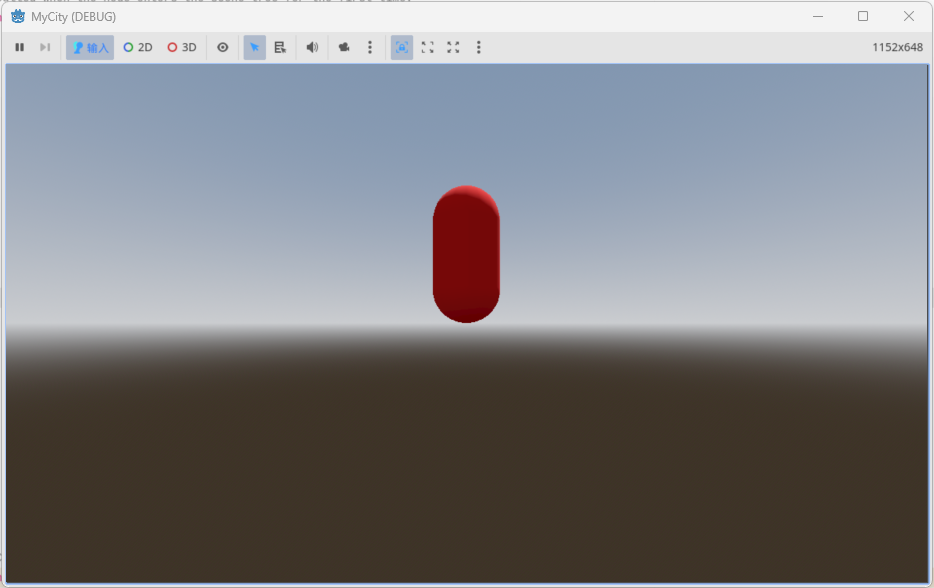
运行效果
动态创建立方体节点
extends Node3D


# Called when the node enters the scene tree for the first time.
func _ready() -> void:
	 # 创建 MeshInstance3D 节点
	var capsule_mesh_instance = MeshInstance3D.new()

	# 创建胶囊体网格资源
	var capsule_mesh = CapsuleMesh.new()

	# 设置胶囊体参数(可选)
	capsule_mesh.radius = 0.5       # 底部半径
	capsule_mesh.radial_segments = 16  # 径向分段数
	capsule_mesh.rings = 8           # 轴向分段数

	# 将网格赋给 MeshInstance3D
	capsule_mesh_instance.mesh = capsule_mesh

	# 创建材质(可选)
	var material = StandardMaterial3D.new()
	material.albedo_color = Color(1, 0, 0)  # 红色材质
	capsule_mesh_instance.material_override = material

	# 添加到场景
	add_child(capsule_mesh_instance)

	# 调整位置(可选)
	capsule_mesh_instance.position = Vector3(0, 1, 0)


	var box_mech_instance = MeshInstance3D.new()

	var box_mesh = BoxMesh.new()

	box_mesh.size = Vector3(1,1,1)

	box_mech_instance.mesh = box_mesh

	box_mech_instance.material_overlay = material

	add_child(box_mech_instance)

	box_mech_instance.position = Vector3(0,-2,-1)


# Called every frame. 'delta' is the elapsed time since the previous frame.
func _process(delta: float) -> void:
	pass
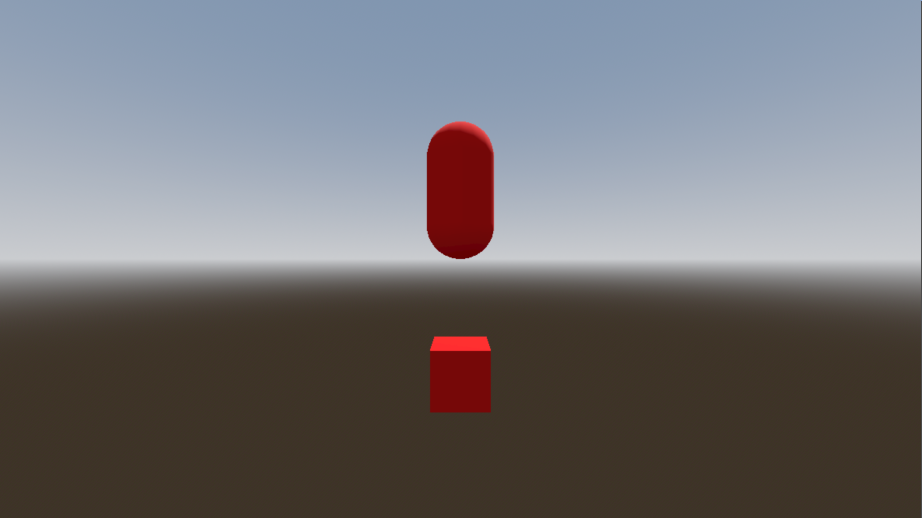
运行效果
文章来源于:小武的开发空间





 扫一扫
扫一扫


 1149
1149

 被折叠的 条评论
为什么被折叠?
被折叠的 条评论
为什么被折叠?
 到【灌水乐园】发言





