


目录
本篇文章分享一下线程该怎么使用。
线程的使用
线程是进程内的最小执行单元,一个进程可以包含多个线程,所有线程共享该进程的内存空间和资源(如变量、文件句柄)。线程是操作系统调度的基本单位(CPU直接执行线程)。
1.基础语法
1.1.引用命名空间
在C#中,线程(Thread)的使用主要依赖System.Threading命名空间下的Thread类。
using System.Threading;1.2.创建线程的3种方式
线程的核心是“要执行的方法”,可以通过以下方式创建并绑定方法:
(1)无参数方法
//定义线程要执行的方法(无参数)
private void ThreadTask()
{
    Debug.Log($"子线程执行,线程ID:{Thread.CurrentThread.ManagedThreadId}");
}

//创建并启动线程
Thread thread = new Thread(ThreadTask);//创建线程并绑定方法
thread.Start();//启动线程(线程进入就绪状态,等待CPU调度)
(2)带参数方法(参数必须是object类型)
//定义带参数的方法(参数类型必须为 object)
private void ThreadTaskWithParam(object message)
{
    string msg = (string)message; // 强制类型转换
    Debug.Log($"子线程收到消息:{msg},线程ID:{Thread.CurrentThread.ManagedThreadId}");
}

//创建并启动线程(传递参数)
Thread thread = new Thread(ThreadTaskWithParam);//创建线程并绑定方法
thread.Start("Hello from main thread");//启动时传入参数
(3)使用匿名函数(Lambda表达式)
//直接通过 Lambda 定义线程任务(适合简单逻辑)
Thread thread = new Thread(() =>
{
    Debug.Log($"匿名线程执行,线程ID:{Thread.CurrentThread.ManagedThreadId}");
});
thread.Start();
2.线程的核心操作
2.1.线程等待(主线程等待子线程完成)
使用Join()方法让主线程阻塞,直到子线程执行完毕
Thread thread = new Thread(() =>
{
    Thread.Sleep(2000);//子线程休眠2秒(模拟耗时操作)
    Debug.Log("子线程完成");
});

thread.Start();
Debug.Log("主线程等待子线程完成...");
thread.Join();//主线程阻塞,直到子线程执行完毕
Debug.Log("主线程继续执行");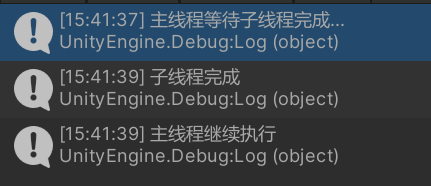
2.2.线程休眠(暂停执行一段时间)
使用Thread.Sleep(int milliseconds)让当前线程暂停指定毫秒数
Thread thread = new Thread(() =>
{
    Debug.Log("子线程开始");
    Thread.Sleep(1000);//暂停1秒
    Debug.Log("子线程1秒后继续");
});
thread.Start();
2.3.强制终止线程(不推荐)
使用Abort()强制终止线程,可能导致资源未释放,建议通过标志位安全终止
Thread thread = new Thread(() =>
{
    try
    {
        while (true)
        {
            Debug.Log("子线程运行中...");
            Thread.Sleep(500);
        }
    }
    catch (ThreadAbortException)
    {
        Debug.Log("子线程被强制终止");
    }
});

thread.Start();
Thread.Sleep(2000);//主线程等待2秒
thread.Abort();//强制终止子线程
2.4.安全终止线程(推荐)
通过bool标志位控制线程退出,避免资源泄漏
private bool isThreadRunning = true;//线程运行标志位

private void StartThread()
{
    Thread thread = new Thread(LoopTask);
    thread.Start();
}

private void LoopTask()
{
    while (isThreadRunning)//通过标志位控制循环
    {
        Debug.Log("子线程运行中...");
        Thread.Sleep(500);
    }
    Debug.Log("子线程安全退出");
}

//外部调用此方法终止线程
private void StopThread()
{
    isThreadRunning = false;
}
3.Unity中使用线程的特殊注意事项
3.1.禁止子线程调用UnityAPI
Unity绝大多数API(如Transform、GameObject、Debug.Log等)只能在主线程调用,子线程调用会报错
//错误示例:子线程调用 Unity API
Thread thread = new Thread(() =>
{
    //以下代码会导致崩溃!
    GameObject obj = new GameObject("Test");
    Debug.Log("子线程调用Unity API");
});
thread.Start();
3.2.子线程与主线程通信(安全更新UI)
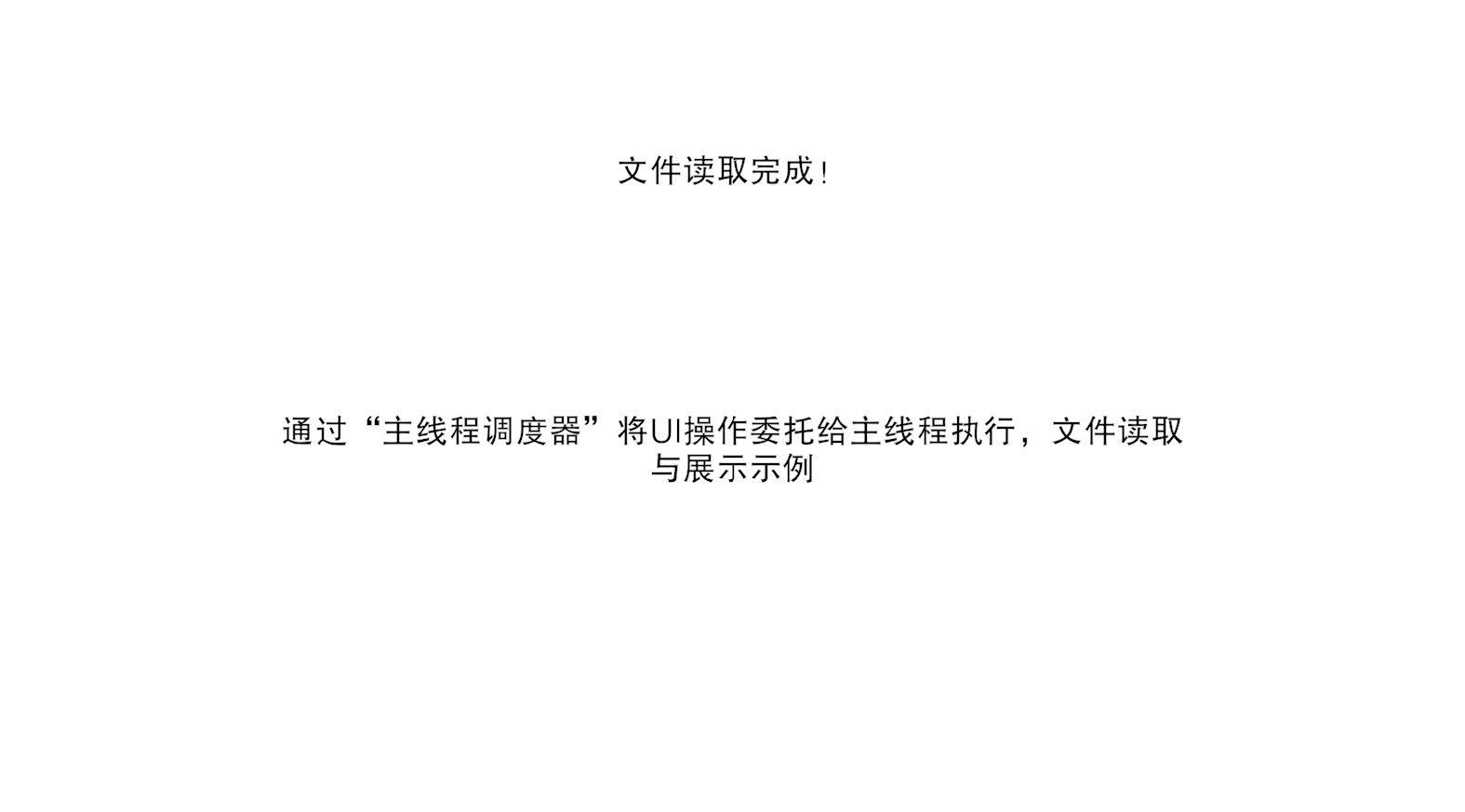
通过“主线程调度器”将UI操作委托给主线程执行,如下例:文件读取与展示
(1)实现主线程调度器
using UnityEngine;
using System.Collections.Generic;

/// <summary>
/// 主线程调度器:用于子线程向主线程投递任务(如更新 UI)
/// </summary>
public class MainThreadDispatcher : MonoBehaviour
{
    //单例实例
    private static MainThreadDispatcher instance;
    //主线程任务队列
    private readonly Queue<System.Action> mainThreadTasks = new Queue<System.Action>();

    //确保场景中只有一个调度器
    private void Awake()
    {
        if (instance == null)
        {
            instance = this;
        }
        else
        {
            Destroy(gameObject);
        }
    }
    //主线程每帧执行任务队列
    private void Update()
    {
        lock (mainThreadTasks)//线程安全地访问任务队列
        {
            while (mainThreadTasks.Count > 0)
            {
                //执行主线程任务(如更新 UI)
                mainThreadTasks.Dequeue()?.Invoke();
            }
        }
    }
    /// <summary>
    /// 向主线程投递任务
    /// </summary>
    /// <param name="task">要在主线程执行的任务(如 UI 操作)</param>
    public static void EnqueueTask(System.Action task)
    {
        if (instance == null)
        {
            Debug.LogError("MainThreadDispatcher 未初始化!请在场景中添加该脚本");
            return;
        }

        lock (instance.mainThreadTasks)
        {
            instance.mainThreadTasks.Enqueue(task);
        }
    }
}
(2)子线程通过调度器更新UI
using UnityEngine;
using System.IO;
using System.Threading;
using TMPro;

/// <summary>
/// 文件读取子线程
/// </summary>
public class FileReaderThread:MonoBehaviour
{
    public TextMeshProUGUI statusText;
    public TextMeshProUGUI resultText;
    private void Start()
    {
        resultText.text = "准备读取文件...";

        Thread thread = new Thread(FileReadThreadTask);
        statusText.text = "开始读取文件";
        thread.Start();
    }
    private void FileReadThreadTask()
    {
        Thread.Sleep(2000);
        string filePath =Path.Combine(Application.streamingAssetsPath, "file.txt");
        string content = File.ReadAllText(filePath);
        MainThreadDispatcher.EnqueueTask(() =>
        {
            resultText.text = content;
            statusText.text = "文件读取完成!";
        });
    }
}
4.总结
线程主要用于处理“不涉及UnityAPI的耗时任务”(CPU密集型任务,如数据计算;IO密集型任务,如文件读写),使用时需注意线程安全(共享数据加锁)和Unity API调用限制。
想要进一步了解进程、线程和协程可以查看【一文了解】Unity的协程(Coroutine)与线程(Thread)和区分进程(Process)、线程(Thread)和协程(Coroutine)
好了,本次的分享到这里就结束啦,希望对你有所帮助~





 扫一扫
扫一扫


 2925
2925

 被折叠的 条评论
为什么被折叠?
被折叠的 条评论
为什么被折叠?
 到【灌水乐园】发言





