



1、问题描述:学习古月居的《ros机器人开发实践》第九章的9.9节时,运行命令
roslaunch mrobot_bringup fake_mrobot_with_laser.launch
出现了报错,具体报错信息为
ERROR: cannot launch node of type [robot_state_publisher/state_publisher]: Cannot locate node of type [state_publisher] in package [robot_state_publisher]. Make sure file exists in package path and permission is set to executable (chmod +x)
2、解决方案:
(1) 运行以下命令安装robot_state_publisher
sudo apt-get install ros-kinetic-robot-state-publisher

sudo apt-get update
(2)修改fake_mrobot_with_laser.launch
fake_mrobot_with_laser.launch:
<launch>

    <param name="/use_sim_time" value="false" />

    <!-- 加载机器人URDF/Xacro模型 -->
    <arg name="urdf_file" default="$(find xacro)/xacro --inorder '$(find mrobot_description)/urdf/mrobot_with_rplidar.urdf.xacro'" />

    <param name="robot_description" command="$(arg urdf_file)" />

    <node name="arbotix" pkg="arbotix_python" type="arbotix_driver" output="screen" clear_params="true">
        <rosparam file="$(find mrobot_bringup)/config/fake_mrobot_arbotix.yaml" command="load" />
        <param name="sim" value="true"/>
    </node>

    <node name="joint_state_publisher" pkg="joint_state_publisher" type="joint_state_publisher" />
    <node name="robot_state_publisher" pkg="state_publisher" type="robot_state_publisher">
        <param name="publish_frequency" type="double" value="20.0" />
    </node>

</launch>
<node name="robot_state_publisher" pkg="state_publisher" type="robot_state_publisher">

修改为:

<node name="robot_state_publisher" pkg="robot_state_publisher" type="robot_state_publisher">
现在应该不会报错了,但是会有一个警告信息:[ WARN] [1720667758.559341768]: Joint state with name: "base_l_wheel_joint" was received but not found in URDF.
然后我就去查看了launch里面用到的urdf文件,发现对左轮的joint命名为 right_wheel_joint.
<joint name="right_wheel_joint" type="continuous">
            <origin xyz="0 -${(motor_length+wheel_length)/2} 0" rpy="0 0 0"/>
            <parent link="right_motor"/>
            <child link="right_wheel_link"/>
            <axis xyz="0 1 0"/>
        </joint>

将<joint name="right_wheel_joint" type="continuous">改为<joint name="base_r_wheel_joint" type="continuous">

更改后的joint代码为:

 <joint name="base_r_wheel_joint" type="continuous">
            <origin xyz="0 -${(motor_length+wheel_length)/2} 0" rpy="0 0 0"/>
            <parent link="right_motor"/>
            <child link="right_wheel_link"/>
            <axis xyz="0 1 0"/>
        </joint>
然后打开新的终端,运行 roslaunch mrobot_navigation fake_nav_demo.launch就可以在rviz中看到导航地图啦。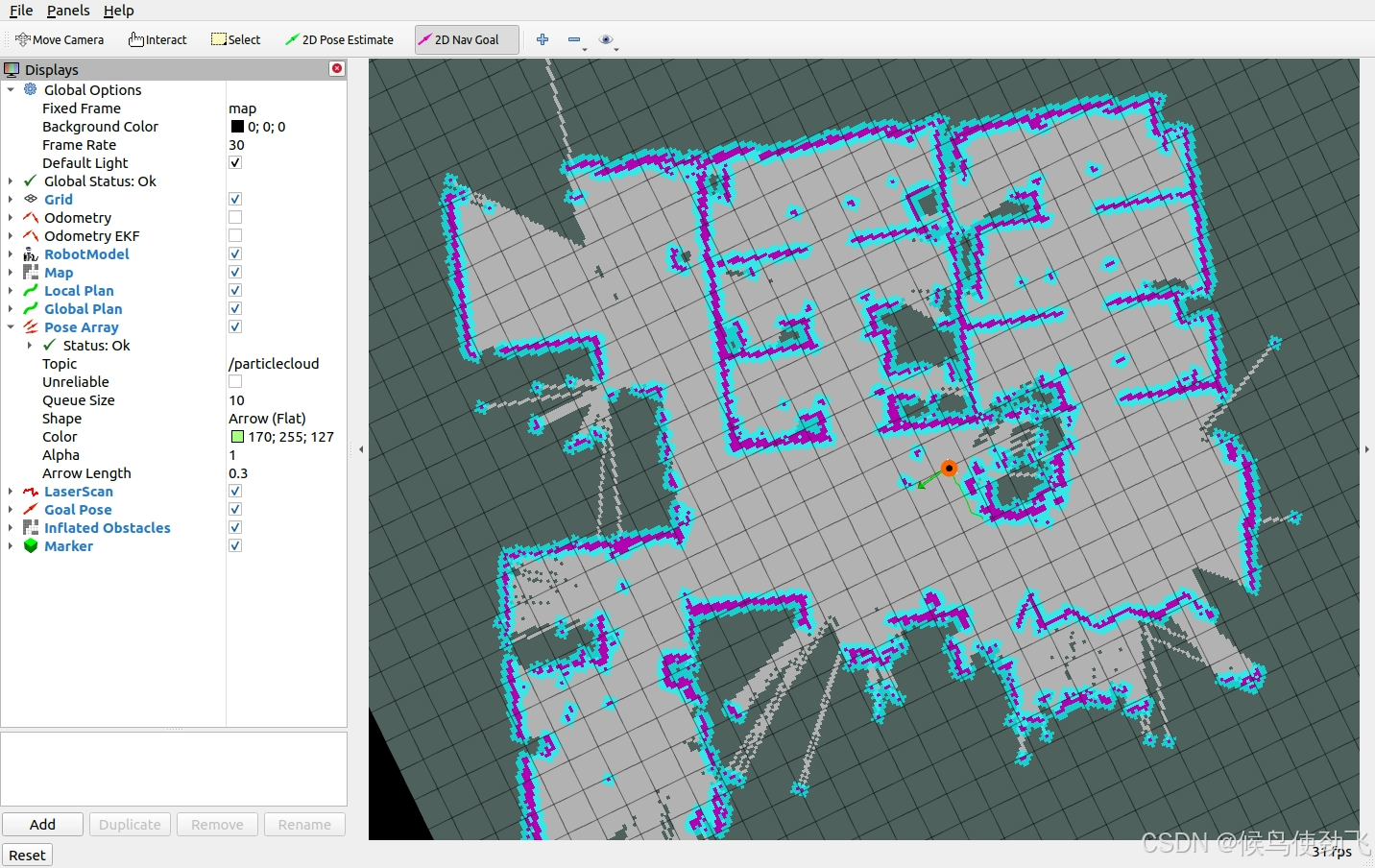





 扫一扫
扫一扫


 6763
6763

 被折叠的 条评论
为什么被折叠?
被折叠的 条评论
为什么被折叠?
 到【灌水乐园】发言





