


 该博客介绍了一个使用ROS2和Arduino结合的项目,通过ESP32节点接收HTTP请求来改变机器人移动方向。用户可以通过点击网页链接来控制机器人前进、后退、左转、右转和停止。代码中定义了不同的速度和转向标志,根据接收到的HTTP请求更新机器人速度话题(cmd_vel)。
- turtle1/cmd_vel
- mobot/cmd_vel
- cmd_vel
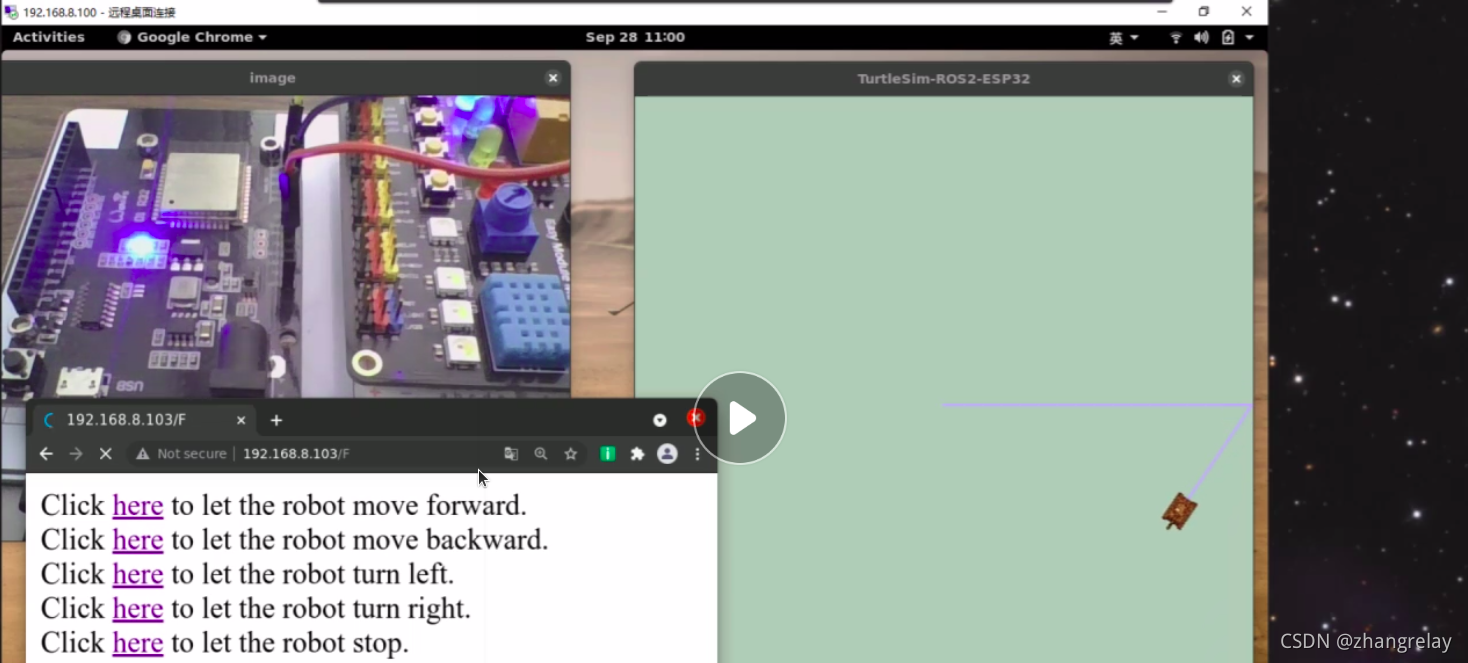
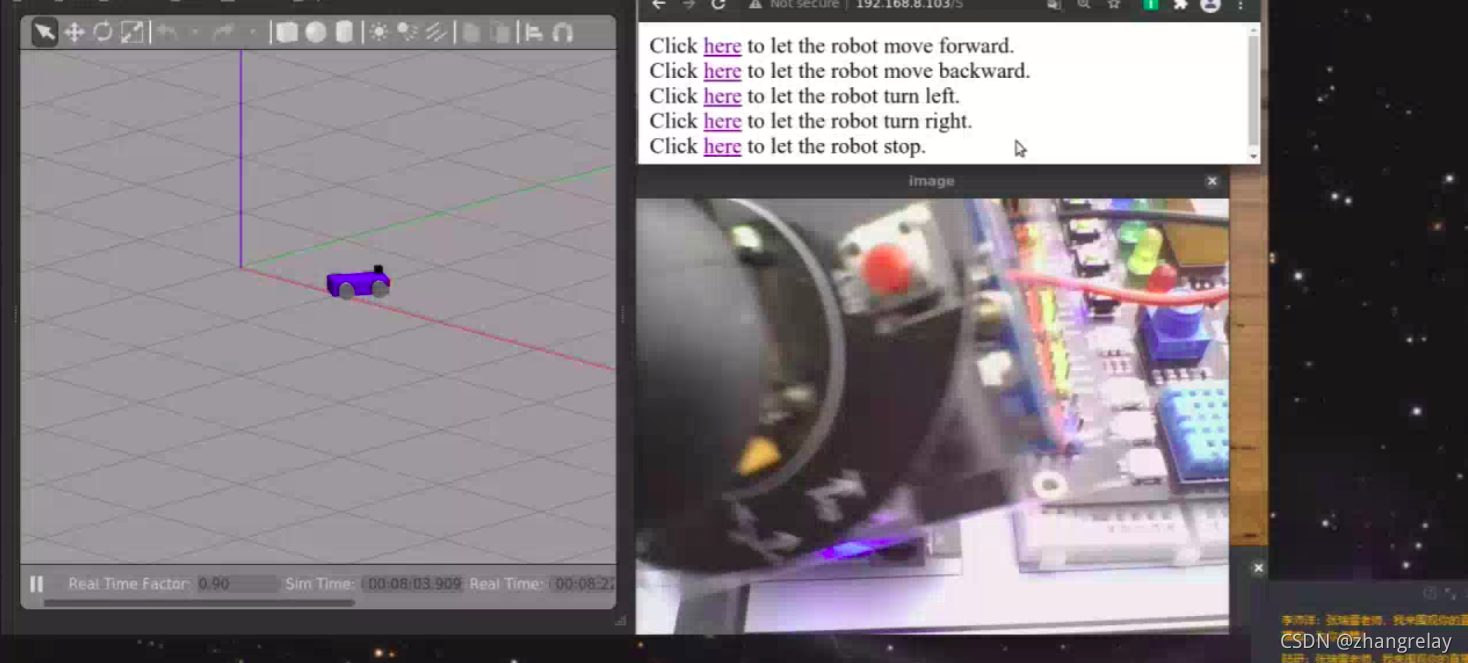
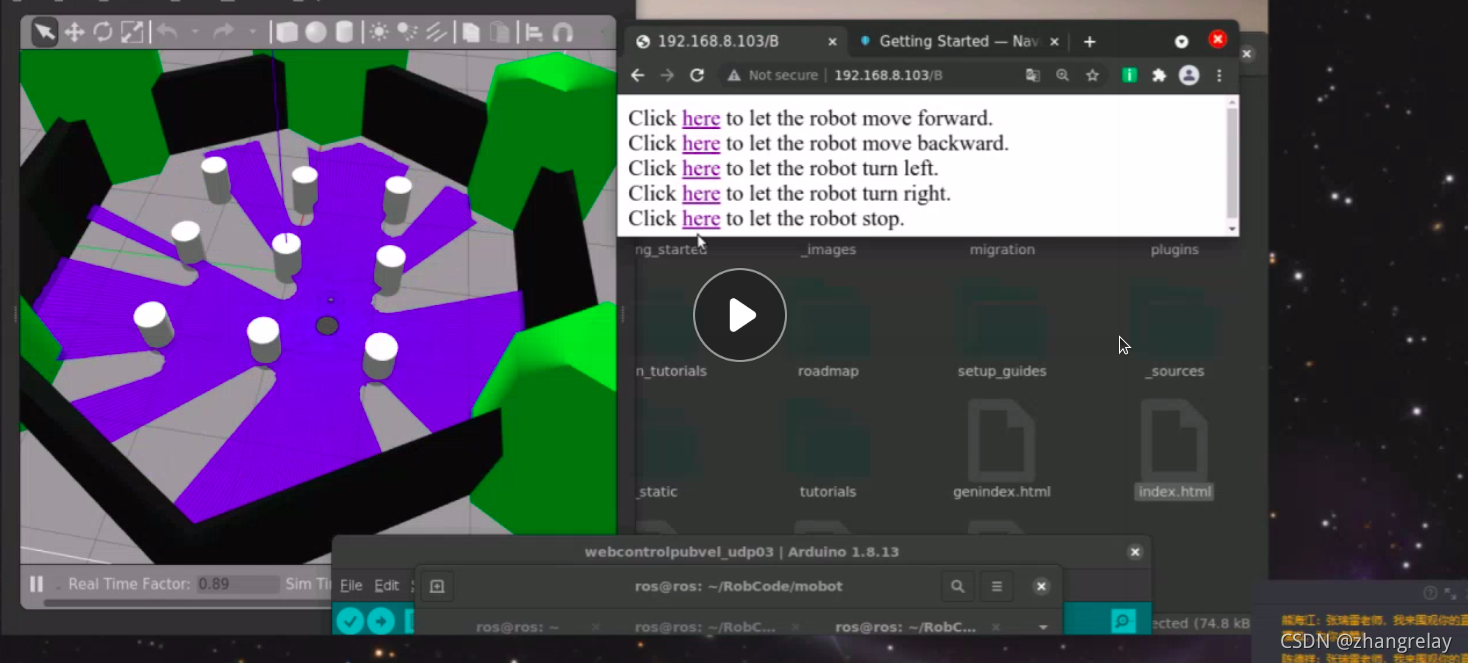
代码如下:
#include <ros2arduino.h>

#include <WiFi.h>
#include <WiFiUdp.h>
#include <WiFiClient.h>

#define SSID       "***"
#define SSID_PW    "***"
#define AGENT_IP   "***"
#define AGENT_PORT *** //AGENT port number

#define LED 4
#define PUBLISH_FREQUENCY 2 //hz

char velflag=0;

void publishVel(geometry_msgs::Twist* vel, void* arg)
{
  (void)(arg);
  static int cnt = 0;

  if(velflag==0){
    vel->linear.x = 0;  //线速度
    vel->angular.z = 0; //角速度
  }
  else if(velflag==1)
  {
    vel->linear.x = 1;  //线速度
    vel->angular.z = 0; //角速度
  }
  else if(velflag==3)
  {
    vel->linear.x = -1;  //线速度
    vel->angular.z = 0; //角速度
  }
  else if(velflag==2)
  {
    vel->linear.x = 0;  //线速度
    vel->angular.z = 1; //角速度
  }
  else if(velflag==4)
  {
    vel->linear.x = 0;  //线速度
    vel->angular.z = -1; //角速度
  }

  cnt++;
}

class VelPub : public ros2::Node
{
public:
  VelPub()
  : Node("esp32_cmdvel")
  {
    ros2::Publisher<geometry_msgs::Twist>* publisher_ = this->createPublisher<geometry_msgs::Twist>("cmd_vel");
    this->createWallFreq(PUBLISH_FREQUENCY, (ros2::CallbackFunc)publishVel, nullptr, publisher_);
  }
};

WiFiUDP udp;

WiFiServer server(80);

void setup()
{
  pinMode(LED, OUTPUT);
  WiFi.begin(SSID, SSID_PW);
  while(WiFi.status() != WL_CONNECTED);

  server.begin();

  ros2::init(&udp, AGENT_IP, AGENT_PORT);
}

void loop()
{
  static VelPub VelNode;

  ros2::spin(&VelNode);

  WiFiClient client = server.available();   // listen for incoming clients
  if (client) {                             // if you get a client,
    String currentLine = "";                // make a String to hold incoming data from the client
    while (client.connected()) {            // loop while the client's connected
      if (client.available()) {             // if there's bytes to read from the client,
        char c = client.read();             // read a byte, then
        if (c == '\n') {                    // if the byte is a newline character

          // if the current line is blank, you got two newline characters in a row.
          // that's the end of the client HTTP request, so send a response:
          if (currentLine.length() == 0) {
            // HTTP headers always start with a response code (e.g. HTTP/1.1 200 OK)
            // and a content-type so the client knows what's coming, then a blank line:
            client.println("HTTP/1.1 200 OK");
            client.println("Content-type:text/html");
            client.println();

            // the content of the HTTP response follows the header:
            client.print("Click <a href=\"/F\">here</a> to let the robot move forward. <br>");
            client.print("Click <a href=\"/B\">here</a> to let the robot move backward. <br>");
            client.print("Click <a href=\"/L\">here</a> to let the robot turn left. <br>");
            client.print("Click <a href=\"/R\">here</a> to let the robot turn right. <br>");
            client.print("Click <a href=\"/S\">here</a> to let the robot stop. <br>");

            // The HTTP response ends with another blank line:
            client.println();
            // break out of the while loop:
            break;
          } else {    // if you got a newline, then clear currentLine:
            currentLine = "";
          }
        } else if (c != '\r') {  // if you got anything else but a carriage return character,
          currentLine += c;      // add it to the end of the currentLine
        }

        // Check to see if the client request was "GET /H" or "GET /L":
        if (currentLine.endsWith("GET /F")) {
          digitalWrite(LED, HIGH);               // GET /H turns the LED on
          velflag=1;
        }
        if (currentLine.endsWith("GET /B")) {
          digitalWrite(LED, HIGH);                // GET /L turns the LED off
          velflag=3;
        }
        if (currentLine.endsWith("GET /L")) {
          digitalWrite(LED, HIGH);               // GET /H turns the LED on
          velflag=2;
        }
        if (currentLine.endsWith("GET /R")) {
          digitalWrite(LED, HIGH);                // GET /L turns the LED off
          velflag=4;
        }
        if (currentLine.endsWith("GET /S")) {
          digitalWrite(LED, LOW);               // GET /H turns the LED on
          velflag=0;
        }
      }
    }
    // close the connection:
    client.stop();
  }
}






 扫一扫
扫一扫


 1259
1259

 被折叠的 条评论
为什么被折叠?
被折叠的 条评论
为什么被折叠?
 到【灌水乐园】发言





