



概述
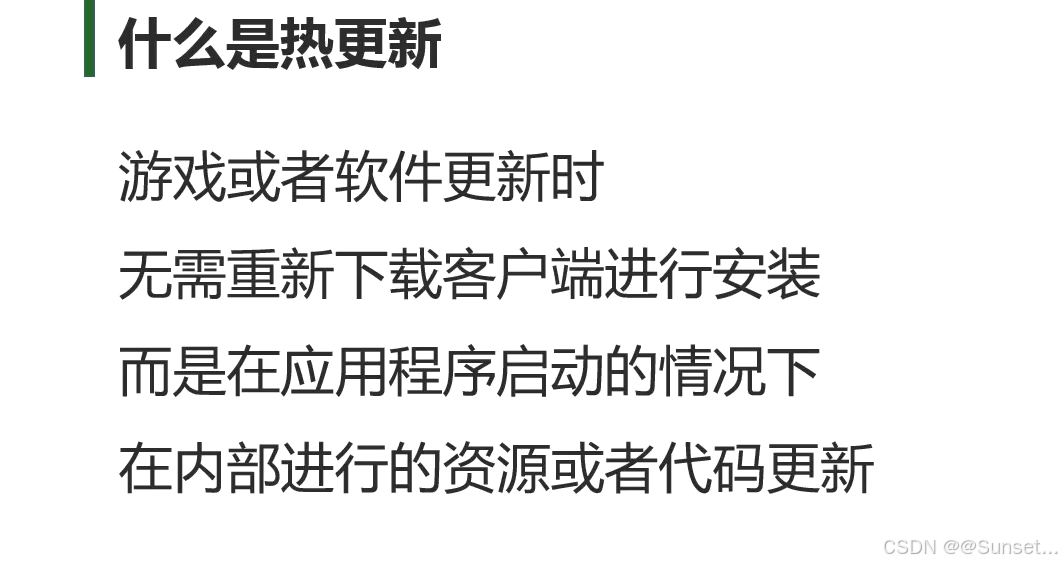
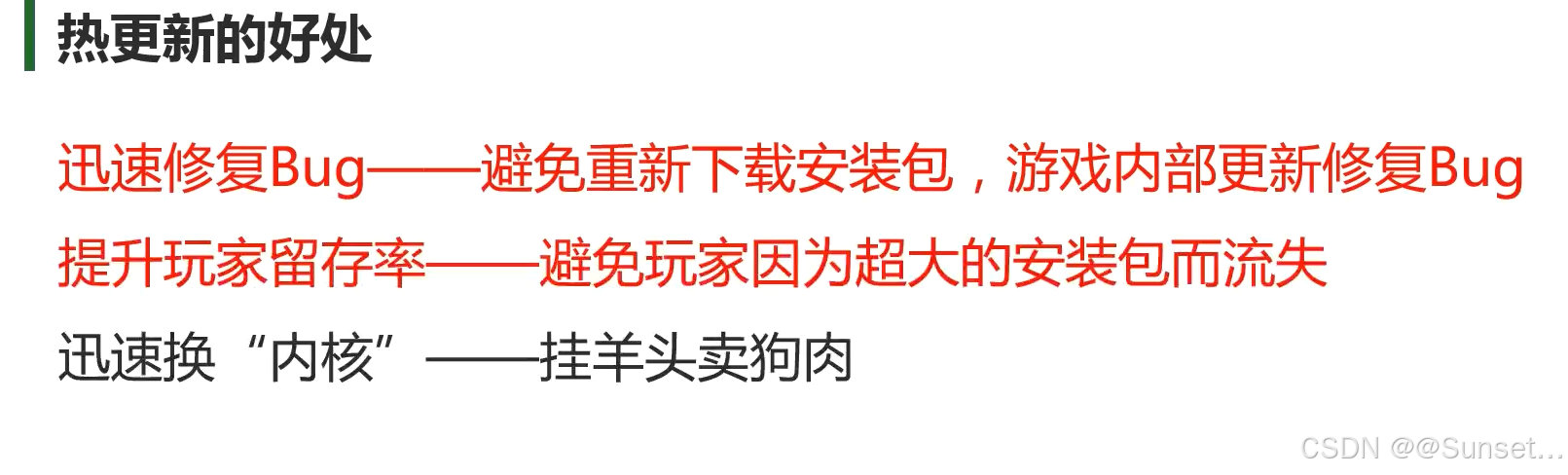
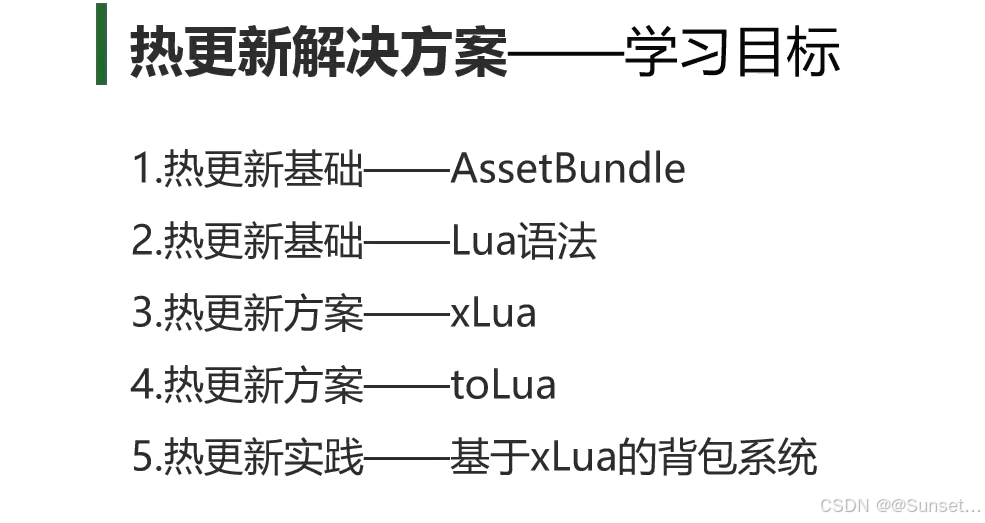
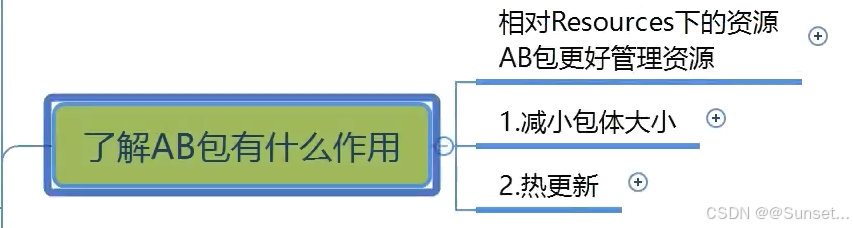
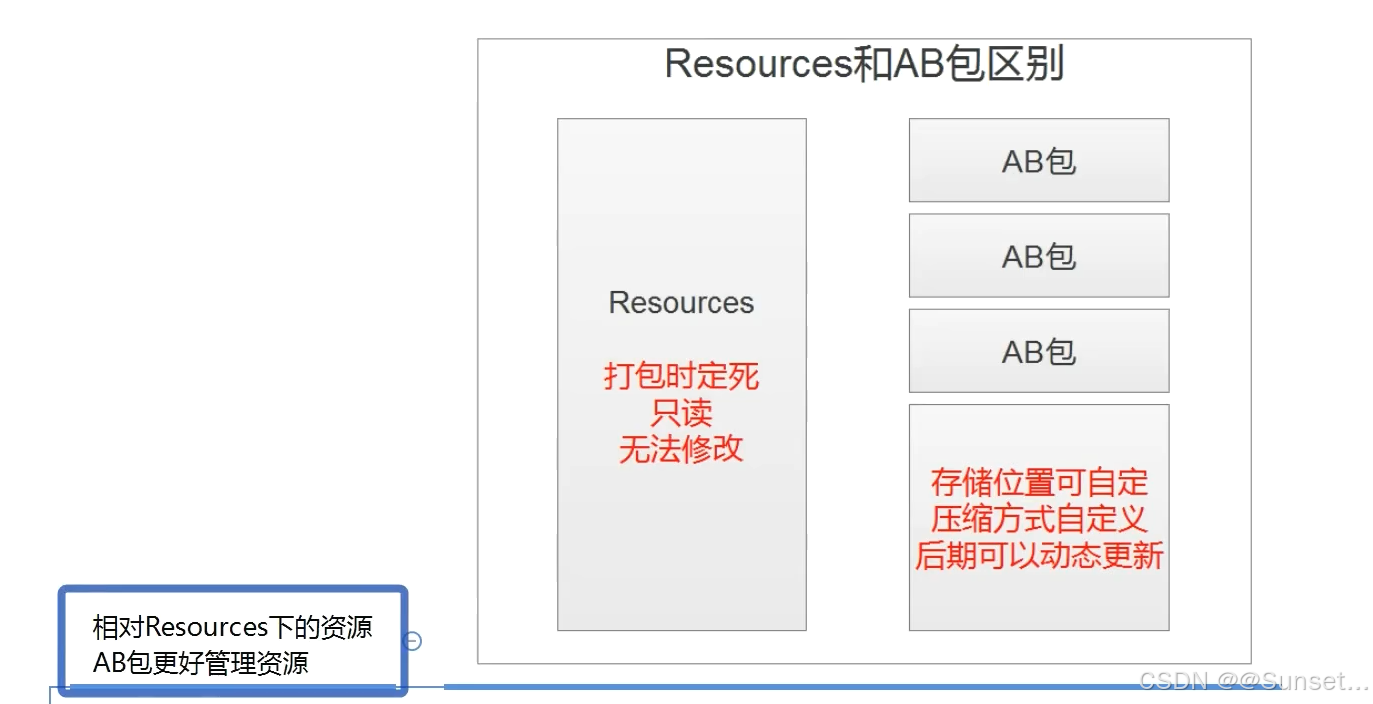
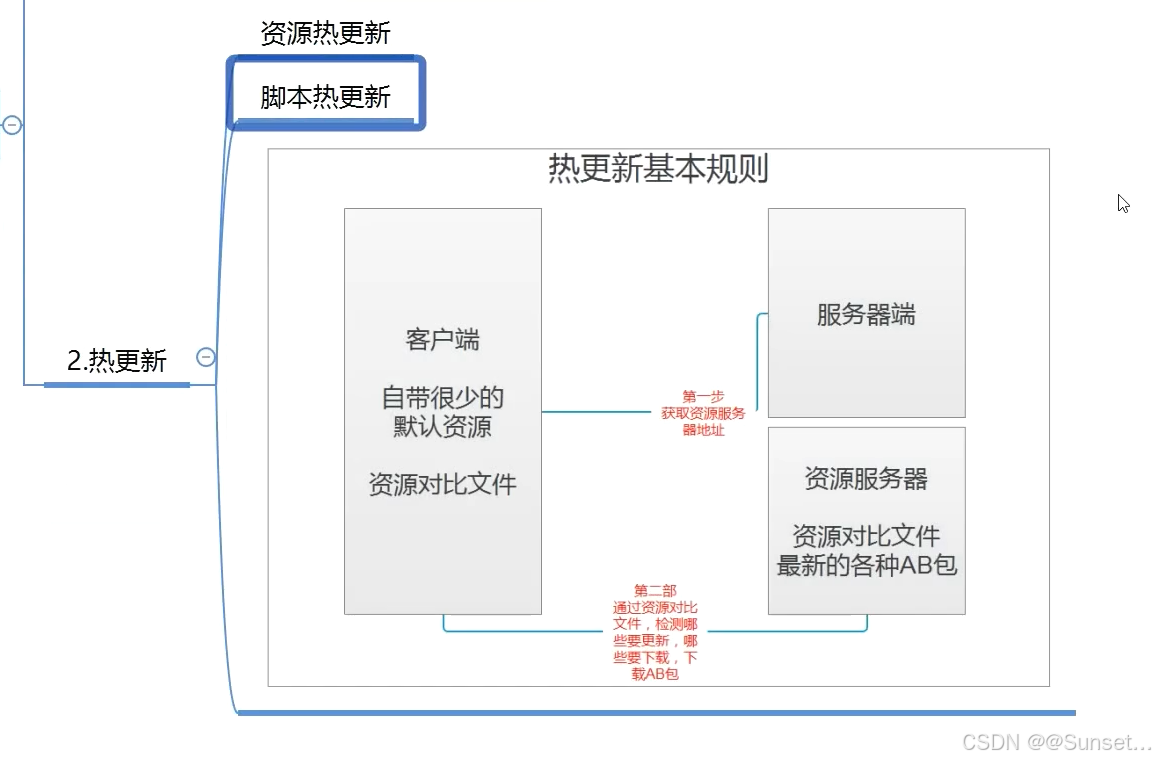
AssetBundle(AB包)
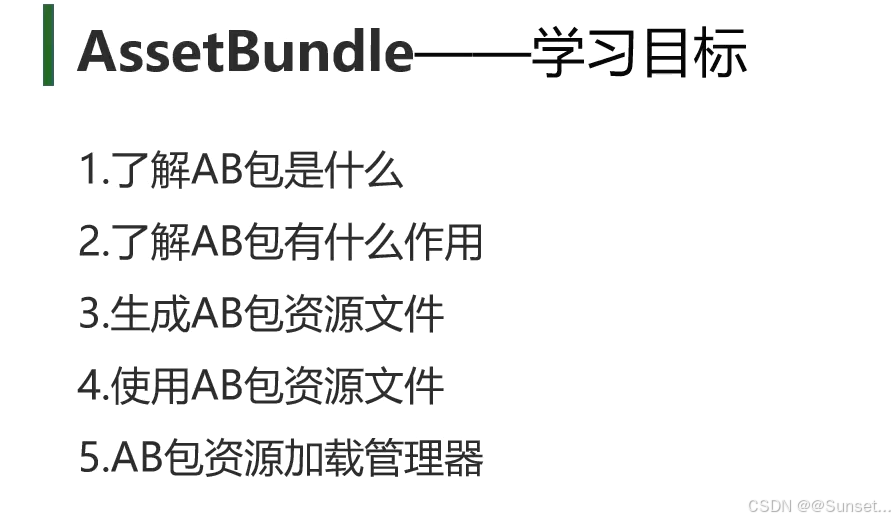


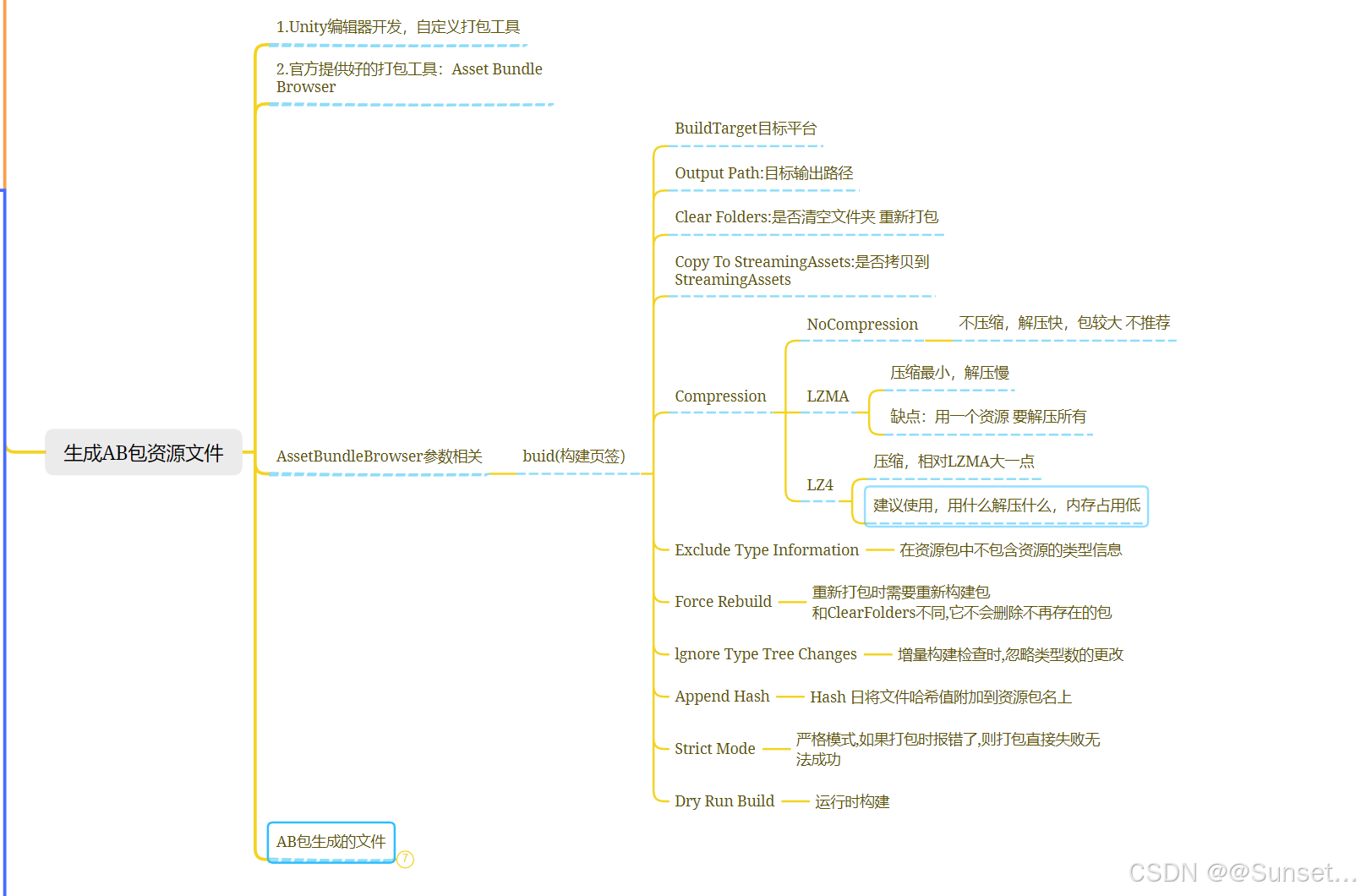
生成AB包资源文件
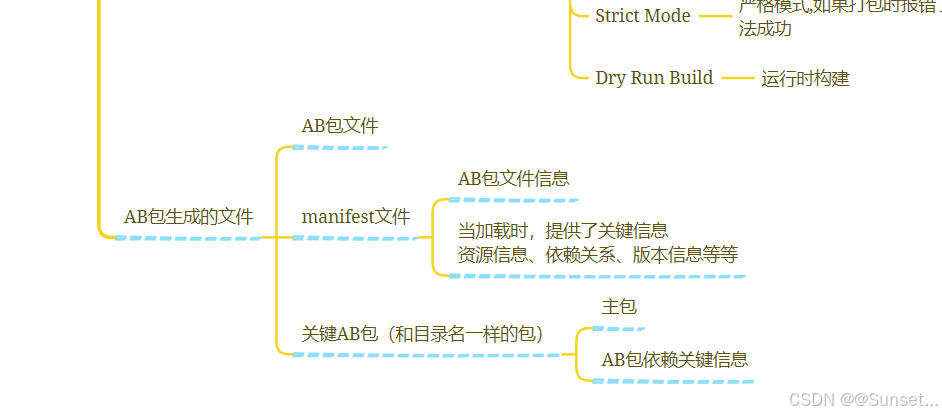
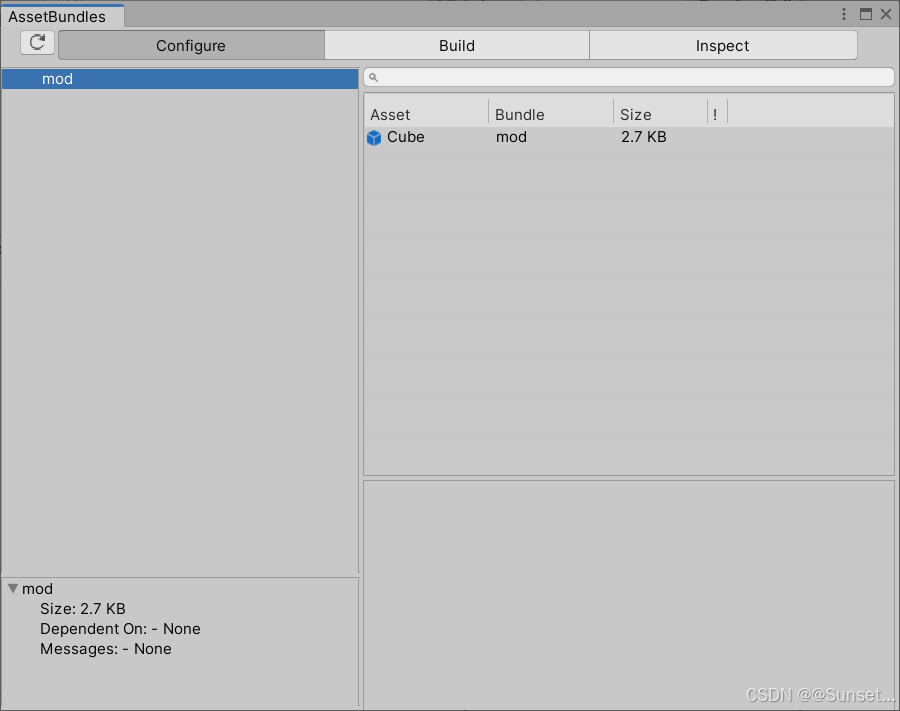
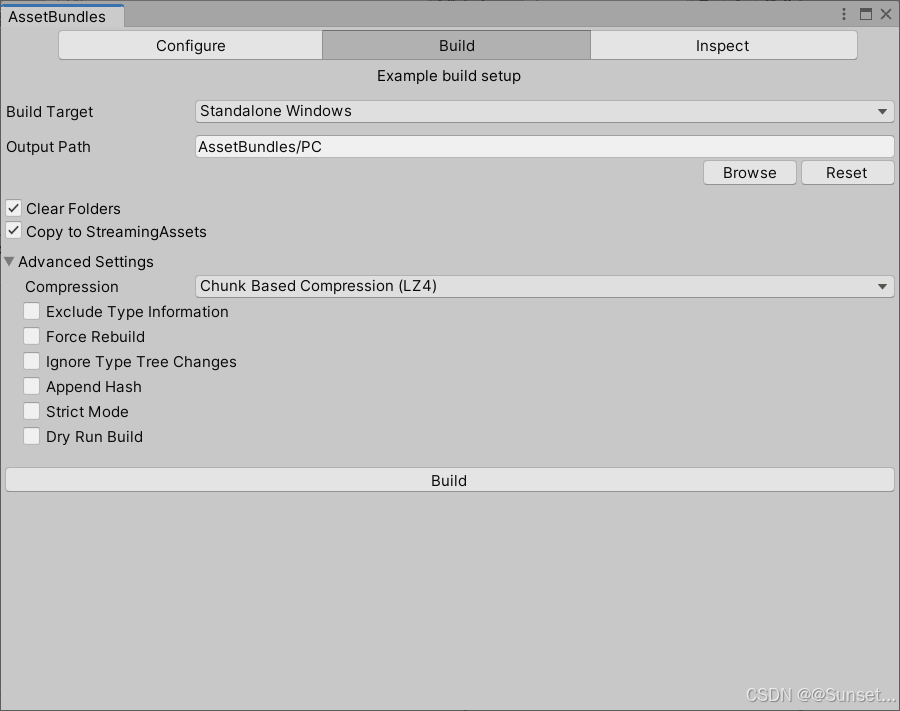
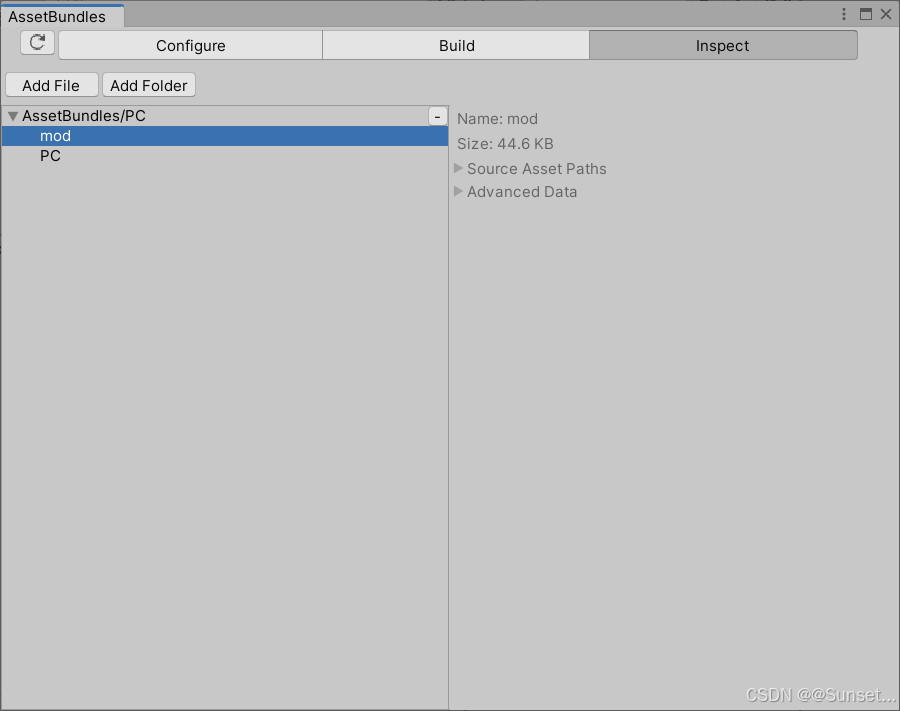
使用AB包资源文件
加载和使用AB包
using System.Collections;
using System.Collections.Generic;
using UnityEngine;

public class ABTest : MonoBehaviour
{
    // Start is called before the first frame update
    void Start()
    {
        //第一步 加载 AB包
        AssetBundle ab = AssetBundle.LoadFromFile(Application.streamingAssetsPath + "/mod");

        //第二步 加载 AB包中的资源
        //只是用名字加载 会出现 同名不同类型资源 分不清
        //建议大家使用 泛型加载 或者 是 Type指定类型
        //GameObject obj = ab.LoadAsset<GameObject>("Cube");
        //这个方式没有泛型好用 为什么还用它?
        //因为Lua中不支持泛型,只能通过这种方式,就是提前感受该种写法
        GameObject obj = ab.LoadAsset("Cube", typeof(GameObject)) as GameObject;
        //实例化
        Instantiate(obj);

        //卸载所有加载的AB包 参数为true 会把通过AB包加载的资源也卸载了
        //AssetBundle.UnloadAllAssetBundles(false);
        //删除自己
        //ab.Unload(true);

        //AB包不能够重复加载 否则会报错
        //AssetBundle ab2 = AssetBundle.LoadFromFile(Application.streamingAssetsPath + "/mod");
        //加载一个圆
        obj = ab.LoadAsset("Sphere", typeof(GameObject)) as GameObject;
        Instantiate(obj);

        //异步加载 ——> 协程
        StartCoroutine(LoadABRes("head", "Cube2"));
    }

    IEnumerator LoadABRes(string ABName, string resName)
    {
        //第一步 加载AB包
        AssetBundleCreateRequest abcr = AssetBundle.LoadFromFileAsync(Application.streamingAssetsPath + "/" + ABName);
        yield return abcr;
        //第二步 加载资源
        AssetBundleRequest abq = abcr.assetBundle.LoadAssetAsync(resName, typeof(GameObject));
        yield return abq;
        GameObject obj = abq.asset as GameObject;
        Instantiate(obj);
    }

    // Update is called once per frame
    void Update()
    {
        if (Input.GetKeyDown(KeyCode.Space))
        {
            //卸载所有加载的AB包 参数为true 会把通过AB包加载的资源也卸载了
            AssetBundle.UnloadAllAssetBundles(false);
        }
    }
}
AB包依赖相关知识
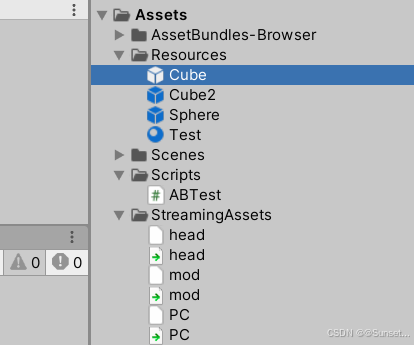
using System.Collections;
using System.Collections.Generic;
using UnityEngine;

public class ABTest : MonoBehaviour
{
    // Start is called before the first frame update
    void Start()
    {
        //关于AB包的依赖 —— 一个资源身上用到了别的AB包中的资源 这个时候 如果只加载自己的AB包
        //通过它创建对象 会出现资源丢失的情况
        //这种时候 需要把依赖包 一起加载了 才能正常

        //第一步 加载 AB包
        AssetBundle ab = AssetBundle.LoadFromFile(Application.streamingAssetsPath + "/mod");

        //加载依赖包
        //AssetBundle ab2 = AssetBundle.LoadFromFile(Application.streamingAssetsPath + "/head");

        //依赖包的关键知识点 —— 利用主包 获取依赖信息
        //加载主包
        AssetBundle abMain = AssetBundle.LoadFromFile(Application.streamingAssetsPath + "/PC");
        //加载主包中的固定文件  (写法是固定的)
        AssetBundleManifest abManifest = abMain.LoadAsset<AssetBundleManifest>("AssetBundleManifest");
        //从固定文件中 得到依赖信息
        string[] strs = abManifest.GetAllDependencies("mod");
        //得到了 依赖包的名字
        for (int i = 0; i < strs.Length; i++)
        {
            AssetBundle.LoadFromFile(Application.streamingAssetsPath + "/" + strs[i]);
        }

        //第二步 加载 AB包中的资源
        //只是用名字加载 会出现 同名不同类型资源 分不清
        //建议大家使用 泛型加载 或者 是 Type指定类型
        //GameObject obj = ab.LoadAsset<GameObject>("Cube");
        //这个方式没有泛型好用 为什么还用它?
        //因为Lua中不支持泛型,只能通过这种方式,就是提前感受该种写法
        GameObject obj = ab.LoadAsset("Cube", typeof(GameObject)) as GameObject;
        //实例化
        Instantiate(obj);

        //卸载所有加载的AB包 参数为true 会把通过AB包加载的资源也卸载了
        //AssetBundle.UnloadAllAssetBundles(false);
        //删除自己
        //ab.Unload(true);

        //AB包不能够重复加载 否则会报错
        //AssetBundle ab2 = AssetBundle.LoadFromFile(Application.streamingAssetsPath + "/mod");
        //加载一个圆
        //obj = ab.LoadAsset("Sphere", typeof(GameObject)) as GameObject;
        //Instantiate(obj);

        //异步加载 ——> 协程
        //StartCoroutine(LoadABRes("head", "Cube2"));
    }

    IEnumerator LoadABRes(string ABName, string resName)
    {
        //第一步 加载AB包
        AssetBundleCreateRequest abcr = AssetBundle.LoadFromFileAsync(Application.streamingAssetsPath + "/" + ABName);
        yield return abcr;
        //第二步 加载资源
        AssetBundleRequest abq = abcr.assetBundle.LoadAssetAsync(resName, typeof(GameObject));
        yield return abq;
        GameObject obj = abq.asset as GameObject;
        Instantiate(obj);
    }

    // Update is called once per frame
    void Update()
    {
        if (Input.GetKeyDown(KeyCode.Space))
        {
            //卸载所有加载的AB包 参数为true 会把通过AB包加载的资源也卸载了
            AssetBundle.UnloadAllAssetBundles(false);
        }
    }
}
AB包资源加载管理器
处理同步加载
using System.Collections;
using System.Collections.Generic;
using UnityEngine;

/// <summary>
/// 知识点
/// 1.AB包相关的API
/// 2.单例模式
/// 3.委托 ——> Lambda表达式
/// 4.协程
/// 5.字典
/// </summary>
public class ABMgr : SingletonAutoMono<ABMgr>
{
    //AB包管理器 目的是
    //让外部更方便的进行资源加载

    //主包
    private AssetBundle mainAB = null;
    //依赖包获取用的配置文件
    private AssetBundleManifest manifest = null;

    //AB包不能够重复加载 重复加载会报错
    //字典 用字典来存储 加载过的AB包
    private Dictionary<string, AssetBundle> abDic = new Dictionary<string, AssetBundle>();

    /// <summary>
    /// 这是AB包存放路径 方便修改
    /// </summary>
    private string PathUrl
    {
        get
        {
            return Application.streamingAssetsPath + "/";
        }
    }

    /// <summary>
    /// 主包名 方便修改
    /// </summary>
    private string MainABName
    {
        get
        {
#if UNITY_IOS
            return "IOS";
#elif UNITY_ANDEOID
            return "Android";
#else
            return "PC";
#endif
        }
    }


    /// <summary>
    /// 加载AB包
    /// </summary>
    /// <param name="abName"></param>
    public void LoadAB(string abName)
    {
        //加载AB包
        if (mainAB == null)
        {
            mainAB = AssetBundle.LoadFromFile(PathUrl + MainABName);
            manifest = mainAB.LoadAsset<AssetBundleManifest>("AssetBundleManifest");
        }
        //获取依赖包相关消息
        AssetBundle ab = null;
        string[] strs = manifest.GetAllDependencies(abName);
        for (int i = 0; i < strs.Length; i++)
        {
            //判断包是否加载过
            if (!abDic.ContainsKey(strs[i]))
            {
                ab = AssetBundle.LoadFromFile(PathUrl + strs[i]);
                abDic.Add(strs[i], ab);
            }
        }

        //加载资源来源包
        if (!abDic.ContainsKey(abName))
        {
            ab = AssetBundle.LoadFromFile(PathUrl + abName);
            abDic.Add(abName, ab);
        }
    }

    //同步加载 不指定类型
    public Object LoadRes(string abName, string resName)
    {
        //加载AB包
        LoadAB(abName);

        //为了外面方便 在加载资源时 判断一下 资源是不是GameObject
        //如果是 直接实例化了 再返回出去
        Object obj = abDic[abName].LoadAsset(resName);
        if (obj is GameObject)
            return Instantiate(obj);
        else
            return obj;

    }

    //同步加载 根据type指定类型
    public Object LoadRes(string abName, string resName, System.Type type)
    {
        //加载AB包
        LoadAB(abName);

        //为了外面方便 在加载资源时 判断一下 资源是不是GameObject
        //如果是 直接实例化了 再返回出去
        Object obj = abDic[abName].LoadAsset(resName, type);
        if (obj is GameObject)
            return Instantiate(obj);
        else
            return obj;
    }

    //同步加载 根据泛型指定类型
    public T LoadRes<T>(string abName, string resName) where T : Object
    {
        //加载AB包
        LoadAB(abName);

        //为了外面方便 在加载资源时 判断一下 资源是不是GameObject
        //如果是 直接实例化了 再返回出去
        T obj = abDic[abName].LoadAsset<T>(resName);
        if (obj is GameObject)
            return Instantiate(obj);
        else
            return obj;
    }

    //异步加载的方法

    //单个包卸载
    public void UnLoad(string abName)
    {
        if (abDic.ContainsKey(abName))
        {
            abDic[abName].Unload(false);
            abDic.Remove(abName);
        }
    }

    //所有包的卸载
    public void ClearAB()
    {
        AssetBundle.UnloadAllAssetBundles(false);
        abDic.Clear();
        mainAB = null;
        manifest = null;
    }

}
处理异步加载
using System.Collections;
using System.Collections.Generic;
using UnityEngine;
using UnityEngine.Events;

/// <summary>
/// 知识点
/// 1.AB包相关的API
/// 2.单例模式
/// 3.委托 ——> Lambda表达式
/// 4.协程
/// 5.字典
/// </summary>
public class ABMgr : SingletonAutoMono<ABMgr>
{
    //AB包管理器 目的是
    //让外部更方便的进行资源加载

    //主包
    private AssetBundle mainAB = null;
    //依赖包获取用的配置文件
    private AssetBundleManifest manifest = null;

    //AB包不能够重复加载 重复加载会报错
    //字典 用字典来存储 加载过的AB包
    private Dictionary<string, AssetBundle> abDic = new Dictionary<string, AssetBundle>();

    /// <summary>
    /// 这是AB包存放路径 方便修改
    /// </summary>
    private string PathUrl
    {
        get
        {
            return Application.streamingAssetsPath + "/";
        }
    }

    /// <summary>
    /// 主包名 方便修改
    /// </summary>
    private string MainABName
    {
        get
        {
#if UNITY_IOS
            return "IOS";
#elif UNITY_ANDEOID
            return "Android";
#else
            return "PC";
#endif
        }
    }


    /// <summary>
    /// 加载AB包
    /// </summary>
    /// <param name="abName"></param>
    public void LoadAB(string abName)
    {
        //加载AB包
        if (mainAB == null)
        {
            mainAB = AssetBundle.LoadFromFile(PathUrl + MainABName);
            manifest = mainAB.LoadAsset<AssetBundleManifest>("AssetBundleManifest");
        }
        //获取依赖包相关消息
        AssetBundle ab = null;
        string[] strs = manifest.GetAllDependencies(abName);
        for (int i = 0; i < strs.Length; i++)
        {
            //判断包是否加载过
            if (!abDic.ContainsKey(strs[i]))
            {
                ab = AssetBundle.LoadFromFile(PathUrl + strs[i]);
                abDic.Add(strs[i], ab);
            }
        }

        //加载资源来源包
        if (!abDic.ContainsKey(abName))
        {
            ab = AssetBundle.LoadFromFile(PathUrl + abName);
            abDic.Add(abName, ab);
        }
    }

    //同步加载 不指定类型
    public Object LoadRes(string abName, string resName)
    {
        //加载AB包
        LoadAB(abName);

        //为了外面方便 在加载资源时 判断一下 资源是不是GameObject
        //如果是 直接实例化了 再返回出去
        Object obj = abDic[abName].LoadAsset(resName);
        if (obj is GameObject)
            return Instantiate(obj);
        else
            return obj;

    }

    //同步加载 根据type指定类型
    public Object LoadRes(string abName, string resName, System.Type type)
    {
        //加载AB包
        LoadAB(abName);

        //为了外面方便 在加载资源时 判断一下 资源是不是GameObject
        //如果是 直接实例化了 再返回出去
        Object obj = abDic[abName].LoadAsset(resName, type);
        if (obj is GameObject)
            return Instantiate(obj);
        else
            return obj;
    }

    //同步加载 根据泛型指定类型
    public T LoadRes<T>(string abName, string resName) where T : Object
    {
        //加载AB包
        LoadAB(abName);

        //为了外面方便 在加载资源时 判断一下 资源是不是GameObject
        //如果是 直接实例化了 再返回出去
        T obj = abDic[abName].LoadAsset<T>(resName);
        if (obj is GameObject)
            return Instantiate(obj);
        else
            return obj;
    }


    //异步加载的方法
    //这里的异步加载 AB包并没有使用异步加载
    //只是从AB包中 加载资源时 使用异步
    //根据名字异步加载资源
    public void LoadResAsync(string abName, string resName, UnityAction<Object> callBack)
    {
        StartCoroutine(ReallyLoadResAsync(abName, resName, callBack));
    }

    private IEnumerator ReallyLoadResAsync(string abName, string resName, UnityAction<Object> callBack)
    {
        //加载AB包
        LoadAB(abName);

        //为了外面方便 在加载资源时 判断一下 资源是不是GameObject
        //如果是 直接实例化了 再返回出去
        AssetBundleRequest abr = abDic[abName].LoadAssetAsync(resName);
        yield return abr;

        //异步加载结束后 通过委托 传递给外部 外部来使用
        if (abr.asset is GameObject)
            callBack(Instantiate(abr.asset));
        else
            callBack(abr.asset);
    }


    //根据Type异步加载资源
    public void LoadResAsync(string abName, string resName, System.Type type, UnityAction<Object> callBack)
    {
        StartCoroutine(ReallyLoadResAsync(abName, resName, type, callBack));
    }

    private IEnumerator ReallyLoadResAsync(string abName, string resName, System.Type type, UnityAction<Object> callBack)
    {
        //加载AB包
        LoadAB(abName);

        //为了外面方便 在加载资源时 判断一下 资源是不是GameObject
        //如果是 直接实例化了 再返回出去
        AssetBundleRequest abr = abDic[abName].LoadAssetAsync(resName, type);
        yield return abr;

        //异步加载结束后 通过委托 传递给外部 外部来使用
        if (abr.asset is GameObject)
            callBack(Instantiate(abr.asset));
        else
            callBack(abr.asset);
    }


    //根据泛型去异步加载资源
    public void LoadResAsync<T>(string abName, string resName, UnityAction<T> callBack) where T : Object
    {
        StartCoroutine(ReallyLoadResAsync<T>(abName, resName, callBack));
    }

    private IEnumerator ReallyLoadResAsync<T>(string abName, string resName, UnityAction<T> callBack) where T : Object
    {
        //加载AB包
        LoadAB(abName);

        //为了外面方便 在加载资源时 判断一下 资源是不是GameObject
        //如果是 直接实例化了 再返回出去
        AssetBundleRequest abr = abDic[abName].LoadAssetAsync<T>(resName);
        yield return abr;

        //异步加载结束后 通过委托 传递给外部 外部来使用
        if (abr.asset is GameObject)
            callBack(Instantiate(abr.asset) as T);
        else
            callBack(abr.asset as T);
    }


    //单个包卸载
    public void UnLoad(string abName)
    {
        if (abDic.ContainsKey(abName))
        {
            abDic[abName].Unload(false);
            abDic.Remove(abName);
        }
    }

    //所有包的卸载
    public void ClearAB()
    {
        AssetBundle.UnloadAllAssetBundles(false);
        abDic.Clear();
        mainAB = null;
        manifest = null;
    }

}
测试
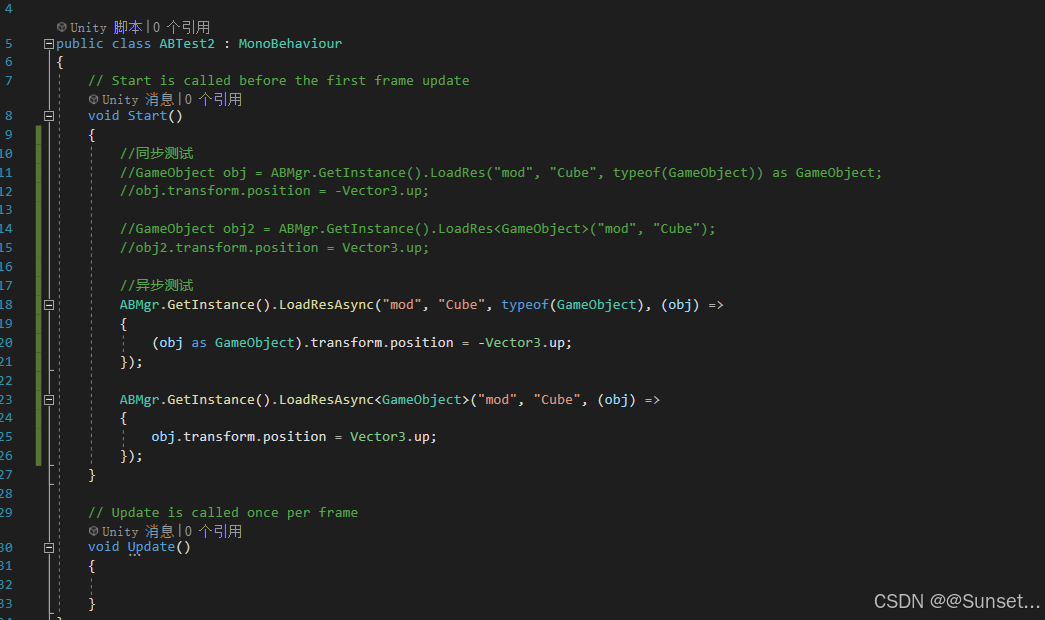





 扫一扫
扫一扫


 8887
8887

 被折叠的 条评论
为什么被折叠?
被折叠的 条评论
为什么被折叠?
 到【灌水乐园】发言





