


概述
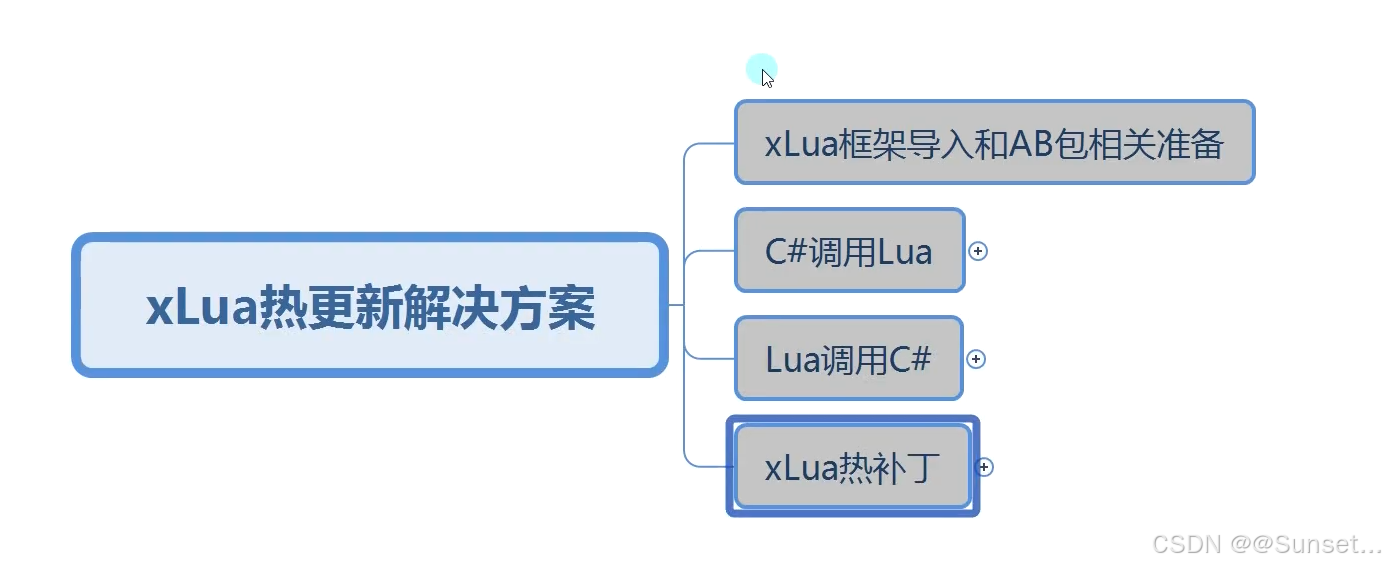

xLua框架导入和AB包相关准备
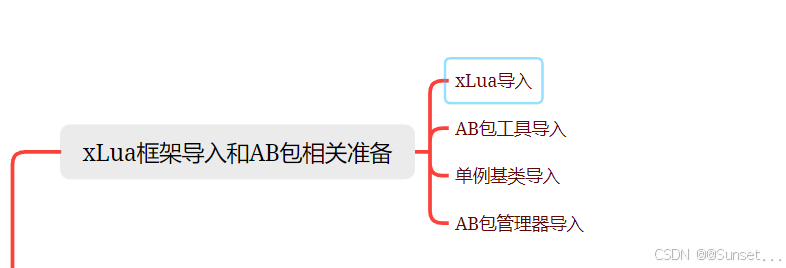
xLua导入
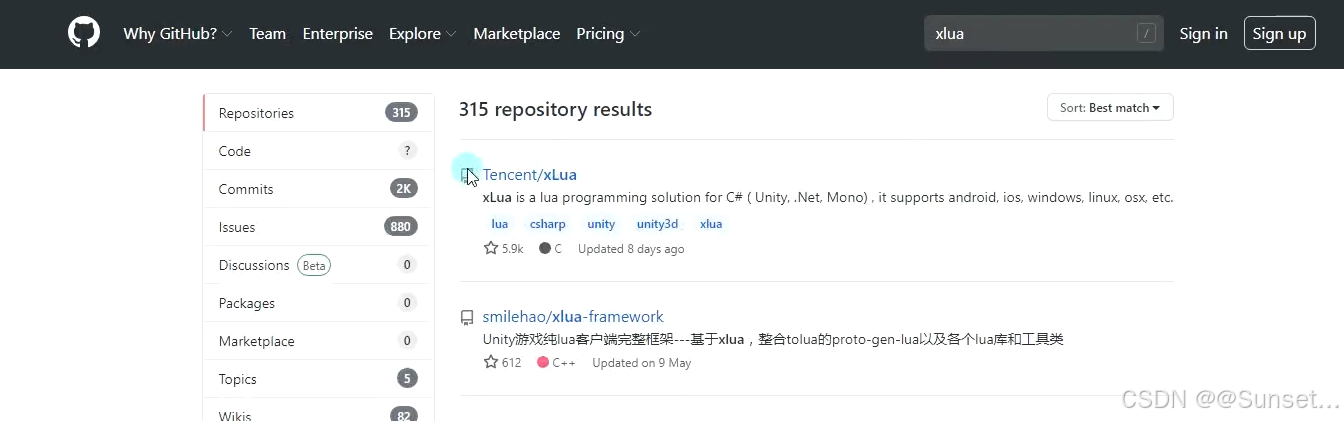
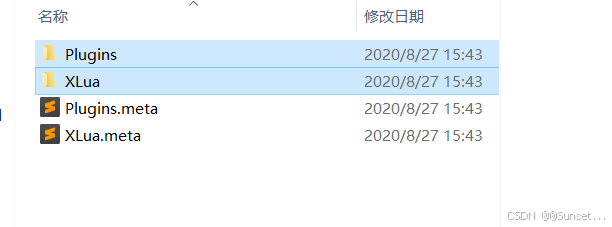
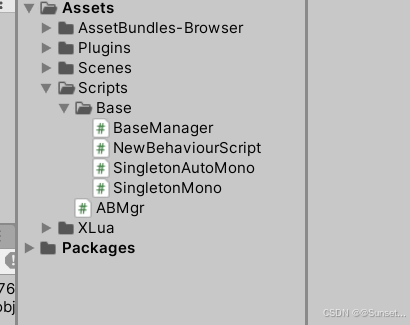
其它的导入
C#调用Lua
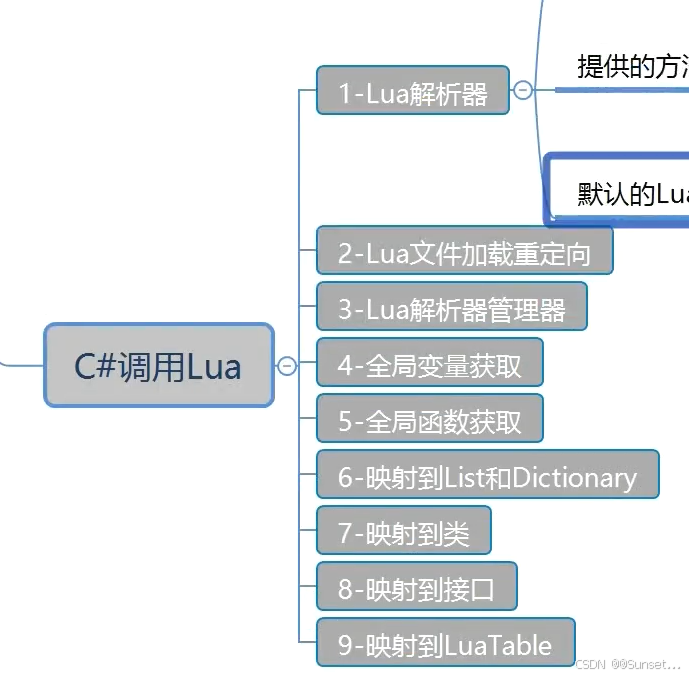
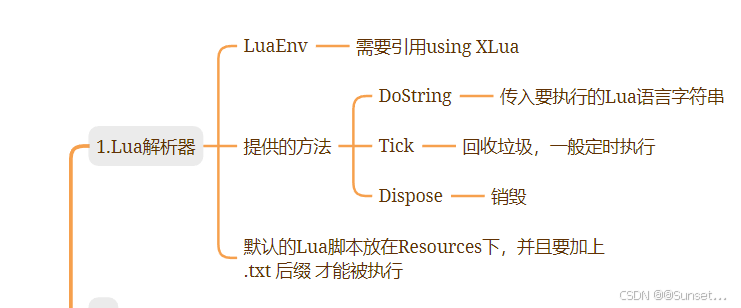
1.Lua解析器
using System.Collections;
using System.Collections.Generic;
using UnityEngine;
//引用命名空间
using XLua;

public class Lesson1_LuaEnv : MonoBehaviour
{
    // Start is called before the first frame update
    void Start()
    {
        //Lua解析器 能够让我们在Unity中执行Lua
        //一般情况下 保存它的唯一性
        LuaEnv env = new LuaEnv();

        //执行Lua语言
        //第二个参数是 如果lua出错 会打印第二个参数
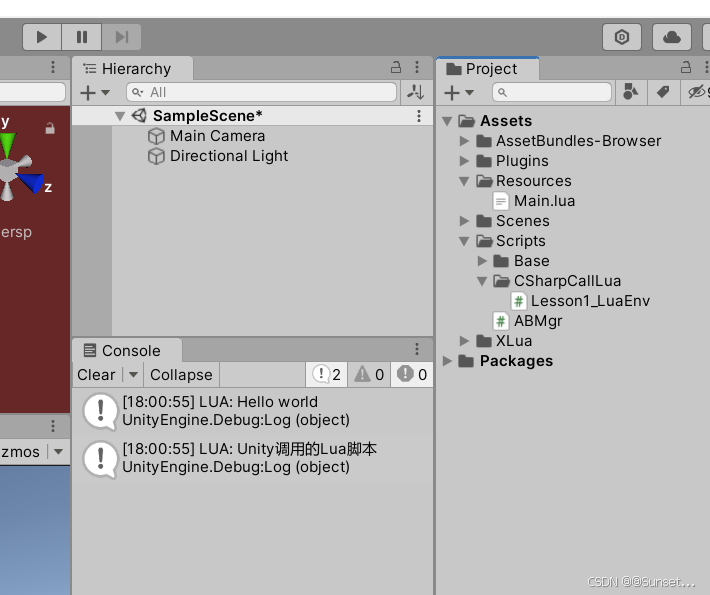
        env.DoString("print('Hello world')", "Lesson1_LuaEnv");

        //通常我们会执行一个Lua脚本,将要执行的多行代码放入脚本中(Lua知识点:多脚本执行 require)
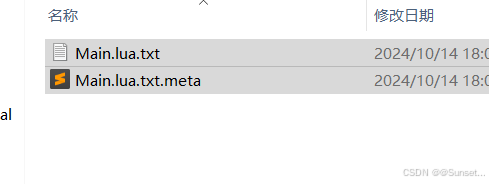
        //默认寻找脚本的路径 是在 Resources下 并且 因为在这里估计是通过 Resources.Load去加载Lua脚本的
        //所以只支持 txt、bytes等文件名后缀,只能在Lua脚本后缀再加上 txt才能执行
        env.DoString("require('Main')");

        //帮助我们清除Lua中我们没有手动释放的对象 垃圾回收
        //帧更新中定时执行 或者 切场景时执行
        env.Tick();

        //销毁Lua解析器
        //通常只会用一个解析器 所以这个函数用的比较少
        env.Dispose();
    }

    // Update is called once per frame
    void Update()
    {

    }
}
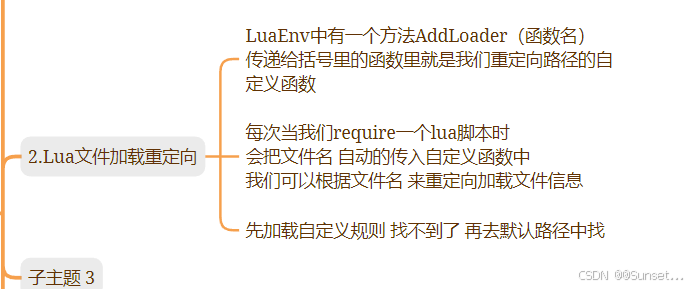
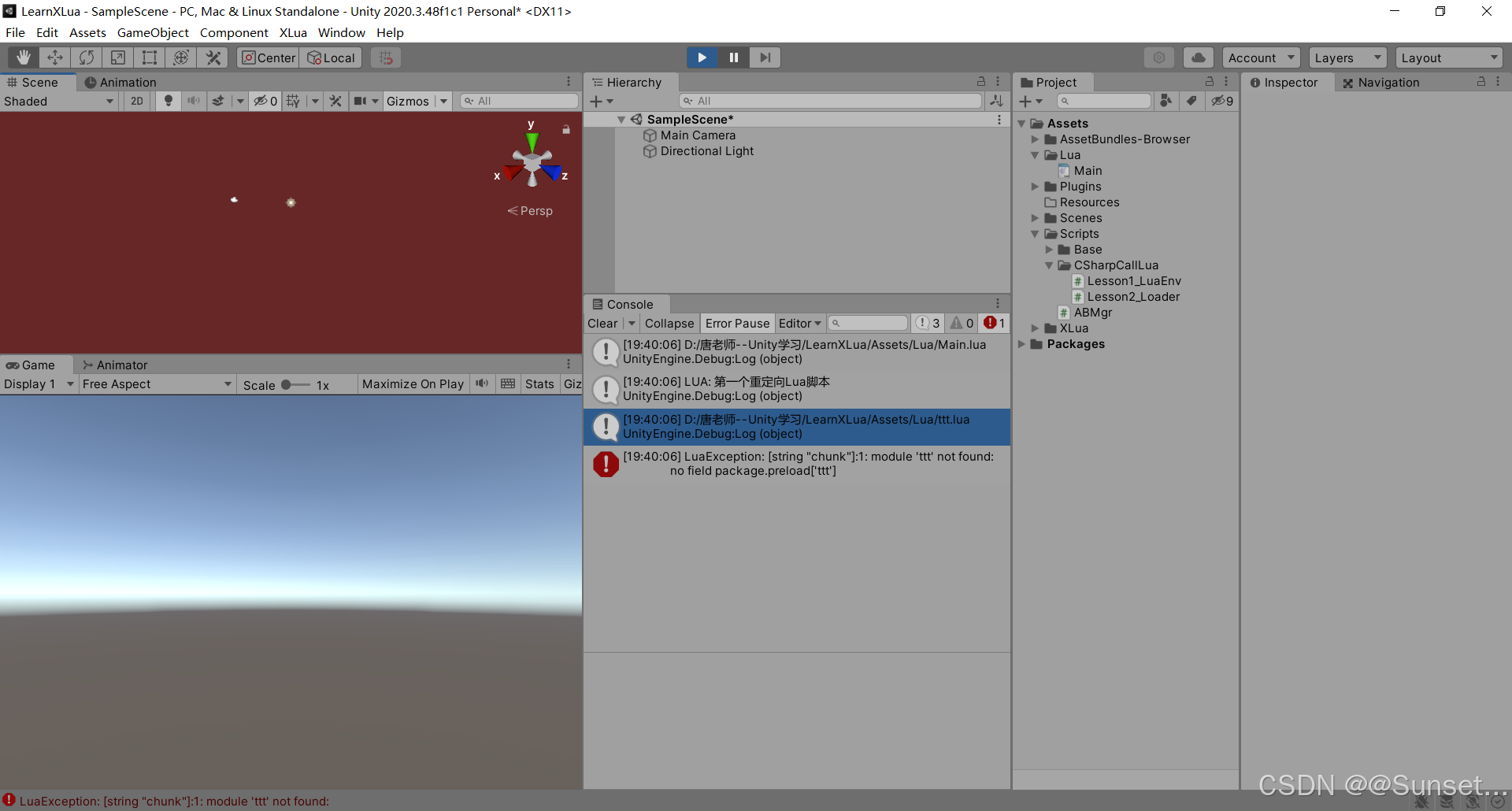
2.Lua文件加载重定向
using System.Collections;
using System.Collections.Generic;
using System.IO;
using UnityEngine;
using XLua;

public class Lesson2_Loader : MonoBehaviour
{
    // Start is called before the first frame update
    void Start()
    {
        LuaEnv env = new LuaEnv();

        //xlua提供的一个 路径重定向 的方法
        //允许我们自定义 加载 Lua文件的规则
        //当我们执行Lua语言 require 时 相当于执行一个lua脚本
        //它就会 执行 我们自定义传入的这个函数
        env.AddLoader(MyCustomLoader);
        //最终我们其实 会去AB包中加载 lua文件

        env.DoString("require('Main')");
        env.DoString("require('ttt')");  //测试找不到时 会不会打印我们设置好的错误信息

    }

    // Update is called once per frame
    void Update()
    {

    }

    //自动执行
    private byte[] MyCustomLoader(ref string filePath)
    {
        //通过函数中的逻辑 去加载 Lua文件
        //传入的参数是 require执行的lua脚本文件名
        //拼接一个lua文件所在路径
        string path = Application.dataPath + "/Lua/" + filePath + ".lua";
        Debug.Log(path);

        //有路径 就去加载文件
        //File 知识点 C#提供的文件读写的类
        //判断文件是否存在
        if (File.Exists(path))
        {
            return File.ReadAllBytes(path);   //这个方法会将文件中的数据转为二进制数组
        }


        return null;
    }
}
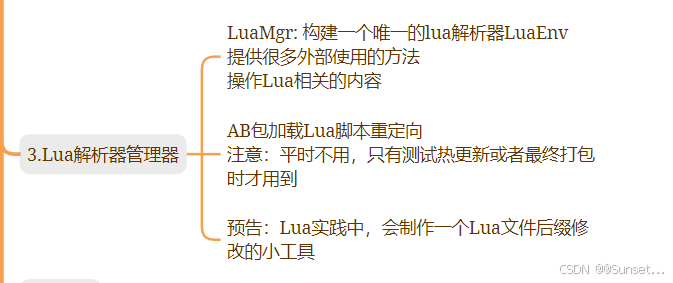
3.Lua解析器管理器
using System.Collections;
using System.Collections.Generic;
using System.IO;
using UnityEngine;
using XLua;
/// <summary>
/// Lua管理器
/// 提供 lua解析器
/// 保证解析器的唯一性
/// </summary>
public class LuaMgr : BaseManager<LuaMgr>
{
//执行Lua语言的函数
//释放垃圾
//销毁
//重定向
private LuaEnv luaEnv;
/// <summary>
/// 得到Lua 中的_G 后面会频繁使用到
/// </summary>
public LuaTable Global
{
get
{
return luaEnv.Global;
}
}
/// <summary>
/// 初始化解析器
/// </summary>
public void Init()
{
//若已经初始化了 就直接return
if (luaEnv != null)
return;
//初始化
luaEnv = new LuaEnv();
//加载lua脚本 重定向
luaEnv.AddLoader(MyCustomLoader);
luaEnv.AddLoader(MyCustomABLoader); // 会依次执行
}
//Lua脚本会放在AB包
//最终我们会通过加载AB包再加载其中的Lua脚本资源 来执行它
//AB包中如果加载文本 后缀还是有一定限制的 .lua还是不能被识别
//打包时 要把lua文件后缀改为 txt
//自动执行
private byte[] MyCustomLoader(ref string filePath)
{
//通过函数中的逻辑 去加载 Lua文件
//传入的参数 是 require 执行的lua脚本文件名
//拼接一个Lua文件所在路径
string path = Application.dataPath + "/Lua/" + filePath + ".lua";
//有路径 就去加载文件
//File知识点 C#提供的文件读写的类
//判断文件是否存在
if (File.Exists(path))
return File.ReadAllBytes(path);
else
Debug.Log("MyCustomLoader重定向失败,文件名为:" + filePath);
return null;
}
//重定向加载AB包的Lua脚本
private byte[] MyCustomABLoader(ref string filePath)
{
//Debug.Log("进入AB包加载 重定向函数");
////从AB包中加载lua文件
////加载AB包
//string path = Application.streamingAssetsPath + "/lua";
//AssetBundle ab = AssetBundle.LoadFromFile(path);
////加载Lua文件 返回
//TextAsset tx = ab.LoadAsset<TextAsset>(filePath + ".lua"); //改变了文件名所以.lua也是文件名的一部分
////加载Lua文件 byte数组
//return tx.bytes;
string path = Application.streamingAssetsPath + "/lua";
TextAsset lua = ABMgr.GetInstance().LoadRes<TextAsset>("lua", filePath + ".lua");
if (lua != null)
return lua.bytes;
else
Debug.Log("MyCustomABLoader重定向失败,文件名为:" + filePath);
return null;
}
/// <summary>
/// 传入lua文件名 就可以执行luo脚本 (就是DoString 的优化)
/// </summary>
/// <param name="fileName"></param>
public void DoLuaFile(string fileName)
{
string str = string.Format("require('{0}')", fileName);
DoString(str);
}
/// <summary>
/// 执行Lua语言
/// </summary>
/// <param name="str"></param>
public void DoString(string str)
{
if(luaEnv == null)
{
Debug.Log("解析器未初始化");
return;
}
luaEnv.DoString(str);
}
/// <summary>
/// 释放资源
/// </summary>
public void Tick()
{
if (luaEnv == null)
{
Debug.Log("解析器未初始化");
return;
}
luaEnv.Tick();
}
/// <summary>
/// 销毁解析器
/// </summary 最低0.47元/天 解锁文章






 扫一扫
扫一扫


 7783
7783

 被折叠的 条评论
为什么被折叠?
被折叠的 条评论
为什么被折叠?
 到【灌水乐园】发言





