


一、FastDDS的官方容器安装(参考官网https://github.com/eProsima/Fast-DDS)
先去官网安装Docker Fast DDS 3.2.2 with Fast DDS Monitor, DDS Router & Shapes Demo这个包含官方示例程序的容器
到下载的位置
ls -la ubuntu-fastdds-suite*
就能看到对应的文件

然后,运行
sudo apt-get install docker.io
sudo docker load -i "ubuntu-fastdds-suite v3.2.2.tar"
开始加载容器
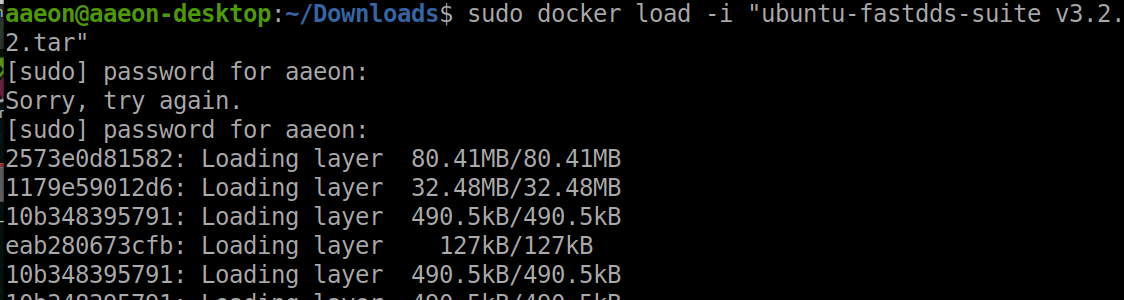
然后运行容器
先给权限
xhost local:root

然后,运行容器
sudo docker run -it --privileged -e DISPLAY=$DISPLAY -v /tmp/.X11-unix:/tmp/.X11-unix ubuntu-fastdds-suite:v3.2.2
二、FastDDs的一些实例
1、Shapes Demo
eProsima Shapes Demo 是一个用于演示 DDS (Data Distribution Service) 协议通信机制的可视化应用程序。
它将抽象的发布/订阅通信模式具象化为屏幕上移动的图形(形状)。
$ ShapesDemo
2、Fast DDS Monitor
一款图形化桌面应用程序,专门用于监控基于 eProsima Fast DDS 库部署的 DDS 环境。
提供对 DDS 实体间发布/订阅通信状态的实时监控能力。
$ fastdds_monitor
3、Fast DDS libraries and Examples
一些example位于
$ goToExamples
HelloWorld
$ goToExamples
$ cd hello_world/bin
$ tmux new-session "./hello_world publisher" \; \
split-window "./hello_world subscriber" \; \
select-layout even-vertical





 扫一扫
扫一扫


 2084
2084

 被折叠的 条评论
为什么被折叠?
被折叠的 条评论
为什么被折叠?
 到【灌水乐园】发言





