

如何不弹出vtkOutputWindow窗口

本文介绍如何在使用VS+QT+VTK环境下,通过修改main函数,加入vtkOutputWindow::SetGlobalWarningDisplay(0);一行代码,实现禁止vtkOutputWindow警告窗口弹出的方法。

在使用VS+QT+VTK时,运行程序时会弹出vtkOutputWindow窗口,虽然不影响运行,但是对于强迫症来说看着很不舒服,下面解决方案是如何使其不弹出。
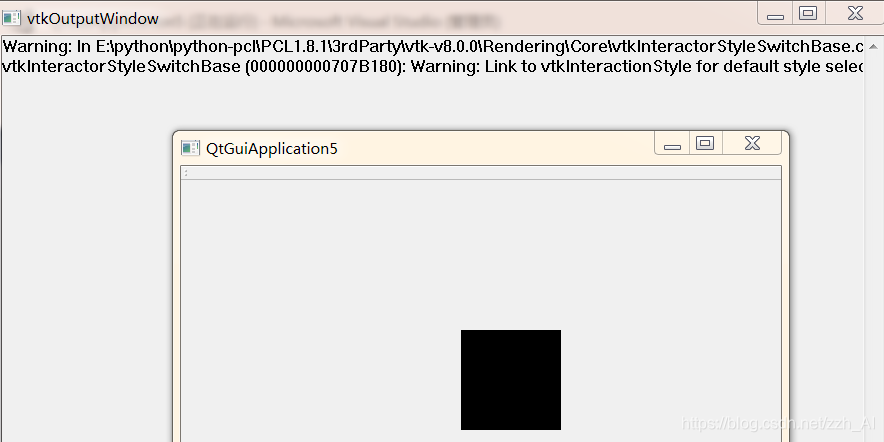
在这里插入图片描述
我使用的是QtGUIApplication
在main函数上方加入#include “vtkoutputwindow.h”
在main函数第一行加入vtkOutputWindow::SetGlobalWarningDisplay(0);
如下:

#include "QtGuiApplication5.h"
#include <QtWidgets/QApplication>
#include "vtkoutputwindow.h"         //加入
int main(int argc, char *argv[])
{
	vtkOutputWindow::SetGlobalWarningDisplay(0);     //加入
	QApplication a(argc, argv);
	QtGuiApplication5 w;
	w.show();
	return a.exec();
}

再运行程序,发现已经不再弹出了
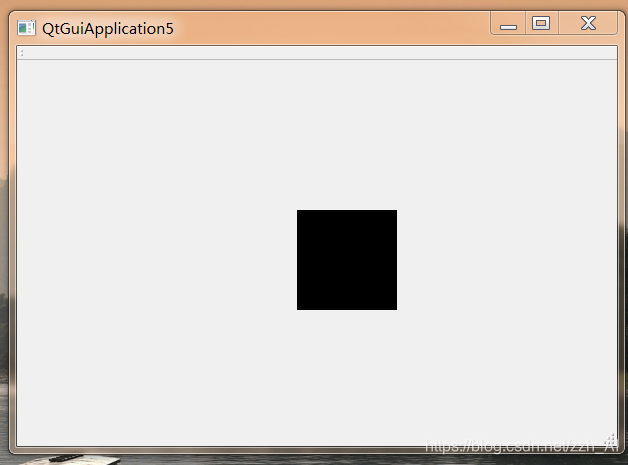
在这里插入图片描述

#include "pclvisualizer.h" #include <QApplication> #include <QDateTime> //添加QDateTime头文件 #include <QMovie> #include <QPixmap> #include <QSplashScreen> #include <QTextCodec> #include <vtkOutputWindow.h> int main(int argc, char* argv[]) { //TODO 增加设置窗口,设置一些属性 vtkOutputWindow::SetGlobalWarningDisplay(0); //弹出vtkOutputWindow窗口 QApplication a(argc, argv); QPixmap pixmap("logo1.png"); // 读取图片 QSplashScreen splash(pixmap); // // splash.setWindowOpacity(0.9); // 设置窗口透明度 // splash.setGeometry() // splash.setFixedSize(600, 300); //splash.show(); // splash.showMessage("程序正在加载..1....", Qt::AlignCenter, Qt::red); // //显示文字 // splash.showMessage("程序正在加载......", Qt::AlignCenter, Qt::red); // //显示文字 // QDateTime time = QDateTime::currentDateTime(); // QDateTime currentTime = QDateTime::currentDateTime(); //记录当前时间 // while (time.secsTo(currentTime) <= 8) // 5为需要延时的秒数 // { // currentTime = QDateTime::currentDateTime(); // a.processEvents(); // }; //启动界面 // QPixmap pixmap("logo1.png"); //读取图片 // QSplashScreen splash(pixmap); // // splash.setWindowOpacity(1); // 设置窗口透明度 // QLabel label(&splash); // QMovie mv(":/images/1.gif"); // label.setMovie(&mv); // mv.start(); // splash.show(); // splash.setCursor(Qt::BlankCursor); // for (int i = 0; i < 3000; i += mv.speed()) { // a.processEvents(); //使程序在显示启动画面的同时仍能响应鼠标等其他事件 // Sleep(mv.speed()); // } //读取ini文件中上一次关闭软件时候的窗口位置和大小: qDebug() << qApp->applicationDirPath() << endl; QString wstrFilePath = qApp->applicationDirPath() + "/setting.ini"; QSettings* settings = new QSettings( wstrFilePath, QSettings::IniFormat); //用QSetting获取ini文件中的数据 int x = settings->value("WindowGeometry/x").toInt(); int y = settings->value("WindowGeometry/y").toInt(); int width = settings->value("WindowGeometry/width").toInt(); int height = settings->value("WindowGeometry/height").toInt(); qDebug() << "Position is right:" << x << " " << y << " " << width << " " << height; QDesktopWidget* desktopWidget = QApplication::desktop(); QRect clientRect = desktopWidget->availableGeometry(); QRect targRect0 = QRect(clientRect.width() / 4, clientRect.height() / 4, clientRect.width() / 2, clientRect.height() / 2); QRect targRect = QRect(x, y, width, height); if ( width == 0 || height == 0 || x < 0 || x > clientRect.width() || y < 0 || y > clientRect .height()) //如果上一次关闭软件的时候,窗口位置正常,则本次显示在显示器的正中央 { targRect = targRect0; qDebug() << "Position is not right:" << x << " " << y << " " << width << " " << height; } PCLVisualizer w; w.setGeometry(targRect); //设置主窗口的大小 w.show(); splash.finish(&w); //在主体对象初始化完成后结束启动动画 return a.exec(); } 以上代码遇到“Must construct a QApplication before a QWidget”的问题,请修改
最新发布
03-15
评论 7
添加红包

请填写红包祝福语或标题

红包个数最小为10个

红包金额最低5元

当前余额3.43前往充值 >
需支付:10.00
成就一亿技术人!
领取后你会自动成为博主和红包主的粉丝 规则
hope_wisdom
发出的红包
实付
使用余额支付
点击重新获取
扫码支付
钱包余额 0

抵扣说明:

1.余额是钱包充值的虚拟货币,按照1:1的比例进行支付金额的抵扣。
2.余额无法直接购买下载,可以购买VIP、付费专栏及课程。

余额充值


