


 这篇博客通过Python对Chipotle快餐数据进行分析,包括加载数据到数据框、查看数据前10行、列数量与名称、最畅销商品、商品种类、商品下单总数、价格转换、总收入、订单数量及平均订单金额等。
1. 将数据集存入一个名为 chipo 的数据框内
import pandas as pd
chipo = pd.read_csv('chipotle.tsv',sep='\t')
知识点:
| 读取csv文件 | data=pd.read_csv('a.csv') |
| 读取txt文件 | data = pd.read_table('a.txt') |
| 读取json文件 |
data=pd.read_json('a.json')
|
| 读取excel文件 |
data=pd.read_excel('a.xsl') data=pd.read_excel('a.xslx') |
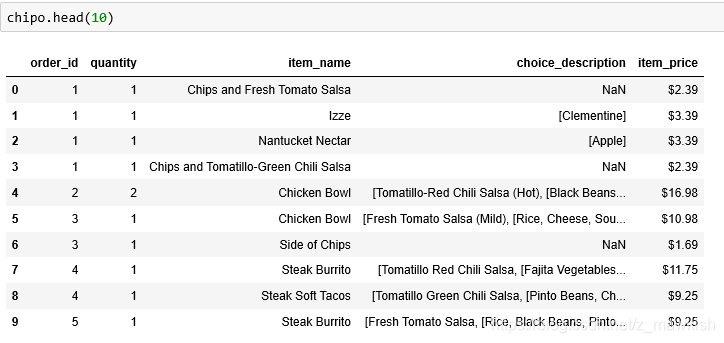
2. 查看前 10 行内容
chipo.head(10)
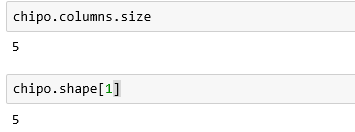
3. 数据集中有多少个列(columns)?
chipo.columns.size
或者
chipo.shape[1]
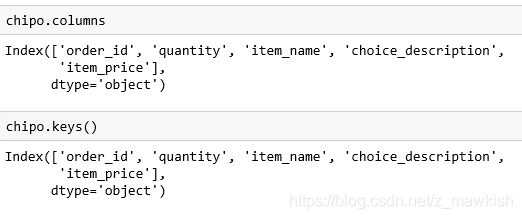
4. 打印出全部的列名称
chipo.columns
或者
chipo.keys()
5. 数据集的索引是怎样的?
chipo.index

6. 被下单数最多商品(item)是什么?
chipo["item_name"].value_counts().head(1)#下单数最多的商品是Chicken Bowl

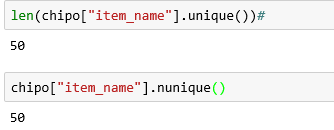
7. 在 item_name 这一列中,一共有多少种商品被下单?
len(chipo["item_name"].unique())#
或者
chipo["item_name"].nunique()
知识点:
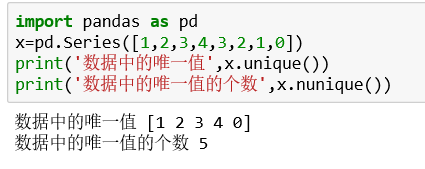
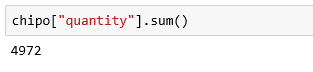
8. 一共有多少个商品被下单?
chipo["quantity"].sum()
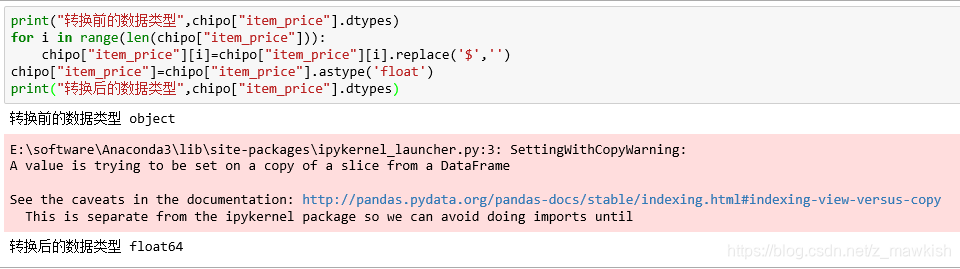
9. 将 item_price 转换为浮点数
print("转换前的数据类型",chipo["item_price"].dtypes)
for i in range(len(chipo["item_price"])):
    chipo["item_price"][i]=chipo["item_price"][i].replace('$','')
chipo["item_price"]=chipo["item_price"].astype('float')
print("转换后的数据类型",chipo["item_price"].dtypes)
10. 在该数据集对应的时期内,收入(revenue)是多少?
chipo['sub_total'] = round(chipo['item_price'] * chipo['quantity'],2)#单价x数量
chipo['sub_total'].sum()

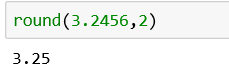
知识点:
round函数用于指定保留小数位数,返回四舍五入的结果
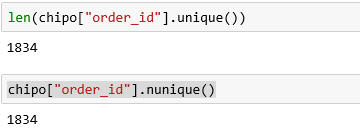
11. 在该数据集对应的时期内,一共有多少订单?
len(chipo["order_id"].unique())
或者
chipo["order_id"].nunique()
12. 每一单(order)对应的平均总价是多少
(chipo['quantity']*chipo['item_price']).sum()/chipo["order_id"].nunique()







 扫一扫
扫一扫


 2481
2481

 被折叠的 条评论
为什么被折叠?
被折叠的 条评论
为什么被折叠?
 到【灌水乐园】发言





