ROS报错:未安装arbotix控制器

本文讲述了如何修复在ROS Melodic中启动arbotix_python和arbotix_controllers节点的问题,通过sudo apt-get安装缺少的包,并成功运行fake_arm.launch。涉及到的关键步骤包括错误排查和必要的软件部署。
部署运行你感兴趣的模型镜像
ERROR: cannot launch node of type [arbotix_python/arbotix_driver]: arbotix_python
ROS path [0]=/opt/ros/melodic/share/ros
ROS path [1]=/home/ghh/catkin_ws/src
ROS path [2]=/opt/ros/melodic/share
ERROR: cannot launch node of type [arbotix_controllers/gripper_controller]: arbotix_controllers
ROS path [0]=/opt/ros/melodic/share/ros
ROS path [1]=/home/ghh/catkin_ws/src
ROS path [2]=/opt/ros/melodic/share

问题解决,没有安装arbotix控制器

sudo apt-get install ros-melodic-arbotix

继续。

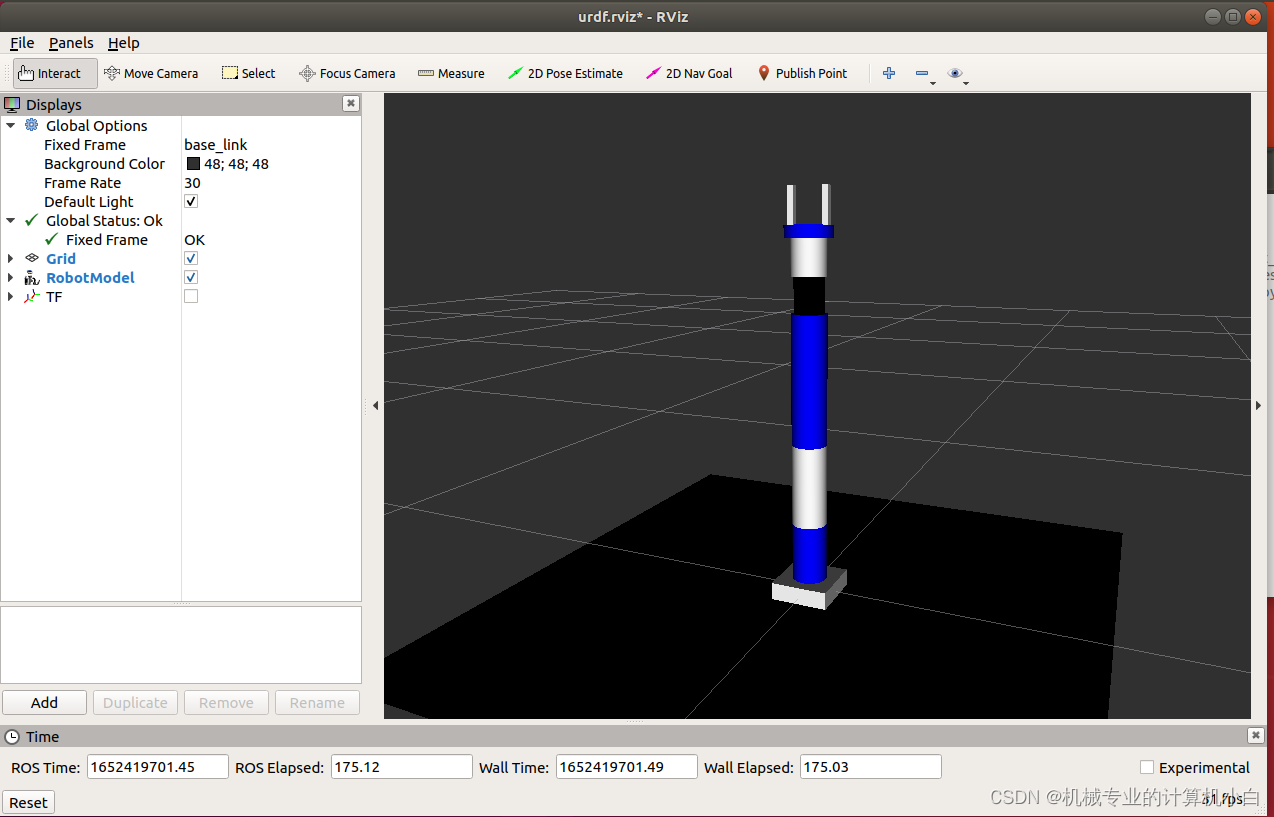
roslaunch marm_description fake_arm.launch 

成功显示。
 

您可能感兴趣的与本文相关的镜像

Kotaemon

Kotaemon

AI应用

Kotaemon 是由Cinnamon 开发的开源项目,是一个RAG UI页面,主要面向DocQA的终端用户和构建自己RAG pipeline

shr@ubuntu:~/h_ws$ roslaunch urdf1_rviz d7_control.launch ... logging to /home/shr/.ros/log/8b996cec-677d-11f0-8c1d-e5f088e14116/roslaunch-ubuntu-20123.log Checking log directory for disk usage. This may take a while. Press Ctrl-C to interrupt Done checking log file disk usage. Usage is <1GB. started roslaunch server http://ubuntu:41189/ SUMMARY ======== PARAMETERS * /arbotix/controllers/base_controller/Kd: 12 * /arbotix/controllers/base_controller/Ki: 0 * /arbotix/controllers/base_controller/Ko: 50 * /arbotix/controllers/base_controller/Kp: 12 * /arbotix/controllers/base_controller/accel_limit: 1.0 * /arbotix/controllers/base_controller/base_frame_id: base_footprint * /arbotix/controllers/base_controller/base_width: 0.2 * /arbotix/controllers/base_controller/ticks_meter: 2000 * /arbotix/controllers/base_controller/type: diff_controller * /arbotix/sim: True * /robot_description: <?xml version="1.... * /rosdistro: noetic * /rosversion: 1.17.4 NODES / arbotix (arbotix_python/arbotix_driver) joint_state_publisher (joint_state_publisher/joint_state_publisher) robot_state_publisher (robot_state_publisher/robot_state_publisher) rviz (rviz/rviz) ROS_MASTER_URI=http://localhost:11311 process[rviz-1]: started with pid [20143] process[joint_state_publisher-2]: started with pid [20144] process[robot_state_publisher-3]: started with pid [20145] process[arbotix-4]: started with pid [20146] Error in XmlRpcClient::writeRequest: write error (Connection refused). Traceback (most recent call last): File "/home/shr/h_ws/src/arbotix_ros/arbotix_python/bin/arbotix_driver", line 36, in <module> from arbotix_python.arbotix import ArbotiX, ArbotiXException File "/home/shr/h_ws/src/arbotix_ros/arbotix_python/src/arbotix_python/arbotix.py", line 33, in <module> import serial, time, sys, threading ModuleNotFoundError: No module named 'serial' Error in XmlRpcClient::writeRequest: write error (Connection refused). [arbotix-4] process has died [pid 20146, exit code 1, cmd /home/shr/h_ws/src/arbotix_ros/arbotix_python/bin/arbotix_driver __name:=arbotix __log:=/home/shr/.ros/log/8b996cec-677d-11f0-8c1d-e5f088e14116/arbotix-4.log]. log file: /home/shr/.ros/log/8b996cec-677d-11f0-8c1d-e5f088e14116/arbotix-4*.log
最新发布
07-24
评论
成就一亿技术人!
拼手气红包6.0元
还能输入1000个字符
 
红包 添加红包
表情包 插入表情
 条评论被折叠 查看
添加红包

请填写红包祝福语或标题

红包个数最小为10个

红包金额最低5元

当前余额3.43前往充值 >
需支付:10.00
成就一亿技术人!
领取后你会自动成为博主和红包主的粉丝 规则
hope_wisdom
发出的红包
实付
使用余额支付
点击重新获取
扫码支付
钱包余额 0

抵扣说明:

1.余额是钱包充值的虚拟货币,按照1:1的比例进行支付金额的抵扣。
2.余额无法直接购买下载,可以购买VIP、付费专栏及课程。

余额充值