






测试代码:
#include <opencv2/opencv.hpp>
#include <iostream>

using namespace std;
using namespace cv;

int main(int argc, char **argv)
{
	VideoCapture video("cap.mp4");

	if(video.isOpened())
	{
		cout <<"width:" << video.get(CAP_PROP_FRAME_WIDTH) << endl;
		cout <<"height:" << video.get(CAP_PROP_FRAME_HEIGHT) << endl;
		cout <<"fps:" << video.get(CAP_PROP_FPS) << endl;
		cout <<"total fps:" << video.get(CAP_PROP_FRAME_COUNT) << endl;
	}
	else
	{
		cout << "please confirm the open opeartion" << endl;
		return -1;
	}

	while(1)
	{
		Mat frame;
		video >> frame;
		if(frame.empty())
		{
			break;
		}

		imshow("video", frame);

		waitKey(1000/video.get(CAP_PROP_FPS));
	}

	waitKey();
	return 0;
}
编译:
g++ videocapture.cpp `pkg-config --cflags --libs opencv`
在同级目录下存放cap.mp4
运行./a.out
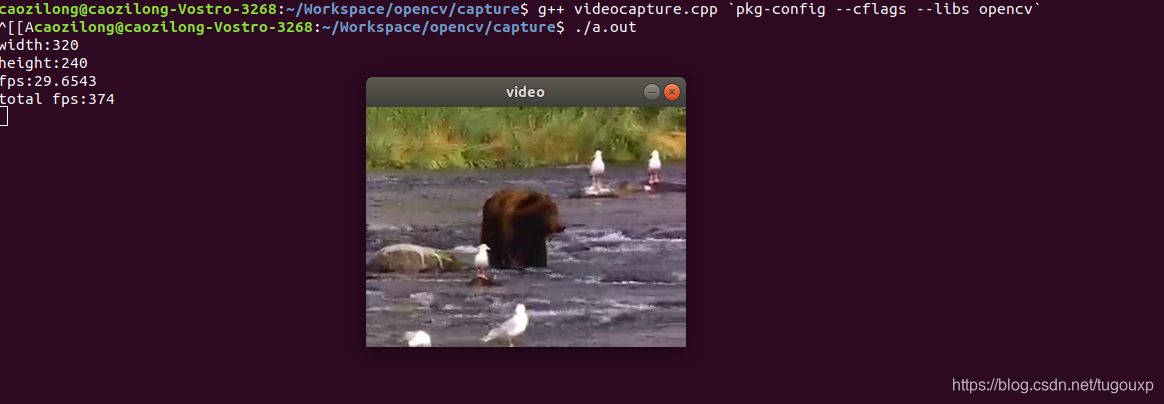
修改代码,改成从摄像头获取数据,只需要将"cap.mp4"修改为视频设备ID 0即可。
#include <opencv2/opencv.hpp>
#include <iostream>

using namespace std;
using namespace cv;

int main(int argc, char **argv)
{
	VideoCapture video(0);

	if(video.isOpened())
	{
		cout <<"width:" << video.get(CAP_PROP_FRAME_WIDTH) << endl;
		cout <<"height:" << video.get(CAP_PROP_FRAME_HEIGHT) << endl;
		cout <<"fps:" << video.get(CAP_PROP_FPS) << endl;
		cout <<"total fps:" << video.get(CAP_PROP_FRAME_COUNT) << endl;
	}
	else
	{
		cout << "please confirm the open opeartion" << endl;
		return -1;
	}

	while(1)
	{
		Mat frame;
		video >> frame;
		if(frame.empty())
		{
			break;
		}

		imshow("video", frame);

		waitKey(1000/video.get(CAP_PROP_FPS));
	}

	waitKey();
	return 0;
}
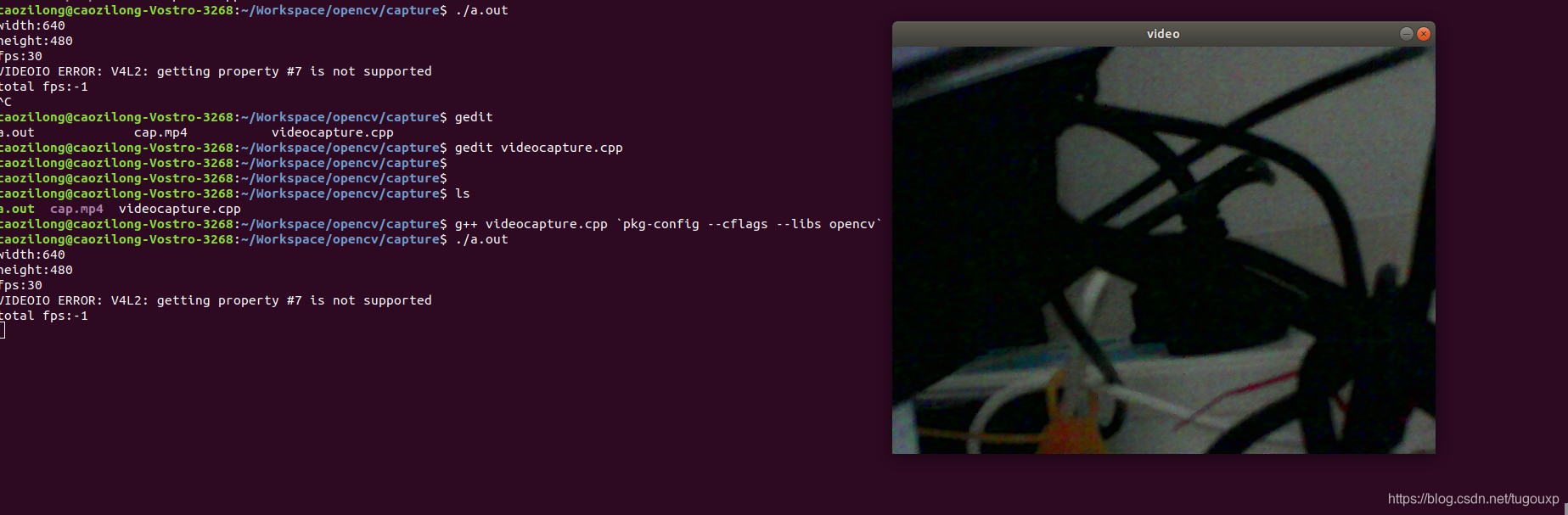
设备打开情况: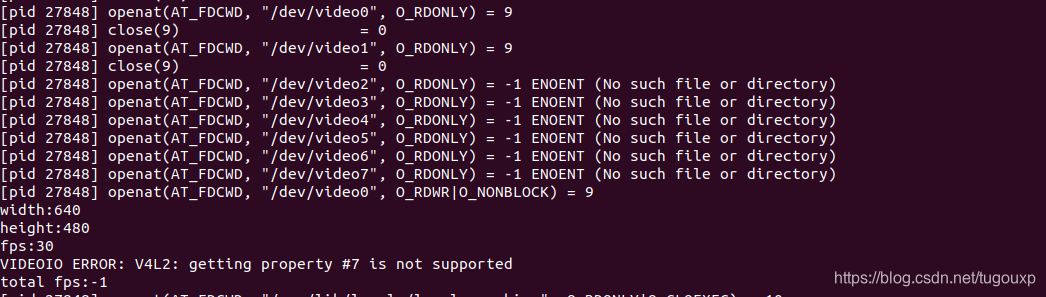
可以看到,OpenCV基于的是V4L2框架。





 扫一扫
扫一扫


 1914
1914

 被折叠的 条评论
为什么被折叠?
被折叠的 条评论
为什么被折叠?
 到【灌水乐园】发言





