 LabelImg标注工具使用指南





直接去官网下载现成的:
https://github.com/tzutalin/labelImg/releases
解压文件后,发现程序所在路径名不能有汉字。运行后界面如下:
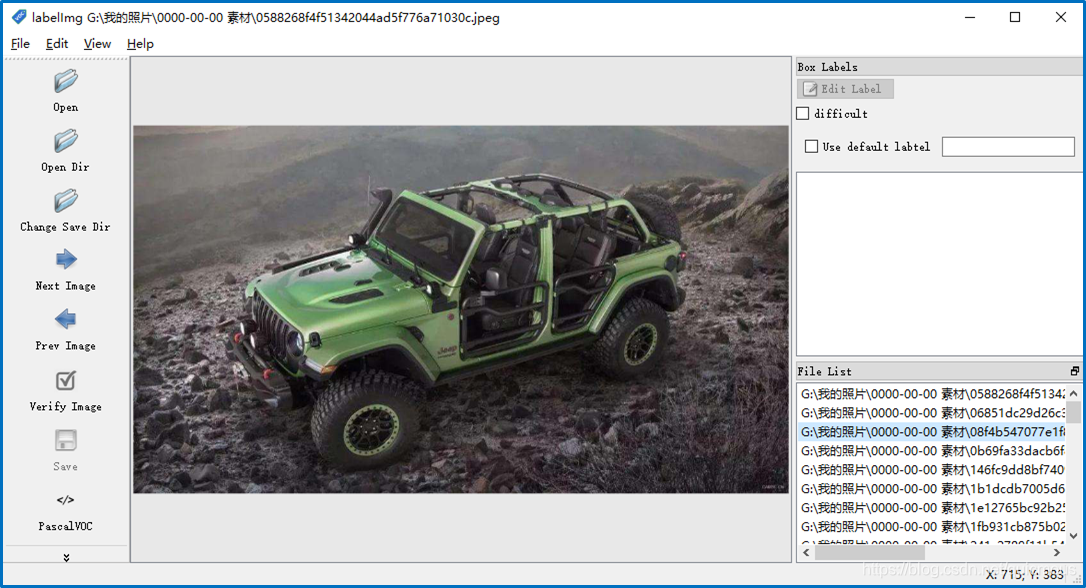
选择左边的命令按钮 Create nRectBox,也可以用快捷键 W 创建一个新的物体标注包围矩形。
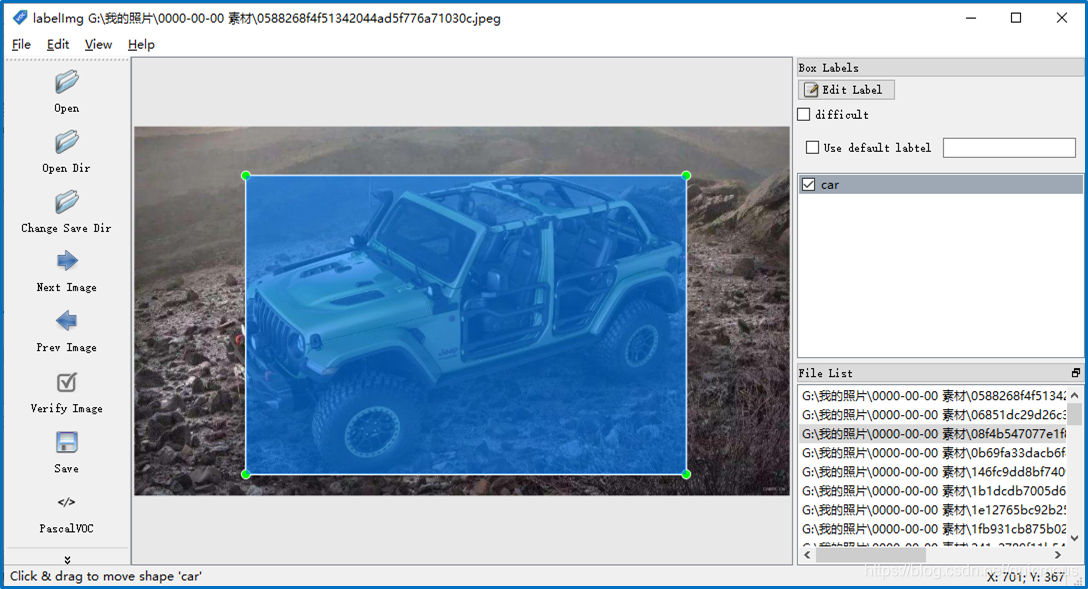
存盘后形成一份xml文件,每个图形对应一个文件,里面记录了物体的包围矩形的位置。
<annotation>
	<folder>0000-00-00 素材</folder>
	<filename>0588268f4f51342044ad5f776a71030c.jpeg</filename>
	<path>G:\我的照片\0000-00-00 素材\0588268f4f51342044ad5f776a71030c.jpeg</path>
	<source>
		<database>Unknown</database>
	</source>
	<size>
		<width>1024</width>
		<height>576</height>
		<depth>3</depth>
	</size>
	<segmented>0</segmented>
	<object>
		<name>car</name>
		<pose>Unspecified</pose>
		<truncated>0</truncated>
		<difficult>0</difficult>
		<bndbox>
			<xmin>174</xmin>
			<ymin>76</ymin>
			<xmax>862</xmax>
			<ymax>542</ymax>
		</bndbox>
	</object>
</annotation>





 扫一扫
扫一扫


 506
506

 被折叠的 条评论
为什么被折叠?
被折叠的 条评论
为什么被折叠?
 到【灌水乐园】发言





