借助ollama实现AI绘画提示词自由,操作简单只需一个节点!

Comfyui 接入ollama出现502问题 Comfyui采用ComfyUI Ollama节点接入llava模型,具体设置此处不赘述,请参考文末的参考链接。采用浏览器访问http://127.0.0.1:11434正常出现:“Ollama is running”开始被502误导认为是gateway的问题,排查了相关设置,均未发现有异常设置。求助度娘相关信息较少。3、在命令行执行ollama serve。节点正常使用,特记录于此,以备遗忘。执行时间很久很久,原因未知。2、停止ollama服务。4、启动ollama服务。 阅读详情
AI摘要

本文介绍如何利用ollama模型结合comfyui实现AI绘画的提示词优化,通过精细的提示词生成流程提升绘画质量,并分享AI大模型学习资源,涵盖学习路线、报告合集、经典书籍及商业化方案。

只需要将ollama部署到本地,借助comfyui ollama节点即可给你的Ai绘画提示词插上想象的翅膀。具体看详细步骤!

img

第一步打开ollama官网:https://ollama.com/,并选择models显存太小选择的是llama3\8b参数的instruct-q6_k的这个模型。

图片

运行方式也很简单,只要你网络没问题,直接在终端里,运行ollama run llama3:8b-instruct-q6_K这个命令,这样你可以在终端里llama3交流了!

图片

当然咱们说的是在comfyui里运用llama3模型实现提示词自由的,所以我们需要安装comfy ollama节点,如图所示直接install即可

图片

然后开始搭建ollama提示词节点,节点的提示词部分包含三个部分

第一部分汉译英过程:

命令提示词为:Translate the following into English, do not add any text other than the prompt:

其中节点:cr text concatenate是帮助字符串链接的一个节点!其中上面的是指令规则,下面的是要执行的具体指令。

图片

You are a prompt engineer proficient in SDXL painting, especially skilled in refining prompts. Please strictly follow the steps below to refine the prompts that need to be refined, operate step by step and output the results of each step:

Step 1: List the names and genders of all the characters in the prompt. If there are no characters in the prompt, skip this step.

Step 2: Use a short phrase to describe all the characters in the prompt. This phrase can use plurals or and, do not use any punctuation. Do not use any punctuation in this short phrase. Do not use any punctuation in this short phrase. The format is as follows:
- 1boy
- 1girl
- 2boys
- 2girls
- 1girl and 1boy

Step 3: Identify the main subjects in the prompt word. If you can guess which work it/them comes from, list the name of the work in the format:
- Link from The Legend of Zelda series, Spider-Man from Marvel movies, ...
If there is no prominent subject in the prompt, such as if the prompt is purely a landscape, skip this step.

Step 4: Combine the contents of the previous two steps, separated by commas. If there is no prominent subject in the prompt, such as if the prompt is pure scenery, skip this step and do not output any characters.

Step 5: 
If the prompt contains a character, use the result from the previous step as the beginning, and creatively refine the rest of the prompt as a whole in English, 80 words,following the format: Number of characters and gender of characters, [character 1], [character 2], [character ...], everything else in any order. Examples of refined prompt:
- 1man, [young man with ((short gray hair)), black turtleneck sweater, suspenders, singing, smiling, holding a basketball,  a pendant necklace], plain white wall background, focus on him and his actions, anime-style scene
- 2 girls, [one on the left wearing a gray T-shirt holding a laptop in her hand], [one on the right wearing a Wonder Woman costume], anime-style scene
- 1 boy and 1 girl, [Chun-Li from Street Fighter] and [Spider-Man from Marvel movies], engaged in a fierce battle, dynamic fighting poses, action movie poster
- 1 boy and 1 girl, [K-pop male singer (left of center) with short black hair, brown eyes, white color, formal suit with satin lapel and bow tie], [K-pop female singer (center) with long straight black hair, dark brown eyes, white color, formal silver dress], both singers holding hands up in peace signs, anime-style scene, bright colors, sunny background

If the prompt does not contain a character but does contain a clear subject, use the result of the previous step as the beginning and use your imagination to refine the prompt as a whole. The language should be English and the format should be "subject name, everything else in any order."

If the prompt does not contain a character or a clear subject, use your imagination to refine the prompt as a whole, in English.

Step 6: Enclose the result of the previous step within # #

Prompt that need refining:

这个规则大家感兴趣的话可以翻译成中文研究一下,生成逻辑,我坦白这个指令是抄作业抄来的!

图片

这是第二步提示词命令生成的提示词,因为它根据指令,给出了每一步的生成过程所以,所以咱们不能把这样没有逻辑的提示词给comfy啊,经过观察真正生成的提示词结果是在##号内!所以有了第卅部!

第三步提取提示词:

是的我们要将##号内的提示词提取出来,提取提示词用这个指令

在这里插入图片描述

然后你只需要在最前面的cr text节点里输入你要,输入的指令,并把第三个comfyui ollama节点和正向提示词连接即可!

图片

最后放一个祖传的1 girl美女,作为这篇文章的结束
​

如何学习AI大模型?

作为一名热心肠的互联网老兵,我决定把宝贵的AI知识分享给大家。 至于能学习到多少就看你的学习毅力和能力了 。我已将重要的AI大模型资料包括AI大模型入门学习思维导图、精品AI大模型学习书籍手册、视频教程、实战学习等录播视频免费分享出来。

这份完整版的大模型 AI 学习资料已经上传优快云,朋友们如果需要可以微信扫描下方优快云官方认证二维码免费领取【保证100%免费】

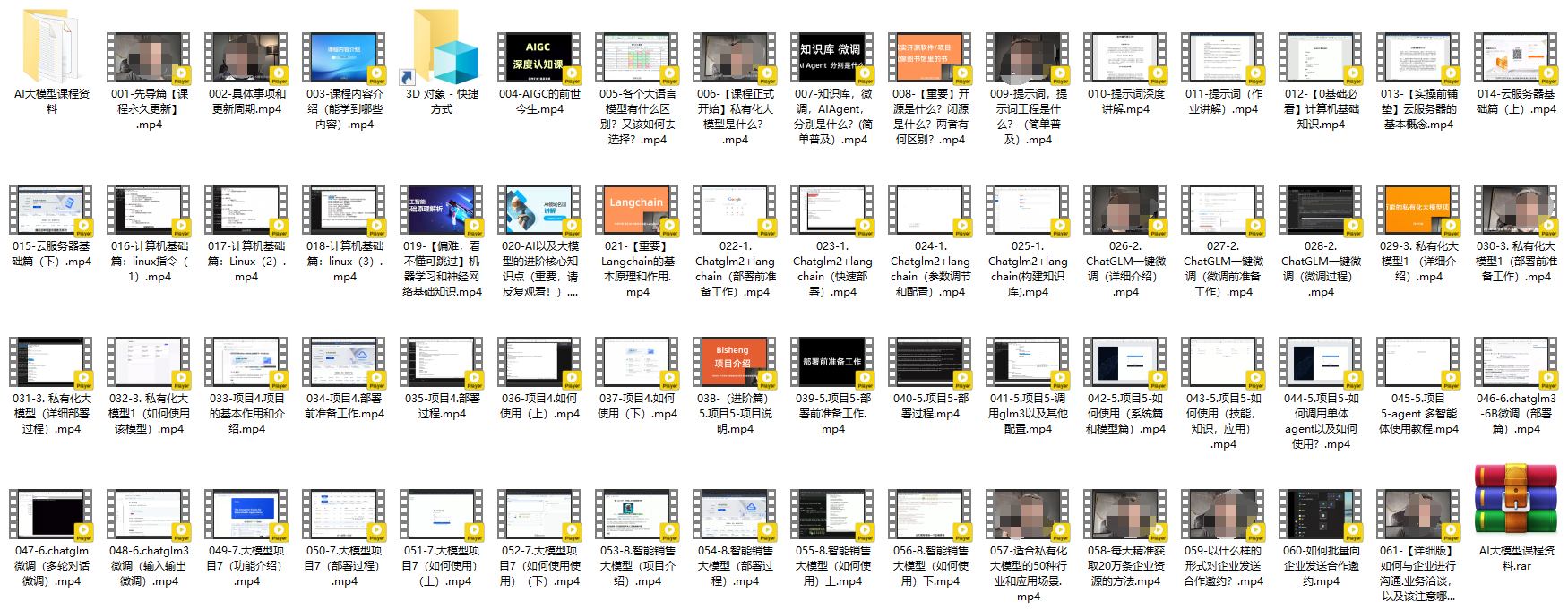
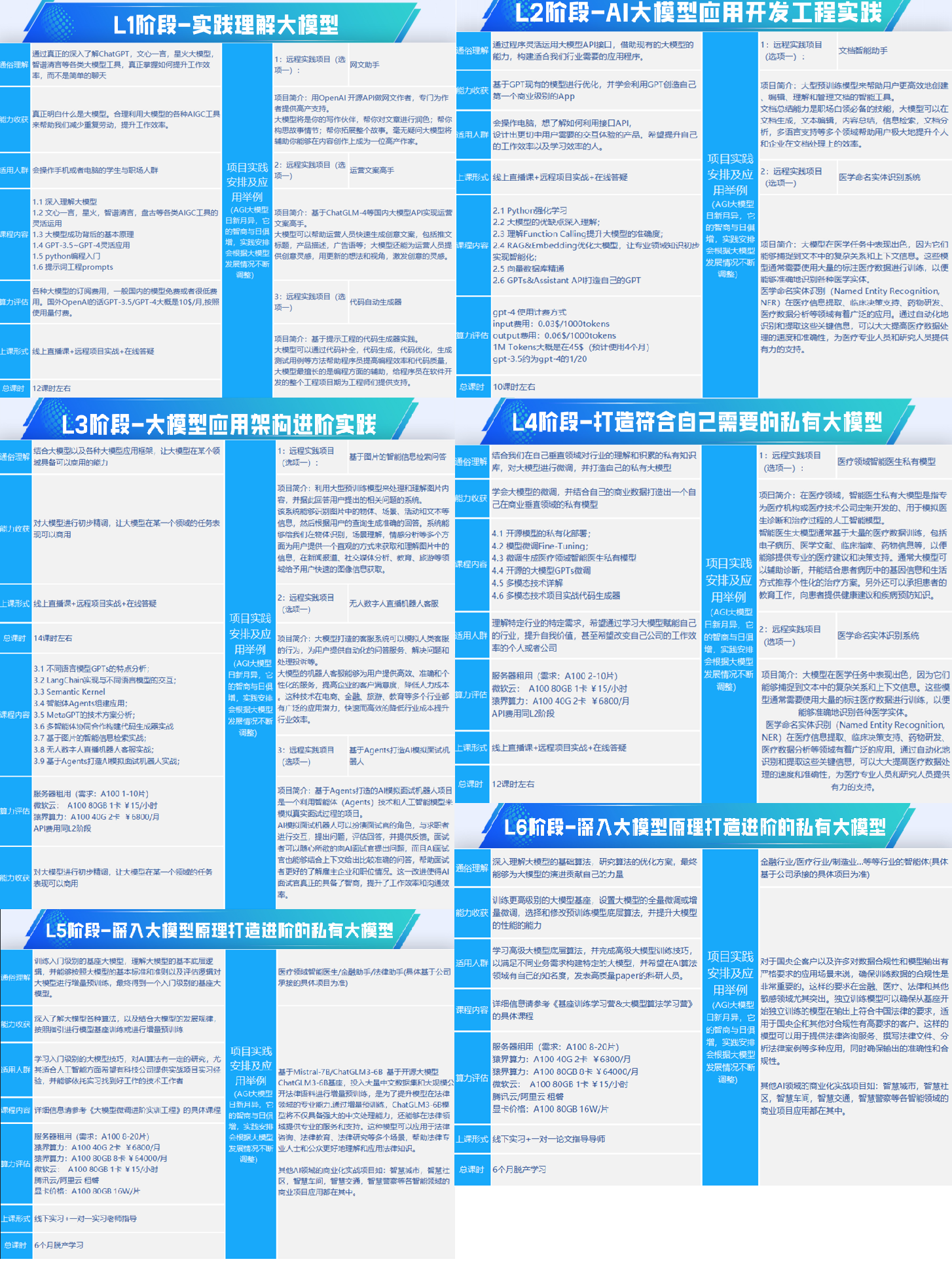
一、全套AGI大模型学习路线

AI大模型时代的学习之旅:从基础到前沿,掌握人工智能的核心技能!
img

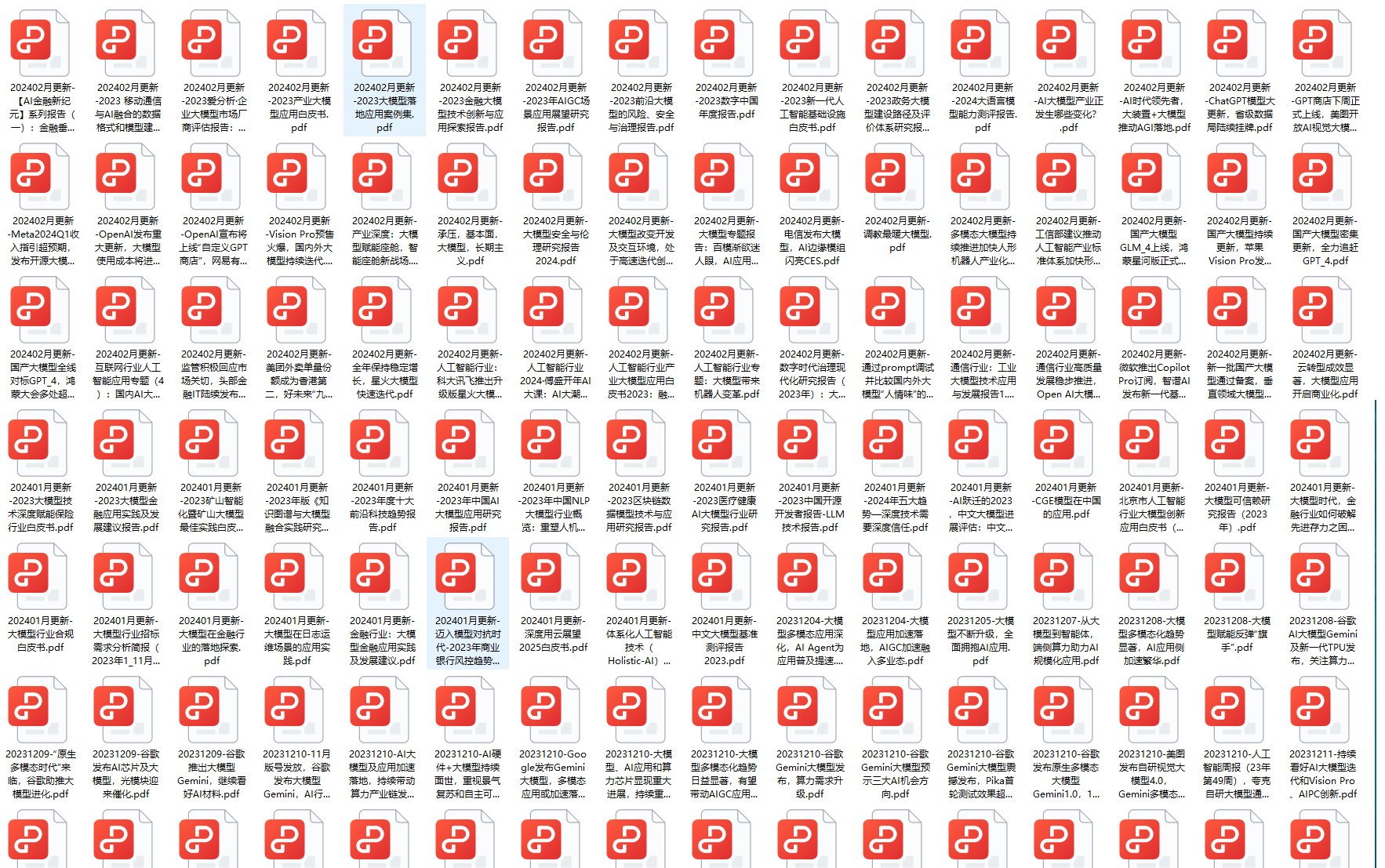
二、640套AI大模型报告合集

这套包含640份报告的合集,涵盖了AI大模型的理论研究、技术实现、行业应用等多个方面。无论您是科研人员、工程师,还是对AI大模型感兴趣的爱好者,这套报告合集都将为您提供宝贵的信息和启示。
img

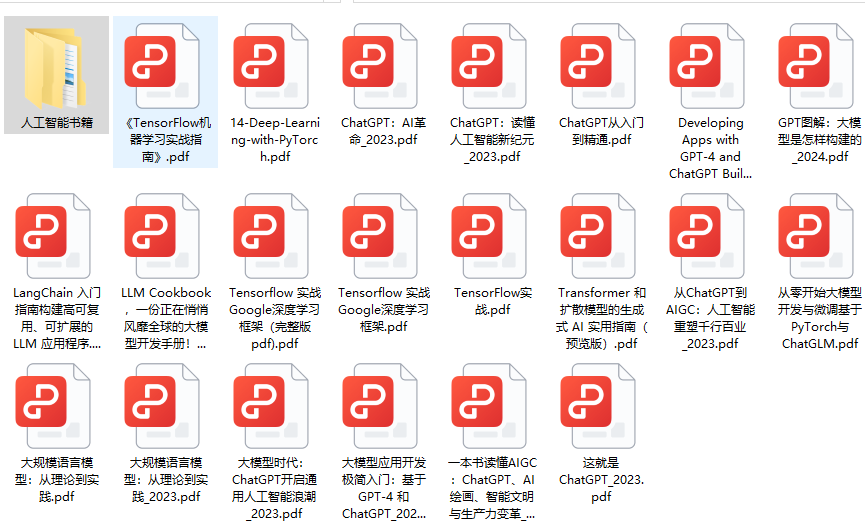
三、AI大模型经典PDF籍

随着人工智能技术的飞速发展,AI大模型已经成为了当今科技领域的一大热点。这些大型预训练模型,如GPT-3、BERT、XLNet等,以其强大的语言理解和生成能力,正在改变我们对人工智能的认识。 那以下这些PDF籍就是非常不错的学习资源。
img

四、AI大模型商业化落地方案

img

作为普通人,入局大模型时代需要持续学习和实践,不断提高自己的技能和认知水平,同时也需要有责任感和伦理意识,为人工智能的健康发展贡献力量。

Spring AI 系列之使用Spring AI和Ollama运行Hugging Face模型 人工智能正在改变我们构建 Web 应用程序的方式。Hugging Face 是一个广受欢迎的平台,提供了大量开源和预训练的大语言模型(LLM)。我们可以使用 Ollama 这一开源工具,在本地机器上运行 LLM。它支持运行来自 Hugging Face 的 GGUF 格式模型。在本教程中,我们将探索如何结合HuggingFace模型、SpringAI和 Ollama使用。我们将构建一个简单的聊天机器人,使用聊天补全模型,并通过嵌入模型实现语义搜索功能。接下来,我们创建一个带有@Bean@Bean。 阅读详情

相关推荐

第五章 Spring AI 集成Ollama,与qwen进行交流。看这一篇就够了

Python 是进入人工智能领域(认为是机器学习或生成人工智能AIGC)的主要武器,Java 和 Spring 仍引领着大多数开发社区, Java 开发人员如何与 LLM大模型 一起工作?这就是 Spring AI 弥补差距的地方。Spring AI在 Spring 应用程序和可以在本地运行的 LLM 之间创建集成,这为所有 Java 开发人员提供了开发人工智能应用程序的能力。在本文中,我们将了解如何使用 Ollama 在本地运行大模型,我们将考虑四个方面。

liujianming的博客 2503

企业本地大模型用Ollama+Open WebUI+Stable Diffusion可视化问答及画图

1. Ollama 管理和下载各个模型的工具 2. Open WebUI 友好的对话界面 3. Stable Diffusion 绘图工具 4. Docker 部署在容器里,提高效率

茶馆 1万+

【ComfyUI专栏】ComfyUI 的Olllma节点进行提示词优化

本文介绍了Ollama的安装使用及其在提示词优化中的应用。安装过程简单,下载Windows版本后通过命令行验证版本即可完成安装。文章详细说明了如何设置环境配置,并推荐了Mistral、qwen、llama2等常用模型。重点阐述了如何通过ComfyUI的Manager插件安装Ollama节点,以及如何训练模型使其生成符合要求的提示词。文中指出当前llama2模型翻译效果欠佳,建议尝试更新的llama3.5模型,并介绍了通过"ollama pull"命令获取其他模型的方法。最后强调Ollam

技术与管理的平衡木- 951

ComfyUI中使用大语言模型Ollama给提示词润色,解决词穷问题

今天教大家本地部署Ollama大语言模型,并接入ComfyUI中,让你的ComfyUI变得更智能。0****1介绍之前ComfyUI很多插件接入LLM大模型都得单独配置,很麻烦,今天给大家介绍一个通用的插件comfyui-ollama,再结合Ollama本地安装,让你想用什么大模型都行,从此解决提示词润色问题。今天内容比较干,主要分三块进行:Ollama本地安装提示词润色方案图片反推提示词02安装介绍。

Python栈_基的博客 1万+

【ComfyUI】Ollama 图像描述词润色

本文介绍了一个基于ComfyUI的Ollama模型润色工作流,通过可视化节点实现中文文本到高质量英文提示词的转换。该系统包含文本输入、翻译、模型推理和结果输出四个核心环节,支持多种优化模型(如phi3、llama3等)以适应不同需求。工作流特别适用于艺术化图像描述生成,能显著提升Stable Diffusion等模型的输出质量。文章详细解析了节点功能、模型选型及完整处理流程,为AI内容创作提供了高效解决方案。

Mr数据杨 2402

从零构建AI智能体:基于opencode框架的Agent开发全流程指南

AI智能体(AI Agent)作为人工智能领域的重要发展方向,正从概念走向工程实践。其核心原理在于赋予AI自主规划、执行和迭代的能力,使其不再局限于简单的问答,而是能够理解复杂目标、分解任务、调用工具并完成闭环。这一技术价值在于将AI从“对话伙伴”升级为“执行伙伴”,极大地拓展了自动化边界,在智能客服、数据分析、自动化运维等场景展现出巨大潜力。本文聚焦于如何利用opencode这一热门开发框架,快速构建具备实际能力的智能体。通过拆解其核心组件如技能库、规划器与运行时,并结合具体实践案例,系统阐述了从环境搭建

weixin_29055699的博客 440

Ollama+ComfyUI实现AI绘画——项目实践指南

首先,您需要准备Ollama,这是一个强大的AI绘画工具。您可以访问官方网站进行下载。根据您的操作系统,请选择相应的版本。安装完成后,默认情况下,Ollama存储在C盘。如果您希望更改模型存储位置,包括模型文件存放的路径,需要设置一个环境变量。创建自己的工作流可能会有些繁琐,因此我们推荐使用网络上其他大牛分享的工作流。设置环境变量OLLAMA_MODELS指向您希望的路径,例如:R:/Ollama_Models。完成以上步骤后,您就成功安装并配置了Ollama!至此,您已成功安装和配置了ComfyUI!

渗透测试 3325

制作Ubuntu22.04启动盘

现在越来越多程序代码都需要运行在linux环境下,运行这些代码的前提是安装一个稳定的linux操作系统。本文选择Ubuntu 22.04去制作系统启动盘。本文主要对ubuntu22.04的启动盘制作过程进行了详细的说明,希望能帮助到有需要的朋友。

lyx_ok的博客 1万+

亲测有效!使用Ollama本地部署DeepSeekR1模型,指定目录安装并实现可视化聊天与接口调用

本文聚焦利用 Ollama 部署 DeepSeek R1。开篇点明本地部署优势,引出 Ollama 这一开源工具,介绍其跨平台简化部署流程的特性及下载方式。重点阐述关键步骤:指定目录安装 DeepSeek R1 至非 C 盘,缓解系统压力;安装 Chatbox 实现可视化聊天,关联二者便捷操作;还讲解使用 Ollama 调用接口,如用 ApiFox 示例,解读请求体各参数作用,助读者掌握本地搭建高效 AI 环境之法。

笃行其道的博客 6621

Apollo&Carla联合仿真基本操作

基于UE4开发的开源无人驾驶仿真器PythonAPI自动驾驶传感器(还有理想化的collision detection传感器)用于规划和控制的快速仿真地图生成交通场景(open scenario)仿真ROS集成自动驾驶baseline0.9.15新特性新的车型以及地图基于Omniverse的素材导入基于OSM的三维场景生成。

SLAM小土堆 3802

海康/大华设备如何接入GB28181平台?最新2022版互联避坑指南

本文详细解析了海康/大华设备接入GB28181平台的最新2022版互联避坑指南,涵盖参数配置、实时视音频点播协议交互及典型故障排查。重点介绍了GB/T28181-2022标准下的设备编码规范、SIP服务器配置及媒体流保活机制,帮助工程团队高效解决设备离线和媒体流中断等问题。

weixin_30733003的博客 690

LangGraph + Ollama 实战:从零搭建一个智能AI代理

目前AI大模型的技术岗位与能力培养随着人工智能技术的迅速发展和应用 , 大模型作为其中的重要组成部分 , 正逐渐成为推动人工智能发展的重要引擎 。大模型以其强大的数据处理和模式识别能力, 广泛应用于自然语言处理 、计算机视觉 、 智能推荐等领域 ,为各行各业带来了革命性的改变和机遇 。

2401_85375186的博客 1250

微信小程序订阅消息实战:如何绕过长期订阅限制实现多次发送(附PHP代码)

本文针对微信小程序开发者无法获取长期订阅消息权限的痛点,提供了一套完整的实战解决方案。通过深入剖析一次性订阅与长期订阅的规则差异,结合巧妙的交互设计、稳健的PHP服务端发送引擎(含高并发处理与失败重试机制)以及授权池管理等高级策略,帮助开发者在合规前提下,构建高可用的消息推送系统,有效提升通知触达率与用户体验。

weixin_29008805的博客 628

Java 开发者必看!用 Quarkus + LangChain4j 实现本地 Ollama 的 AI 深度集成

Quarkus+LangChain4j+Ollama:本地 AI 交互应用的技术 “铁三角”。

u013643074的博客 1328

信号处理算法:离散余弦变换(DCT)_(1).离散余弦变换(DCT)概述

离散余弦变换的数学定义如下:对于一个长度为NNN的离散信号xnx(n)xn,其DCT变换后的系数XkX(k)XkXk∑n0N−1xncos⁡πNn12kk012N−1Xkn0∑N−1​xncosNπ​n21​kk012N−1其中,kkk是频率指数,nnn是时间或空间索引。离散余弦变换(DCT)是一种强大的信号处理技术,广泛应用于图像压缩、音频处理、数据压缩等领域。

2401_87715305的博客 1557

OpenHarmony开发一个App,安装到BearPi-HM Micro开发板

建议先阅读我们这篇,这里面详细介绍了,以及hap包安装的全过程。本篇是介绍如何开发一个App,然后安装到开发板上,比如hap包,无法安装等问题。

Halifax 1030

【保姆级教程】本地离线部署大模型Ollama+AnythingLLM!

好多同学不知道怎么下载需要用到的工具,我这里给大家都准备好了,需要的文末领取。qwen7b.gguf是阿里巴巴的通义千问大模型,7B大模型,7亿参数,至少需要8G内存,越大回复越流畅,下载完后,双击OllamaSetup,自动安装成功,默认安装在C盘,不能选择安装路径的哦,安装完后,右下角会出现Ollama图标。OLLAMA_MODELS,随意指定变量值,如图所示:Python选择右键小图标,然后退出,在开始菜单中找到重启Ollama在blobs下创建Modelfile文件,没有后缀。

2301_76161259的博客 4842

Autosar诊断实战系列23-NRC优先级解析

NRC分类,优先级判断逻辑及测试注意事项介绍。

initiallizer的博客 2620

Ollama本地AI部署终极教程:手把手带你完成每个步骤!

大模型应用开发需要掌握机器学习算法、深度学习框架等技术,这些技术的掌握可以提高程序员的编码能力和分析能力,让程序员更加熟练地编写高质量的代码。包括:大模型学习线路汇总、学习阶段,大模型实战案例,大模型学习视频,人工智能、机器学习、大模型书籍PDF。带你从零基础系统性的学好大模型!观看零基础学习书籍和视频,看书籍和视频学习是最快捷也是最有效果的方式,跟着视频中老师的思路,从基础到深入,还是很容易入门的。以大模型平台应用与开发为主,通过星火大模型,文心大模型等成熟大模型构建大模型行业应用。

2301_82275412的博客 2139

IMSL CNL 7.0.0 (x86-64)Crack

IMSL CNL 7.0.0 (x86-64)Crack intel的算法库破解文件,这是C++版本的破解文件

深度学习工具包 DeepLearningToolbox

深度学习工具包Deprecation notice.-----This toolbox is outdated and no longer maintained.There are much better tools available for deep learning than this toolbox, e.g. [Theano](http://deeplearning.net/software/theano/), [torch](http://torch.ch/) or [tensorflow](http://www.tensorflow.org/)I would suggest you use one of the tools mentioned above rather than use this toolbox.Best, Rasmus.DeepLearnToolbox================A Matlab toolbox for Deep Learning.Deep Learning is a new subfield of machine learning that focuses on learning deep hierarchical models of data.It is inspired by the human brain's apparent deep (layered, hierarchical) architecture.A good overview of the theory of Deep Learning theory is[Learning Deep Architectures for AI](http://www.iro.umontreal.ca/~bengioy/papers/ftml_book.pdf)For a more informal introduction, see the following videos by Geoffrey Hinton and Andrew Ng.* [The Next Generation of Neural Networks](http://www.youtube.com/watch?v=AyzOUbkUf3M) (Hinton, 2007)* [Recent Developments in Deep Learning](http://www.youtube.com/watch?v=VdIURAu1-aU) (Hinton, 2010)* [Unsupervised Feature Learning and Deep Learning](http://www.youtube.com/watch?v=ZmNOAtZIgIk) (Ng, 2011)If you use this toolbox in your research please cite [Prediction as a candidate for learning deep hierarchical models of data](http://www2.imm.dtu.dk/pubdb/views/publication_details.php?id=6284)```@MASTERSTHESIS\{IMM2012-06284, author = "R. B. Palm", title = "Prediction as a candidate for learning deep hierarchical models of data", year = "2012",}```Contact: rasmusbergpalm at gmail dot comDirectories included in the toolbox-----------------------------------`NN/` - A library for Feedforward Backpropagation Neural Networks`CNN/` - A library for Convolutional Neural Networks`DBN/` - A library for Deep Belief Networks`SAE/` - A library for Stacked Auto-Encoders`CAE/` - A library for Convolutional Auto-Encoders`util/` - Utility functions used by the libraries`data/` - Data used by the examples`tests/` - unit tests to verify toolbox is workingFor references on each library check REFS.mdSetup-----1. Download.2. addpath(genpath('DeepLearnToolbox'));Example: Deep Belief Network---------------------```matlabfunction test_example_DBNload mnist_uint8;train_x = double(train_x) / 255;test_x = double(test_x) / 255;train_y = double(train_y);test_y = double(test_y);%% ex1 train a 100 hidden unit RBM and visualize its weightsrand('state',0)dbn.sizes = [100];opts.numepochs = 1;opts.batchsize = 100;opts.momentum = 0;opts.alpha = 1;dbn = dbnsetup(dbn, train_x, opts);dbn = dbntrain(dbn, train_x, opts);figure; visualize(dbn.rbm{1}.W'); % Visualize the RBM weights%% ex2 train a 100-100 hidden unit DBN and use its weights to initialize a NNrand('state',0)%train dbndbn.sizes = [100 100];opts.numepochs = 1;opts.batchsize = 100;opts.momentum = 0;opts.alpha = 1;dbn = dbnsetup(dbn, train_x, opts);dbn = dbntrain(dbn, train_x, opts);%unfold dbn to nnnn = dbnunfoldtonn(dbn, 10);nn.activation_function = 'sigm';%train nnopts.numepochs = 1;opts.batchsize = 100;nn = nntrain(nn, train_x, train_y, opts);[er, bad] = nntest(nn, test_x, test_y);assert(er < 0.10, 'Too big error');```Example: Stacked Auto-Encoders---------------------```matlabfunction test_example_SAEload mnist_uint8;train_x = double(train_x)/255;test_x = double(test_x)/255;train_y = double(train_y);test_y = double(test_y);%% ex1 train a 100 hidden unit SDAE and use it to initialize a FFNN% Setup and train a stacked denoising autoencoder (SDAE)rand('state',0)sae = saesetup([784 100]);sae.ae{1}.activation_function = 'sigm';sae.ae{1}.learningRate = 1;sae.ae{1}.inputZeroMaskedFraction = 0.5;opts.numepochs = 1;opts.batchsize = 100;sae = saetrain(sae, train_x, opts);visualize(sae.ae{1}.W{1}(:,2:end)')% Use the SDAE to initialize a FFNNnn = nnsetup([784 100 10]);nn.activation_function = 'sigm';nn.learningRate = 1;nn.W{1} = sae.ae{1}.W{1};% Train the FFNNopts.numepochs = 1;opts.batchsize = 100;nn = nntrain(nn, train_x, train_y, opts);[er, bad] = nntest(nn, test_x, test_y);assert(er < 0.16, 'Too big error');```Example: Convolutional Neural Nets---------------------```matlabfunction test_example_CNNload mnist_uint8;train_x = double(reshape(train_x',28,28,60000))/255;test_x = double(reshape(test_x',28,28,10000))/255;train_y = double(train_y');test_y = double(test_y');%% ex1 Train a 6c-2s-12c-2s Convolutional neural network %will run 1 epoch in about 200 second and get around 11% error. %With 100 epochs you'll get around 1.2% errorrand('state',0)cnn.layers = { struct('type', 'i') %input layer struct('type', 'c', 'outputmaps', 6, 'kernelsize', 5) %convolution layer struct('type', 's', 'scale', 2) %sub sampling layer struct('type', 'c', 'outputmaps', 12, 'kernelsize', 5) %convolution layer struct('type', 's', 'scale', 2) %subsampling layer};cnn = cnnsetup(cnn, train_x, train_y);opts.alpha = 1;opts.batchsize = 50;opts.numepochs = 1;cnn = cnntrain(cnn, train_x, train_y, opts);[er, bad] = cnntest(cnn, test_x, test_y);%plot mean squared errorfigure; plot(cnn.rL);assert(er<0.12, 'Too big error');```Example: Neural Networks---------------------```matlabfunction test_example_NNload mnist_uint8;train_x = double(train_x) / 255;test_x = double(test_x) / 255;train_y = double(train_y);test_y = double(test_y);% normalize[train_x, mu, sigma] = zscore(train_x);test_x = normalize(test_x, mu, sigma);%% ex1 vanilla neural netrand('state',0)nn = nnsetup([784 100 10]);opts.numepochs = 1; % Number of full sweeps through dataopts.batchsize = 100; % Take a mean gradient step over this many samples[nn, L] = nntrain(nn, train_x, train_y, opts);[er, bad] = nntest(nn, test_x, test_y);assert(er < 0.08, 'Too big error');%% ex2 neural net with L2 weight decayrand('state',0)nn = nnsetup([784 100 10]);nn.weightPenaltyL2 = 1e-4; % L2 weight decayopts.numepochs = 1; % Number of full sweeps through dataopts.batchsize = 100; % Take a mean gradient step over this many samplesnn = nntrain(nn, train_x, train_y, opts);[er, bad] = nntest(nn, test_x, test_y);assert(er < 0.1, 'Too big error');%% ex3 neural net with dropoutrand('state',0)nn = nnsetup([784 100 10]);nn.dropoutFraction = 0.5; % Dropout fraction opts.numepochs = 1; % Number of full sweeps through dataopts.batchsize = 100; % Take a mean gradient step over this many samplesnn = nntrain(nn, train_x, train_y, opts);[er, bad] = nntest(nn, test_x, test_y);assert(er < 0.1, 'Too big error');%% ex4 neural net with sigmoid activation functionrand('state',0)nn = nnsetup([784 100 10]);nn.activation_function = 'sigm'; % Sigmoid activation functionnn.learningRate = 1; % Sigm require a lower learning rateopts.numepochs = 1; % Number of full sweeps through dataopts.batchsize = 100; % Take a mean gradient step over this many samplesnn = nntrain(nn, train_x, train_y, opts);[er, bad] = nntest(nn, test_x, test_y);assert(er < 0.1, 'Too big error');%% ex5 plotting functionalityrand('state',0)nn = nnsetup([784 20 10]);opts.numepochs = 5; % Number of full sweeps through datann.output = 'softmax'; % use softmax outputopts.batchsize = 1000; % Take a mean gradient step over this many samplesopts.plot = 1; % enable plottingnn = nntrain(nn, train_x, train_y, opts);[er, bad] = nntest(nn, test_x, test_y);assert(er < 0.1, 'Too big error');%% ex6 neural net with sigmoid activation and plotting of validation and training error% split training data into training and validation datavx = train_x(1:10000,:);tx = train_x(10001:end,:);vy = train_y(1:10000,:);ty = train_y(10001:end,:);rand('state',0)nn = nnsetup([784 20 10]); nn.output = 'softmax'; % use softmax outputopts.numepochs = 5; % Number of full sweeps through dataopts.batchsize = 1000; % Take a mean gradient step over this many samplesopts.plot = 1; % enable plottingnn = nntrain(nn, tx, ty, opts, vx, vy); % nntrain takes validation set as last two arguments (optionally)[er, bad] = nntest(nn, test_x, test_y);assert(er < 0.1, 'Too big error');```[![Bitdeli Badge](https://d2weczhvl823v0.cloudfront.net/rasmusbergpalm/deeplearntoolbox/trend.png)](https://bitdeli.com/free "Bitdeli Badge")

Ollama界面升级,开启全民本地人工智能新时代!

过去几天,AI 界迎来了两大突破性进展:Ollama 推出了全新的易用界面,让运行本地 AI 模型变得像打开聊天软件一样简单;OpenAI 则发布了开源 “思考型” 模型 GPT-OSS—— 这款功能强大、适应性强的模型完全免费,任何人都能在自己的设备上运行。没错,OpenAI 终于走向了 “开放”。当这两者结合时,简直相当于给带自动驾驶的特斯拉装上了 F1 引擎:既有原始算力,又能体验丝滑操作。

bugyinyin的博客 696

jdk-8u144-linux-x64.tar.gz.

该资源为搭建Linux系统Java环境用,资源的后缀为tar.gz格式的压缩包

新手零基础指南:借助快马AI生成你的第一个OpenClaw调用Ollama程序

在InsCode上,写完代码后,我只需要点击一个按钮,平台就自动完成了所有部署操作,生成了一个可以公开访问的链接。这意味着我可以把我的这个小作品直接分享给朋友,让他们也能在网页上向我的本地模型提问,而他们完全不需要关心背后的Ollama、Python环境是什么。而OpenClaw是一个Python库,它提供了一套统一的接口,让你可以用同样的代码去调用不同的AI模型服务(包括本地的Ollama、云端的OpenAI API等)。或者,修改提示词,尝试更复杂的任务,如写一首诗、总结一段文本、甚至生成简单的代码。

ThunderstormLynx23的博客 252

精雕软件(JDpaint) 5.5 绿色版

精雕软件(JDpaint) 5.5 绿色版精雕软件(JDpaint) 5.5 绿色版精雕软件(JDpaint) 5.5 绿色版

Ollama+Docker:零基础打造你的 AI 伙伴

想象一下,你有一个随时随地为你服务的智能助手,它能帮你写邮件、写代码、甚至帮你创作小说。这不再是科幻,借助 Ollama,你就可以轻松实现!Ollama 是一款开源的 LLM(大型语言模型),功能强大且易于部署。本文将手把手教你如何使用 Docker 快速搭建 Ollama,开启你的 AI 之旅。

weixin_44520557的博客 2643

知识库智能体终极解决方案!Ollama+BGE-M3对接Vllm+Dify+本地DeepSeek大模型详细操作

本文详细介绍了在Windows系统上部署Ollama大语言模型服务的完整流程。主要内容包括Ollama的下载安装、模型文件目录修改、模型选择与下载、端口号配置及Dify集成等关键步骤。文章特别提供了BGE-M3嵌入模型的测试方法,并解决了Dify集成时常见的端口配置问题。通过图文并茂的教程,帮助用户轻松实现本地大语言模型的部署与应用,为构建个性化AI智能体提供了完整解决方案。文末还附赠了大模型学习资源包,包含书籍、报告、视频等学习材料。

2401_85373396的博客 2621

Ai学习之本地部署Ollama

本文详细介绍了Ollama 以及本地部署的流程

qq_42869414的博客 2152

太强了!Ollama + MaxKB零代码本地搭建个人知识库AI应用,数据安全,还可以有权限控制!!

📚 借助开源的,大模型应用不再遥不可及 🚀当提到“大模型”和“本地部署”,很多人可能第一反应是:“这是不是只有那些顶尖的技术大牛才能搞定?其实,随着开源工具的发展,构建自己的大模型和知识库已经变得轻而易举,就像请一个聪明的私人助理帮你处理日常任务一样简单。Ollama 和 MaxKB 就是这样一对黄金搭档,借助它们,你不需要深厚的技术背景,也能在本地搭建一个强大的 AI 系统。接下来,我们将带你一步步实现这个目标,让复杂的技术变得像拼积木一样简单。

Everly_的博客 2705

大模型本地部署:只需三步,手把手带你在Mac本地部署运行AI大模型

在当前的技术环境下,大型语言模型(LLMs)已经成为人工智能领域的一个重要里程碑。这些模型能够在各种任务上展现出人类水平的性能,包括但不限于文本生成、语言理解和问题解答。随着开源项目的发展,个人开发者现在有机会在本地部署这些强大的模型,以探索和利用它们的潜力。本文将详细介绍如何使用Ollama,一个开源项目,在Mac上本地运行大型模型(Win同理)。通过遵循以下步骤,即使是配备了几年前硬件的电脑,也能够顺利完成部署和运行。开源项目ollama:github链接。

2301_76161259的博客 1976
上一篇: 使用Ollama提供的Llama3 8B搭建自己的斯坦福多智能体AI小镇
下一篇: 字节扣子搭建大模型擂台:匿名PK效果,用户当裁判,跑分时代要结束了
我爱学大模型
博客等级 码龄3年 7883粉丝 687原创
评论
成就一亿技术人!
拼手气红包6.0元
还能输入1000个字符
 
 条评论被折叠 查看
添加红包

请填写红包祝福语或标题

个

红包个数最小为10个

元

红包金额最低5元

当前余额3.43元 前往充值 >
需支付:10.00元
成就一亿技术人!
领取后你会自动成为博主和红包主的粉丝 规则
hope_wisdom
发出的红包
实付元
使用余额支付
点击重新获取
扫码支付
钱包余额 0

抵扣说明:

1.余额是钱包充值的虚拟货币,按照1:1的比例进行支付金额的抵扣。
2.余额无法直接购买下载,可以购买VIP、付费专栏及课程。

余额充值