



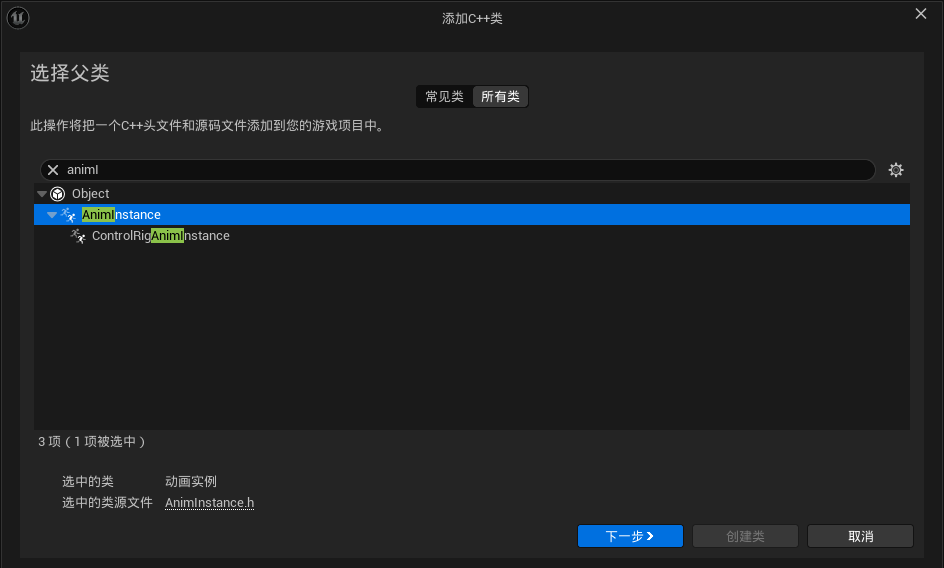
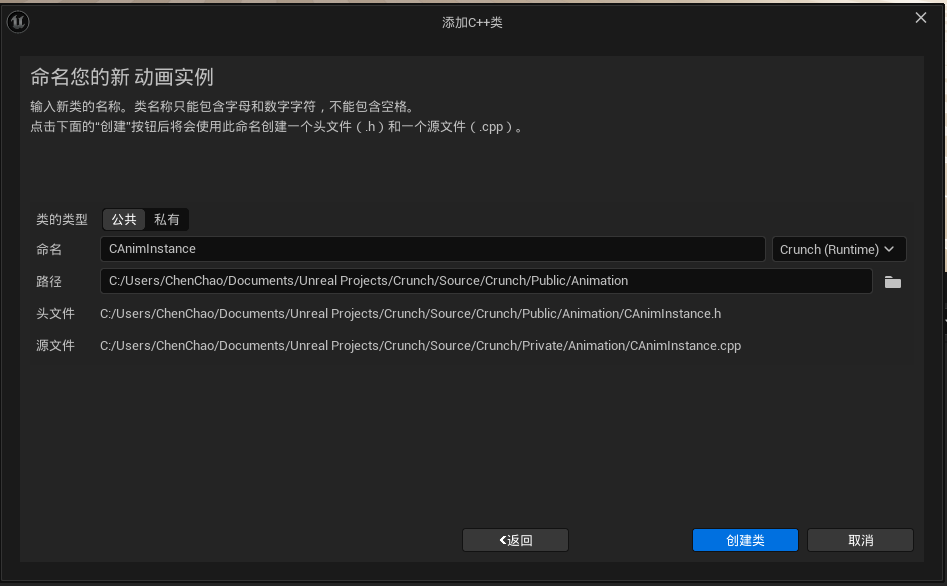
1.创建动画基类:
2.重写三个函数:
	//本机初始化覆盖点
	virtual void NativeInitializeAnimation() override;

	//本机更新覆盖点。在这一步中简单地收集数据通常是个好主意
	//因为大部分工作都是在NativeThreadSafeUpdateAnimation中完成的。
	virtual void NativeUpdateAnimation(float DeltaSeconds) override;

	//本机线程安全更新覆盖点。在图更新之前在工作线程上执行
	//对于链接的anim实例,仅在宿主节点相关时调用
	virtual void NativeThreadSafeUpdateAnimation(float DeltaSeconds) override;
在虚幻引擎的动画系统中,这三个函数是动画蓝图的核心更新点,分别承担不同的职责:
NativeInitializeAnimation()
- 在动画蓝图首次创建时调用
- 用于初始化动画状态和变量
- 适合执行一次性初始化操作,如缓存常用组件引用
NativeUpdateAnimation(float DeltaSeconds)
- 每帧在主游戏线程调用
- 主要职责是收集角色状态数据(如速度、是否跳跃等)
- 应避免复杂计算,仅做数据准备
NativeThreadSafeUpdateAnimation(float DeltaSeconds)
- 在工作线程异步执行
- 实际执行动画混合、状态机更新等计算密集型操作
- 必须保证线程安全,避免访问非线程安全对象
典型实现模式:
- 在
NativeUpdateAnimation中获取角色移动速度、是否落地等基础状态 - 在
NativeThreadSafeUpdateAnimation中进行动画混合和状态过渡计算 - 通过动画曲线和混合空间驱动最终动画表现
3.创建两个变量:
private:
	//所有者角色
	UPROPERTY()
	TObjectPtr<ACharacter> OwnerCharacter;
	//所有者移动组件
	UPROPERTY()
	TObjectPtr<UCharacterMovementComponent> OwnerMovementComponent;
变量初始化:
void UCAnimInstance::NativeInitializeAnimation()
{
	Super::NativeInitializeAnimation();
	OwnerCharacter = Cast<ACharacter>(TryGetPawnOwner());
	if (OwnerCharacter)
	{
		OwnerMovementComponent = OwnerCharacter->GetCharacterMovement();
	}
}
4.编译,打开UE编辑器:
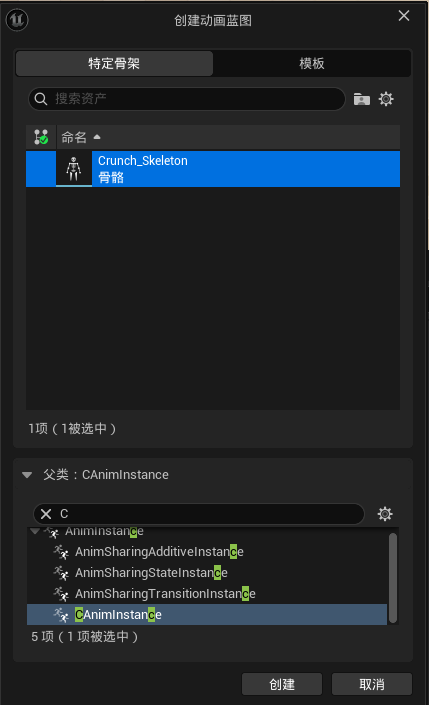
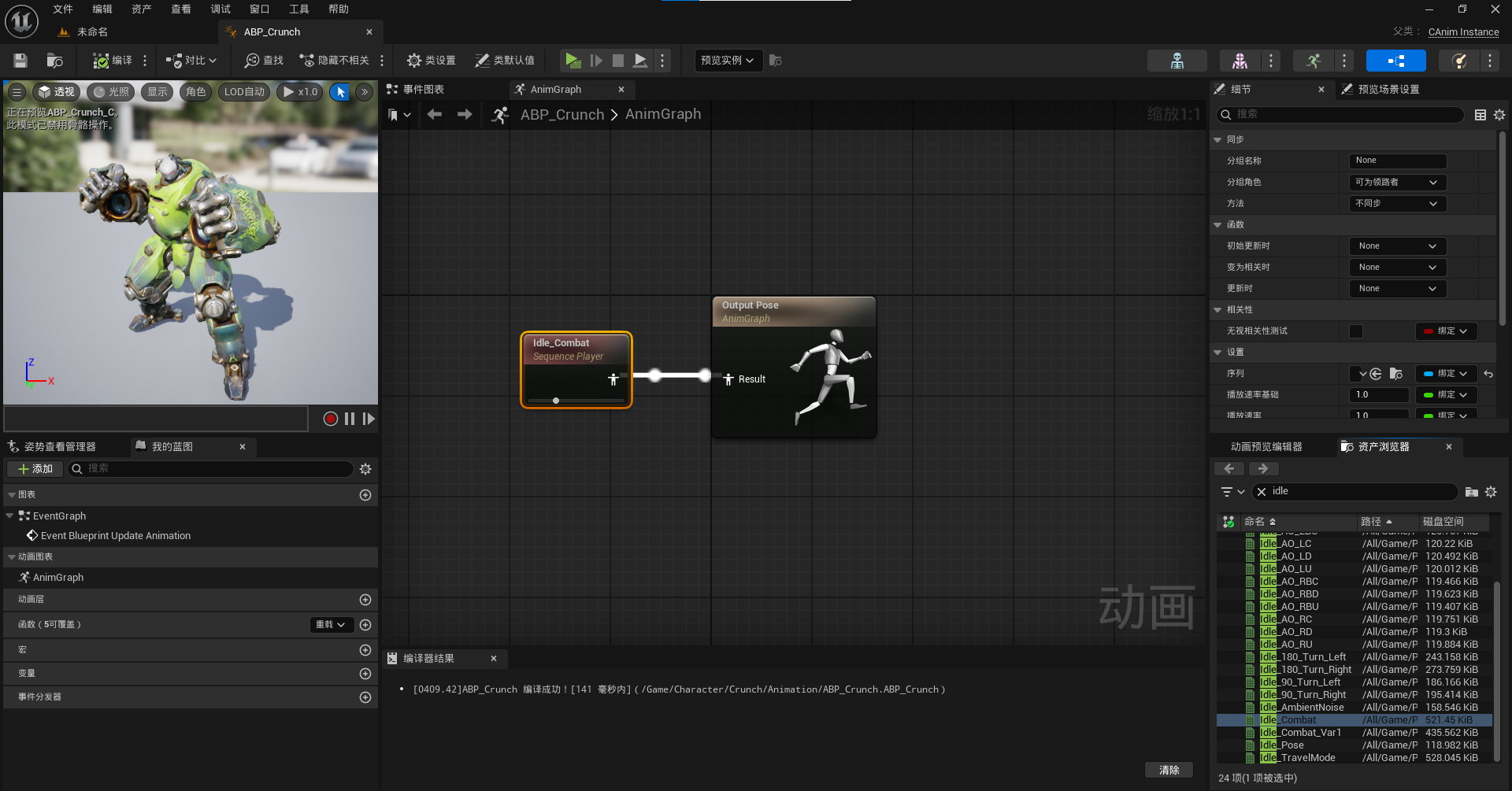
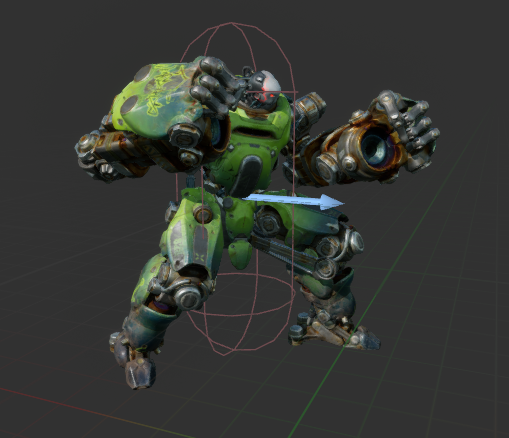
角色添加动画蓝图:

视口显示:
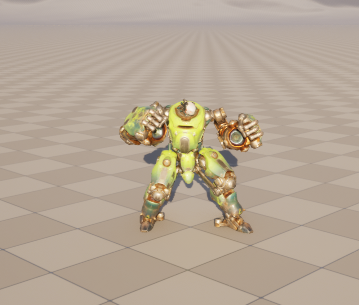
运行游戏:
5.在C类添加变量速度:
	//速度
	UPROPERTY()
	float Speed;
赋值:
void UCAnimInstance::NativeUpdateAnimation(float DeltaSeconds)
{
	Super::NativeUpdateAnimation(DeltaSeconds);
	if (OwnerCharacter)
	{
		Speed = OwnerCharacter->GetVelocity().Length();		//获取速度值
	}
}
添加函数:
	UFUNCTION(BlueprintCallable, meta=(BlueprintThreadSafe))
	FORCEINLINE float GetSpeed() const {return Speed;}

	UFUNCTION(BlueprintCallable, meta=(BlueprintThreadSafe))
	FORCEINLINE bool IsMoving() const {return Speed != 0;}

	UFUNCTION(BlueprintCallable, meta=(BlueprintThreadSafe))
	FORCEINLINE bool IsNotMoving() const {return Speed == 0;}
源代码:
Source/Crunch/Public/Animation/CAnimInstance.h:
// Copyright@ChenChao

#pragma once

#include "CoreMinimal.h"
#include "Animation/AnimInstance.h"
#include "CAnimInstance.generated.h"

class UCharacterMovementComponent;
/**
 *
 */
UCLASS()
class CRUNCH_API UCAnimInstance : public UAnimInstance
{
	GENERATED_BODY()

public:

	//本机初始化覆盖点
	virtual void NativeInitializeAnimation() override;

	//本机更新覆盖点。在这一步中简单地收集数据通常是个好主意
	//因为大部分工作都是在NativeThreadSafeUpdateAnimation中完成的。
	virtual void NativeUpdateAnimation(float DeltaSeconds) override;

	//本机线程安全更新覆盖点。在图更新之前在工作线程上执行
	//对于链接的anim实例,仅在宿主节点相关时调用
	virtual void NativeThreadSafeUpdateAnimation(float DeltaSeconds) override;

	UFUNCTION(BlueprintCallable, meta=(BlueprintThreadSafe))
	FORCEINLINE float GetSpeed() const {return Speed;}

	UFUNCTION(BlueprintCallable, meta=(BlueprintThreadSafe))
	FORCEINLINE bool IsMoving() const {return Speed != 0;}

	UFUNCTION(BlueprintCallable, meta=(BlueprintThreadSafe))
	FORCEINLINE bool IsNotMoving() const {return Speed == 0;}

private:
	//所有者角色
	UPROPERTY()
	TObjectPtr<ACharacter> OwnerCharacter;
	//所有者移动组件
	UPROPERTY()
	TObjectPtr<UCharacterMovementComponent> OwnerMovementComponent;
	//速度
	UPROPERTY()
	float Speed;
};
Source/Crunch/Private/Animation/CAnimInstance.cpp:
// Copyright@ChenChao


#include "Animation/CAnimInstance.h"

#include "GameFramework/Character.h"

void UCAnimInstance::NativeInitializeAnimation()
{
	Super::NativeInitializeAnimation();
	OwnerCharacter = Cast<ACharacter>(TryGetPawnOwner());
	if (OwnerCharacter)
	{
		OwnerMovementComponent = OwnerCharacter->GetCharacterMovement();
	}
}

void UCAnimInstance::NativeUpdateAnimation(float DeltaSeconds)
{
	Super::NativeUpdateAnimation(DeltaSeconds);
	if (OwnerCharacter)
	{
		Speed = OwnerCharacter->GetVelocity().Length();		//获取速度值
	}
}

void UCAnimInstance::NativeThreadSafeUpdateAnimation(float DeltaSeconds)
{
	Super::NativeThreadSafeUpdateAnimation(DeltaSeconds);
}
6.编译,到动画蓝图里
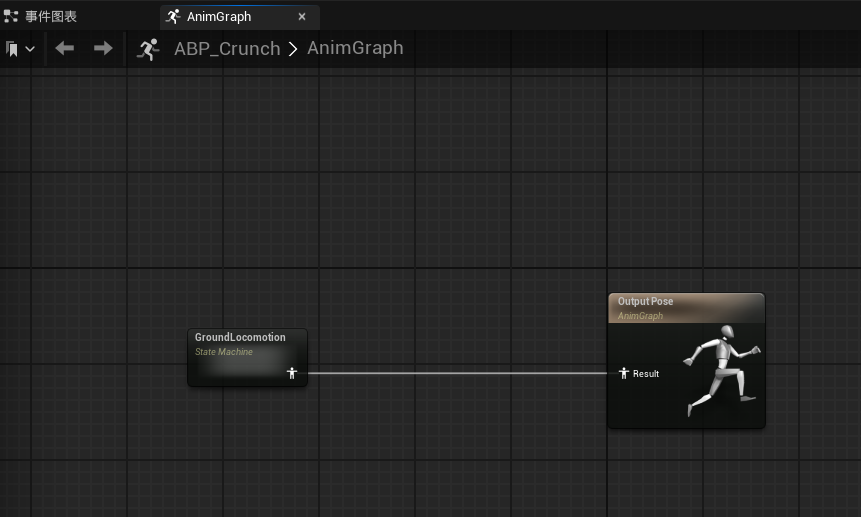
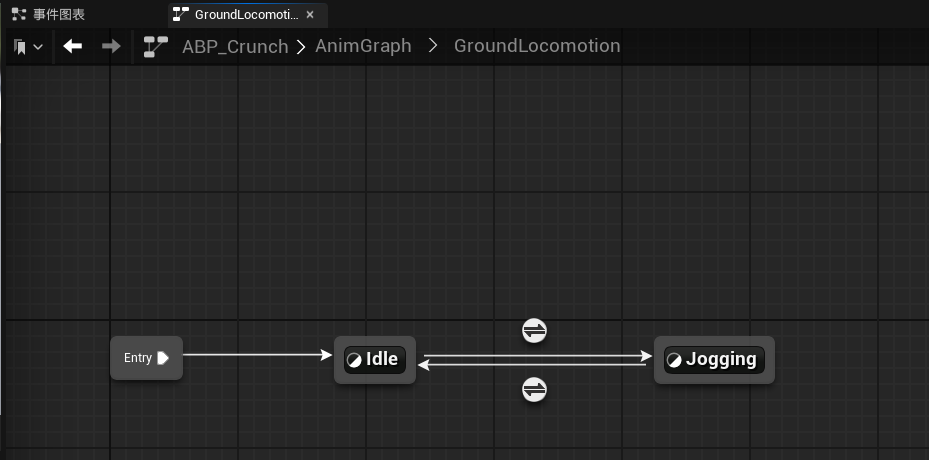
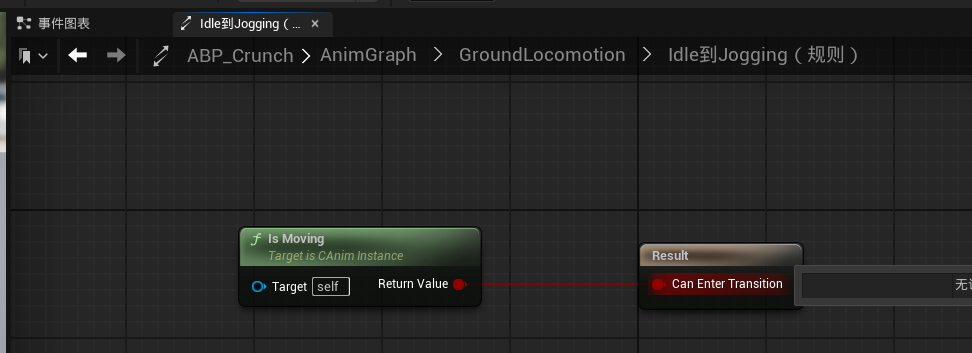
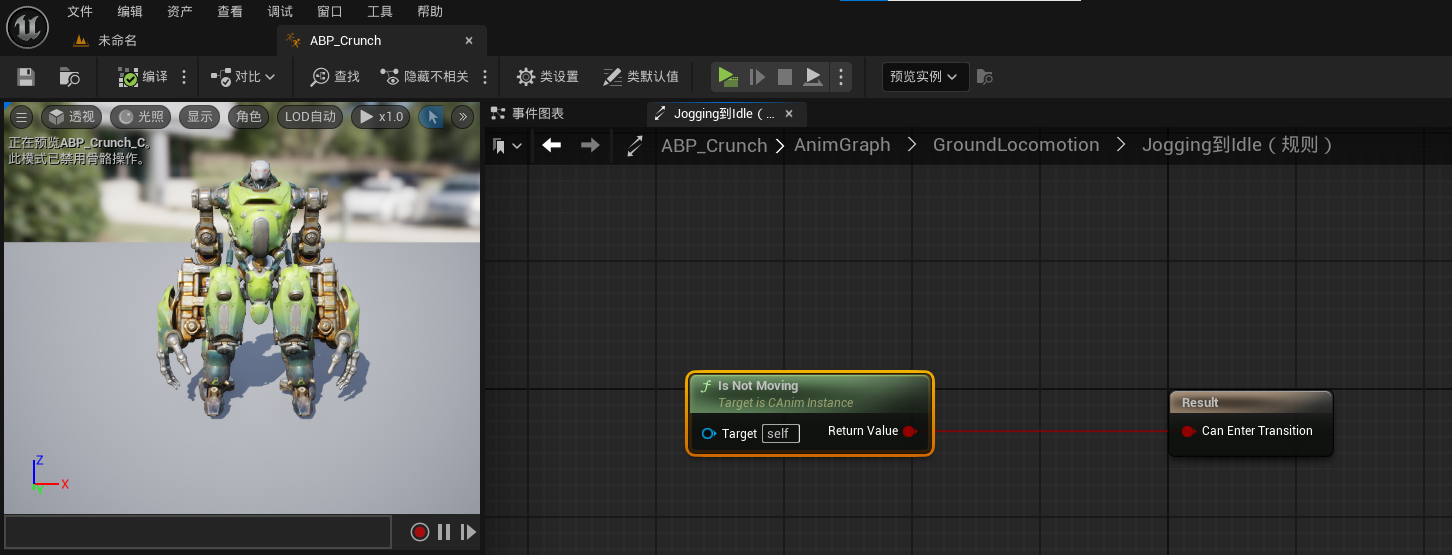
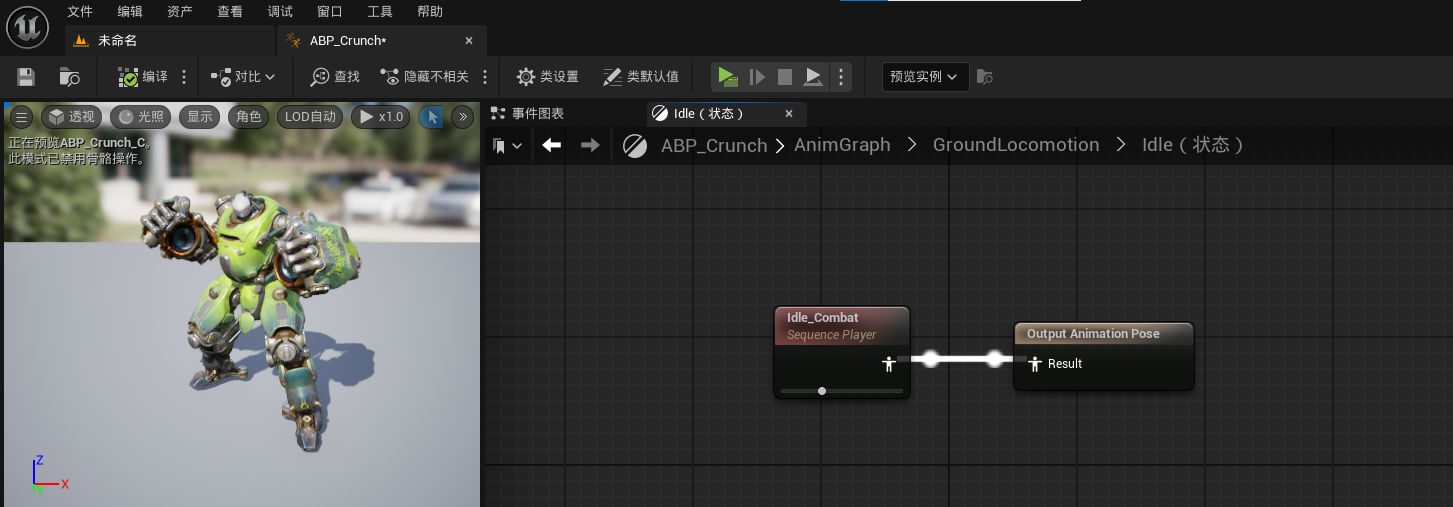
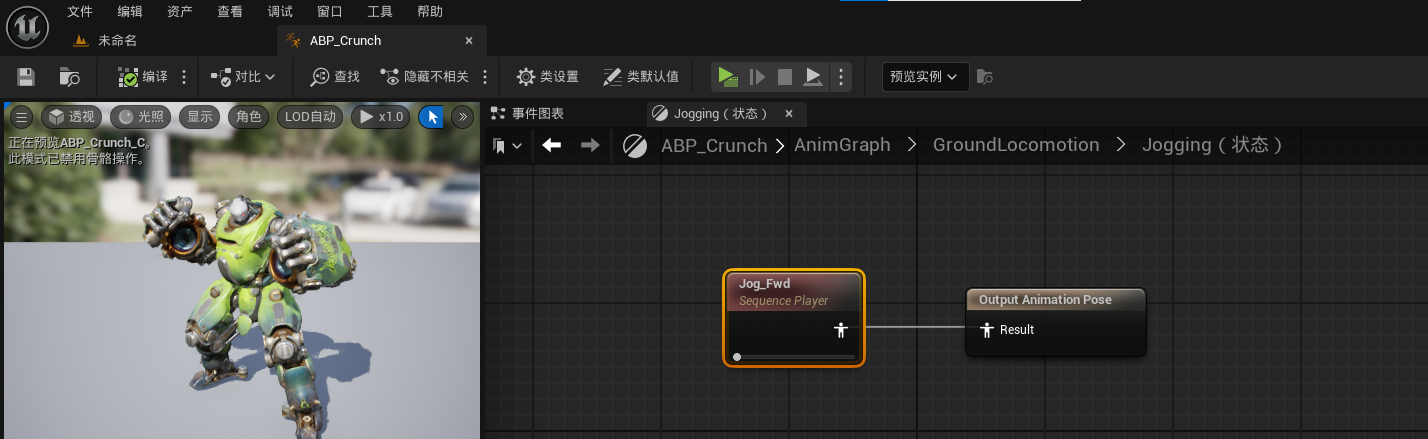
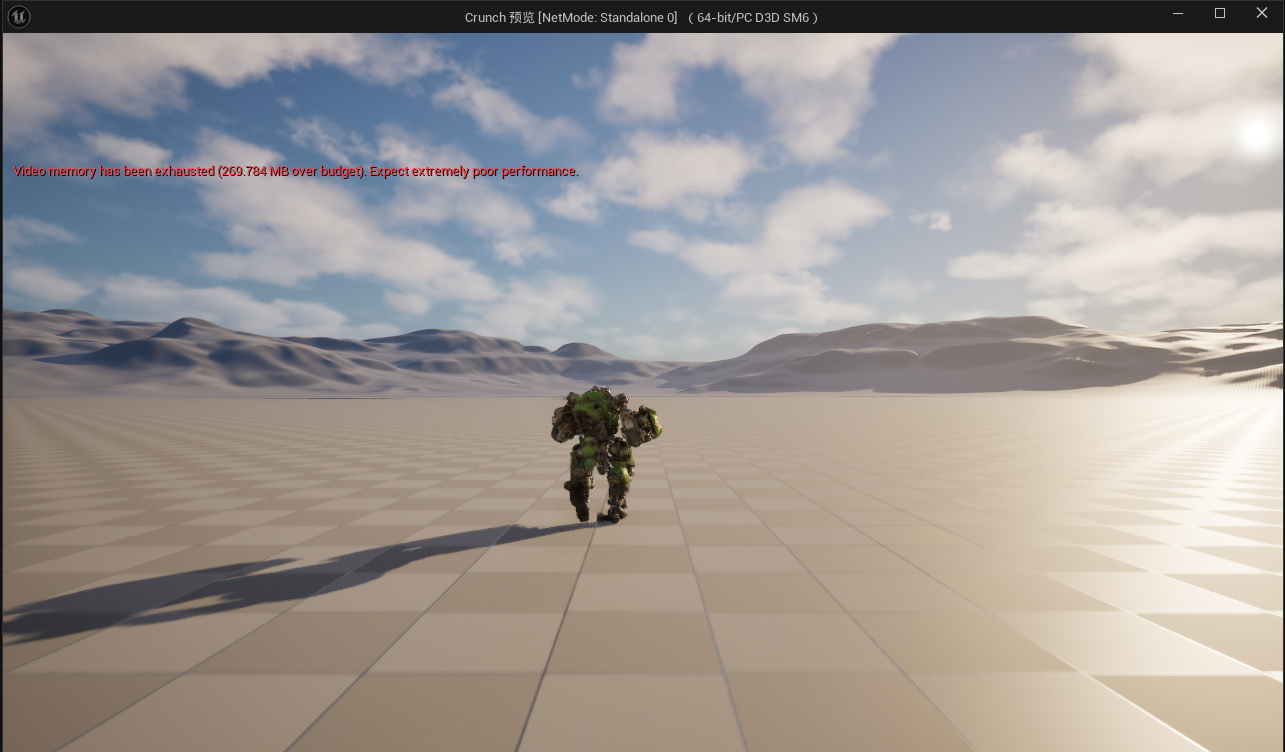
游戏就动起来啦!
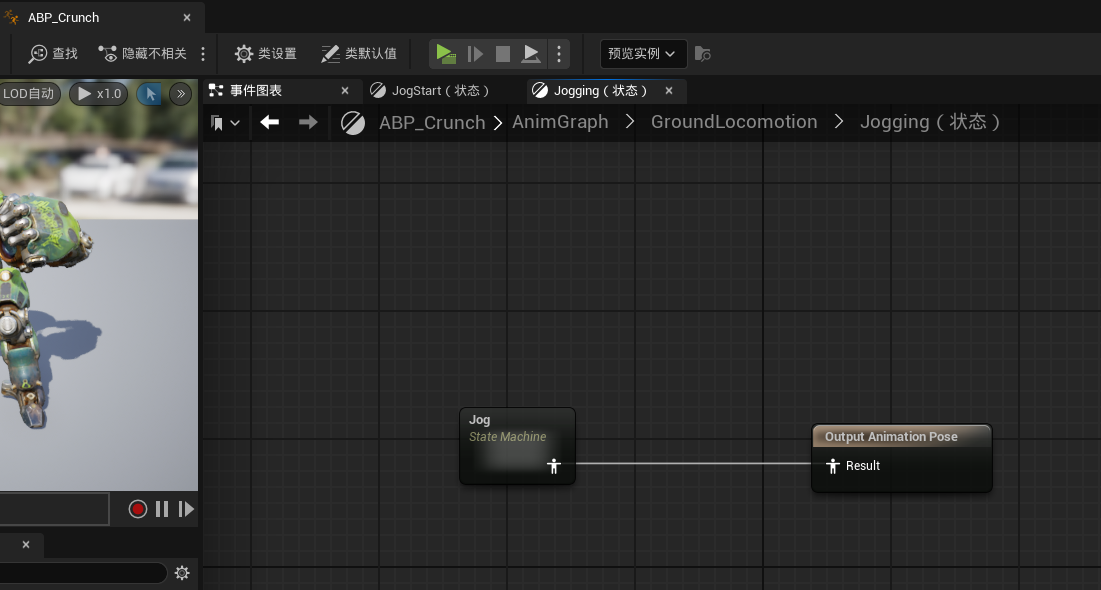
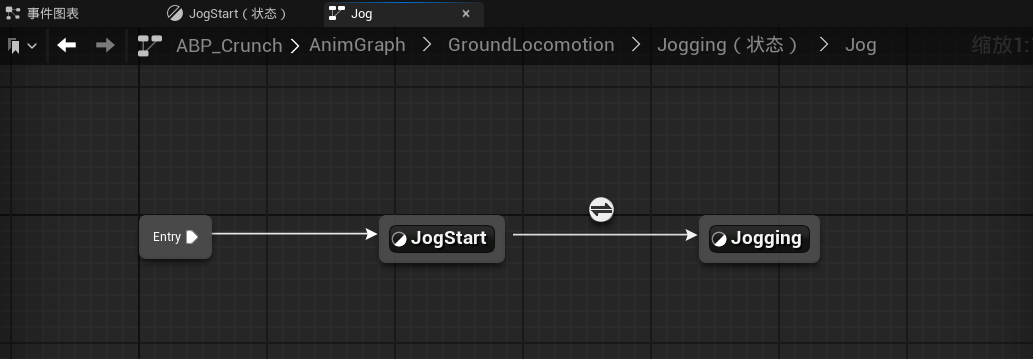
7.为了是动画更自然,我们加入慢跑启动动画:
在慢跑状态里添加状态机:
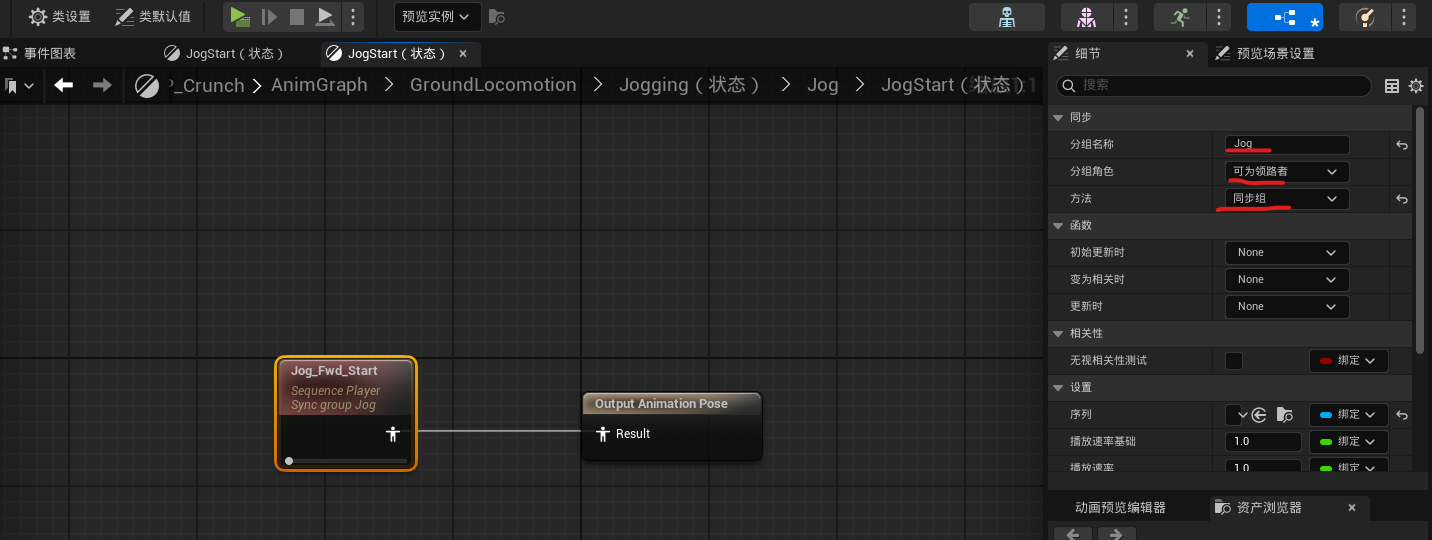
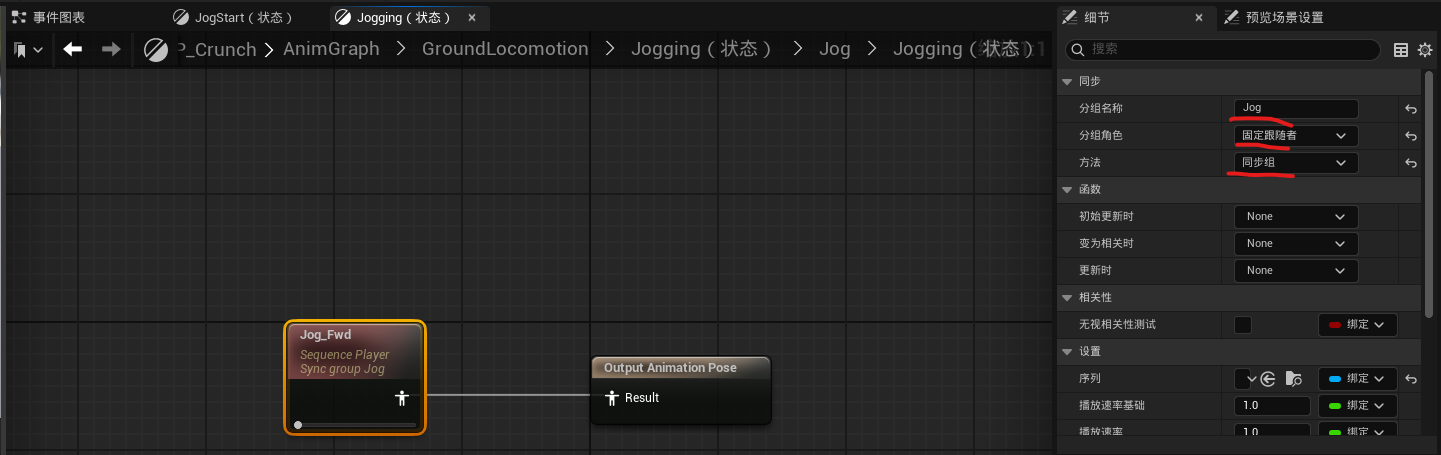
为了使慢跑开始动画和慢跑的动画腿部相匹配,添加动画同步组:
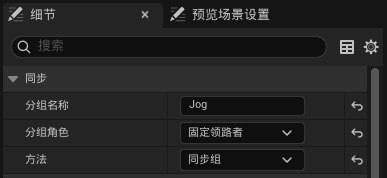
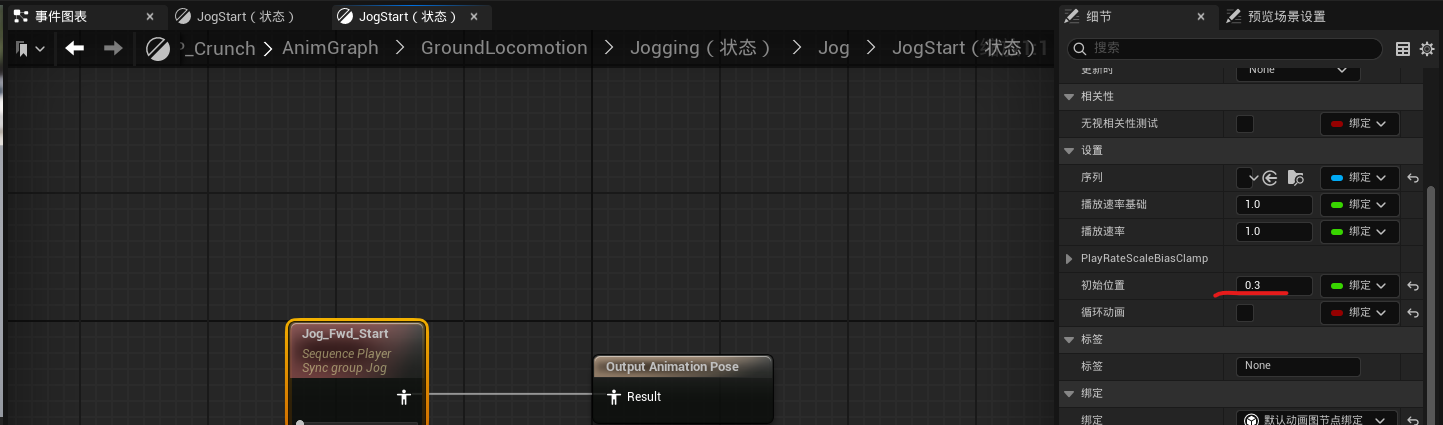
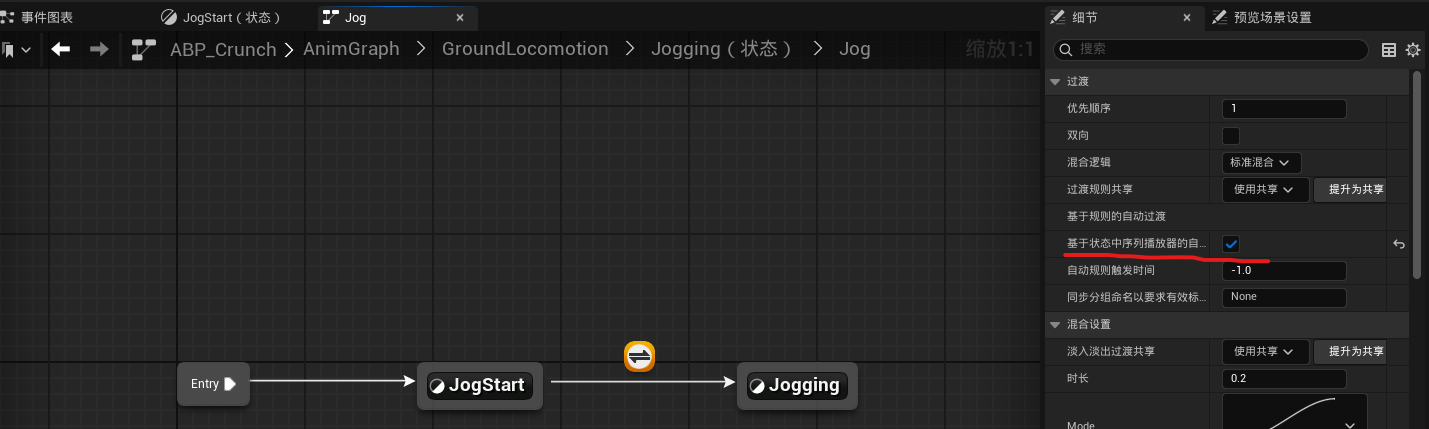
过渡规则:
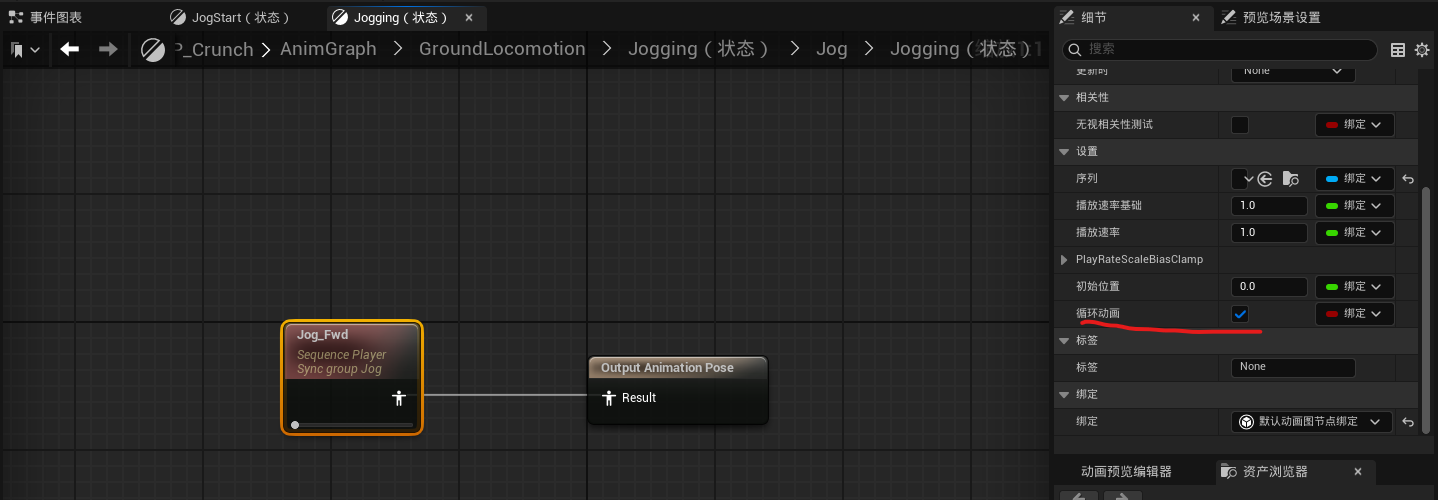
8.我们再添加一个慢跑停止的动画:
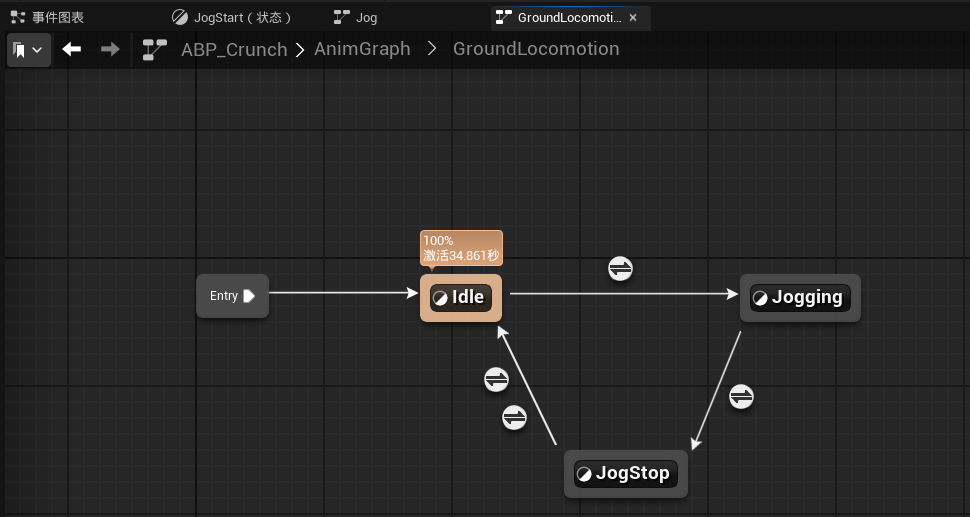
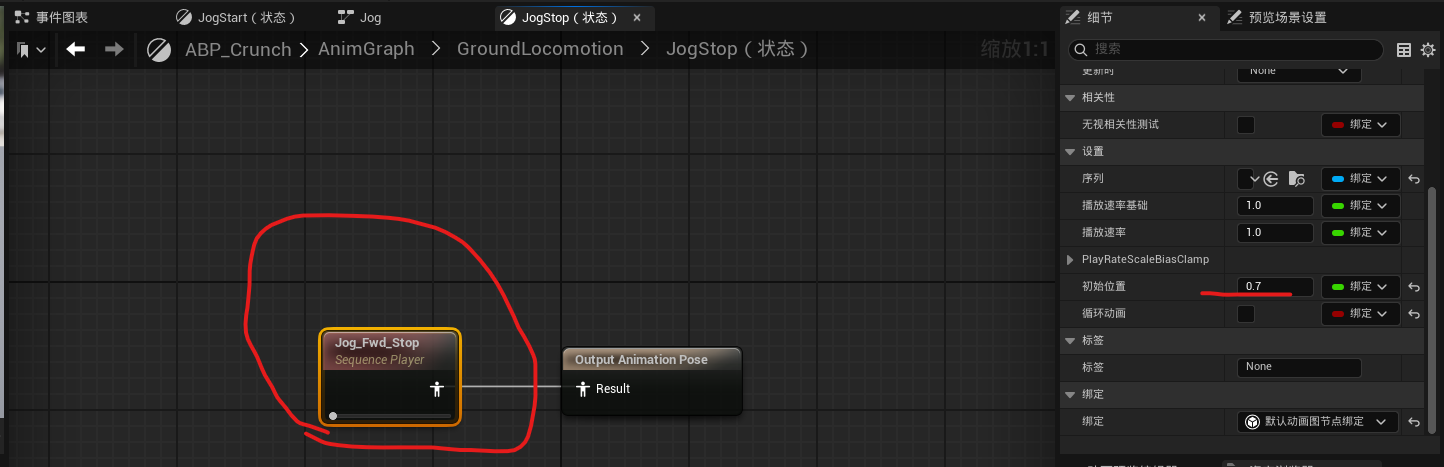
右边规则:
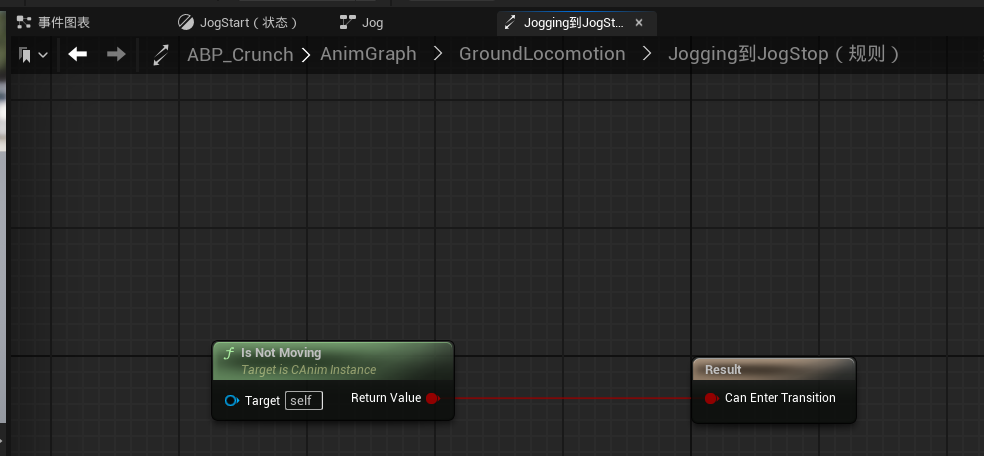
左边规则:
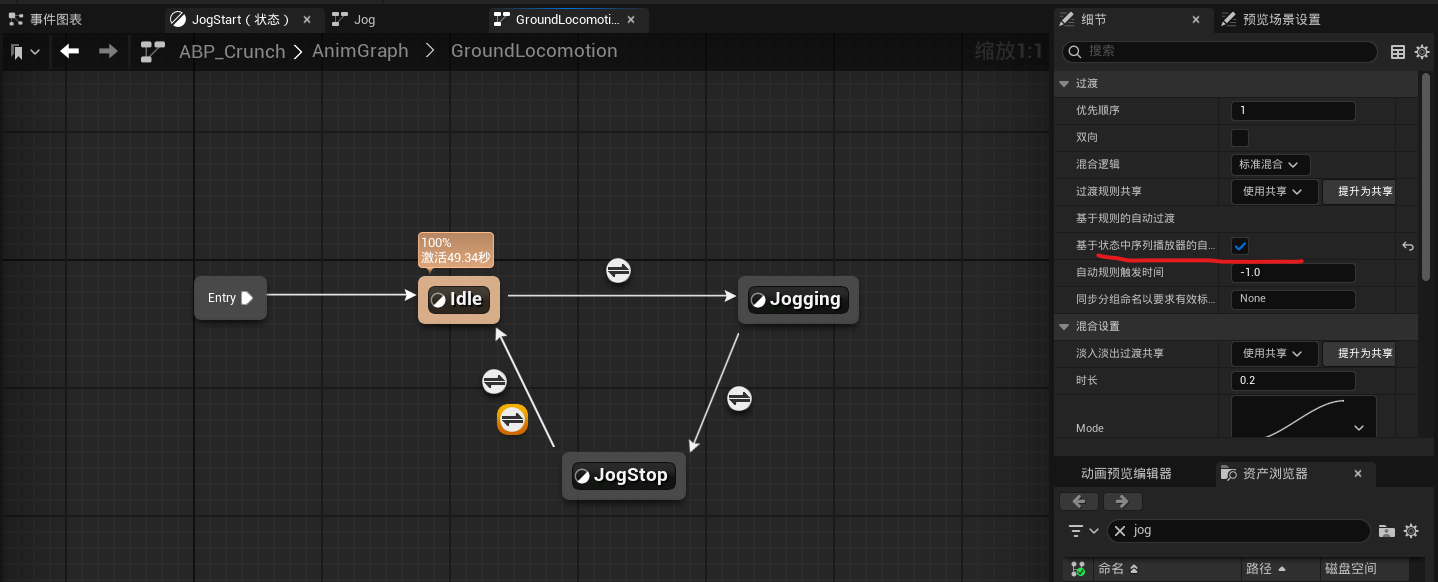
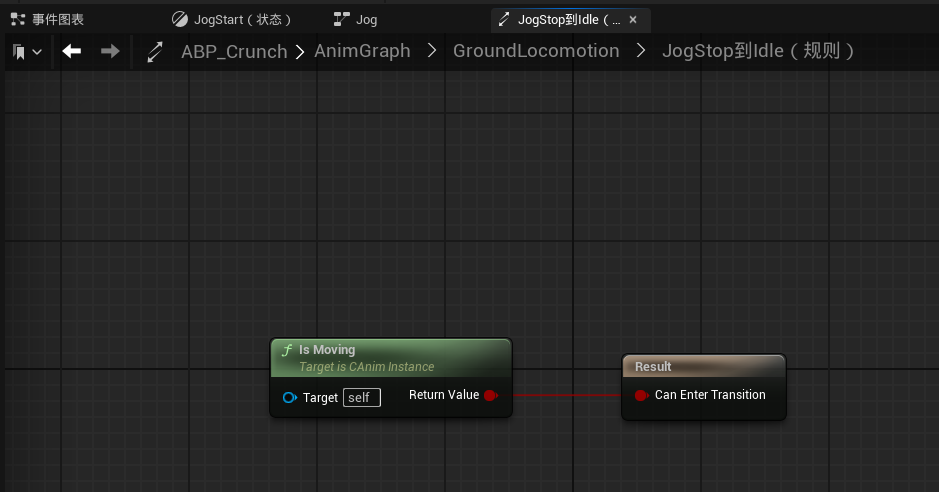
9.我们再加入前进时的倾斜动画:
(1)建立混合空间:
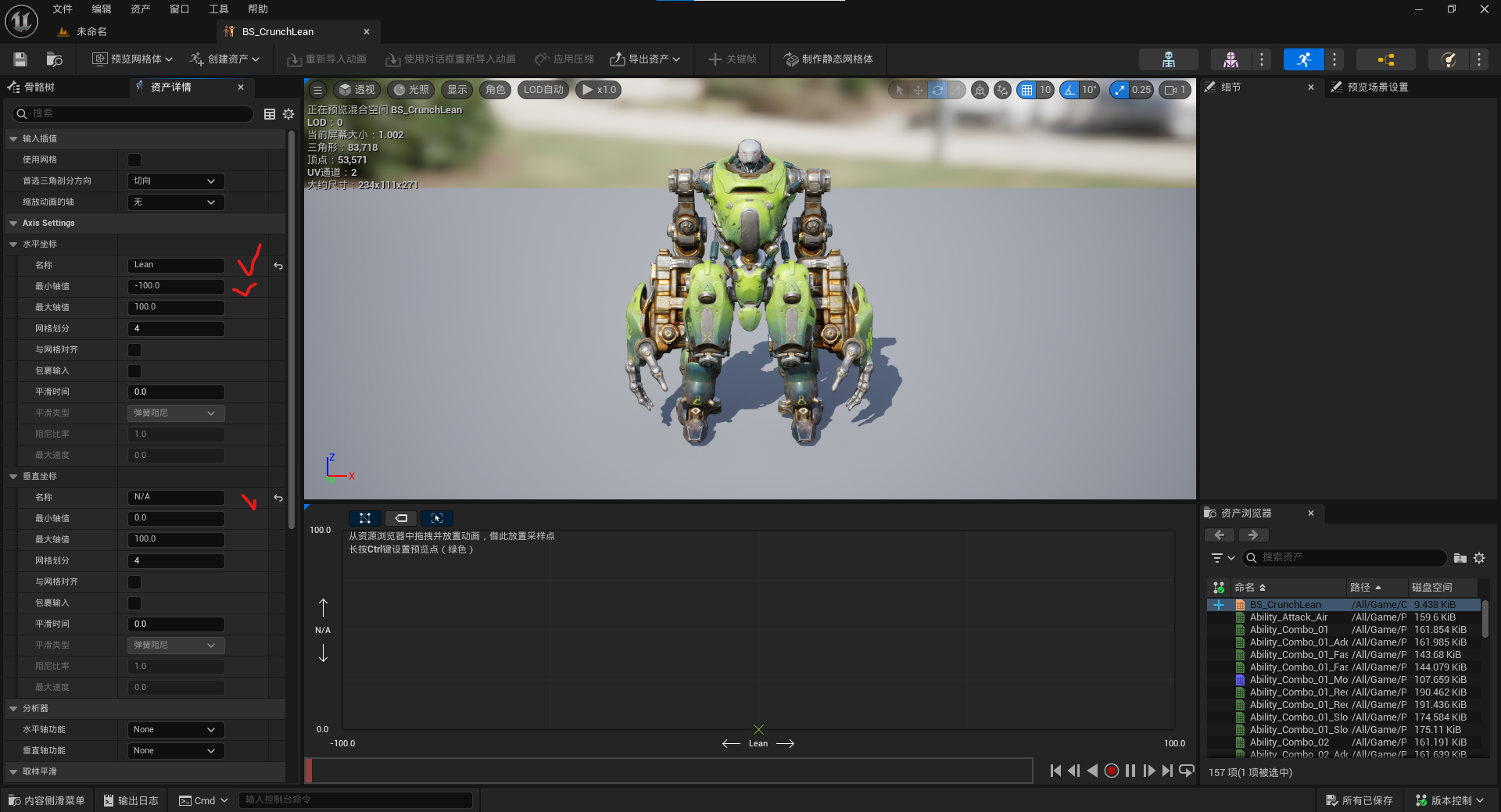
拖入3个前进动画:


将混合空间添加到:
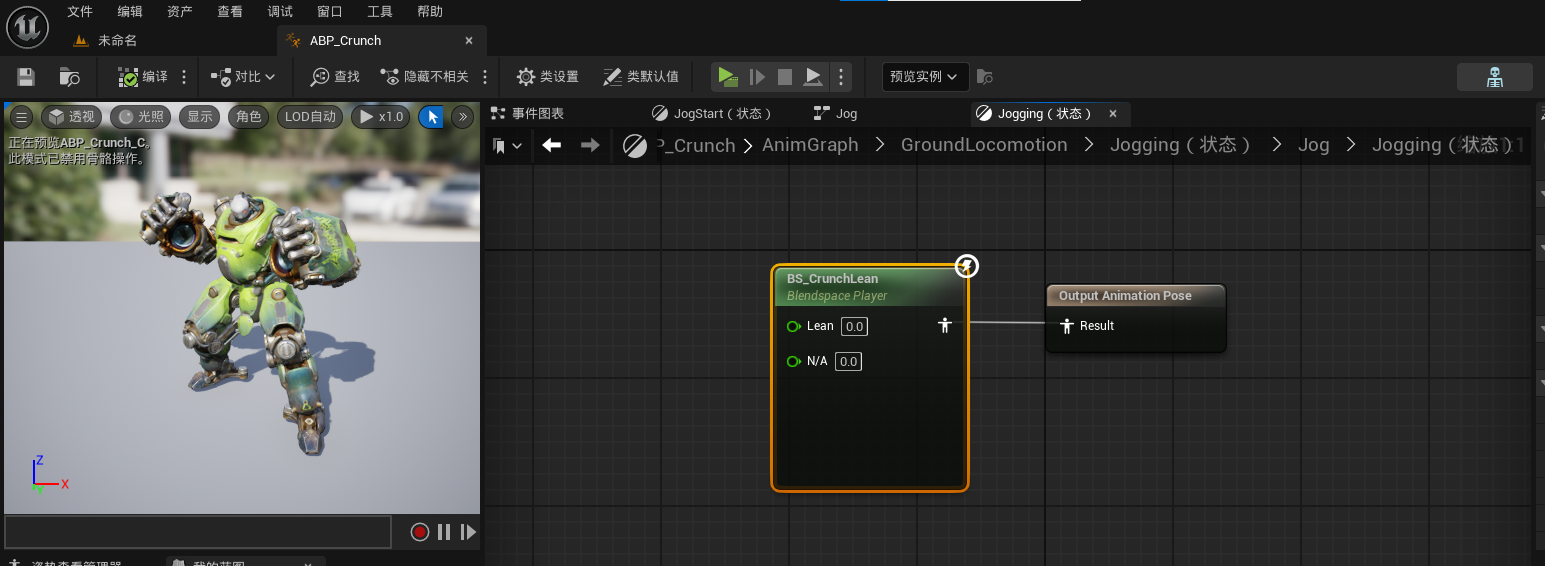
(2)再到C++里设置参数:
	//偏航速度
	UPROPERTY()
	float YawSpeed;
	//平滑后的偏航速度
	UPROPERTY()
	float SmoothedYawSpeed;
	//平滑插值速度
	UPROPERTY(EditAnywhere,Category="Animation")
	float InterpSpeed = 1.f;	//一个用于平滑处理偏航角速度(Yaw Rate)的算法参数,其核心功能是通过插值(Lerp)实现旋转速度的平滑过渡,避免突变带来的不稳定性
	//身体上一帧旋转
	UPROPERTY()
	FRotator BodyPreviousRotation;
getter方法:
//获取偏航速度
	UFUNCTION(BlueprintCallable, meta=(BlueprintThreadSafe))
	FORCEINLINE float GetYawSpeed() const {return YawSpeed;}

	//获取平滑偏航速度
	UFUNCTION(BlueprintCallable, meta=(BlueprintThreadSafe))
	FORCEINLINE float GetSmoothedYawSpeed() const {return SmoothedYawSpeed;}
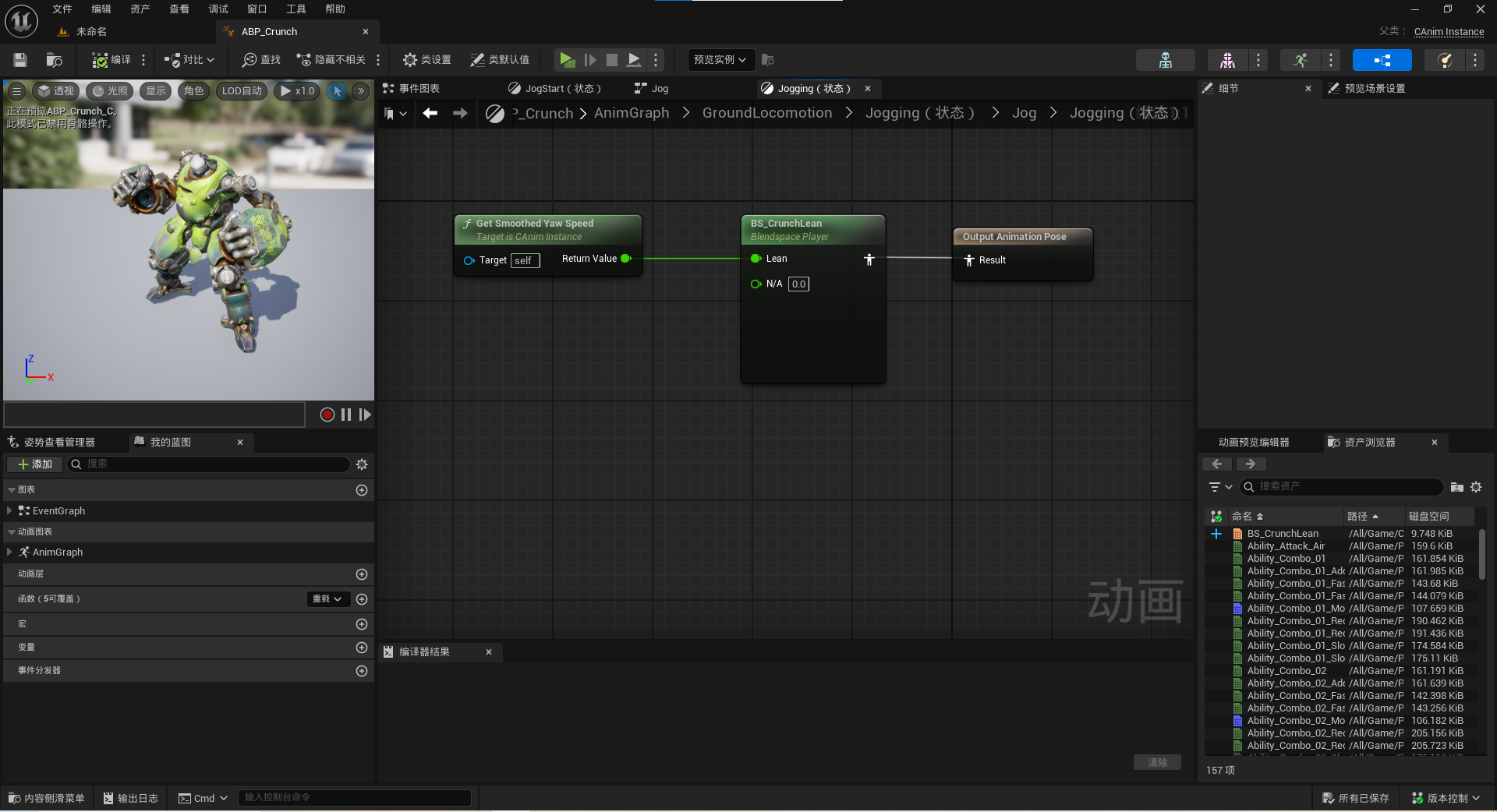
在NativeUpdateAnimation()里:
		// 获取身体旋转
		FRotator BodyRotation = OwnerCharacter->GetActorRotation();
		//计算当前身体旋转和上一帧身体旋转的差值
		FRotator BodyRotationDelta = UKismetMathLibrary::NormalizedDeltaRotator(BodyRotation,BodyPreviousRotation);
		BodyPreviousRotation = BodyRotation;

		//计算偏航速度
		YawSpeed = BodyRotationDelta.Yaw / DeltaSeconds;
		//平滑偏航速度
		SmoothedYawSpeed = UKismetMathLibrary::FInterpTo(SmoothedYawSpeed, YawSpeed, DeltaSeconds, InterpSpeed);
NormalizedDeltaRotator作用
- 计算两个旋转量之间的最小角度差(标准化到[-180,180]范围)
- 避免360°环绕问题(如从350°到10°会返回20°而非-340°
//平滑偏航速度
		SmoothedYawSpeed = UKismetMathLibrary::FInterpTo(SmoothedYawSpeed, YawSpeed, DeltaSeconds, InterpSpeed);
这段代码实现了虚幻引擎中偏航速度(Yaw Speed)的平滑过渡处理,是角色运动控制的关键技术。其核心原理和参数作用如下:
一、技术实现原理
- 指数平滑算法
采用Current + (Target - Current) * (1 - exp(-InterpSpeed * DeltaTime))公式实现自然减速效果 - 帧率自适应
通过DeltaSeconds参数自动适配不同帧率设备,确保相同InterpSpeed下过渡时间一致 - 运动学优化
消除原始角速度YawSpeed的突变噪声,提升运动连贯性
二、参数配置建议
| 参数 | 类型 | 推荐值 | 作用说明 |
|---|---|---|---|
InterpSpeed | float | 3.0-8.0 | 值越大响应越快,适用于需要快速转向的场景 |
DeltaSeconds | float | 自动获取 | 通过GetWorld()->GetDeltaSeconds()获取 |
SmoothedYawSpeed | float | 动态值 | 存储平滑处理后的角速度结果 |
三、典型应用场景
- 角色转向控制
用于调整角色动画的转向混合权重,避免突然转身的僵硬感 - 相机跟随系统
消除快速转向时的镜头抖动现象 - 载具物理模拟
为转向力矩计算提供稳定的输入参数
四、相关函数对比
FInterpTo:标准浮点插值RInterpTo:旋转量专用插值版本FInterpConstantTo:线性匀速插值变体
编译,打开UE:





 扫一扫
扫一扫


 3万+
3万+

 被折叠的 条评论
为什么被折叠?
被折叠的 条评论
为什么被折叠?
 到【灌水乐园】发言





