 微信读书VSCode插件


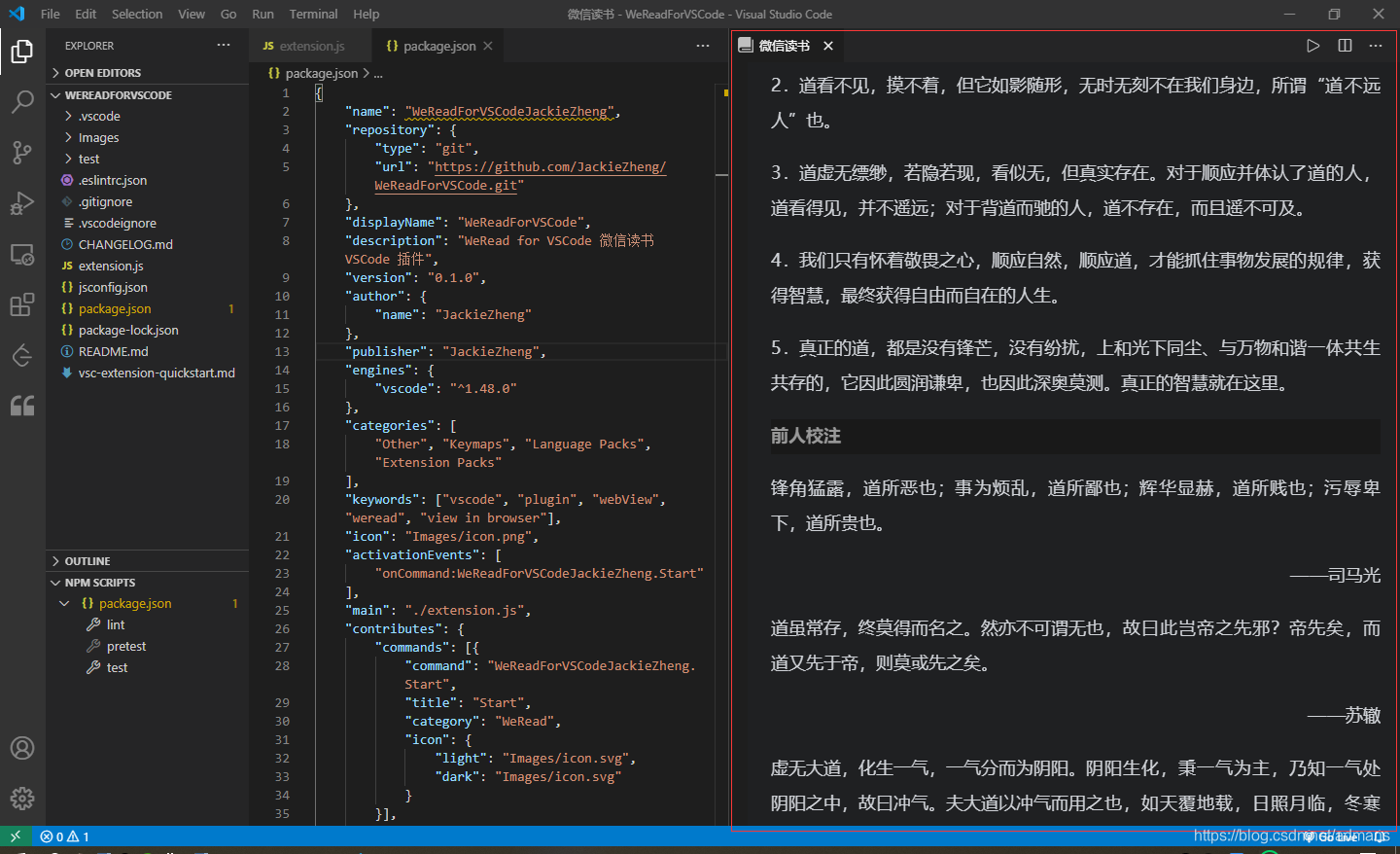
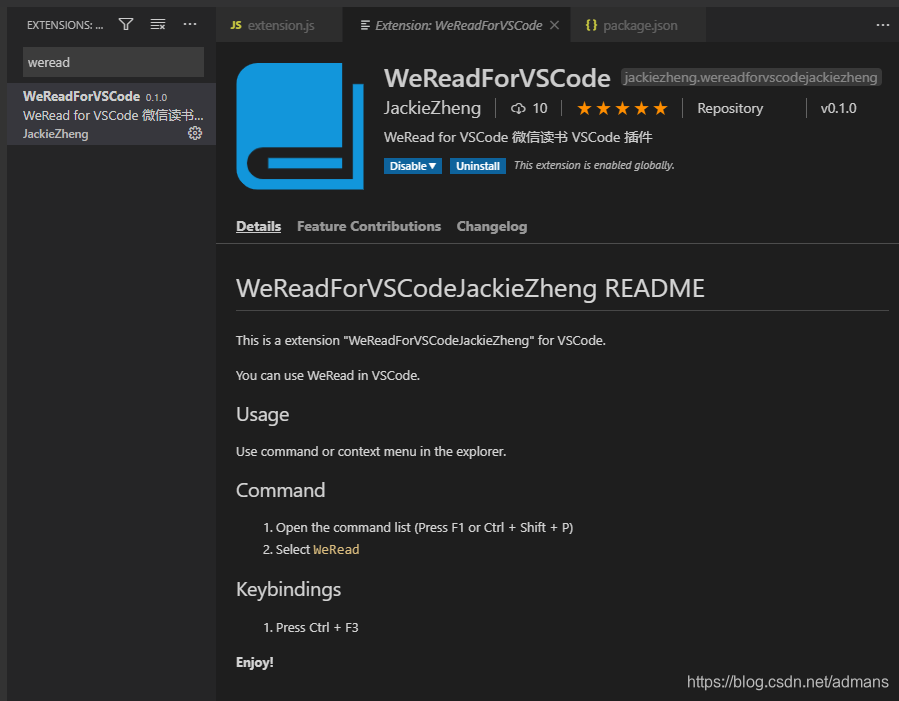
 介绍了一款名为WeReadforVSCode的VSCode插件,该插件允许用户在Visual Studio Code中直接使用微信读书服务。插件通过WebView组件提供了一个微信读书的界面,支持在编辑器内阅读书籍,管理书架,查看推荐等微信读书的所有功能。
最终效果
主要代码
package.json
{
	"name": "WeReadForVSCodeJackieZheng",
	"repository": {
		"type": "git",
		"url": "https://github.com/JackieZheng/WeReadForVSCode.git"
	},
	"displayName": "WeReadForVSCode",
	"description": "WeRead for VSCode 微信读书 VSCode 插件",
	"version": "0.1.0",
	"author": {
		"name": "JackieZheng"
	},
	"publisher": "JackieZheng",
	"engines": {
		"vscode": "^1.48.0"
	},
	"categories": [
		"Other", "Keymaps", "Language Packs", "Extension Packs"
	],
	"keywords": ["vscode", "plugin", "webView", "weread", "view in browser"],
	"icon": "Images/icon.png",
	"activationEvents": [
		"onCommand:WeReadForVSCodeJackieZheng.Start"
	],
	"main": "./extension.js",
	"contributes": {
		"commands": [{
			"command": "WeReadForVSCodeJackieZheng.Start",
			"title": "Start",
			"category": "WeRead",
			"icon": {
				"light": "Images/icon.svg",
				"dark": "Images/icon.svg"
			}
		}],
		"keybindings": [{
			"command": "WeReadForVSCodeJackieZheng.Start",
			"key": "ctrl+f3",
			"mac": "cmd+f3"
		}]
	},
	"license": "SEE LICENSE IN LICENSE.md",
	"bugs": {
		"url": "https://github.com/JackieZheng/WeReadForVSCode/issues",
		"email": "zhengxinzhe@jackyzheng.uu.me"
	},
	"homepage": "https://github.com/JackieZheng/WeReadForVSCode/blob/master/README.md",

	"scripts": {
		"lint": "eslint .",
		"pretest": "npm run lint",
		"test": "node ./test/runTest.js"
	},
	"devDependencies": {
		"@types/vscode": "^1.48.0",
		"@types/glob": "^7.1.3",
		"@types/mocha": "^8.0.0",
		"@types/node": "^14.0.27",
		"eslint": "^7.6.0",
		"glob": "^7.1.6",
		"mocha": "^8.0.1",
		"typescript": "^3.8.3",
		"vscode-test": "^1.4.0"
	}
}
extension.js
// @ts-nocheck
const vscode = require('vscode');
const {url} = require('inspector');

// this method is called when your extension is activated
// your extension is activated the very first time the command is executed

function activate(context) {

	// The command has been defined in the package.json file
	// Now provide the implementation of the command with  registerCommand
	// The commandId parameter must match the command field in package.json
	let disposable = vscode.commands.registerCommand('WeReadForVSCodeJackieZheng.Start', function () {
		// The code you place here will be executed every time your command is executed
		// 1.创建并显示Webview
		const panel = vscode.window.createWebviewPanel(
			// 该webview的标识,任意字符串
			'WeRead',
			// webview面板的标题,会展示给用户
			'微信读书',
			// webview面板所在的分栏
			vscode.ViewColumn.One,
			// 其它webview选项
			{
				enableScripts: true, // 启用JS,默认禁用
				retainContextWhenHidden: true, // webview被隐藏时保持状态,避免被重置
			}

		);
		//设置标题前图标
		panel.iconPath = {
			dark: vscode.Uri.file(context.extensionPath + '/Images/iconDark.png'),
			light: vscode.Uri.file(context.extensionPath + '/Images/iconBlack.png')
		};

		panel.webview.html = `<!DOCTYPE html>
							<html lang="en">
							<head>
								<meta charset="UTF-8">
								<meta content="width=device-width, initial-scale=1.0, maximum-scale=1.0, user-scalable=0" name="viewport">
								<meta content="portrait" name="x5-orientation">
								<meta content="true" name="x5-fullscreen">
								<meta content="portrait" name="screen-orientation">
								<meta content="yes" name="full-screen">
								<meta content="webkit" name="renderer">
								<meta content="IE=Edge" http-equiv="X-UA-Compatible">
								<title>微信读书</title>
								<style>
								html,body,iframe{
									width:100%;
									height:100%;
									border:0;
									overflow: hidden;
								}
								</style>
							</head>
							<body>
								<iframe src="https://weread.qq.com/"/>
							</body>
							</html>`;
	});

	context.subscriptions.push(disposable);
}
exports.activate = activate;

// this method is called when your extension is deactivated
function deactivate() {}

module.exports = {
	activate,
	deactivate
}
其它相关
安装脚手架:
npm install -g yo generator-code初始化项目:
yo code
安装打包工具:
npm i vsce -g
打包成vsix文件:
vsce package
打包后插件及完整源码
https://marketplace.visualstudio.com/items?itemName=JackieZheng.WeReadForVSCodeJackieZheng
https://github.com/JackieZheng/WeReadForVSCode





 扫一扫
扫一扫


 1010
1010


 到【灌水乐园】发言



