


 该博客聚焦CSharp进阶知识点学习,涵盖简单数据结构类、泛型、常用泛型数据结构类等内容,介绍了ArrayList、Stack、Queue等多种数据结构,还涉及委托和事件、List排序、协变逆变、多线程等知识,最后提及排序进阶及后续学习计划。
CSharp进阶知识点学习
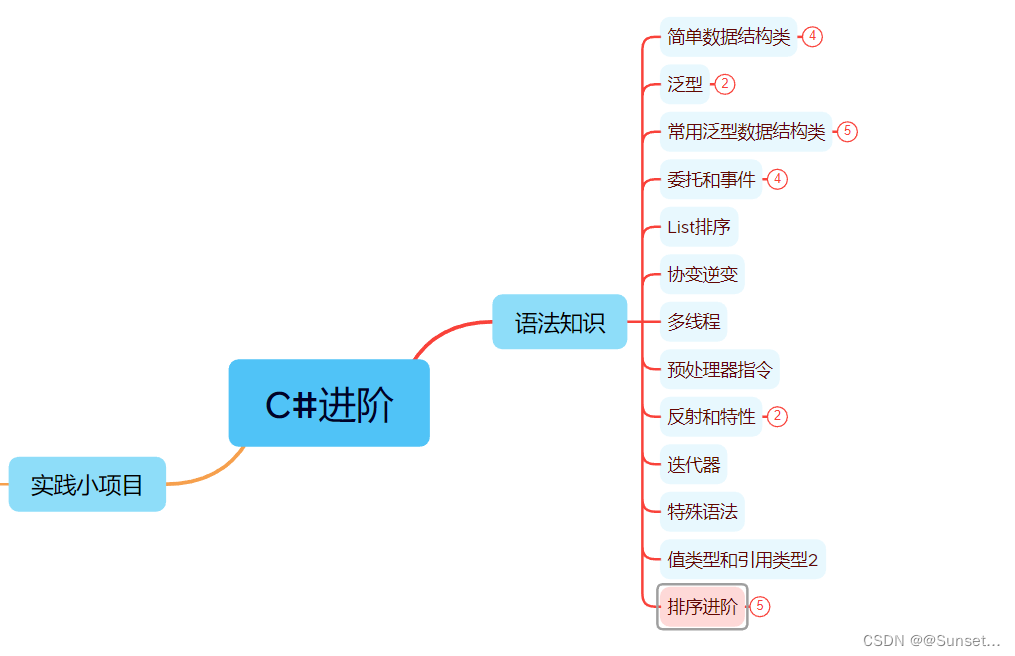
知识点汇总
简单数据结构类:
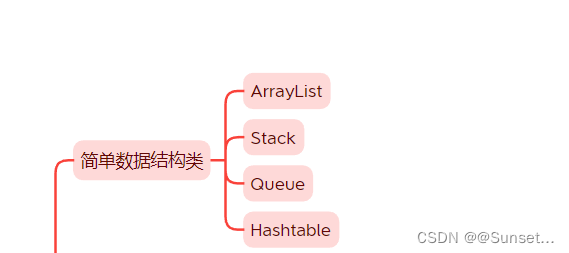
Lesson1:ArrayList
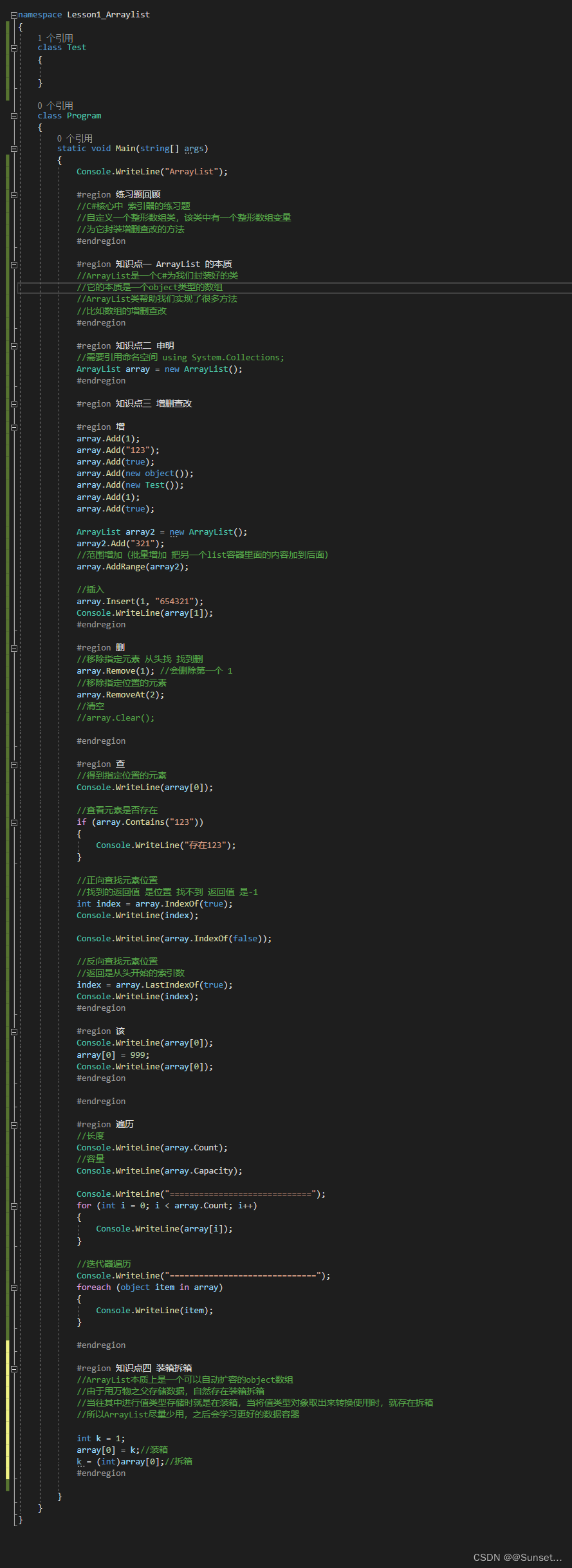
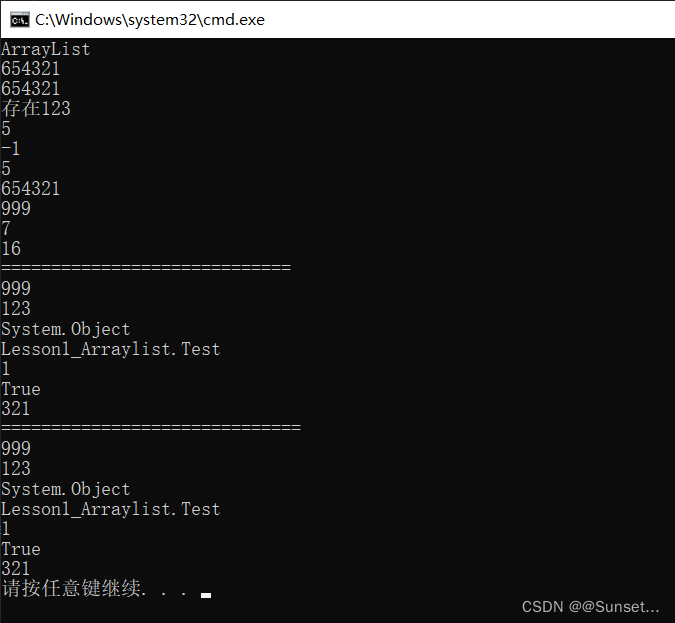
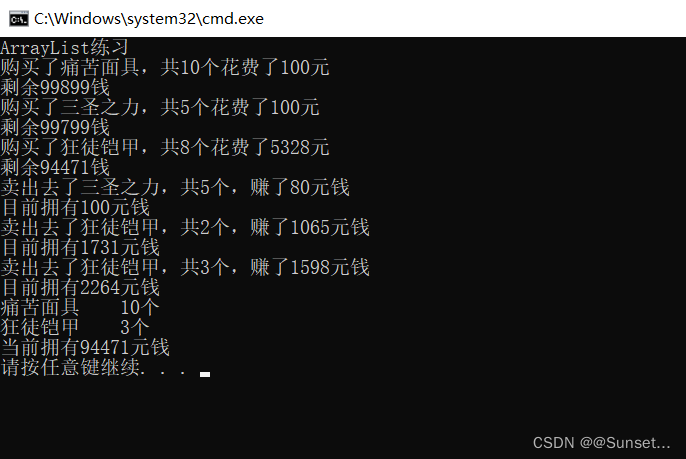
练习:
using System;
using System.Collections;
using System.Collections.Generic;
using System.Linq;
using System.Text;
using System.Threading.Tasks;

namespace Lesson1_练习
{

    #region 练习一
    //请简述ArrayList 和 数组的区别

    //1.ArrayList本质上是一个object数组的封装
    //2.数组可以指定存储类型,ArrayList默认为object类型
    //3.数组的增删查改需要我们自己去实现,ArrayList帮我们封装好了方便的API来使用
    //4.ArrayList使用时可能存在装箱拆箱,数组使用时只要不是object数组就不存在这个问题
    //5.数组长度用Length,ArrayList长度用Count

    #endregion

    #region 练习二
    //创建一个背包管理类,使用ArrayList存储物品
    //实现购买物品,卖出物品,显示物品的功能,购买与卖出物品会导致金钱变化

    class BagMgr
    {
        //背包中的物品
        private ArrayList items;

        private int money;

        public BagMgr(int money)
        {
            this.money = money;
            items = new ArrayList();
        }

        //买物品
        public void BuyItem(Item item)
        {
            //避免乱传
            if (item.num <= 0 || item.money < 0)
            {
                Console.WriteLine("请传入正确的物品信息。");
                return;
            }

            if (money < item.money * item.num)
            {
                Console.WriteLine("买不起,钱不够。");
                return;
            }

            //若是钱够就减钱
            money -= item.money * item.num;
            Console.WriteLine("购买了{0},共{1}个花费了{2}元",item.name, item.num, item.money*item.num);
            Console.WriteLine("剩余{0}钱",money);

            //如果想要叠加物品 可以在前面先判断 是否有这个物品 然后加数量
            for (int i = 0; i < items.Count; i++)
            {
                if ((items[i] as Item).id == item.id)
                {
                    (items[i] as Item).num += item.num;
                    return;
                }
            }
            //把一组物品加到 list中
            items.Add(item);
        }

        //卖出物品
        public void SellItem(Item item)
        {
            for (int i = 0; i < items.Count; i++)
            {
                //如何判断 卖的东西背包里有没有
                //这是在判断 两个引用地址 指向的是不是同一个房间地址
                //所以我们要判断 卖的物品 一般不这样判断
                //if ((items[i] as Item) == item)
                //{

                //}

                if ((items[i] as Item).id == item.id)
                {
                    //两种情况
                    int num = 0;
                    string name = (items[i] as Item).name;
                    int money = (items[i] as Item).money;
                    if ((items[i] as Item).num > item.num)
                    {
                        //1.比我身上的少
                        num = item.num;
                        (items[i] as Item).num -= num;
                    }
                    else
                    {
                        //2.大于等于我身上的东西数量
                        num = (items[i] as Item).num;
                        //卖完了就移除
                        items.RemoveAt(i);
                    }

                    int sellMoney = (int)(num * money * 0.8f);
                    money += sellMoney;

                    Console.WriteLine("卖出去了{0},共{1}个,赚了{2}元钱", name, num, sellMoney);
                    Console.WriteLine("目前拥有{0}元钱",money);

                    return;

                }

            }

        }

        public void SellItem(int id, int num)
        {
            //调用一下上面的方法
            Item item = new Item(id, num);
            SellItem(item);
        }

        public void SellItem(string name)
        {

        }

        //显示物品
        public void ShowItem()
        {
            Item item;
            for (int i = 0; i < items.Count; i++)
            {
                item = items[i] as Item;
                Console.WriteLine("{0}    {1}个", item.name, item.num);
            }
            Console.WriteLine("当前拥有{0}元钱", money);
        }
    }

    class Item
    {
        //物品唯一ID 来区分物品的种类
        public int id;
        //物品值多少钱(表示单价)
        public int money;
        //物品名字
        public string name;
        //物品数量
        public int num;

        public Item(int id, int num)
        {
            this.id = id;
            this.num = num;
        }

        public Item(int id, int money, string name, int num)
        {
            this.id = id;
            this.money = money;
            this.name = name;
            this.num = num;
        }

    }

    #endregion

    class Program
    {
        static void Main(string[] args)
        {
            Console.WriteLine("ArrayList练习");

            BagMgr bag = new BagMgr(99999);
            Item i1 = new Item(1, 10, "痛苦面具", 10);
            Item i2 = new Item(2, 20, "三圣之力", 5);
            Item i3 = new Item(3, 666, "狂徒铠甲", 8);

            bag.BuyItem(i1);
            bag.BuyItem(i2);
            bag.BuyItem(i3);

            bag.SellItem(i2);

            bag.SellItem(3, 2);
            bag.SellItem(3, 3);

            bag.ShowItem();

        }
    }
}
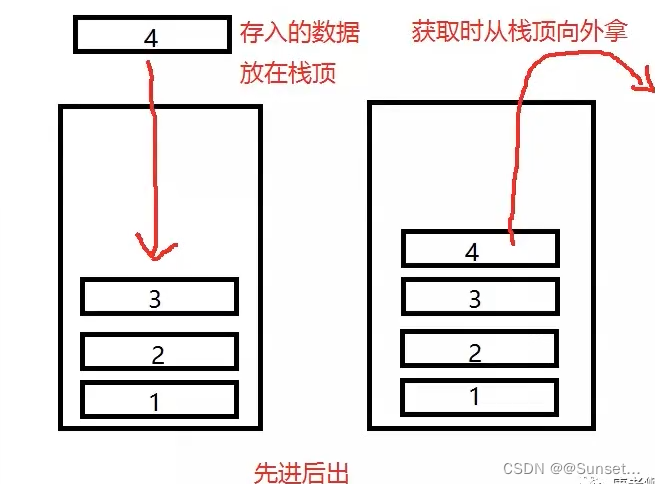
Lesson2:Stack

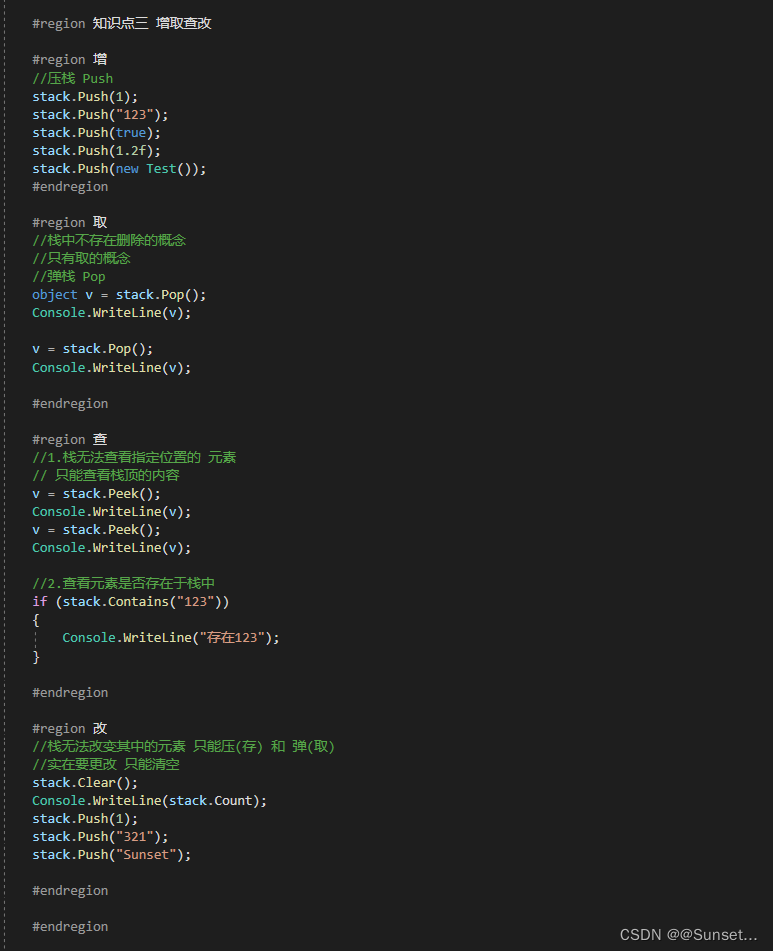
练习:

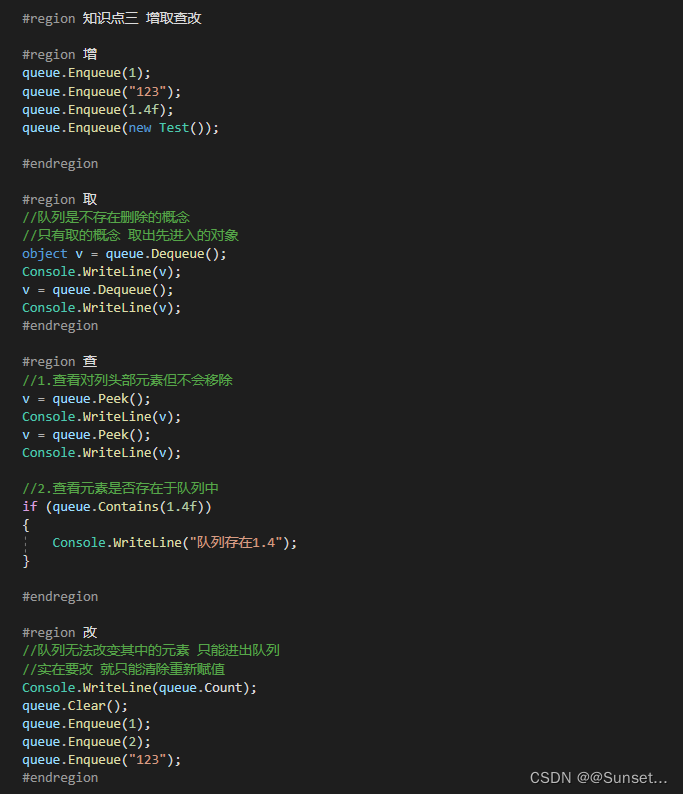
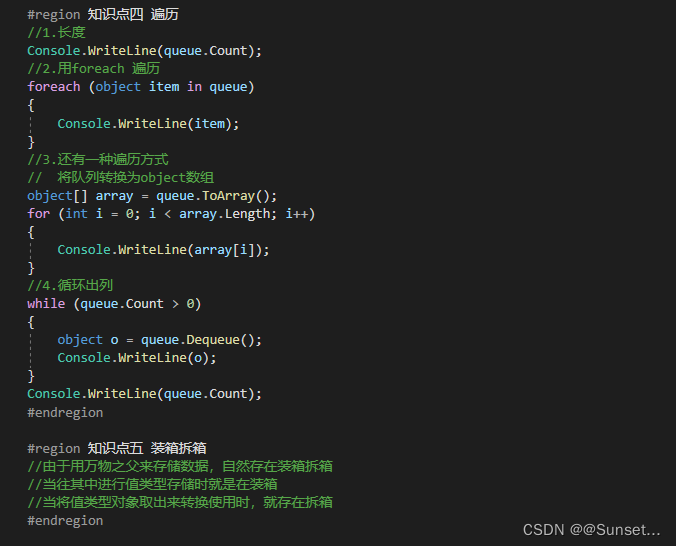
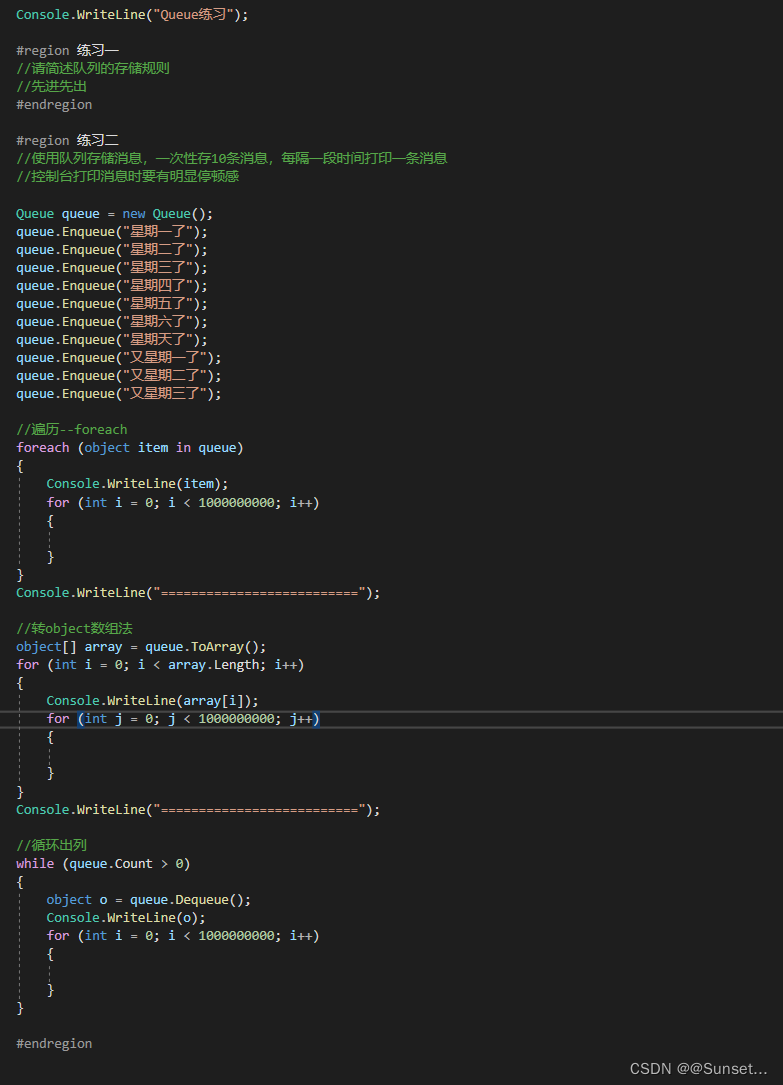
Lesson3:Queue(队列)
练习:
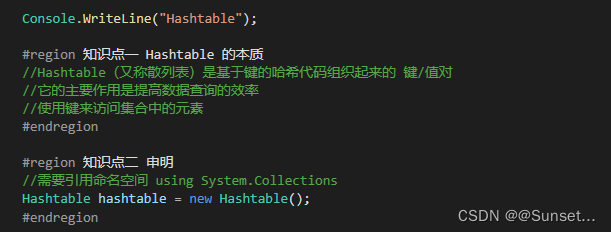
Lesson4:Hashtable


练习:
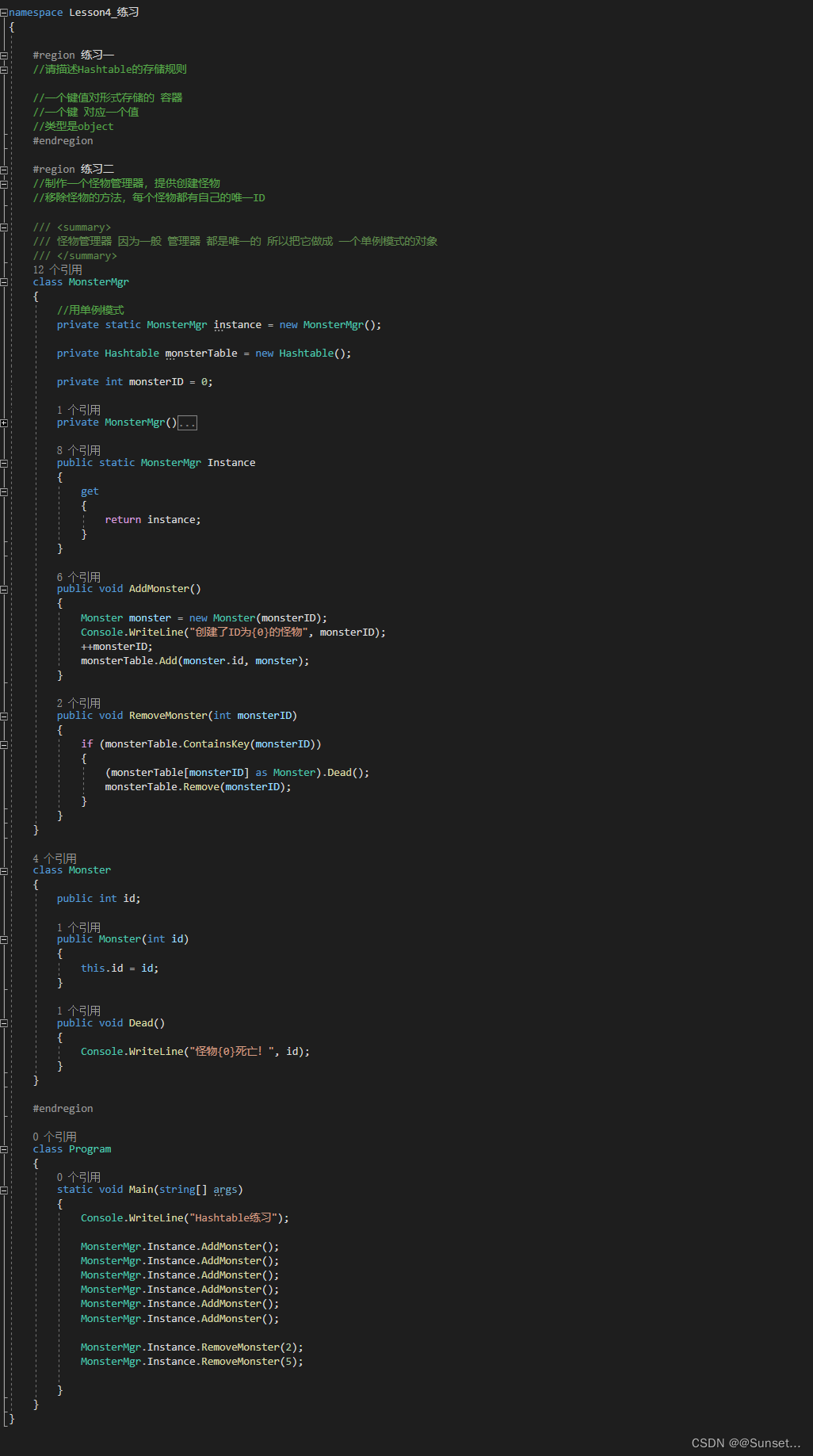
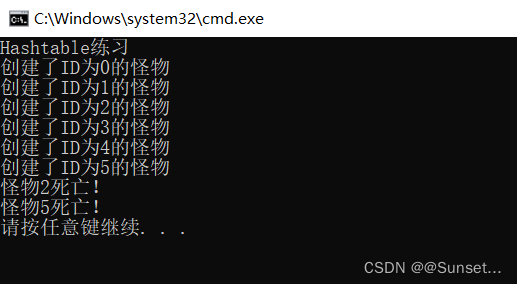
用到了单例模式
泛型:
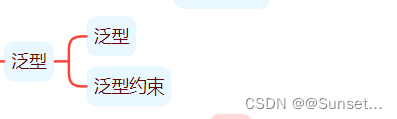
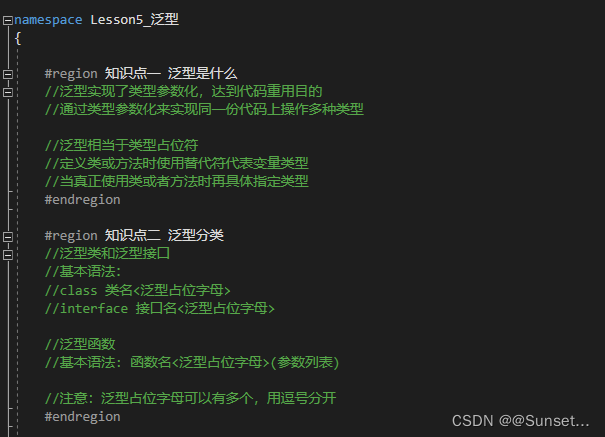
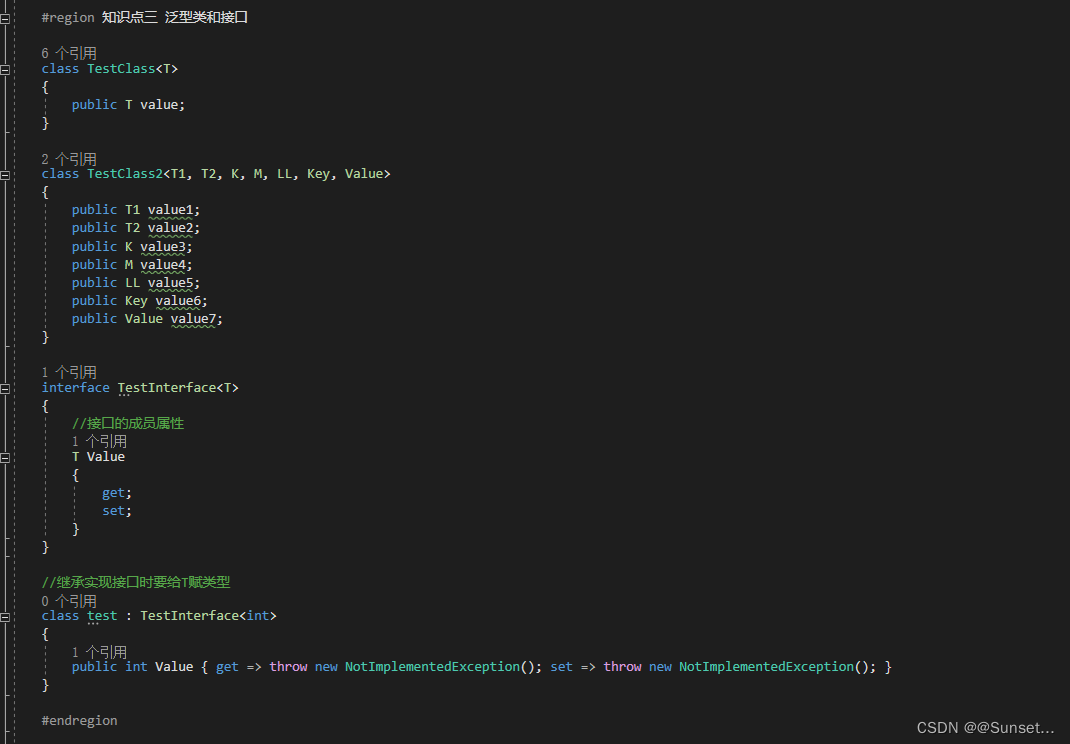
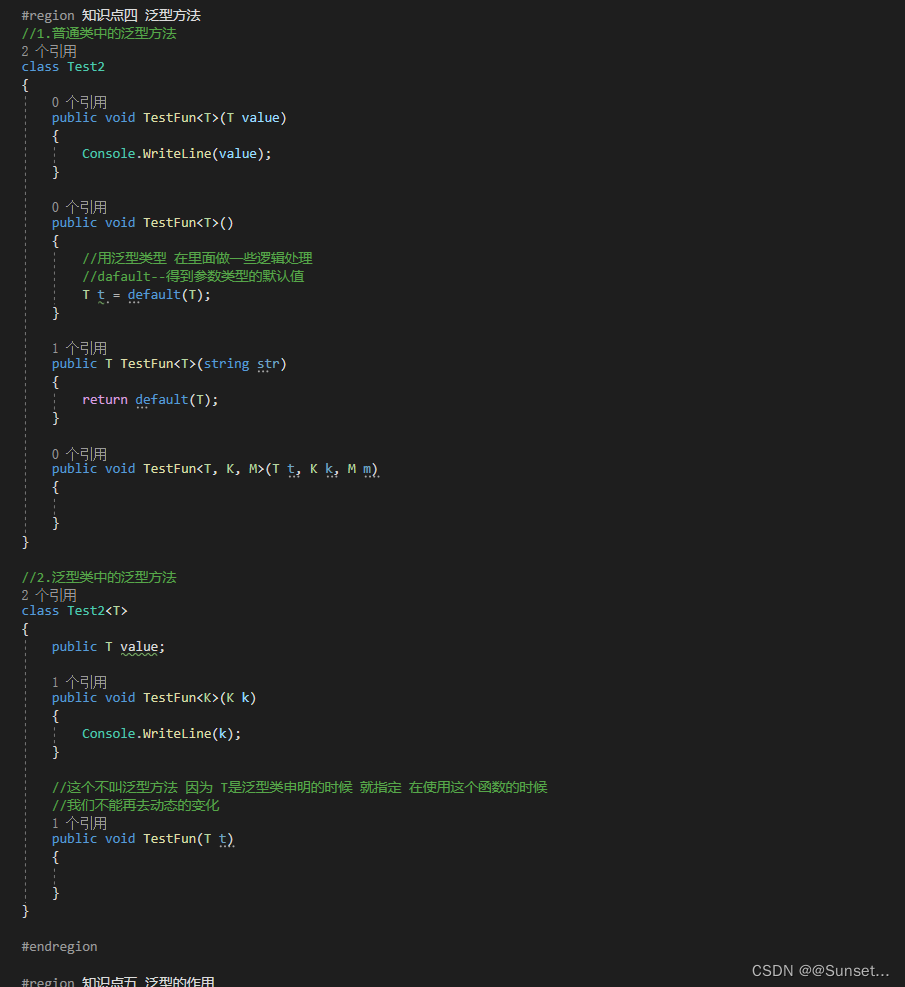
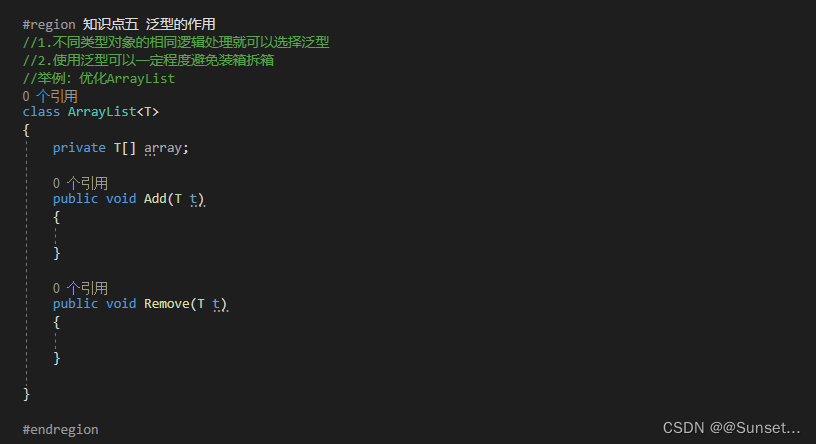
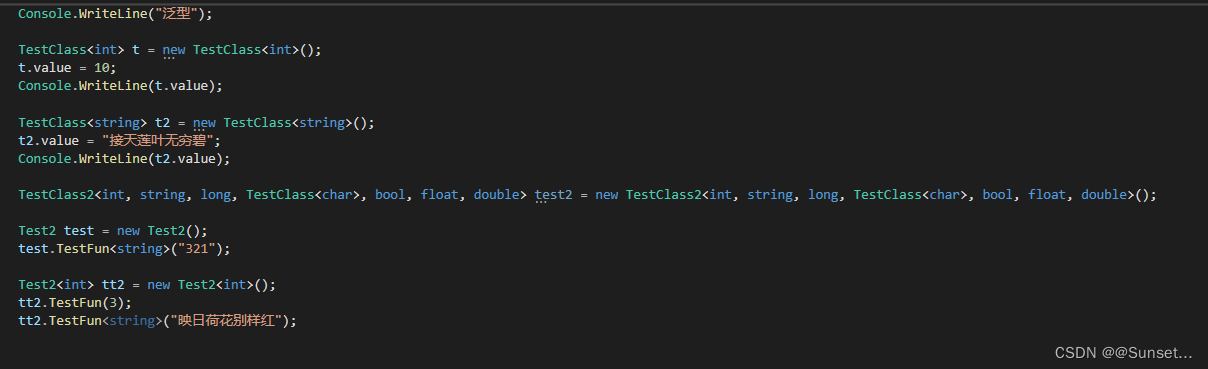
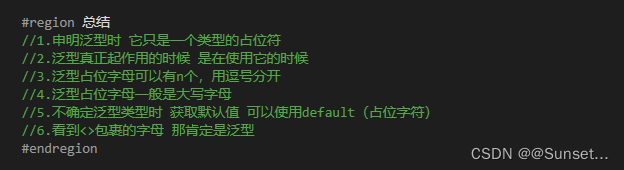
Lesson5:泛型
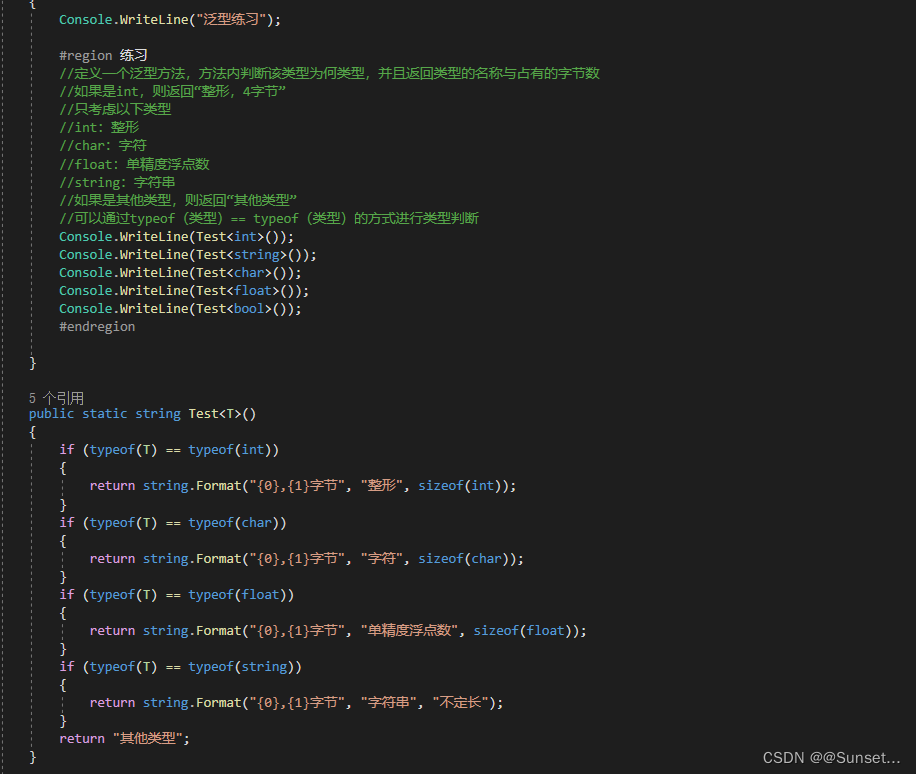
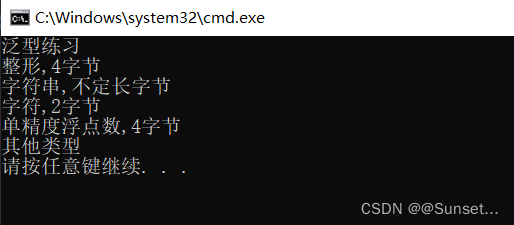
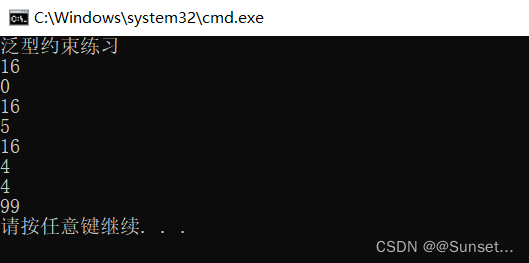
练习:
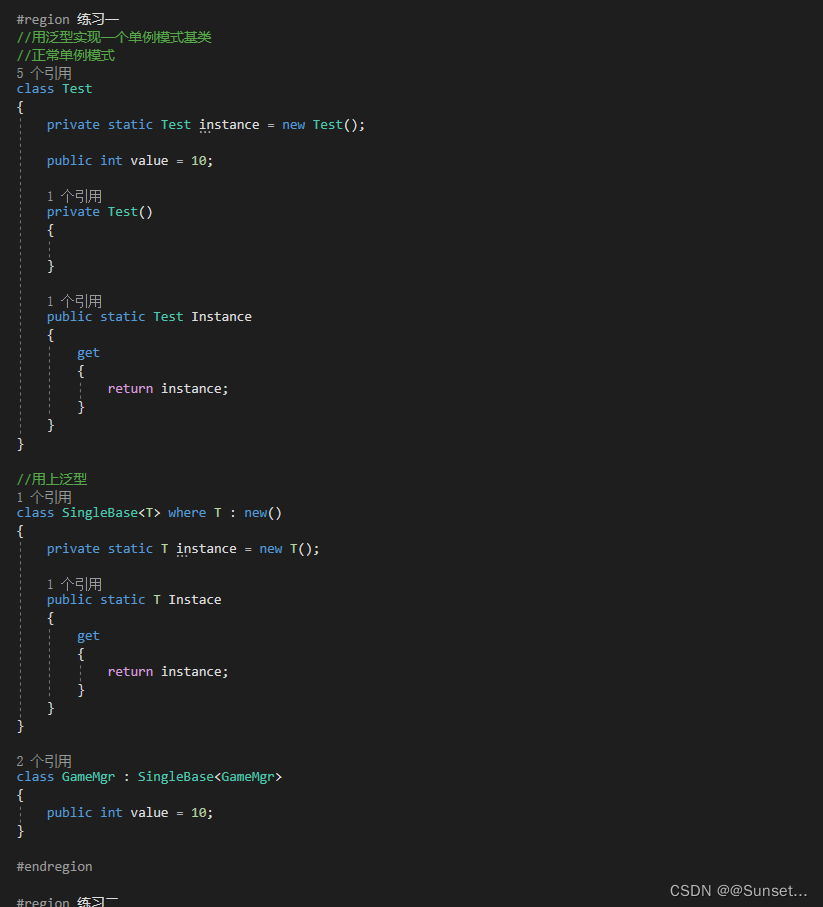
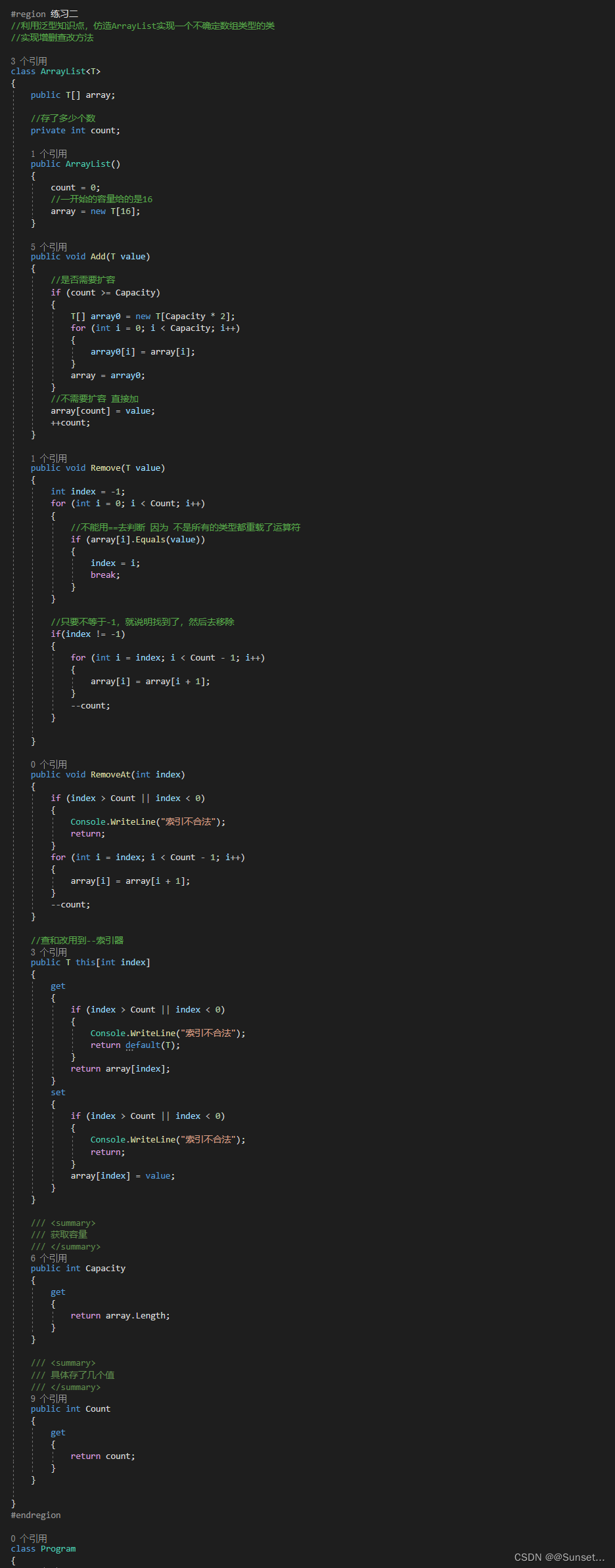
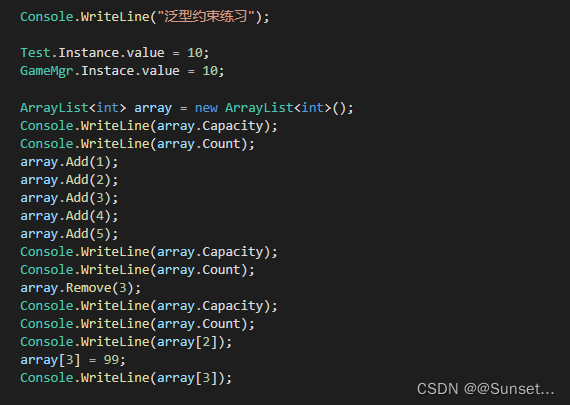
Lesson6:泛型约束
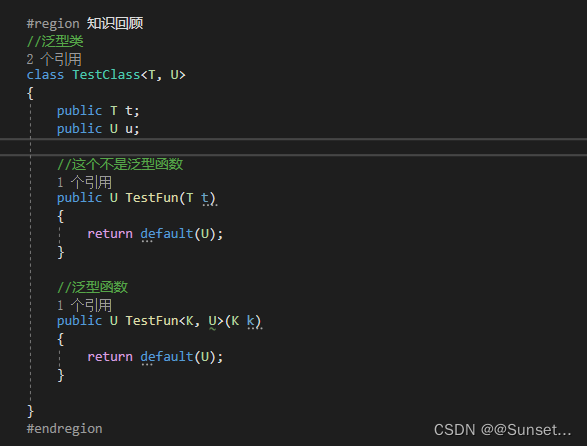
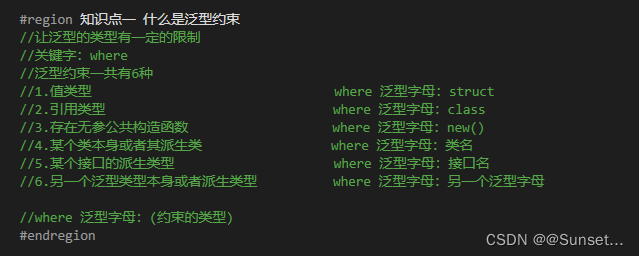
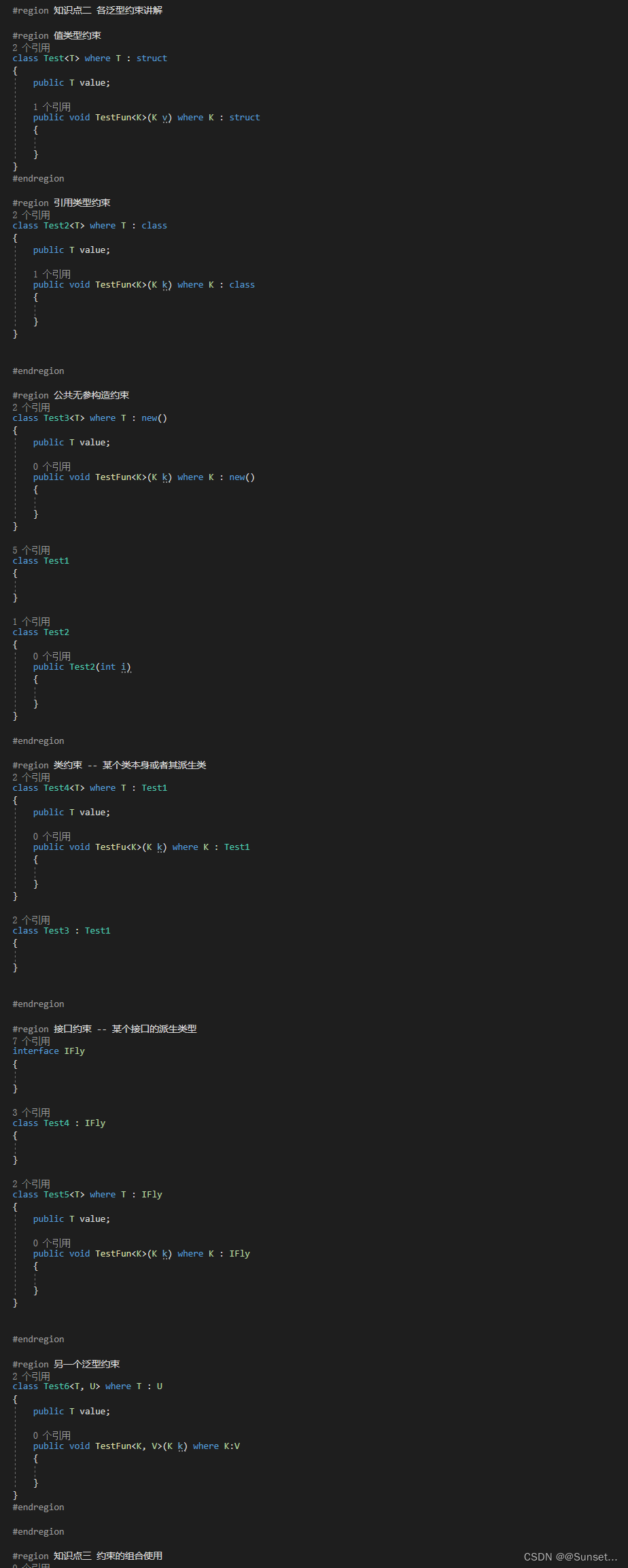

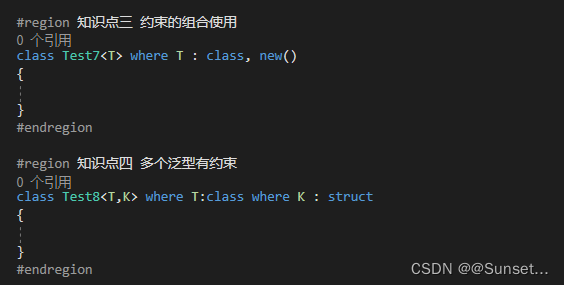
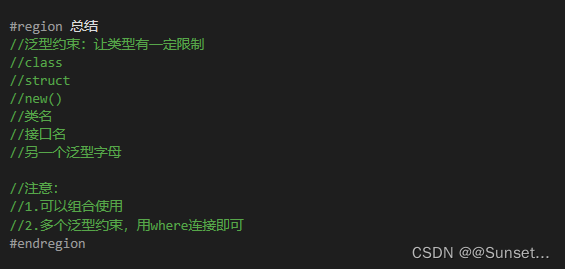
练习:
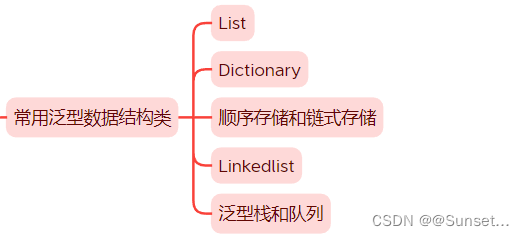
常用泛型数据结构类
Lesson7:List

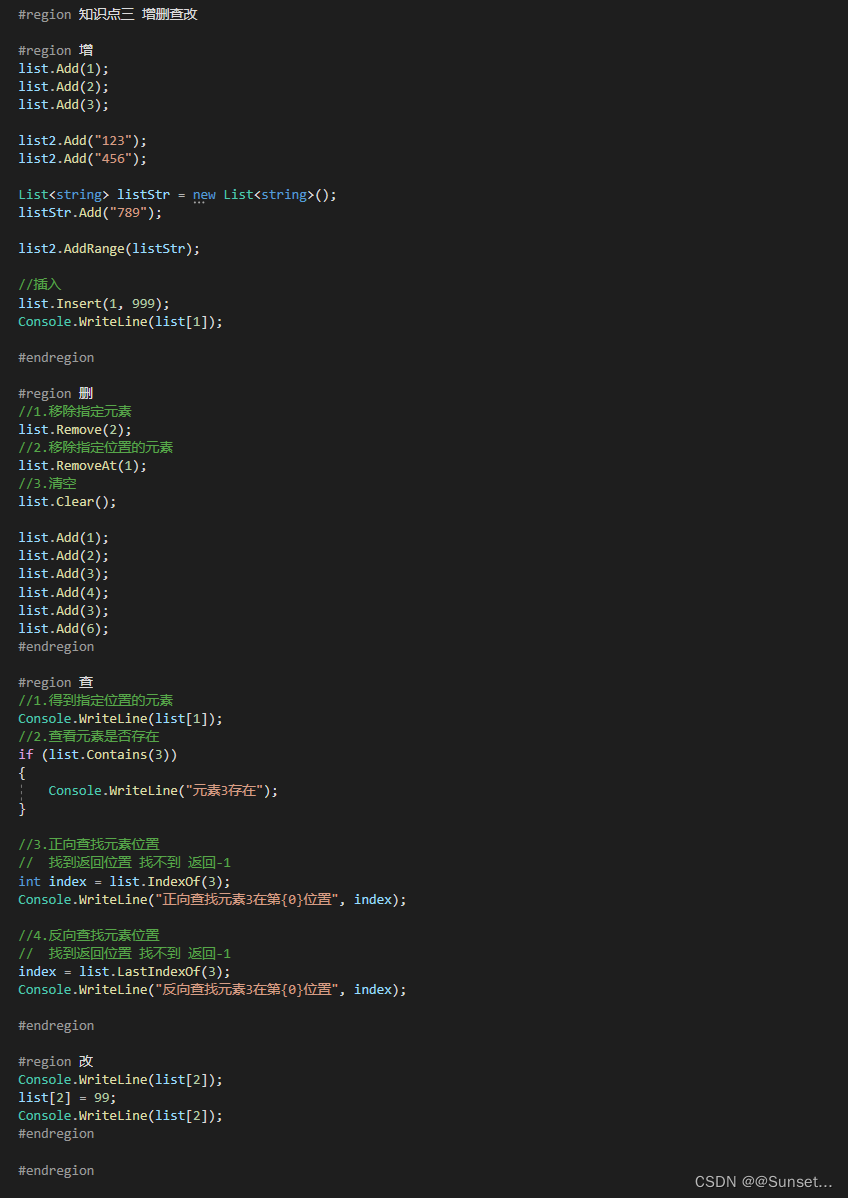
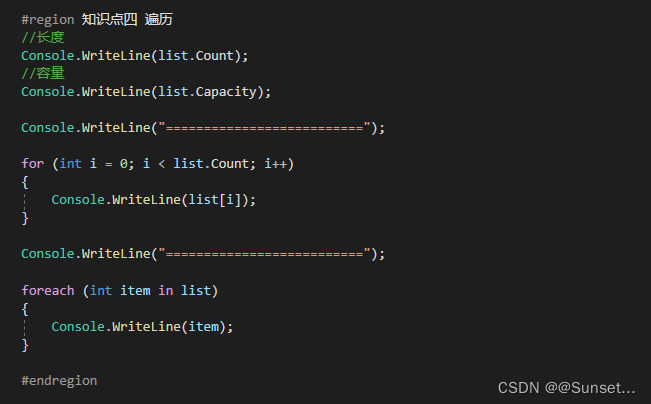
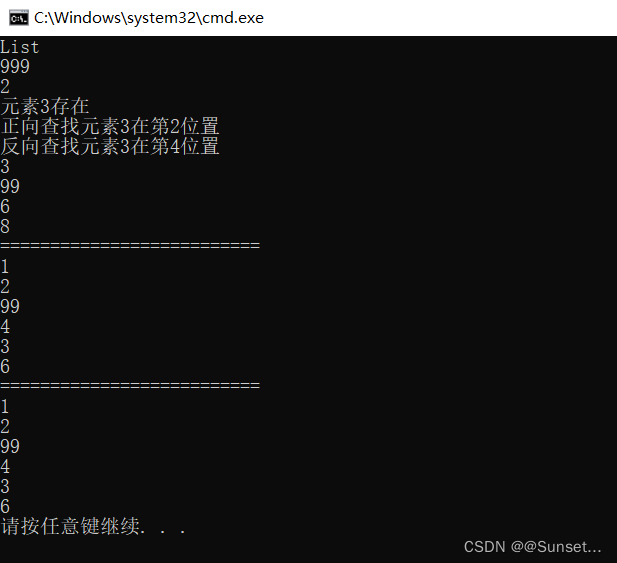
练习:
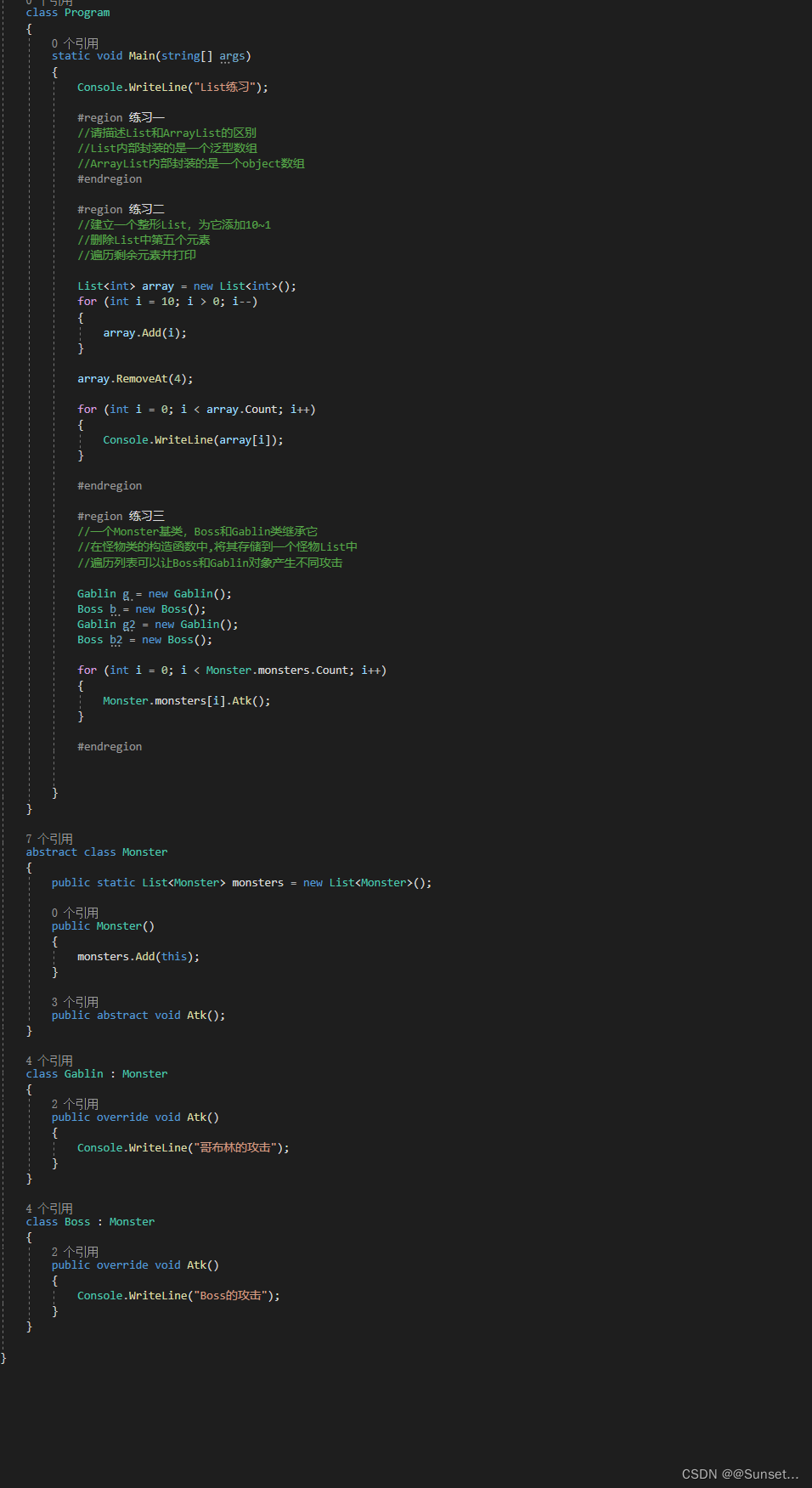
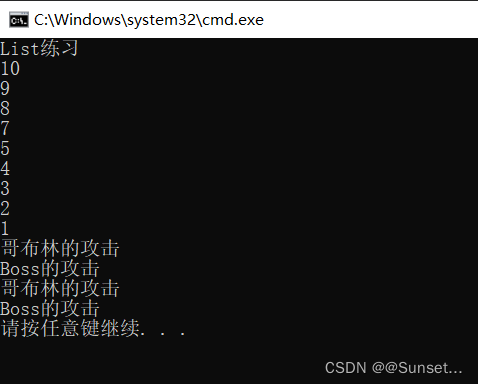
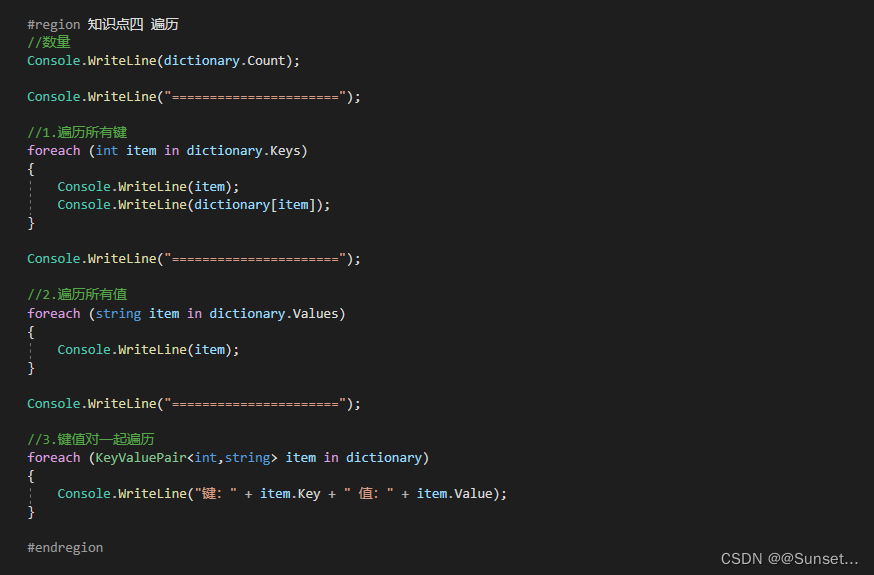
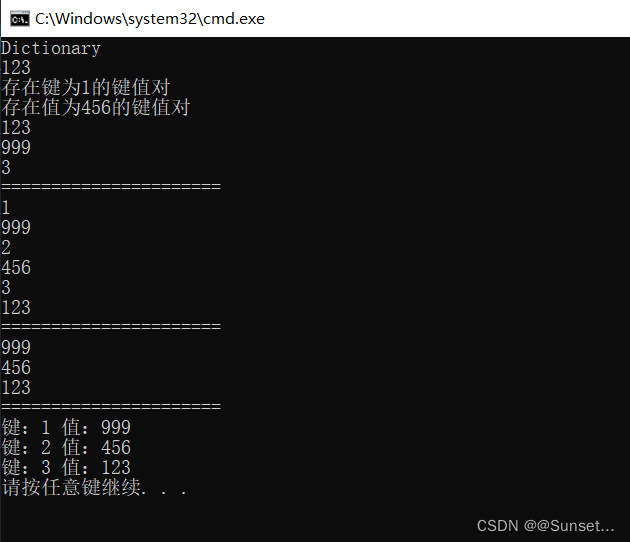
Lesson8:Dictionary

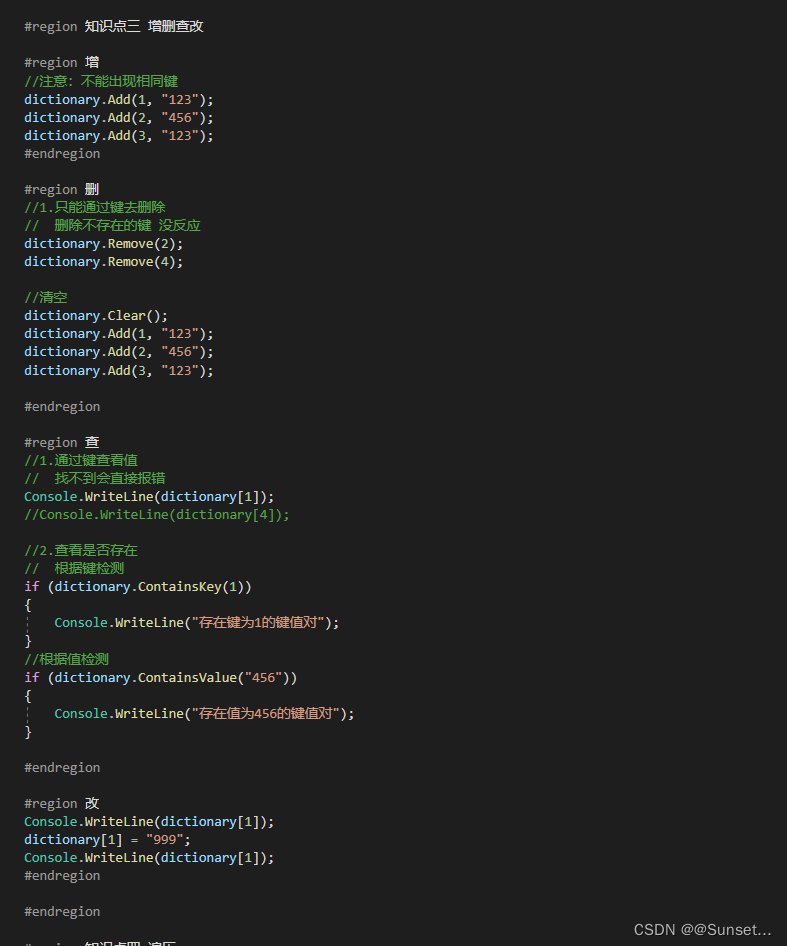
练习:
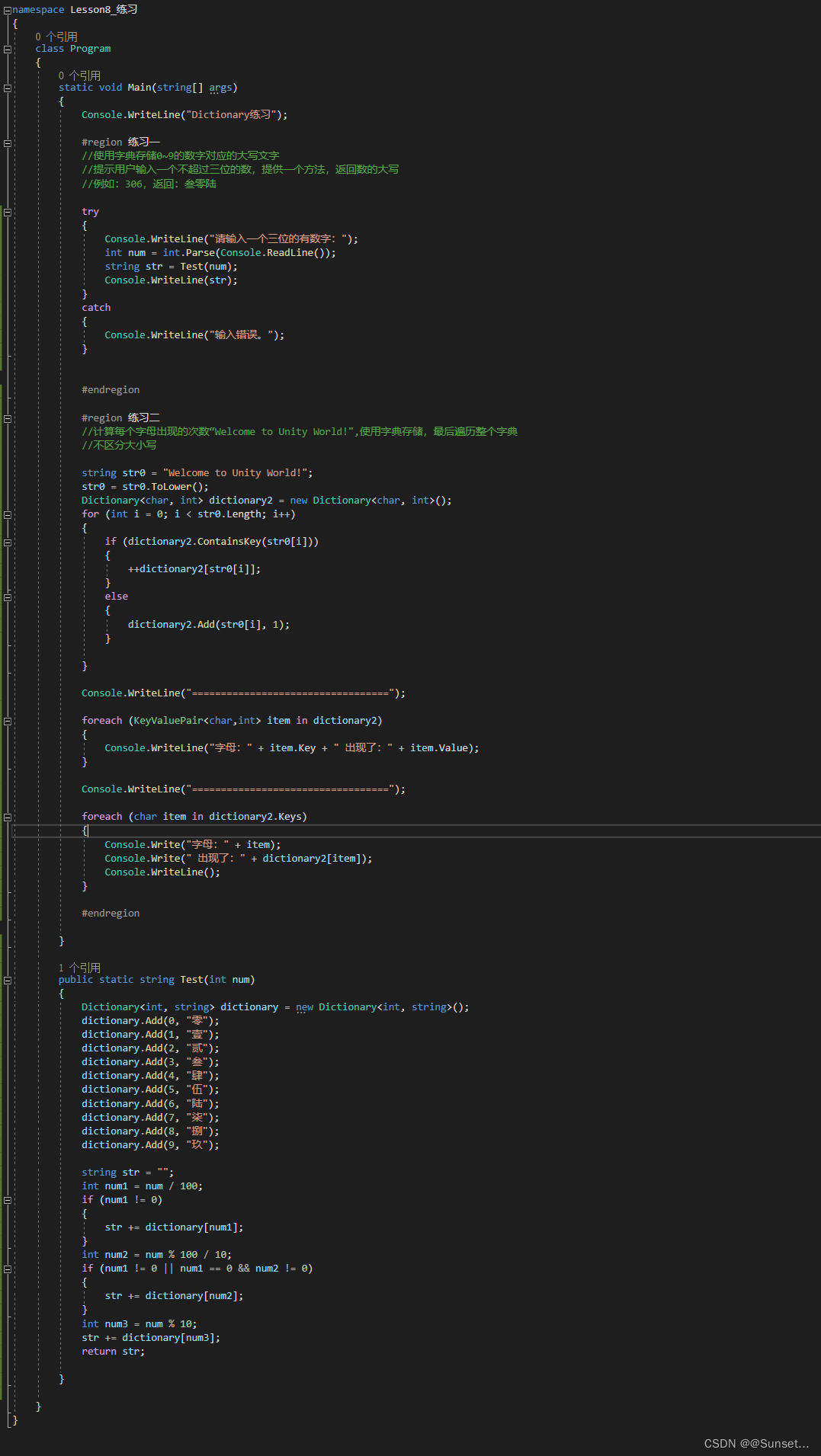
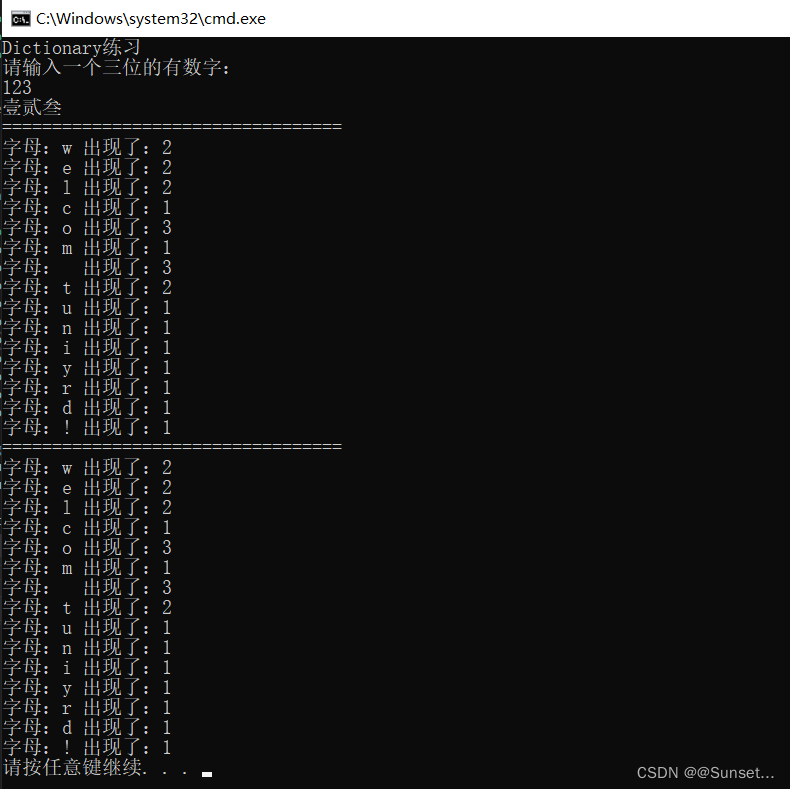
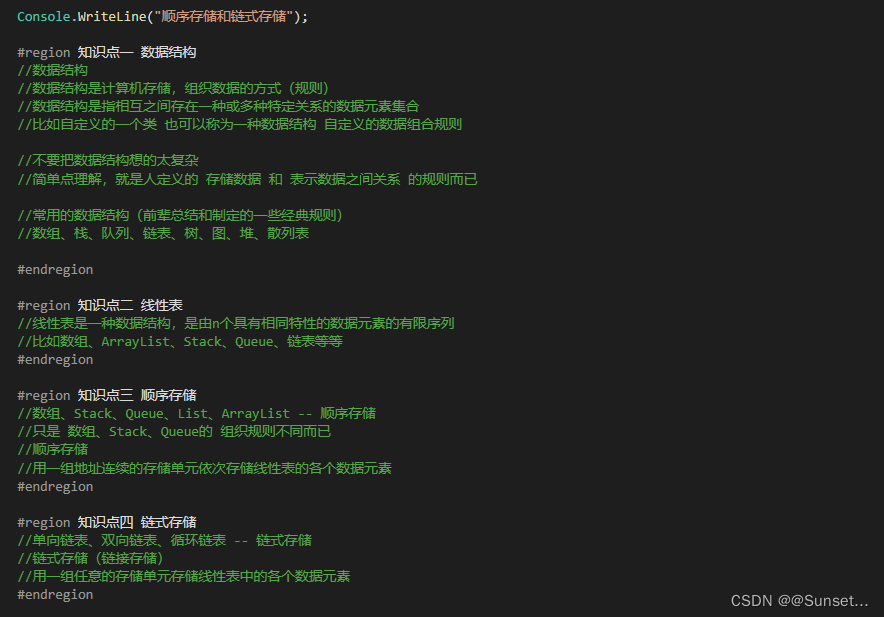
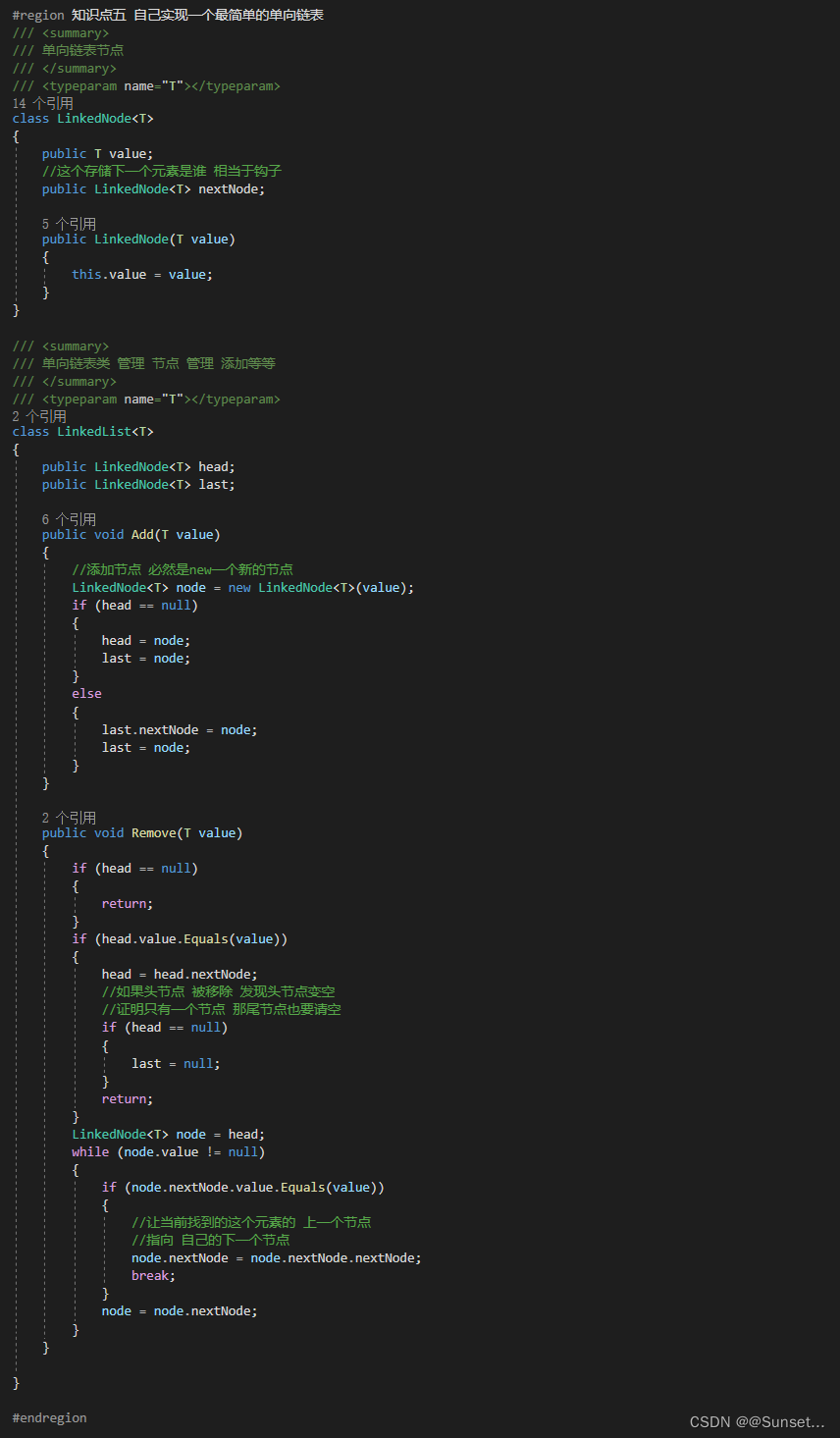
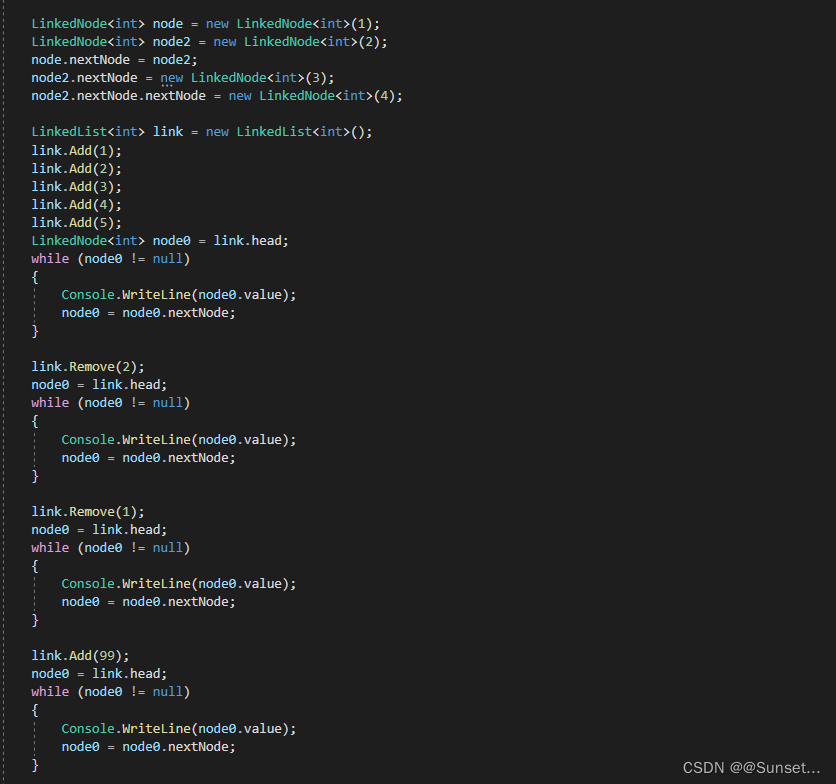
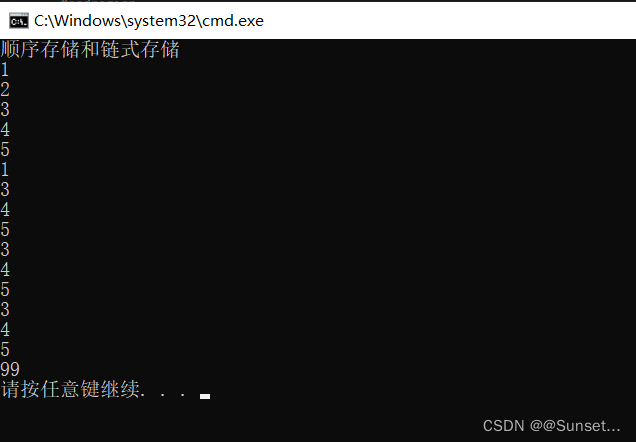
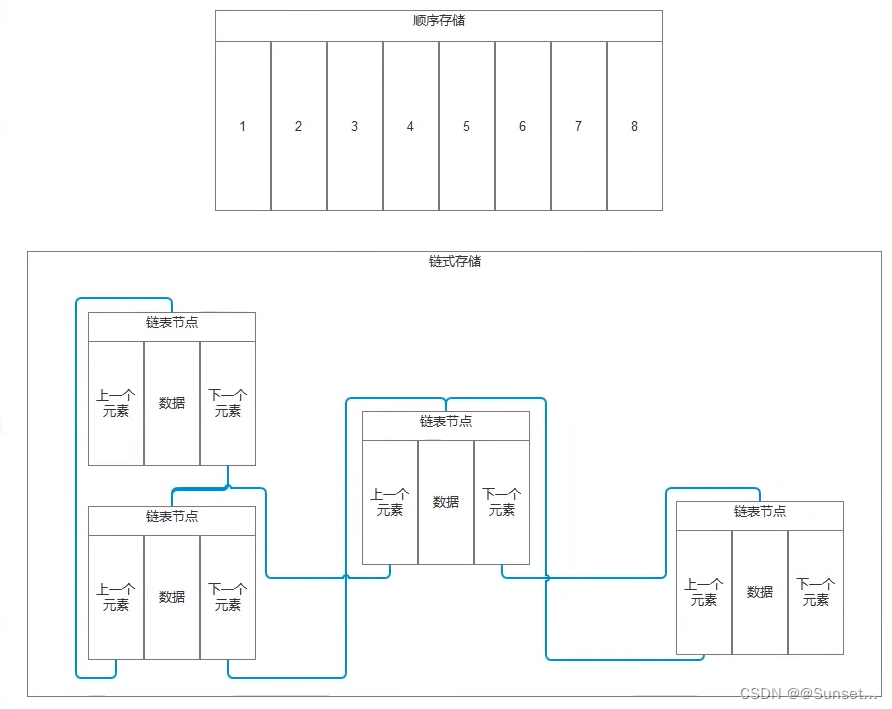
Lesson9:顺序存储和链式存储
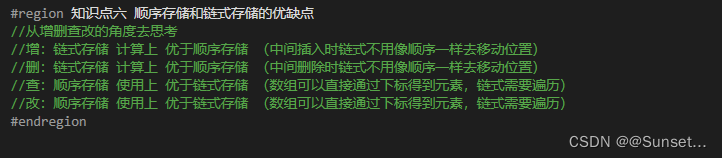
知识点六 顺序存储和链式存储的优缺点
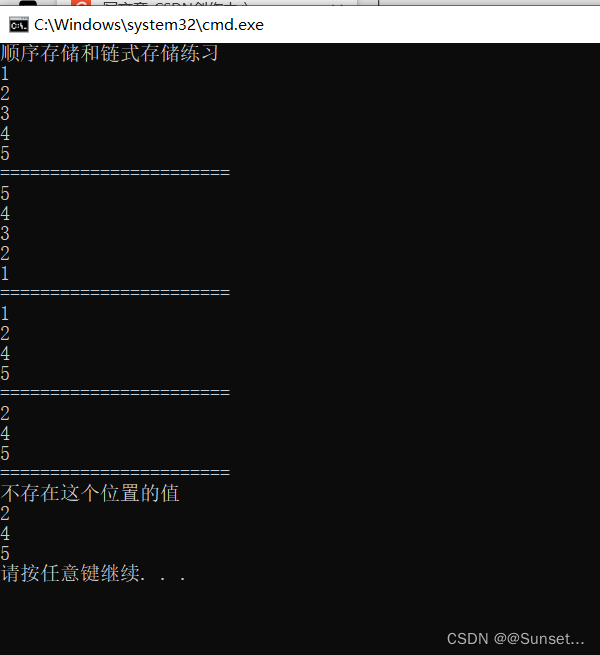
练习:
using System;
using System.Collections.Generic;
using System.Linq;
using System.Text;
using System.Threading.Tasks;

namespace Lesson9_练习
{
    class Program
    {
        static void Main(string[] args)
        {
            Console.WriteLine("顺序存储和链式存储练习");

            #region 练习一
            //请说出常用的数据结构有哪些
            //数组、栈、队列、树、链表、散列表、堆、图
            #endregion

            #region 练习二
            //请描述顺序存储和链式存储的区别
            //顺序存储:内存中用一组地址连续的存储单元存储线性表(连续地址存储)
            //链式存储:内存中用一组任意的存储单元存储线性表(任意地址存储)
            #endregion

            #region 练习三
            //请尝试自己实现一个双向链表
            //并提供以下方法和属性
            //数据的个数,头节点,尾节点
            //增加数据到链表最后
            //删除指定位置节点

            LinkedList<int> list = new LinkedList<int>();
            list.Add(1);
            list.Add(2);
            list.Add(3);
            list.Add(4);
            list.Add(5);

            //从头遍历
            LinkedNode<int> node = list.Head;
            for (int i = 0; i < list.Num; i++)
            {
                Console.WriteLine(node.value);
                node = node.nextNode;
            }

            Console.WriteLine("=======================");

            //从尾遍历
            node = list.Last;
            for (int i = 0; i < list.Num; i++)
            {
                Console.WriteLine(node.value);
                node = node.frontNode;
            }

            Console.WriteLine("=======================");

            list.Remove(2);
            node = list.Head;
            for (int i = 0; i < list.Num; i++)
            {
                Console.WriteLine(node.value);
                node = node.nextNode;
            }

            Console.WriteLine("=======================");

            list.Remove(0);
            node = list.Head;
            for (int i = 0; i < list.Num; i++)
            {
                Console.WriteLine(node.value);
                node = node.nextNode;
            }

            Console.WriteLine("=======================");

            list.Remove(3);
            node = list.Head;
            for (int i = 0; i < list.Num; i++)
            {
                Console.WriteLine(node.value);
                node = node.nextNode;
            }

            #endregion


        }
    }

    /// <summary>
    /// 双向列表节点
    /// </summary>
    /// <typeparam name="T"></typeparam>
    class LinkedNode<T>
    {
        public T value;
        //存储上一个是谁
        public LinkedNode<T> frontNode;
        //存储下一个是谁
        public LinkedNode<T> nextNode;

        public LinkedNode(T value)
        {
            this.value = value;
        }
    }

    /// <summary>
    /// 双向链表类 管理节点 管理添加
    /// </summary>
    /// <typeparam name="T"></typeparam>
    class LinkedList<T>
    {
        private int num = 0;
        private LinkedNode<T> head;
        private LinkedNode<T> last;

        public int Num
        {
            get
            {
                return num;
            }
        }

        public LinkedNode<T> Head
        {
            get
            {
                return head;
            }
        }

        public LinkedNode<T> Last
        {
            get
            {
                return last;
            }
        }

        public void Add(T value)
        {
            LinkedNode<T> node = new LinkedNode<T>(value);
            if (head == null)
            {
                head = node;
                last = node;
            }
            else
            {
                //添加到尾部
                last.nextNode = node;
                //尾部添加记入上一个节点是谁
                node.frontNode = last;
                //让当前添加的变成最后一个节点
                last = node;
            }

            ++num;
        }

        public void Remove(int num)
        {
            //首先判断有没有越界
            if (this.num - 1 < num || num < 0)
            {
                Console.WriteLine("不存在这个位置的值");
                return;
            }
            int temp = 0;
            LinkedNode<T> tempNode = head;
            while (true)
            {
                if (temp == num)
                {
                    //找到了,移除即可
                    //当前要移除的节点的上一个节点 指向自己的下一个节点
                    if (tempNode.frontNode != null)
                    {
                        tempNode.frontNode.nextNode = tempNode.nextNode;
                    }
                    if (tempNode.nextNode != null)
                    {
                        tempNode.nextNode.frontNode = tempNode.frontNode;
                    }
                    //如果是头节点需要改变头节点的指向
                    if (num == 0)
                    {
                        //如果头结点被移除 那头节点就变成了头节点的下一个
                        head = tempNode.nextNode;
                    }
                    else if(num == this.num - 1)
                    {
                        //如果尾节点被移除了,那么尾节点就变成了尾节点的上一个
                        last = last.frontNode;
                    }

                    --this.num;
                    break;
                }
                ++temp;
                tempNode = tempNode.nextNode;
            }
        }
    }

}
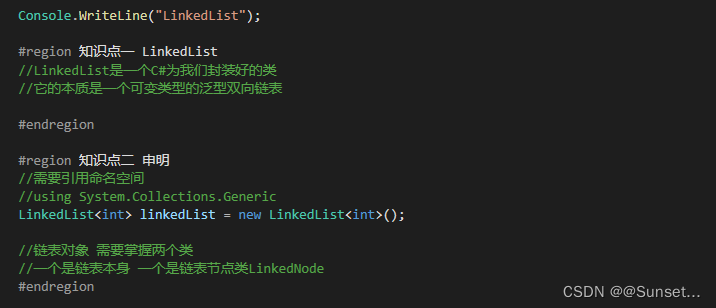
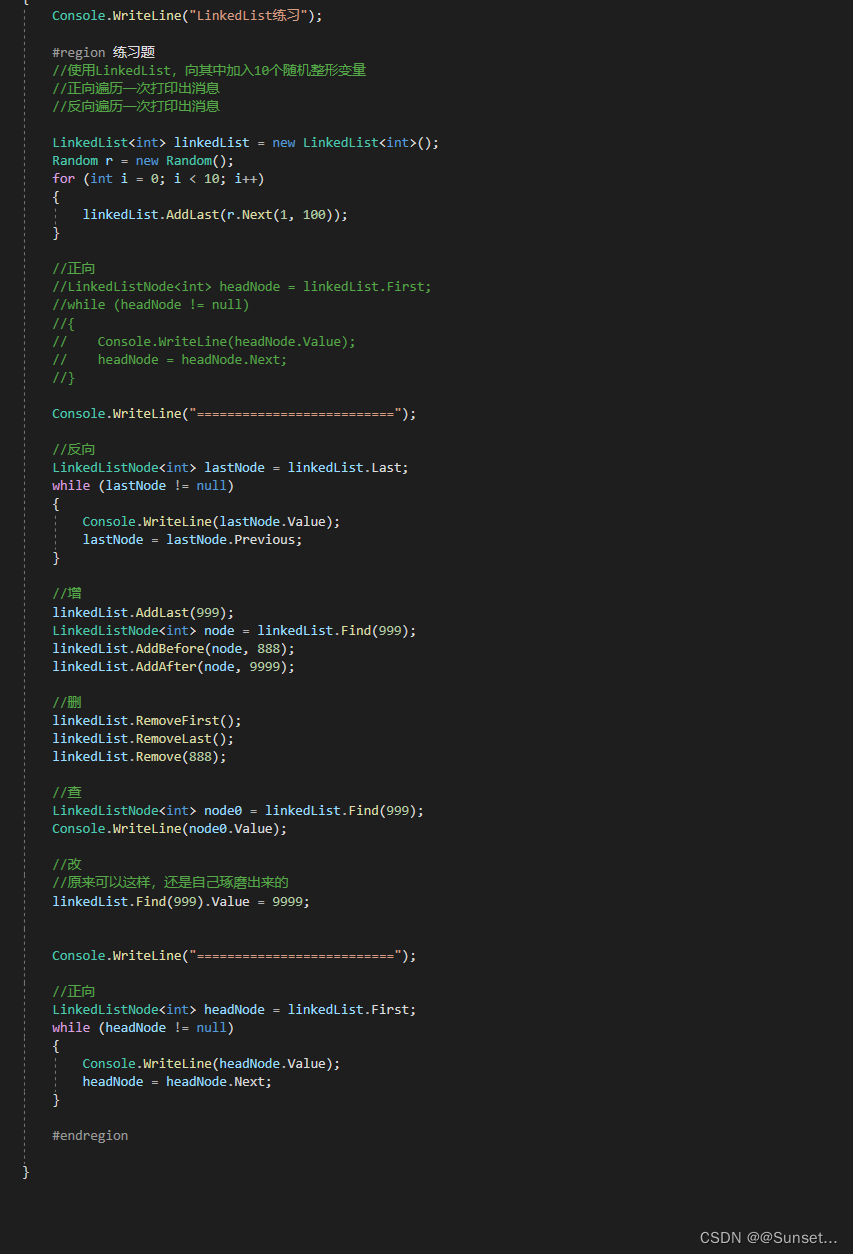
Lesson10:LinkedList


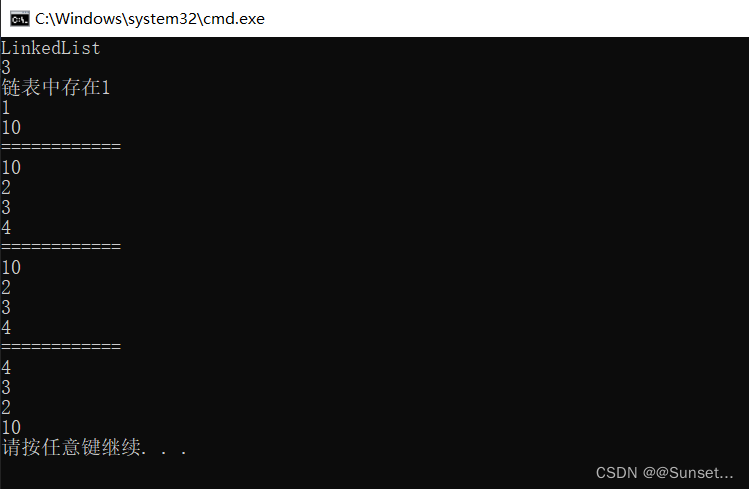
练习:
重点:


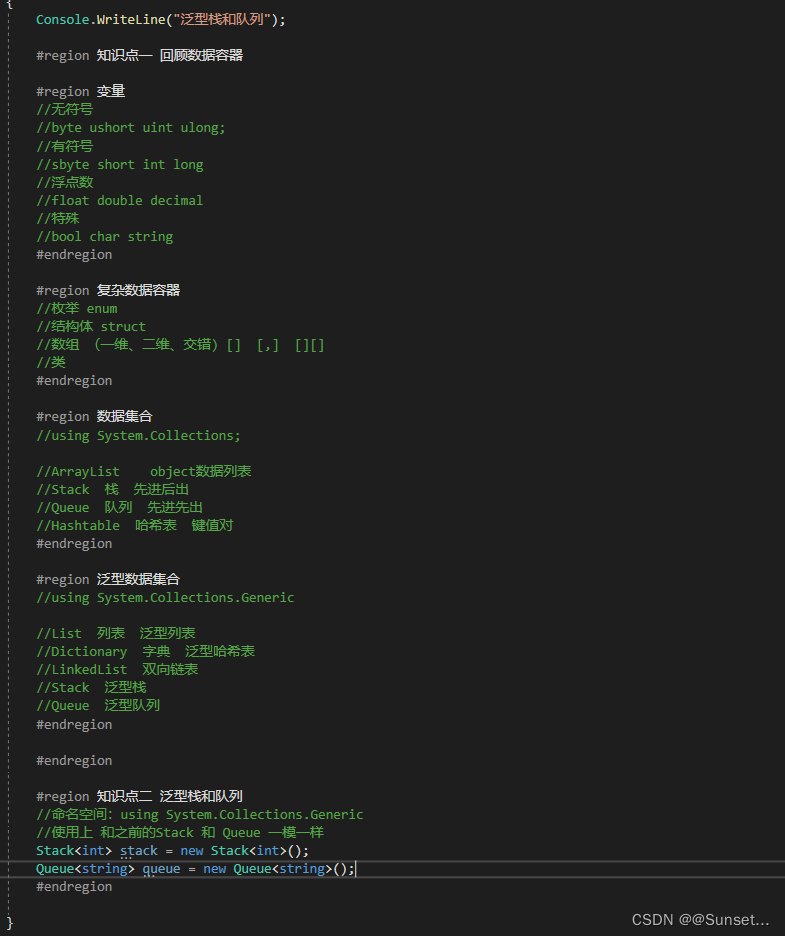
Lesson11:泛型栈和队列
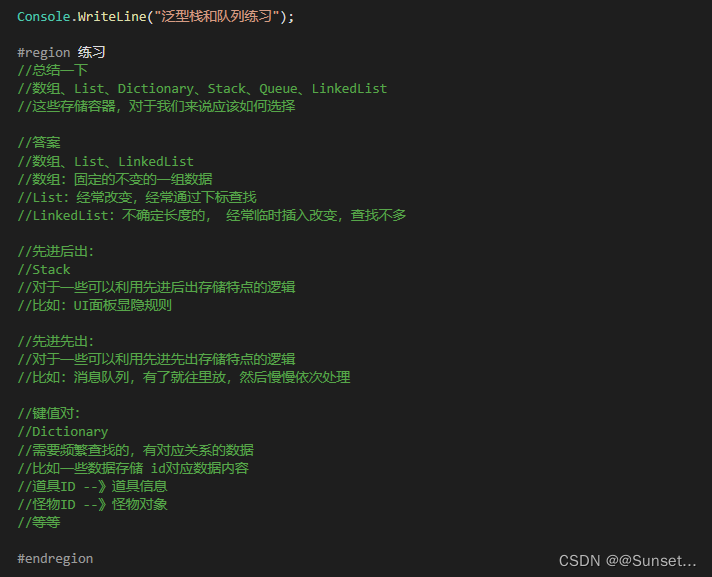
练习:
数组、List、Dictionary、Stack、Queue、LinkedList
这些存储容器,对于我们来说应该如何选择?
委托和事件
Lesson12:委托
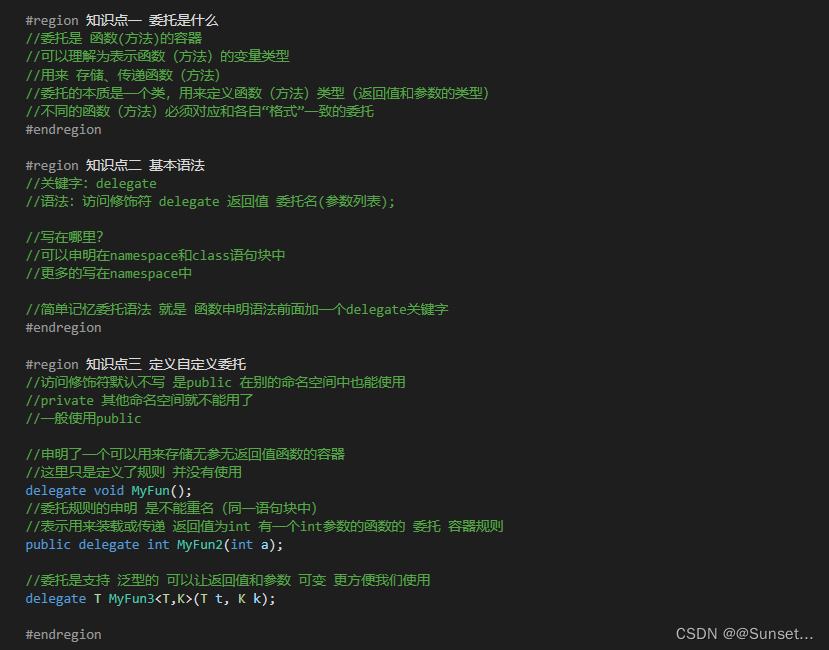

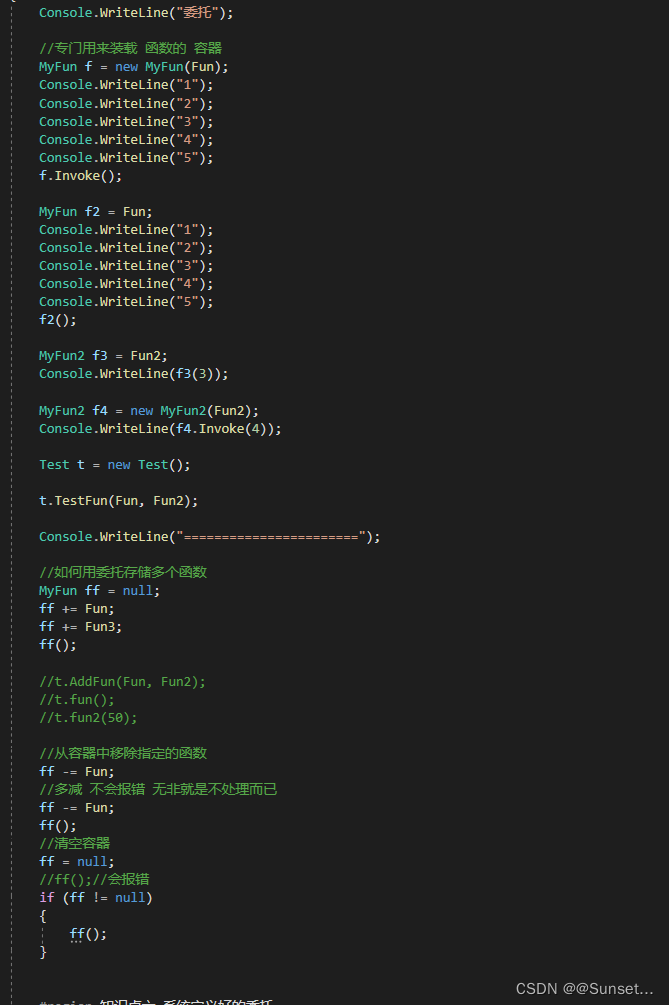
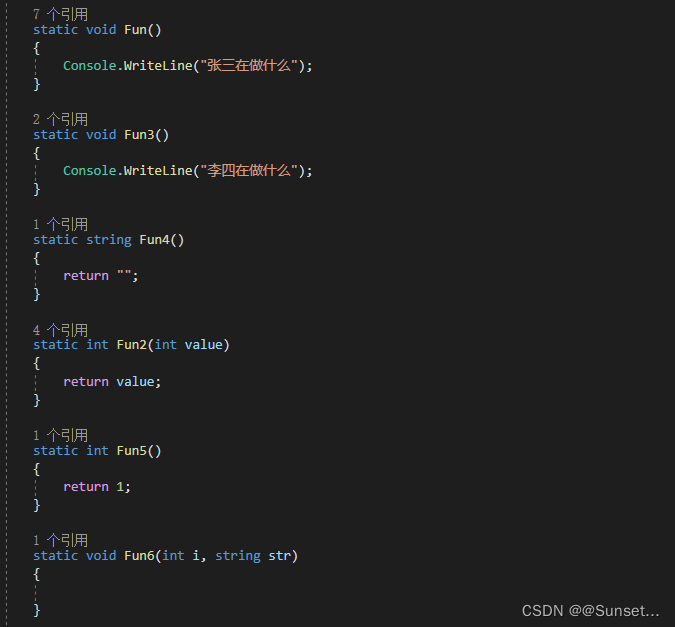
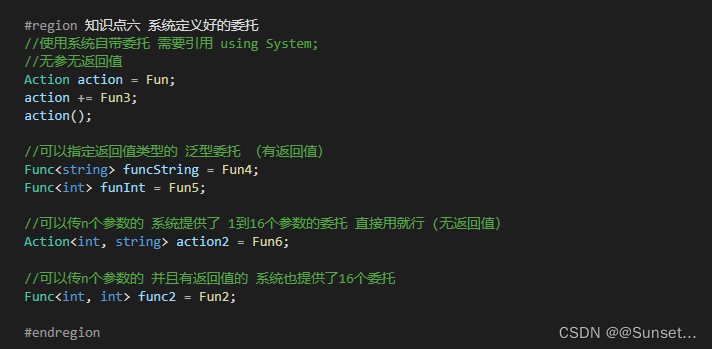
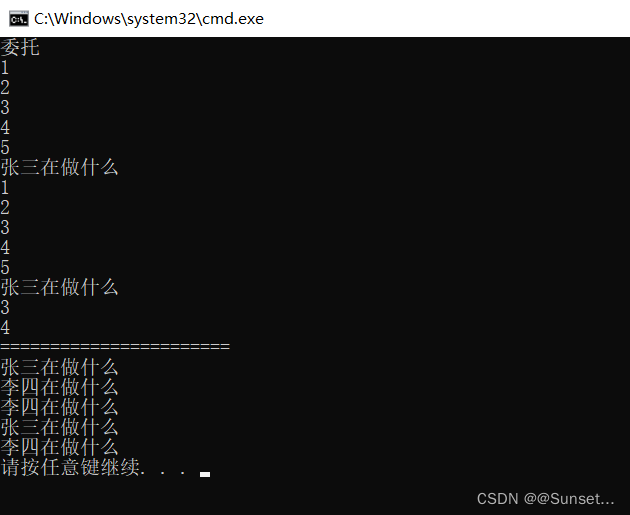
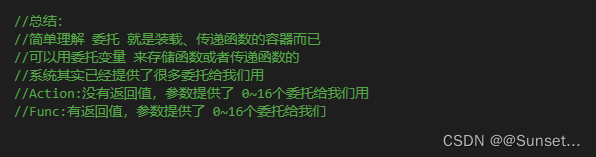
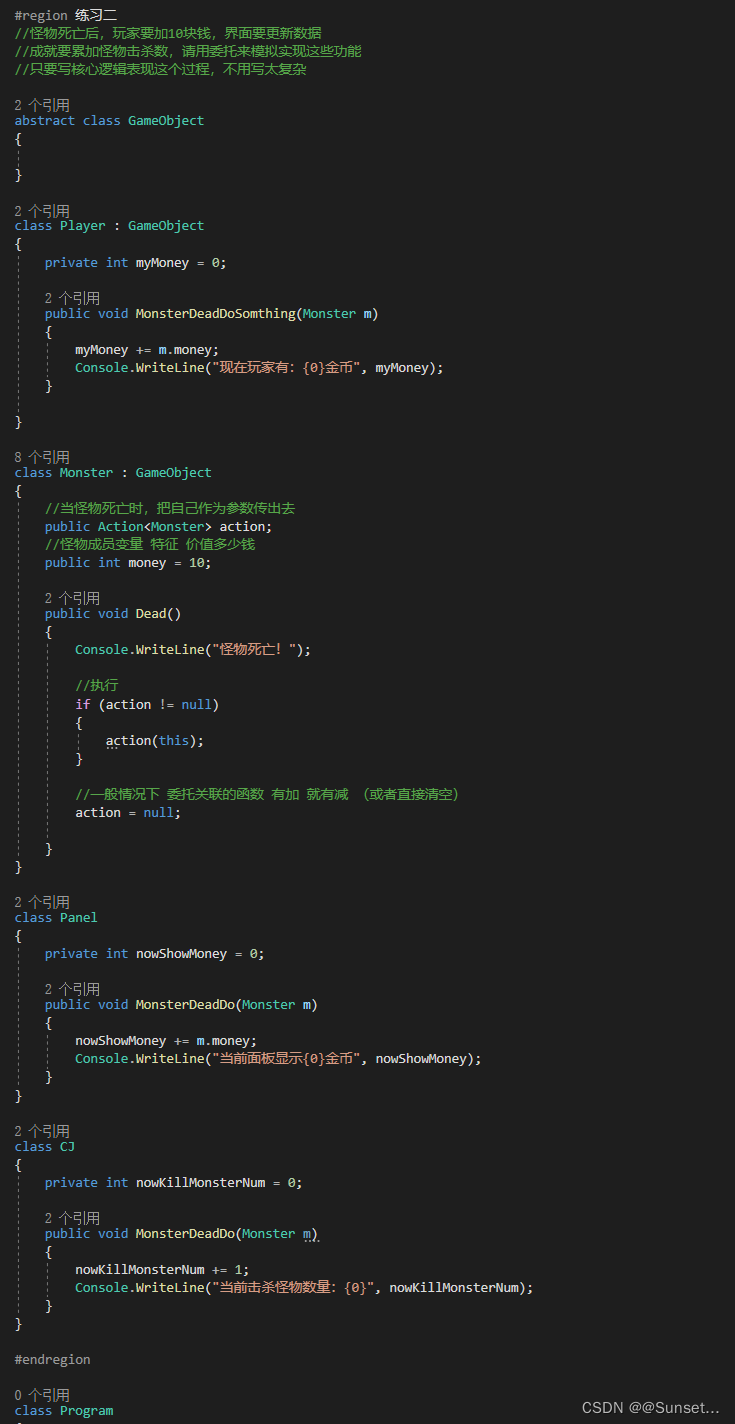
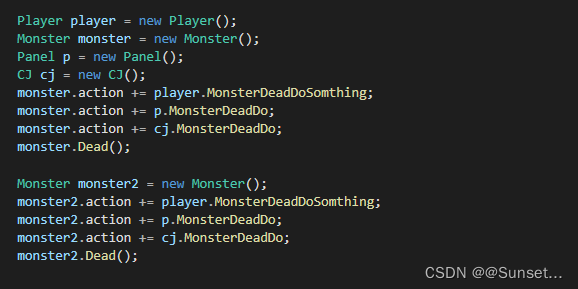
练习: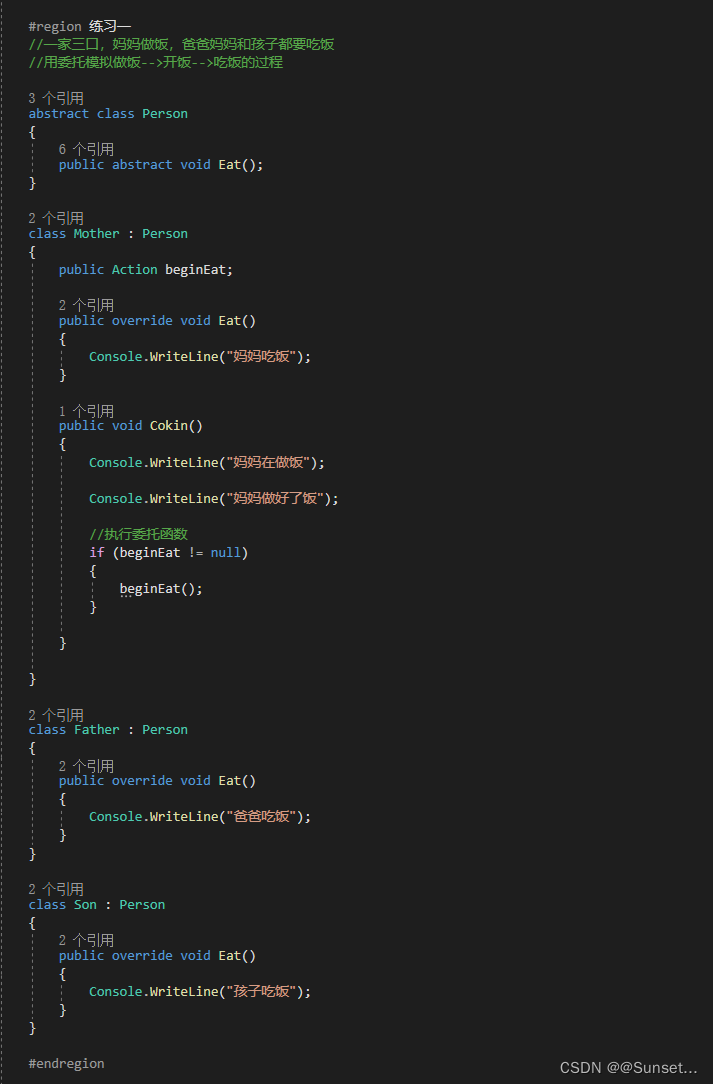
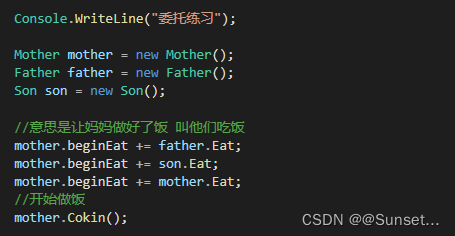

Lesson13:事件
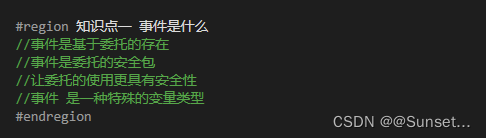
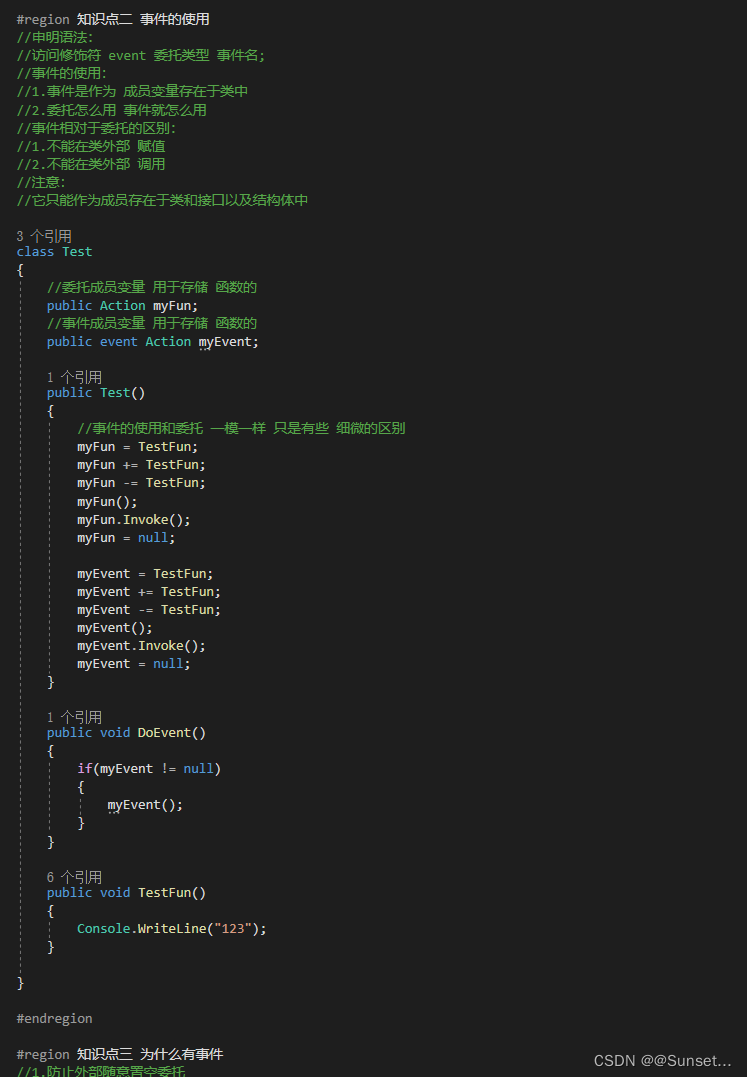
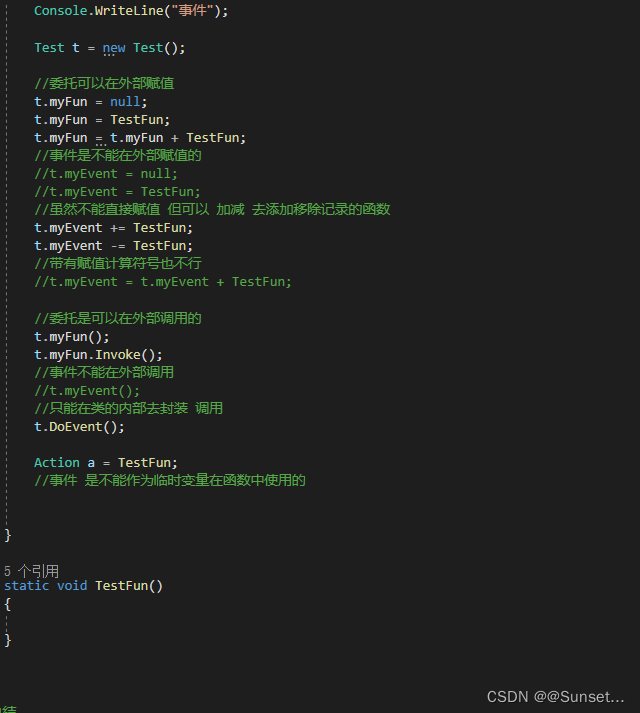


事件和委托的区别

Lesson14:匿名函数
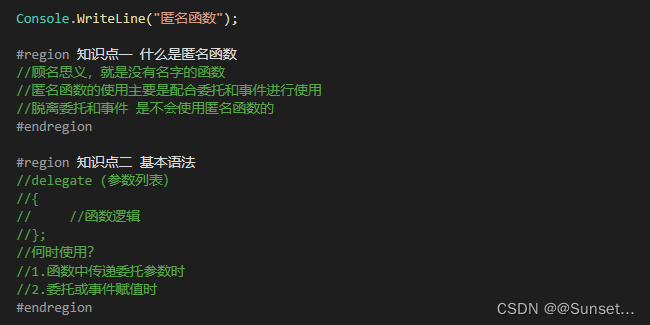
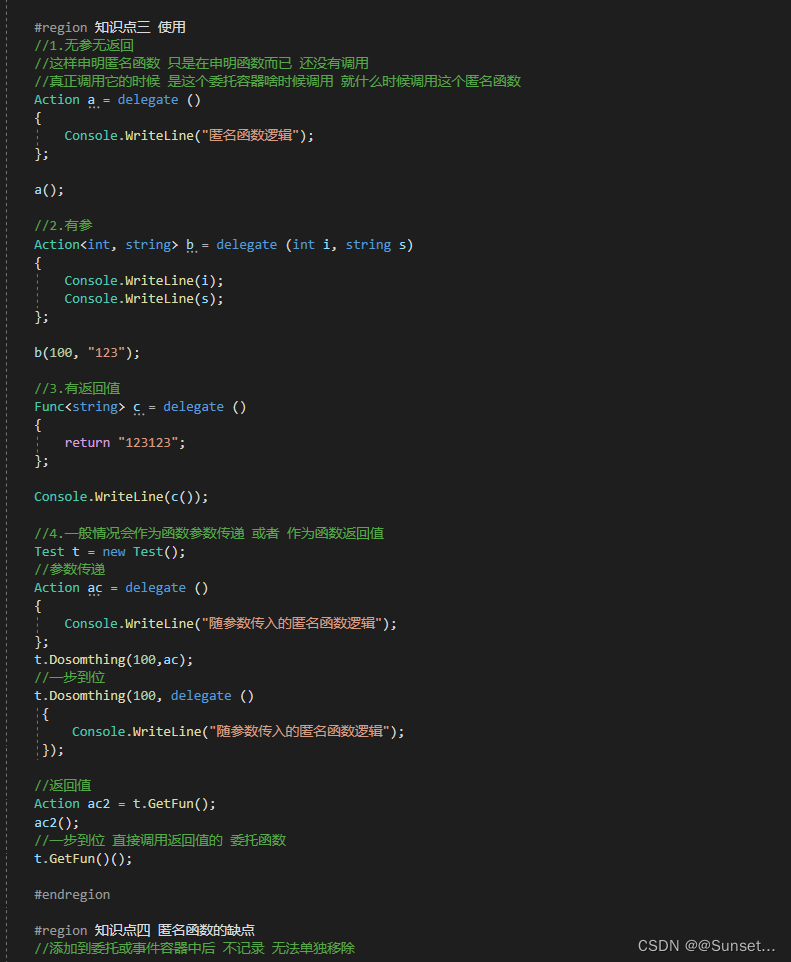
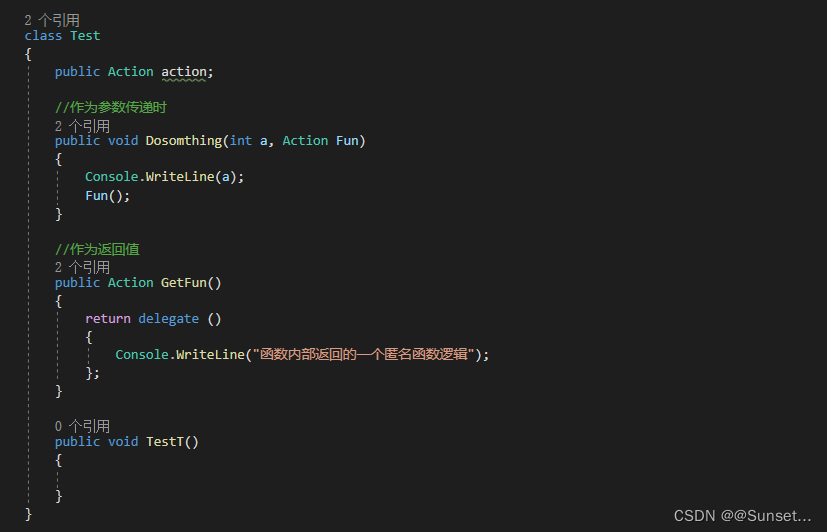
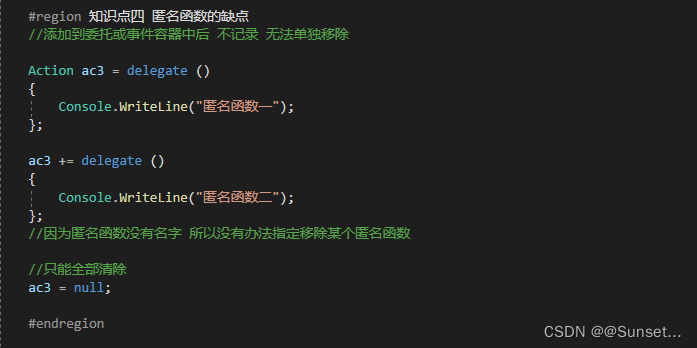
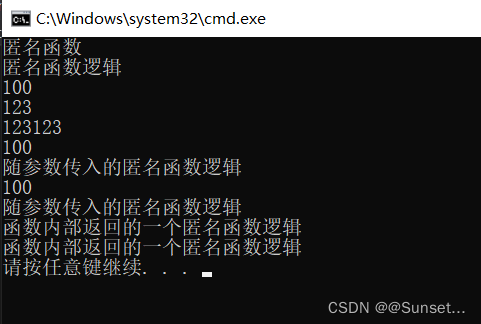
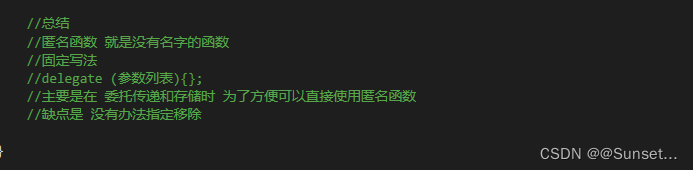
练习:
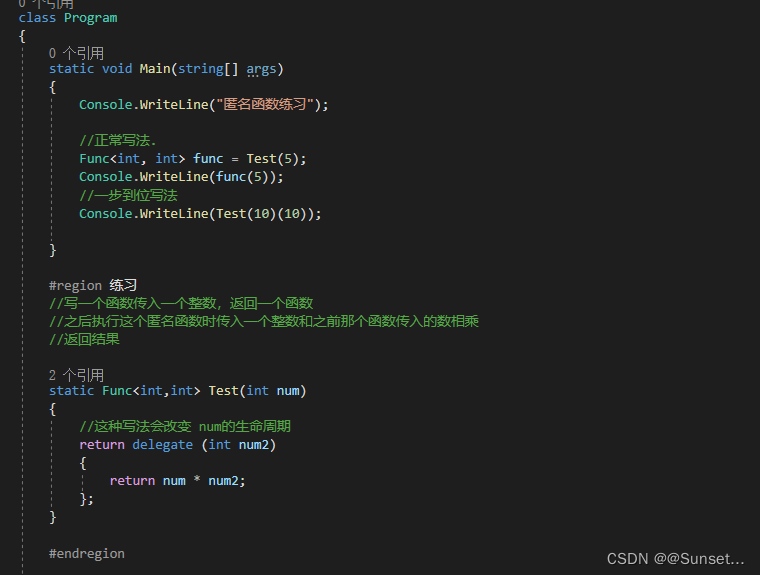
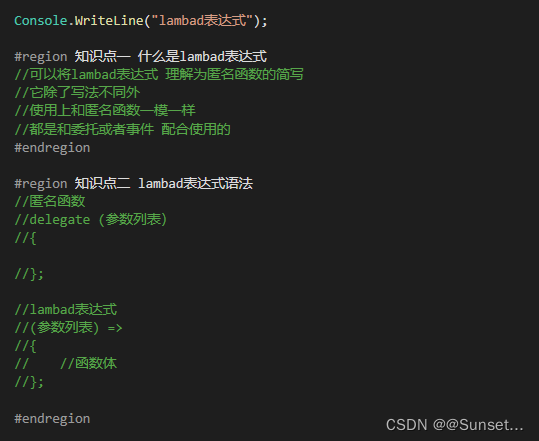
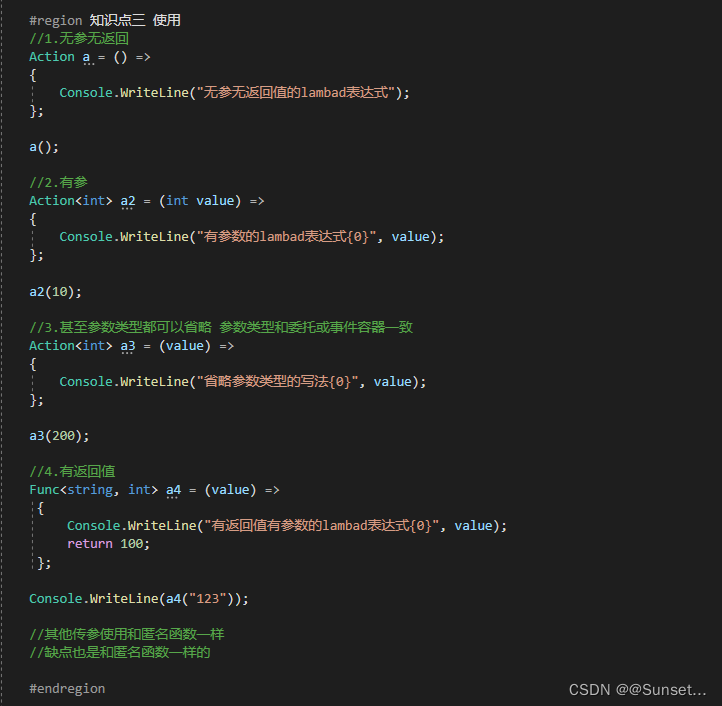
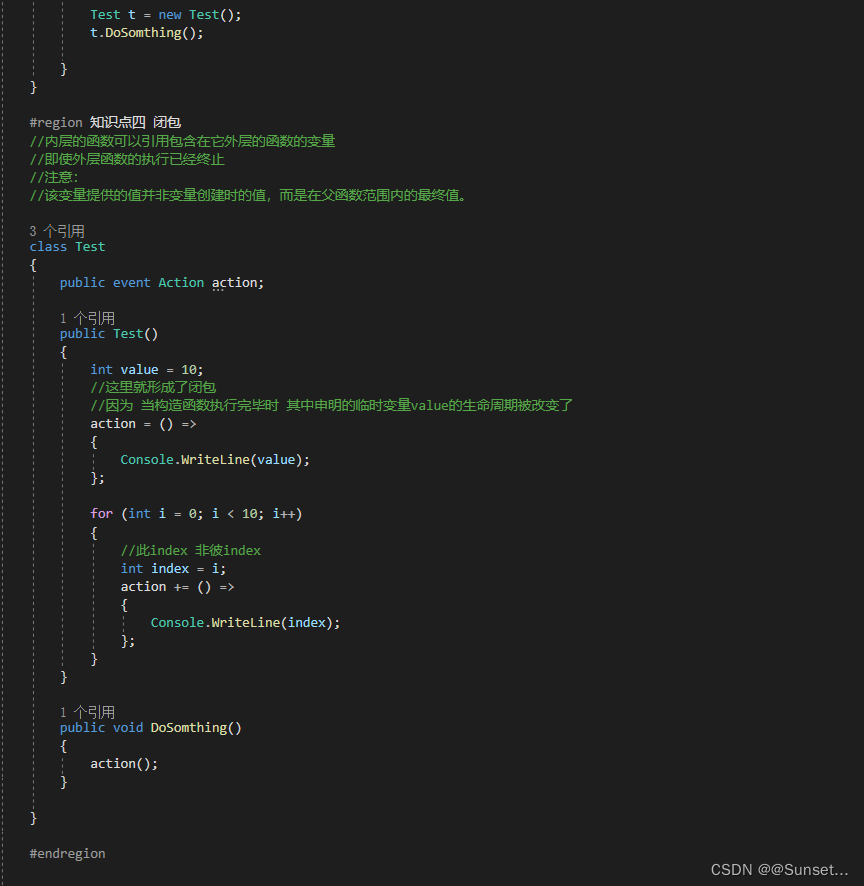
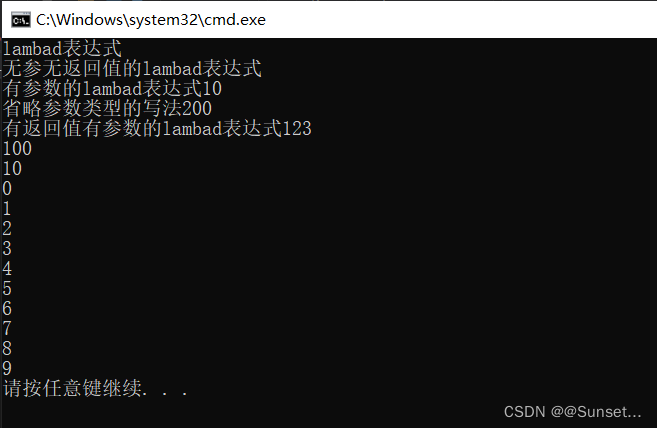
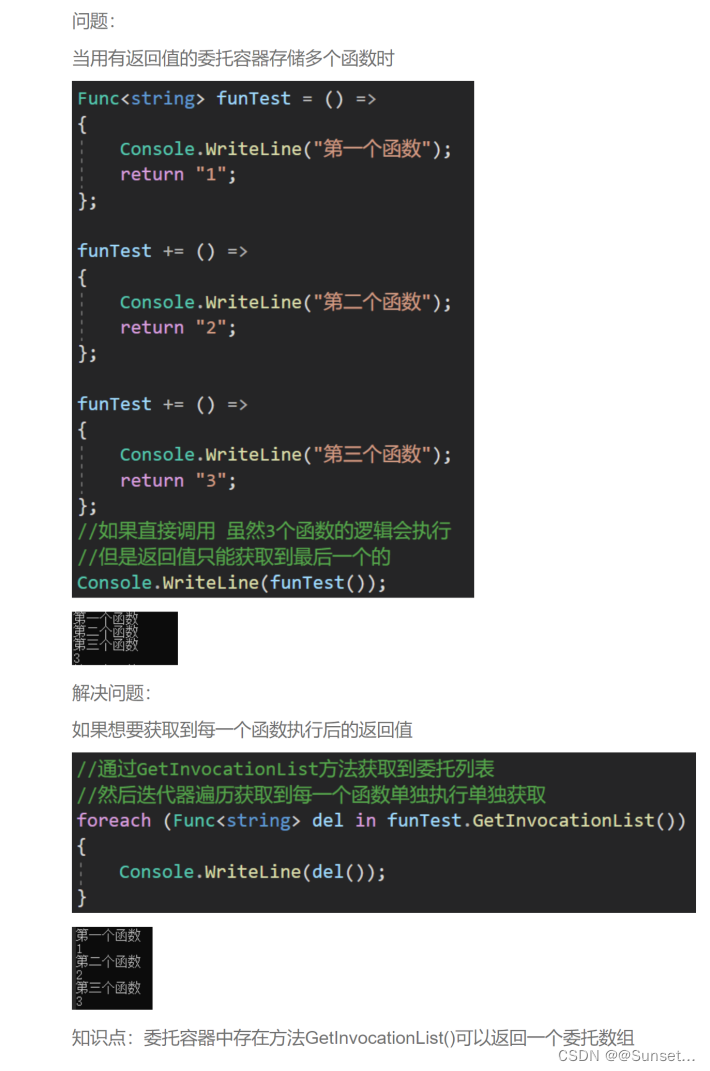
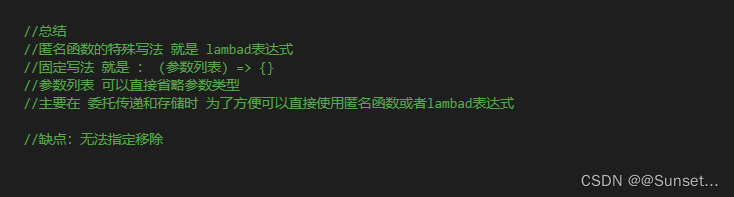
Lesson15:Lambad表达式
补充知识点:
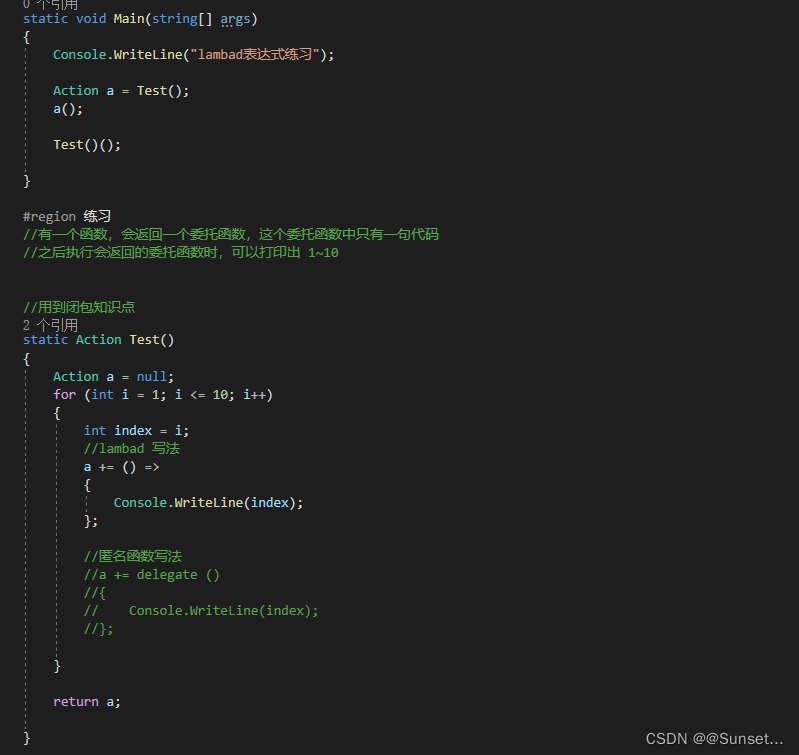
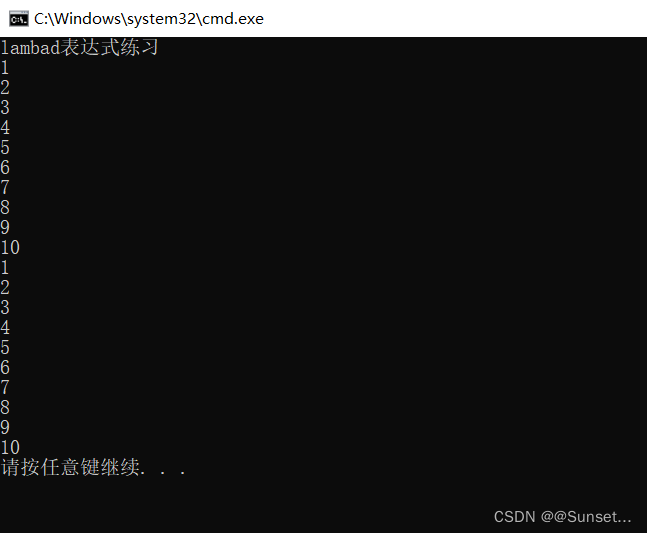
练习:
List排序
Lesson16:List排序
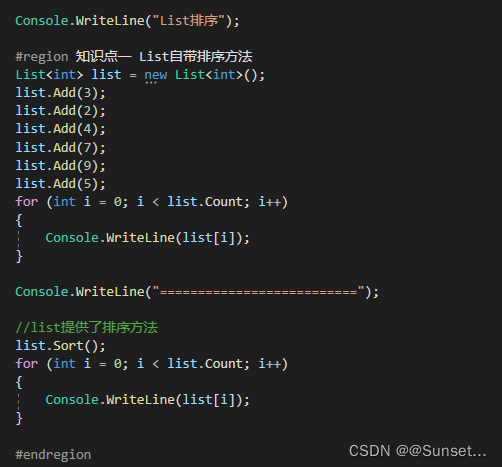
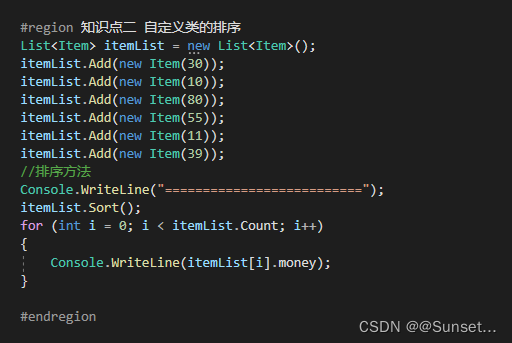
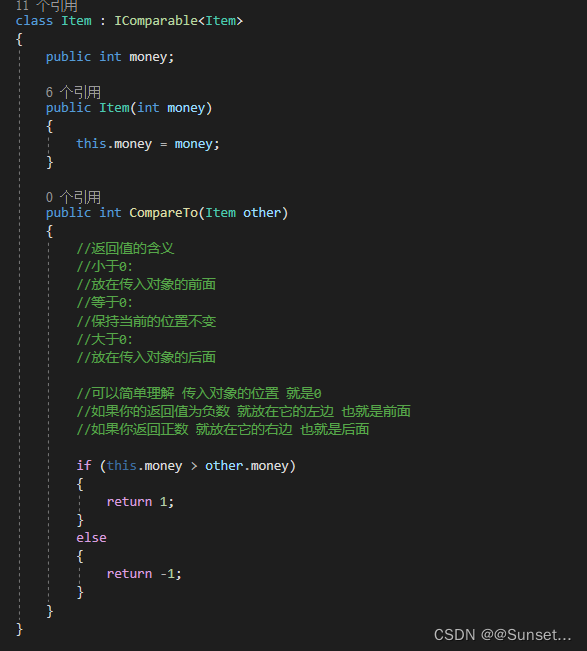
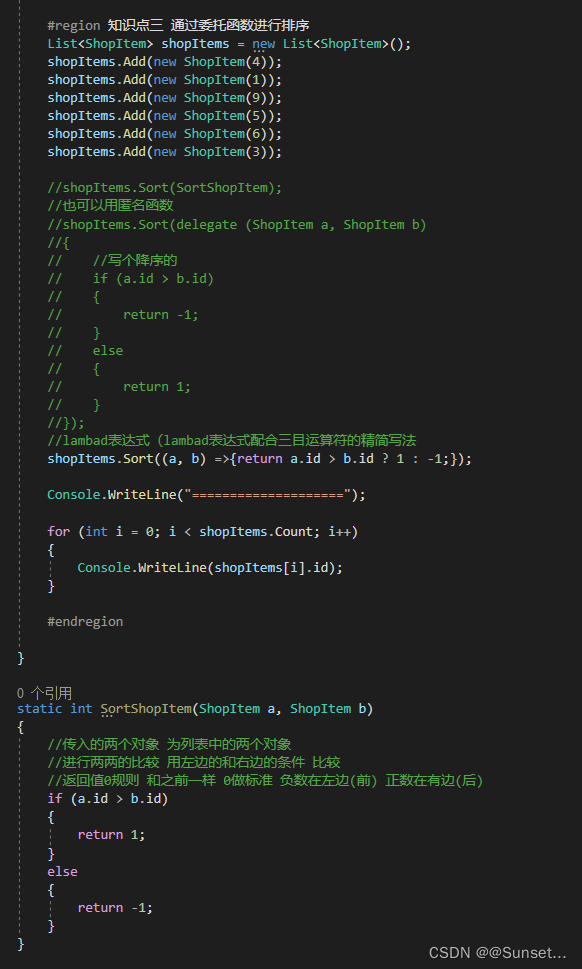
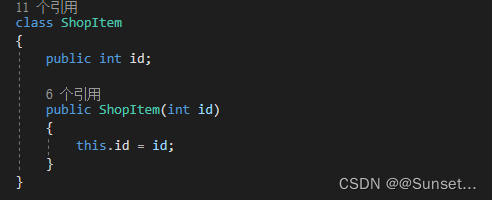
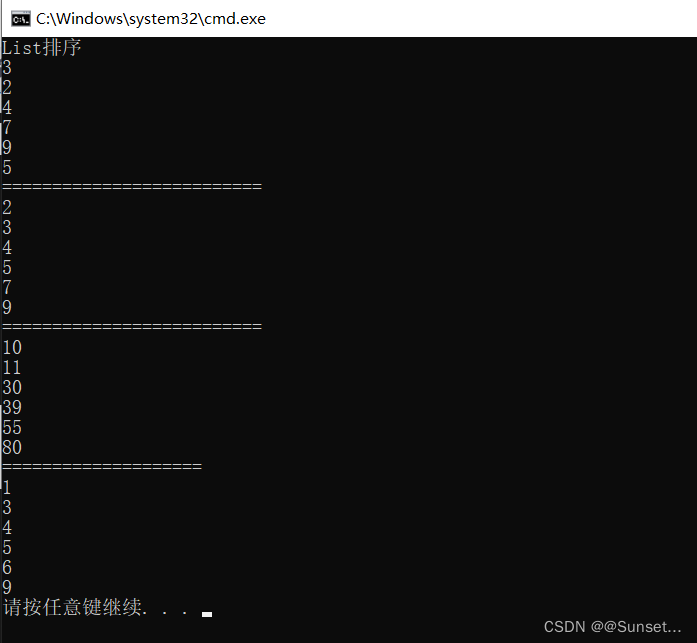
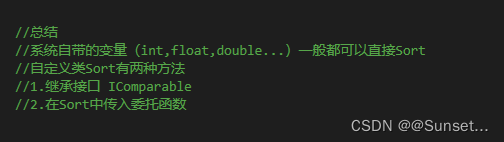
练习:
using System;
using System.Collections.Generic;
using System.Linq;
using System.Text;
using System.Threading.Tasks;

namespace Lesson16_练习
{

    #region 练习一
    //写一个怪物类,创建10个怪物将其添加到List中
    //对List列表进行排序,根据用户输入数字进行排序
    //1.攻击排序
    //2.防御排序
    //3.血量排序
    //4.反转

    class Monster : IComparable<Monster>
    {
        public int atk;
        public int enk;
        public int hp;
        public int id;

        public Monster(int atk, int enk, int hp, int id)
        {
            this.atk = atk;
            this.enk = enk;
            this.hp = hp;
            this.id = id;
        }

        //继承接口的排序方法
        public int CompareTo(Monster other)
        {
            //升序
            if (this.atk > other.atk)
            {
                return 1;
            }
            else
            {
                return -1;
            }
        }
    }

    #endregion

    #region 练习二
    //写一个物品类(类型、名字、品质),创建10个物品
    //添加到List中
    //同时使用类型、品质、名字长度进行比较
    //排序的权重是:类型>品质>名字长度

    class Item
    {
        public int type;
        public string name;
        public int quality;

        public Item(int type, string name, int quality)
        {
            this.type = type;
            this.name = name;
            this.quality = quality;
        }

        public override string ToString()
        {
            return string.Format("道具信息:类型:{0},名字:{1},品质:{2}", type, name, quality);
        }
    }

    #endregion

    #region 练习三
    //涉及到 : linq  SQL

    //尝试利用List排序方式对Dictionary中的内容排序
    //提示:得到Dictionary的所有键值对信息存入List中
    #endregion


    class Program
    {
        static void Main(string[] args)
        {
            Console.WriteLine("List排序练习");

            #region 练习一
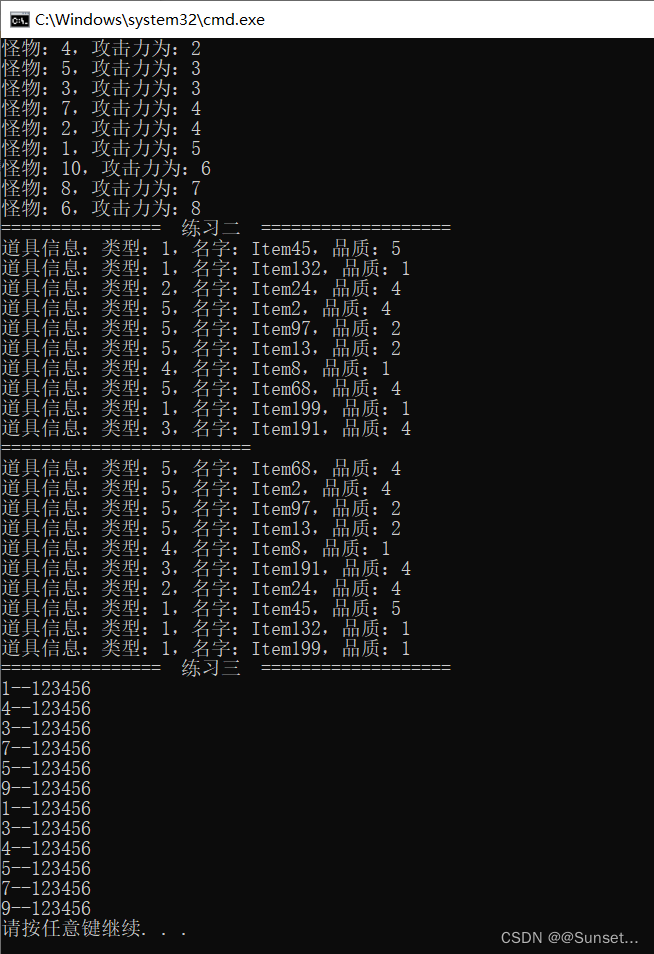
            Console.WriteLine("================  练习一  ===================");
            List<Monster> m = new List<Monster>();
            m.Add(new Monster(5, 1, 9, 1));
            m.Add(new Monster(4, 2, 8, 2));
            m.Add(new Monster(3, 1, 7, 3));
            m.Add(new Monster(2, 4, 3, 4));
            m.Add(new Monster(3, 8, 3, 5));
            m.Add(new Monster(8, 7, 5, 6));
            m.Add(new Monster(4, 1, 7, 7));
            m.Add(new Monster(7, 2, 6, 8));
            m.Add(new Monster(2, 9, 6, 9));
            m.Add(new Monster(6, 4, 7, 10));

            Console.WriteLine("请输入1~3:");
            int num = int.Parse(Console.ReadLine());

            try
            {
                if (num == 1)
                {
                    //继承接口的方式
                    m.Sort();
                    Console.WriteLine("攻击力升序排序:");
                    for (int i = 0; i < m.Count; i++)
                    {
                        Console.WriteLine("怪物:{0},攻击力为:{1}", m[i].id, m[i].atk);
                    }
                }
                else if (num == 2)
                {
                    //调用方法--泛型的方式
                    m.Sort(Test);
                    Console.WriteLine("防御力降序排序:");
                    for (int i = 0; i < m.Count; i++)
                    {
                        Console.WriteLine("怪物:{0},防御力为:{1}", m[i].id, m[i].enk);
                    }
                }
                else if (num == 3)
                {
                    //匿名函数的方法  升序
                    //m.Sort(delegate (Monster m1, Monster m2)
                    //{
                    //    return m1.hp > m2.hp ? 1 : -1;
                    //});
                    //lambad  降序
                    m.Sort((m1, m2) => { return m1.hp > m2.hp ? -1 : 1; });
                    Console.WriteLine("血量升序排序:");
                    for (int i = 0; i < m.Count; i++)
                    {
                        Console.WriteLine("怪物:{0},血量为:{1}", m[i].id, m[i].hp);
                    }
                }
                else if (num == 4)
                {
                    m.Reverse();
                    Console.WriteLine("反转打印");
                    for (int i = 0; i < m.Count; i++)
                    {
                        Console.WriteLine("怪物:{0}", m[i].id);
                    }
                }
            }
            catch
            {
                Console.WriteLine("请输入数字!");
            }
            #endregion

            #region 练习二
            Console.WriteLine("================  练习二  ===================");
            List<Item> itemList = new List<Item>();
            Random r = new Random();
            for (int i = 0; i < 10; i++)
            {
                itemList.Add(new Item(r.Next(1, 6), "Item" + r.Next(1, 201), r.Next(1, 6)));
                Console.WriteLine(itemList[i]);
            }

            itemList.Sort((a, b) =>
            {
                //类型不同 按类型比
                if (a.type != b.type)
                {
                    return a.type > b.type ? -1 : 1;
                }
                //品质不同 按品质比
                else if (a.quality != b.quality)
                {
                    return a.quality > b.quality ? -1 : 1;
                }
                //否则就直接按名字长度比
                else
                {
                    return a.name.Length > b.name.Length ? -1 : 1;
                }
            });

            Console.WriteLine("=========================");

            for (int i = 0; i < 10; i++)
            {
                Console.WriteLine(itemList[i]);
            }
            #endregion

            #region 练习三
            Console.WriteLine("================  练习三  ===================");
            Dictionary<int, string> dic = new Dictionary<int, string>();
            dic.Add(1, "123456");
            dic.Add(4, "123456");
            dic.Add(3, "123456");
            dic.Add(7, "123456");
            dic.Add(5, "123456");
            dic.Add(9, "123456");

            List<KeyValuePair<int, string>> list = new List<KeyValuePair<int, string>>();

            foreach (KeyValuePair<int, string> item in dic)
            {
                list.Add(item);
                Console.WriteLine(item.Key + "--" + item.Value);
            }

            list.Sort((a, b) =>
            {
                return a.Key > b.Key ? 1 : -1;
            });

            for (int i = 0; i < list.Count; i++)
            {
                Console.WriteLine(list[i].Key + "--" + list[i].Value);
            }

            #endregion


        }


        static int Test(Monster m1, Monster m2)
        {
            //降序
            if (m1.enk > m2.enk)
            {
                return -1;
            }
            else
            {
                return 1;
            }
        }

    }
}
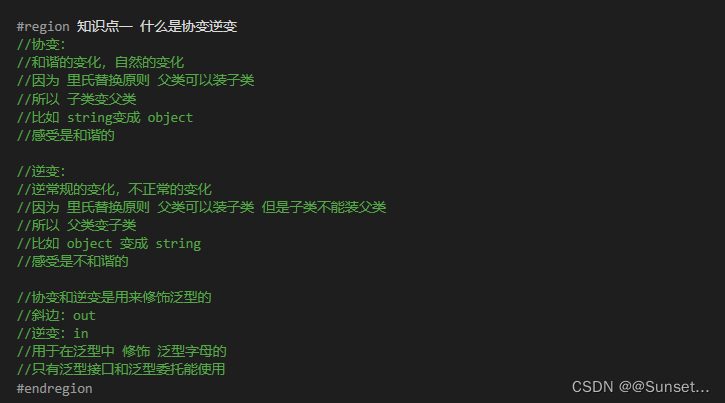
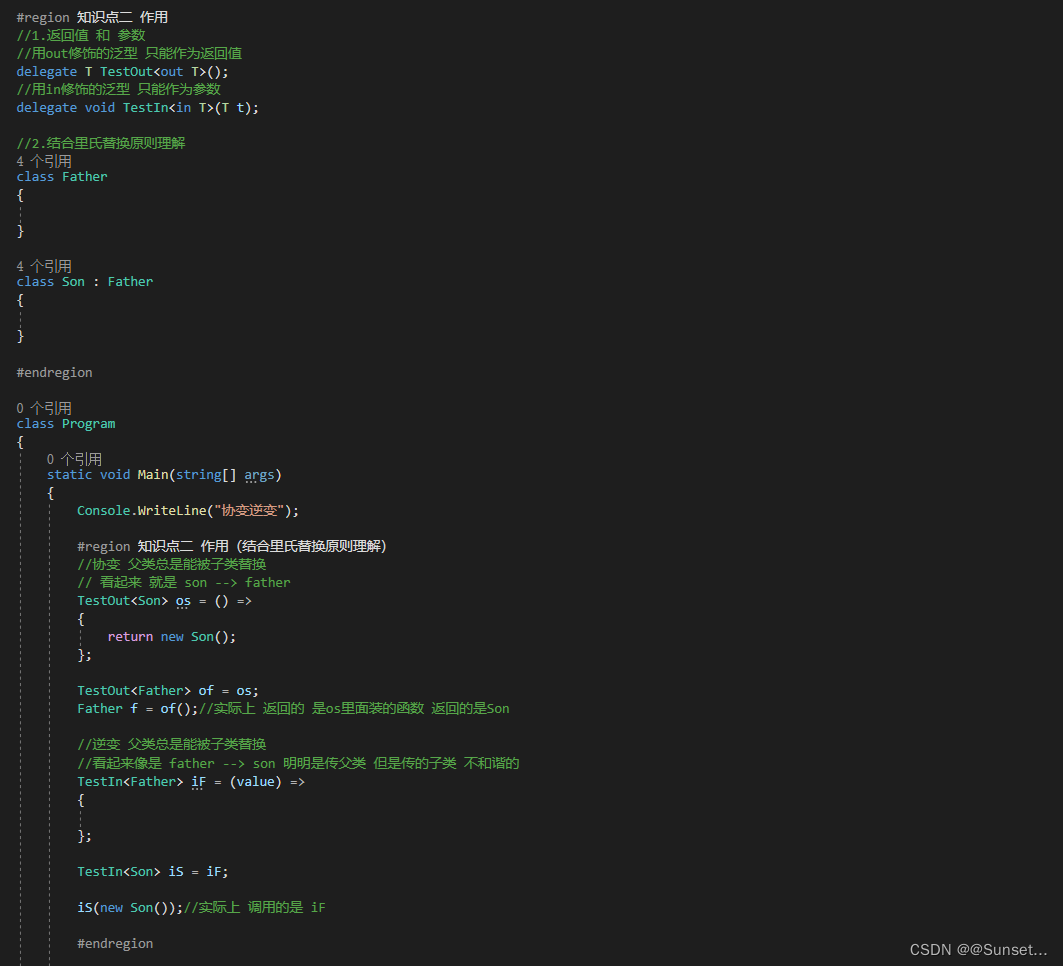
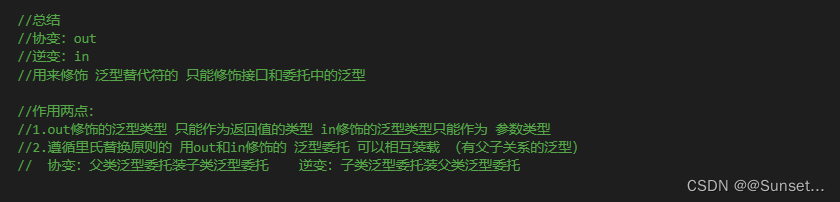
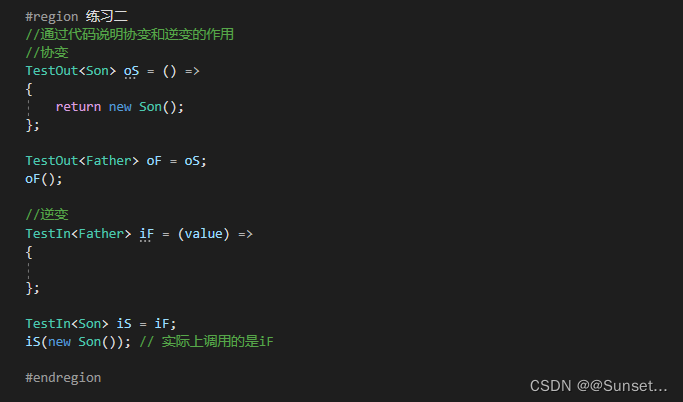
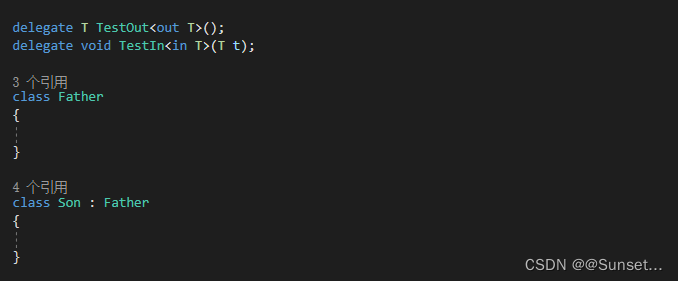
协变逆变
Lesson17:协变和逆变
练习:
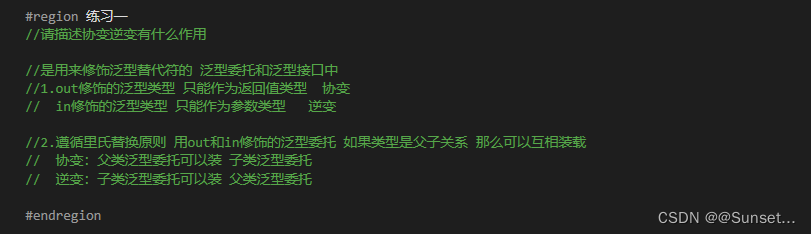
请描述协变逆变有什么作用
多线程
Lesson18:多线程
using System;
using System.Collections.Generic;
using System.Linq;
using System.Text;
using System.Threading;
using System.Threading.Tasks;

namespace Lesson18_多线程
{
    class Program
    {

        static bool isRuning = true;

        static object obj = new object();

        static void Main(string[] args)
        {
            Console.WriteLine("多线程");

            #region 知识点一 了解线程前先了解进程
            //进程(Process)是计算机中的程序关于某数据集合上的一次运行活动
            //是系统进行资源分配和调度的基本单位,是操作系统结构的基础
            //说人话:打开一个应用程序就是在操作系统上开启了一个进程
            //进程之间可以相互独立运行,互不干扰
            //进程之间也可以相互访问、操作
            #endregion

            #region 知识点二 什么是线程
            //操作系统能够进行运算调度的最小单位
            //它被包含在进程之中,是进程中的实际运作单位
            //一条线程指的是进程中一个单一顺序的控制流,一个进程中可以并发多个线程
            //我们目前写的程序 都在主线程中

            //简单理解线程:
            //就是代码从上到下运行的一条“管道"
            #endregion

            #region 知识点三 什么是多线程
            //我们可以通过代码 开启新的线程
            //可以同时运行代码的多条“管道”就叫多线程
            #endregion

            #region 知识点四 语法相关
            //线程类 Thread
            //需要引用命名空间 using System.Threading;
            //1.申明一个新的线程
            //  注意 线程执行的代码 需要封装到一个函数中
            //  新线程 将要执行的代码逻辑 被封装到了一个函数语句块中
            Thread t = new Thread(NewThreadLogic);

            //2.启动线程
            t.Start();

            //3.设置为后台线程
            //当前台线程都结束的时候,整个程序也就结束了,即使还有后台线程正在运行
            //后台线程不会防止应用程序的进程被终止掉
            //如果不设置为后台线程 可能导致进程无法正常关闭
            t.IsBackground = true;

            //4.关闭释放一个线程
            //如果开启的线程中不是死循环 是能够结束的逻辑 那么 不用刻意的去关闭它
            //如果是死循环 想要终止这个线程 有两种方式
            //4.1--死循环中bool标识
            //Console.ReadKey();

            //isRuning = false;

            //Console.ReadKey();

            //4.2--通过线程提供的方法(注意在.Net core版本中无法中止 会报错)
            //try
            //{
            //    //终止线程
            //    t.Abort();
            //    t = null;
            //}
            //catch
            //{

            //}

            //5.线程休眠
            //让线程休眠多少毫秒  1s = 1000毫秒
            //在哪个线程里执行 就休眠哪个线程
            //Thread.Sleep(1000);

            #endregion

            #region 知识点五 线程之间共享数据
            //多个线程使用的内存是共享的,都属于该应用程序(进程)
            //所以要注意 当多线程 同时操作同一片内存区域时可能会出现问题
            //可以通过加锁的形式避免问题

            //lock
            //当我们在多个线程当中想要访问同样的东西 进行逻辑处理时
            //为避免不必要的逻辑顺序执行的查错
            //lock(引用类型对象)

            while (true)
            {
                lock (obj)
                {
                    Console.SetCursorPosition(0, 0);
                    Console.ForegroundColor = ConsoleColor.Red;
                    Console.Write("●");
                }

            }

            #endregion

            #region 知识点六 多线程对于我们的意义
            //可以用多线程专门处理一些复杂耗时的逻辑
            //比如 寻路、网络通信等等
            #endregion

        }

        static void NewThreadLogic()
        {
            //新开线程 执行的代码逻辑 在该函数语句块中
            while (isRuning)
            {
                //Thread.Sleep(1000);
                //Console.WriteLine("新开线程代码逻辑。");

                lock (obj)
                {
                    Console.SetCursorPosition(10, 5);
                    Console.ForegroundColor = ConsoleColor.Yellow;
                    Console.Write("■");
                }

            }

        }


        //总结
        //多线程是多个可以同时执行代码逻辑的“管道”
        //可以通过代码开启多线程,用多线程处理一些复杂的可能影响主线程流畅度的逻辑
        //关键字: Thread

    }
}

练习:

预处理器指令
Lesson19:预处理器指令
//定义一个符号
#define Unity4
#define Unity5
//#define Unity2017
#define Unity2019
//取消定义一个符号
#undef Unity4

#define IOS
#define Android
#define PC

using System;
using System.Collections.Generic;
using System.Linq;
using System.Text;
using System.Threading.Tasks;

namespace Lesson19_预处理器指令
{
    class Program
    {
        static void Main(string[] args)
        {
            Console.WriteLine("预处理器指令");

            #region 知识点一 什么是编译器
            //编译器是一种翻译程序
            //它用于将源语言程序翻译为目标语言程序

            //源语言程序:某种程序设计语言写成的,比如C#、C、C++、Java等语言写的程序
            //目标语言程序:二进制数表示的伪机器代码写的程序
            #endregion

            #region 知识点二 什么是预处理器指令
            //预处理器指令 指导编译器 在实际编译开始前对信息进行预处理
            //预处理器指令 都是以# 开始
            //预处理器指令不是语句,所以它们不以分号 ; 结束
            //目前我们经常用到 折叠代码块 就是预处理器指令
            #endregion

            #region 知识点三 常见的预处理器指令
            //1
            //#define
            //定义一个符号,类似一个没有值的变量
            //#undef
            //取消define定义的符号,让其失效
            //两者都是写在脚本文件最前面
            //一般配合 if指令使用 或配合特征

            //2
            //#if
            //#elif
            //#else
            //#endif
            //和if语句规则一样,一般配合#define定义的符号使用
            //用于告诉编译器进行编译代码的流程控制

            //如果发现有Unity4这个符号 那么其中包含的代码 就会被编译器翻译
            //可以通过 逻辑或 和 逻辑与 进行多种符号的组合判断
#if Unity4
            Console.WriteLine("版本为Unity4");
#elif Unity2017 || IOS
            Console.WriteLine("版本为Unity2017");
            //#warning 这个版本 不合法
            //#error 这个版本不支持执行
#else
            Console.WriteLine("其他版本");
#endif

            //3
            //#warning
            //#error
            //告诉编译器
            //是警报还是报错误
            //一般还是配合if使用

            #endregion


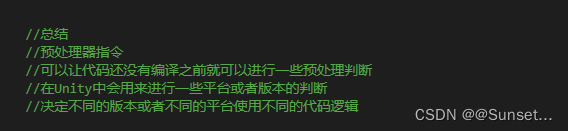
            //总结
            //预处理器指令
            //可以让代码还没有编译之前就可以进行一些预处理判断
            //在Unity中会用来进行一些平台或者版本的判断
            //决定不同的版本或者不同的平台使用不同的代码逻辑

        }
    }
}
练习:
#define Unity5
#define Unity2017
#define Unity2020
#undef Unity2017
#undef Unity5

using System;
using System.Collections.Generic;
using System.Linq;
using System.Text;
using System.Threading.Tasks;

namespace Lesson19_练习
{
    class Program
    {
        static void Main(string[] args)
        {
            Console.WriteLine("预处理器指令练习");

            #region 练习一
            //请说出至少4种预处理器指令
            //1.#define  定义一个符号 (没有值的变量)
            //  #undef   取消定义一个符号

            //2.#if
            //  #elif
            //  #else
            //  #endif

            //3.#warning
            //  #error

            #endregion

            #region 练习二
            //请使用预处理器指令实现
            //写一个函数计算两个数
            //当是Unity5版本时算加法
            //当是Unity2017版本时算乘法
            //当是Unity2020版本是算减法
            //都不是返回0

            Console.WriteLine(Test(10,20));


            #endregion

        }

        static int Test(int x, int y)
        {
#if Unity5
            int sam = x + y;
            return sam;
#elif Unity2017
            int sam = x * y;
            return sam;
#elif Unity2020
            int sam = x - y;
            return sam;
#else
            return 0;

#endif
        }

    }
}
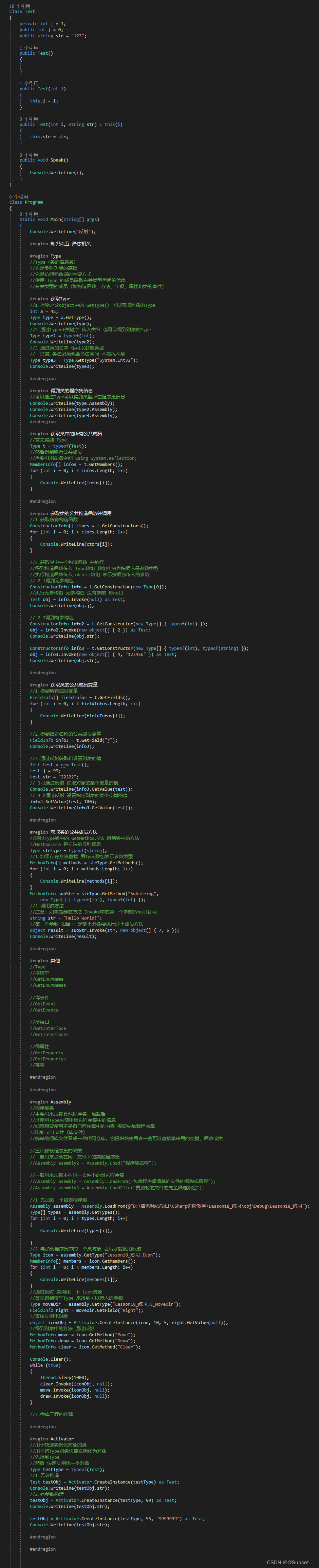
反射和特性
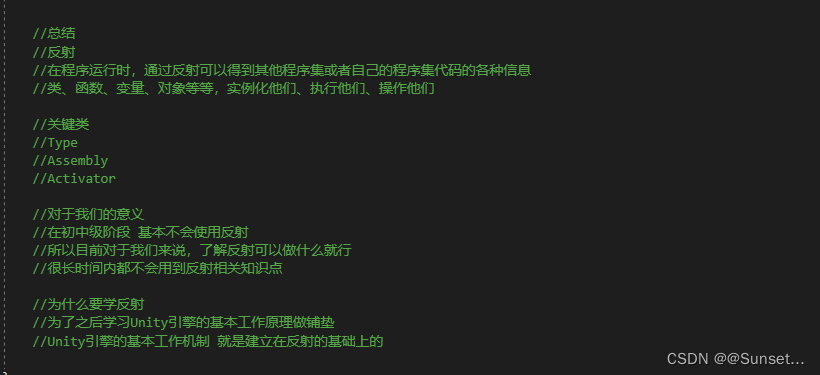
Lesson20:反射

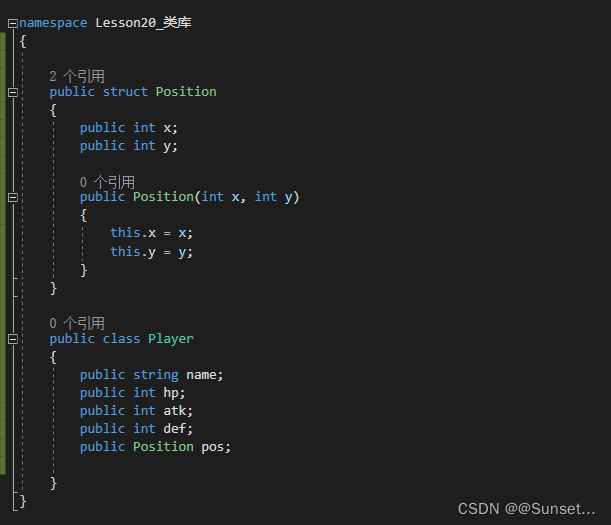
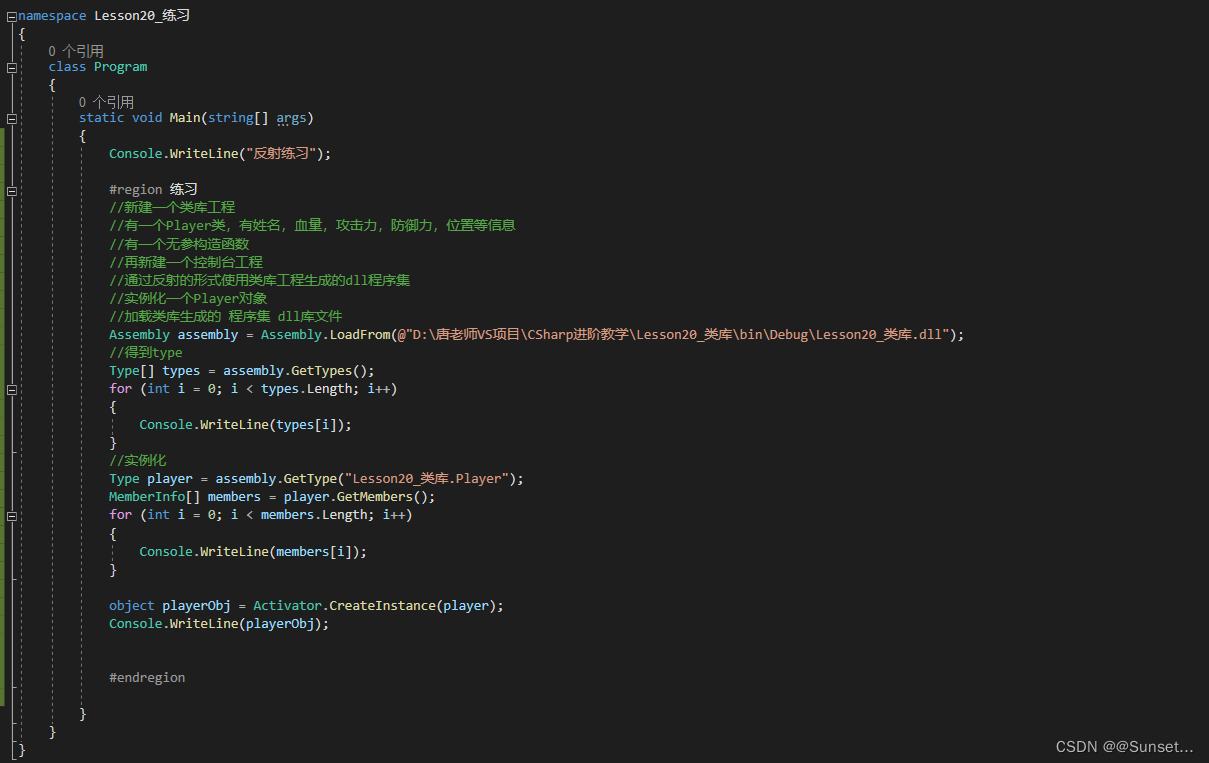
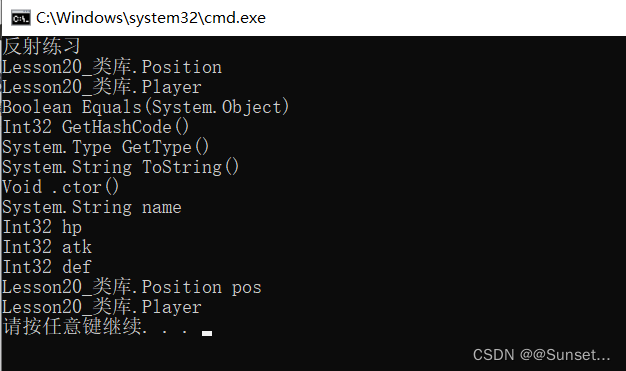
练习:
注意:路径最后加上后缀,不然会报错,暂时我也不知道为什么不加会报错
Lesson21:特性
#define Fun
using System;
using System.Collections.Generic;
using System.Diagnostics;
using System.Linq;
using System.Runtime.CompilerServices;
using System.Runtime.InteropServices;
using System.Text;
using System.Threading.Tasks;

namespace Lesson21_特性
{

    #region 知识点一 特性是什么
    //特性是一种允许我们向程序的程序集添加元数据的语言结构
    //它是用于保持程序结构信息的某种特殊类型的类

    //特性提供功能强大的方法以将申明信息与 C# 代码(类型、方法、属性等)相关联。
    //特性与程序实体关联后,即可在运行时使用反射查询特性信息

    //特性的目的是告诉编译器把程序结构的某组元数据嵌入程序集中
    //它可以放置在几乎所有的申明中(类、变量、函数等等申明)

    //说人话:
    //特性本质是个类
    //我们可以利用特性类为元数据添加额外信息
    //比如一个类、成员变量、成员方法等等为它们添加更多的额外信息
    //之后可以通过反射来获取这些额外信息
    #endregion

    #region 知识点二 自定义特性
    //继承特性基类 Attribute
    [AttributeUsage(AttributeTargets.Class | AttributeTargets.Field, AllowMultiple = true, Inherited = false)]
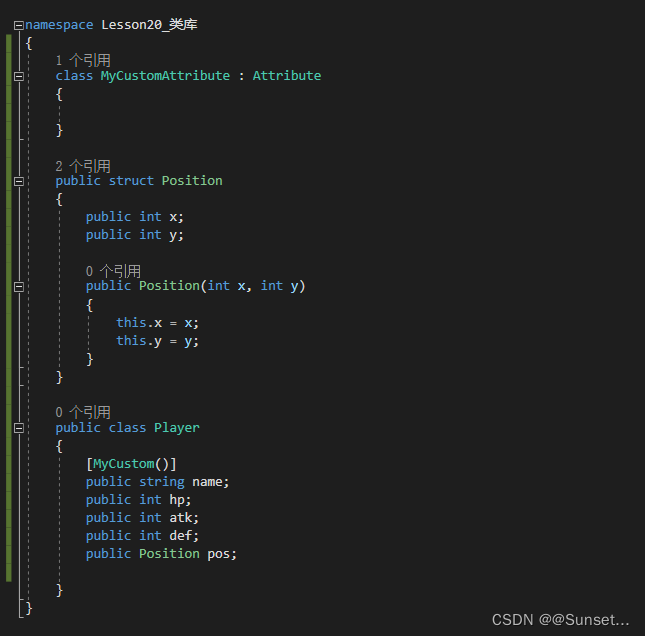
    class MyCustomAttribute : Attribute
    {
        //特性中的成员 一般根据需求来写
        public string info;

        public MyCustomAttribute(string info)
        {
            this.info = info;
        }

        public void TestFun()
        {
            Console.WriteLine("特性的方法");
        }
    }
    #endregion

    #region 知识点三 特性的使用
    //基本语法:
    //[特性名(参数列表)]
    //本质上 就是在调用特性的构造函数
    //写在哪里?
    //类、函数、变量上一行,表示他们具有该特性信息

    [MyCustom("这个是自己写的一个用于计算的类")]
    [MyCustom("这个是自己写的一个用于计算的类")]
    class MyClass
    {
        [MyCustom("这是一个成员变量")]
        public int value;

        //[MyCustom("这是一个用于计算加法的函数")]
        //public void TestFun([MyCustom("函数参数")]int a)
        //{

        //}
        public void TestFun(int a)
        {

        }

    }

    #endregion

    #region 知识点四 限制自定义特性的使用范围
    //通过为特性类 加特性 限制其使用范围
    [AttributeUsage(AttributeTargets.Class | AttributeTargets.Struct, AllowMultiple = true, Inherited = true)]
    //参数一:AttributeTargets -- 特性能够用在哪些地方
    //参数二:AllowMultiple -- 是否允许多个特性实例用在同一个目标上
    //参数三:Inherited -- 特性是否能被派生类和重写成员继承

    public class MyCustom2Attribute : Attribute
    {

    }
    #endregion

    #region 知识点五 系统自带特性--过时特性
    //过时特性
    //Obsolete
    //用于提示用户 使用的方法等成员已经过时 建议使用新方法
    //一般加在函数前的特性

    class TestClass
    {
        //参数一:调用过时方法时 提示的内容
        //参数二:true--使用该方法时会报错  false--使用该方法时直接警告
        [Obsolete("OldSpeak方法已经过时了,请使用Speak方法", false)]
        public void OldSpeak(string str)
        {
            Console.WriteLine(str);
        }

        public void Speak()
        {

        }

        public void SpeakCaller(string str, [CallerFilePath]string fileName = "",
            [CallerLineNumber]int line = 0, [CallerMemberName]string target = "")
        {
            Console.WriteLine(str);
            Console.WriteLine(fileName);
            Console.WriteLine(line);
            Console.WriteLine(target);
        }

    }

    #endregion

    #region 知识点六 系统自带特征 -- 调用者信息特征
    //哪个文件调用?
    //CallerFilePath特性
    //哪一行调用
    //CallerLineNumber特性
    //哪个函数调用?
    //CallerMemberName特性

    //需要引用命名空间 using System.Runtime.CompilerServices;
    //一般作为函数参数的特性
    #endregion

    #region 知识点七 系统自带特性 -- 条件编译特性
    //条件编译特性
    //Conditional
    //它会和预处理指令 #define配合使用

    //需要引用命名空间using System.Diagnostics;
    //主要可以用在一些调试代码上
    //有时想执行有时不想执行的代码
    #endregion

    #region 知识点八 系统自带特性--外部Dll包函数特性
    //DllImport

    //用来标记非.Net(C#)的函数,表明该函数在一个外部的DLL中定义
    //一般用来调用 C 或者 C++ 的DLL包写好的方法
    //需要引用命名空间 using System.Runtime.InteropServices
    #endregion


    class Program
    {

        [DllImport("Test.dll")]
        public static extern int Add(int a, int b);

        [Conditional("Fun")]
        static void Fun()
        {
            Console.WriteLine("Fun执行");
        }

        static void Main(string[] args)
        {
            Console.WriteLine("特性");

            #region 特性的使用
            MyClass mc = new MyClass();
            Type t = mc.GetType();
            //t = typeof(MyClass);
            //t = Type.GetType("Lesson21_特性.MyClass");

            //判断是否使用了某个特性
            //参数一:特性的类型
            //参数二:代表是否搜索继续
            if (t.IsDefined(typeof(MyCustomAttribute), false))
            {
                Console.WriteLine("该类型应用了MyCustom特性");
            }

            //获取Type元数据中的所有特性
            object[] array = t.GetCustomAttributes(true);
            for (int i = 0; i < array.Length; i++)
            {
                if (array[i] is MyCustomAttribute)
                {
                    Console.WriteLine((array[i] as MyCustomAttribute).info);
                    (array[i] as MyCustomAttribute).TestFun();
                }
            }

            TestClass tc = new TestClass();
            tc.OldSpeak("123");
            tc.Speak();

            tc.SpeakCaller("123456");

            Fun();

            #endregion


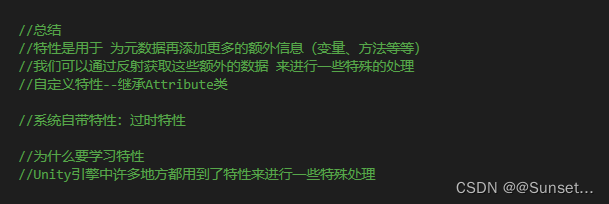
            //总结
            //特性是用于 为元数据再添加更多的额外信息(变量、方法等等)
            //我们可以通过反射获取这些额外的数据 来进行一些特殊的处理
            //自定义特性--继承Attribute类

            //系统自带特性:过时特性

            //为什么要学习特性
            //Unity引擎中许多地方都用到了特性来进行一些特殊处理

        }
    }
}
练习:
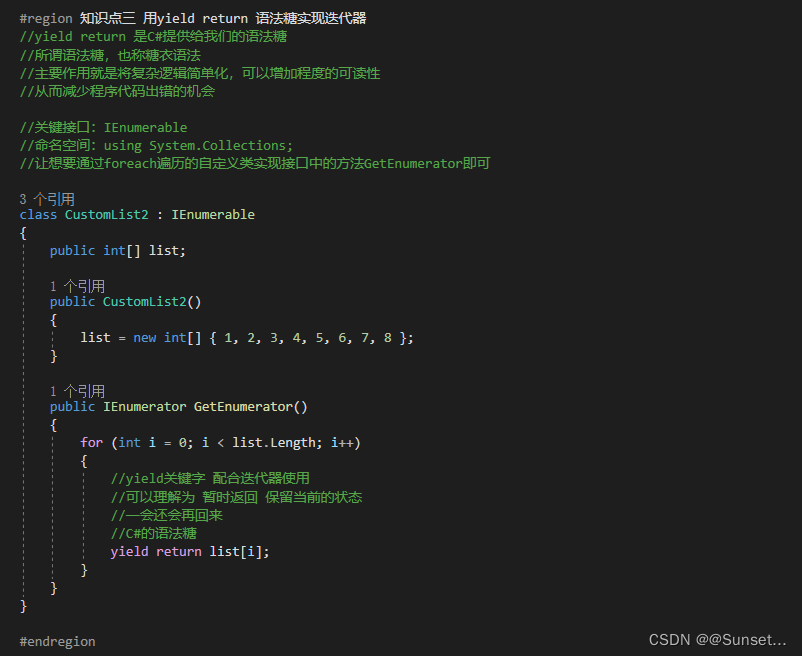
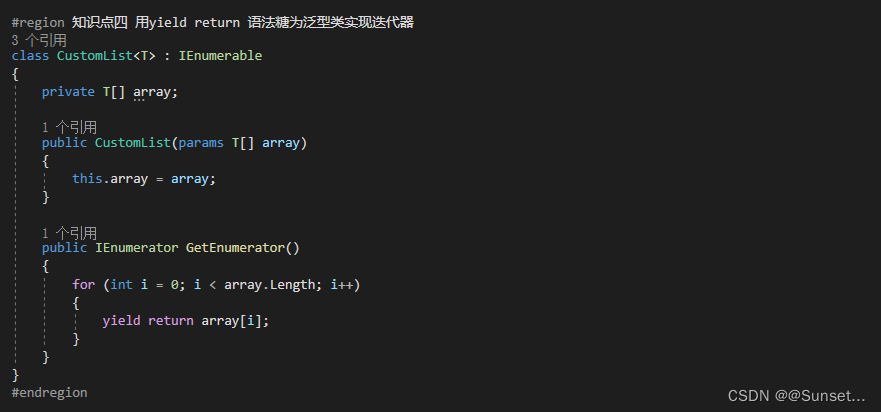
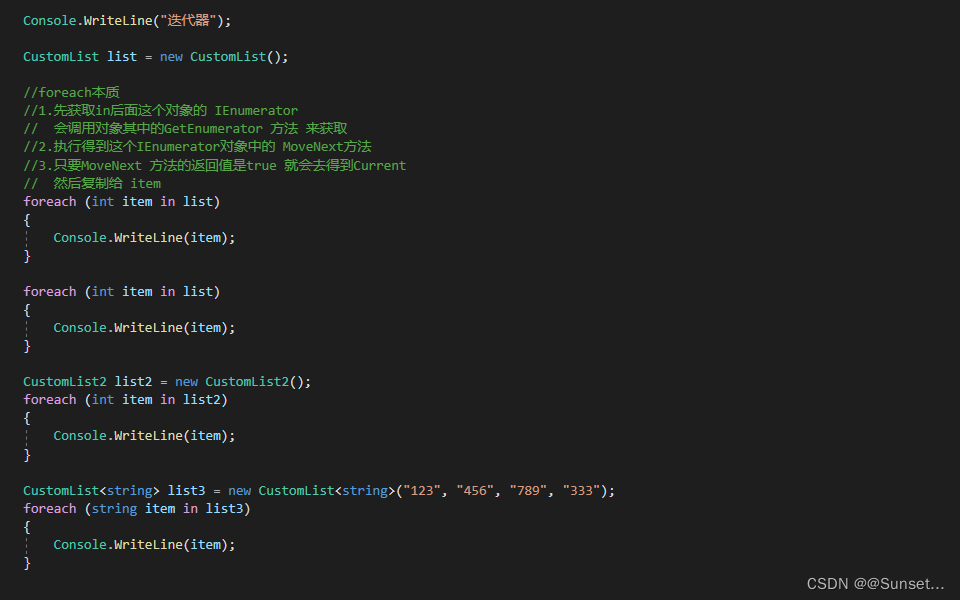
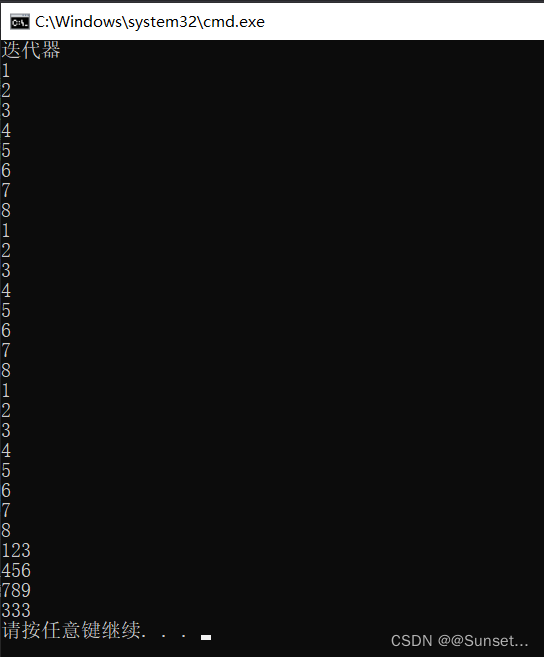
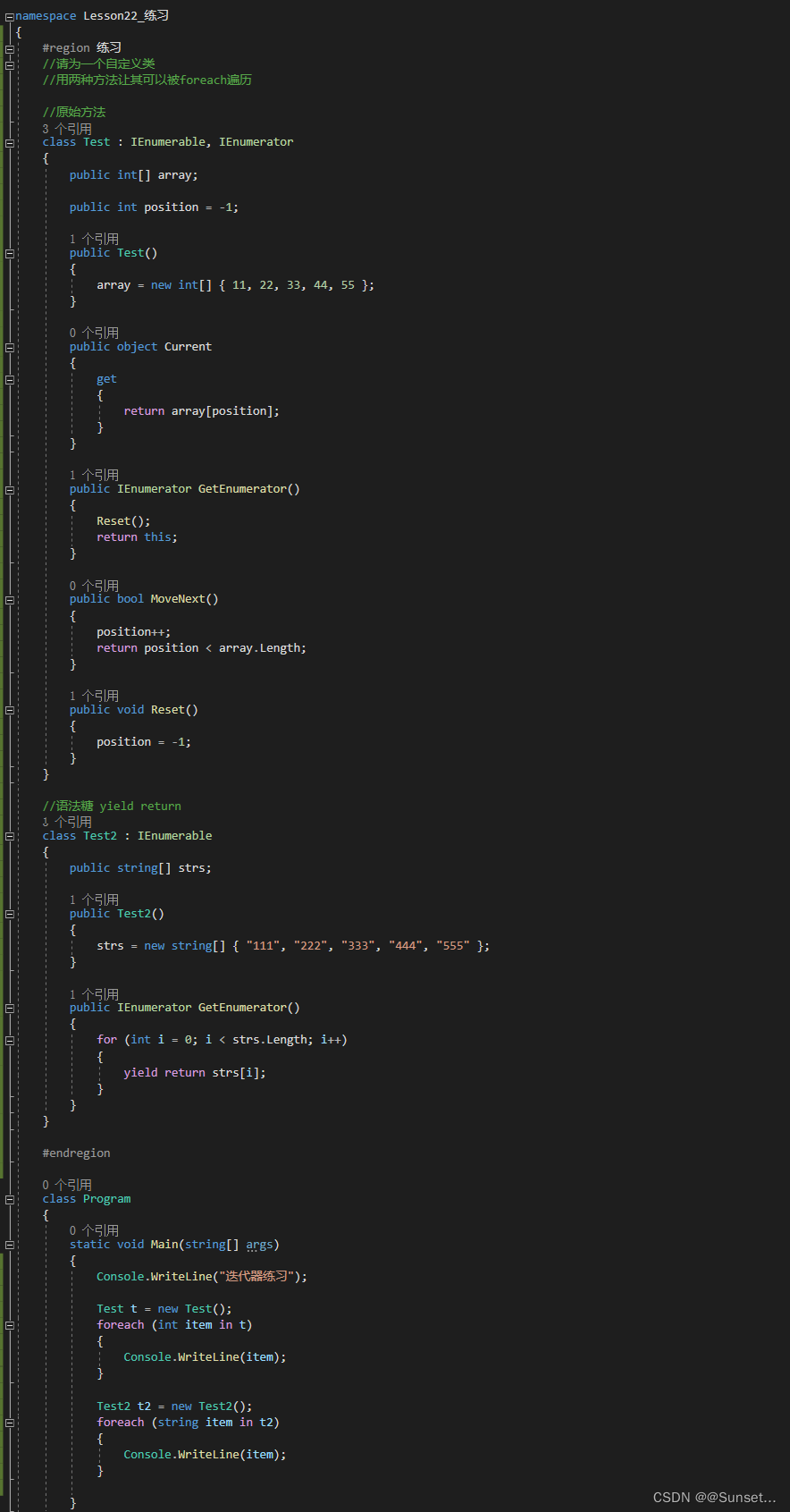
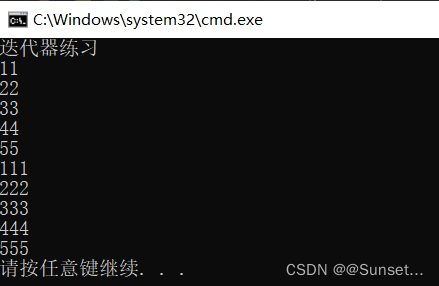
Lesson22:迭代器


练习:
Lesson23:特殊语法
Lesson24:值和引用
排序进阶
面试时会考,但后面开发不常用
建议面试时突击复习下就可以!
(要面试啦!回来补上后面的内容!)

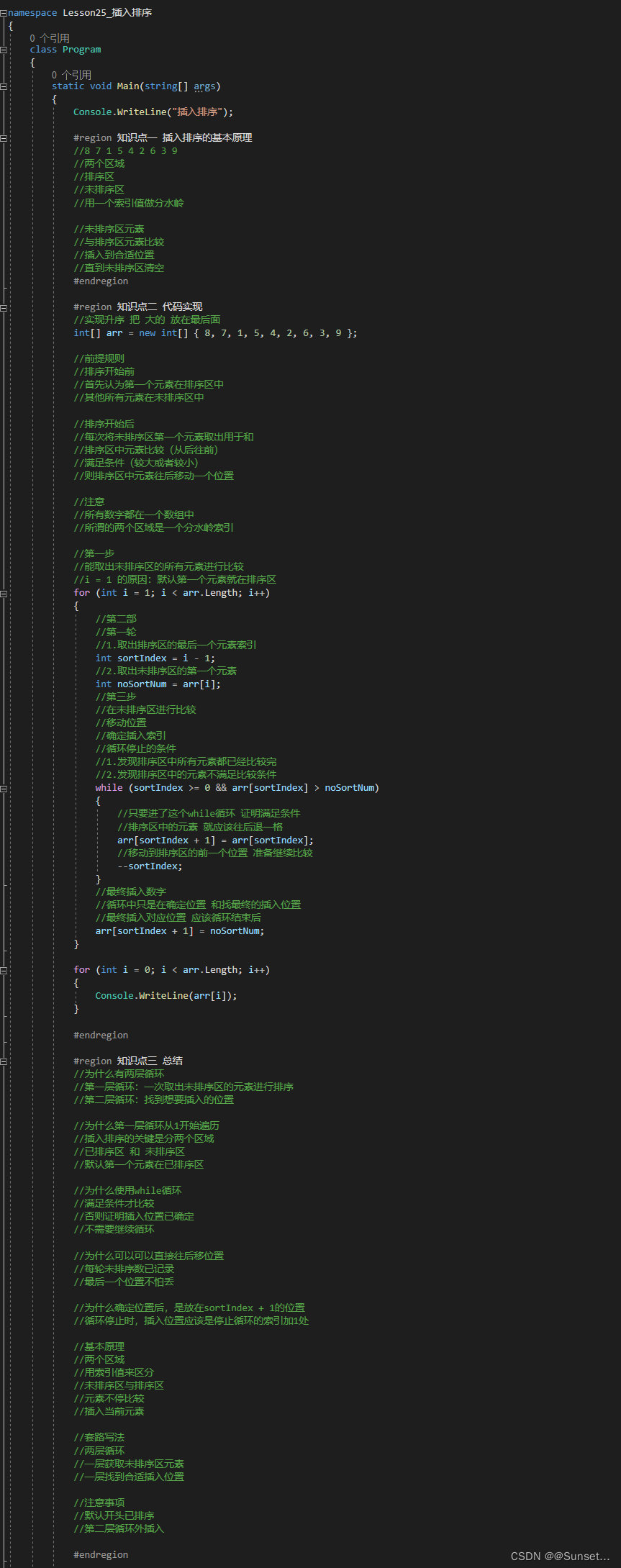
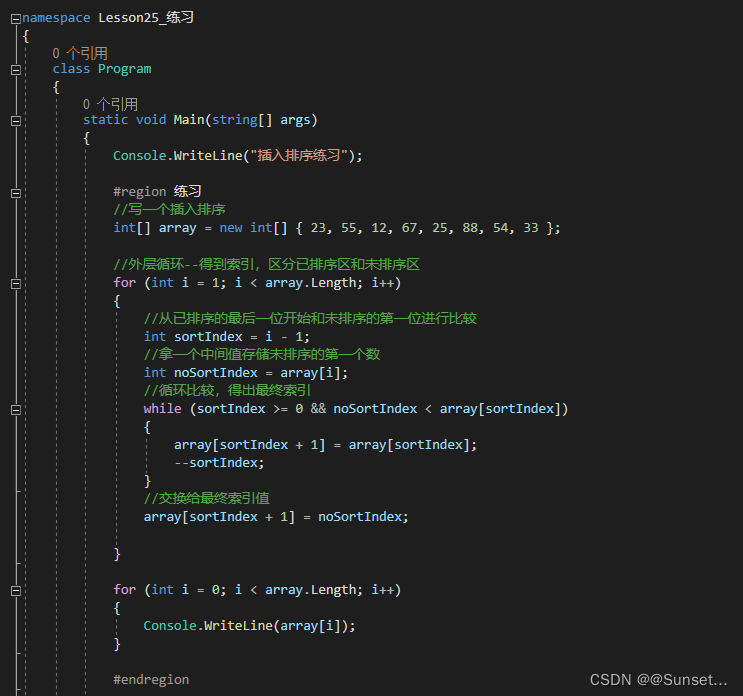
Lesson25:插入排序
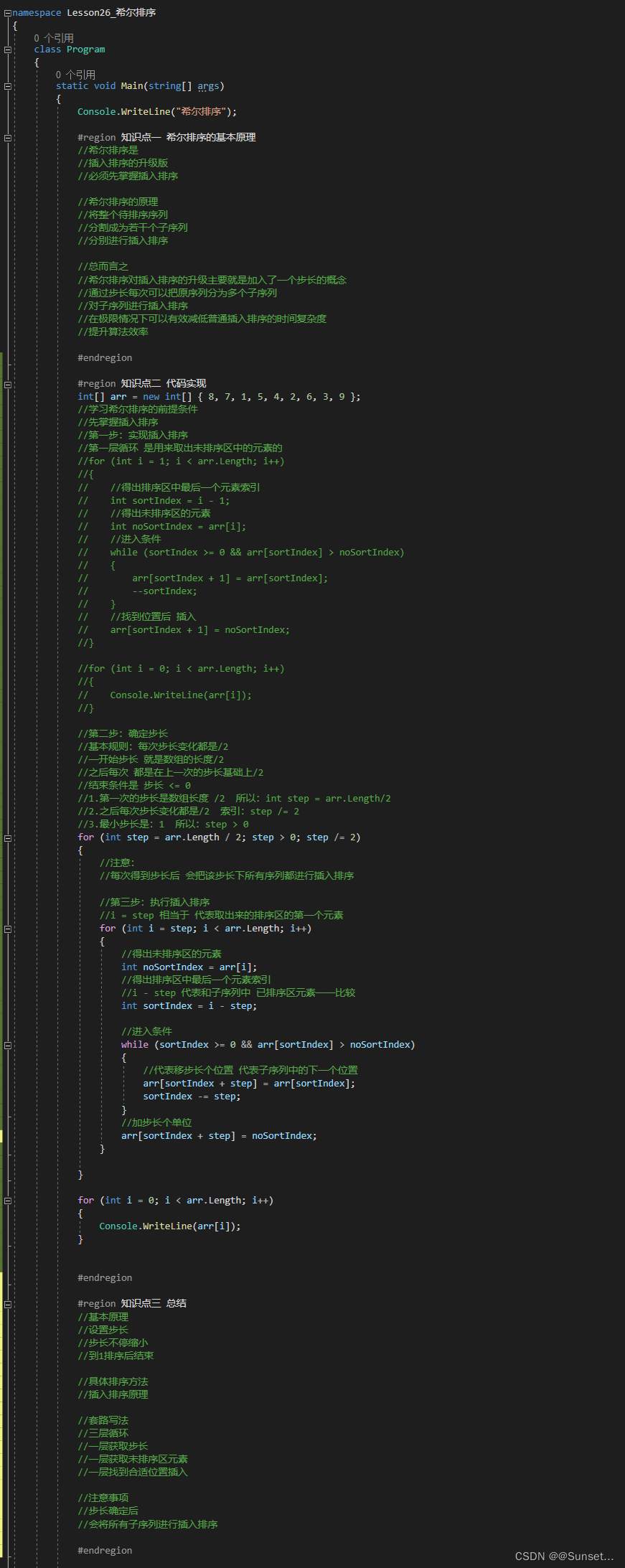
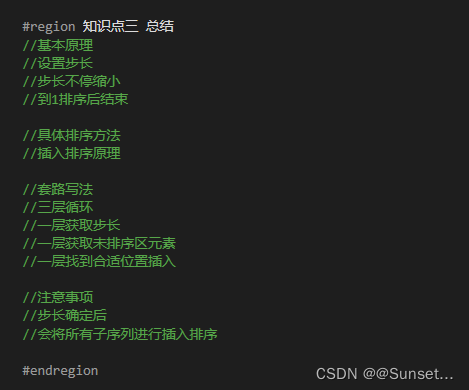
Lesson26:希尔排序
Lesson27:归并排序
using System;
using System.Collections.Generic;
using System.Linq;
using System.Text;
using System.Threading.Tasks;

namespace Lesson27_归并排序
{
    class Program
    {
        static void Main(string[] args)
        {
            Console.WriteLine("归并排序");

            int[] arr = new int[] { 8, 7, 1, 5, 4, 2, 6, 3, 9 };
            arr = Merge(arr);
            foreach(int num in arr)
            {
                Console.WriteLine(num);
            }
        }

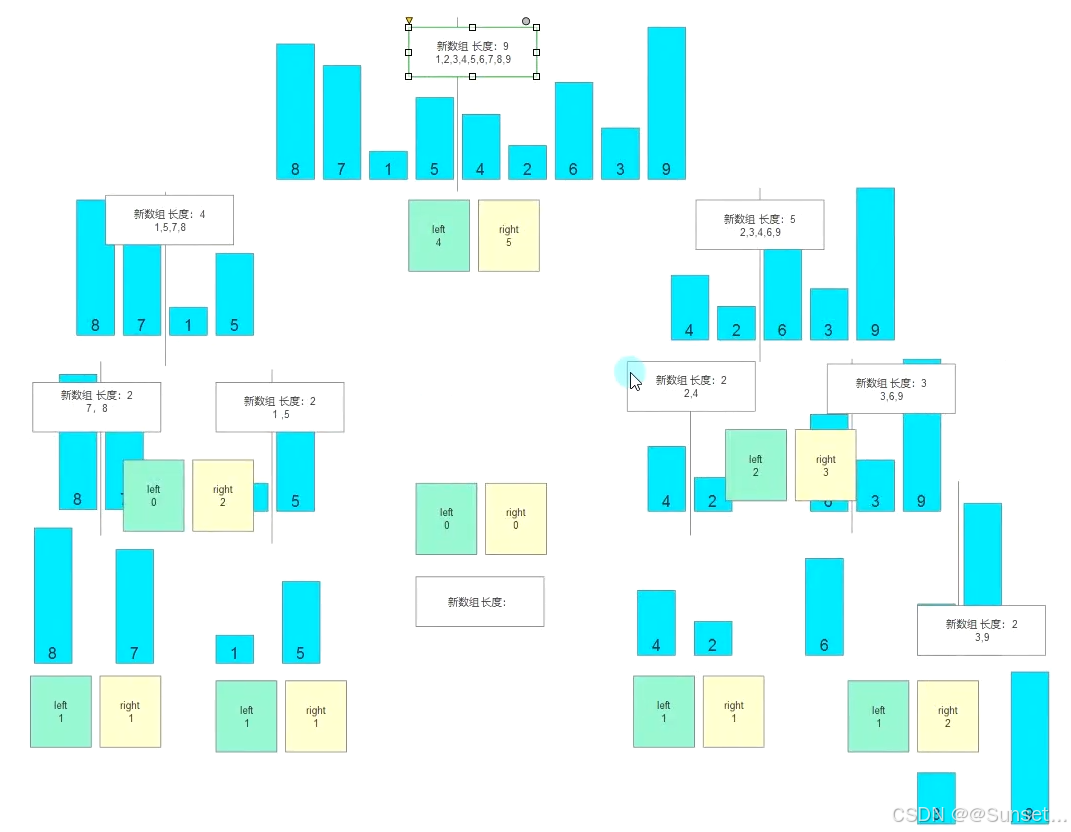
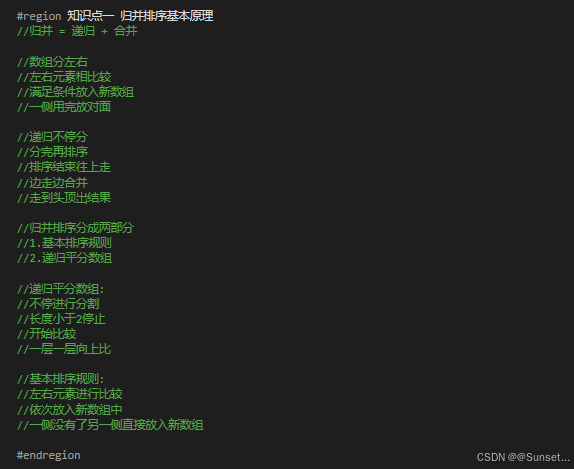
        #region 知识点一 归并排序基本原理
        //归并 = 递归 + 合并

        //数组分左右
        //左右元素相比较
        //满足条件放入新数组
        //一侧用完放对面

        //递归不停分
        //分完再排序
        //排序结束往上走
        //边走边合并
        //走到头顶出结果

        //归并排序分成两部分
        //1.基本排序规则
        //2.递归平分数组

        //递归平分数组:
        //不停进行分割
        //长度小于2停止
        //开始比较
        //一层一层向上比

        //基本排序规则:
        //左右元素进行比较
        //依次放入新数组中
        //一侧没有了另一侧直接放入新数组

        #endregion

        #region 知识点二 代码实现


        //第一步:
        //基本排序规则
        //左右元素相比较
        //满足条件放进去
        //一侧用完直接放

        public static int[] Sort(int[] left, int[] right)
        {
            //先准备一个新数组
            int[] array = new int[left.Length + right.Length];
            int leftIndex = 0;  //左数组索引
            int rightIndex = 0;  //右数组索引

            //最终目的是要填满这个新数组
            //不会出现两侧都放完还在进循环的情况
            //因为这个新数组的长度 是根据左右两个数组长度计算出来的
            for(int i = 0; i < array.Length; i++)
            {
                //左侧放完 直接放对面右侧
                if(leftIndex >= left.Length)
                {
                    array[i] = right[rightIndex];
                    rightIndex++;
                }
                //右侧放完 直接放对面左侧
                else if(rightIndex >= right.Length)
                {
                    array[i] = left[leftIndex];
                    leftIndex++;
                }

                else if(left[leftIndex] < right[rightIndex])
                {
                    array[i] = left[leftIndex];
                    //已经放入了一个左侧元素进入新数组
                    //所以 标识应该指向下一个
                    leftIndex++;
                }
                else
                {
                    array[i] = right[rightIndex];
                    rightIndex++;
                }
            }

            //得到了新数组 直接返回出去
            return array;

        }

        //第二步:
        //递归平分数组
        //结束条件为长度小于2
        public static int[] Merge(int[] array)
        {
            //递归结束条件(一般都写在开头)
            if (array.Length < 2)
                return array;

            //1.数组分两段 得到一个中间索引
            int mid = array.Length / 2;

            //2.初始化左右数组
            //左数组
            int[] left = new int[mid];
            //右数组
            int[] right = new int[array.Length - mid];
            //左右初始化内容
            for(int i = 0; i < array.Length; i++)
            {
                if (i < mid)
                    left[i] = array[i];
                else
                    right[i - mid] = array[i];
            }

            //3.递归再分再排序
            return Sort(Merge(left), Merge(right));
        }

        #endregion

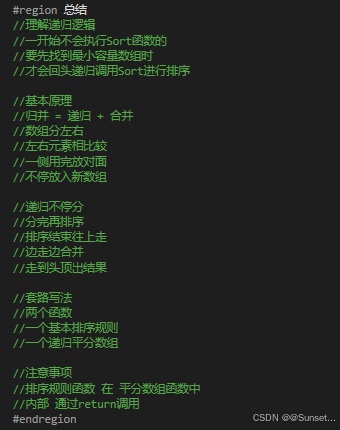
        #region 总结
        //理解递归逻辑
        //一开始不会执行Sort函数的
        //要先找到最小容量数组时
        //才会回头递归调用Sort进行排序

        //基本原理
        //归并 = 递归 + 合并
        //数组分左右
        //左右元素相比较
        //一侧用完放对面
        //不停放入新数组

        //递归不停分
        //分完再排序
        //排序结束往上走
        //边走边合并
        //走到头顶出结果

        //套路写法
        //两个函数
        //一个基本排序规则
        //一个递归平分数组

        //注意事项
        //排序规则函数 在 平分数组函数中
        //内部 通过return调用
        #endregion

    }
}
Lesson28:快速排序
using System;
using System.Collections.Generic;
using System.Linq;
using System.Text;
using System.Threading.Tasks;

namespace Lesson28_快速排序
{
    class Program
    {
        static void Main(string[] args)
        {
            Console.WriteLine("快速排序");
            int[] arr = new int[] { 8, 7, 1, 5, 4, 2, 6, 3, 9 };

            QuickSort(arr, 0, arr.Length - 1);

            foreach(int num in arr)
            {
                Console.WriteLine(num);
            }
        }

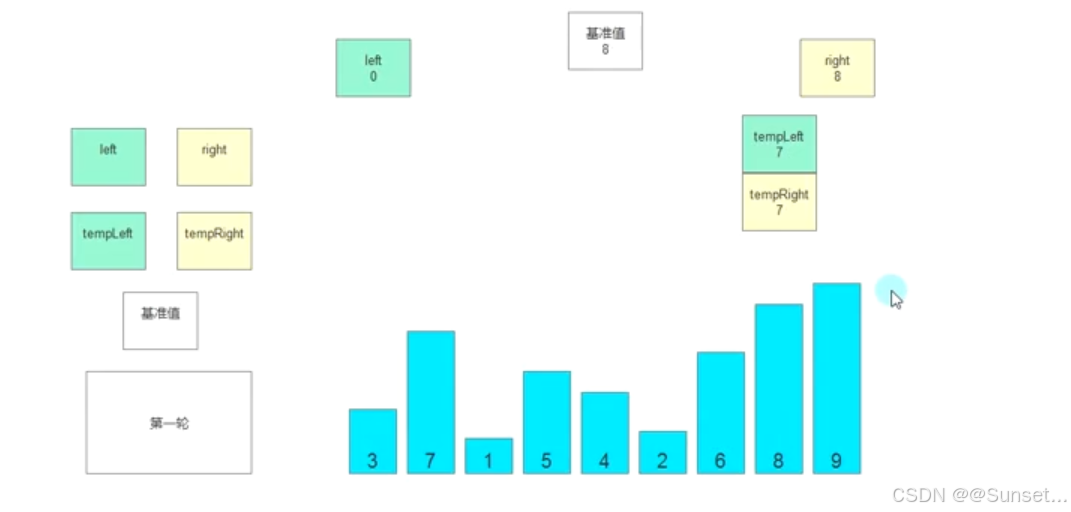
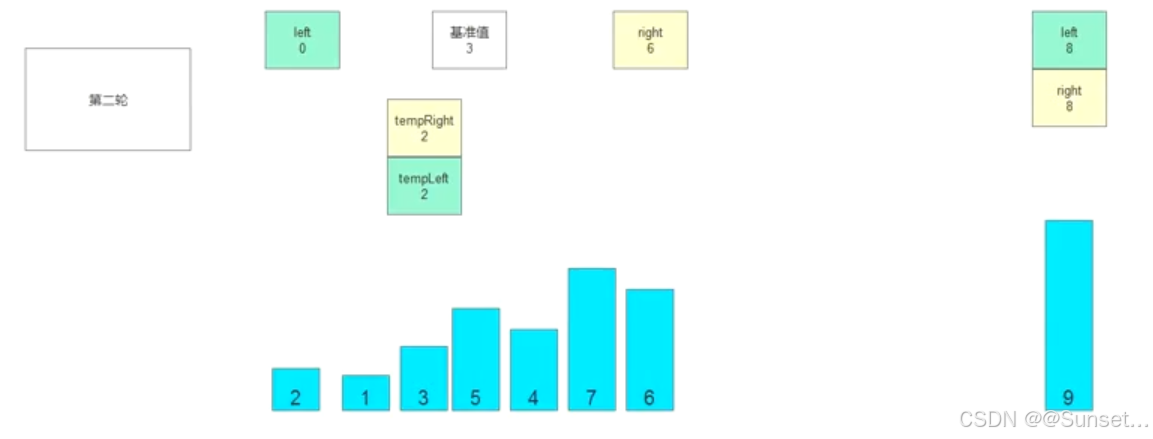
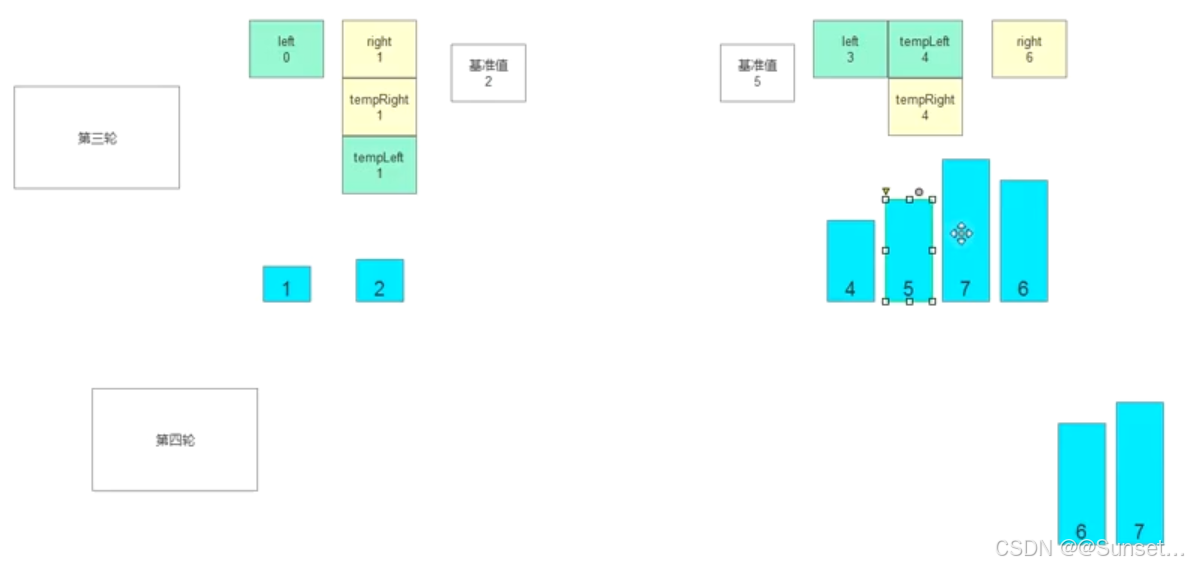
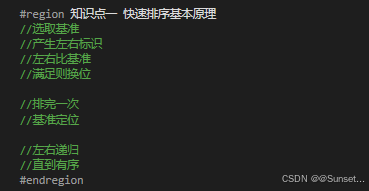
        #region 知识点一 快速排序基本原理
        //选取基准
        //产生左右标识
        //左右比基准
        //满足则换位

        //排完一次
        //基准定位

        //左右递归
        //直到有序
        #endregion

        #region 知识点二 代码实现
        //第一步:
        //声明用于快速排序的函数
        public static void QuickSort(int[] array, int left, int right)
        {
            //第七步:
            //递归函数结束条件(重要)
            if (left >= right)
                return;

            //第二步:
            //记录基准值
            //左游标
            //右游标
            int tempLeft, tempRight, temp;
            temp = array[left];
            tempLeft = left;
            tempRight = right;

            //第三步:
            //核心交互逻辑
            //左右游标会不同变化 要不相同 时才能继续变化
            while (tempLeft != tempRight)
            {
                //第四步:比较位置交互
                //首先从右边开始 比较 看值有没有资格放到标识的右侧
                while (tempLeft < tempRight && array[tempRight] > temp)
                {
                    tempRight--;
                }
                //跳出循环时说明需要交换位置了(就是有不满足右边比基准值大时)
                array[tempLeft] = array[tempRight];

                //上面是移动右侧游标
                //接着移动完右侧游标 就要来移动左侧游标
                while(tempLeft < tempRight && array[tempLeft] < temp)
                {
                    tempLeft++;
                }
                //跳出循环就是要换位置了
                array[tempRight] = array[tempLeft];

            }

            //第五步:放置基准值
            //跳出循环后 说明是 就该把基准值放在中间位置
            //此时tempLeft 和 tempRight 一定是相等的
            array[tempLeft] = temp;

            //第六步:
            //递归继续
            QuickSort(array, left, tempRight - 1);
            QuickSort(array, tempLeft + 1, right);


        }
        #endregion

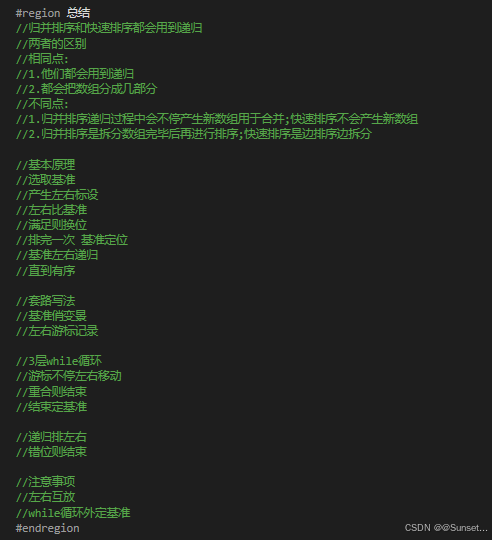
        #region 总结
        //归并排序和快速排序都会用到递归
        //两者的区别
        //相同点:
        //1.他们都会用到递归
        //2.都会把数组分成几部分
        //不同点:
        //1.归并排序递归过程中会不停产生新数组用于合并;快速排序不会产生新数组
        //2.归并排序是拆分数组完毕后再进行排序;快速排序是边排序边拆分

        //基本原理
        //选取基准
        //产生左右标设
        //左右比基准
        //满足则换位
        //排完一次 基准定位
        //基准左右递归
        //直到有序

        //套路写法
        //基准俏变景
        //左右游标记录

        //3层while循环
        //游标不停左右移动
        //重合则结束
        //结束定基准

        //递归排左右
        //错位则结束

        //注意事项
        //左右互放
        //while循环外定基准
        #endregion

    }
}
Lesson29:堆排序
using System;
using System.Collections.Generic;
using System.Linq;
using System.Text;
using System.Threading.Tasks;

namespace Lesson29_堆排序
{
    class Program
    {
        static void Main(string[] args)
        {
            Console.WriteLine("堆排序");
            int[] arr = new int[] { 8, 7, 1, 5, 4, 2, 6, 3, 9 };
            HeapSort(arr);
            for(int i = 0; i < arr.Length; i++)
            {
                Console.WriteLine(arr[i]);
            }
        }

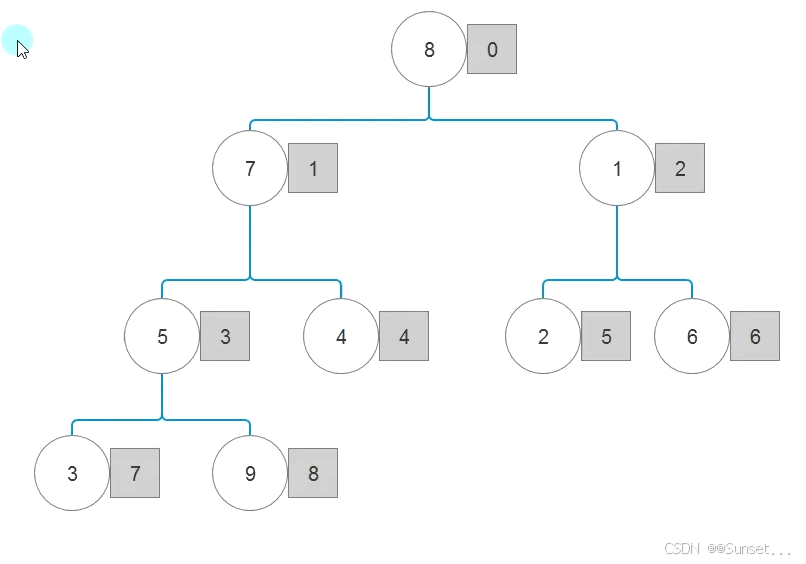
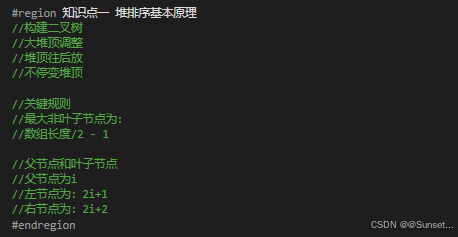
        #region 知识点一 堆排序基本原理
        //构建二叉树
        //大堆顶调整
        //堆顶往后放
        //不停变堆顶

        //关键规则
        //最大非叶子节点为:
        //数组长度/2 - 1

        //父节点和叶子节点
        //父节点为i
        //左节点为:2i+1
        //右节点为:2i+2
        #endregion

        #region 知识点二 代码实现
        //第一步:实现父节点和左右节点比较(方法)
        /// <summary>
        /// 实现比较
        /// </summary>
        /// <param name="array">需要排序的数组</param>
        /// <param name="nowIndex">当前作为根节点的索引</param>
        /// <param name="arrayLength">哪些位置没有确定</param>
        static void HeapCompare(int[] array, int nowIndex, int arrayLength)
        {
            //通过传入的索引 得到它对应的左右叶子节点的索引
            //可能会溢出,但是后面会进行判断
            int left = 2 * nowIndex + 1;
            int right = 2 * nowIndex + 2;
            //用于记录较大数的索引
            int biggerIndex = nowIndex;
            //先比左 再比右
            //这里判断不能溢出
            if(left < arrayLength && array[left] > array[biggerIndex])
            {
                //认为目前最大的是左节点 记录索引
                biggerIndex = left;
            }
            //比较右节点
            if(right < arrayLength && array[right] > array[biggerIndex])
            {
                biggerIndex = right;
            }

            //如果比较过后 发现最大索引发生变化了 那就要进行换位置了
            if(biggerIndex != nowIndex)
            {
                int temp = array[nowIndex];
                array[nowIndex] = array[biggerIndex];
                array[biggerIndex] = temp;

                //通过递归 看是否影响了叶子节点他们的三角关系
                HeapCompare(array, biggerIndex, arrayLength);
            }
        }

        //第二步:构建大堆顶(方法)
        static void BuildBigHeap(int[] array)
        {
            //从最大的非叶子节点索引 开始 不停的往前 去构建大堆顶
            for(int i = array.Length / 2 - 1; i >= 0; i--)
            {
                HeapCompare(array, i, array.Length);
            }
        }

        //第三步:结合大堆顶和节点比较 实现堆排序 把堆顶不停往后移动(就是结合第一二步的方法)
        static void HeapSort(int[] array)
        {
            //构建大堆顶
            BuildBigHeap(array);
            //执行过后
            //最大的数肯定就在最上层

            //往屁股后面放 得到 屁股后面最后一个索引
            for(int i = array.Length - 1; i > 0; i--)
            {
                //直接把 堆顶端的数 放到最后一个位置上
                int temp = array[0];
                array[0] = array[i];
                array[i] = temp;

                //重新进行大堆顶调整
                HeapCompare(array, 0, i);
            }
        }

        #endregion

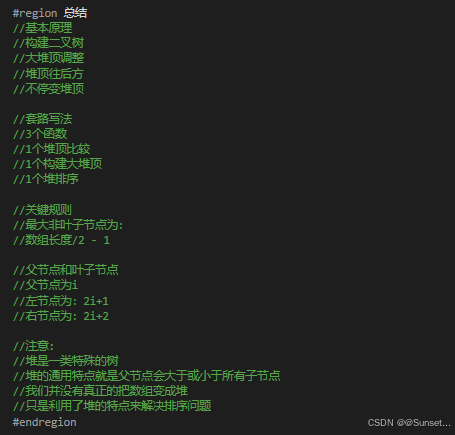
        #region 总结
        //基本原理
        //构建二叉树
        //大堆顶调整
        //堆顶往后方
        //不停变堆顶

        //套路写法
        //3个函数
        //1个堆顶比较
        //1个构建大堆顶
        //1个堆排序

        //关键规则
        //最大非叶子节点为:
        //数组长度/2 - 1

        //父节点和叶子节点
        //父节点为i
        //左节点为:2i+1
        //右节点为:2i+2

        //注意:
        //堆是一类特殊的树
        //堆的通用特点就是父节点会大于或小于所有子节点
        //我们并没有真正的把数组变成堆
        //只是利用了堆的特点来解决排序问题
        #endregion
    }
}
总结
毋庸置疑C#进阶的知识点挺重要,要多回来复习学习!
接下来的任务是把C#进阶的实践小项目《俄罗斯方块》做完,然后进入Unity的学习!
抓紧时间!!!





 扫一扫
扫一扫


 5268
5268

 被折叠的 条评论
为什么被折叠?
被折叠的 条评论
为什么被折叠?
 到【灌水乐园】发言





