


下载与使用模型的方法
方式一:
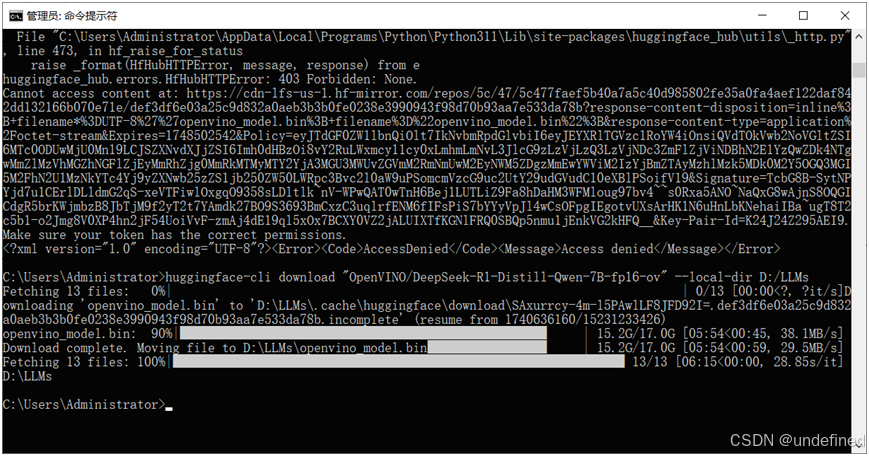
使用huggingface-cli命令行工具下载,格式如下:
huggingface-cli download "OpenVINO/phi-2-fp16-ov" --local-dir model_path
下载DeepSeek R1 QWen蒸馏版本,命令行执行如下:

方式二:
直接使用预训练模型函数,自动下载
model_id = "OpenVINO/DeepSeek-R1-Distill-Qwen-7B-fp16-ov"tokenizer = AutoTokenizer.from_pretrained(model_id)model = OVModelForCausalLM.from_pretrained(model_id)
因为国内方位HuggingFace不方便,所以请把下面的代码放在最前面,然后运行,就可以使用HuggingFace镜像。
import osos.environ["HF_ENDPOINT"] = "https://hf-mirror.com"
推理流程与SDK支持
OpenVINO GenAI的推理流程
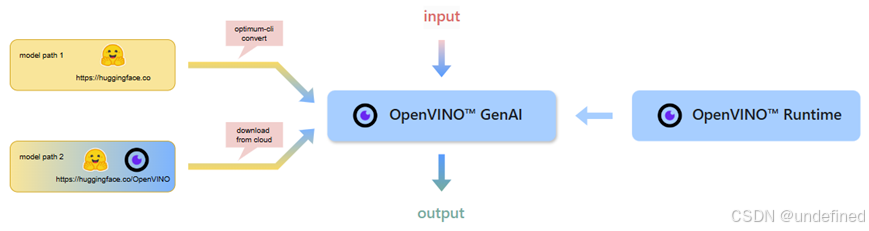
SDK支持四种类型的模型,分别是LLM、VLM、Whisper、Text2Image对应的模型函数分别为:
# LLM大模型部署支持函数pipe = openvino_genai.LLMPipeline(model_dir, device)# VLM 视觉多模态大模型部署支持pipe = openvino_genai.VLMPipeline(model_dir, device)# 语音到文本大模型部署支持pipe = openvino_genai.WhisperPipeline(whisper_base_dir, device)# 图像生成式大模型支持pipe = openvino_genai.Text2ImagePipeline(model_dir, device)
代码演示
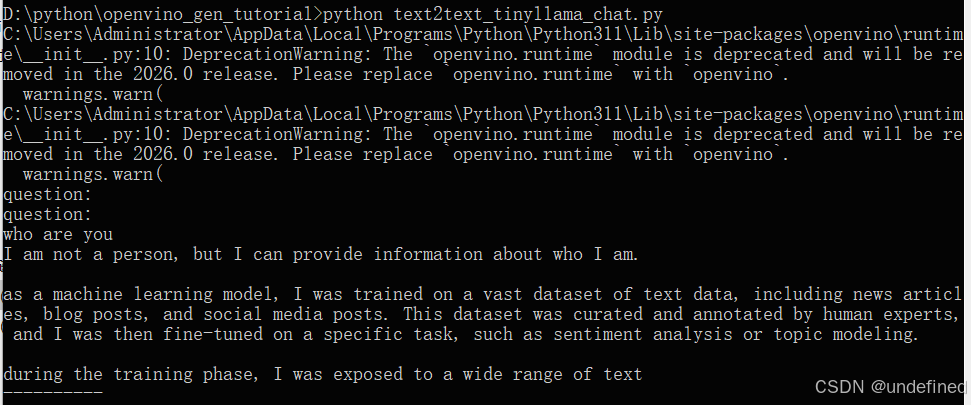
LLM与chat robot代码演示(text2text):基于TinyLlama 1B模型实现
def infer(model_dir: str):device = 'CPU' # GPU can be used as well.pipe = openvino_genai.LLMPipeline(model_dir, device)config = openvino_genai.GenerationConfig()config.max_new_tokens = 100pipe.start_chat()while True:try:prompt = input('question:\n')if prompt == "exit":breakexcept EOFError:breakpipe.generate(prompt, config, streamer)print('\n----------')pipe.finish_chat()model_dir = "D:/LLMs/TinyLlama-1.1B-Chat-v1.0"infer(model_dir)
运行结果如下:
基于一个动漫风格的SD图像生成式模型完成图像生成代码演示(text2image)。
def main():prompt = input('question:\n')model_dir = "D:/LLMs/dreamlike_anime_1_0_ov/FP16"device = 'CPU' # GPU can be used as wellpipe = openvino_genai.Text2ImagePipeline(model_dir, device)image_tensor = pipe.generate(prompt,width=512,height=512,num_inference_steps=20,num_images_per_prompt=1,generator=Generator(42) # openvino_genai.CppStdGenerator can be used to have same images as C++ sample)image = Image.fromarray(image_tensor.data[0])image.save("image.bmp")if '__main__' == __name__:main()
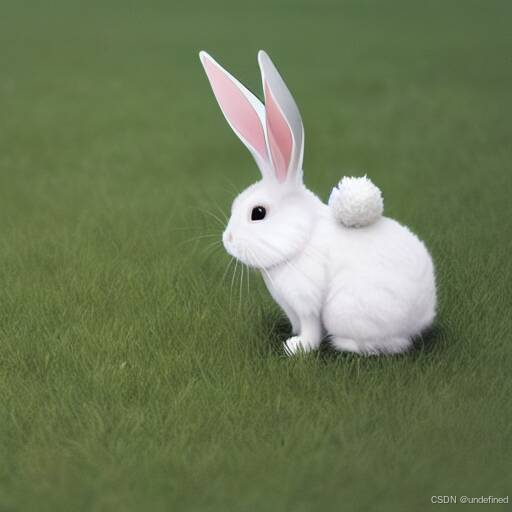
运行提示词:
a white rabbit on the green grass ground
生成图像显示如下:
基于图像表述与分类演示(image2text),基于InternVL2 1B模型,运行代码如下:
import numpy as npimport openvino as ovimport openvino_genaifrom PIL import Image# Choose GPU instead of CPU in the line below to run the model on Intel integrated or discrete GPUpipe = openvino_genai.VLMPipeline("D:/LLMs/InternVL2-1B", "CPU")image = Image.open("tuzi.png")image_data = np.array(image)image_data = ov.Tensor(image_data)prompt = "Can you describe the image?"result = pipe.generate(prompt, image=image_data, max_new_tokens=100)print(result.texts[0])
输入图像:
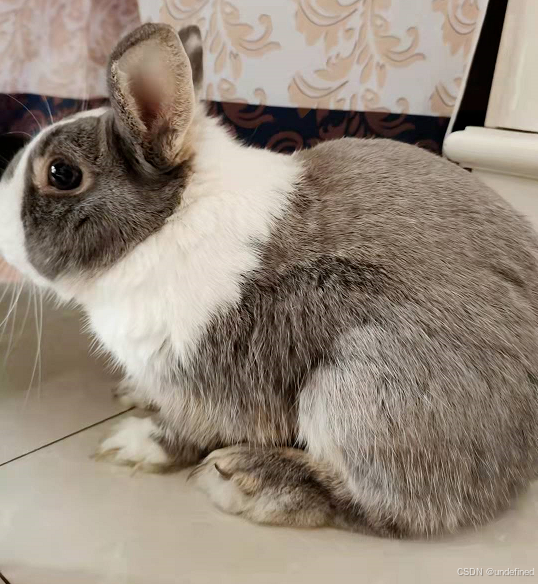
得到图像语义描述如下:

基于Whisper的语音到文本识别与生成演示(speech2text):
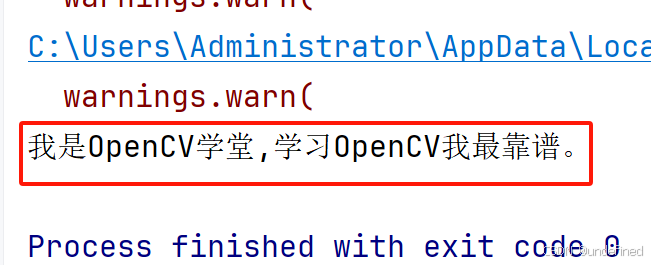
import openvino_genaiimport librosadef read_wav(filepath):raw_speech, samplerate = librosa.load(filepath, sr=16000)return raw_speech.tolist()whisper_base_dir = "D:/LLMs/whisper-base"wav_file = "D:/LLMs/opencvxuetang_intro.wav"device = "CPU" # GPU can be used as wellpipe = openvino_genai.WhisperPipeline(whisper_base_dir, device)raw_speech = read_wav(wav_file)print(pipe.generate(raw_speech, initial_prompt="以下是普通话的句子。"))
这个语音是我通过TTS模型生成的一段语音片段,然后Whisper会自动识别并给我翻译为文字,显示如下:
识别结果:
---------------------------------------
*OpenVINO and the OpenVINO logo are trademarks of Intel Corporation or its subsidiaries.
-----------------------------
OpenVINO 中文社区
微信号 : openvinodev
“开放、开源、共创”
致力于通过定期举办线上与线下的沙龙、动手实践及开发者交流大会等活动,促进人工智能开发者之间的交流学习。





 扫一扫
扫一扫


 157
157

 被折叠的 条评论
为什么被折叠?
被折叠的 条评论
为什么被折叠?
 到【灌水乐园】发言





