# 请绘制sin函数曲线import matplotlib
matplotlib.use("Agg")# 设置平台绘图环境,勿删import matplotlib.pyplot as plt
# 请在此添加代码实现函数细节 ## ********** Begin *********#
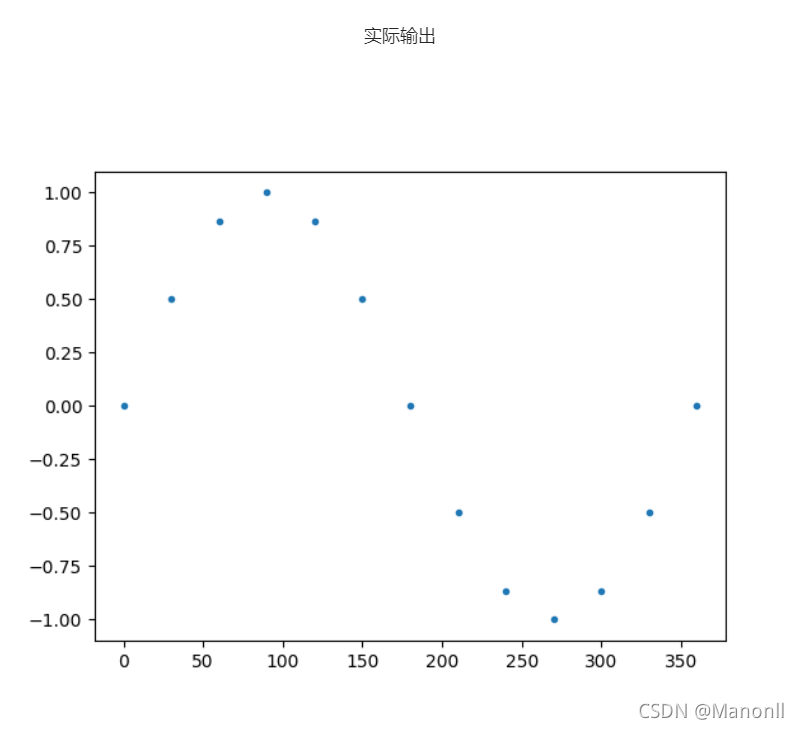
x =[0,30,60,90,120,150,180,210,240,270,300,330,360]
y=[0,0.5,0.866,1,0.866,0.5,0,-0.5,-0.866,-1,-0.866,-0.5,0]
plt.plot(x,y,'.')# ********** End **********#
plt.savefig('picture/step0/fig0.png')#存储输出图像,勿删
2. 绘图与保存 - 抛物线函数曲线
# 请绘制抛物线曲线import matplotlib
matplotlib.use("Agg")
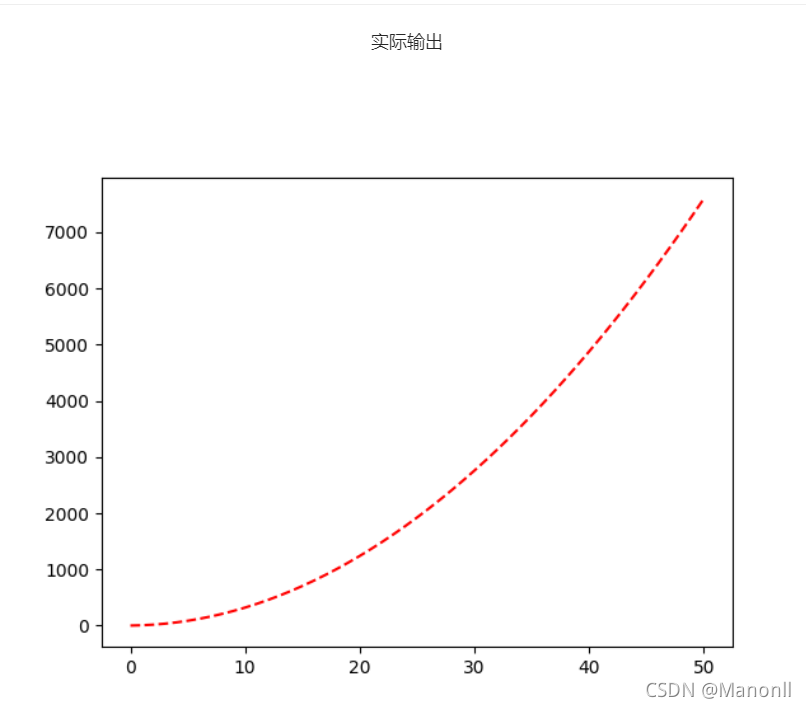
x=range(0,51,1)deff(x):# 请在此添加代码实现函数细节 ## ********** Begin1 *********#
y=[]for e in x:
y.append(3*e*e+2*e+1)return y
# ********** End1 **********## 请在此添加代码绘制曲线并存储图像## ********** Begin2 *********#import matplotlib.pyplot as plt
plt.plot(x,f(x),'r--')
plt.savefig("picture/step1/fig1.png")# ********** End2 **********##注意:1、x在函数外定义;2、append要用(),不是[];3、红色是r--
3. 数组计算与向量化处理 - 函数曲线绘制与坐标处理
# 请绘制函数曲线import numpy as np
from numpy import*import matplotlib
matplotlib.use("Agg")# 请在此添加实现代码 ## ********** Begin *********#deff(t):
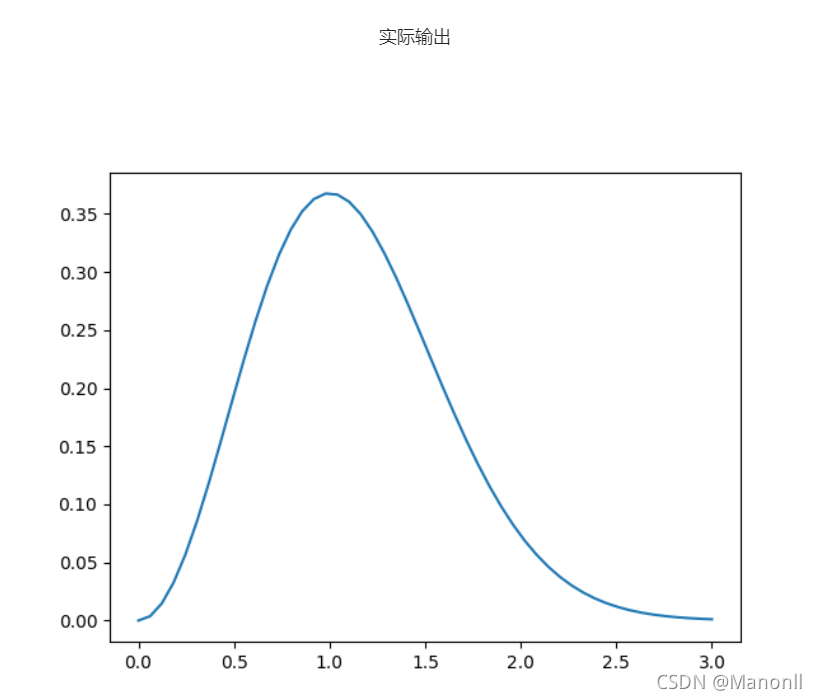
result=t*t*e**(-t*t)return result
t=np.linspace(0.0,3.0,num=50)
y=f(t)import matplotlib.pyplot as plt
plt.plot(t,y)
plt.savefig("picture/step2/fig2.png")# ********** End **********#
4. 图例与坐标设置 - 绘制多条曲线
#请在同一坐标系中绘制两条曲线import matplotlib
matplotlib.use("Agg")# 请在此添加实现代码 ## ********** Begin *********#import numpy as np
from numpy import*
t=np.linspace(0.0,3.0,num=50)
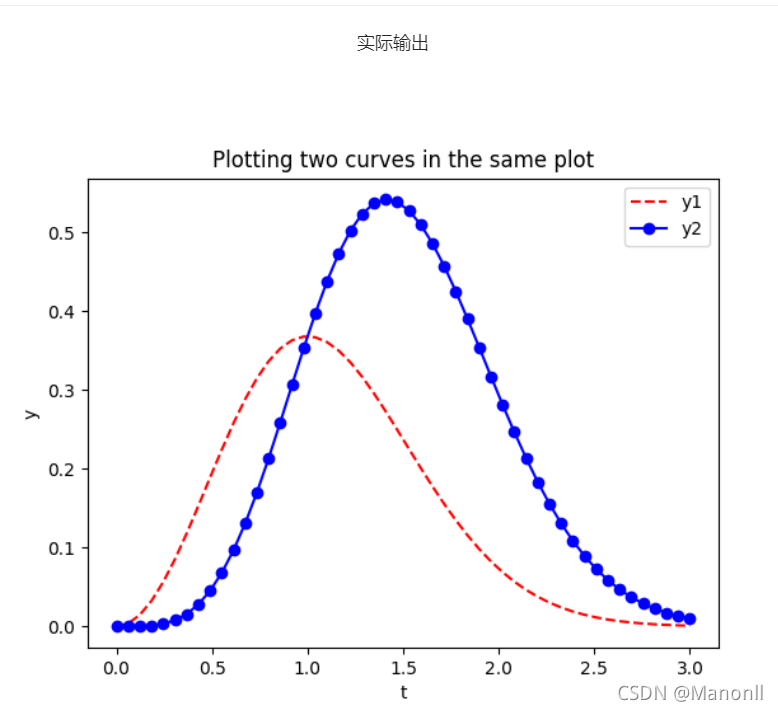
y1=[(i**2)*np.exp(-i*i)for i in t]
y2=[(i**4)*np.exp(-i*i)for i in t]import matplotlib.pyplot as plt
plt.xlabel('t')
plt.ylabel('y')
plt.plot(t,y1,'r--')
plt.plot(t,y2,'b-o')#蓝色圆点实线:b-0o
plt.title('Plotting two curves in the same plot')
plt.legend(['y1','y2'])
plt.savefig('picture/step3/fig3.png')# ********** End **********#
5.向量化处理 - 绘制函数图形
# 请编写代码实现向量化帽函数并绘制函数曲线import matplotlib
matplotlib.use("Agg")# 请在此添加实现代码 ## ********** Begin *********#import numpy as np
from numpy import*import matplotlib.pyplot as plt
defN(x):return np.where(x<0,0,(np.where(x<1,x,(np.where(x<2,2-x,0)))))
x=np.linspace(-3,5,1000)
y=N(x)
plt.plot(x,y,'b-')
plt.title("Plotting hat func in this plot")
plt.savefig('picture/step4/fig4.png')# ********** End **********#



 本文通过Python探讨了数组计算和曲线绘制,包括sin函数、抛物线的绘制,使用向量化处理技术绘制函数曲线,并涉及图例与坐标设置,详细介绍了多条曲线的绘制方法。





 扫一扫
扫一扫


 被折叠的 条评论
为什么被折叠?
被折叠的 条评论
为什么被折叠?
 到【灌水乐园】发言





