


名词解释
AliOS Things: 阿里云智能IoT团队自研的物联网操作系统
HaaS:全称是Hardware as a Service,阿里云智能IoT团队基于AliOS Things系统推出的硬件即服务
HaaS UI:全称是Hardware as a Service User Interface,是源自AliOS Things操作系统上的一套应用&图形解决方案,支持C/C++和 JS两种开发语言
Canvas组件
在H5里面,canvas就是一个标签,是一个有特殊功能的标签,实际上它是一个画布,我们可以在这个画布上填各种图形元素,甚至可以操作画布上的每一个像素点。在HaaS UI中,也根据H5中canvas相关的api,内置了一个高性能的canvas组件。关于canvas的api,可参阅:w3c规范,HaaS UI支持了该规范下的大部分api。
1、用途
canvas的应用场景非常多,主要运用在一些需要操作图形的场景,如绘制曲线、特效、粒子特效、图表、游戏、二维码、条形码等等场景。
2、开始
在HaaS UI中使用canvas,只需要以下3个步骤即可:
- 在template中添加canvas标签
- 在组件挂载之后,比方mounted生命周期函数中,获取canvas的上下文环境
- 调用context的api进行绘图操作
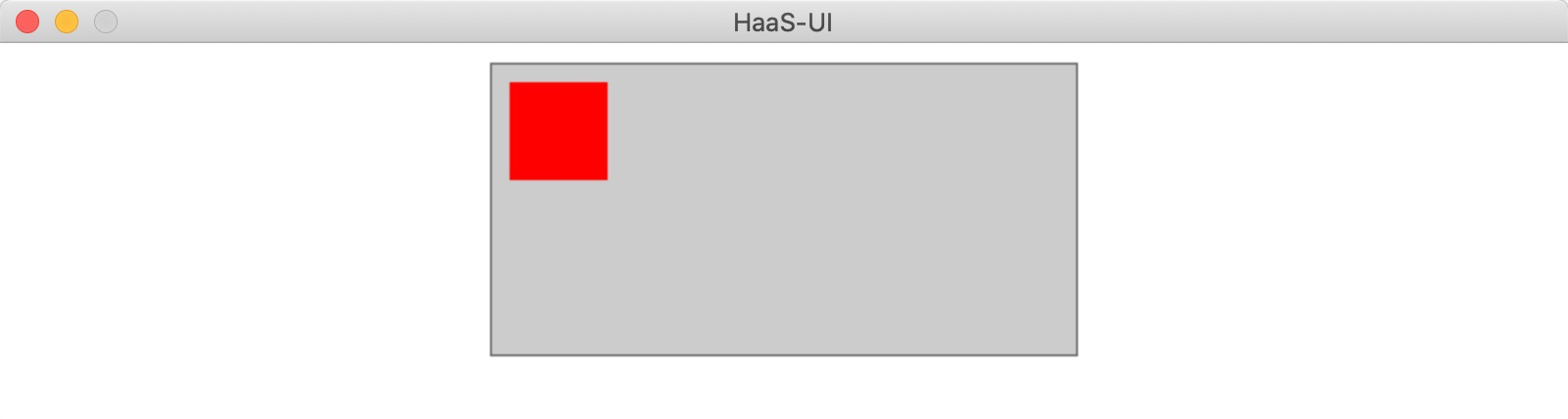
示例
<template>
  <div class="page">
    <canvas ref="canvas" class="canvas" />
  </div>
</template>
<script>
export default {
  mounted() {
    // 获取canvas context
    let ctx = createCanvasContext(this.$refs.canvas);
    // 绘制红色矩形
    ctx.fillStyle = 'red';
    ctx.fillRect(10, 10, 50, 50);
  },
};
</script>
<style scoped>
.page {
  flex: 1;
  align-items: center;
}
.canvas {
  border-style: solid;
  border-color: #666;
  border-width: 1px;
  background-color: #ccc;
  margin-top: 10px;
}
</style>
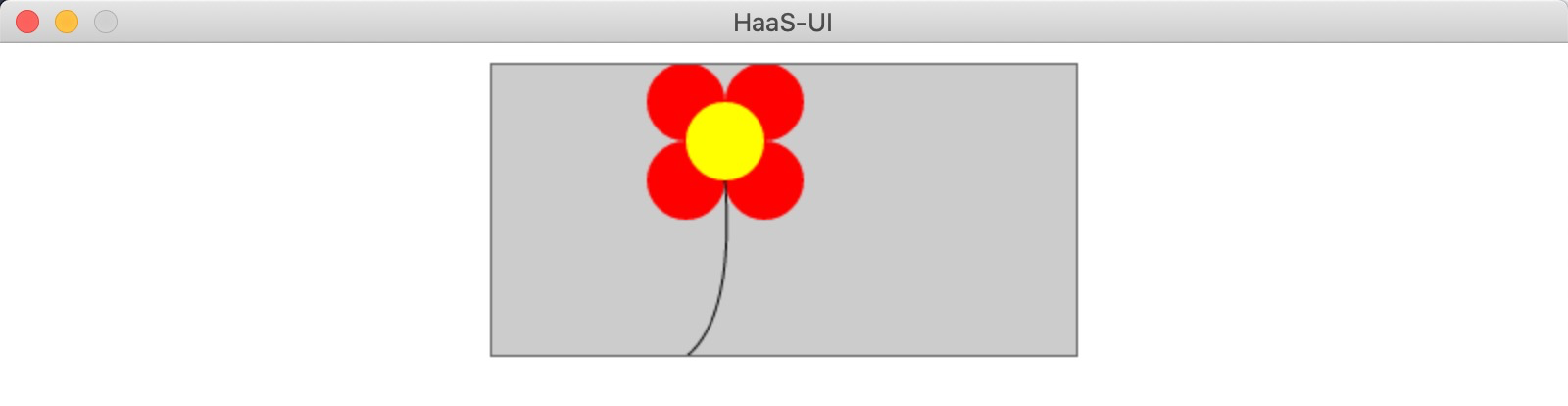
画一朵小花
// 获取canvas context
let ctx = createCanvasContext(this.$refs.canvas);
// 花瓣1
ctx.beginPath();
ctx.arc(100,20,20,0,2*Math.PI);
ctx.fillStyle = 'red';//填充样式
ctx.fill();
// 花瓣2
ctx.beginPath();
ctx.arc(140,20,20,0,2*Math.PI);
ctx.fillStyle = 'red';
ctx.fill();
// 花瓣3
ctx.beginPath();
ctx.arc(100,60,20,0,2*Math.PI);
ctx.fillStyle = 'red';
ctx.fill();
// 花瓣4
ctx.beginPath();
ctx.arc(140,60,20,0,2*Math.PI);
ctx.fillStyle = 'red';
ctx.fill();
//绘制花蕊圆心(120,40)
ctx.beginPath();
ctx.arc(120,40,20,0,2*Math.PI);
ctx.fillStyle = 'yellow';
ctx.fill();
//花径
ctx.beginPath();
ctx.moveTo(120,60);
ctx.quadraticCurveTo(125,130,100,150);//贝塞尔曲线
ctx.stroke();
3、canvas api
颜色、样式
| 接口 | 类型 | 描述 | 备注 |
fillStyle |
Color/Gradient |
设置填充绘画的样式 |
ctx.fillStyle="white"|grad |
 最低0.47元/天 解锁文章






 扫一扫
扫一扫


 被折叠的 条评论
为什么被折叠?
被折叠的 条评论
为什么被折叠?
 到【灌水乐园】发言





