



 文章讲述了在Linux服务器上遇到Jboss服务启动时的ConcurrentTimeoutException,经过排查和参考相关文档,发现问题出在jboss.as.management.blocking.timeout配置过低,将其修改为600秒后解决了问题,强调了服务器启动期间配置的重要性。
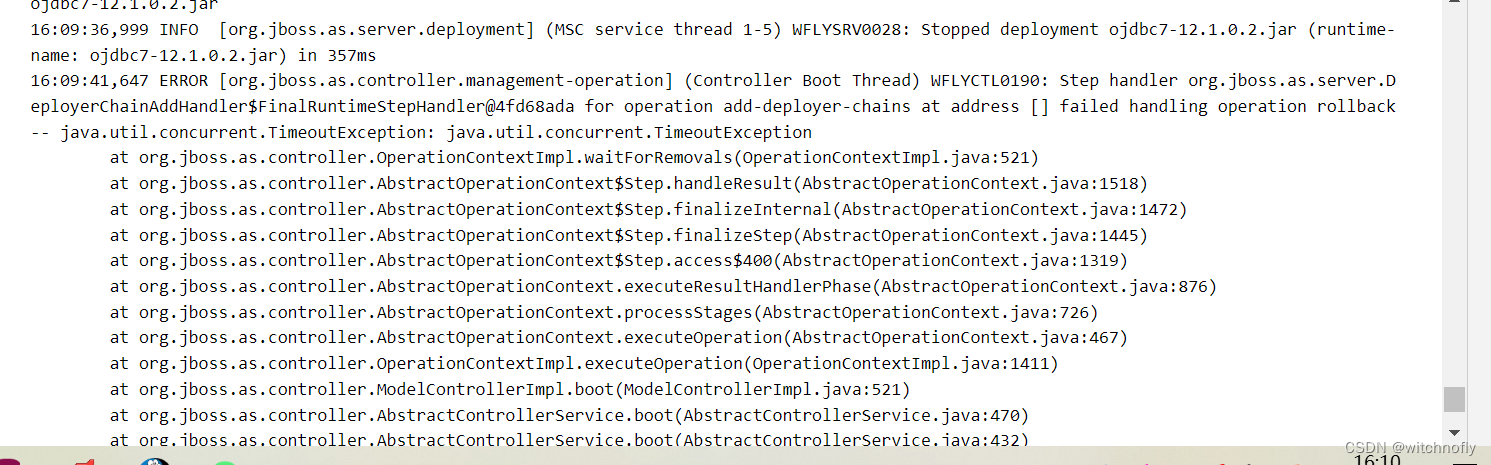
今天在Linux服务器上启动jboss服务的时候,报了如上述图的错误。
经过排查,docker容器,代码包,数据库,网络都没有问题,内存也加到了双倍仍然没有解决。
后来经过掐表看了下,每次从服务启动开始到开始报这个错,基本上是5分钟左右。
后来参考了
Concurrent Timeout exception on starting Jboss Wildfly 9.02 server - Stack Overflow
发现jboss.as.management.blocking.timeout这个的值默认是300秒,需要将超时值配置为大于服务器启动所需的时间。
Note: This property is not a timeout per deployment but a timeout on container stability and if jboss.as.management.blocking.timeout is reached during startup then all applications will be undeployed and the container shutdown. The reasoning behind this is that having a half-working server is potentially dangerous as you may not notice major failures.
修改了standalone.conf的配置jboss.as.management.blocking.timeout=600;
问题解决。






 扫一扫
扫一扫


 2万+
2万+

 被折叠的 条评论
为什么被折叠?
被折叠的 条评论
为什么被折叠?
 到【灌水乐园】发言





