


autoware.universe源码略读3.19--perception:radar_fusion_to_detected_object
- Overview
- radar_fusion_to_detected_object
- (Struct)Param
- (Struct)RadarInput
- (Struct)Input
- (Struct)Output
- (mFunc)RadarFusionToDetectedObject::setParam
- (mFunc)RadarFusionToDetectedObject::update
- (mFunc)RadarFusionToDetectedObject::hasTwistCovariance
- (mFunc)RadarFusionToDetectedObject::isYawCorrect
- (mFunc)RadarFusionToDetectedObject::filterRadarWithinObject
- (mFunc)RadarFusionToDetectedObject::estimateTwist
- (mFunc)RadarFusionToDetectedObject::isQualified
- (mFunc)RadarFusionToDetectedObject::createObject2dWithMargin
- radar_object_fusion_to_detected_object_node
Overview
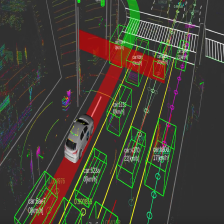
这个模块是毫米波雷达(也就是Radar)的检测对象与3D检测对象的融合。关于这个模块的优势,官方文档给了以下两点:
- Attach velocity to 3D detections when successfully matching radar data. The tracking modules use the velocity information to enhance the tracking results while planning modules use it to execute actions like adaptive cruise control.
- Improve the low confidence 3D detections when corresponding radar detections are found.
这里的这张图也给的挺清晰的

Algorithm
关于这里涉及到的算法,也是有专门的介绍Algorithm,这里面主要分成了五步
- 从激光雷达基点检测中选择三维边界框内的雷达点云/物体,并从鸟瞰图中选择边缘空间

- 针对那些低可信度的物体,根据Radar信息,或许可以拆分成两个

- 根据Radar观测计算对象的速度信息,这里计算了好几个数

- 因为Radar得到的可能是多普勒信息,所以这里在这种情况下是实现了多普勒到速度的一个转换

- 把没有Radar信息的对象删除掉

- 所以我觉得,这里说是融合,其实说是利用Radar观测对目标检测做了修正和约束似乎更容易理解一些
radar_fusion_to_detected_object
(Struct)Param
这里涉及到融合过程中会使用到的一些参数,其实主要是一些阈值和设置
(Struct)RadarInput
输入的Radar数据的结构,有数据投、位置、速度和最后的这个target_value没太想明白这个是什么,或许是Radar检测得到的目标值?
(Struct)Input
输入的数据,这个是和这里包的功能对应上的,所以这里就是雷达数据std::shared_ptr<std::vector<RadarInput>> radars{}以及目标检测结果DetectedObjects::ConstSharedPtr objects{};
(Struct)Output
这里输出的主要还是DetectedObjects objects{},至于还有一个debug_low_confidence_objects{}我感觉指的应该是那些被处理了的低置信度目标检测结果?
(mFunc)RadarFusionToDetectedObject::setParam
设置之前提到的参数的,没什么好说的。这里的参数也是外部输入的,所以估计最终的来源也是在启动节点的时候加载的参数
(mFunc)RadarFusionToDetectedObject::update
这里应该是这个模块的核心实现部分,在对输入的对象的遍历中,可以看到一上来就进行了算法的Step 1,Link between 3d bounding box and radar data
// Link between 3d bounding box and radar data
std::shared_ptr<std::vector<RadarInput>> radars_within_object =
  filterRadarWithinObject(object, input.radars);
接下来可以看到在galatic这个版本中,作者是把根据方向分割的这部分用到的函数注释掉了,包括最新版这里也是这样的, 相当于这里的split_objects.size()应该一直是1,所以这里相当于把算法的第二步给跳过了? 之后就是执行第三步,估计对象的运动信息
// Estimate twist of object
if (!radars_within_split_object || !(*radars_within_split_object).empty()) {
  TwistWithCovariance twist_with_covariance =
    estimateTwist(split_object, radars_within_split_object);
  if (isYawCorrect(split_object, twist_with_covariance, param_.threshold_yaw_diff)) {
    split_object.kinematics.twist_with_covariance = twist_with_covariance;
    split_object.kinematics.has_twist = true;
    if (hasTwistCovariance(twist_with_covariance)) {
      split_object.kinematics.has_twist_covariance = true;
    }
  }
}
然后直接到最后的输出,是执行了Delete objects with low probability
// Delete objects with low probability
if (isQualified(split_object, radars_within_split_object)) {
  if (param_.compensate_probability) {
    split_object.existence_probability =
      std::max(split_object.existence_probability, param_.threshold_probability);
  }
  output.objects.objects.emplace_back(split_object);
} else {
  output.debug_low_confidence_objects.objects.emplace_back(split_object);
}
当然一些实现还是要看具体的子函数
(mFunc)RadarFusionToDetectedObject::hasTwistCovariance
就是判断运动消息有没有协方差信息的
(mFunc)RadarFusionToDetectedObject::isYawCorrect
检测检测到的对象的yaw方向和得到的运动状态twist消息是否相同,注释给的作用是 This function improve multi object tracking with observed speed. 代码倒是很简单,就是算一个yaw角差然后和阈值比一下
(mFunc)RadarFusionToDetectedObject::filterRadarWithinObject
这里对应算法的第一步,就是根据BEV视角来进行激光雷达和毫米波雷达消息的初步融合(相当于一种滤波),这里先生成了2D的物体框
tier4_autoware_utils::Point2d object_size{object.shape.dimensions.x, object.shape.dimensions.y};
LinearRing2d object_box = createObject2dWithMargin(object_size, param_.bounding_box_margin);
然后这里的判断标准,就是看Radar消息在不在框里,里面直接用到了boost库
for (const auto & radar : (*radars)) {
  Point2d radar_point{
    radar.pose_with_covariance.pose.position.x, radar.pose_with_covariance.pose.position.y};
  if (boost::geometry::within(radar_point, object_box)) {
    outputs.emplace_back(radar);
  }
}
(mFunc)RadarFusionToDetectedObject::estimateTwist
利用Radar观测数据来预测对象的运动信息,这里显示计算出radar消息中的最小距离
// calculate twist for radar data with min distance
Eigen::Vector2d vec_min_distance(0.0, 0.0);
if (param_.velocity_weight_min_distance > 0.0) {
  auto comp_func = [&](const RadarInput & a, const RadarInput & b) {
    return tier4_autoware_utils::calcSquaredDistance2d(
             a.pose_with_covariance.pose.position,
             object.kinematics.pose_with_covariance.pose.position) <
           tier4_autoware_utils::calcSquaredDistance2d(
             b.pose_with_covariance.pose.position,
             object.kinematics.pose_with_covariance.pose.position);
  };
  auto iter = std::min_element(std::begin(*radars), std::end(*radars), comp_func);
  TwistWithCovariance twist_min_distance = iter->twist_with_covariance;
  vec_min_distance = toVector2d(twist_min_distance);
}
之后计算的应该是中位数
// calculate twist for radar data with median twist
Eigen::Vector2d vec_median(0.0, 0.0);
if (param_.velocity_weight_median > 0.0) {
  auto ascending_func = [&](const RadarInput & a, const RadarInput & b) {
    return getTwistNorm(a.twist_with_covariance.twist) <
           getTwistNorm(b.twist_with_covariance.twist);
  };
  std::sort((*radars).begin(), (*radars).end(), ascending_func);
  if ((*radars).size() % 2 == 1) {
    int median_index = ((*radars).size() - 1) / 2;
    vec_median = toVector2d((*radars).at(median_index).twist_with_covariance);
  } else {
    int median_index = (*radars).size() / 2;
    Eigen::Vector2d v1 = toVector2d((*radars).at(median_index - 1).twist_with_covariance);
    Eigen::Vector2d v2 = toVector2d((*radars).at(median_index).twist_with_covariance);
    vec_median = (v1 + v2) / 2.0;
  }
}
然后计算平均值
// calculate twist for radar data with average twist
Eigen::Vector2d vec_average(0.0, 0.0);
if (param_.velocity_weight_average > 0.0) {
  for (const auto & radar : (*radars)) {
    vec_average += toVector2d(radar.twist_with_covariance);
  }
  vec_average /= (*radars).size();
}
然后还有一个最大目标值以及平均目标值,最后把这些加权,当然这里的协方差似乎是不发生改变的
Eigen::Vector2d sum_vec = vec_min_distance * param_.velocity_weight_min_distance +
                          vec_median * param_.velocity_weight_median +
                          vec_average * param_.velocity_weight_average +
                          vec_top_target_value * param_.velocity_weight_target_value_top +
                          vec_target_value_average * param_.velocity_weight_target_value_average;
TwistWithCovariance estimated_twist_with_covariance = toTwistWithCovariance(sum_vec);
(mFunc)RadarFusionToDetectedObject::isQualified
判断低置信度的激光雷达检测结果是否包含radar观测
(mFunc)RadarFusionToDetectedObject::createObject2dWithMargin
根据目标大小和margin边缘大小,返回一个boost库中的LinearRing2d对象
radar_object_fusion_to_detected_object_node
对应的节点类
(Class Constructor)RadarObjectFusionToDetectedObjectNode::RadarObjectFusionToDetectedObjectNode
这里一上来有一个参数服务,所以应该是可以在节点运行过程中进行参数的修改的
set_param_res_ = this->add_on_set_parameters_callback(
  std::bind(&RadarObjectFusionToDetectedObjectNode::onSetParam, this, _1));
之后就是加载了一堆参数了,可以参考radar_fusion_to_detected_object,这里因为激光雷达数据和radar数据必须是匹配的,所以也是用到了同步处理
sync_ptr_ = std::make_shared<Sync>(SyncPolicy(10), sub_object_, sub_radar_);
sync_ptr_->registerCallback(
  std::bind(&RadarObjectFusionToDetectedObjectNode::onData, this, _1, _2));
(mFunc)RadarObjectFusionToDetectedObjectNode::onSetParam
这个是更改参数的时候需要调用的回调函数,没什么好说的,就是把对应的参数值设为输入的参数值
(mFunc)RadarObjectFusionToDetectedObjectNode::isDataReady
就是单纯来判断下有没有两种类型的数据
(mFunc)RadarObjectFusionToDetectedObjectNode::onData
这里涉及到的回调函数,这里首先判断了数据状态,核心还是调用上一个类中提到的update
input.objects = detected_objects_;
input.radars = std::make_shared<std::vector<RadarFusionToDetectedObject::RadarInput>>(radars_);
// Update
output_ = radar_fusion_to_detected_object_->update(input);
pub_objects_->publish(output_.objects);
pub_debug_low_confidence_objects_->publish(output_.debug_low_confidence_objects);





 扫一扫
扫一扫


 1104
1104

 被折叠的 条评论
为什么被折叠?
被折叠的 条评论
为什么被折叠?
 到【灌水乐园】发言





