背景需求:
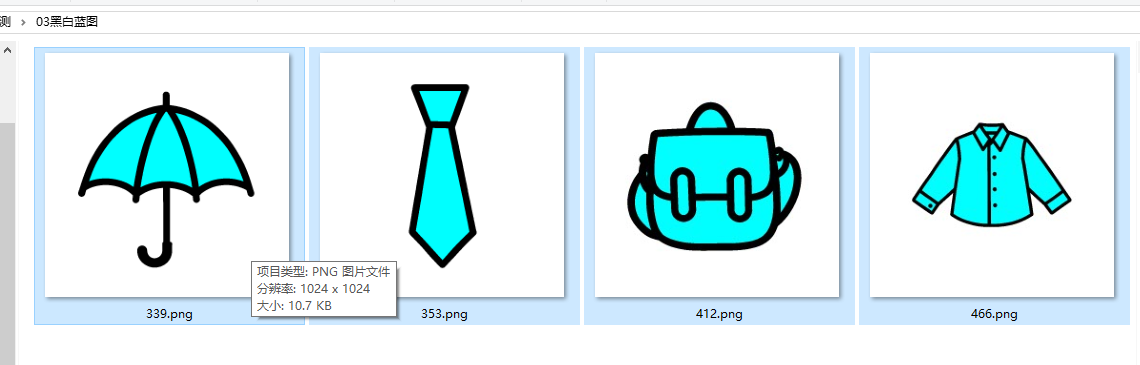
前期做了Python“黑白三色图”填充,现在做Python“黑白蓝三色图”

制作过程
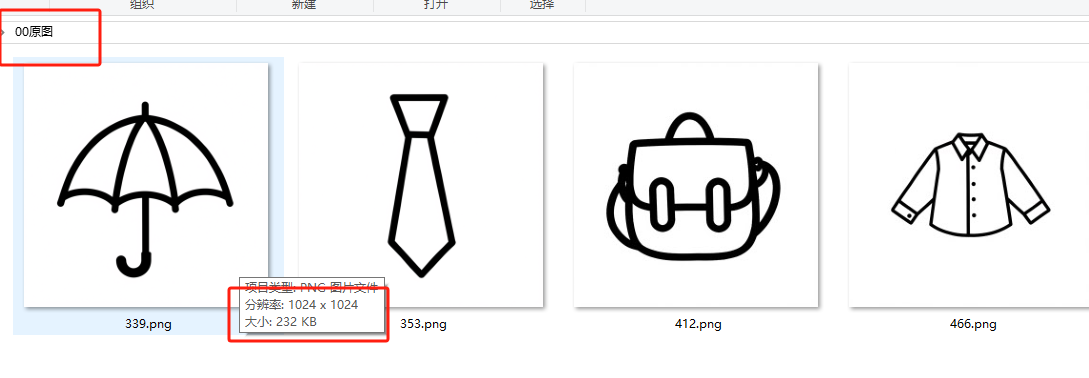
00原图(找了四张封闭的图形)
'''
图片处理流程:
1. 将图片转为纯黑白图(黑色0,0,0和白色255,255,255)
2. 将图片转为黑蓝图(黑色0,0,0和蓝色0,255,255)
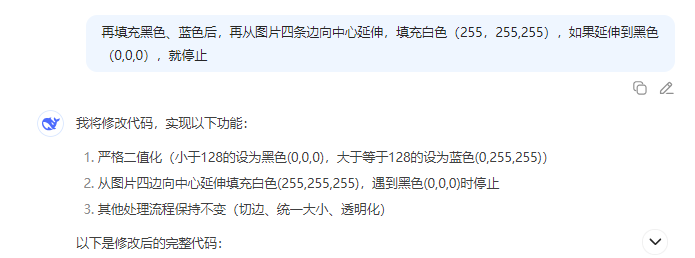
3. 识别边缘与黑线,中间填充白色(提供两种填充方法)
3. 切边(保留10磅/13像素边距)、统一大小(原比例统一,不是每张图片一样大)、透明图处理
deepseek,阿夏
20250730
'''

import time
from PIL import Image
import os
from datetime import datetime
from collections import deque

def create_folder(path):
    """创建文件夹如果不存在"""
    if not os.path.exists(path):
        os.makedirs(path)
        print(f"创建文件夹: {path}")

def process_image_to_bw(image_path, output_folder, threshold=128):
    """将图片转为纯黑白图(黑色0,0,0和白色255,255,255)"""
    try:
        img = Image.open(image_path)
        img = img.convert('L')  # 转为灰度图

        # 二值化处理
        binary_img = img.point(lambda x: 0 if x < threshold else 255, '1')
        binary_img = binary_img.convert('RGB')  # 转回RGB模式

        # 保存结果
        filename = os.path.basename(image_path)
        output_path = os.path.join(output_folder, filename)
        binary_img.save(output_path)
        print(f"黑白图生成: {filename} -> 已保存到 {output_path}")
        return output_path

    except Exception as e:
        print(f"处理图片 {image_path} 时出错: {str(e)}")
        return None

def process_image_to_blue_black(image_path, output_folder, threshold=128):
    """将图片转为黑蓝两色(黑色0,0,0和蓝色0,255,255)"""
    try:
        img = Image.open(image_path)
        img = img.convert('RGB')  # 确保是RGB模式

        pixels = img.load()
        width, height = img.size

        for y in range(height):
            for x in range(width):
                r, g, b = pixels[x, y]
                gray = (r + g + b) / 3
                if gray < threshold:
                    pixels[x, y] = (0, 0, 0)  # 黑色
                else:
                    pixels[x, y] = (0, 255, 255)  # 蓝色

        # 保存结果
        filename = os.path.basename(image_path)
        output_path = os.path.join(output_folder, filename)
        img.save(output_path)
        print(f"黑蓝图生成: {filename} -> 已保存到 {output_path}")
        return output_path

    except Exception as e:
        print(f"处理图片 {image_path} 时出错: {str(e)}")
        return None

def vertical_fill_white(image):
    """垂直填充白色(顺时针方向)"""
    img = image.convert("RGB")
    pixels = img.load()
    width, height = img.size

    # 上→右→下→左 顺时针填充
    # 从上边向下填充
    for x in range(width):
        for y in range(height):
            if pixels[x, y] == (0, 0, 0):
                break
            pixels[x, y] = (255, 255, 255)

    # 从右边向左填充
    for y in range(height):
        for x in range(width-1, -1, -1):
            if pixels[x, y] == (0, 0, 0):
                break
            pixels[x, y] = (255, 255, 255)

    # 从下边向上填充
    for x in range(width):
        for y in range(height-1, -1, -1):
            if pixels[x, y] == (0, 0, 0):
                break
            pixels[x, y] = (255, 255, 255)

    # 从左边向右填充
    for y in range(height):
        for x in range(width):
            if pixels[x, y] == (0, 0, 0):
                break
            pixels[x, y] = (255, 255, 255)

    return img

def flood_fill_white(image):
    """洪水填充算法填充白色"""
    img = image.convert("RGB")
    pixels = img.load()
    width, height = img.size
    visited = set()

    # 从四个角开始填充
    corners = [(0,0), (width-1,0), (width-1,height-1), (0,height-1)]

    for start_x, start_y in corners:
        if pixels[start_x, start_y] == (0, 0, 0) or (start_x, start_y) in visited:
            continue

        queue = deque()
        queue.append((start_x, start_y))
        visited.add((start_x, start_y))

        while queue:
            x, y = queue.popleft()
            pixels[x, y] = (255, 255, 255)

            # 检查四个方向的相邻像素
            for dx, dy in [(0,1), (1,0), (0,-1), (-1,0)]:
                nx, ny = x + dx, y + dy
                if 0 <= nx < width and 0 <= ny < height:
                    if (nx, ny) not in visited and pixels[nx, ny] != (0, 0, 0):
                        visited.add((nx, ny))
                        queue.append((nx, ny))

    return img

def find_content_boundary(image):
    """找到内容边界(非白色区域)"""
    width, height = image.size
    left, right, top, bottom = width, 0, height, 0

    for y in range(height):
        for x in range(width):
            r, g, b = image.getpixel((x, y))
            if (r, g, b) != (255, 255, 255):  # 非白色像素
                if x < left: left = x
                if x > right: right = x
                if y < top: top = y
                if y > bottom: bottom = y

    return left, right, top, bottom

def crop_with_margin(image, boundary, margin=13):
    """带边缘裁剪图像(10磅≈13像素)"""
    left, right, top, bottom = boundary
    return image.crop((
        max(0, left - margin),
        max(0, top - margin),



 最低0.47元/天 解锁文章






 扫一扫
扫一扫


 31万+
31万+

 被折叠的 条评论
为什么被折叠?
被折叠的 条评论
为什么被折叠?
 到【灌水乐园】发言





