



cvt 1920 1080
copy
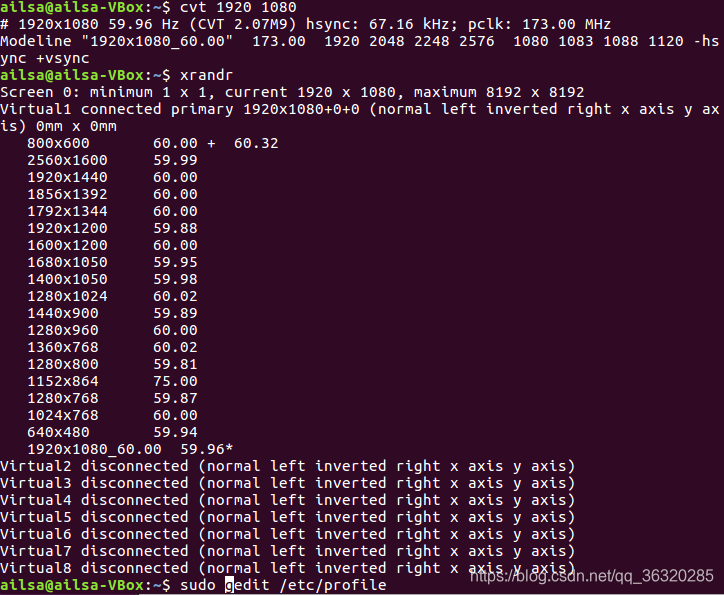
gedit /etc/profile
last add xrandr --newmode “1920x1080_60.00” 173.00 1920 2048 2248 2576 1080 1083 1088 1120 -hsync +vsync
xrandr --addmode Virtual1 “1920x1080_60.00”
source /etc/profile
reboot
 本文详细介绍了如何通过编辑系统配置文件/etc/profile,使用xrandr命令来添加并应用1920x1080_60.00的显示模式。操作步骤包括创建模式、添加模式到虚拟显示器、更新配置文件并重启系统。
cvt 1920 1080
copy
gedit /etc/profile
last add xrandr --newmode “1920x1080_60.00” 173.00 1920 2048 2248 2576 1080 1083 1088 1120 -hsync +vsync
xrandr --addmode Virtual1 “1920x1080_60.00”
source /etc/profile
reboot
 1332
5402
1332
5402

 被折叠的 条评论
为什么被折叠?
被折叠的 条评论
为什么被折叠?
 到【灌水乐园】发言








 扫一扫
扫一扫


