


访问ollama官网https://ollama.com/,下载OllamaSetup.exe并安装,ollama会默认添加到环境变量中
可以在cmd中通过以下命令安装和运行大模型
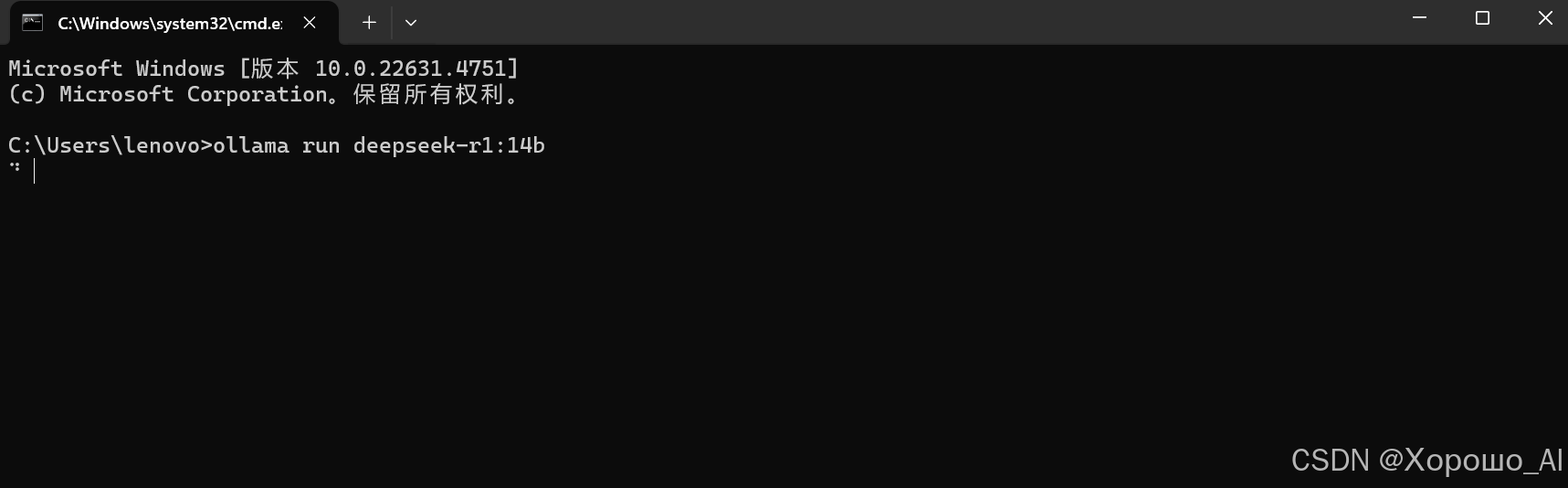
通过以下命令可以查看已安装的模型列表
ollama list
在这里,我们使用deepseek-r1:14b和llama3做演示
下载需要的库
pip install langchain_community
1.创建三个python脚本,‘llm1.py’载入deepseek模型,‘llm2.py’载入llama3模型,‘main.py’用来同步运行前两个脚本
2.在目录中创建‘llm1输出.txt’和‘llm2输出.txt’用来实现两个模型之间的对话读取,创建'log.txt'记录对话
以下是‘llm1.py’的源代码
from langchain_community.llms import Ollama
import os

# 先在'llm1输出.txt'中写入问候,便于llama3读取
with open('llm1输出.txt','w',encoding='utf-8') as file:
    file.write('你好,我是Deepthink')
    file.close()

# 载入deepseek模型
ollama = Ollama(model="deepseek-r1:14b",
                temperature=0,
)

# 这里给模型添加流式输出
def stream_generation(prompt):
#   由于deepthink输出会给一段<think>的内容,所以这里通过if分支滤去了这段内容
    i=0
    answer=''
    for chunk in ollama.stream(input=prompt):
        print(chunk, end="", flush=True)
        if i == 1:
            answer+=chunk
        if chunk == '</think>':
            i=1
    print()
#   将存入模型输出的字符串answer写入'llm1输出.txt',这里已经滤去了<think>到</think>之间的内容
    with open('llm1输出.txt','w',encoding='utf-8') as file:
        file.write(answer)
        file.close()
#   将deepseek的answer写入'log.txt'
    with open('log.txt','a',encoding='utf-8') as file:
        file.write('【Deepseek】:'+answer+'\n')
        file.write(30*'='+'\n')
        file.close()
#   创建一个空文件夹作为控制两个模型轮流发言的信号
    os.makedirs('信号')


while True:
#   检测信号
    if os.path.isdir('信号'):
        pass
    else:
#   将Llama3的回答作为prompt传给Deepseek
        with open('llm2输出.txt','r',encoding='utf-8') as file1:
            prompt = 'Llama:'+file1.read()+'(请用中文回答)'
            file1.close()
            stream_generation(prompt)
以下是‘llm2.py’的源代码
from langchain_community.llms import Ollama
import os
with open('llm2输出.txt','w',encoding='utf-8') as file:
    file.write('你好,我是Llama3')
    file.close()


ollama = Ollama(model="llama3",
                temperature=0,
)


def stream_generation(prompt):
    answer2=''
    for chunk in ollama.stream(input=prompt):
        print(chunk, end="", flush=True)

        answer2+=chunk
    print()
    with open('llm2输出.txt','w',encoding='utf-8') as file:
        file.write(answer2)
        file.close()
    with open('log.txt','a',encoding='utf-8') as file:
        file.write('【Llama3】:'+answer2+'\n')
        file.write(30*'='+'\n')
        file.close()

    os.rmdir('信号')

while True:
    if os.path.isdir('信号'):
        with open('llm1输出.txt','r',encoding='utf-8') as file2:
            prompt = 'Deepseek:'+file2.read()+'(请用中文回答)'
            file2.close()
            stream_generation(prompt)
    else:
        pass
以下是‘main.py’的源代码
import os
import time
import multiprocessing

def task1():
    os.system("llm1.py")
def task2():
    os.system("llm2.py")

process1 = multiprocessing.Process(target=task1)
process2 = multiprocessing.Process(target=task2)

if __name__ == '__main__':
    process1.start()
    process2.start()

    process1.join()
    process2.join()
确保ollama处于运行状态,然后运行脚本‘main.py’即可


为了获得更快的速度,可以安装cuda,让模型在GPU上运行
在这个实例中,可以为脚本添加上下长文本的prompt构建以实现多轮对话,输入的文本格式为:
<s>
[INST]
<<SYS>>
{{system_prompt}}
<</SYS>>
{{user_message}}
[/INST]
</s>
 416


 扫一扫


 被折叠的 条评论
为什么被折叠?
 到【灌水乐园】发言


