


RAG 和向量索引简介
RAG(Retrieval-Augmented Generation,检索增强生成)是一种结合外部知识检索与 AI 生成的技术,弥补了传统大模型知识静态、易编造信息的缺陷,使回答更加准确且基于实时信息。
1
RAG 的核心流程
-
检索(Retrieval)
-
- 用户输入问题后,RAG 从外部数据库(如维基百科、企业文档、科研论文等)检索相关内容。
- 检索工具可以是向量数据库、搜索引擎或传统数据库。
-
生成(Generation)
-
- 将检索到的相关信息与用户输入一起输入生成模型(如 GPT、LLaMA 等),生成更准确的回答。
- 模型基于检索内容“增强”输出,而非仅依赖内部参数化知识。

上图展示了 RAG 的标准流程。首先,图片、文档、视频和音频等数据经过预处理,转换为 Embedding 并存入向量数据库。Embedding 通常是高维 float 数组,借助向量索引(如 HNSW、IVF)进行相似性搜索,加速高效检索。
向量索引通过近似最近邻(ANN)算法优化查询效率,减少高维计算负担。语义搜索匹配用户问题与知识库中的相关内容,使回答基于真实信息,从而降低大模型的“幻觉”风险,提升回答的自然性和可靠性。
StarRocks + DeepSeek 的典型 RAG 应用场景
DeepSeek 负责生成高质量 Embedding 和回答,StarRocks 提供实时高效的向量检索,二者结合可构建更智能、更精准的 AI 解决方案。
1
企业级知识库
适用场景:
- 企业内部知识库(文档搜索、FAQ)
- 法律、金融、医药等专业领域问答
- 代码搜索、软件开发文档查询
方案:
-
文档嵌入(DeepSeek 负责): 将企业知识库、FAQ、技术文档等数据转换为向量。
-
存储+索引(StarRocks 负责): 使用 HNSW 或 IVFPQ 存储向量存储在 StarRocks 中,支持高效检索。
-
检索增强生成(RAG 负责): 用户输入问题 → DeepSeek 生成查询向量 → StarRocks 进行向量匹配 → 返回相关文档 → DeepSeek 结合文档生成最终回答。
2
AI 客服与智能问答
适用场景:
- 智能客服(银行、证券、电商)
- 法律、医疗等专业咨询
- 技术支持自动问答
方案:
- 客户对话日志嵌入(DeepSeek 负责): 训练 LLM 处理用户意图,转换历史聊天记录为向量。
- 存储+索引(StarRocks 负责): 采用向量索引让客服系统能够高效查找相似案例。
- 检索增强(RAG 负责): 结合历史客服对话 + 知识库 + DeepSeek LLM 生成答案。
示例流程:
- 用户问:“我如何更改银行卡预留手机号?”
- StarRocks 检索到 3 个最相似的客户服务记录
- DeepSeek 结合这 3 条历史记录 + 预设 FAQ,生成精准回答
操作演示
系统组成
- DeepSeek:提供文本向量化(embedding)和答案生成能力
- StarRocks:高效存储和检索向量数据(3.4+版本支持向量索引)
实现流程
| 步骤 | 负责组件 | 具体实现 |
|---|---|---|
| 1. 环境准备 | OllamaStarRocks | 用 Ollama 在本地机器上便捷地部署和运行大型语言模型 |
| 2. 数据向量化 | DeepSeek-Embedding | 文本 → 3584 维向量 |
| 3. 存储向量 | StarRocks | 创建表,存入向量 |
| 4. 近似最近邻搜索 | StarRocks 向量索引 | IVFPQ / HNSW 检索 |
| 5. 检索增强 | 模拟 RAG 逻辑 | 结合检索数据 |
| 6. 生成答案 | DeepSeek LLM | 生成基于真实数据的回答 |
1
环境准备
1.1 DeepSeek 本地部署
Tips: 以下内容使用的是 macbook 进行 demo 演示
1.1.1 使用 ollama 安装本地模型
在本地部署 DeepSeek 时,Ollama 主要起到模型管理和提供推理接口的作用,支持运行多个不同的 LLM,并允许用户在本地切换和管理不同的模型。
- 下载 ollama:https://ollama.com/
- 安装 deepseek-r1:7b
# 该命令会自动下载并加载模型
ollama run deepseek-r1:7b

Tips: 如果想使用云端 LLM(如 DeepSeek 的官方 API),需要获取并填写 API Key
访问 DeepSeek 官网(https://platform.deepseek.com)后注册账号并登录;在仪表盘中创建 API Key(通常在 “API Keys” 或 “Developer” 部分),复制生成的密钥(如 sk-xxxxxxxxxxxxxxxx)。
1.1.2 Deepseek 初步使用
启动 deepseek
执行 ollama run deepseek-r1:7b 直接进入交互模式
1.1.3 Deepseek 性能优化
直接在命令行设置参数:(参数单次生效)
OLLAMA_GPU_LAYERS=35 \
OLLAMA_CPU_THREADS=6 \
OLLAMA_BATCH_SIZE=128 \
OLLAMA_CONTEXT_SIZE=4096 \
ollama run deepseek-r1:7b
1.1.4 DeepSeek 使用

显而易见:直接使用 deepseek 进行问答,返回的答案是不符合预期的,需要对知识进行修正
1.2 StarRocks 准备工作
1.2.1 集群部署
版本需求:3.4 及以上
1.2.2 配置设置
打开 vector index
ADMIN SET FRONTEND CONFIG ("enable_experimental_vector" = "true");
1.2.3 建库建表
建库:
create database knowledge_base;
建表:存储知识库向量
CREATE TABLE enterprise_knowledge (
    id  BIGINT AUTO_INCREMENT,
    content TEXT NOT NULL,
    embedding ARRAY<FLOAT> NOT NULL,
    INDEX vec_idx (embedding) USING VECTOR (
        "index_type" = "hnsw",
        "dim" = "3584",
        "metric_type" = "l2_distance",
        "M" = "16",
        "efconstruction" = "40"
    )
) ENGINE=OLAP
PRIMARY KEY(id)
DISTRIBUTED BY HASH(id) BUCKETS 1
PROPERTIES (
    "replication_num" = "1"
    );
Tips: DeepSeek 的 deepseek-r1:7b 模型(7B 参数版本)默认生成高维嵌入向量,通常是 3584 维
2
将文本转成向量
测试通过 deepseek 将文本转为 3584 维向量
curl -X POST http://localhost:11434/api/embeddings -d '{"model": "deepseek-r1:7b", "prompt": "产品保修期是一年。"}'
下面将转化的向量数据保存在 StarRocks 中
3
知识存储(存储向量到 StarRocks)
import pymysql
import requests

def get_embedding(text):
    url = "http://localhost:11434/api/embeddings"
    payload = {"model": "deepseek-r1:7b", "prompt": text}
    response = requests.post(url, json=payload)
    response.raise_for_status()
    return response.json()["embedding"]

try:
    content = "StarRocks 的愿景是能够让用户的数据分析变得更加简单和敏捷。"
    embedding = get_embedding(content)

    # 将 Python 列表转换为 StarRocks 的数组格式
    embedding_str = "[" + ",".join(map(str, embedding)) + "]"# 例如:[0.1,0.2,0.3]

    conn = pymysql.connect(
        host='X.X.X.X',
        port=9030,
        user='root',
        password='sr123456',
        database='knowledge_base'
    )
    cursor = conn.cursor()

    # 使用格式化的数组字符串
    sql = "INSERT INTO enterprise_knowledge (content, embedding) VALUES (%s, %s)"
    cursor.execute(sql, (content, embedding_str))
    conn.commit()
    print(f"Inserted: {content} with embedding {embedding[:5]}...")

except requests.RequestException as e:
    print(f"Embedding API error: {e}")
except pymysql.Error as db_err:
    print(f"Database error: {db_err}")
finally:
    if'cursor'in locals():
        cursor.close()
    if'conn'in locals():
        conn.close()
操作演示

4
知识提取
import pymysql
import requests


# 获取嵌入向量的函数
def get_embedding(text):
    url = "http://localhost:11434/api/embeddings"
    payload = {"model": "deepseek-r1:7b", "prompt": text}
    response = requests.post(url, json=payload)
    response.raise_for_status()
    return response.json()["embedding"]


# 从 StarRocks 查询相似内容的函数
def search_knowledge_base(query_embedding):
    try:
        conn = pymysql.connect(
            host='39.98.110.249',
            port=9030,
            user='root',
            password='sr123456',
            database='knowledge_base'
        )
        cursor = conn.cursor()

        # 将查询向量转换为 StarRocks 的数组格式
        embedding_str = "[" + ",".join(map(str, query_embedding)) + "]"

        # 使用 L2 距离搜索最相似的记录
        sql = """
        SELECT content, l2_distance(embedding, %s) AS distance
        FROM enterprise_knowledge
        ORDER BY distance ASC
        LIMIT 1
        """
        cursor.execute(sql, (embedding_str,))
        result = cursor.fetchone()

        if result:
            return result[0]  # 返回最匹配的 content
        else:
            return"未找到相关信息。"

    except pymysql.Error as db_err:
        print(f"Database error: {db_err}")
        return"查询失败。"
    finally:
        if'cursor'in locals():
            cursor.close()
        if'conn'in locals():
            conn.close()

# 主流程
try:
    query = "StarRocks 的愿景是什么?"
    query_embedding = get_embedding(query)  # 将查询转化为向量
    answer = search_knowledge_base(query_embedding)  # 从知识库检索答案
    print(f"问题: {query}")
    print(f"回答: {answer}")

except requests.RequestException as e:
    print(f"Embedding API error: {e}")
except Exception as e:
    print(f"Error: {e}")
执行效果

补充说明:到目前为止的流程仅依赖 StarRocks 进行向量检索,未利用 DeepSeek LLM 进行生成,导致回答生硬且缺乏上下文整合,影响自然性和准确性。为提升效果,应引入 RAG 机制,使检索结果与生成模型深度融合,从而优化回答质量并减少幻觉问题。
5
加入 RAG 增强
5.1 将查询知识库的结果,返回给 DeepSeek LLM ,优化回答质量
# 构造 RAG Prompt
def build_rag_prompt(query, retrieved_content):
    prompt = f"""
    [系统指令] 你是企业智能客服,基于以下知识回答用户问题:
    [知识上下文] {retrieved_content}
    [用户问题] {query}
    """
    return prompt

# 调用 DeepSeek 生成回答
def generate_answer(prompt):
    url = "http://localhost:11434/api/generate"
    payload = {"model": "deepseek-r1:7b", "prompt": prompt}

    try:
        response = requests.post(url, json=payload)
        response.raise_for_status()

        full_response = ""
        for line in response.text.splitlines():
            if line.strip():  # 过滤空行
                try:
                    json_obj = json.loads(line)
                    if"response"in json_obj:
                        full_response += json_obj["response"]  # 只提取答案
                    if json_obj.get("done", False):
                        break
                except json.JSONDecodeError as e:
                    print(f"JSON 解析错误: {e}, line: {line}")

        return clean_response(full_response.strip())  # 处理并去掉 <think>XXX</think>
    except requests.exceptions.RequestException as e:
        print(f"请求失败: {e}")
        return"生成失败。"
5.2 创建 RAG 过程表:
用于记录用户问题、检索结果和生成回答,保存上下文,方便进行长对话,至于长对话,用户可自行探索。
customer_service_log 表建表语句如下:
CREATE TABLE customer_service_log (
    id BIGINT AUTO_INCREMENT,
    user_id VARCHAR(50),
    question TEXT NOT NULL,
    question_embedding ARRAY<FLOAT> NOT NULL,
    retrieved_content TEXT,
    generated_answer TEXT,
    timestamp DATETIME NOT NULL,
    feedback TINYINT DEFAULT NULL
) ENGINE=OLAP
PRIMARY KEY(id)
DISTRIBUTED BY HASH(id) BUCKETS 1
PROPERTIES (
    "replication_num" = "1"
);
6
优化后的版本
6.1 知识提取代码
6.1.1 *知识提取*
import pymysql
import requests
import json
from datetime import datetime
import logging
import re


# 获取嵌入向量
def get_embedding(text):
    url = "http://localhost:11434/api/embeddings"
    payload = {"model": "deepseek-r1:7b", "prompt": text,"stream": "true"}
    response = requests.post(url, json=payload)
    response.raise_for_status()
    return response.json()["embedding"]


# 从 StarRocks 检索知识
def search_knowledge_base(query_embedding):
    try:
        conn = pymysql.connect(
            host='X.X.X.X',
            port=9030,
            user='root',
            password='sr123456',
            database='knowledge_base'
        )
        cursor = conn.cursor()
        embedding_str = "[" + ",".join(map(str, query_embedding)) + "]"
        sql = """
        SELECT content, l2_distance(embedding, %s) AS distance
        FROM enterprise_knowledge
        ORDER BY distance ASC
        LIMIT 3
        """
        cursor.execute(sql, (embedding_str,))
        results=cursor.fetchall()
        content=""
        for result in results:
            content+=result[0]
        return  content
    except pymysql.Error as db_err:
        print(f"Database error: {db_err}")
        return"查询失败。"
    finally:
        cursor.close()
        conn.close()

def build_rag_prompt(query, retrieved_content):
    prompt = f"""
    [系统指令] 你是企业智能客服,基于以下知识回答用户问题:
    [知识上下文] {retrieved_content}
    [用户问题] {query}
    """
    return prompt

# 调用 DeepSeek 生成回答
def generate_answer(prompt):
    url = "http://localhost:11434/api/generate"
    payload = {"model": "deepseek-r1:7b", "prompt": prompt}

    try:
        response = requests.post(url, json=payload)
        response.raise_for_status()

        full_response = ""
        for line in response.text.splitlines():
            if line.strip():  # 过滤空行
                try:
                    json_obj = json.loads(line)
                    if"response"in json_obj:
                        full_response += json_obj["response"]  # 只提取答案
                    if json_obj.get("done", False):
                        break
                except json.JSONDecodeError as e:
                    print(f"JSON 解析错误: {e}, line: {line}")

        return clean_response(full_response.strip())  # 处理并去掉 <think>XXX</think>
    except requests.exceptions.RequestException as e:
        print(f"请求失败: {e}")
        return"生成失败。"

# 记录对话日志
def log_conversation(user_id, question, question_embedding, retrieved_content, generated_answer):
    try:
        conn = pymysql.connect(
            host='X.X.X.X',
            port=9030,
            user='root',
            password='sr123456',
            database='knowledge_base'
        )
        cursor = conn.cursor()
        embedding_str = "[" + ",".join(map(str, question_embedding)) + "]"
        sql = """
        INSERT INTO customer_service_log (user_id, question, question_embedding, retrieved_content, generated_answer, timestamp)
        VALUES (%s, %s, %s, %s, %s, NOW())
        """
        cursor.execute(sql, (user_id, question, embedding_str, retrieved_content, generated_answer))
        conn.commit()
    except pymysql.Error as db_err:
        print(f"Database error: {db_err}")
    finally:
        cursor.close()
        conn.close()

def clean_response(text):
    # 去掉所有 <think>xxx</think> 结构
    return re.sub(r"<think>.*?</think>", "", text, flags=re.DOTALL).strip()

# 主流程
def rag_pipeline(user_id, query):
    try:
        logging.info(f"开始处理查询: {query}")

        query_embedding = get_embedding(query)
        logging.info("获取嵌入向量成功")

        retrieved_content = search_knowledge_base(query_embedding)
        logging.info(f"检索到内容: {retrieved_content[:50]}...")  # 只展示前50字符

        prompt = build_rag_prompt(query, retrieved_content)
        generated_answer = generate_answer(prompt)
        logging.info(f"生成回答: {generated_answer[:50]}...")

        log_conversation(user_id, query, query_embedding, retrieved_content, generated_answer)
        logging.info("日志记录完成")

        return generated_answer
    except Exception as e:
        logging.error(f"发生错误: {e}", exc_info=True)
        return"处理失败。"

# 测试
if __name__ == '__main__':

    logging.basicConfig(level=logging.INFO, format="%(asctime)s - %(levelname)s - %(message)s")

    user_id = "user123"
    query = "StarRocks 的愿景是什么?"
    answer = rag_pipeline(user_id, query)
    print(f"问题: {query}")
    print(f"回答: {answer}")
*6.1.2 操作演示*

总结一下 RAG 增强后的执行流程:
- 输入:用户输入问题
- 数据向量化:DeepSeek Embedding
- StarRocks 向量索引,在 enterprise_knowledge 表中检索最相似的知识
- 增强(Augmentation):将检索结果与问题组合成 Prompt,传递给 DeepSeek
- 生成回答:调用 DeepSeek 生成增强后的回答
- 记录日志:将问题、检索结果和生成回答存入 customer_service_log
- 返回结果:将生成的回答返回给用户
6.2 加上 web 可视化界面
<!DOCTYPE html>
<html lang="zh">
<head>
    <meta charset="UTF-8">
    <meta name="viewport" content="width=device-width, initial-scale=1.0">
    <title>智能问答客服系统</title>
    <script>
        async functionaskQuestion() {
            let question = document.getElementById("question").value;
            let response = await fetch("/ask", {
                method: "POST",
                headers: {
                    "Content-Type": "application/json"
                },
                body: JSON.stringify({ question: question })
            });
            let data = await response.json();
            document.getElementById("answer").innerText = data.answer;
        }
    </script>
</head>
<body>
    <h1>智能问答客服系统</h1>
    <input type="text" id="question" placeholder="请输入您的问题">
    <button onclick="askQuestion()">提问</button>
    <p id="answer"></p>
</body>
</html>
6.3 完整问答后台服务代码
6.3.1 代码结构如下

6.3.2 知识存储代码
import pymysql
import requests

def get_embedding(text):
    url = "http://localhost:11434/api/embeddings"
    payload = {"model": "deepseek-r1:7b", "prompt": text}
    response = requests.post(url, json=payload)
    response.raise_for_status()
    return response.json()["embedding"]

try:
    content = "StarRocks 的愿景是能够让用户的数据分析变得更加简单和敏捷。"
    embedding = get_embedding(content)

    # 将 Python 列表转换为 StarRocks 的数组格式
    embedding_str = "[" + ",".join(map(str, embedding)) + "]"# 例如:[0.1,0.2,0.3]

    conn = pymysql.connect(
        host='X.X.X.X',
        port=9030,
        user='root',
        password='sr123456',
        database='knowledge_base'
    )
    cursor = conn.cursor()

    # 使用格式化的数组字符串
    sql = "INSERT INTO enterprise_knowledge (content, embedding) VALUES (%s, %s)"
    cursor.execute(sql, (content, embedding_str))
    conn.commit()
    print(f"Inserted: {content} with embedding {embedding[:5]}...")

except requests.RequestException as e:
    print(f"Embedding API error: {e}")
except pymysql.Error as db_err:
    print(f"Database error: {db_err}")
finally:
    if'cursor'in locals():
        cursor.close()
    if'conn'in locals():
        conn.close()
6.3.3 知识提取
import pymysql
import requests
import json
import logging
import re
from flask import Flask, request, jsonify, render_template

app = Flask(__name__)

# 配置日志
logging.basicConfig(level=logging.INFO, format="%(asctime)s - %(levelname)s - %(message)s")


# 获取嵌入向量
def get_embedding(text):
    url = "http://localhost:11434/api/embeddings"
    payload = {"model": "deepseek-r1:7b", "prompt": text, "stream": "true"}
    response = requests.post(url, json=payload)
    response.raise_for_status()
    return response.json()["embedding"]


# 从 StarRocks 检索知识
def search_knowledge_base(query_embedding):
    try:
        conn = pymysql.connect(
            host='X.X.X.X',
            port=9030,
            user='root',
            password='sr123456',
            database='knowledge_base'
        )
        cursor = conn.cursor()
        embedding_str = "[" + ",".join(map(str, query_embedding)) + "]"
        sql = """
        SELECT content, l2_distance(embedding, %s) AS distance
        FROM enterprise_knowledge
        ORDER BY distance ASC
        LIMIT 3
        """
        cursor.execute(sql, (embedding_str,))
        results=cursor.fetchall()
        content=""
        for result in results:
            content+=result[0]
        # result = cursor.fetchone()
        return  content
    except pymysql.Error as db_err:
        print(f"Database error: {db_err}")
        return"查询失败。"
    finally:
        cursor.close()
        conn.close()


# 构造 RAG Prompt
def build_rag_prompt(query, retrieved_content):
    return f"""
    [系统指令] 你是企业智能客服,基于以下知识回答用户问题:
    [知识上下文] {retrieved_content}
    [用户问题] {query}
    """


# 调用 DeepSeek 生成回答
def generate_answer(prompt):
    url = "http://localhost:11434/api/generate"
    payload = {"model": "deepseek-r1:7b", "prompt": prompt}

    try:
        response = requests.post(url, json=payload)
        response.raise_for_status()

        full_response = ""
        for line in response.text.splitlines():
            if line.strip():
                try:
                    json_obj = json.loads(line)
                    if"response"in json_obj:
                        full_response += json_obj["response"]
                    if json_obj.get("done", False):
                        break
                except json.JSONDecodeError as e:
                    logging.warning(f"JSON 解析错误: {e}, line: {line}")

        return clean_response(full_response.strip())  # 处理并去掉 <think>XXX</think>
    except requests.exceptions.RequestException as e:
        logging.error(f"请求失败: {e}")
        return"生成失败。"


# 记录对话日志
def log_conversation(user_id, question, question_embedding, retrieved_content, generated_answer):
    try:
        conn = pymysql.connect(
            host='X.X.X.X',
            port=9030,
            user='root',
            password='sr123456',
            database='knowledge_base'
        )
        cursor = conn.cursor()
        embedding_str = "[" + ",".join(map(str, question_embedding)) + "]"
        sql = """
        INSERT INTO customer_service_log (user_id, question, question_embedding, retrieved_content, generated_answer, timestamp)
        VALUES (%s, %s, %s, %s, %s, NOW())
        """
        cursor.execute(sql, (user_id, question, embedding_str, retrieved_content, generated_answer))
        conn.commit()
    except pymysql.Error as db_err:
        logging.error(f"数据库错误: {db_err}")
    finally:
        cursor.close()
        conn.close()


# 清理回答内容,去掉 <think>XXX</think>
def clean_response(text):
    return re.sub(r"<think>.*?</think>", "", text, flags=re.DOTALL).strip()


# RAG 处理流程
def rag_pipeline(user_id,query):
    try:
        logging.info(f"开始处理查询: {query}")

        query_embedding = get_embedding(query)
        logging.info("获取嵌入向量成功")

        retrieved_content = search_knowledge_base(query_embedding)
        logging.info(f"检索到内容: {retrieved_content[:50]}...")  # 只展示前50字符

        prompt = build_rag_prompt(query, retrieved_content)

        generated_answer = generate_answer(prompt)
        logging.info(f"生成回答: {generated_answer[:50]}...")

        log_conversation(user_id, query, query_embedding, retrieved_content, generated_answer)
        logging.info("日志记录完成")

        return generated_answer
    except Exception as e:
        logging.error(f"发生错误: {e}", exc_info=True)
        return"处理失败。"


# Flask API
@app.route("/")
def index():
    return render_template("index.html")  # 渲染前端页面

@app.route("/ask", methods=["POST"])
def ask():
    user_id="sr_01"
    data = request.json
    question = data.get("question", "")

    result=rag_pipeline(user_id,question)
    answer = f"问题:{question}。\n 回答:{result}"

    return jsonify({"answer": answer})


if __name__ == "__main__":
    user_id = "sr"
    app.run(host="0.0.0.0", port=9033, debug=True)
6.3.4 *效果演示*


如何零基础入门 / 学习AI大模型?
大模型时代,火爆出圈的LLM大模型让程序员们开始重新评估自己的本领。 “AI会取代那些行业?”“谁的饭碗又将不保了?”等问题热议不断。
不如成为「掌握AI工具的技术人」,毕竟AI时代,谁先尝试,谁就能占得先机!
想正式转到一些新兴的 AI 行业,不仅需要系统的学习AI大模型。同时也要跟已有的技能结合,辅助编程提效,或上手实操应用,增加自己的职场竞争力。
但是LLM相关的内容很多,现在网上的老课程老教材关于LLM又太少。所以现在小白入门就只能靠自学,学习成本和门槛很高
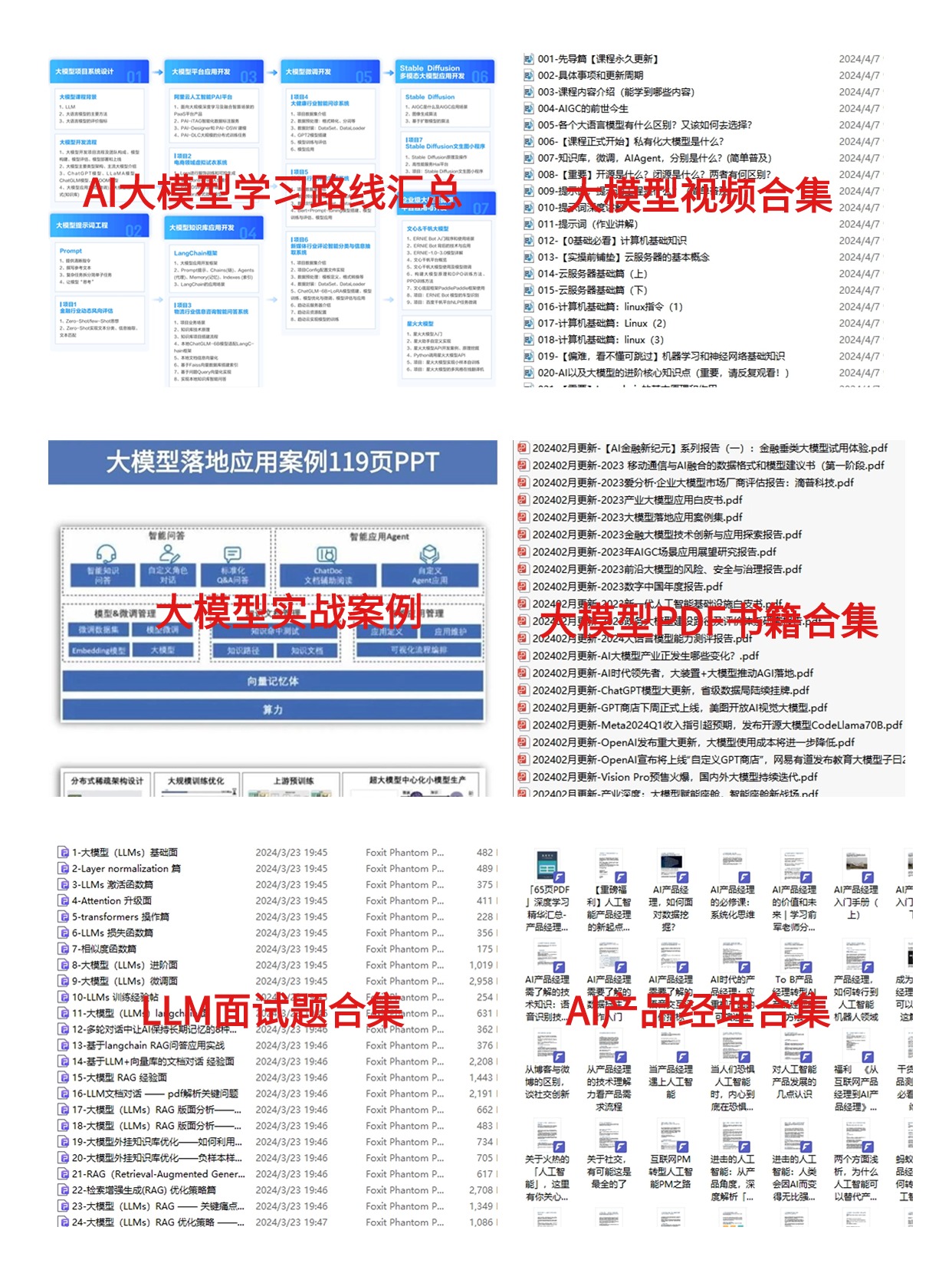
那么我作为一名热心肠的互联网老兵,我意识到有很多经验和知识值得分享给大家,希望可以帮助到更多学习大模型的人!至于能学习到多少就看你的学习毅力和能力了 。我已将重要的AI大模型资料包括AI大模型入门学习思维导图、精品AI大模型学习书籍手册、视频教程、实战学习等录播视频免费分享出来。
这份完整版的大模型 AI 学习资料已经上传优快云,朋友们如果需要可以微信扫描下方优快云官方认证二维码免费领取【保证100%免费】

👉 福利来袭优快云大礼包:《2025最全AI大模型学习资源包》免费分享,安全可点 👈
全套AGI大模型学习大纲+路线
AI大模型时代的学习之旅:从基础到前沿,掌握人工智能的核心技能!

640套AI大模型报告合集
这套包含640份报告的合集,涵盖了AI大模型的理论研究、技术实现、行业应用等多个方面。无论您是科研人员、工程师,还是对AI大模型感兴趣的爱好者,这套报告合集都将为您提供宝贵的信息和启示。


👉学会后的收获:👈
• 基于大模型全栈工程实现(前端、后端、产品经理、设计、数据分析等),通过这门课可获得不同能力;
• 能够利用大模型解决相关实际项目需求: 大数据时代,越来越多的企业和机构需要处理海量数据,利用大模型技术可以更好地处理这些数据,提高数据分析和决策的准确性。因此,掌握大模型应用开发技能,可以让程序员更好地应对实际项目需求;
• 基于大模型和企业数据AI应用开发,实现大模型理论、掌握GPU算力、硬件、LangChain开发框架和项目实战技能, 学会Fine-tuning垂直训练大模型(数据准备、数据蒸馏、大模型部署)一站式掌握;
• 能够完成时下热门大模型垂直领域模型训练能力,提高程序员的编码能力: 大模型应用开发需要掌握机器学习算法、深度学习框架等技术,这些技术的掌握可以提高程序员的编码能力和分析能力,让程序员更加熟练地编写高质量的代码。
👉 福利来袭优快云大礼包:《2025最全AI大模型学习资源包》免费分享,安全可点 👈
这份完整版的大模型 AI 学习资料已经上传优快云,朋友们如果需要可以微信扫描下方优快云官方认证二维码免费领取【保证100%免费】
作为普通人,入局大模型时代需要持续学习和实践,不断提高自己的技能和认知水平,同时也需要有责任感和伦理意识,为人工智能的健康发展贡献力量。
 417


 扫一扫


 被折叠的 条评论
为什么被折叠?
 到【灌水乐园】发言


