



上篇文章介绍了Detection任务的预测返回结果内容,现在这篇文章介绍OBB(边界框检测)任务的预测返回结果。相比标准物体检测,OBB引入了一个额外的角度来更准确地定位图像中的物体,预测输出是一组精确包围图像中物体的旋转边界框。当物体以不同角度出现时,定向边界框尤其有用,例如在航空图像中,传统的轴对齐边界框可能会包含不必要的背景。
YOLO-obb 预测返回的是Python list类型的 Results 对象,包含的数据项很多,结构比较复杂,本文进行详细介绍。
Ultralytics官方文档的相关内容
根据Ultralytics官方文档的相关内容: YOLO-obb 推理返回的是Python list类型的 Results 对象。
from ultralytics import YOLO

# Load a model
model = YOLO("yolo11n-obb.pt")  # load an official model
#model = YOLO("path/to/best.pt")  # load a custom model

# Predict with the model
results = model("https://ultralytics.com/images/boats.jpg")  # predict on an image

# Process results list
for result in results:
	xywhr = result.obb.xywhr  # center-x, center-y, width, height, angle (radians)
    xyxyxyxy = result.obb.xyxyxyxy  # polygon format with 4-points
    names = [result.names[cls.item()] for cls in result.obb.cls.int()]  # class name of each box
    confs = result.obb.conf  # confidence score of each box
    obb = result.obb  # Oriented boxes object for OBB outputs
下面结合实例进行具体分析。
Results实例
我们直接使用预训练模型yolo11n-obb.pt对boats.jpg图像进行检测。
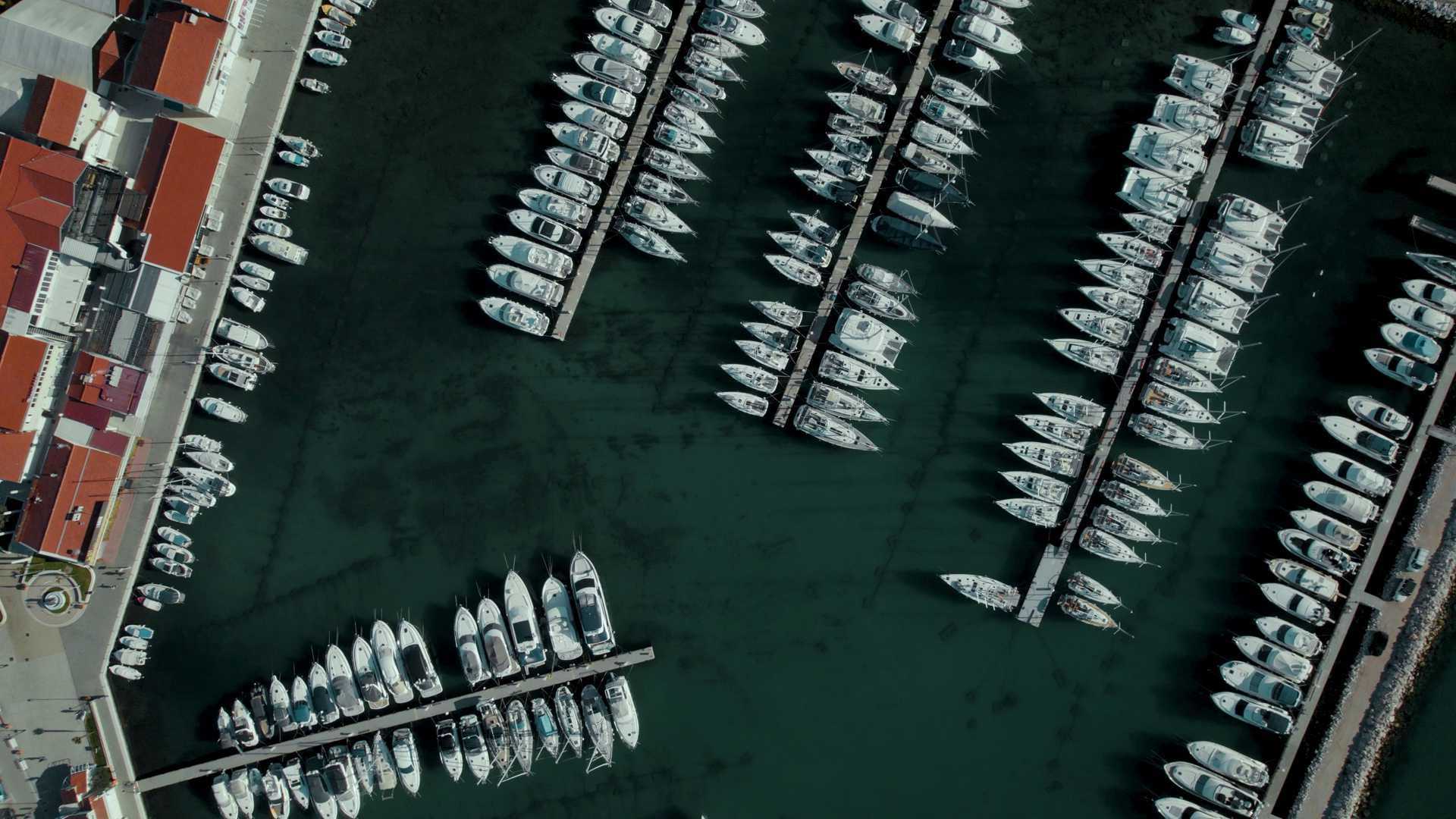
检测完成后,输出的图像:
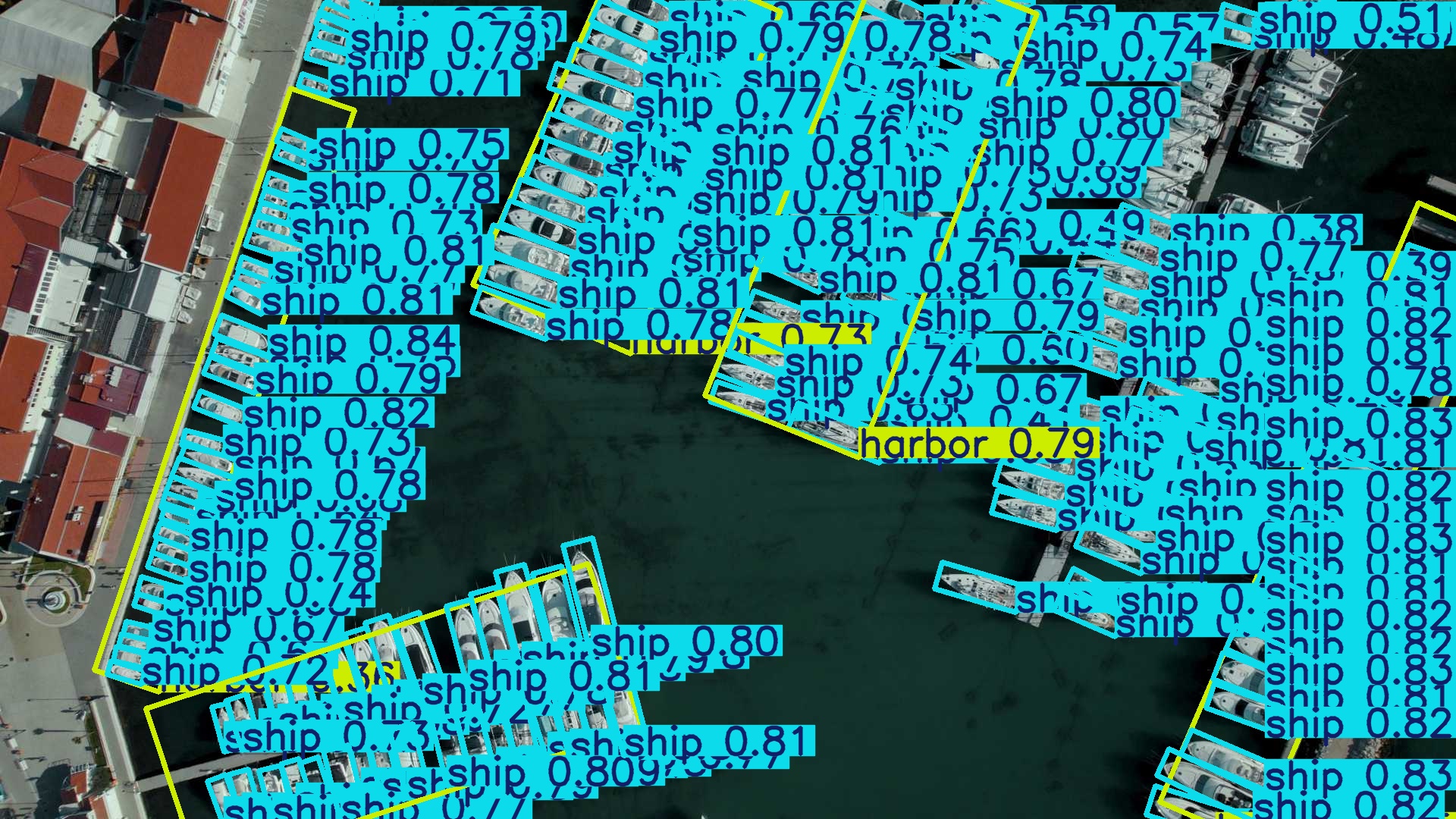
只输入一张图片,results列表只有一个值results[0]
print(results[0]):
boxes: None
keypoints: None
masks: None
names: {0: 'plane', 1: 'ship', 2: 'storage tank', 3: 'baseball diamond', 4: 'tennis court', 5: 'basketball court', 6: 'ground track field', 7: 'harbor',
8: 'bridge', 9: 'large vehicle', 10: 'small vehicle', 11: 'helicopter', 12: 'roundabout', 13: 'soccer ball field', 14: 'swimming pool'}
obb: ultralytics.engine.results.OBB object
orig_img: array([[[ 40,  68, 103],
        [ 29,  56,  90],
        [ 14,  36,  64],
        ...,
        [ 86, 100,  94],
        [ 88, 102,  96],
        [ 92, 106, 100]],
       ...,

       [[ 61,  59,  51],
        [ 64,  62,  54],
        [ 63,  61,  53],
        ...,
        [ 24,  32,   9],
        [ 24,  32,   9],
        [ 24,  32,   9]]], dtype=uint8)
orig_shape: (1080, 1920)
path: 'D:\\work3\\YOLO-Parklot\\data\\images\\boats.jpg'
probs: None
save_dir: 'runs\\obb\\predict'
speed: {'preprocess': 175.00819999258965, 'inference': 2622.4026000127196, 'postprocess': 614.9457000137772}
print(result[0].obb)
cls: tensor([1., 1., 1., 1., 1., 1., 1., 1., 1., 1., 1., 1., 1., 1., 1., 1., 1., 1., 1., 1., 1., 1., 1., 1., 1., 1., 1., 1., 1., 1., 1., 1., 1., 1., 1., 1., 1., 1., 7., 1., 7., 1., 1., 1., 1., 1., 1., 1., 1., 1., 1., 1., 1., 1., 1., 1., 1., 1., 1., 1., 1., 1., 1., 1., 1., 1., 1., 1., 1., 1., 1., 1., 1., 1., 1., 1., 1., 1., 1., 1., 1., 1., 1., 1., 1., 1., 1., 1., 1., 1., 1., 1., 1., 1., 1., 1., 7., 1., 1., 1., 1., 1., 1., 1., 1., 1., 1., 1., 1., 1., 1., 1., 1., 1., 1., 1., 1., 1., 1., 1., 1., 1., 1., 1., 1., 1., 1., 1., 1., 1., 1., 1., 1., 1., 7., 1., 1., 1., 1., 1., 1., 1., 1., 1., 1., 1., 1., 1., 1., 1., 1., 1., 1., 1., 1., 1., 1., 1., 1., 1., 1., 1., 1., 1., 1., 1., 1., 1., 1., 1., 7., 1., 1., 1., 1., 1., 1.])
conf: tensor([0.8425, 0.8336, 0.8319, 0.8297, 0.8263, 0.8244, 0.8243, 0.8218, 0.8197, 0.8181, 0.8177, 0.8162, 0.8147, 0.8134, 0.8132, 0.8122, 0.8106, 0.8105, 0.8101, 0.8097, 0.8094, 0.8076, 0.8074, 0.8067, 0.8067, 0.8067, 0.8065, 0.8061, 0.8059, 0.8055, 0.8052, 0.8035, 0.8026, 0.8014, 0.7996, 0.7991, 0.7979, 0.7965, 0.7965, 0.7909, 0.7904, 0.7895, 0.7891, 0.7887, 0.7887, 0.7884, 0.7861, 0.7851, 0.7846, 0.7845, 0.7843, 0.7841, 0.7840, 0.7838, 0.7835, 0.7817, 0.7807, 0.7806, 0.7804, 0.7777, 0.7772, 0.7754, 0.7744, 0.7742, 0.7736, 0.7720, 0.7711, 0.7696, 0.7692, 0.7669, 0.7664, 0.7652, 0.7638, 0.7634, 0.7625, 0.7595, 0.7591, 0.7493, 0.7489, 0.7480, 0.7475, 0.7473, 0.7471, 0.7468, 0.7462, 0.7456, 0.7430, 0.7369, 0.7368, 0.7358, 0.7353, 0.7345, 0.7341, 0.7340, 0.7278, 0.7273, 0.7270, 0.7266, 0.7253, 0.7252, 0.7224, 0.7213, 0.7201, 0.7196, 0.7160, 0.7131, 0.7102, 0.7079, 0.7063, 0.7025, 0.7014, 0.7007, 0.6997, 0.6957, 0.6889, 0.6873, 0.6849, 0.6839, 0.6818, 0.6815, 0.6803, 0.6785, 0.6743, 0.6734, 0.6732, 0.6727, 0.6726, 0.6705, 0.6690, 0.6682, 0.6673, 0.6632, 0.6568, 0.6557, 0.6507, 0.6438, 0.6435, 0.6367, 0.6336, 0.6320, 0.6290, 0.6271, 0.6255, 0.6169, 0.6096, 0.5993, 0.5991, 0.5949, 0.5922, 0.5855, 0.5845, 0.5666, 0.5582, 0.5355, 0.5275, 0.5091, 0.4968, 0.4921, 0.4763, 0.4447, 0.4364, 0.4333, 0.4177, 0.4068, 0.4049, 0.3979, 0.3959, 0.3898, 0.3788, 0.3784, 0.3600, 0.3593, 0.3432, 0.3253, 0.2982, 0.2772, 0.2572])
data: tensor([[3.2304e+02, 4.4219e+02, 7.6033e+01,  ..., 3.7826e-01, 8.4254e-01, 1.0000e+00],
        [1.7504e+03, 6.9368e+02, 1.0658e+02,  ..., 4.1058e-01, 8.3363e-01, 1.0000e+00],
        [1.8187e+03, 5.4377e+02, 9.5871e+01,  ..., 4.4453e-01, 8.3185e-01, 1.0000e+00],
        ...,
        [4.8026e+02, 1.0163e+03, 6.8284e+01,  ..., 1.3577e+00, 2.9824e-01, 1.0000e+00],
        [1.7286e+03, 2.3165e+01, 5.7848e+01,  ..., 3.3524e-01, 2.7723e-01, 1.0000e+00],
        [4.4217e+02, 3.1912e+01, 4.7885e+01,  ..., 3.7069e-01, 2.5719e-01, 1.0000e+00]])
id: None
is_track: False
orig_shape: (1080, 1920)
shape: torch.Size([177, 7])
xywhr: tensor([[3.2304e+02, 4.4219e+02, 7.6033e+01, 2.7323e+01, 3.7826e-01],
        [1.7504e+03, 6.9368e+02, 1.0658e+02, 3.2217e+01, 4.1058e-01],
        [1.8187e+03, 5.4377e+02, 9.5871e+01, 2.9535e+01, 4.4453e-01],
        [1.6765e+03, 8.6366e+02, 1.1517e+02, 3.3924e+01, 4.2344e-01],
		...,
        [4.2051e+02, 1.0421e+03, 8.3692e+01, 2.5618e+01, 1.2571e+00],
        [4.8026e+02, 1.0163e+03, 6.8284e+01, 2.2957e+01, 1.3577e+00],
        [1.7286e+03, 2.3165e+01, 5.7848e+01, 2.0636e+01, 3.3524e-01],
        [4.4217e+02, 3.1912e+01, 4.7885e+01, 1.6795e+01, 3.7069e-01]])
xyxy: tensor([[ 2.8267e+02,  4.1545e+02,  3.6342e+02,  4.6892e+02],
        [ 1.6951e+03,  6.5764e+02,  1.8057e+03,  7.2972e+02],
        [ 1.7691e+03,  5.0982e+02,  1.8684e+03,  5.7771e+02],
        [ 1.6170e+03,  8.2453e+02,  1.7359e+03,  9.0278e+02],
        ...,

        [ 3.9541e+02,  9.9833e+02,  4.4561e+02,  1.0858e+03],
        [ 4.6182e+02,  9.8054e+02,  4.9870e+02,  1.0521e+03],
        [ 1.6979e+03,  3.9058e+00,  1.7593e+03,  4.2425e+01],
        [ 4.1681e+02,  1.5412e+01,  4.6752e+02,  4.8413e+01]])
xyxyxyxy: tensor([[[ 353.3254,  468.9211],
         [ 363.4159,  443.5294],
         [ 292.7574,  415.4503],
         [ 282.6669,  440.8420]],

        [[1792.7980,  729.7223],
         [1805.6569,  700.1832],
         [1707.9366,  657.6438],
         [1695.0778,  687.1829]],

        [[1855.6692,  577.7137],
         [1868.3701,  551.0494],
         [1781.8164,  509.8216],
         [1769.1155,  536.4860]],

        ...,

        [[ 476.2670, 1052.1387],
         [ 498.7041, 1047.2825],
         [ 484.2596,  980.5439],
         [ 461.8225,  985.4000]],

        [[1752.4958,   42.4249],
         [1759.2852,   22.9373],
         [1704.6580,    3.9058],
         [1697.8687,   23.3935]],

        [[ 461.4397,   48.4127],
         [ 467.5239,   32.7583],
         [ 422.8915,   15.4118],
         [ 416.8073,   31.0662]]])
xyxyxyxyn: tensor([[[0.1840, 0.4342],
         [0.1893, 0.4107],
         [0.1525, 0.3847],
         [0.1472, 0.4082]],

        [[0.9337, 0.6757],
         [0.9404, 0.6483],
         [0.8896, 0.6089],
         [0.8829, 0.6363]],

        [[0.9665, 0.5349],
         [0.9731, 0.5102],
         [0.9280, 0.4721],
         [0.9214, 0.4967]],

        ...,

        [[0.2481, 0.9742],
         [0.2597, 0.9697],
         [0.2522, 0.9079],
         [0.2405, 0.9124]],

        [[0.9128, 0.0393],
         [0.9163, 0.0212],
         [0.8878, 0.0036],
         [0.8843, 0.0217]],

        [[0.2403, 0.0448],
         [0.2435, 0.0303],
         [0.2203, 0.0143],
         [0.2171, 0.0288]]])
Results数据解读
Result对象整体结构
使用model.predict()对一批图像进行预测时,会返回一个列表,列表中的每个元素都是一个Result对象,每个Result对象代表了对一张输入图像的预测结果。
Result对象的主要属性
原始图像属性
orig_img:原始的输入图像,输入图像的原始像素信息,数据类型为uint8(dtype=uint8)- ‘orig_shape’:,图像的原始高度和宽度。
- ‘path’:图像的原始路径
OBB属性
obb:OBB对象属性,包含了图像中检测到的所有边界框的信息,包括边界框的坐标、置信度以及类别索引等。
obb具有以下属性:
cls:检测到边界框的分类index。每个index对应的名称在’names’: 属性中(本例中直接使用预训练模型,names在dota.yaml中定义)。
conf: 每个边界框的置信度
xywhr: 边界框在原图中的中心坐标值和宽高及角度
xyxy: 边界框在原图中的左上和右下两个点的坐标
xyxyxyxy:边界框的四个角点坐标
xyxyxyxyn: xyxyxyxy的归一化值
其他属性
本例中只有obb属性的数据,没有’boxes’, ‘masks’, ‘probs’, ‘keypoints’, 。
speed:前置处理、推理、后置处理各个阶段的处理时间
names: 索引对应的分类名称
path:图像的原始路径
save_dir: 结果数据保存路径
结果数据调用
可以使用以下方式展示和保存处理后的图像:
from PIL import Image
from ultralytics import YOLO

# Load a model
model = YOLO("yolo11n-obb.pt")  # load an official model

# Predict with the model
results = model("https://ultralytics.com/images/boats.jpg")  # predict on an image

for i, r in enumerate(results):
    # Plot results image
    im_bgr = r.plot()  # BGR-order numpy array
    im_rgb = Image.fromarray(im_bgr[..., ::-1])  # RGB-order PIL image

    # Show results to screen (in supported environments)
    r.show()

    # Save results to disk
    r.save(filename=f"results{i}.jpg")






 扫一扫
扫一扫


 987
987

 被折叠的 条评论
为什么被折叠?
被折叠的 条评论
为什么被折叠?
 到【灌水乐园】发言





