


动画动效
通过设置插值器来实现动画效果。
创建动画对象
通过createAnimator创建一个动画对象,通过设置参数options来设置动画的属性。
<!-- xxx.hml -->
<div class="container">
  <div style="width: 300px;height: 300px;margin-top: 100px;background: linear-gradient(pink, purple);transform: translate({

  {translateVal}});">
  </div>
  <div class="row">
    <button type="capsule" value="play" onclick="playAnimation"></button>
  </div>
</div>
/* xxx.css */
.container {
  width:100%;
  height:100%;
  flex-direction: column;
  align-items: center;
  justify-content: center;
}
button{
  width: 200px;
}
.row{
  width: 65%;
  height: 100px;
  align-items: center;
  justify-content: space-between;
  margin-top: 50px;
  margin-left: 260px;
}
// xxx.js
import animator from '@ohos.animator';
export default {
  data: {
    translateVal: 0,
    animation: null
  },
  onInit() {},
  onShow(){
    var options = {
      duration: 3000,
      easing:"friction",
      delay:"1000",
      fill: 'forwards',
      direction:'alternate',
      iterations: 2,
      begin: 0,
      end: 180
    };//设置参数
    this.animation = animator.createAnimator(options)//创建动画
  },
  playAnimation() {
    var _this = this;
    this.animation.onframe = function(value) {
      _this.translateVal= value
    };
    this.animation.play();
  }
}
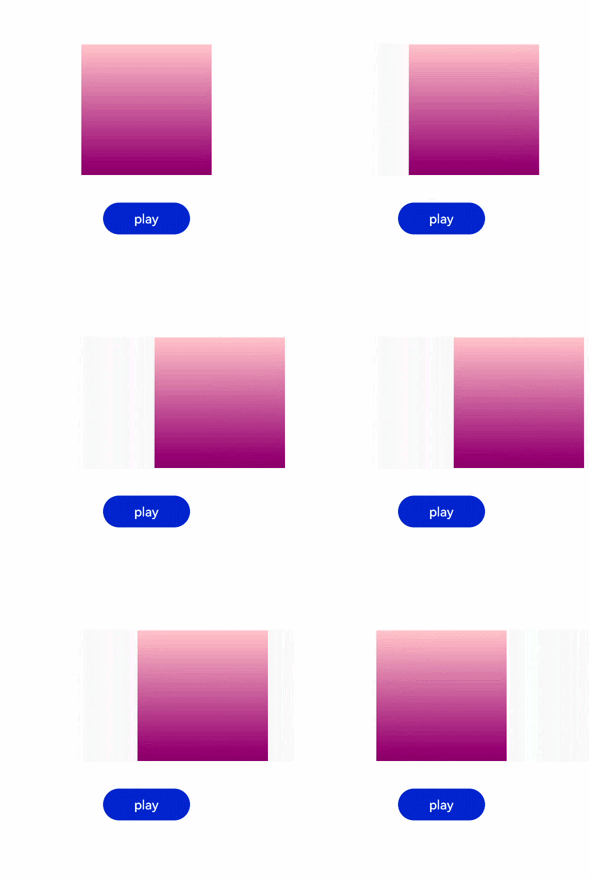
说明
- 使用createAnimator创建动画对象时必须传入options参数。
- begin插值起点,不设置时默认为0。
- end插值终点,不设置时默认为1。
添加动画事件和调用接口
animator支持事件和接口,可以通过添加frame、cancel、repeat、finish事件和调用update、play、pause、cancel、reverse、finish接口自定义动画效果。animator支持的事件和接口具体见动画中的 createAnimator 。
<!-- xxx.hml -->
<div style="flex-direction: column;align-items: center;width: 100%;height: 100%;">
<div style="width:200px;height: 200px;margin-top: 100px;background: linear-gradient(#b30d29, #dcac1b);
transform: scale({
{scaleVal}});"></div>
<div style="width: {
{DivWidth}};height: {
{DivHeight}};margin-top: 200px;
background: linear-gradient(pink, purple);margin-top: 200px;transform:translateY({
{translateVal}});">
</div>
<div class="row">
<button type="capsule" value="play" onclick="playAnimation"></button>
<button type="capsule" value="update" onclick="updateAnimation"></button>
</div>
<div class="row1">
<button type="capsule" value="pause" onclick="pauseAnimation"></button>
<button type="capsule" value="finish" onclick="finishAnimation"></button>
</div>
<div class="row2">
<button type="ca 最低0.47元/天 解锁文章






 扫一扫
扫一扫


 被折叠的 条评论
为什么被折叠?
被折叠的 条评论
为什么被折叠?
 到【灌水乐园】发言





