


1.1下载tesseract-OCR工具包:
https://github.com/UB-Mannheim/tesseract/wiki
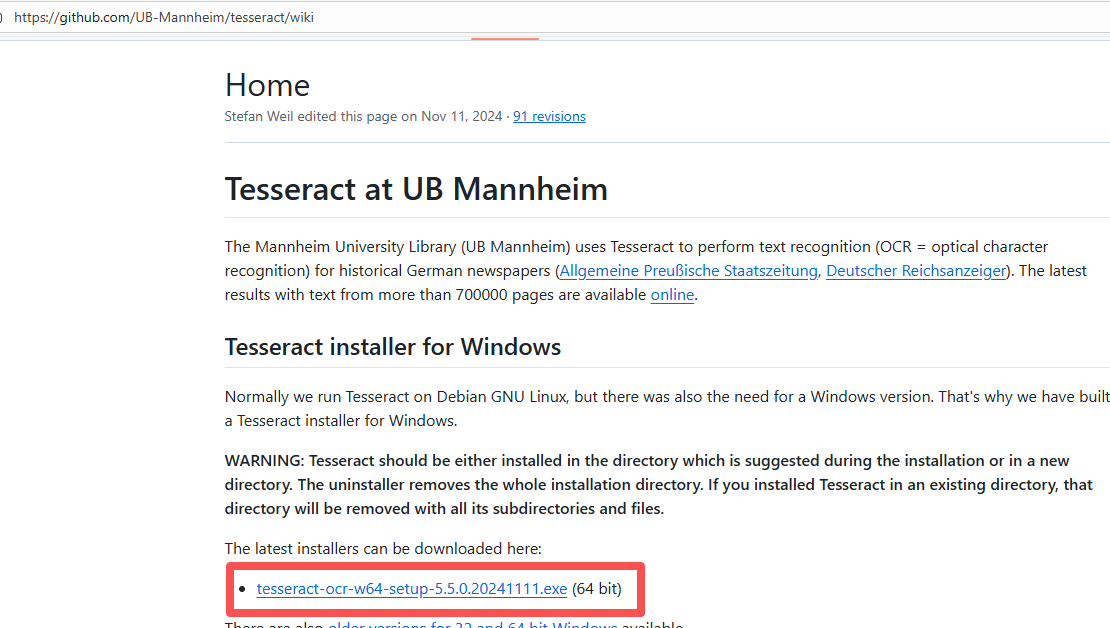
1.2安装时注意勾选中文
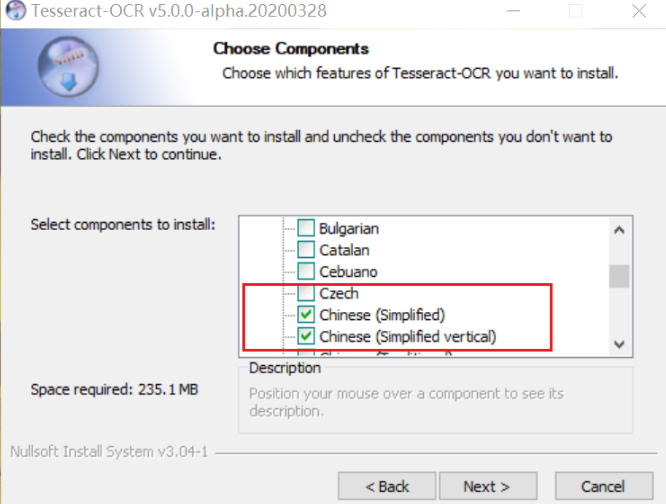
1.3注意安装位置,获取执行程序路径:C:\\Program Files\\Tesseract-OCR\\tesseract.exe
1.4在conda环境中安装相关依赖:opencv和pytesseract
pip install pytesseract -i https://pypi.tuna.tsinghua.edu.cn/simple
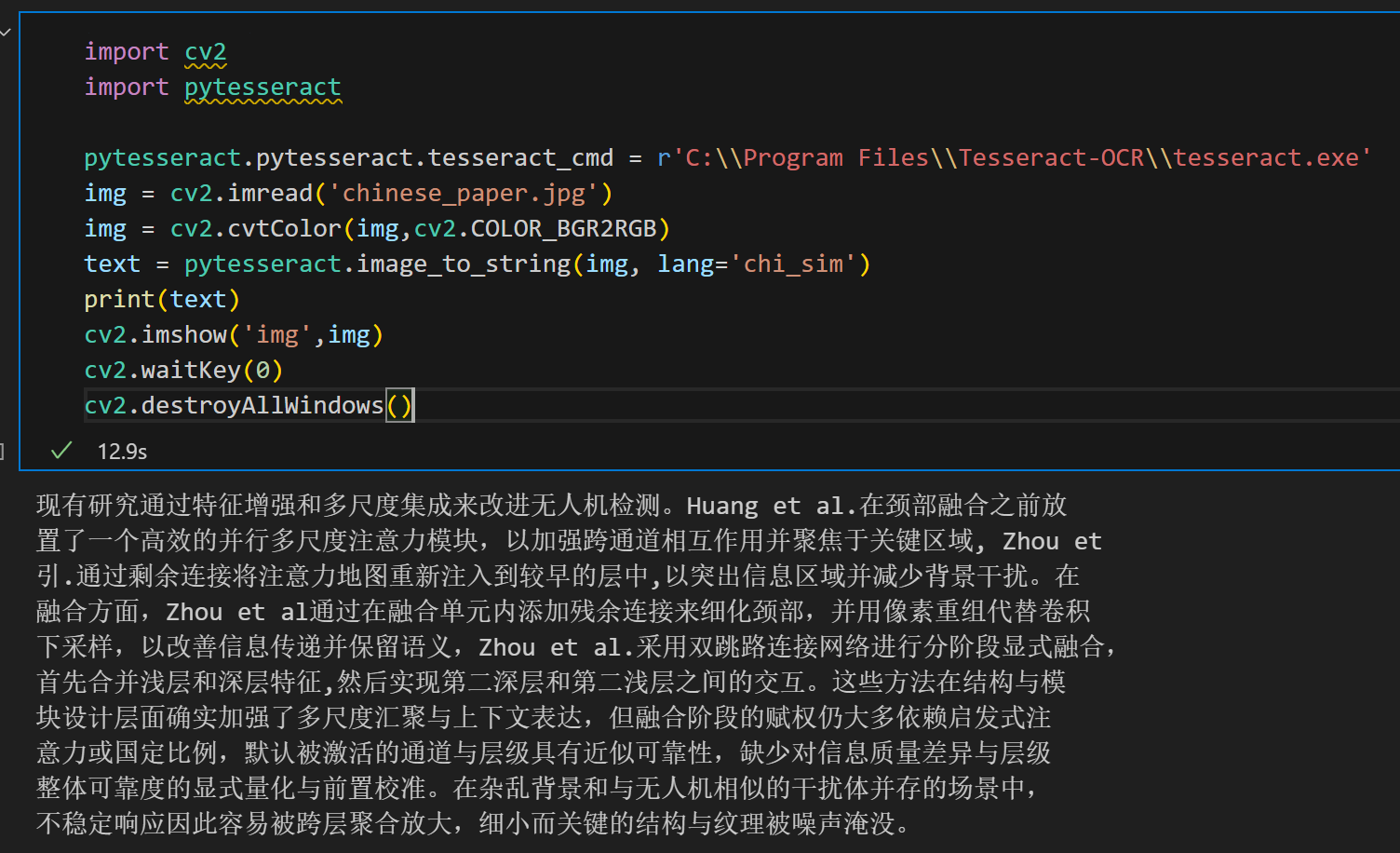
1.5Vscode中创建python文件,执行以下代码
import cv2
import pytesseract

pytesseract.pytesseract.tesseract_cmd = r'C:\\Program Files\\Tesseract-OCR\\tesseract.exe'
img = cv2.imread('chinese_paper.jpg')
img = cv2.cvtColor(img,cv2.COLOR_BGR2RGB)
text = pytesseract.image_to_string(img, lang='chi_sim')
print(text)
cv2.imshow('img',img)
cv2.waitKey(0)
cv2.destroyAllWindows()
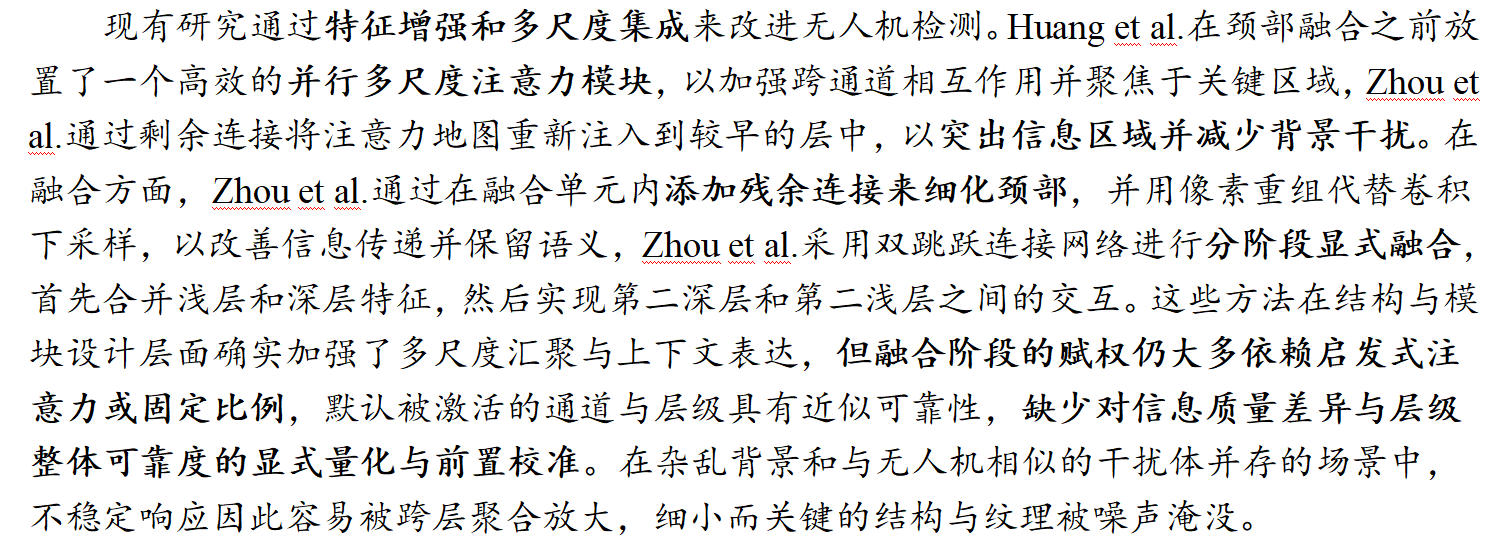
1.6执行效果展示(我这里用的vscode+notebook)






 扫一扫
扫一扫


 1759
1759

 被折叠的 条评论
为什么被折叠?
被折叠的 条评论
为什么被折叠?
 到【灌水乐园】发言





