


1安装WpfAnimatedGif
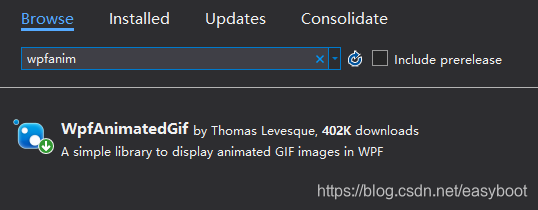
2 在xaml文件中加入 xmlns:gif="http://wpfanimatedgif.codeplex.com"

3 放置控件
<Image gif:ImageBehavior.AnimatedSource=".\Images\animated.gif" Height="35" Width="35" Margin="714,10,31,370"/>
4 gif所在目录
 WPF 动画 GIF 插件安装与使用
 本文介绍如何在 WPF 应用中安装和使用 WpfAnimatedGif 插件,实现 GIF 图像的动态显示。具体步骤包括:1. 安装 WpfAnimatedGif;2. 在 XAML 文件中引入命名空间;3. 使用 Image 控件加载动画 GIF。
1安装WpfAnimatedGif
2 在xaml文件中加入 xmlns:gif="http://wpfanimatedgif.codeplex.com"
3 放置控件
<Image gif:ImageBehavior.AnimatedSource=".\Images\animated.gif" Height="35" Width="35" Margin="714,10,31,370"/>
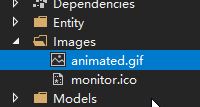
4 gif所在目录
 578
578

 被折叠的 条评论
为什么被折叠?
被折叠的 条评论
为什么被折叠?
 到【灌水乐园】发言








 扫一扫
扫一扫


