



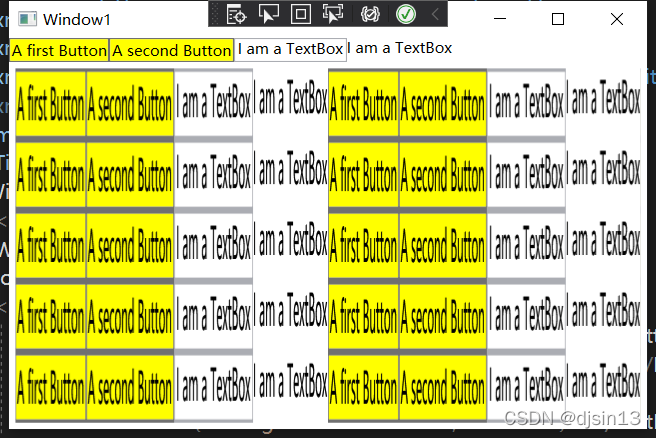
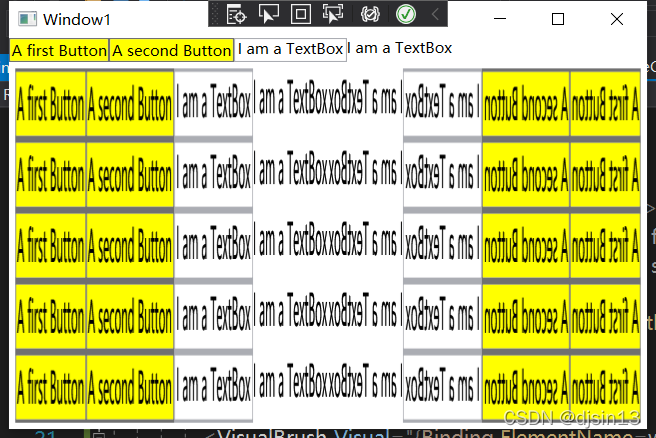
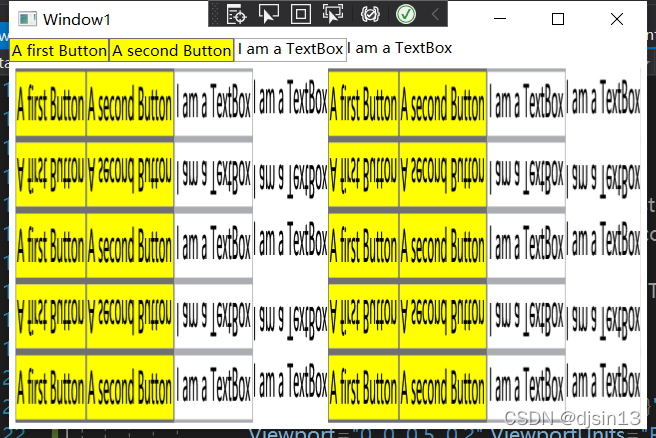
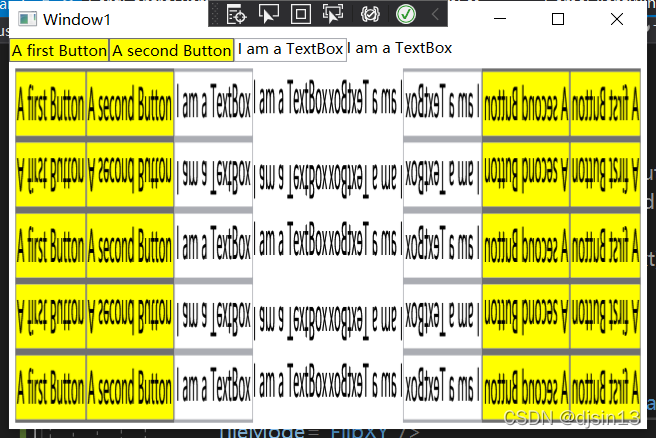
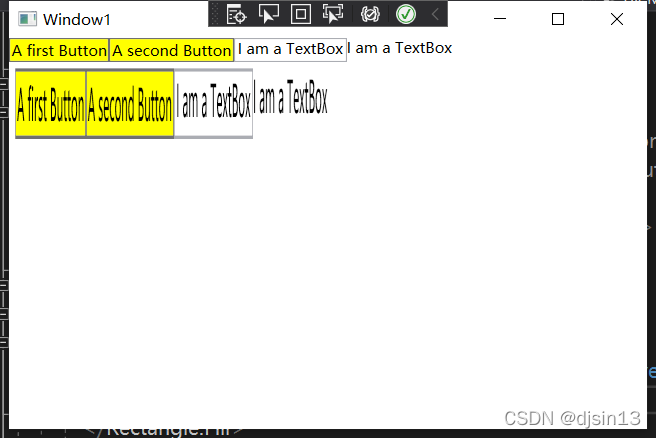
 本文介绍了WPF中Viewport和TileMode的概念。Viewport用于定义VisualBrush的视口区域,其坐标相对于包围盒,例如Viewport=0,0,0.5,0.2表示占据对象一半宽度和五分之一高度的区域。而TileMode则决定了背景如何平铺,如Tile、FlipX、FlipY等选项,用于创建不同的重复效果。示例中,Rectangle的Fill使用VisualBrush,平铺了WrapPanel的顶部部分。
1、实例中,Viewport,表示视窗。ViewportUnits默认RelativeToBoundingBox,也就是相对坐标。前两位表示开始坐标,后两位表示结束坐标。归一化为1。
Viewport="0, 0, 0.5, 0.2",表示,开始坐标(0,0),结束坐标(0.5,0.2),0.5表示占据对象X轴长度一半,0.2表示占据对象Y轴长度的五分之一。
<Window x:Class="KarliCards.Gui.Window1"
        xmlns="http://schemas.microsoft.com/winfx/2006/xaml/presentation"
        xmlns:x="http://schemas.microsoft.com/winfx/2006/xaml"
        xmlns:d="http://schemas.microsoft.com/expression/blend/2008"
        xmlns:mc="http://schemas.openxmlformats.org/markup-compatibility/2006"
        xmlns:local="clr-namespace:KarliCards.Gui"
        mc:Ignorable="d"
        Title="Window1" Height="350" Width="525">
    <Window.Resources>
        <SolidColorBrush x:Key="bg" Color="Yellow"/>
    </Window.Resources>
    <DockPanel>
        <WrapPanel x:Name="wp" DockPanel.Dock="Top">
            <Button Background="{StaticResource bg}">A first Button</Button>
            <Button Background="{StaticResource bg}">A second Button</Button>
            <TextBox x:Name="txt" Text="I am a TextBox"/>
            <TextBlock Text="{Binding ElementName=txt, Path=Text}"></TextBlock>
        </WrapPanel>
        <Rectangle Margin="5">
            <Rectangle.Fill>
                <VisualBrush Visual="{Binding ElementName=wp}"
                             Viewport="0, 0, 0.5, 0.2" ViewportUnits="RelativeToBoundingBox"
                             TileMode="Tile"/>
            </Rectangle.Fill>
        </Rectangle>
    </DockPanel>
</Window>
2、TileMode,表示平铺模式。有多种选择。





 扫一扫
扫一扫


 8万+
8万+

 被折叠的 条评论
为什么被折叠?
被折叠的 条评论
为什么被折叠?
 到【灌水乐园】发言





