


 本文介绍了如何通过安装和配置autoprefixer插件来处理CSS的浏览器兼容性问题。首先,通过npm安装autoprefixer作为开发依赖。然后查看package.json确认安装成功。接着,在postcss.config.js中设置autoprefixer的规则,指定要兼容的浏览器版本,如Android 4.0及以上和iOS 8及以上。此外,还配置了postcss-pxtorem插件,用于将px单位转换为rem,以适配不同设备的屏幕。
1、安装pocss插件autoprefixer
npm install --save-dev autoprefixer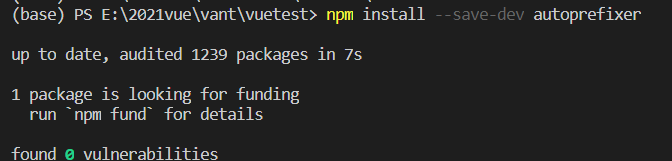
2、查看package.json
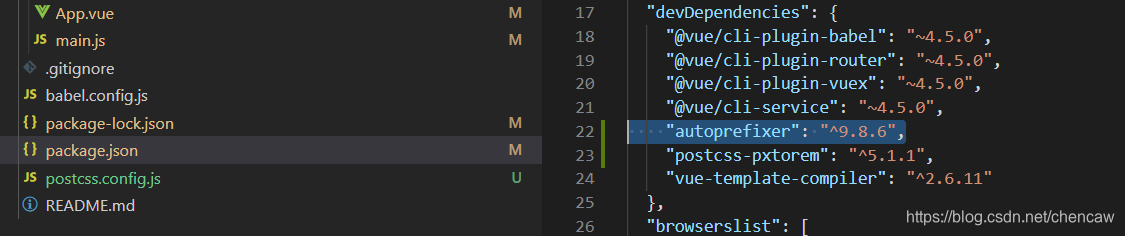
3 在postcss.config.js中添加规则
      'autoprefixer': {
        'overrideBrowserslist': [
          // 'ie >= 8',   //兼容ie7以上浏览器
          // 'Firefox >= 3.5', //兼容火狐版本号大于3.5浏览器
          // 'chrome >= 35',   //兼容chrome版本号大于35浏览器
          // 'opera >= 11.5',   //兼容opera版本号大于11.5浏览器
          'Android >= 4.0',
          'iOS >= 8',
        ]
      },
postcss.config.js整个文件代码如下(前面已安装过postcss)
module.exports = {
plugins: {
'autoprefixer': {
'overrideBrowserslist': [
// 'ie >= 8', //兼容ie7以上浏览器
// 'Firefox >= 最低0.47元/天 解锁文章






 扫一扫
扫一扫


 2297
2297

 被折叠的 条评论
为什么被折叠?
被折叠的 条评论
为什么被折叠?
 到【灌水乐园】发言





