


 本文是Cocos Creator滚动列表高级使用的教程,详细介绍了如何实现动态加载数据,包括将世界排行榜的100个玩家数据分页显示,以及处理自动滚动时的加载细节和防止冲突的方法。
滚动列表高级使用 动态加载数据
案例背景
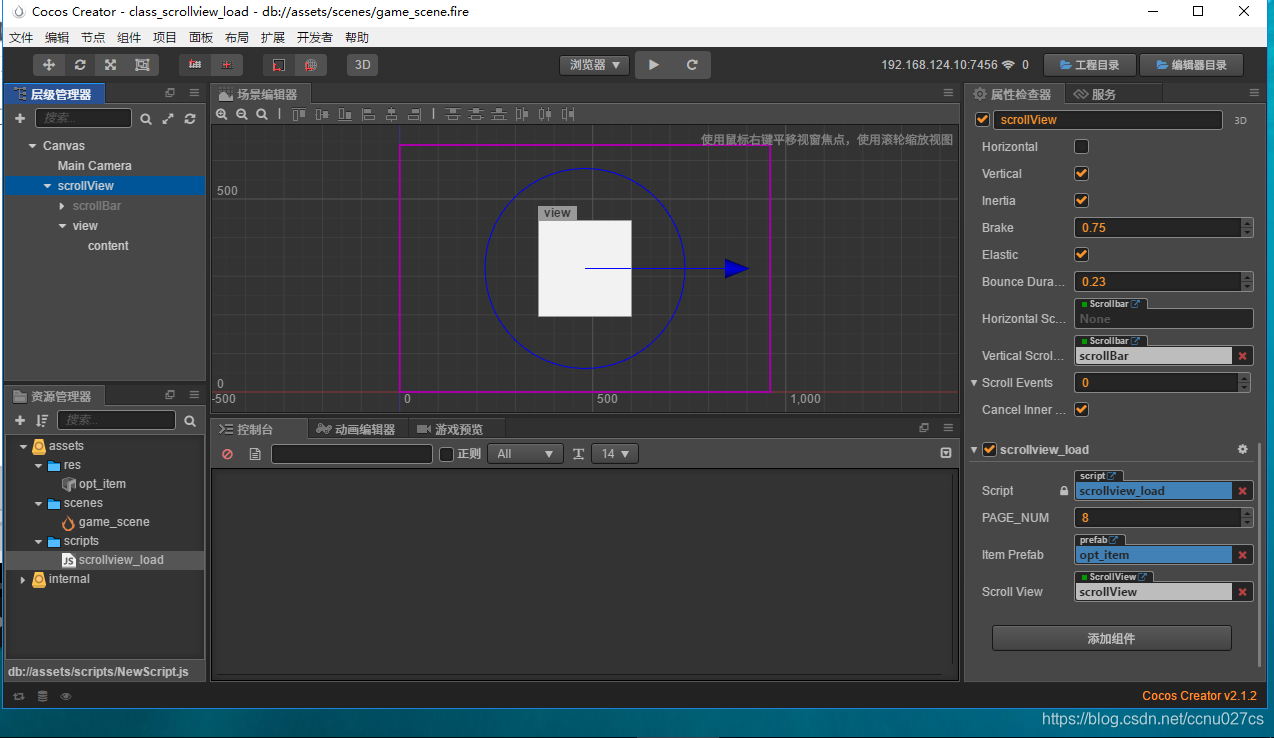
1: 假设世界排行榜要100个玩家的数据,我们怎么使用滚动列表来实现?

// Learn cc.Class:
//  - [Chinese] https://docs.cocos.com/creator/manual/zh/scripting/class.html
//  - [English] http://docs.cocos2d-x.org/creator/manual/en/scripting/class.html
// Learn Attribute:
//  - [Chinese] https://docs.cocos.com/creator/manual/zh/scripting/reference/attributes.html
//  - [English] http://docs.cocos2d-x.org/creator/manual/en/scripting/reference/attributes.html
// Learn life-cycle callbacks:
//  - [Chinese] https://docs.cocos.com/creator/manual/zh/scripting/life-cycle-callbacks.html
//  - [English] https://www.cocos2d-x.org/docs/creator/manual/en/scripting/life-cycle-callbacks.html

/*
显示[1,100]这个数据:
(1)将滚动列表里面的每个项分成3个页
(2)每一个页面我们制定一个数目,例如8个;根据你的scrollview的大小来决定
(3)总共使用的滚动列表里面的项 PAGE_NUM * 3 = 24个
(4)有限的项要显示 超过它数目的数据记录
*/

cc.Class({
    extends: cc.Component,

    properties: {
        // foo: {
        //     // ATTRIBUTES:
        //     default: null,        // The default value will be used only when the component attaching
        //                           // to a node for the first time
        //     type: cc.SpriteFrame, // optional, default is typeof default
        //     serializable: true,   // optional, default is true
        // },
        // bar: {
        //     get () {
        //         return this._bar;
        //     },
        //     set (value) {
        //         this._bar = value;
 最低0.47元/天 解锁文章






 扫一扫
扫一扫


 2475
2475

 被折叠的 条评论
为什么被折叠?
被折叠的 条评论
为什么被折叠?
 到【灌水乐园】发言





