



索引别名
在博文《【Elasticsearch】动手创建一个索引》中,我们创建了一个名为 test-index 的索引,并且指定索引别名为 log-index,同时设置其为写入索引。
如果此时我再次建立一个索引,名称为 test-index-01,别名为 log-index,也指定为写入索引,会发生什么呢?
您说得完全正确!这会报错,因为一个别名在同一时间只能指向一个作为写入索引的索引。
🚫 1.错误演示
1.1 当前状态:
test-index← 别名log-index(is_write_index: true)
1.2 执行以下命令会报错
PUT /test-index-01
{
  "settings": {
    "number_of_shards": 3,
    "number_of_replicas": 1,
    "refresh_interval": "15s"
  },
  "aliases": {
    "log-index": {
      "is_write_index": true  // ← 冲突!
    }
  },
  "mappings": {
    "properties": {
      // ... 字段定义
    }
  }
}
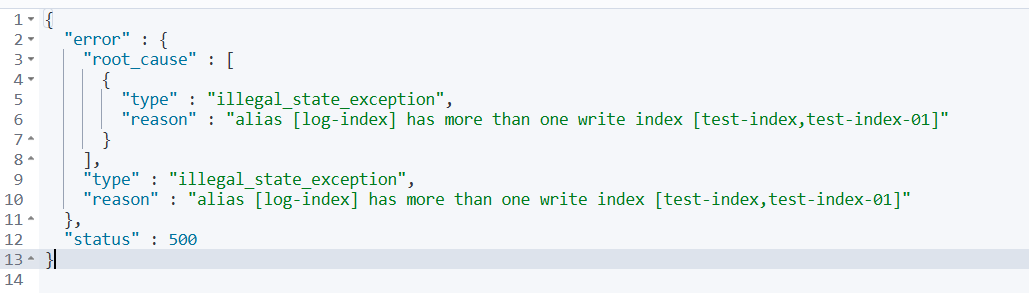
错误信息类似:
✅ 2.解决方案
如果想要切换写入索引,有以下几种正确的做法。
2.1 方案 1:先移除旧索引的写入权限,再设置新索引
// 步骤1:移除旧索引的写入权限
POST /_aliases
{
  "actions": [
    {
      "add": {
        "index": "test-index",
        "alias": "log-index",
        "is_write_index": false
      }
    }
  ]
}

// 步骤2:创建新索引并设置为写入索引
PUT /test-index-01
{
  "settings": {
    "number_of_shards": 3,
    "number_of_replicas": 1,
    "refresh_interval": "15s"
  },
  "aliases": {
    "log-index": {
      "is_write_index": true
    }
  },
  "mappings": {
    "properties": {
      "timestamp": {
        "type": "date",
        "format": "yyyy-MM-dd HH:mm:ss||epoch_millis"
      },
      "message": {
        "type": "text",
        "analyzer": "ik_max_word"
      }
      // ... 其他字段
    }
  }
}
2.2 方案 2:使用原子操作一次性切换
POST /_aliases
{
  "actions": [
    {
      "add": {
        "index": "test-index-01",
        "alias": "log-index",
        "is_write_index": true
      }
    },
    {
      "add": {
        "index": "test-index",
        "alias": "log-index",
        "is_write_index": false
      }
    }
  ]
}
2.3 方案 3:创建时不设置写入索引,后续再切换
// 步骤1:创建新索引(不设置写入索引)
PUT /test-index-01
{
  "settings": {
    "number_of_shards": 3,
    "number_of_replicas": 1,
    "refresh_interval": "15s"
  },
  "aliases": {
    "log-index": {}  // ← 只添加别名,不设置写入索引
  },
  "mappings": {
    // ... 字段定义
  }
}

// 步骤2:原子切换写入索引
POST /_aliases
{
  "actions": [
    {
      "add": {
        "index": "test-index-01",
        "alias": "log-index",
        "is_write_index": true
      }
    },
    {
      "add": {
        "index": "test-index",
        "alias": "log-index",
        "is_write_index": false
      }
    }
  ]
}
🔍 3.验证当前状态
在执行任何操作前,您可以先检查当前别名状态:
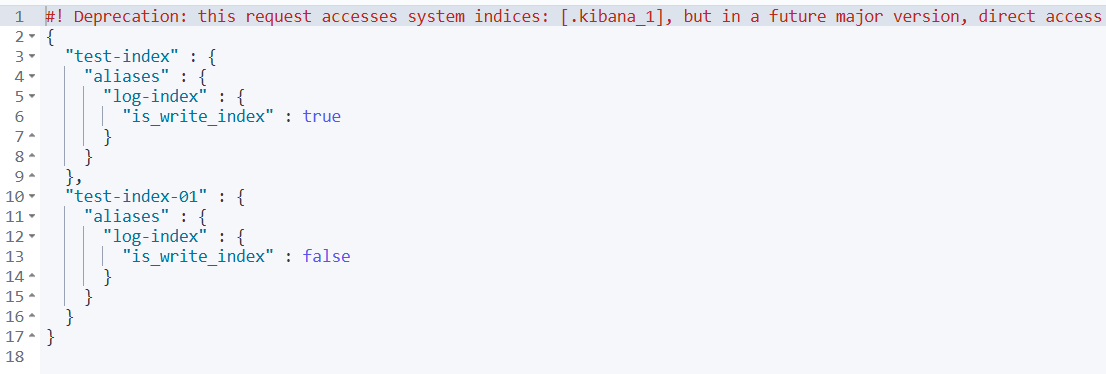
3.1 查看别名指向的所有索引
GET /_alias/log-index
3.2 查看哪个索引是当前写入索引
GET /_cat/aliases/log-index?v

3.3 查看所有包含写入索引的别名
GET /_cat/aliases?v&filter_path=is_write_index:true

💡 4.实际应用场景
这种设计在以下场景中很有用:
4.1 场景:基于时间的索引滚动
# 第1个月:logs-2024-01 是写入索引
# 第2个月:切换到 logs-2024-02 为写入索引
# 第3个月:切换到 logs-2024-03 为写入索引
# 但应用程序始终使用别名 "logs" 写入
- 1️⃣ 设置
logs-2024-01为写入索引。

- 2️⃣ 通过别名往索引中写入数据。
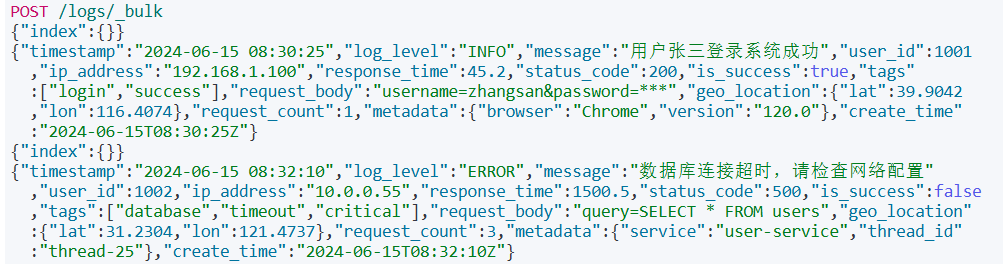
- 3️⃣ 可以看到此时数据写入了
logs-2024-01。

- 4️⃣ 切换写入索引为
logs-2024-02。
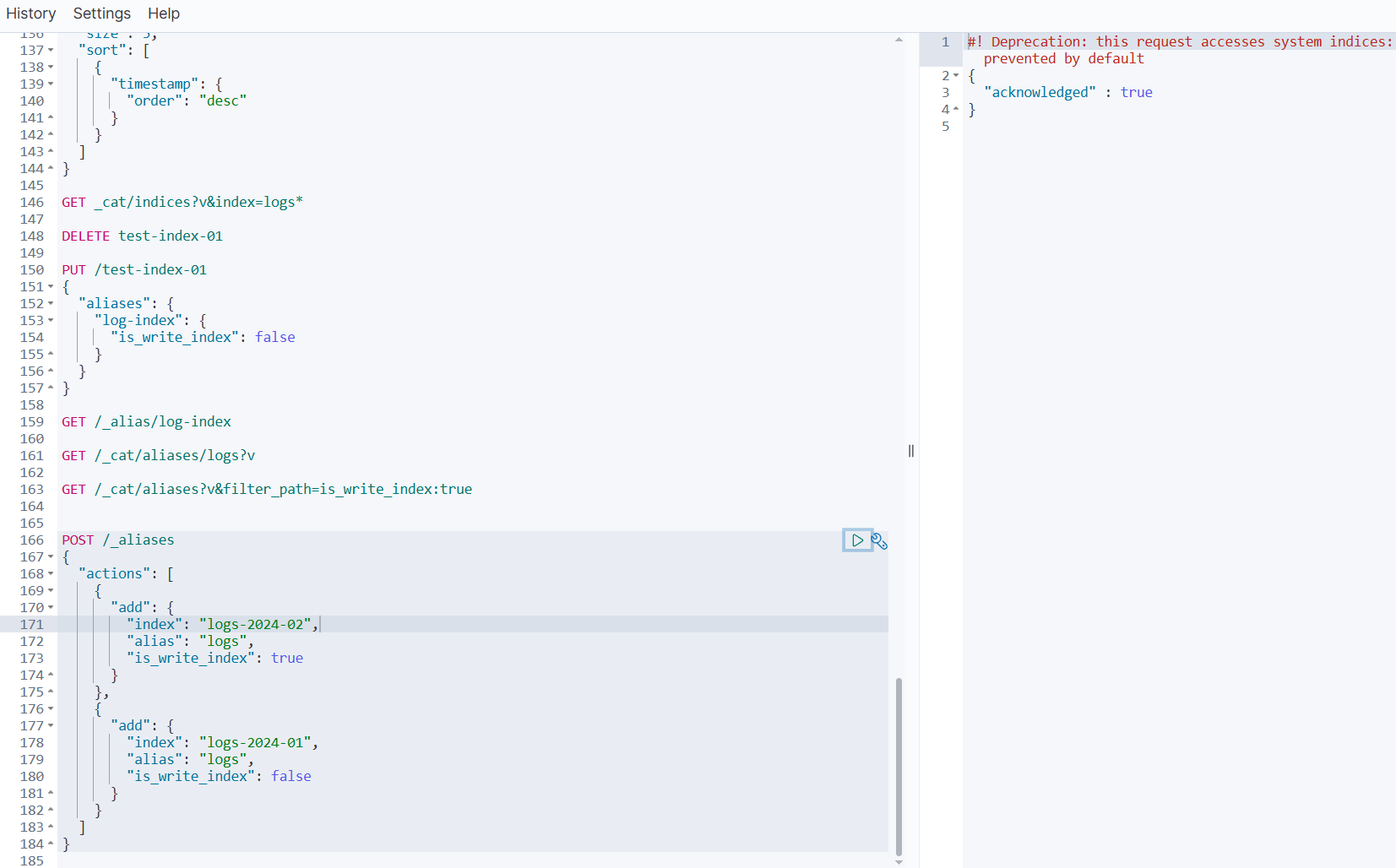
- 5️⃣ 可以看到
logs-2024-02此时已成为别名logs的写入索引了。
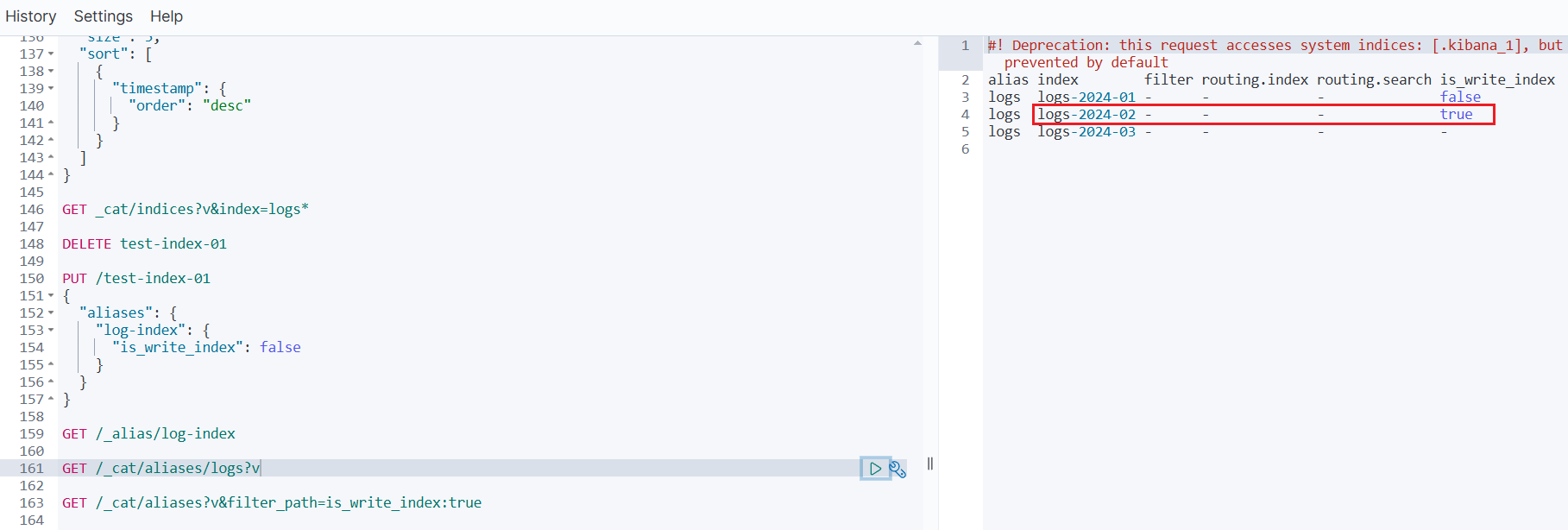
- 6️⃣ 再次通过索引别名往索引中写入数据。
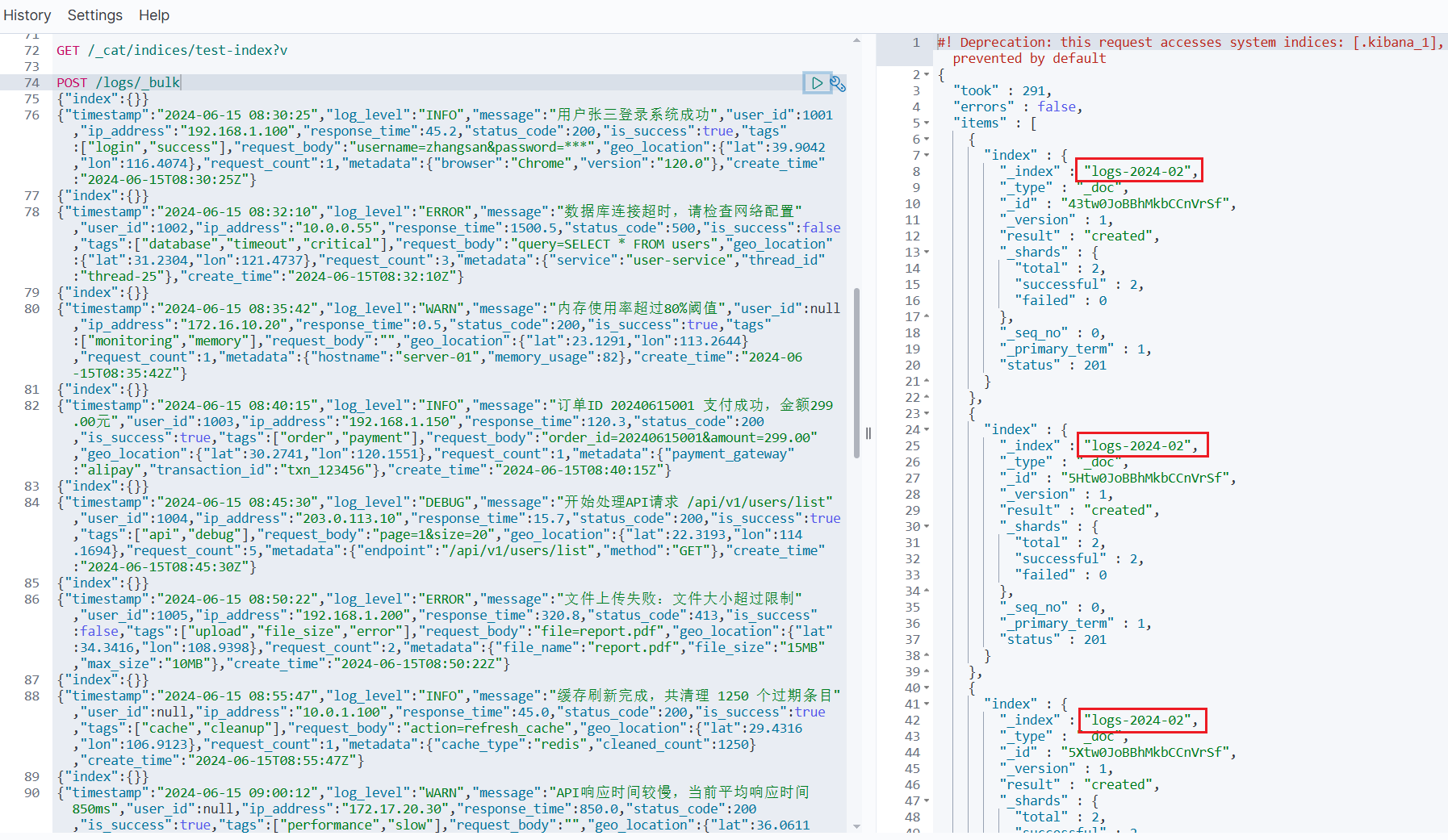
- 7️⃣ 可以观察到,此时写入的数据已经存储到了
logs-2024-02中。

4.2 场景:索引重建
# 阶段1:products-v1 是写入索引
# 阶段2:创建 products-v2,数据迁移
# 阶段3:切换写入索引到 products-v2
# 阶段4:下线 products-v1
🎯 5.总结
- ✅ 一个别名可以指向多个索引
- ✅ 但只能有一个索引设置为
is_write_index: true - ✅ 切换写入索引需要使用原子操作
- ✅ 应用程序可以始终使用别名,无需关心底层索引变化
这种机制正是 Elasticsearch 实现索引滚动、零停机重建等高级功能的基础。





 扫一扫
扫一扫


 544
544

 被折叠的 条评论
为什么被折叠?
被折叠的 条评论
为什么被折叠?
 到【灌水乐园】发言





