



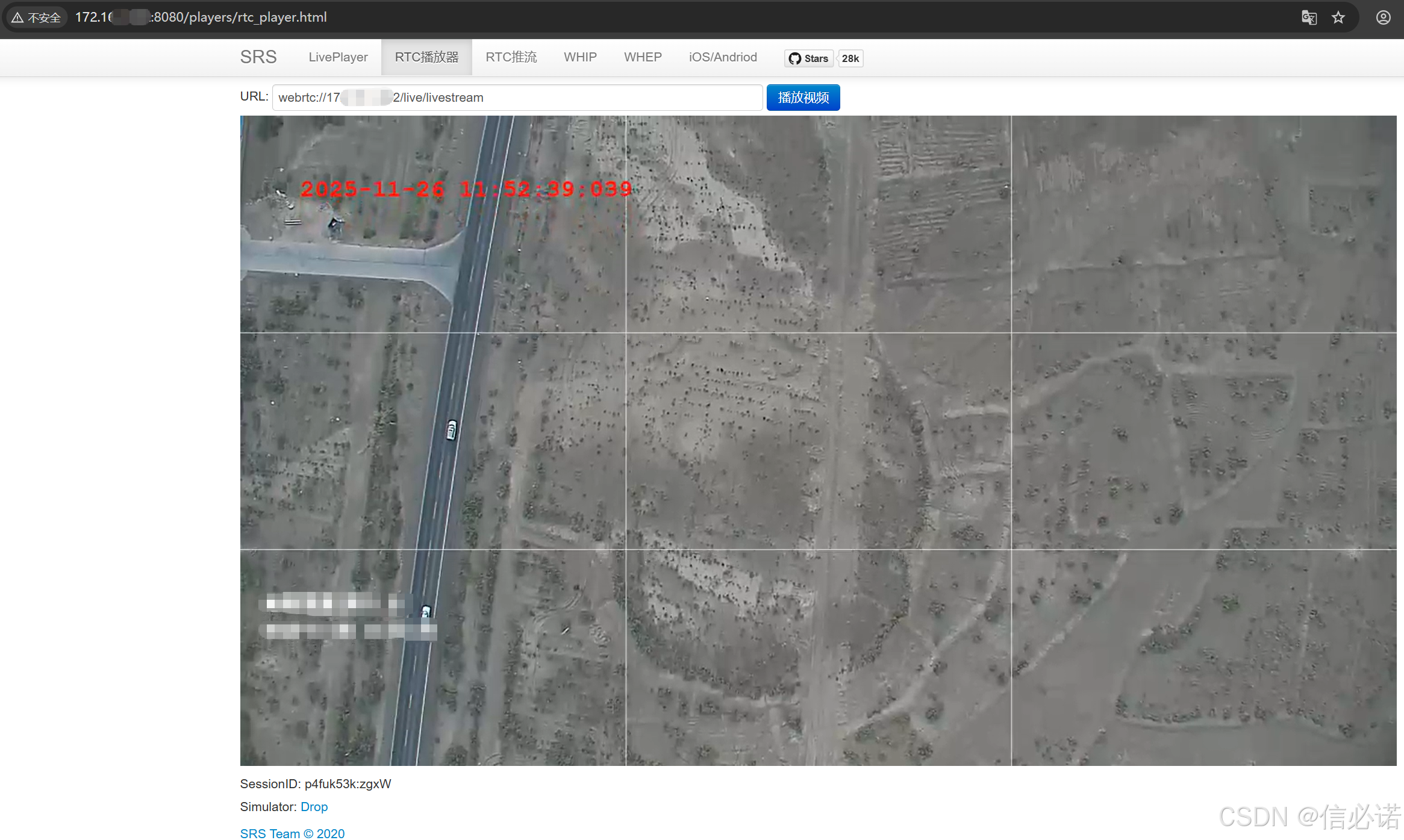
运行效果图
简介
在 上篇文章 “SRS —— 1、Ubuntu18.02搭建srs服务器,并进行推拉流测试” 中介绍了ubuntu搭建srs服务拉流测试。本篇更新了srs版本为SRS 5.0 Release,用以介绍。
正文
1、在ubuntu18.02下载编译 SRS 5.0 Release
下载
git clone https://github.com/ossrs/srs.git
cd srs
git checkout 5.0release

# 编译
./configure --with-ffmpeg --with-ssl --with-hls --with-http-callback --with-http-api --with-http-server --with-stream-caster --with-ingest --with-utest --with-gperf --with-gprof
make -j4

检查版本信息
./objs/srs -v

# 使用配置启动
./objs/srs -c conf/rtc.conf
附上conf/rtc.conf内容
listen              1935;
max_connections     1000;
daemon              off;
srs_log_tank        console;

http_server {
    enabled         on;
    listen          8080;
    dir             ./objs/nginx/html;
}

http_api {
    enabled         on;
    listen          1985;
}
stats {
    network         0;
}
rtc_server {
    enabled on;
    listen 8000; # UDP port
    # @see https://ossrs.net/lts/zh-cn/docs/v4/doc/webrtc#config-candidate
    candidate $CANDIDATE;
}

vhost __defaultVhost__ {
    rtc {
        enabled     on;
        # @see https://ossrs.net/lts/zh-cn/docs/v4/doc/webrtc#rtmp-to-rtc
        rtmp_to_rtc on;
        # @see https://ossrs.net/lts/zh-cn/docs/v4/doc/webrtc#rtc-to-rtmp
        rtc_to_rtmp off;
    }
    http_remux {
        enabled     on;
        mount       [vhost]/[app]/[stream].flv;
    }
}
2、检查SRS是否成功启动
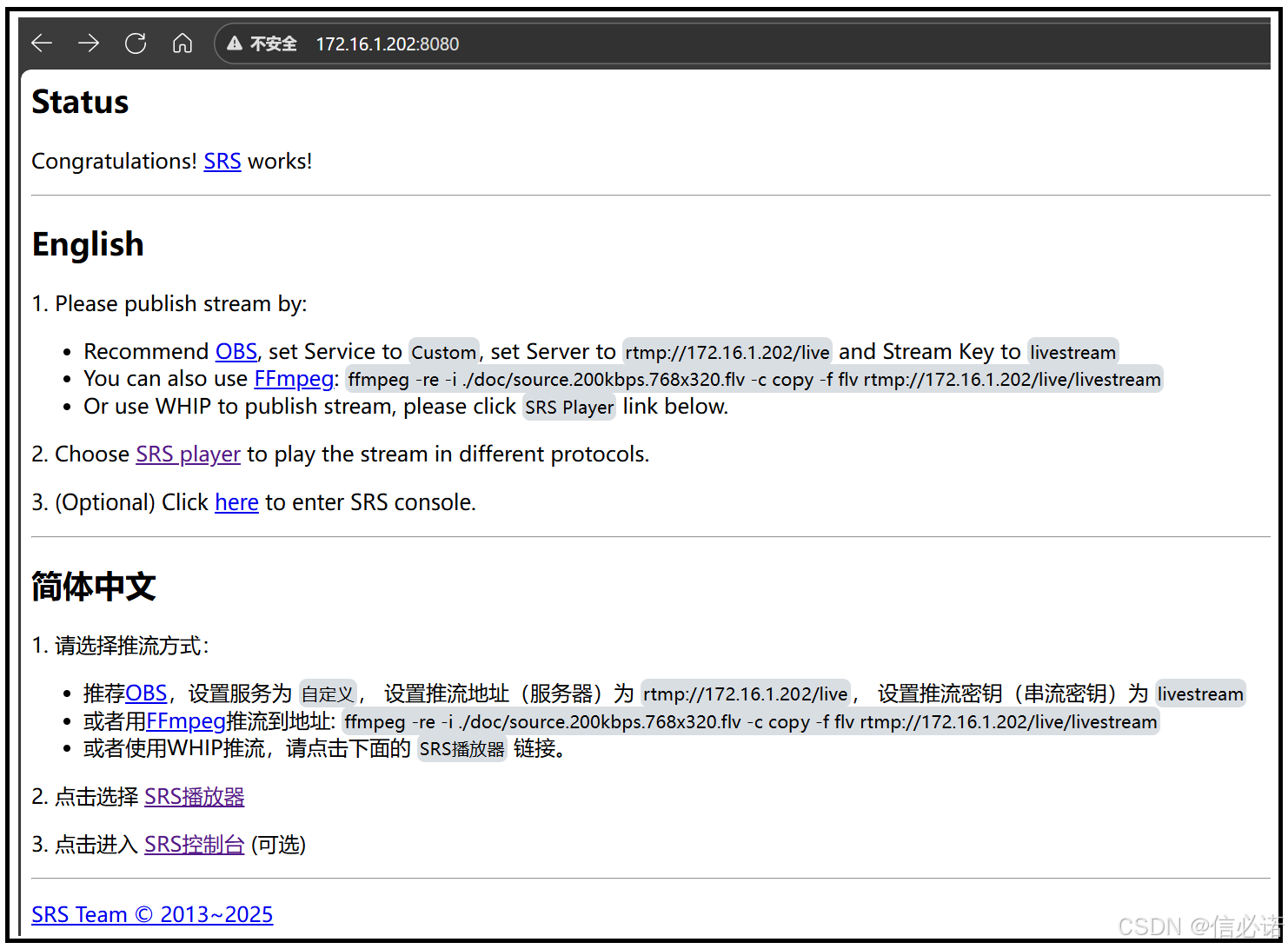
在浏览器中打开 http://localhost:8080/,出现以下界面,说明成功启动。
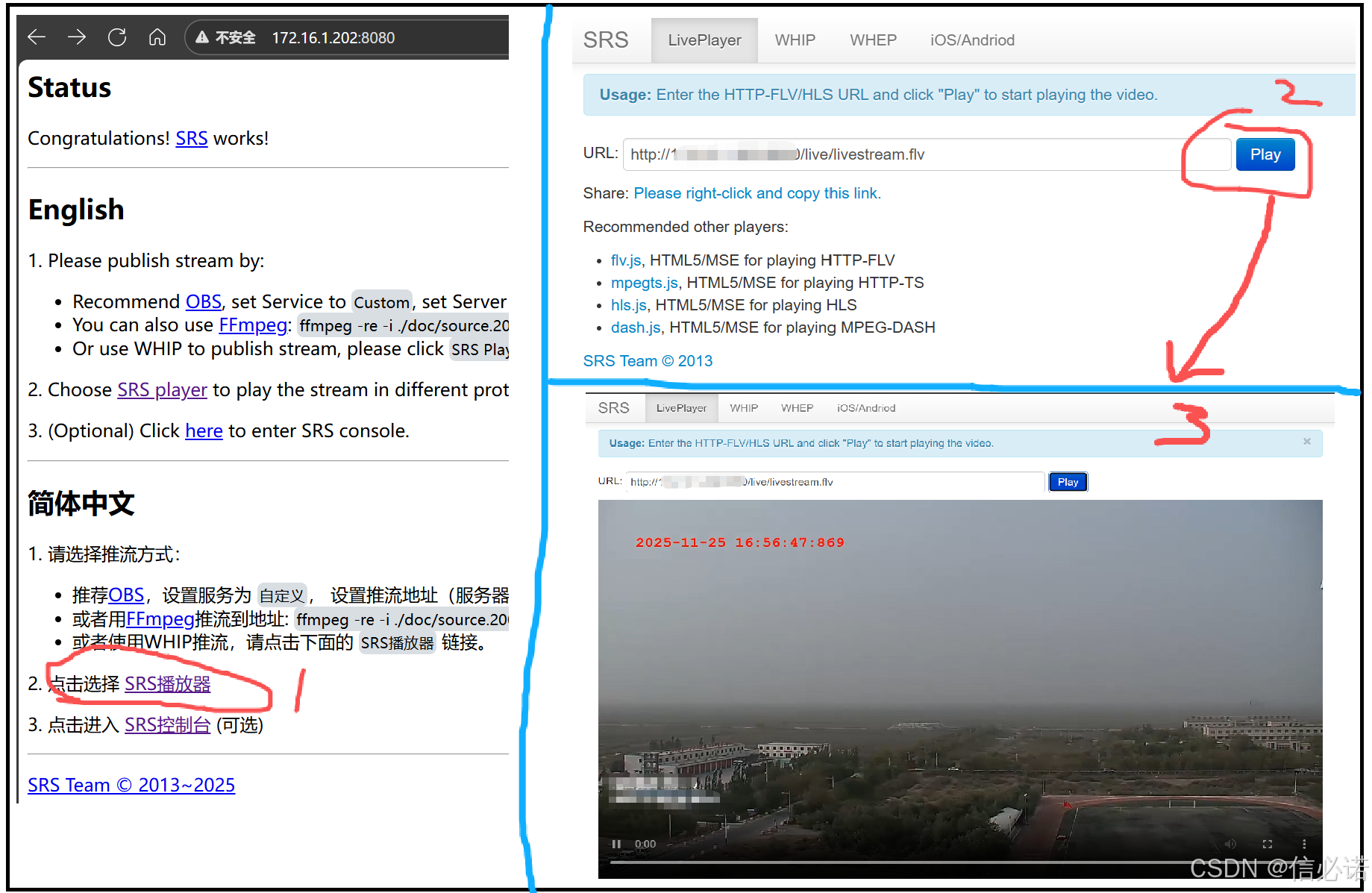
3、向srs服务器推rtmp流,并利用srs自带网页播放器观看
// 循环将mp4推流rtmp
ffmpeg -re -stream_loop -1 -i test.mp4 -vcodec copy -f flv rtmp://服务IP/live/livestream
4、进入rtc播放页面(http://服务ip:8080/players/rtc_player.html),然后点击播放就行了
【注:有人提出这里播放是黑屏,那么建议播放地址后面加入"?eip:服务ip",例如:webrtc://172.16.1.202/live/livestream?eip:172.16.1.202】
关注
笔者 - jxd (vx 码农总动员)






 扫一扫
扫一扫


 1108
1108

 被折叠的 条评论
为什么被折叠?
被折叠的 条评论
为什么被折叠?
 到【灌水乐园】发言





