win11中使用grep

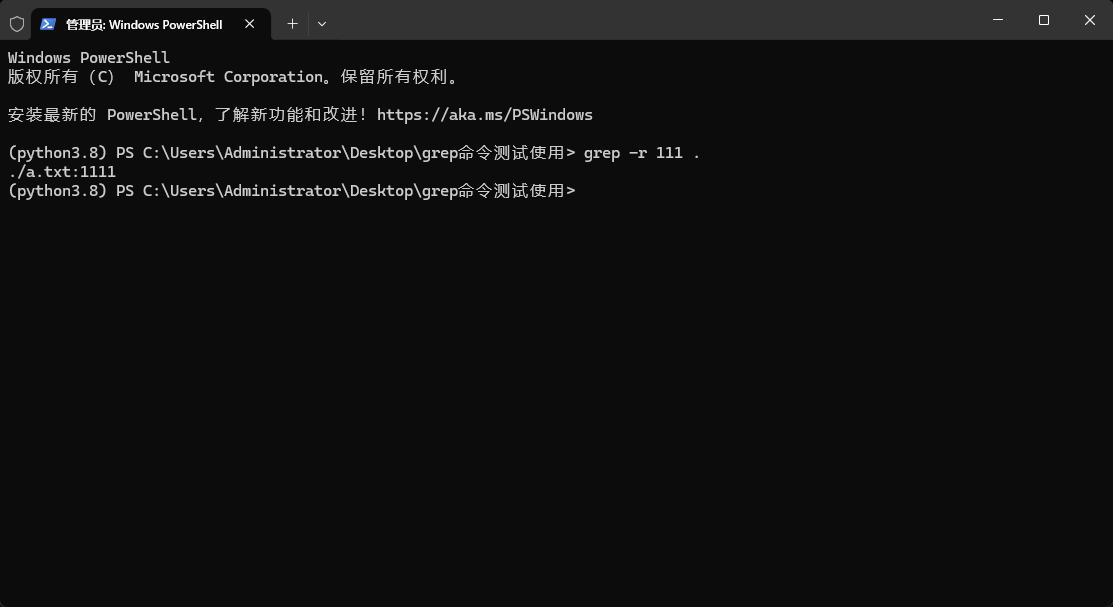
<think>我们正在回答用户关于在Windows使用grep工具的问题。根据引用内容,Windows本身没有内置grep,但可以通过以下方法实现类似功能:1.使用PowerShell的Select-String命令(Windows自带)2.安装GitBash(包含grep)3.安装GnuWin32或Cygwin由于用户可能希望快速使用,我们优先推荐使用PowerShell的Select-String和GitBash中的grep。下面将分步骤详细说明:###方法1:使用PowerShell的Select-String(无需安装)PowerShell是Windows自带的强大工具,其`Select-String`命令功能类似于grep。**基本语法:**```powershellSelect-String[-Pattern]<要搜索的字符串或正则表达式>[-Path]<文件路径>[选项]```**常用选项:**-`-CaseSensitive`:区分大小写-`-NotMatch`:反向匹配(相当于grep-v)-`-Context<n>`:显示匹配行前后n行(相当于grep-Cn)-`-List`:只显示包含匹配项的文件名(相当于grep-l)**示例:**1.在文件中搜索"error"(不区分大小写):```powershellSelect-String-Pattern"error"-Path.\log.txt```2.区分大小写搜索"Error":```powershellSelect-String-Pattern"Error"-CaseSensitive-Path.\log.txt```3.递归当前目录所有文件搜索"main":```powershellSelect-String-Pattern"main"-Path.\*-Recurse```###方法2:安装GitBash(推荐,获得完整grep体验)GitforWindows自带一个Bash环境,其中包含grep等常用Linux命令。**安装步骤:**1.下载GitforWindows:https://git-scm.com/download/win2.按默认选项安装(注意勾选“AddgittoPATH”)3.打开GitBash终端**使用示例:**```bash#在当前目录所有txt文件中搜索"hello"grep"hello"*.txt#递归搜索目录(包括子目录)grep-r"pattern"/path/to/dir#其他用法与Linuxgrep完全相同```###方法3:安装GnuWin32(仅需grep工具)1.下载grep包:http://gnuwin32.sourceforge.net/packages/grep.htm2.下载并运行安装程序3.将安装目录(如`C:\ProgramFiles(x86)\GnuWin32\bin`)添加到系统PATH环境变量4.打开命令提示符或PowerShell即可使用`grep`命令###方法4:使用Cygwin(完整Linux环境)1.下载Cygwin:https://www.cygwin.com/2.运行安装程序,在包选择界面搜索并选择`grep`包3.完成安装后,通过Cygwin终端使用grep---###总结建议-**推荐优先使用GitBash**:安装简单且包含完整的Linux工具链-**临时简单搜索用PowerShell**:无需安装额外软件-高级正则表达式用法与Linuxgrep一致,注意Windows路径使用正斜杠`/`或双反斜杠`\\`>**注意**:在PowerShell中搜索包含特殊字符(如`[`、`]`、`(`、`)`等)的模式时,需用单引号包裹模式字符串以避免解析错误[^2]。[^1]:[Grep工具简介](https://example.com)[^2]:[Windows环境下grep命令使用指南](https://example.com)§§相关问题§§1.如何在Windows中实现类似`grep-v`的反向搜索?2.如何用PowerShell的正则表达式实现高级文本搜索?3.如何将GitBash的grep添加到Windows系统路径?</think>### 在 Windows使用 grep 工具的详细指南 虽然 Windows 没有原生 `grep` 命令,但可以通过以下方法实现类似功能: #### 方法 1:使用 PowerShell 的 Select-String(无需安装) 这是 Windows 内置的最接近 grep 的解决方案: ```powershell # 基本搜索(相当于 grep "pattern" file) Select-String -Path "文件路径" -Pattern "搜索内容" # 示例:在 log.txt 中搜索 "error" Select-String -Path "C:\logs\log.txt" -Pattern "error" # 高级功能: Select-String -Path *.log -Pattern "warning" -CaseSensitive # 区分大小写 Select-String -Path config.ini -Pattern "timeout" -NotMatch # 反向匹配(类似 grep -v) Select-String -Path server.log -Pattern "404" -Context 2 # 显示前后2行(类似 grep -C 2) ``` #### 方法 2:安装 Git Bash(推荐) Git for Windows 自带完整的 GNU 工具链: 1. 下载安装 [Git for Windows](https://git-scm.com/download/win) 2. 安装时勾选 **"Use Git and optional Unix tools from the Command Prompt"** 3. 打开命令提示符或 PowerShell 即可使用: ```bash grep "error" *.log # 搜索当前目录所有日志文件 grep -r "function_name" src/ # 递归搜索目录 grep -i "warning" system.log # 忽略大小写 grep -n "connection" network.c # 显示行号 ``` #### 方法 3:安装独立 grep 工具 通过包管理器直接安装 grep: 1. **使用 Chocolatey**(管理员权限运行): ```powershell choco install grep ``` 2. **使用 Scoop**: ```powershell scoop install grep ``` 安装后即可在命令提示符中使用标准 grep 语法。 #### 方法 4:使用 Cygwin 或 GnuWin32 - **Cygwin**:完整 Linux 环境模拟器,安装时选择 `grep` 包 - **GnuWin32**:仅安装 grep 工具:[下载地址](http://gnuwin32.sourceforge.net/packages/grep.htm) --- ### 实用示例对比表 | 功能描述 | Linux/macOS 命令 | Windows 等效方案 | |-----------------------|--------------------------|--------------------------------------| | 基础搜索 | `grep "text" file` | `Select-String -Pattern "text" file` | | 递归搜索目录 | `grep -r "text" dir/` | `Get-ChildItem -Recurse \| Select-String "text"` | | 忽略大小写 | `grep -i "text" file` | `Select-String -CaseSensitive:$false "text"` | | 显示匹配行号 | `grep -n "text" file` | `Select-String "text" file \| Format-List` | | 统计匹配次数 | `grep -c "text" file` | `(Select-String "text" file).Count` | | 搜索压缩文件 | `zgrep "text" file.gz` | `Get-Content file.gz \| Select-String "text"` | > **注意**:在 PowerShell 中使用正则表达式时需转义特殊字符: > ```powershell > # 搜索 IP 地址 (需转义点号) > Select-String -Pattern "\d{1,3}\.\d{1,3}\.\d{1,3}\.\d{1,3}" access.log > ``` --- ### 最佳实践建议 1. **日常轻量使用** → PowerShell 的 `Select-String` 2. **开发/脚本需求** → 安装 Git Bash(最接近 Linux 体验) 3. **处理大型文件** → 使用 `findstr` 基础命令(Windows 内置): ```cmd findstr /s /i "error" *.log > results.txt ``` 4. **跨平台脚本** → 使用兼容层如 WSL(Windows Subsystem for Linux) [^1]: [Grep工具简介](https://example.com) [^2]: [Windows环境下grep命令使用指南](https://example.com) [^3]: [PowerShell Select-String文档](https://docs.microsoft.com/powershell/module/microsoft.powershell.utility/select-string)
评论
成就一亿技术人!
拼手气红包6.0元
还能输入1000个字符
 
红包 添加红包
表情包 插入表情
 条评论被折叠 查看
添加红包

请填写红包祝福语或标题

红包个数最小为10个

红包金额最低5元

当前余额3.43前往充值 >
需支付:10.00
成就一亿技术人!
领取后你会自动成为博主和红包主的粉丝 规则
hope_wisdom
发出的红包
实付
使用余额支付
点击重新获取
扫码支付
钱包余额 0

抵扣说明:

1.余额是钱包充值的虚拟货币,按照1:1的比例进行支付金额的抵扣。
2.余额无法直接购买下载,可以购买VIP、付费专栏及课程。

余额充值