



 本文介绍了如何在Win10环境下配置VS Code Remote,通过SSH连接远程Centos7进行开发调试。包括安装SSH、VS Code Insider版及Remote Development扩展,配置SSH连接,以及在VS Code中连接远程主机的步骤。
在 PyCon 2019 大会上,微软发布了 VS Code Remote,通过安装 Remote Development 扩展包,开发者可以通过VS Code直接在远程机器上进行开发调试,就像在本地开发调试一样,但目前仅在Insider版本中支持该功能。这里主要记录一下Win10下配置VS Code 使用SSH连接远程Centos7开发调试的步骤。
安装
安装SSH
使用SSH进行连接,客户端需要安装SSH Client,服务端需要安装SSH Server。由于Win10自带SSH Client,Centos7也已有SSH Server,所以这里不用再安装。如需安装,Win10请参考 https://docs.microsoft.com/zh-cn/windows-server/administration/openssh/openssh_install_firstuse,安装SSH Server,Centos可以使用如下命令:
sudo yum install openssh-server && sudo systemctl start sshd.service && sudo systemctl enable sshd.serviceUbuntu使用下面命令:
sudo apt-get install openssh-server
安装 VS Code Insider版和Remote Development扩展包
通过 https://code.visualstudio.com/insiders/下载insider版VS Code并安装,在VS Code扩展中心搜索并安装 Remote Development扩展包。Remote Development 包括Remote-SSH,Remote-Containers和Remote-WSL三个扩展。
配置SSH连接
1、生成SSH密钥
VS Code需要使用基于SSH密钥的身份验证才能连接到主机。Windows下公钥一般存储在 C:\Users\用户名\.ssh\id_rsa.pub,macOS/Linux下则位于~/.ssh/id_rsa.pub,根据系统检查相应位置是否已有SSH密钥,如果没有则打开命令提示符使用下面命令生成
ssh-keygen -t rsa -b 40962、把公钥(id_rsa.pub)添加到远程机器的authorized_keys中
在Windows下,打开命令提示符,执行下面命令
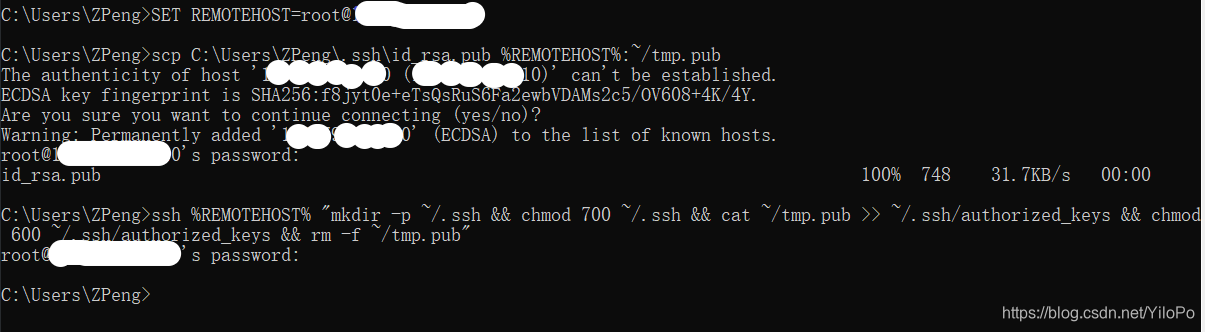
SET REMOTEHOST=root@192.168.126.128

scp C:\Users\用户名\.ssh\id_rsa.pub %REMOTEHOST%:~/tmp.pub

ssh %REMOTEHOST% "mkdir -p ~/.ssh && chmod 700 ~/.ssh && cat ~/tmp.pub >> ~/.ssh/authorized_keys && chmod 600 ~/.ssh/authorized_keys && rm -f ~/tmp.pub"
这里192.168.126.128是远程机器的IP地址,root是登录用户。
下面是我的实际输出,打码部分为IP地址,用自己远程机器的IP替换即可。yes/no时输入yes,密码为root用户的登录密码。
VS Code中连接远程机器
按F1弹出VS Code的命令选项板,输入Remote-SSH: Connect to Host,回车,选择Configure SSH Hosts,并打开C:\Users\用户名\.ssh\config文件,配置远程主机。如下所示
Host Centos7

    HostName 192.168.126.128

    User root
现在在左边栏可以看到你配置的机器,
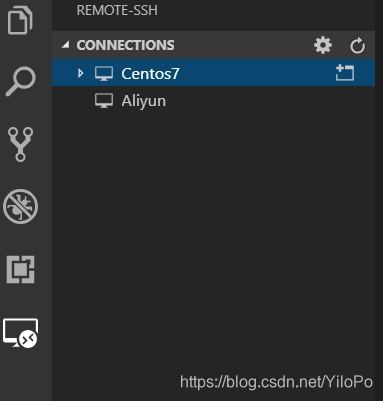
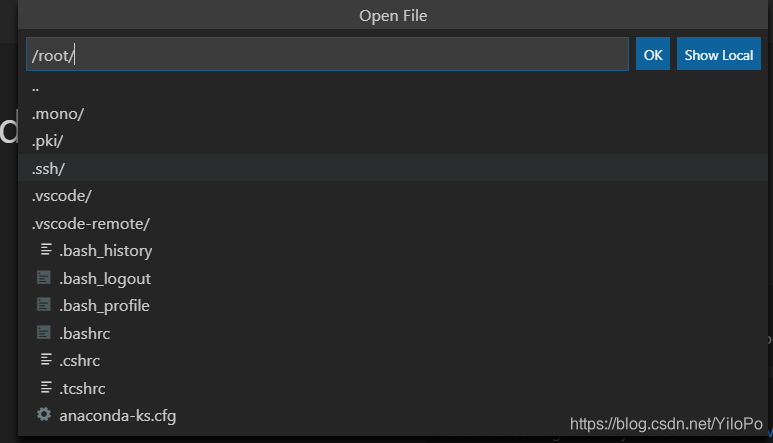
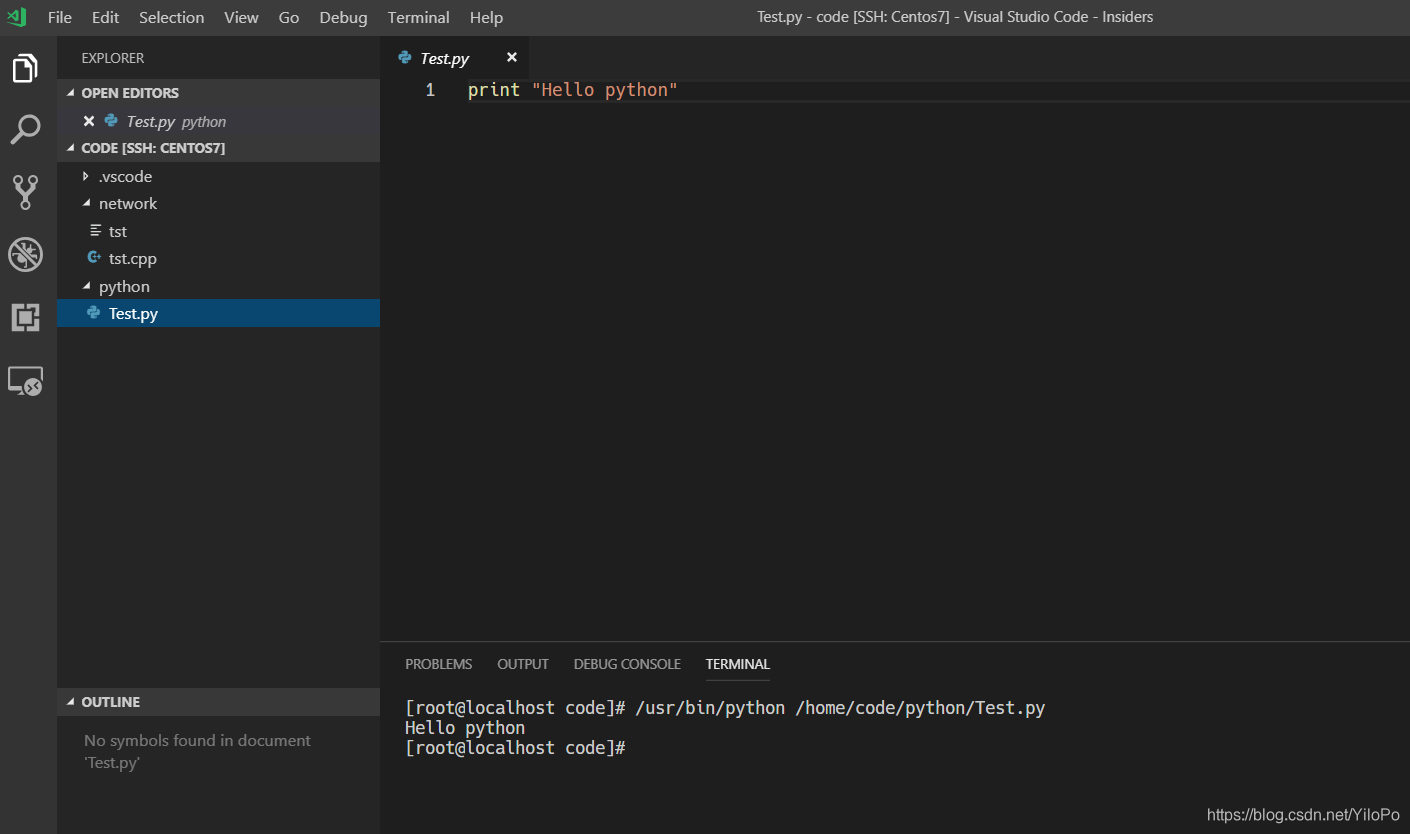
选择主机连接,VS Code建立连接后就可以通过File > Open.或File > Open Workspace直接打开远程机器上的文件或文件夹进行开发调试了。
参考资料
https://code.visualstudio.com/docs/remote/ssh#_getting-started
https://code.visualstudio.com/docs/remote/troubleshooting#_configuring-key-based-authentication
https://code.visualstudio.com/docs/remote/troubleshooting#_installing-a-supported-ssh-client





 扫一扫
扫一扫


 1万+
1万+


 到【灌水乐园】发言



