





 当在Pico设备上遇到61001错误时,这通常意味着应用未上传到Pico Developer Platform。解决方法包括禁用‘用户权限检查’或使用设备SN模拟检查。在Pico Unity SDK的平台设置中关闭用户权限检查选项,或者在开发早期阶段使用设备SN作为临时解决方案,最终发布时使用APPID。记得查阅官方文档,这是解决问题的关键。
0.前言
好不容易打包也顺利进行了,安装的apk程序也复制到Pico上了,也顺利安装了。可偏偏就运行的时候蹦出来了一个“试玩接口验证错误(61001)”。真是急死我了。
百度一下这个错误发现没有人记录过。那我就来记录一下,帮助后来人排坑。
其实,只要google一下这个61001的错误代码就能找到解决方案,google诚不欺我。
我们发现答案就在它的官方文档里。
https://sdk.picovr.com/docs/FAQ/chapter_twentyfive.html
Error 61001 occurs when the application enables “User Entitlement
Check” but the apk file hasn’t been uploaded on Pico Developer
Platform.
翻译一下就是:61001的错误的出现是因为你的应用程序没有上传到Pico Developer Platform上。
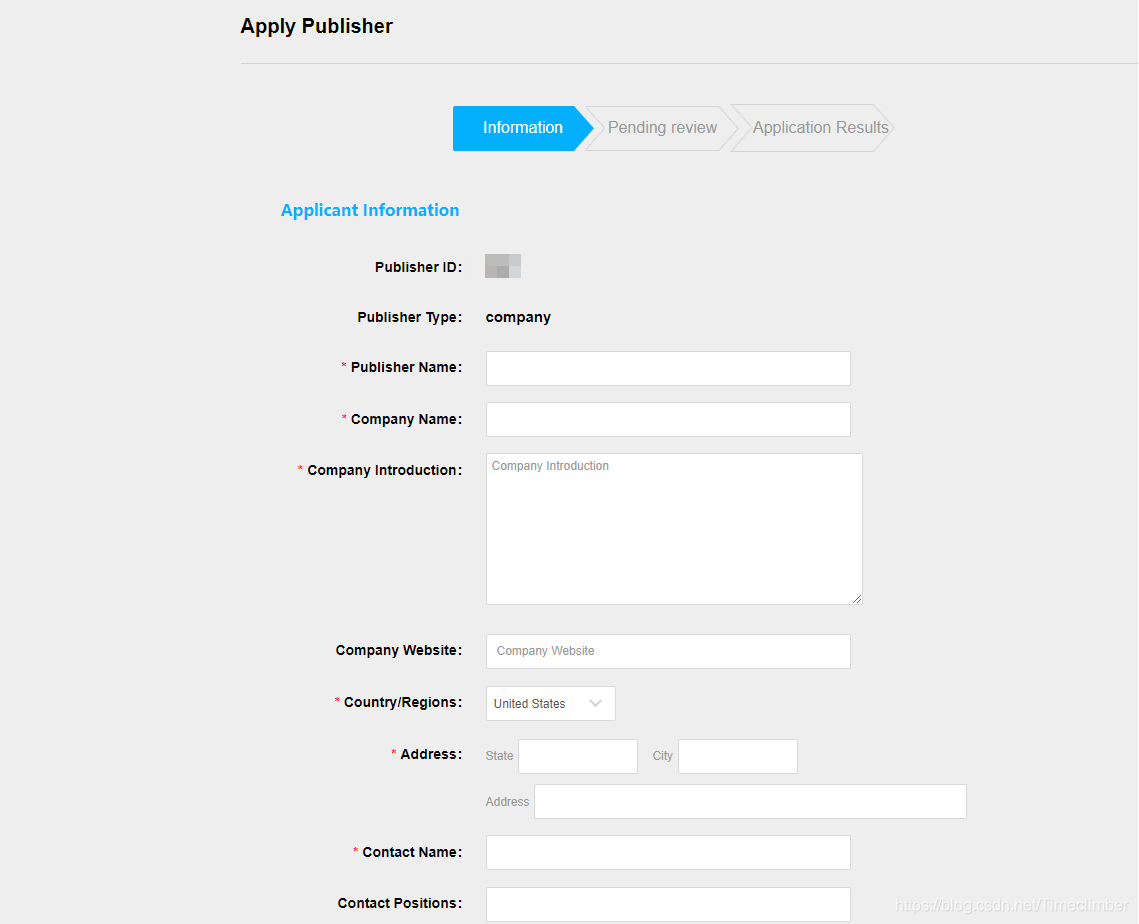
因为受限于Pico neo3,它会把这个apk文件当作在Pico Store上发布的应用程序,所以需要进行“用户权限检查”。
然而,没有在Pico Store上发布的作品,“用户权限检查”也没法通过。
因此有两种办法:
1.第一种方法
1.If the application is NOT expected to release on Pico Store, it is suggested to simply disable the option “User Entitlement Check”
也就是直接把“用户权限检查”给关闭掉,这个方式直接、简单。【推荐】
具体操作:
Pvr_UnitySDK -> Platform settings ->User Entitlement Check
把这个叉掉就行了
2.第二种方法
2.Additionally, in case the development is at an early phase, it is applicable to use device SN to simulate the “User Entitlement Check”(Details can be found in SDK document pages above) as a workaround. And when development is finished, please use APPID instead of SN code for actual release.
可以使用设备的SN来模拟“用户权限检查”。
至于设备的SN可以在Pico neo3上获得:
设置 -> 通用 -> 设备序列号
当然,为了方便复制,可以直接在有线串流模式下,打开cmd,运行代码adb devices就可以得到SN号。
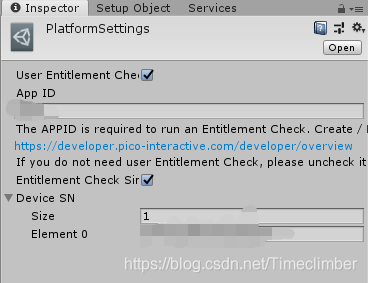
接着在Platform Settings中输入App ID(也就是登录这个网址后https://developer.pico-interactive.com/账号的Publisher ID)
和设备的SN号。
3.结尾
以上两种方式,任意一种配置好了就可以解决61001的问题。
最后总结一下,会看官方文档很重要!!!





 扫一扫
扫一扫


 8203
8203


 到【灌水乐园】发言



