


 PyTracking是一个用于视觉跟踪算法的通用Python库。它包含各种跟踪器的实现,如LWL、KYS、DiMP等,并提供在webcam上运行、分析性能和与其他基准数据集集成的功能。
PyTracking
原文:github
A general python library for visual tracking algorithms.
Table of Contents
Running a tracker
The installation script will automatically generate a local configuration file “evaluation/local.py”. In case the file was not generated, run evaluation.environment.create_default_local_file() to generate it. Next, set the paths to the datasets you want to use for evaluations. You can also change the path to the networks folder, and the path to the results folder, if you do not want to use the default paths. If all the dependencies have been correctly installed, you are set to run the trackers.
The toolkit provides many ways to run a tracker.
Run the tracker on webcam feed
This is done using the run_webcam script. The arguments are the name of the tracker, and the name of the parameter file. You can select the object to track by drawing a bounding box. Note: It is possible to select multiple targets to track!
Overview
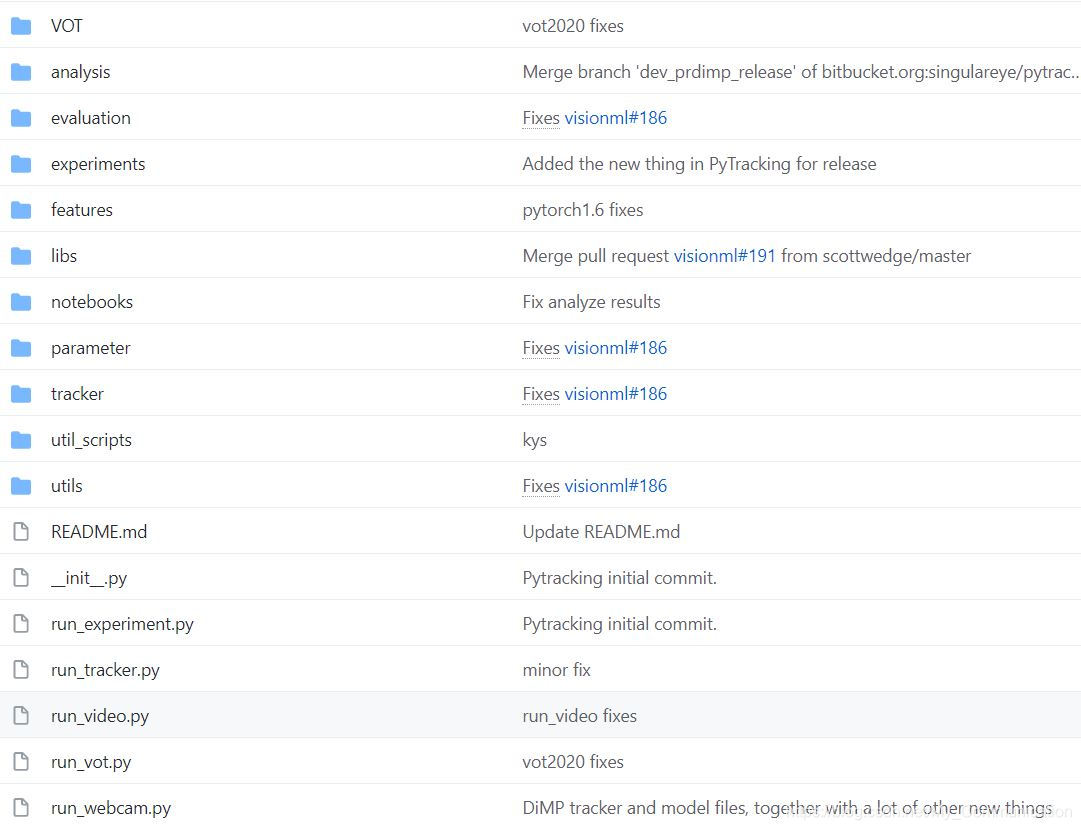
The tookit consists of the following sub-modules.
- analysis: Contains scripts to analyse tracking performance, e.g. obtain success plots, compute AUC score. It also contains a script to playback saved results for debugging.
- evaluation: Contains the necessary scripts for running a tracker on a dataset. It also contains integration of a number of standard tracking and video object segmentation datasets, namely OTB-100, NFS,
UAV123, Temple128, TrackingNet, GOT-10k, LaSOT, VOT, Temple Color 128,
 最低0.47元/天 解锁文章






 扫一扫
扫一扫


 1106
1106

 被折叠的 条评论
为什么被折叠?
被折叠的 条评论
为什么被折叠?
 到【灌水乐园】发言





